

Most teams choose SharePoint as their knowledge base because it comes with the Microsoft 365 bundle. But here are some issues users report:
- Unreliable search: Agents search for a document they know exists and get no results. The search breaks down further when libraries grow.
- Permissions that require ongoing maintenance: Setting up access controls is complex and often needs admin or developer support.
- Content that gets buried over time: As document libraries grow, older files become harder to locate. Teams create more folders to stay organized, which makes navigation worse.
- Setup that depends on IT: Configuring sites, workflows, and governance structures requires technical expertise that most non-technical teams don’t have.
If SharePoint is creating more problems than it solves, you might want to consider alternatives. This article compares 10 SharePoint alternatives across key features, use cases, and user experience to help you find the right fit for your team.
TL;DR: Our Top Picks for SharePoint Alternatives in 2026
| Platform | vs. SharePoint |
| livepro | Purpose-built for contact centers and enterprise teams; Offers AI search, governed workflows, and decision trees |
| Glean | Searches across every connected tool, not just the Microsoft 365 ecosystem |
| Knowmax | Teams choose their deployment model and LLM rather than being locked into Microsoft’s infrastructure |
| Shelf | Built for enterprise contact centers needing continuous content quality management at scale |
| Slite | Designed for low-maintenance adoption without IT overhead or admin configuration |
| Bloomfire | Organizes knowledge around topics and questions rather than folders and file libraries |
| Document360 | Controls audience-level publishing for internal and external readers from one platform |
| Confluence | Built for engineering teams connecting documentation directly to active software projects |
| Notion | Combines wikis, databases, and project tracking in one tool rather than across separate Microsoft applications |
| Bitrix24 | Charges a flat rate per plan rather than per user |
About SharePoint
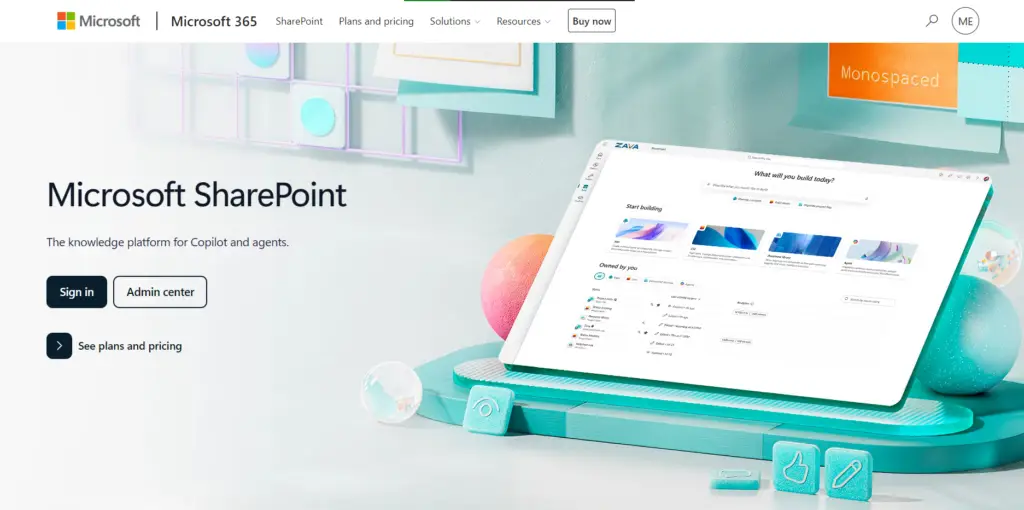
Microsoft SharePoint is a web-based collaboration and content management platform within the Microsoft 365 ecosystem. It functions as a knowledge base, but requires teams to manually configure wiki pages, site pages, and document libraries to serve that role.
SharePoint Pros
- Centralized file access: Teams can store, organize, and access shared documents from one place.
- Real-time co-authoring: Multiple people edit the same document at once, with changes visible in real-time across the team.
- Version control and history: The platform tracks every edit with a full change log.
- Bundled licensing: Organizations on Microsoft 365 Business Basic or higher get SharePoint included with no separate purchase.
SharePoint Cons
- Complex/outdated UI: Many users complain about the clunky interface, navigation issues, setup complexity, and a learning curve for new users.
- Unreliable search: The search function is inaccurate, especially when content libraries grow.
- Complex permissions: Setting up permissions is hard and requires consistent maintenance.
- Content decay: Some users say the platform lacks an automated system to flag outdated articles or enforce review schedules.
- IT dependency: Building workflows or restructuring sites requires technical expertise.
If you’re facing similar bottlenecks, we’ve reviewed 10 SharePoint alternatives below.
livepro
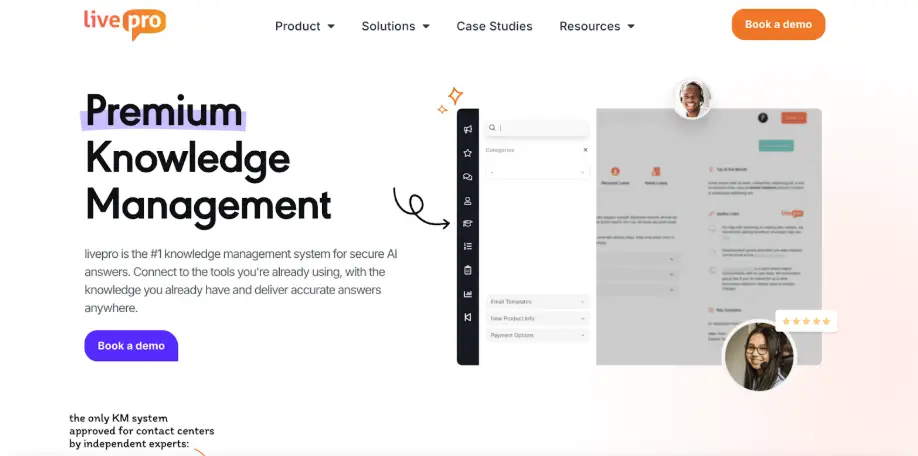
livepro is an AI-powered knowledge management software built for contact centers and enterprise teams. It delivers accurate answers in real-time through AI-powered search, decision trees, and content governance.
The platform serves industries like healthcare, banking, BPOs, and local governments that need to consolidate scattered content files into a compliant knowledge base at scale. It gives you granular permission control, version history, and automated review cycles to keep your knowledge accurate and up-to-date.
According to the G2 Spring 2026 Grid Report, livepro ranks first among contact center knowledge base software for data governance (9.9/10), compliance (9.8/10), and access management (9.7/10). It scores in the top three across all six feature categories, including intelligent search, integrations, and analytics.
Here’s how livepro solves the problems SharePoint users face:
AI-Powered Hybrid Search for Precise Answers
SharePoint users complain about its inaccurate search results, especially from large content libraries. Some users also complain that Copilot returns fewer and worse results than native SharePoint search.
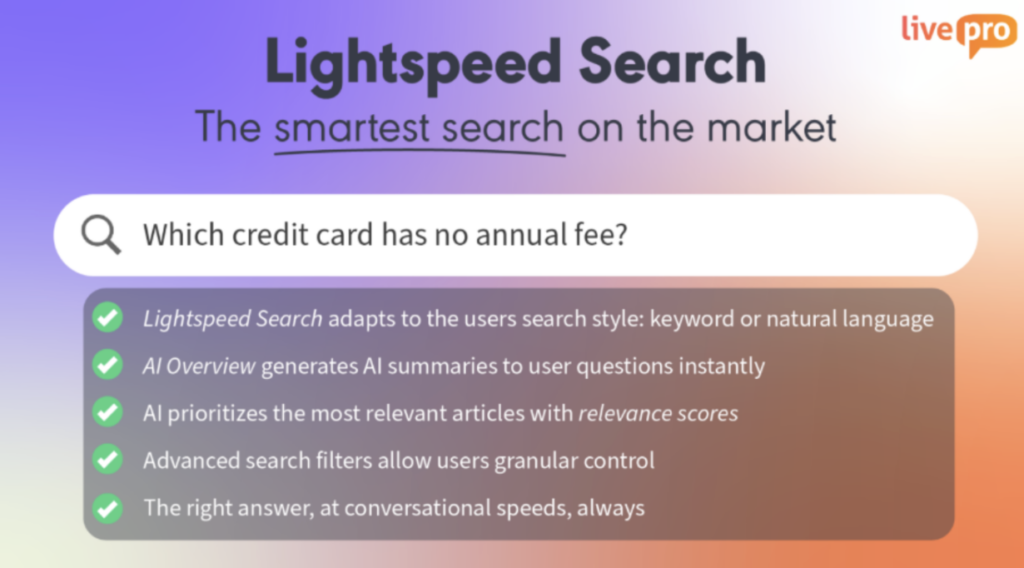
livepro’s Lightspeed Search combines natural language, semantic understanding, and keyword matching to deliver accurate answers during live interactions. It indexes content at the sentence level across articles, decision trees, and uploaded source documents.
When an agent types “refund eligibility for cancelled orders,” the system returns the applicable policy rule and its source. No file opens. No scanning required.
The search handles typos and understands context without exact keyword matches. It recognizes that “new hire setup” and “employee onboarding” mean the same thing and routes to the same answer.
livepro maintains this search accuracy by ranking results with AI-assigned relevance scores. These scores are based on the query, department, and past usage patterns, so the most accurate answer surfaces first. It also helps agents make the right decision during calls.
livepro’s search engine is also self-learning. It improves future search results based on user feedback and interaction with the current results.
AI Overviews That Turn Lengthy Policies into Quick Summaries
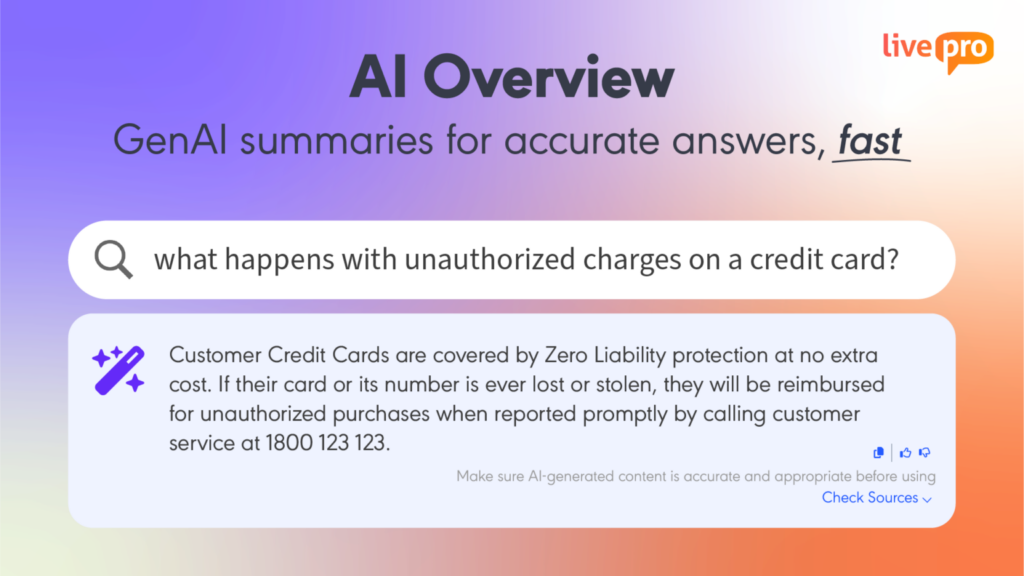
SharePoint search returns the document source from your knowledge base. Your agents and teams need to scan through each file to find relevant information, which is time-consuming.
livepro’s AI Overview generates a natural language summary at the top of every search result, pulled directly from approved knowledge content. An agent searching “cancellation fee for fixed-term contracts” reads the applicable rule in two sentences before the full article loads.
Every summary links back to the source article, so agents can verify details and respond without opening files.
The platform adopts the Retrieval-Augmented Generation (RAG) model to deliver accurate and compliant search results. This means every answer comes from the same governed content your knowledge team maintains.
LightspeedAI to Migrate Legacy Files Into Structured Articles Faster
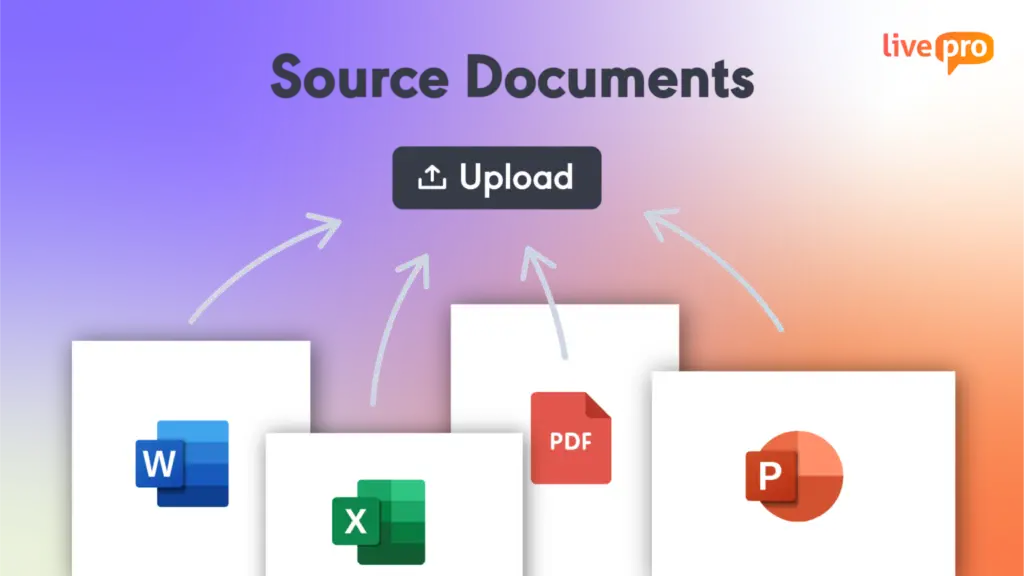
SharePoint users report that structuring content into a readable format consumes too much time. When your content is scattered across PDFs, Word files, Excel sheets, and PowerPoint decks, it’s hard to organize into formatted articles.
LightspeedAI maps and organizes existing documentation into consistent, easy-to-navigate formats without manual re-authoring. Teams can upload policies, process guides, and files directly from their current document repositories.
The AI structures them into readable, searchable content that works inside livepro’s knowledge base from day one. You can create pre-built templates, so all your content looks the same, and it’s easy to read.
Built-in Governance to Keep Content Up-to-Date
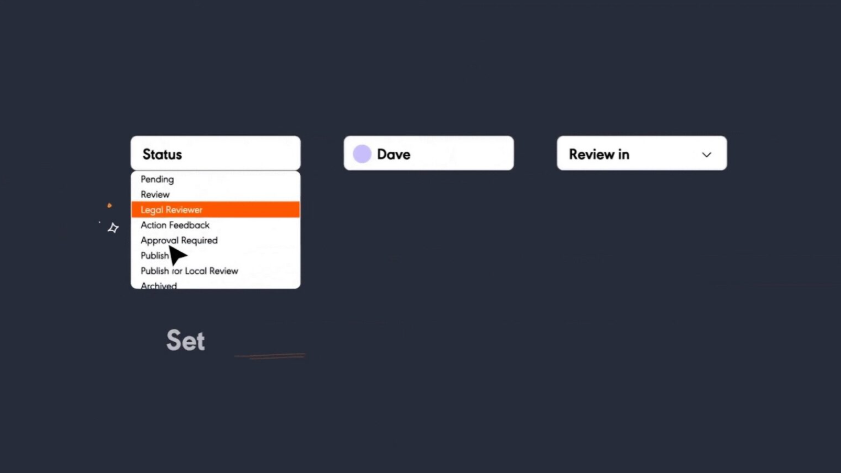
SharePoint users report it’s hard to set up permissions and update cycles, leading to outdated articles or duplicate content. Another user complains about version control issues.
livepro builds a governance framework into the content lifecycle, so knowledge stays current without depending on manual upkeep. Every article goes through an approval process before agents see it, so no article reaches the knowledge base without the right sign-off. You can control who can view, edit, approve, or publish by department, team, or seniority level.
SharePoint users also complain that it’s hard to track outdated content, especially in large content libraries with multiple folders. livepro assigns a review date to specific roles. When the deadline passes, livepro flags the content and routes it to the owner for update.
If the article passes the expiry date without review, the platform removes the content from the knowledge base. Every change is traceable with version control. Teams can restore previous versions or compare two versions of an article side by side to spot changes without reading both in full.
Compliance for Regulated Industries
Teams in financial services, healthcare, and government need an auditable and compliant knowledge base to meet regulatory requirements.
livepro is SOC 2 and HIPAA certified knowledge management software, built on self-hosted AI architecture. Data never passes through a third-party AI model, so governed content stays inside the organization’s secure environment.
Every content change is logged with who made it, when it happened, and what was changed. Compliance teams can pull that record when an auditor asks what was live on a specific date.
The platform supports PII Redact to detect and remove personally identifiable information from articles, comments, and search logs before content circulates internally.
Administrators control who can view, edit, approve, or publish content by team, department, or seniority. This way, sensitive content reaches only authorized users while maintaining knowledge accuracy.
Decision Trees for Interactive Guidance
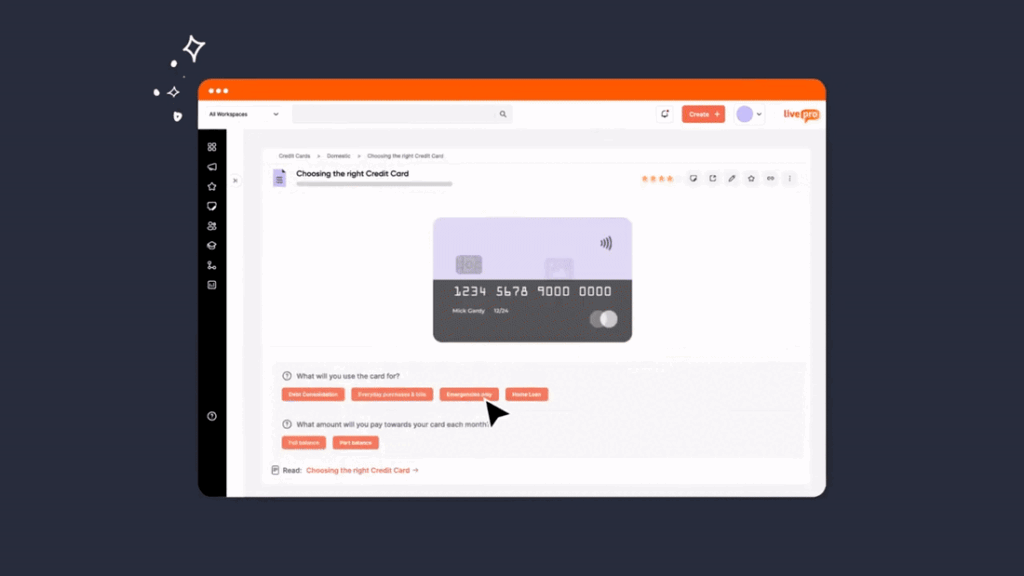
SharePoint stores processes as static articles. When a process has multiple outcomes depending on different conditions, teams need to read through the full document and determine the correct path on their own. That interpretation requires experience and time.
livepro offers decision trees (Rockets) that convert complex processes into conditional, question-based workflows. When an agent handles a query, Rockets present one question at a time based on the customer’s situation. Each answer narrows to the right path until you reach the right outcome.
Your new agents can answer questions like experienced ones from day one.
Knowledge managers can build Rockets to visually connect steps, add questions, and map outcomes using the drag-and-drop editor. Every path an agent takes is logged, giving compliance teams a record of which workflow guided each interaction.
One of livepro’s clients, Datacom, used the decision trees to guide agents through complex federal government inquiries under strict compliance requirements. Agents got accurate answers without memorizing policies, resulting in a 17% reduction in average handling time and faster speed to competency across the team.
Authoring Tools for Faster Content Creation
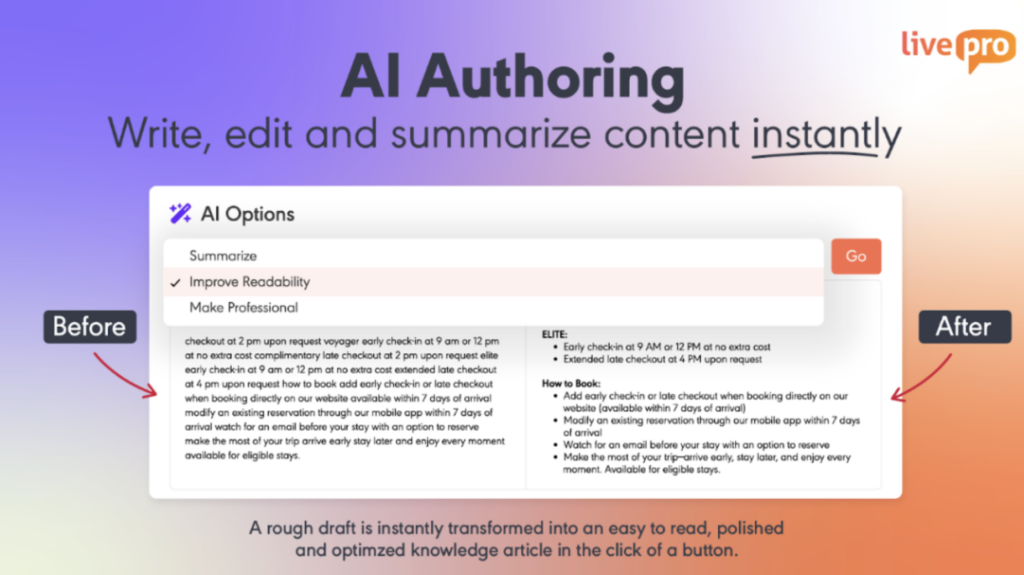
SharePoint provides generic content types and page templates, but none are designed for knowledge authoring.
Authors configure site architecture, page layouts, and content structure themselves, so every author makes different formatting decisions. This makes your knowledge base inconsistent and harder to navigate as your content library grows.
livepro’s authoring tools let knowledge managers and subject matter experts produce structured, consistent content across all departments.
With livepro, you get:
- WYSIWYG (What You See Is What You Get) editor: Write and update content in a visual editor into structured layouts that agents can scan during live calls.
- Multimedia support: Paste images, add important links, and upload multimedia content without IT expertise.
- Pre-designed templates: Enforce consistent formatting for different article types, so every policy article, process guide, and FAQ follows the same structure.
- AI Authoring: Use an AI tool to rewrite rough drafts into clear, structured articles. The AI simplifies complex language, removes unnecessary detail, and adjusts tone.
- Hubs: Group related articles, process guides, and decision trees into topic-based collections so agents find all resources on a subject in one place.
Knowledge Analytics for Continuous Content Improvement
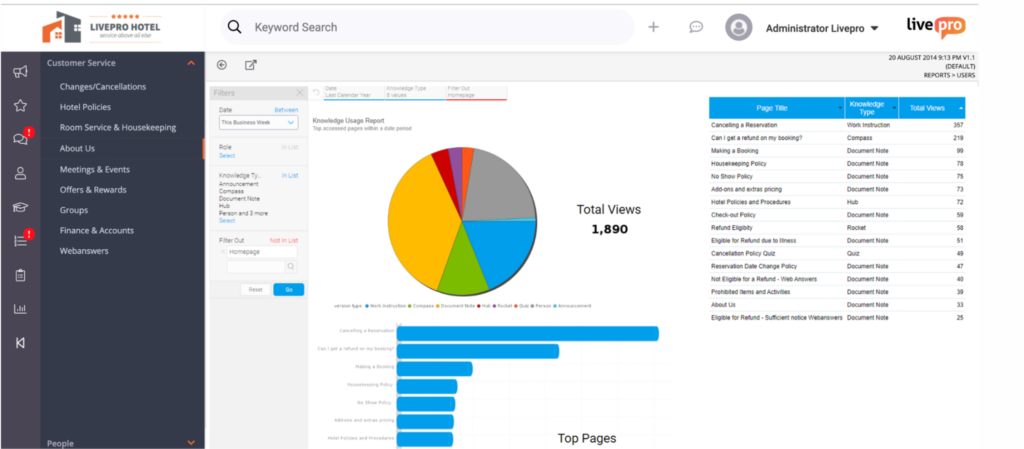
livepro turns raw knowledge data into actionable insights that you can access to make better decisions. You can build customizable analytics dashboards with metrics that matter to your team.
You get visibility into:
- Failed searches: Queries that return no results, logged and flagged as knowledge gaps.
- Search bounces: Articles agents open and immediately leave to search again, signaling the content did not answer the question.
- Article-level performance: Views, time spent, and interaction patterns per article across the knowledge base.
- Low-engagement content: Articles that get opened but are abandoned, flagged for improvement or removal.
- Trending search terms: Spikes in new search terms that signal emerging knowledge needs.
- Compliance adherence: Whether agents follow approved workflows, with data available for coaching and audit preparation.
If you use external tools, you can export custom reports on knowledge performance, so your operations and knowledge metrics sit in one view.
Customer Self-Service Solutions to Deflect Call Volume

livepro’s customer self-service solutions let teams publish approved knowledge to customer-facing channels from the same knowledge base agents use. Content is authored once, governed centrally, and delivered across every channel.
The platform supports self-service through:
- WebAnswers: Connects the internal knowledge base to a website via API so customers receive the same approved answers agents use, with no duplicate content to manage.
- OpenAccess: A fully hosted help site powered by livepro where customer-facing articles are published directly from the internal platform, with federated search across internal and public sources.
- Luna AI Voice Agent: An AI-powered voice agent that handles inbound customer calls 24/7 using verified knowledge base content with multilingual support.
livepro Integrations
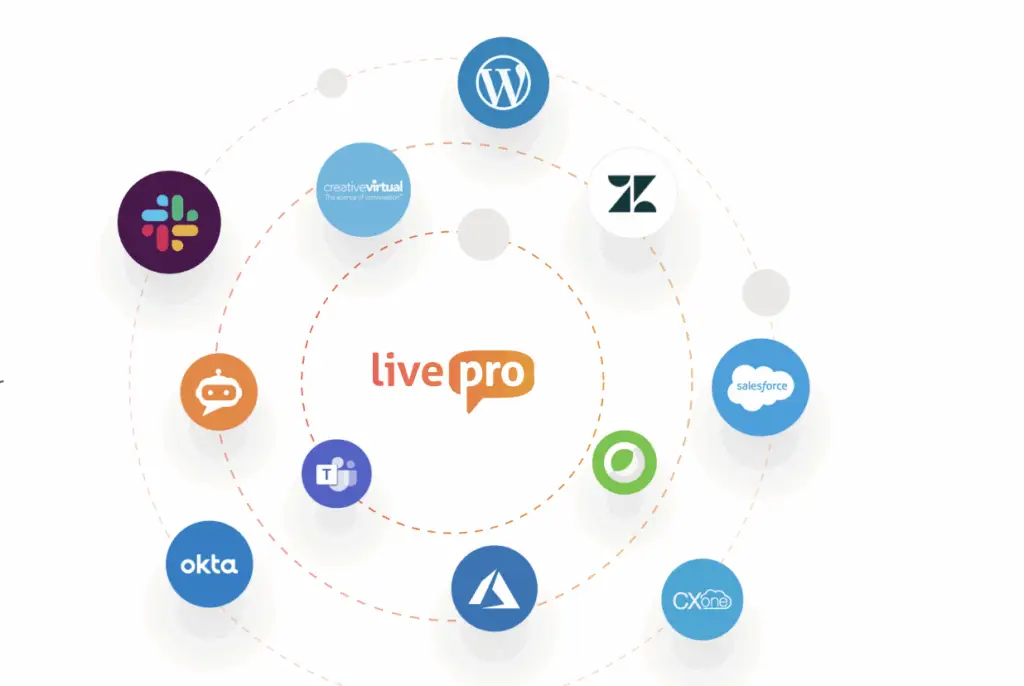
livepro connects with tools your team already uses. It supports native integrations with:
- Microsoft Teams
- Slack
- MS Dynamic CRM
- Cisco Webex
- Azure
- Salesforce
- Zendesk
- Genesys Cloud
- NICE CXone
If you use a custom app, you can use livepro’s open API to connect your internal tools quickly.
livepro Pricing
livepro offers three pricing plans: Flex, Premium, and Enterprise. Contact our team for a custom quote.
Glean
Glean is an AI-powered enterprise search platform built for mid-market to large enterprises across engineering, sales, HR, customer service, IT, and finance. The platform indexes content across 100+ connected applications to surface permission-aware and accurate answers.
Glean works best for teams managing knowledge fragmentation across a complex SaaS stack.
Read more: Glean Alternatives
Glean Key Features
- Provides a personal AI assistant for natural language queries
- Builds and deploys custom AI agents for workflow automation
- Proactively surfaces relevant information before users search
- Delivers role-based, personalized search results across all connected apps
Glean Pricing
Glean offers custom pricing.
Knowmax

Knowmax is an AI-powered knowledge management platform purpose-built for contact centers and CX teams across telecom, banking, insurance, and BPOs.
The platform extends beyond standard articles and FAQs to include interactive decision trees (Flows), visual how-to guides, and a built-in learning management system.
Knowmax lets you choose where your knowledge base runs (servers, private cloud, or SaaS) and which large language model (LLM) powers the AI features. SharePoint locks AI capabilities and infrastructure inside Microsoft’s ecosystem.
Read more: Knowmax Alternatives
Knowmax Key Features
- Converts complex SOPs into guided, clickable decision tree workflows
- Delivers AI-powered search with NLP and predictive answer suggestions
- Publishes knowledge across contact center, chatbot, and self-service channels
- Creates visual how-to guides for device setup and troubleshooting processes
- Tracks knowledge performance through real-time analytics and usage dashboards
Knowmax Pricing
Knowmax offers custom pricing.
Slite
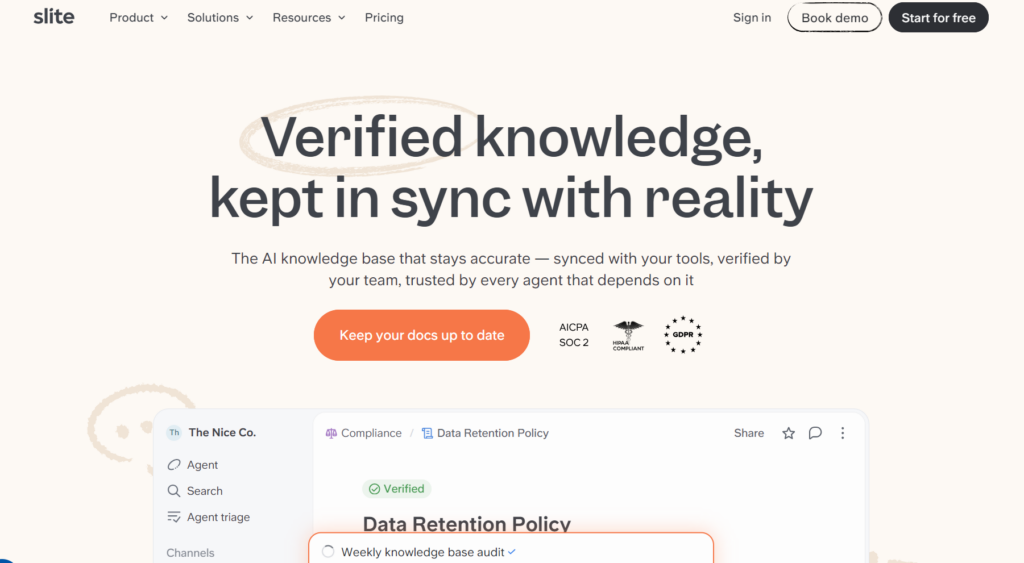
Slite is an AI-powered knowledge base built for internal documentation and team knowledge sharing. It targets small to mid-sized teams with 10 to 500 users in industries like HR, technology, and customer support.
The platform centralizes onboarding guides, SOPs, meeting notes, and company policies into a single searchable workspace.
Slite is built for teams that want a low-maintenance knowledge base without admin overhead.
Slite Key Features
- Delivers AI-powered search that answers questions from verified docs
- Flags outdated content through automated document verification
- Supports real-time collaborative editing across distributed teams
- Provides customizable templates for documentation structure
- Tracks content usage and engagement through workspace analytics
Slite Pricing
Slite pricing starts at $10 per user per month.
Bloomfire
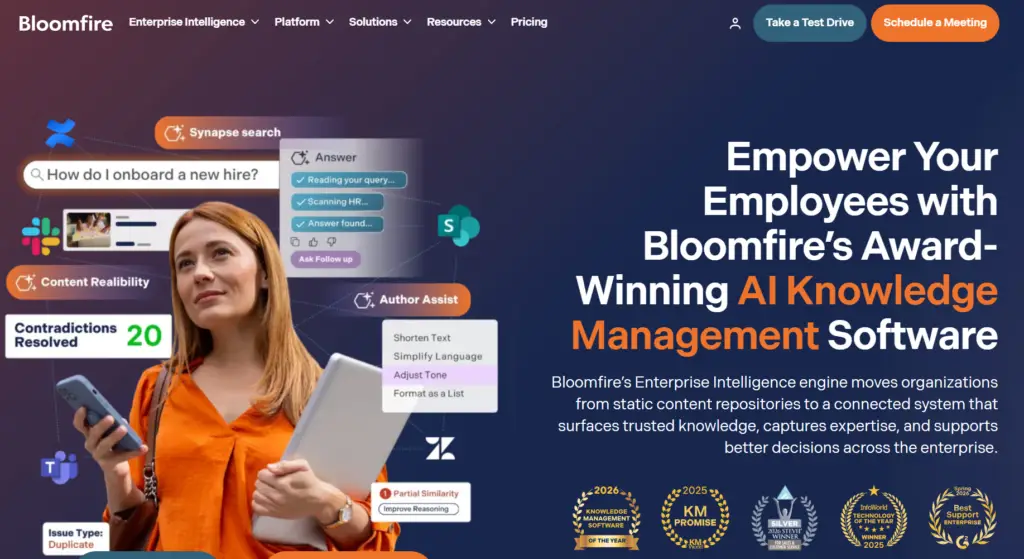
Bloomfire is an AI-powered knowledge management platform built for enterprise and mid-market teams in financial services, healthcare, logistics, and manufacturing.
The platform indexes 29+ file types and transcribes recorded content into a searchable format, so the content appears in search results for accurate answers.
Bloomfire organizes knowledge around topics and questions, so users get direct answers without opening files. SharePoint organizes content around folders and document libraries; finding information depends on how well files are named and structured.
Read more: Bloomfire Alternatives
Bloomfire Key Features
- Indexes video, audio, and document content through deep AI search
- Delivers conversational AI answers through Synapse, its built-in AI assistant
- Flags stale and redundant content automatically for review
- Supports Q&A workflows that route questions to designated subject matter experts
- Tracks content engagement, search patterns, and knowledge gaps through analytics
Bloomfire Pricing
Bloomfire offers custom pricing based on your deployment scope.
Document360
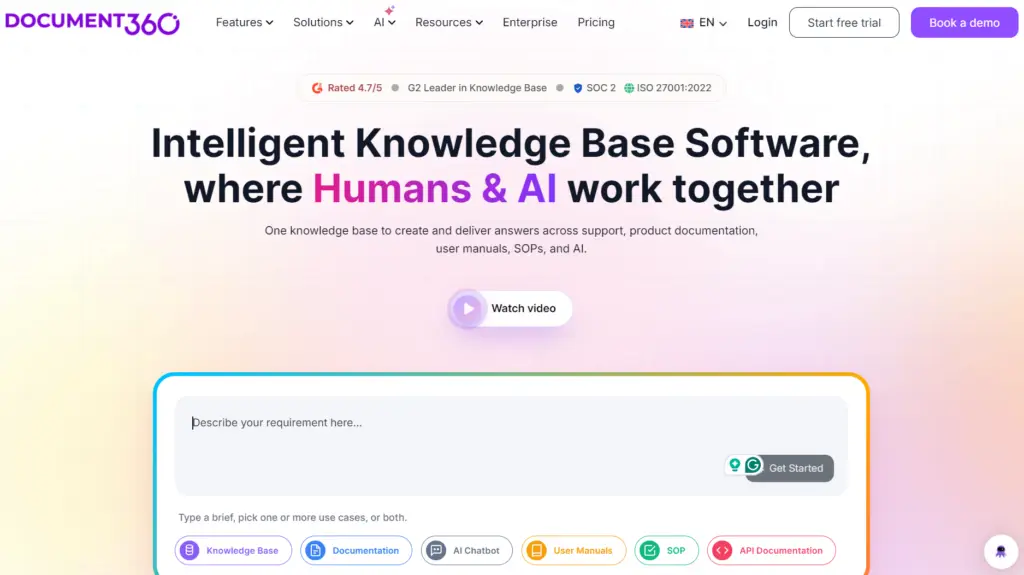
Document360 is a knowledge base platform built for internal teams and external customers. It serves SaaS companies, IT and consulting firms, financial services, healthcare, and manufacturing organizations.
Document360 lets teams control who sees each article at publish, routing content to staff or customers without managing two separate systems. SharePoint has no native audience-level publishing controls for customer-facing documentation.
Read more: Document360 Alternatives
Document360 Key Features
- Supports internal wikis and external customer-facing knowledge portals
- Provides Eddy AI for content authoring, FAQ generation, and AI-powered search
- Includes version control with side-by-side comparison
- Offers a custom workflow builder
- Auto-translates content into 50+ languages
Document360 Pricing
Document360 offers custom pricing.
Confluence
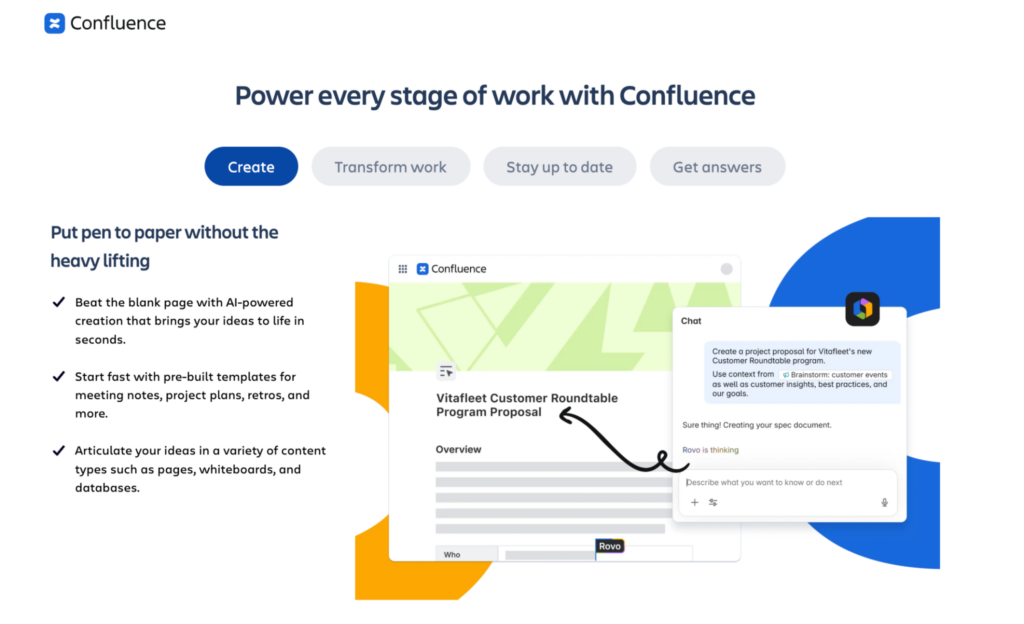
Confluence by Atlassian is a connected workspace for internal documentation, knowledge sharing, and team collaboration. It serves teams across engineering, IT, product, HR, marketing, and operations.
Confluence is built for engineering and product teams that document software projects, decisions, and sprints. SharePoint serves broader enterprise document storage across any department, making it a closer fit for non-technical teams.
See also: Confluence Alternatives
Confluence Key Features
- Supports real-time collaborative page editing with templates and rich media
- Organizes content through a hierarchical space and page tree structure
- Tracks full version history with page comparison and one-click rollback
- Integrates directly with Jira to link documentation to projects and tasks
- Automates content management tasks through a no-code rule builder
Confluence Pricing
Confluence pricing starts at $5.42 per user per month.
Shelf
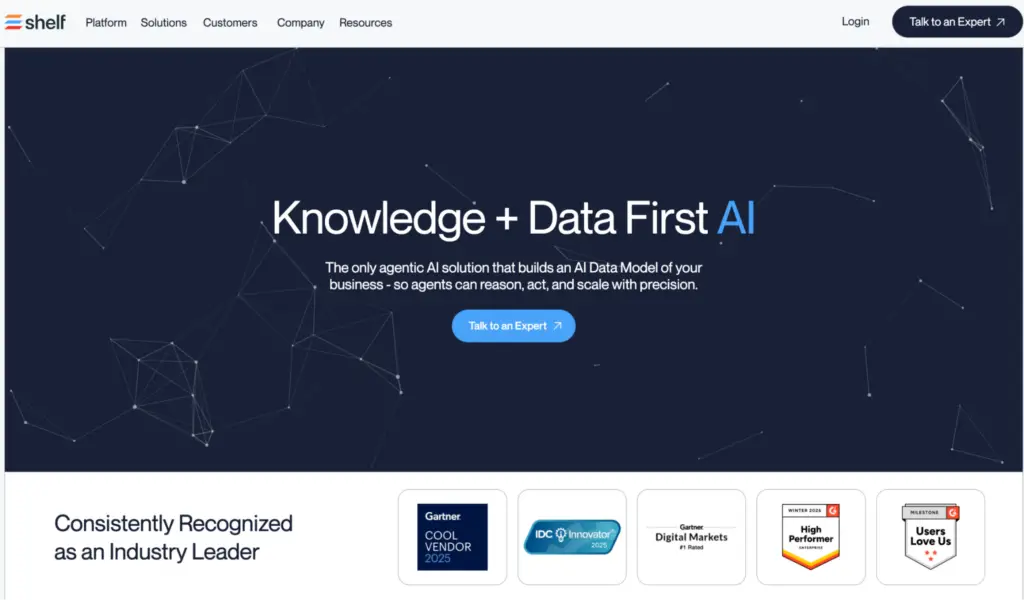
Shelf is an AI-powered knowledge management platform built for enterprise contact centers and large customer service operations. It integrates with agent desktops and delivers accurate answers through AI-powered search.
Shelf targets large enterprise contact centers that already run a knowledge base but need continuous content quality management at scale. SharePoint is best for teams without a dedicated knowledge management system.
Read more: Shelf Alternatives
Shelf Key Features
- Delivers AI-powered answer suggestions through MerlinAI across search, chat, and IVR
- Flags outdated, duplicate, and compliance-risk content through Content Intelligence
- Surfaces answers inside the agent desktop via Agent Assist
- Supports guided resolution workflows through built-in decision trees
- Tracks content performance through health score dashboards and analytics
Shelf Pricing
Shelf offers custom pricing.
Notion
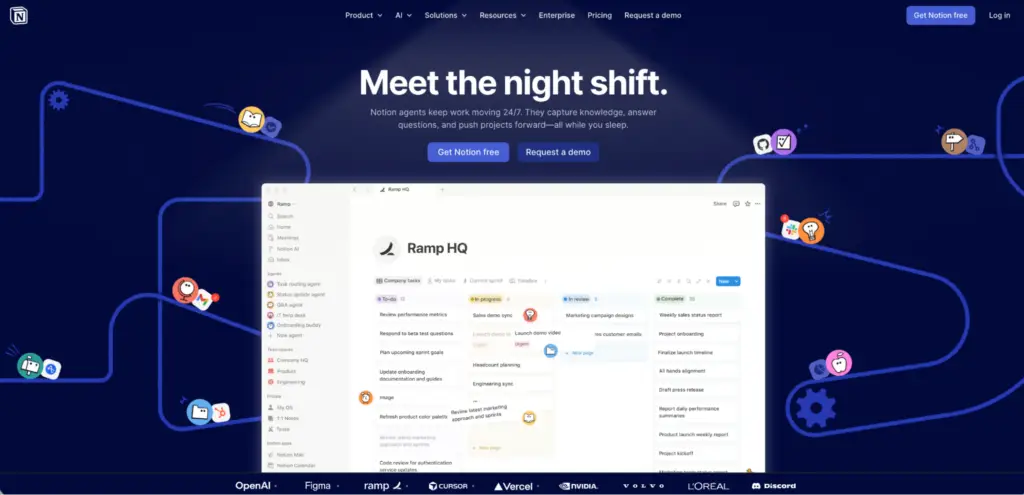
Notion is a shared workspace that combines notes, documents, wikis, databases, and project management in a single platform. It serves a wide range of industries like product, engineering, marketing, HR, and operations.
Notion gives teams a blank canvas to build any structure they need, from a wiki to a relational database to a project tracker, inside one tool. SharePoint distributes those functions across separate Microsoft applications that require configuration to connect.
Notion Key Features
- Builds wikis, documents, and databases using a block-based editor
- Supports multiple database views, including table, board, calendar, and timeline
- Allows real-time collaborative editing with inline comments and mentions
- Provides AI writing, summarizing, and workspace search
Notion Pricing
Notion pricing starts at $10 per user per month.
Bitrix24
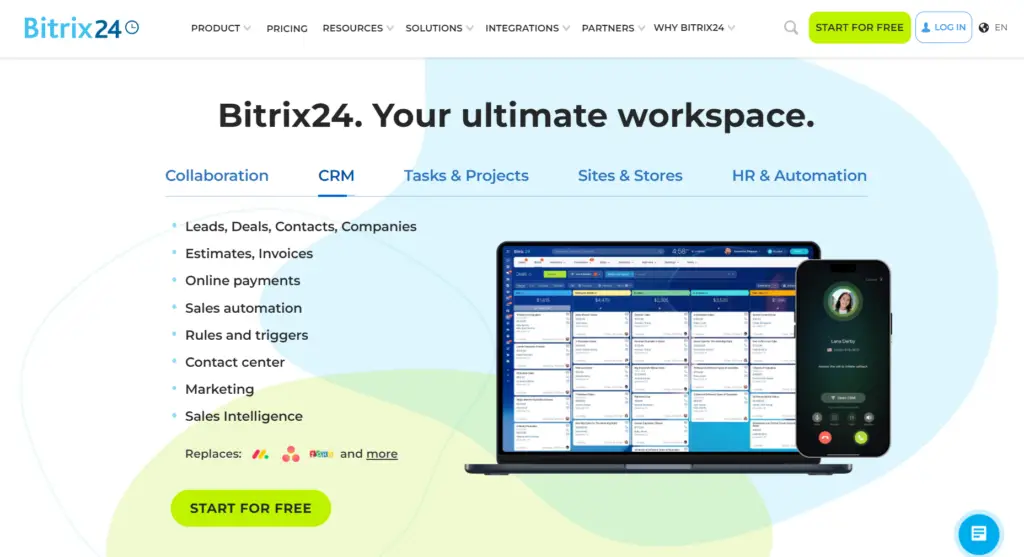
Bitrix24 is a business management platform built for small businesses and large enterprises across IT, consulting, marketing, professional services, and manufacturing.
Bitrix24’s flat-rate pricing keeps costs fixed regardless of how many users you add. Microsoft 365, which bundles SharePoint, charges per user.
Bitrix24 Key Features
- Manages leads, deals, and pipelines through a built-in CRM with sales automation
- Tracks tasks and projects across Kanban, Gantt, and Scrum views
- Supports team communication through chat, video calls, and a company activity feed
- Stores and co-edits documents in real time through a built-in online drive
- Includes AI CoPilot across CRM, tasks, and chat for automated assistance
Bitrix24 Pricing
Bitrix24 pricing starts at $49 per month.
Comparison Guide: 10 Best SharePoint Alternatives
| Platform | Best For | Search | Content Governance | Process Guidance |
| livepro | Contact centers and enterprise teams in regulated industries | Lightspeed Search combines AI, semantic, and keyword matching, and AI Overviews summarize answers at the top of every result | Automated review dates, role-based approval workflows, scheduled expiry, and full version control | Rockets converts complex processes into conditional, question-based workflows with a drag-and-drop builder |
| Glean | Large enterprises managing knowledge across a fragmented SaaS stack | AI enterprise search across 100+ connected apps, permission-aware and role-personalized results | No dedicated governance layer, indexing existing content as-is across connected tools | No native process guidance or decision trees |
| Knowmax | Contact centers in telecom, banking, insurance, and BPOs | AI-powered NLP search with predictive answer suggestions | Approval workflows, version control, and automated content expiry with scheduled review flags | Interactive decision trees (Flows) and visual how-to guides for step-by-step agent guidance |
| Slite | Small to mid-sized teams (10–500 users) needing low-maintenance internal documentation | AI Ask feature returns answers from verified docs, but keyword search requires an exact title match | Single document owner per article, with no automated review cycles or content expiry | No native decision trees or guided workflows, static documentation only |
| Bloomfire | Enterprise and mid-market teams managing multi-format content, including video and audio | Deep AI search indexes video, audio, and document content, including transcriptions | Automated stale and redundant content flagging, with Q&A moderation workflows that route questions to subject matter experts | Q&A workflows route questions to subject matter experts, but they don’t guide agents through step-by-step processes |
| Document360 | SaaS companies and IT teams needing internal documentation and a customer-facing portal | Eddy AI powers search, chatbot responses, and content authoring | Custom multi-step approval workflow builder, with version control and one-click rollback | Workflow builder applies to content approvals only |
| Confluence | Engineering and product teams documenting software projects in the Atlassian ecosystem | AI-powered search that surfaces outdated or duplicate pages without a consistent naming discipline | Version history with rollback, basic no-code automation rules, and manual page archiving | Page-based documentation only |
| Shelf | Large enterprise contact centers managing content quality at scale | MerlinAI suggests answers across search, chat, IVR, and agent desktop | Content Intelligence auto-flags outdated, duplicate, and compliance-risk content | Built-in decision trees for guided agent resolution workflows |
| Notion | Non-technical and creative teams wanting a flexible all-in-one workspace | Notion AI adds natural language Q&A with cited sources across the workspace | Version history only, with no automated review cycles or content expiry | Database views can simulate workflows with manual configuration |
| Bitrix24 | Small businesses needing CRM, tasks, and internal knowledge under one platform | AI CoPilot searches across CRM, tasks, and chat | Basic document version control | Workflow automation for business processes |
How to Choose the Right SharePoint Alternative
Here’s how you can find the right SharePoint alternative:
Know Your Use Case
| If Your Team Needs | Recommended Platforms |
| Real-time answers during live customer interactions | livepro, Knowmax, Shelf |
| Governed knowledge across regulated industries | livepro |
| Internal documentation for remote or distributed teams | livepro, Slite, Notion, Confluence |
| Knowledge delivery inside an existing CRM or CCaaS platform | livepro, Knowmax, Shelf |
| Search across a fragmented stack | Glean |
| Multi-format content, including video and audio | Bloomfire |
| Internal wikis and a public-facing customer portal | livepro |
| CRM, tasks, and collaboration in one flat-fee platform | Bitrix24 |
Document Management Features
Pick a platform that structures knowledge into content types built for your workflows. The tool you choose should enforce consistent templates, support an approval process before content goes live, and track every change with version history.
Search Engine Capabilities
Look for a Sharepoint alternative that returns a direct answer. It should understand natural language queries, handle typos and synonyms without requiring exact keyword matches, and surface the most relevant result at the top.
Workflow Guidance
The software you choose should convert complex processes into step-by-step decision flows for agents during live interactions. It should reduce the interpretation agents do on their own by routing them through conditional logic to a specific outcome.
Compliance for Data Security
Pick a tool with certifications relevant to your industry, such as SOC 2 or HIPAA. It should log every content change with a full audit trail, control access by role and team, and keep governed content inside a secure environment.
Knowledge Governance
Pick a software that controls what goes live and what gets retired. It should assign review deadlines to content owners, flag articles that pass their expiry date, and remove outdated content automatically.
Every change should be traceable with a full version history, so you can restore a previous version or compare edits without reading both articles in full.
Authoring Tools
Go for a Sharepoint alternative that lets non-technical users create and update content without IT support. It should offer a visual editor and pre-built templates.
If your authors need different layouts for policies, FAQs, and process guides, the platform you choose should support that without custom configuration.
Reporting and Analytics
Look for a tool that shows you where the knowledge base is failing. It should flag failed searches, surface low-engagement content, and connect search behavior directly to content performance so gaps get caught before they affect service quality.
Integrations
Look for a platform that connects natively to the tools your agents already work in, so answers surface inside existing workflows.
Team Onboarding and Interface
Many SharePoint users complain about its complex interface. Pick a tool that non-technical teams can easily adopt into their daily workflows.
Scalability
Look for a platform that maintains search accuracy and governance quality as your content library and user base grow. It should support multiple departments and user roles.
Bottom Line: livepro is the best SharePoint Alternative for Contact Centers & Enterprise Teams
Most teams don’t pick SharePoint as their knowledge base. They already have it because it comes with Microsoft 365. So they start storing policies, process docs, and SOPs there because it’s available. It works fine at first.
But as your content library grows, SharePoint’s limitations show up.
That’s when teams start looking for a platform built specifically for knowledge management. livepro is that platform. It’s purpose-built for contact centers and the enterprise teams. You get AI-powered search that delivers accurate answers mid-call, decision trees that guide agents through complex processes, and governance controls that keep every article reviewed, approved, and compliant.
livepro also handles the migration. LightspeedAI lets you upload your existing SharePoint files in bulk and convert them into structured, searchable knowledge articles without manual re-authoring.
Book a demo to see how livepro turns your cluttered SharePoint library into a knowledge base your teams can actually search, trust, and use.
FAQs About SharePoint Alternatives
Can I migrate existing SharePoint content to a new platform?
Yes, but the process depends on how your SharePoint content is structured. If your content is scattered across site libraries, nested folders, and documents, you’ll need to consolidate and restructure it before migration.
livepro supports LightspeedAI, which lets you upload your existing files into the platform. The AI structures them into formatted, searchable articles inside the knowledge base. You don’t need to manually re-author every document.
Does Microsoft Copilot fix SharePoint’s search problem?
Microsoft Copilot improves how you search inside SharePoint, but it doesn’t fix what SharePoint returns. If your content is outdated, unstructured, or missing review dates, Copilot surfaces that same content faster. The underlying governance problem stays.
Can I connect my Microsoft 365 with livepro?
Yes. livepro integrates natively with Microsoft Teams, Microsoft Dynamics CRM, and Azure. Agents can search knowledge articles inside Teams or Dynamics without switching screens, and Azure SSO lets users log in through their existing Microsoft credentials.