

Most organizations build a knowledge base, fill it with content, and assume the job is done. But without visibility into how that content performs, teams have no way to tell if it’s accurate, accessible, or meeting the needs of the users who rely on it.
Knowledge management analytics closes this visibility gap. It gives teams the data to answer specific questions like:
- Which content gets used, and which content gets ignored?
- Where do users search and come up empty?
- Are articles reviewed and updated on schedule?
- Does content performance correlate with operational outcomes?
Analytics shifts knowledge management from a content maintenance task to a performance function.
This article covers why knowledge management analytics matter, which metrics to track, and how to use the right tools to make data-driven decisions.
What is Knowledge Management Analytics and Why Does It Matter?
Knowledge management analytics is the practice of tracking how people search for, use, and respond to the knowledge your organization delivers. That includes search queries, article views, feedback scores, and the gaps where users look for answers and find nothing.
It matters because a knowledge base fails silently. When an agent can’t find the right policy, they don’t file a complaint. They ask a colleague, guess, or give the customer an outdated answer. The knowledge base looks fine from the outside while handle times creep up and compliance risk grows underneath.
Analytics makes those failures visible. A spike in zero-result searches tells you exactly which content is missing. Low ratings on a high-traffic article tell you which answer agents are forced to use despite not trusting it. For a contact center, that means you can trace a rising escalation rate back to a specific content gap. For an enterprise HR or legal team, it means you can prove employees actually read a policy before an audit asks.
3 Tips on How to Measure Knowledge Management Effectively
Measuring knowledge management starts with connecting your knowledge base activity to the outcomes your organization cares about. That means going beyond surface-level metrics like page views and tying performance data to operational results.
Here are three ways you can measure knowledge management:
Define What Success Looks Like
Identify what a high-performing knowledge base looks like for your organization. A contact center might define success as lower handle times and fewer escalations. An enterprise HR team might define it as faster policy adoption after a regulatory update.
These definitions shape which metrics matter to your team. Without them, you end up tracking everything and acting on nothing.
Establish Baselines
You can’t measure improvement without a starting point. Pull current data on search behavior, content usage, resolution times, and feedback scores. If your knowledge base platform doesn’t track these natively, this is a gap worth addressing before anything else.
Use the Right Tools
Spreadsheets and manual tracking break down at scale. A knowledge management platform with built-in analytics gives teams real-time visibility into search trends, content performance, and user engagement without pulling data from multiple systems.
The goal is a single view of how knowledge flows through your organization, who uses it, where it falls short, and what to fix next.
Knowledge Management Metrics to Track for Contact Centers
Contact center metrics answer one question: is the knowledge base making live interactions faster and more accurate? Every metric below ties back to how agents perform while a customer waits.
- Average handle time (AHT): The time it takes to resolve a customer interaction. When agents find answers faster, AHT drops without pressuring them to rush calls.
- First-contact resolution (FCR): The percentage of issues resolved in a single interaction. Strong knowledge content reduces transfers and callbacks.
- Escalation rate: How often agents escalate to senior staff. Frequent escalations on topics your knowledge base already covers point to a findability problem, not a knowledge gap.
- Time to answer: How long an agent takes to locate the right information mid-call. This isolates knowledge retrieval from everything else that affects AHT.
- Zero-result agent searches: Queries agents run that return nothing. Each one is a moment an agent improvised in front of a customer. Spikes during product launches flag content your team should have published before the phones started ringing.
- Self-service resolution rate: The percentage of customer queries resolved through your external knowledge base or voice agent without reaching a human. Every point of improvement here reduces call volume.
- Article feedback from agents: Thumbs-down scores on high-traffic articles tell you which answers agents use but don’t trust. Those articles need a rewrite before they cause a compliance incident on a recorded call.
Knowledge Management Metrics to Track for Enterprise Teams
Enterprise teams measure different outcomes. Nobody is on a timed call, but the stakes shift to adoption, accuracy, and proof. Can you show that employees found, read, and followed approved information?
- Active users and return visit rate: Unique users per week or month, and how often they come back. For an internal knowledge base, low return rates mean employees are getting answers somewhere else, usually by interrupting a colleague.
- Top search terms by department: What HR, finance, or legal teams search for most. This tells you where demand outpaces your content library, and which department to prioritize next.
- Content freshness: The percentage of articles reviewed within their scheduled cycle. A stale policy article is worse than a missing one, because employees act on it with full confidence.
- Content review compliance: The percentage of articles reviewed on schedule, with an audit trail. In financial services, healthcare, and government, this metric is what you hand to an auditor.
- Version control activity: How often articles move through the full author, review, approve, and publish workflow. Articles edited outside that workflow are your biggest hidden risk.
- Access control coverage: The percentage of sensitive content with role-based permissions applied. One payroll document visible to the wrong department is a measurable failure.
- Policy acknowledgment and quiz completion: Whether employees confirmed they read and understood critical updates. This turns “we published it” into “we can prove they know it.”
4 Common Mistakes Teams Make With Knowledge Management Analytics
Tracking knowledge management analytics is only valuable if the data leads to action. Many teams invest in measurement but fall into patterns that limit the impact of their efforts.
Here are some mistakes teams make:
Tracking Too Many Metrics at Once
It is tempting to monitor everything your knowledge base platform offers. But when teams track dozens of metrics without a clear priority, the data becomes overwhelming. Reports get longer, review meetings lose focus, and no single metric gets enough attention to drive a meaningful change.
Start with three to five metrics tied directly to your most pressing business outcome. You can expand from there once those metrics are consistently reviewed and acted on.
Treating Analytics as a One-Time Project
Some teams run a knowledge base audit, pull a report, and then move on. They treat analytics as a snapshot rather than an ongoing practice. But content performance shifts constantly. New products launch, policies change, and customer questions evolve.
Set a regular cadence for reviewing analytics. Each review should answer three questions: what content needs attention, what gaps have emerged, and whether previous improvements moved the needle.
Measuring Content Volume Instead of Impact
Publishing more articles doesn’t mean the knowledge base is improving. Teams that focus on volume often end up with a bloated knowledge base. It is filled with duplicate, outdated, or underused content.
The better measure is content impact. Are the articles people access leading to faster resolutions? Are feedback scores improving? Is search performance getting stronger over time? Volume without impact creates maintenance debt.
Not Connecting Knowledge Base Data to Business Outcomes
Teams track search trends, article views, and feedback scores in isolation. They produce reports that describe knowledge base activity but never link it to business outcomes.
A drop in average handle time after a knowledge base update is a business insight. For example, a spike in zero-result searches during a product launch may pose a business risk. Without these connections, knowledge management analytics stays a content team exercise instead of a strategic function.
See Content Gaps and Usage Trends in Real Time With livepro
Many teams track knowledge base performance in spreadsheets. A knowledge manager exports usage data, a team lead logs agent performance separately, and an operations head stitches both into a monthly report. By the time stakeholders see the numbers, they describe last month’s problems.
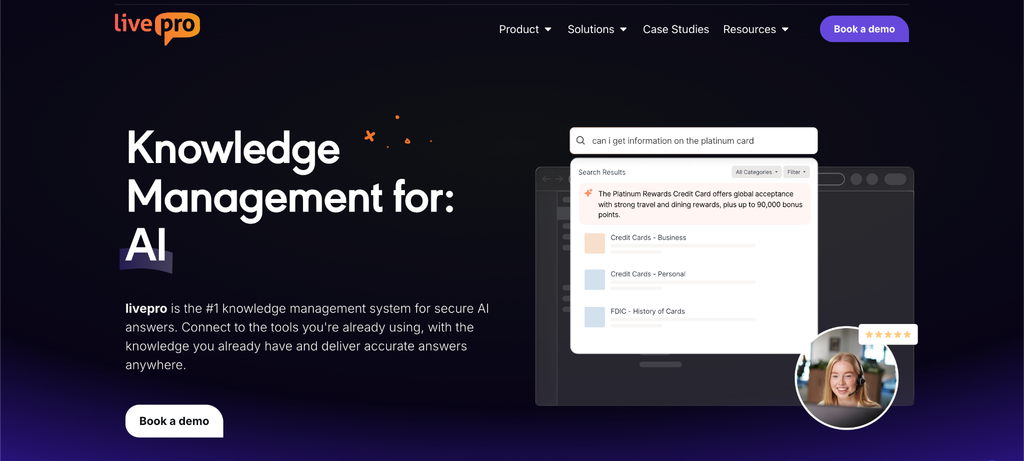
livepro removes that manual layer. It’s a knowledge management platform first, and G2 ranks it among the top contact center knowledge base tools. Teams author, govern, and deliver content in it. Because the knowledge lives there, the analytics do too. You can see search trends, content usage, knowledge gaps, and engagement in the same platform where you fix them, in real time.
That connection matters for contact centers tracing handle time back to content gaps, and for enterprises and regulated industries that need to show auditors and executives how teams engage with approved knowledge.
Here are the analytics and reporting features livepro offers:
Customizable Dashboards
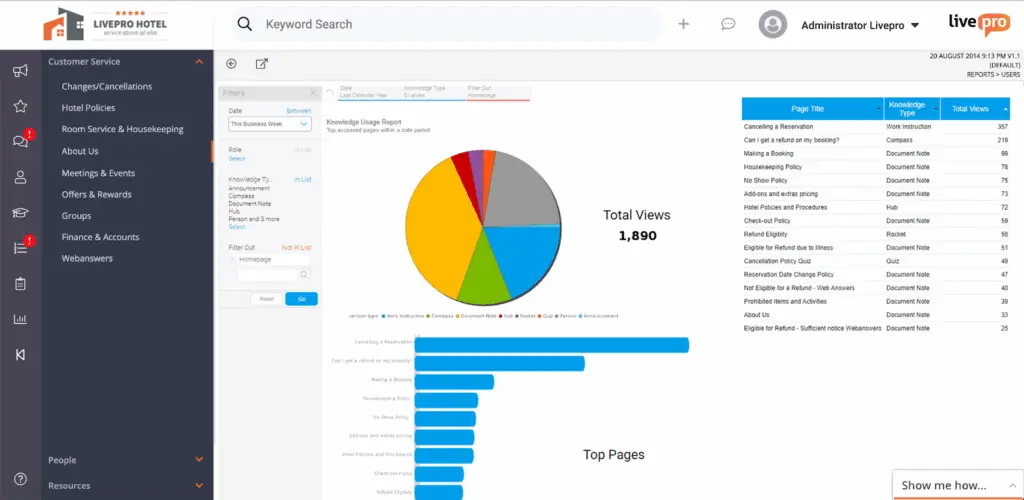
livepro’s customizable dashboards give teams a real-time view of knowledge base performance in one place. Each team can configure their dashboard by department, content type, or time period.
You can track:
- Article usage and views across teams
- Trending searches over a selected time period
- Content gaps based on search activity
- Knowledge base engagement by department
You can filter by date range, content category, or team. No spreadsheet exports needed.
For example, a call center team lead might configure a dashboard to track trending agent searches and spot which topics spike during a product launch. An HR director might filter by department to confirm employees accessed a newly published policy before a compliance deadline.
Search and Knowledge Gap Analytics
When search fails, users work around the knowledge base. They ask a colleague, escalate a ticket, or give an incorrect answer.
livepro tracks search behavior across the platform and surfaces gaps in content coverage.
You can see:
- Top search queries over a given period
- Searches that return no results
- Low-engagement articles on high-priority topics
- Patterns in how search behavior shifts over time
For example, a knowledge manager reviewing search analytics might notice a spike in zero-result searches around a new product release. That signals missing content the team can prioritize before the gap causes downstream issues like longer handle times or compliance risks.
Built-In Reporting Suite
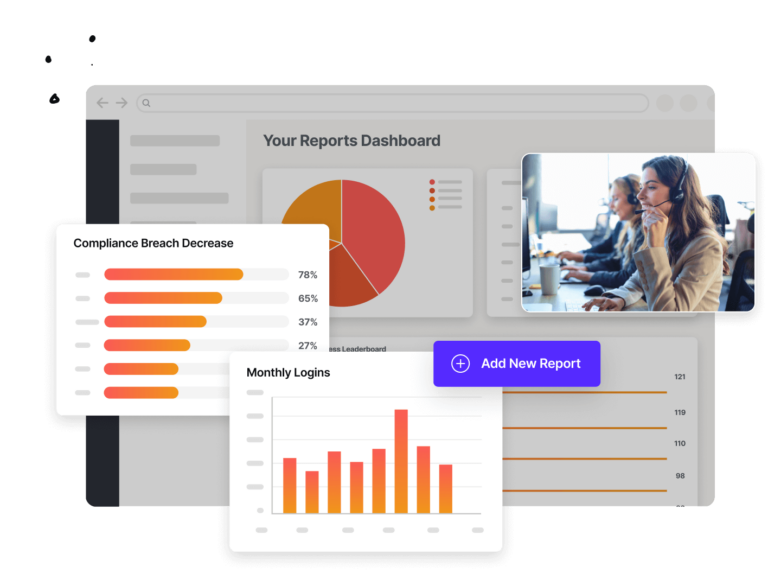
Most knowledge managers spend hours compiling reports from raw data before sharing them with leadership. This delays decisions and limits how often teams can report on knowledge base performance.
livepro includes a built-in reporting suite that generates reports directly within the platform. Teams can also export data to feed into external analytics tools.
You can use reporting to:
- Share knowledge base performance with executives on a regular cadence
- Track content review compliance over time
- Compare engagement trends across departments or content types
- Export data into business intelligence tools for cross-functional analysis.
Other Key Features
Beyond analytics, livepro also gives teams comprehensive AI-powered knowledge management tools in one place.
Key features include:
- Hybrid search: Combines AI, keyword matching, and semantic understanding to deliver fast, relevant results.
- AI Overviews: Generates summaries of search results so users can find the right answer without reading full articles.
- Decision trees: Guides staff through complex processes step by step, reducing errors in high-stakes interactions.
- Governance workflows: Routes articles through authoring, review, approval, and publishing stages with automated review dates and scheduled expiry.
- LightspeedAI: Bulk imports content from PDFs, Word documents, PowerPoints, and existing websites, then structures it into searchable knowledge base articles.
- Version control: Tracks every edit with a full audit trail and lets teams restore previous versions when needed.
- Role-based permissions: Controls who can view, edit, or publish content across departments and teams.
- Authoring tools: Lets teams create and format articles using a WYSIWYG (What You See Is What You Get) editor with drag-and-drop templates for consistent formatting across departments.
- Luna voice agent: Handles live calls with an AI voice agent that delivers the same approved, governed answers your team uses.
- Integrations: Connects with tools like Salesforce, Genesys, NICE, Zendesk, and Slack through native integrations and an open API.
Bottom Line: Knowledge Management Analytics Only Pays Off When You Act on It
Many teams use Excel to track article counts, search volumes, and content update logs. But this data doesn’t tell you why a policy article gets high traffic and low satisfaction. They don’t flag search failures or connect to a specific content gap.
Knowledge management analytics fills that gap. It links content performance to business outcomes, so teams can act on what the data reveals.
livepro brings analytics and knowledge management together in one platform. Customizable dashboards, search, gap analytics, and a built-in reporting suite give teams real-time visibility.
Book a demo to learn how livepro helps contact centers and enterprises track knowledge management analytics at scale.
Knowledge Management Analytics FAQs
How does knowledge base analytics reduce average handle time in contact centers?
Knowledge management analytics shows which searches fail, which articles get skipped, and which topics cause the most repeat questions. These patterns point to specific content gaps that slow staff down during live interactions.
When teams fix those gaps, staff spend less time searching and more time resolving issues. Trending search data also helps teams prioritize updates on the topics that come up most often, which reduces search time across the board.
How can knowledge management metrics help with agent onboarding at contact centers?
New agents rely heavily on the knowledge base during their first weeks. Analytics shows which articles new users access most, which searches they run, and where they hit dead ends. This data helps teams identify where onboarding content falls short.
Over time, stronger onboarding content can help reduce ramp-up time and the need for supervisor support.
What knowledge management KPIs connect to ROI for contact centers?
Knowledge management KPIs like average handle time, first-contact resolution, escalation rate, and content review compliance connect directly to ROI. Track these alongside knowledge base metrics like search performance and article usage.
When a content update correlates with a drop in handle time or escalations, that is a data point your team can bring to leadership to justify continued investment.
What to look for in a knowledge management analytics platform?
Look for a platform that tracks search behavior, content usage, knowledge gaps, and user engagement in one place. It should connect analytics to the content lifecycle so teams can spot a gap, fix it, and track whether the fix moved the metric without switching tools.
livepro offers this connected workflow. You can monitor trending searches, spot content gaps, and generate reports within the same platform your team uses for authoring, governance, and publishing.