

A team member needs to confirm a policy update from last week. The answer exists somewhere in a shared drive, an email thread, or a PDF a colleague forwarded. They check three sources, find conflicting information, and make a judgment call.
That scenario repeats across organizations every day. Knowledge lives in scattered sources or people’s heads.
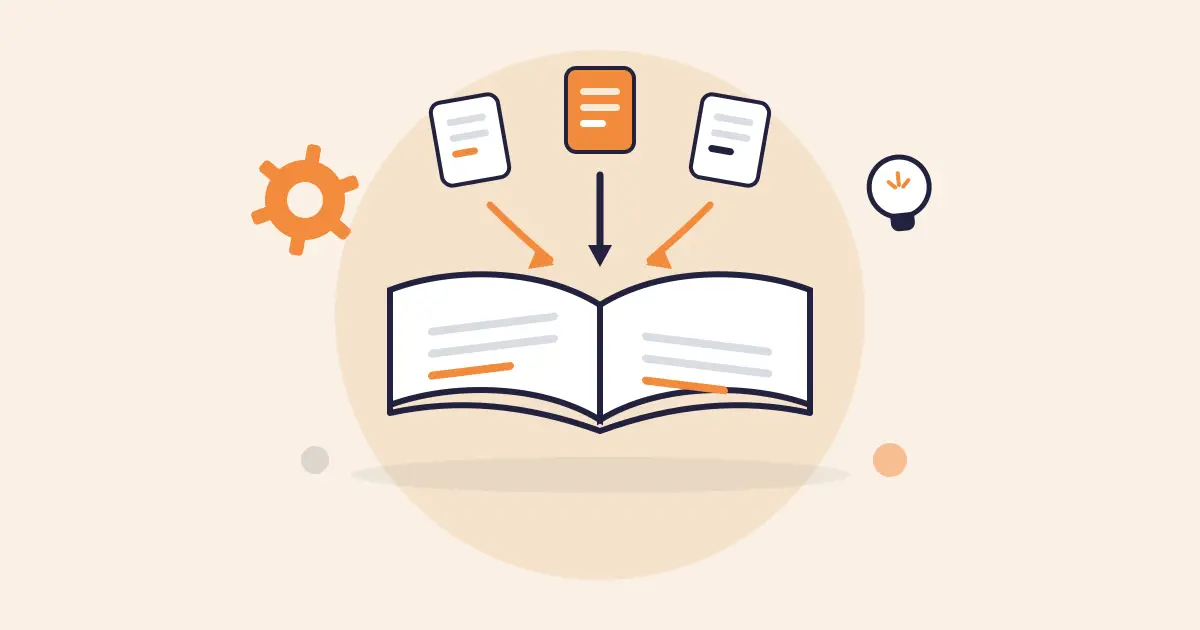
A knowledge base solves this by centralizing knowledge into a single, structured source that teams can search, trust, and act on. This article covers how to create a knowledge base. We’ll discuss frameworks, AI readiness, failure points, and how you can improve content governance and management.
What is a Knowledge Base?
A knowledge base is a centralized system where an organization stores, organizes, and shares knowledge with the people who need it. It structures knowledge, so employees and agents can find the right information faster.
A knowledge base is different from a shared drive, a wiki, or a FAQ section inside a CRM. It gives you structured retrieval, content ownership, and a system that keeps answers current as policies, products, and processes change.
Types of Knowledge Bases
Knowledge bases fall into two categories based on who they serve:
Internal Knowledge Base
An internal knowledge base is a centralized repository where a company stores information for its employees. It contains policies, procedures, guides, FAQs, and institutional knowledge.
Contact center agents pull up answers during live calls. HR teams centralize benefits documentation and leave policies. IT teams store system configurations and incident resolution steps. Training teams build resources that new hires work through during their first weeks.
External Knowledge Base
An external knowledge base serves customers, partners, or the public. It provides self-service access to FAQs, how-to articles, product documentation, and troubleshooting resources.
The primary goal of an external knowledge base is deflection. Customers can search the website or help center to resolve basic queries, reducing call volume.
Why Do Teams Need a Dedicated Knowledge Base?
Most teams already store knowledge. The problem is where it lives: shared drives, email threads, a CRM half the team ignores, and the heads of senior employees.
That fragmentation creates four costs:
- Agents pull from conflicting sources, so customers get different answers to the same question.
- Searching five systems mid-call stretches handle time.
- New hires take months to learn where everything lives instead of weeks.
- And in regulated industries, no one can prove which version of a policy an agent followed, which turns every audit into a scramble.
Adding tools makes it worse. A new AI chatbot pulls from one source, the CRM references another, the intranet links to a third. A dedicated knowledge base breaks this cycle by becoming the single governed source every tool and every agent pulls from. You stop managing five versions of the truth and start managing one.
How to Create a Knowledge Base (Step by Step Guide)
No two organizations have the same knowledge needs. But the process for building a knowledge base that stays accurate at scale follows a common set of steps. Getting these steps right from the start prevents the fragmentation, governance gaps, and content decay that force teams to rebuild later.
Define the Purpose and Scope
Start by identifying who the knowledge base serves and what problems it needs to solve. A contact center knowledge base built for agent-facing answers requires a different structure than one serving HR policy lookups. Defining scope early stops teams from dumping every document into the system and calling it done.
Audit Existing Knowledge
Pull together every source your teams use today: shared drives, wikis, tribal knowledge trapped in email threads and chat logs. Flag outdated, duplicated, or missing content. This audit reveals what to migrate, what to rewrite, and what to retire before you build anything new.
Design the Knowledge Architecture
Once you have your audit data, map out categories, tags, and navigation paths based on how your teams search for answers. Group content by task or topic, so users reach the right answer in two clicks or fewer.
Start with your highest-volume queries and most common support scenarios. These tell you which categories need top-level visibility and which can sit one layer deeper. Build the structure around real search behavior. Avoid internal department names that mean nothing to a frontline agent.
After this, test the architecture with users before loading content into the knowledge base. Ask three or four agents to find a specific answer using the proposed navigation. If they take different paths or get lost, the structure needs reworking.
Build Governance Into the Foundation
Assign content owners, set review cycles, and define approval workflows before a single article goes live. Without governance from day one, knowledge bases decay fast as outdated answers sit untouched for months. Regulated industries need audit trails and version control baked into every publishing workflow.
Create and Structure the Content
Write each article to answer one question in the fewest possible steps. Use consistent formatting across all entries: short paragraphs, scannable headings, and action-oriented language. Templatized content structures speed up authoring and keep quality uniform as the knowledge base scales.
Measure, Maintain, and Evolve
Track search analytics, zero-result queries, and article feedback scores from the first week. These metrics show where content gaps exist and which articles need rewrites.
A knowledge base that launches without a maintenance plan becomes another abandoned tool within six months.
Choose the Right Knowledge Base Platform
Evaluate platforms based on governance controls, search accuracy, and integration with your existing tech stack. The right platform supports your content workflows and scales with your team without requiring a rebuild at 500 articles.
Prioritize tools built for your use case over generic wiki-style platforms that lack structured publishing and compliance features.
Building a Framework for a Knowledge Base: What You Need to Know
A knowledge base without a framework is just a static content library. The framework defines how knowledge is created, structured, reviewed, published, and retired. It sets the rules that keep content accurate and usable at scale across contact centers and enterprise departments.
The SECI Model: How Knowledge Moves From People to Systems
The SECI model, developed by Nonaka and Takeuchi, describes four modes of knowledge creation: Socialization, Externalization, Combination, and Internalization.
Socialization is tacit-to-tacit transfer. A senior agent shows a new hire how to handle an escalation by walking through it, but the knowledge stays unwritten. Externalization is where tacit becomes explicit. The same agent documents the escalation process as a step-by-step article in the knowledge base.
Combination merges explicit knowledge into new forms. The team takes multiple articles and restructures them. Internalization closes the loop. An agent reads the article, practices it on calls, and absorbs it into how they work.
This model identifies the conversion that sits at the center of every knowledge base initiative. Most organizational knowledge starts as tacit. It’s trapped in the heads of experienced employees, buried in email threads, or passed along verbally between shifts. A knowledge base moves that knowledge through externalization and combination into a structured, retrievable format.
Implementing AI Tools in a Knowledge Base
AI systems pull answers from the knowledge base and deliver them to agents, customers, and internal teams. The quality of every AI-generated response depends on the quality of the content it draws from. Gartner predicts that organizations will abandon 60% of AI projects that aren’t supported by AI-ready data.
“AI-ready” means content should be current, correctly structured, tagged with consistent metadata, and governed by clear ownership. That framing shifts how teams should think about knowledge base management. It should act as a data layer that AI can read, interpret, and present to end users in real-time.
The SECI model’s externalization and combination stages are where AI readiness starts. If tacit knowledge never gets converted into structured, well-tagged articles, AI has nothing reliable to draw from. The conversion quality determines the output quality.
AI may expand what’s possible at the framework level, but it can’t replace the methodology. It handles the volume and velocity of content maintenance. The methodology provides the rules, standards, and ownership structures that AI operates within. Together they create a knowledge base that stays accurate at scale and serves as a reliable foundation for both human users and AI systems.
Why Most Knowledge Bases Fail After Launch
Although knowledge managers study the frameworks and methodology closely, they may still face issues when it comes to managing a knowledge base at the enterprise level, especially in regulated industries.
Here are some common issues Reddit users point out about knowledge bases:
The Culture Problem
A redditor says, “If the culture promotes individual contribution, then no one cares about maintainability and documentation.” This applies to every team. For example, when agents are measured on handle time and ticket volume, updating a knowledge base article falls to the bottom of the priority list.
Ownership Gaps
Many teams treat a knowledge base as a project with a finish line. The team ships it and moves on, so the content starts decaying within months. A redditor said: “Docs rot when nobody owns the update after a release or org shuffle. The tool matters, but it’s mostly a multiplier — bad search or ugly editing just makes an already lazy process fall apart faster.”
The Tool-Process Spiral
A redditor explains that the knowledge base breaks down because “In most cases, it’s both a process problem and a software problem but in sequence.” A platform with clunky editing, weak search, or no governance workflows gives teams a reason to stop contributing. If the maintenance is hard, then teams stop using it entirely.
The pattern across every failure is the same: maintenance becomes harder than it needs to be. Teams need a knowledge base platform that helps organize content, apply compliance governance, and support structured publishing into the workflow.
How livepro Helps Contact Centers & Enterprise Teams Build and Manage a Knowledge Base
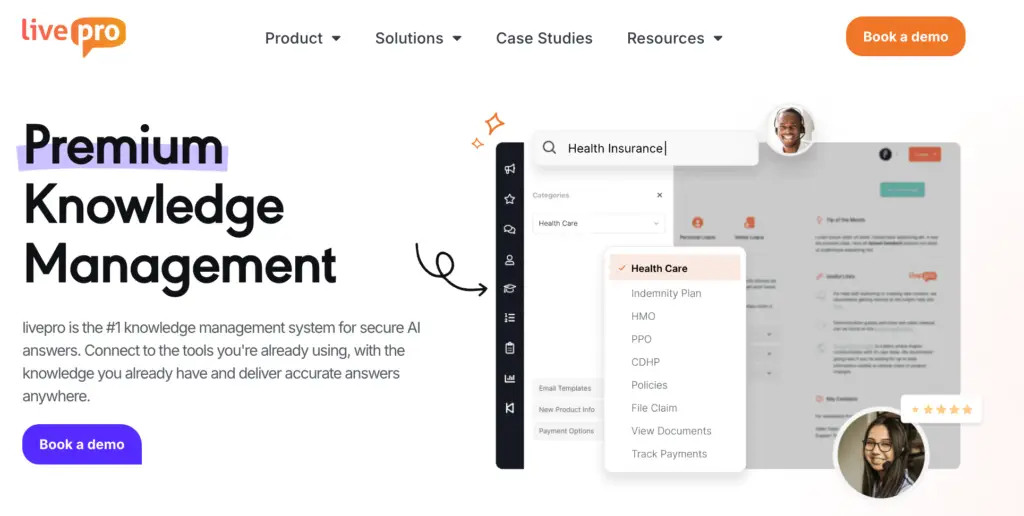
livepro is an AI-powered knowledge management platform built for contact centers and enterprise teams. It serves regulated industries like banking, local government, and BPOs that need a knowledge base with structured governance, fast answer retrieval, and compliance-ready publishing workflows.
The platform helps teams move from scattered content across shared drives, email threads, and legacy systems into a single source of truth. Agents can access accurate answers in real-time, while internal teams find the right information without digging into long documents.
livepro solves the four core problems teams face when building and managing a knowledge base:
- Migrate existing content into structured, formatted articles so teams onboard faster without manual rebuilds
- Organize files into scannable content types using AI authoring and pre-built templates
- Apply governance workflows with review cycles, approval routing, and role-based permissions to keep content accurate and compliant
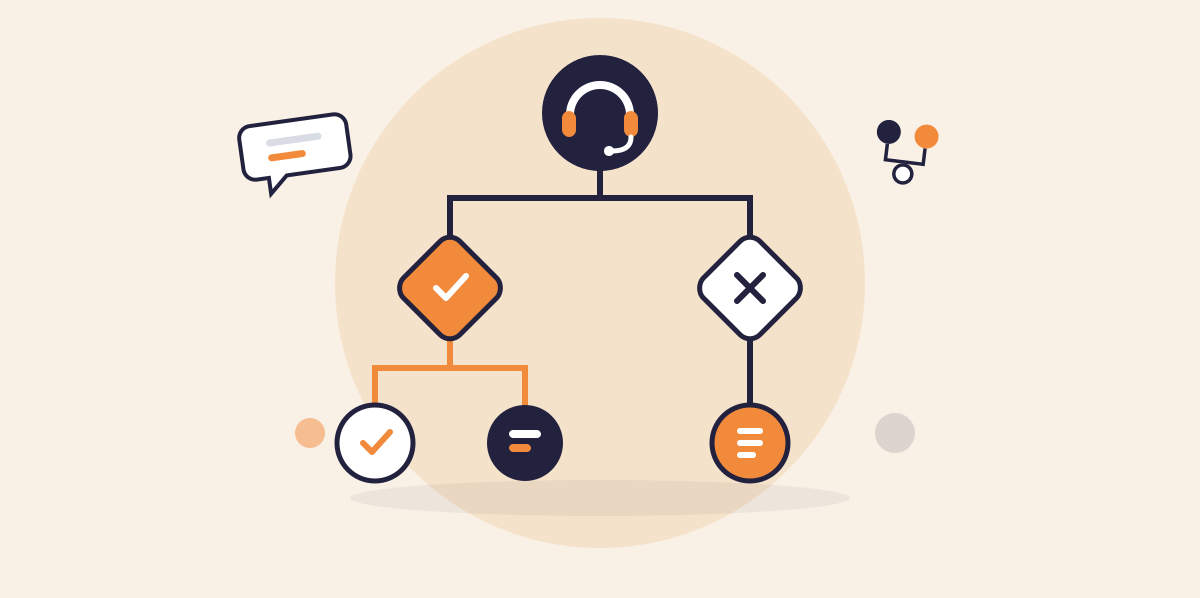
- Deliver answers through AI-powered search, decision trees, and self-service portals so agents and customers reach the right content in seconds.
As your knowledge base grows, livepro adapts to your team’s workflows, so you don’t have to overhaul your entire system. It integrates with your existing tools, giving agents one platform to search, answer, and resolve issues faster.
Here’s how to create a knowledge base for your team with livepro:
LightspeedAI Import: Migrate and Author Content
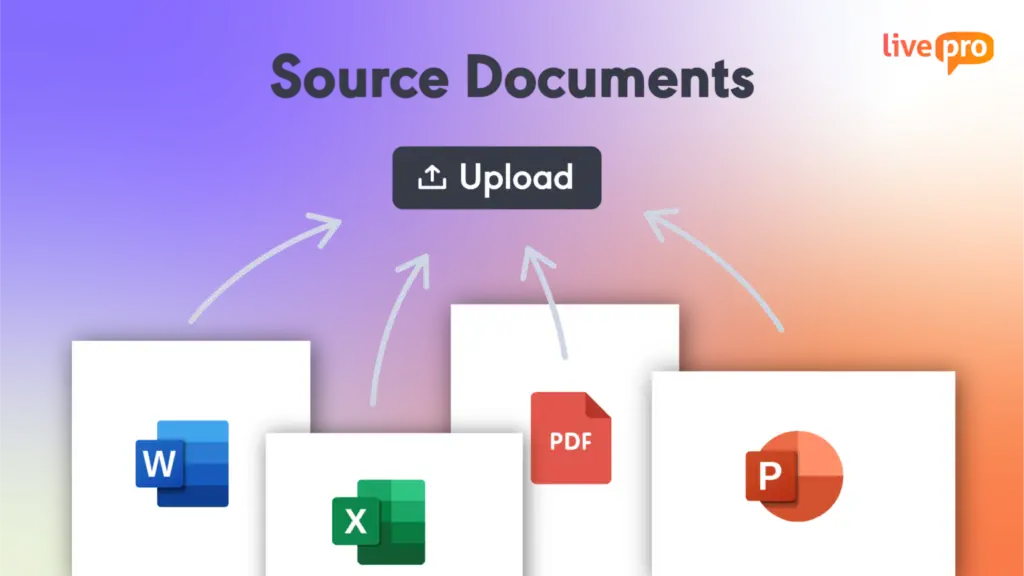
livepro allows teams to bulk upload PDFs, Word files, Excel spreadsheets, and PowerPoint decks. LightspeedAI converts those documents into structured knowledge base articles based on pre-built templates. Teams can migrate content without rebuilding every article manually, and each file becomes searchable alongside authored articles.
For example, a contact center with 500 process documents spread across shared drives can upload them in bulk. LightspeedAI reads each file, identifies the document structure, and extracts headings and key information into formatted articles. A migration that would take weeks of manual reformatting compresses into days.
Every article LightspeedAI generates is set to pending by default. Nothing goes live until a human reviews and approves it. This keeps migration fast without bypassing governance.
Content Authoring: Structure Articles for Consistency
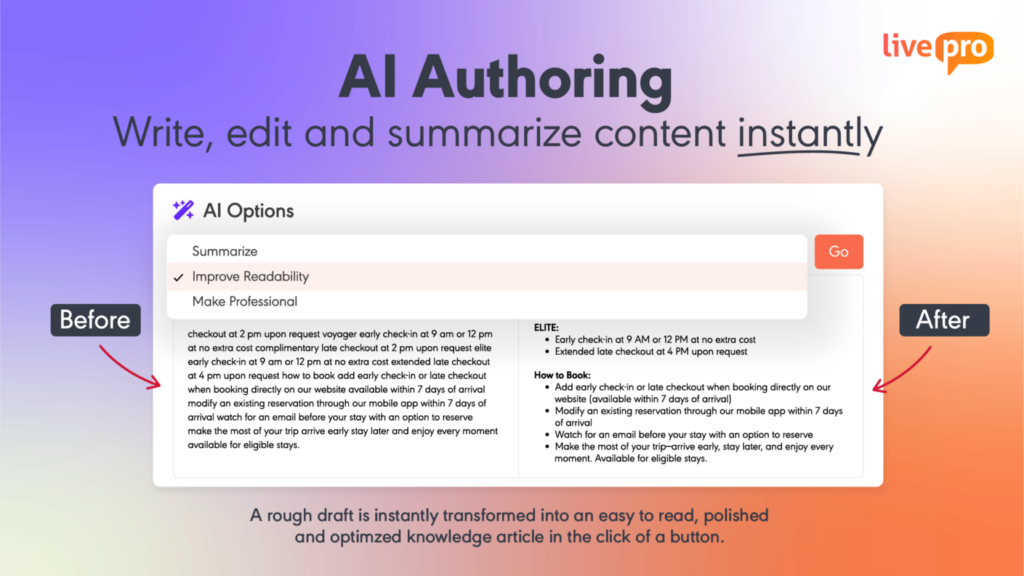
livepro’s authoring tools let teams create, organize, and edit articles using the WYSIWYG (What You See Is What You Get) editor. Authors can create pre-built templates, so every article has a consistent format. You can paste images, upload multimedia content, and adjust fonts and text sizes.
The platform supports three content types from the same editor. Standard articles cover policies and reference content. Work Instructions walk agents through linear processes step by step. Decision trees guide agents through complex branching decisions based on each response they select. Authors can build all three in the same system and govern them through the same approval workflow.
Lightspeed Search: Find the Right Answer Fast
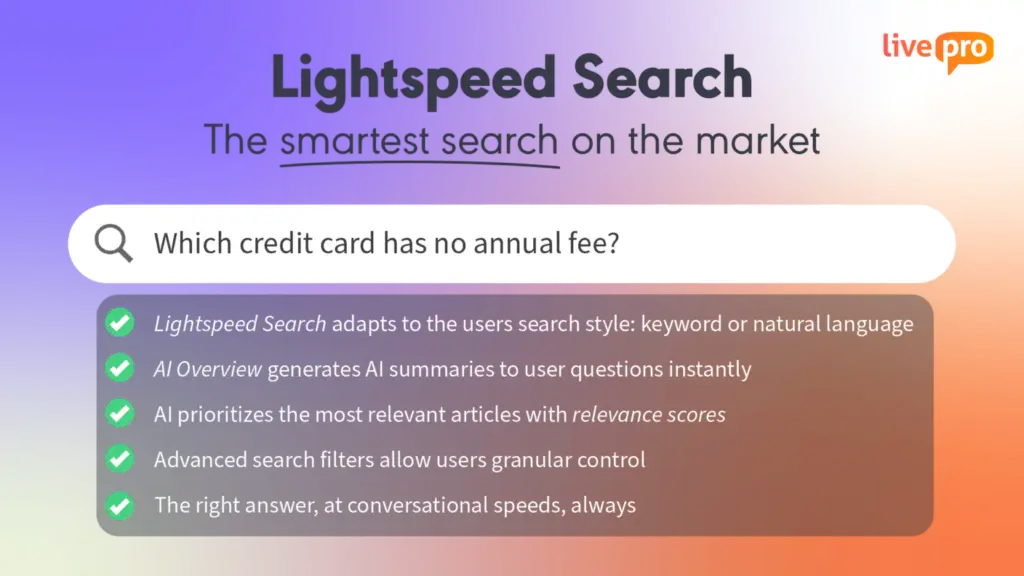
Lightspeed Search combines AI, semantic understanding, and keyword matching to surface accurate answers from the knowledge base. It handles misspellings, conversational phrasing, and internal jargon, so agents don’t need to use exact terminology to find the right article.
Each result carries an AI-assigned relevance score. The system also learns from agent behavior. The more a team accesses a specific article for a specific query, the higher it surfaces in future results. Over time, search results reflect how your team works.
The platform also generates AI-generated summaries with source links for every search result. Agents see the core answer without opening the full document and can expand to the source article if they need more detail. This reduces the time agents spend scanning long articles during live calls.
Governance Workflows: Control What Gets Published
livepro offers a built-in governance framework that routes every article through a structured publishing workflow before it goes live. The author submits content, a reviewer checks for accuracy, and an approver signs off. Nothing reaches agents or customers until it clears each stage.
Teams can also use the role-based permissions to control who can create, edit, and publish across departments and seniority levels. An agent can’t edit content they don’t own. A junior author can’t publish without a sign-off. The controls reflect how your team operates so governance scales with the number of authors and departments using the system.
Teams can track version history, compare changes between versions, and restore previous content if needed. Automated review reminders flag articles for periodic verification, so content doesn’t drift after publication. For articles that are no longer relevant, expiry dates remove them from the knowledge base.

Built-In Compliance: Data Security for Regulated Teams
livepro follows SOC and HIPAA compliance standards to deliver a knowledge management system. It runs on self-hosted AI architecture, so your knowledge base data stays within a controlled environment. The platform also supports intelligent threat detection and tamper-proof activity logging.
Role-based permissions control who can view, edit, approve, and publish content at the department and seniority level, keeping sensitive knowledge accessible only to the right people. Every change carries a full audit trail that compliance teams can review at any time.
For teams using AI-powered search, livepro’s PII Redact feature detects and strips personally identifiable information from documents, search inputs, and AI-generated summaries. This protects sensitive data without requiring manual redaction across every article.
Omnichannel Delivery: Serve Customers, Agents, and Internal Teams
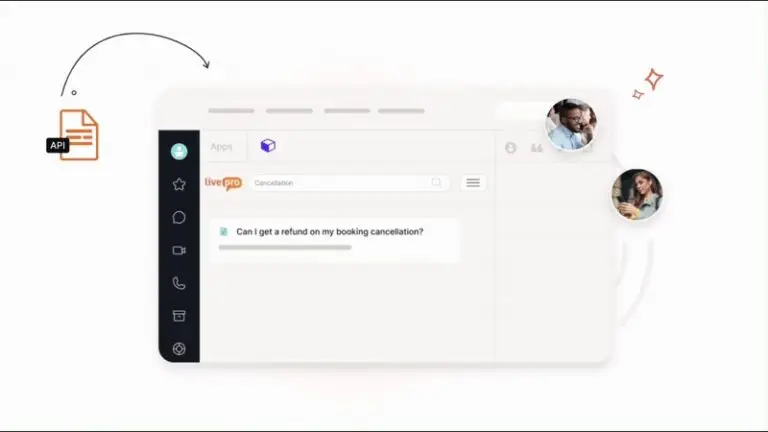
livepro delivers the same governed content to agents during live calls, customers through self-service portals, and internal teams through desktop search.
WebAnswers connects the knowledge base to your website via API, so customers find approved answers. Teams can launch a fully hosted help site with federated search across internal and public sources.
The platform also supports Luna, an AI voice agent, to handle calls around the clock. Customers ask questions verbally and receive policy-approved answers in real-time.
Both channels pull from the same governed content, so the answer a customer finds on the website matches what an agent reads during a call.
Knowledge Analytics: Measure Content Gaps

livepro’s analytics dashboard tracks search trends, zero-result queries, article usage, and content gaps. Failed searches are logged automatically, flagging topics where content is missing or unclear. Teams use this data to prioritize what needs writing, what needs updating, and what can be retired.
Article-level insights show views, time spent, and interaction patterns so knowledge managers can identify content that agents access often versus content they ignore.
For compliance-sensitive articles, read receipts track which agents have acknowledged specific updates. Trending search data surfaces what agents are searching for most, so content teams stay ahead of emerging queries.
Teams can build custom reports, filter by the metrics that matter to them, export data, and maintain full audit trails for compliance reviews.
Integrations: Connect to Your Existing Tools
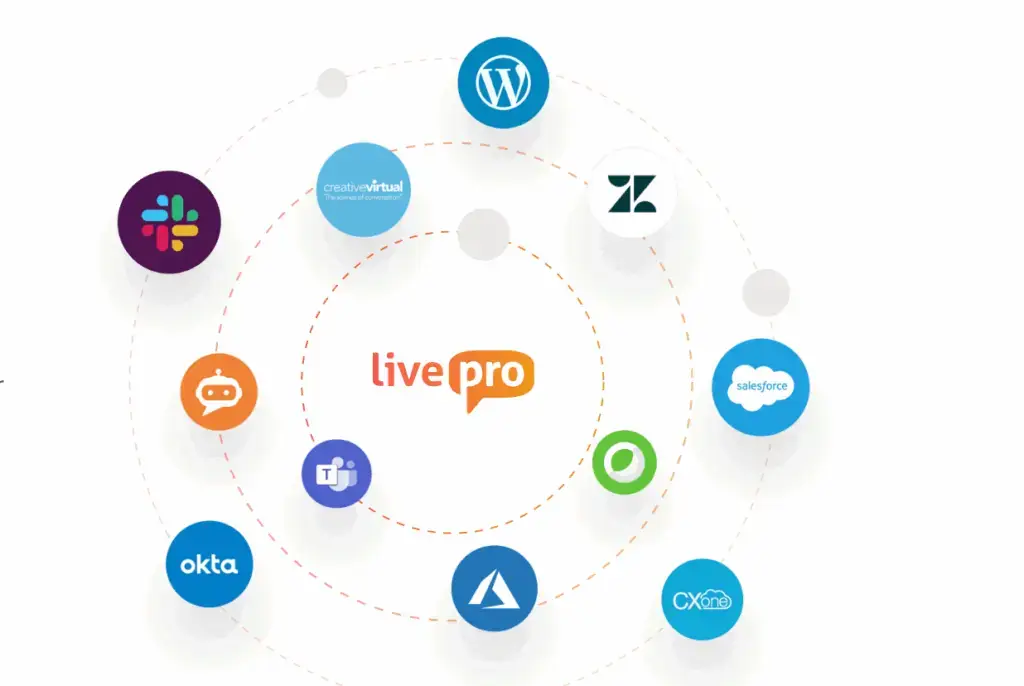
livepro integrates with your existing CRM, service desk, and communication tools, so agents can access knowledge without leaving their desktop. You can also use the open API for custom apps and sites.
Create a Knowledge Base That Stays Accurate as You Scale
Creating a knowledge base requires teams to have a defined methodology, a content lifecycle that moves knowledge from tacit to structured, and a governance framework. It should scale as your team and business evolve.
Many teams create a knowledge base with strong intentions. But without dedicated ownership, embedded workflows, and a platform that supports structured publishing, content decays and trust erodes within months.
livepro helps contact center and enterprise teams build a knowledge base that scales as your content library grows. It handles the full lifecycle, from migrating legacy content to delivering the right answer across every channel. Agents, internal teams, and customers have access to the same knowledge base.
Book a demo to see how livepro helps teams create a knowledge base with built-in governance, intelligent search, and integrations.
FAQs About How to Create a Knowledge Base
What is the difference between a knowledge base and a wiki?
A wiki is an open-edit platform where anyone can create and update content without a formal review process. A knowledge base uses structured authoring, governance workflows, and role-based permissions to control who publishes and edits content.
Wikis work for informal collaboration. Knowledge bases work for teams that need accurate, compliant, and governed answers at scale.
How to create an internal knowledge base?
Start by defining who the knowledge base serves and what problems it needs to solve. Audit your existing content across shared drives, email threads, and legacy tools to identify what to migrate, rewrite, or retire. Then design a content architecture based on how teams search for answers. Assign content owners and set up governance workflows before publishing any articles.
What is the best knowledge base software for contact centers and enterprises?
livepro is the best knowledge base software for contact centers and enterprises. It offers AI-powered search, governance, automated review cycles, authoring tools, decision trees, self-service solutions, and content migration tools. Teams can connect their existing tech stack with livepro, so all content flows through the same system.
How does a knowledge base help with agent training?
A knowledge base gives new hires immediate access to the same answers and process guides that experienced agents use daily. This reduces time-to-competency because agents learn by referencing structured content during live interactions. It also standardizes training, so every agent works from the same governed source of truth.