


Your team searches shared drives for the same document three times a week. They find outdated versions, duplicate files, or nothing at all. So they ask a coworker instead, because that’s faster than digging through folders.
This cycle drains hours every week and puts inconsistent answers in front of customers and employees. Shared drives and outdated intranets were never built to organize knowledge. They were built to store files.
That’s where a structured internal knowledge base comes in. It makes it easy to find the information you need.
In this article, we will review the 10 best internal knowledge base software to help your team work faster. We will also discuss the benefits and best practices of implementing an internal knowledge base.
TL;DR: Best Internal Knowledge Base Software
| If Your Priority Is | Platform |
| Guided, compliant knowledge delivery and fast + accurate answers for call agents and employees in regulated teams | livepro |
| Publishing self-service technical documentation | Document360 |
| Centralizing docs, tasks, and databases in one workspace | Notion |
| Sharing and surfacing knowledge across large content libraries | Bloomfire |
| Real-time note and knowledge sharing for small teams | Nuclino |
| Team documentation inside the Atlassian toolchain | Confluence |
| Company intranet and document storage on Microsoft 365 | SharePoint |
| Delivering verified answers inside Slack, Teams, and CRM tools | Guru |
| Running a branded, standalone knowledge base | Helpjuice |
| Surfacing knowledge inside support tickets for large service desks | RightAnswers |
What is an Internal Knowledge Base?
An internal knowledge base (KB) is a searchable platform for storing important company information, such as standard operating procedures (SOPs), FAQs, HR policies, and troubleshooting guides.
It’s a key tool for employee experience (EX) management, enabling teams to quickly access resources, policies, and answers they need.
Unlike external knowledge bases designed for customers, an internal knowledge base is private and used only within the organization. Because it contains proprietary details, it requires strict access controls and permission settings to keep information secure.
Yet, many teams still rely on a patchwork of emails, chats, and shared drives to manage knowledge. A report shows that 54% of organizations use more than five platforms to document and share information internally. This approach leads to information silos, confusion, and wasted time.
10 Best Internal Knowledge Base Software in 2026
To help you make the right choice, let’s review the 10 best internal company knowledge base software:
livepro
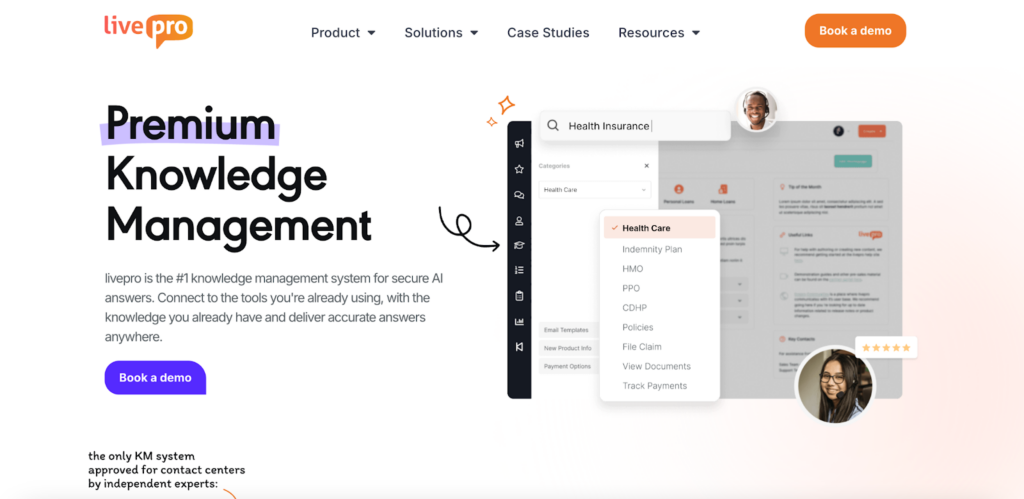
livepro is an internal knowledge base software built for enterprises and contact centers that need a single source of truth to organize policies, procedures, SOPs, and training guides in one secure platform. It serves industries such as healthcare, BPOs, and local governments, where knowledge accuracy and compliance have regulatory consequences.
G2 Spring Report 2026 ranked livepro among the top-rated knowledge base tools. The platform earned the highest ratings for compliance (9.8/10) and content governance (9.9/10), followed by intelligent search (9.5/10), access management (9.7/10), integrations (9.6/10), and analytics (9.5/10).
Users find livepro easy to set up and use, even for non-technical teams. Your agents find accurate answers faster, and teams manage large content libraries without outgrowing the system. With livepro, you can:
- Search for answers with AI-powered, context-aware search
- Organize documents with role-based permissions
- Manage document status, set review dates, and track every change to stay audit-ready
- Collect and act on feedback within each article
- Connect with tools like Salesforce, Zendesk, Teams, and Slack
Here’s a detailed look at livepro’s features and how they help prevent wasted time, inconsistent answers, and compliance risks:
Lightspeed Search with Relevance Scores for Context-Aware Queries
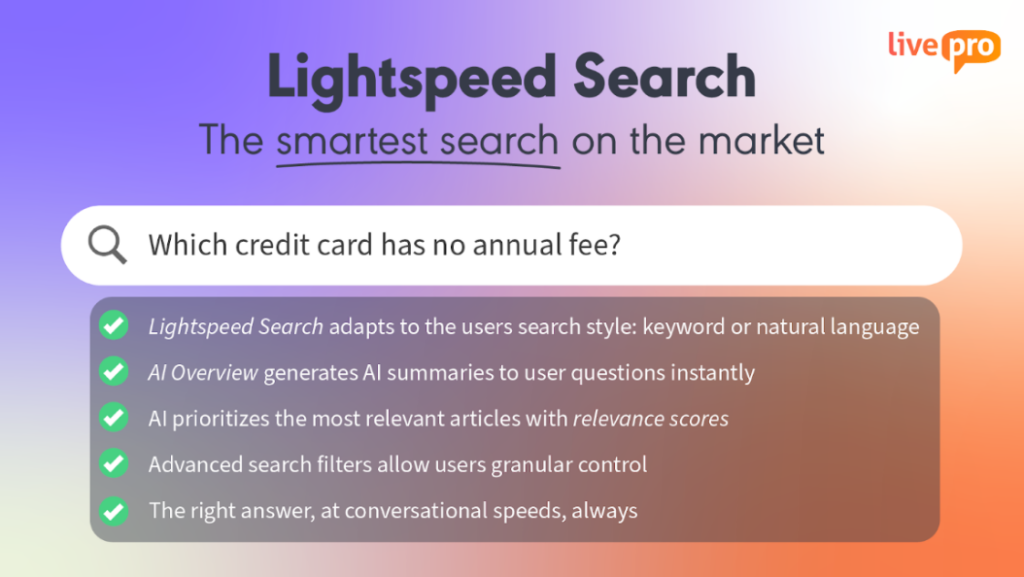
In highly regulated industries, knowledge bases often become cluttered, making it hard to find specific answers quickly. This happens because most internal knowledge base software for employees relies on simple keyword searches.
livepro’s Lightspeed Search uses federated AI search to return accurate and context-aware answers even if you misspell a term, use the wrong jargon, or forget the exact keyphrase.
Lightspeed Search uses keyword matching, natural language processing (NLP), and semantic understanding to surface answers.
Each search result also gets an AI‑generated relevance score based on your query, department, and past usage history. Lightspeed Search then ranks answers by how helpful they’ve been for other users.
AI Overviews for Accurate Information Retrieval
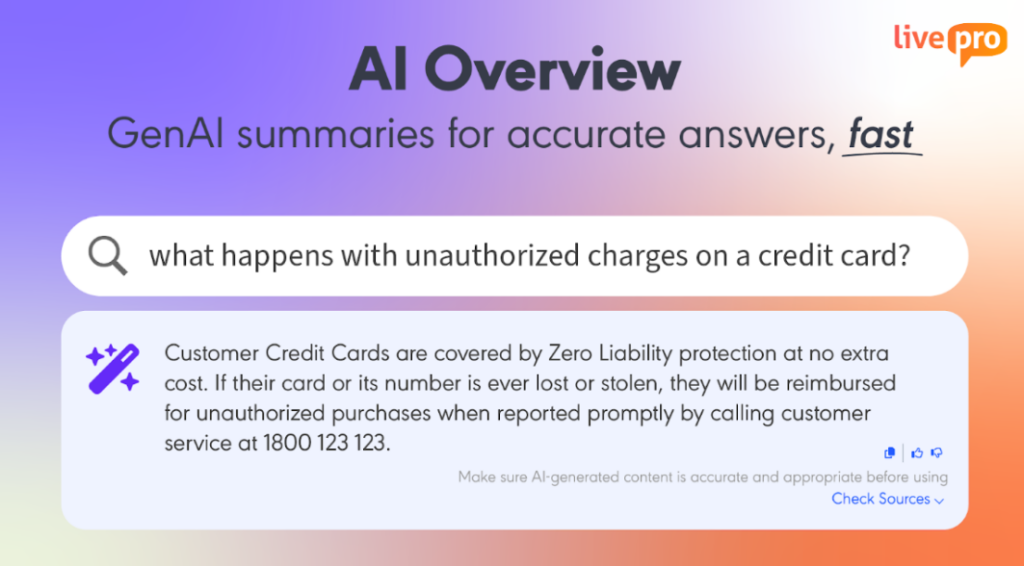
A financial professional said they need a tool to summarize and organize information, so nothing gets lost or buried when they need it.
With livepro’s AI Overviews, every piece of information, no matter how dense or detailed, is automatically distilled into a clear and accurate summary.
Agents, HR staff, and operations leads no longer need to dig through lengthy documents. Instead, they see a concise overview, with the ability to expand for more detail if needed.
Here’s how it works:
- AI highlights the main points for instant review
- Summaries are created only from your company’s approved documents, with links back to the source
- Content stays structured and accessible
- For real-time work, agents can copy answers with one click and use thumbs-up or down to give feedback.
LightspeedAI to Import and Centralize Company Information
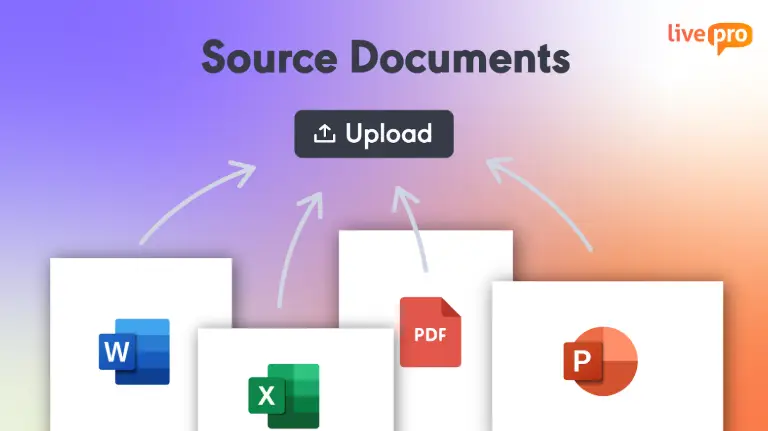
Teams in different departments use different formats of content, and migrating years of this scattered documentation into a new knowledge base requires time and manual work.
livepro lets you import PDFs, Word docs, Excel sheets, and other document types in bulk. The LightspeedAI reads through the content, preserves the original structure, and reorganizes it into clear, navigable formats built for fast retrieval. This makes every file instantly indexed and searchable in the knowledge base.
To keep content organized as your knowledge base grows, livepro includes Categories and Hubs for grouping related files like policies, training materials, or department manuals. This gives your content a clear hierarchy, so agents and internal teams can browse to the right document without relying on search.
AI Authoring Tools to Organize the Knowledge Base
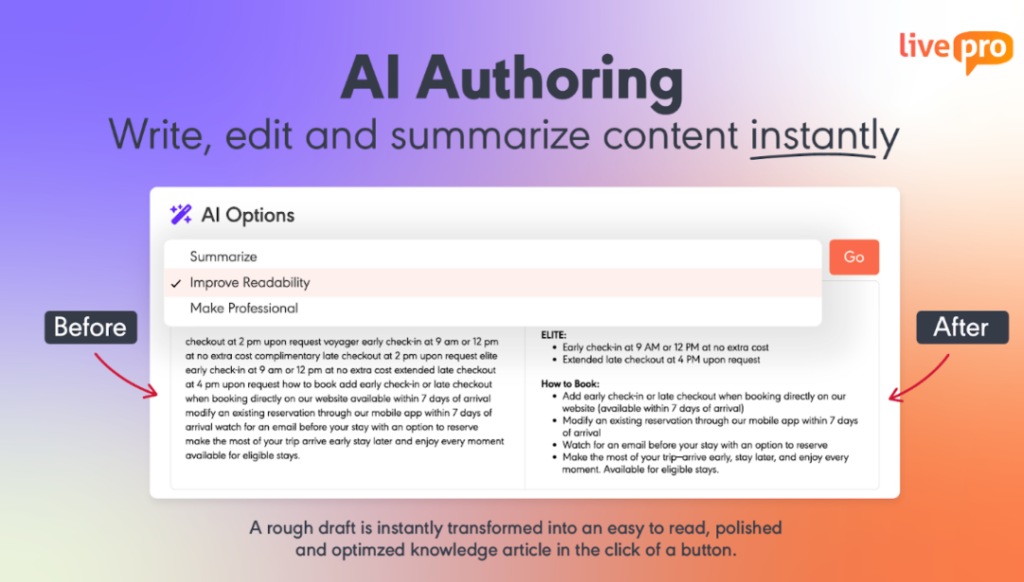
Many teams fail to keep their knowledge base updated because documenting feels like extra work or too complicated.
livepro’s authoring tools make it easy to create, edit, manage, and update knowledge content. Knowledge managers or subject matter experts can write a rough draft, and the AI tool rewrites it into structured content, removing jargon, hard-to-read sentences, and typos.
The WYSIWYG (What You See Is What You Get) editor lets you change what users will see with no coding or technical skills needed. Drag-and-drop modules make it simple to add new articles, update existing ones, and embed images and videos. Every article you update is synced across the knowledge repository, so agents access updated content every time.
livepro also offers pre-built templates and styles that guide you through documentation step by step. Just fill in the fields, and the system formats everything for you.
If a policy needs updating, you can edit it directly in the browser, tag a reviewer, and publish changes after approval. This makes documentation easy, encourages contributions, and keeps knowledge up to date.
Visual Version Comparison and Publishing Approvals to Keep Knowledge Up-to-Date
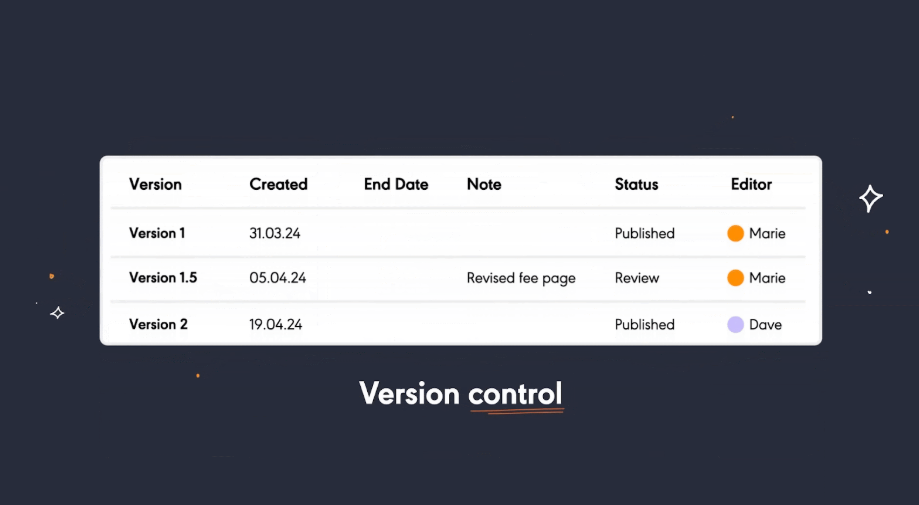
When many people update content, version control often fails. Unreviewed updates go live, or approvals stall, leaving agents with outdated instructions.
livepro’s built-in governance framework helps enterprise teams keep everything on track, from edits to approvals:
- Every time a document is updated, livepro saves both the new and previous versions
- Reviewers can instantly see what changed with a side-by-side version comparison
- You can assign who reviews and approves each update, so content only moves forward with the right approvals
- Notifications and reminders help keep approvals moving, so nothing gets stuck waiting in someone’s inbox
- All edits and approvals are logged automatically, so it’s easy to track who made or approved each change for compliance
- Review dates can be scheduled, so important documents are regularly checked and updated as needed.
Industry Compliance to Meet Regulatory Requirements
Even a small slip, like sharing a project plan with a client’s account number or an employee’s phone number, can put company data, client privacy, and regulatory compliance at risk.
livepro’s personally identifiable information (PII) Redact feature is built to address this risk at the source and maintain security standards. For example, if a document contains an employee’s phone number or a customer’s account details, livepro will replace the sensitive information with a “[REDACTED]” tag, or prompt a review before the information is used elsewhere.
Here’s why your team doesn’t have to stress about data privacy or compliance:
- livepro automatically detects and redacts PII and confidential project details in documents, search inputs, and AI-generated summaries.
- Redaction happens in real time, without slowing down daily work. Admins, HR, and staff can confidently use AI-powered tools to find answers or create summaries.
- Redaction rules are flexible and can be customized, so admins protect specific sensitive terms or internal codes.
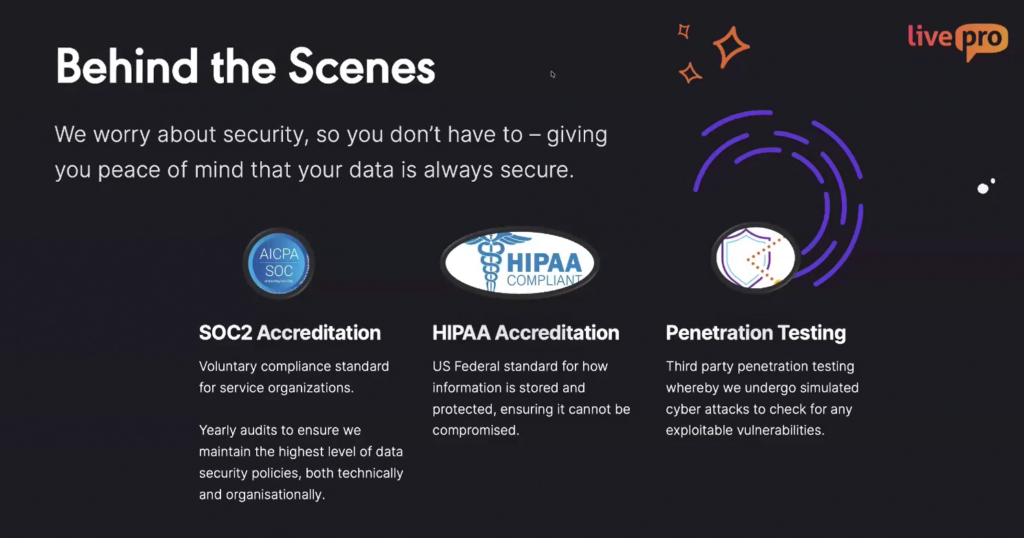
This level of control feeds into livepro’s broader compliance and security standards. livepro holds SOC 2 and HIPAA certifications. It continuously backs up metadata and content, with replication to a separate AWS disaster recovery account. This gives regulated teams a documented path back to normal operations if something fails.
Security extends beyond infrastructure into the application itself. livepro runs on self-hosted AI architecture, so data never passes through a third-party AI model.
The livepro team conducts regular penetration testing for exploitable gaps. All data is encrypted at rest and in transit using current best-practice standards. Internal teams can safely manage and share information, knowing privacy and compliance are built in from the start.
Feedback and Collaboration Tools to Review Knowledge Content
When teams manage hundreds of documents, it’s easy for feedback to get lost, especially when suggestions are scattered across emails, spreadsheets, or handwritten notes.
livepro solves this by making collaboration and feedback part of every article’s workflow.
Here’s how livepro helps teams maintain their internal knowledge base:
- Feedback and comments are added directly to each article, not lost in emails or separate files.
- Subject matter experts and team leads review and approve content on the platform, no extra tools needed.
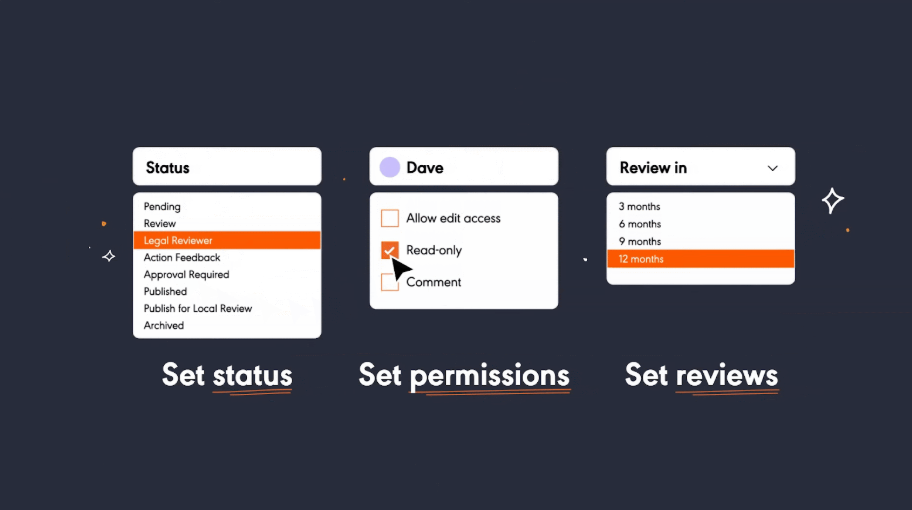
- Set a status for each document, such as “Review,” “Approval Required,” or “Published,” so everyone knows which stage it’s in.
- Permissions are clear: choose who can edit, comment, or only view each article, keeping control in the right hands.
- Schedule review dates (for example, every 3, 6, or 12 months) to make sure content stays accurate and up to date.
- Each article has an assigned owner for updates and accountability.
- Every change, comment, and approval is recorded automatically for easy tracking.
- All actions are logged, creating a complete audit trail for compliance.
Work Instructions and Decision Trees to Guide Agents
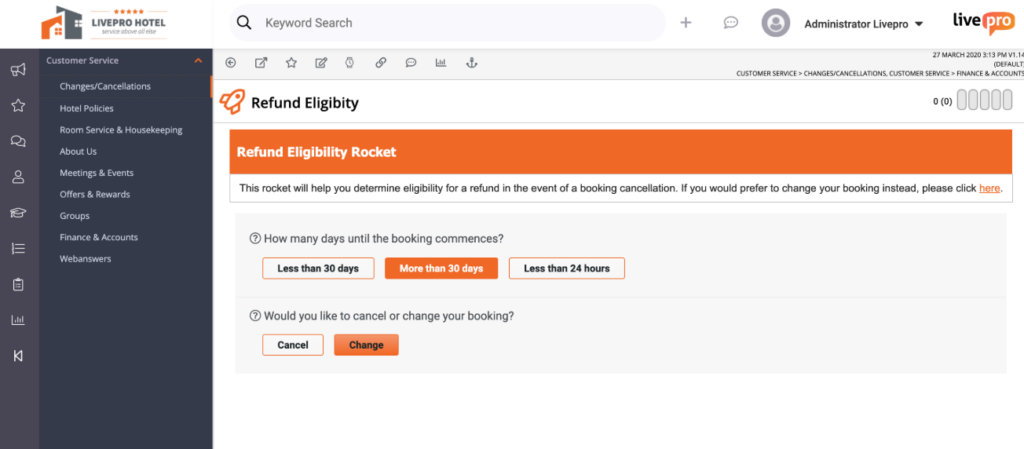
In busy contact centers, agents are faced with complex procedures, such as troubleshooting a technical issue, handling a unique billing situation, or following an HR protocol.
These tasks involve many steps and exceptions, leaving agents searching through documents or asking for help. The result is more errors, slower service, and inconsistent support.
livepro addresses this with Work Instructions and Decision Trees (called “Rockets”):
- Work Instructions let you build step-by-step guides for any internal process. Each step is clear, actionable, and visible on a single screen.
- Decision Trees (Rockets) take it a step further. As agents enter information, like the customer’s issue, location, or status, livepro instantly adapts the workflow, guiding the agent down the right path.
For example, when troubleshooting an internet outage, the system might ask the agent whether the customer is on a residential or business plan. Based on the responses, the Rocket guides the agent through the exact steps for that specific scenario, covering all exceptions and compliance requirements along the way.
This is especially valuable for use cases like:
- Technical troubleshooting (e.g., diagnosing why a device won’t connect)
- Billing adjustments (e.g., what to check before approving a refund)
- HR case handling (e.g., steps for different types of leave requests).
Analytics Tools to Monitor Content Performance
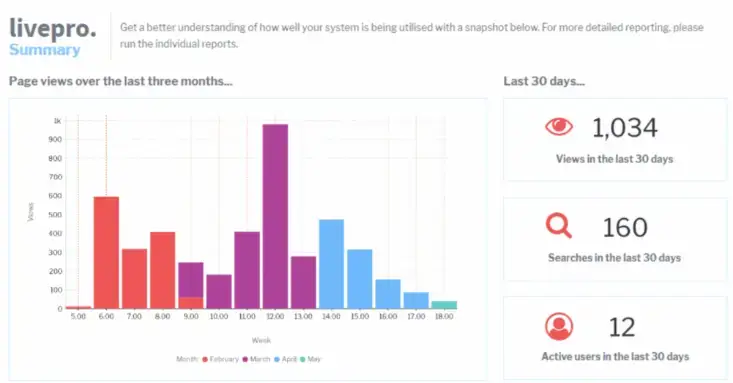
Many internal teams spend hours updating their knowledge base but have no clear picture of which content helps employees or where gaps exist.
For example, managers may not know if staff are searching for answers that don’t exist, or if certain policies are going unread and becoming outdated. This blind spot makes it tough to keep information useful or prove compliance.
livepro’s analytics feature changes that with clear, actionable dashboards:
- See at a glance which articles are most used, what search terms are trending, and how staff rate content with feedback scores.
- Managers can spot zero-result searches, showing where employees are looking for answers that don’t yet exist.
- Metrics like time spent on articles, which teams are using specific content, and read receipts for compliance-sensitive policies help you see what’s truly being read and by whom.
- Find outdated articles with declining usage, or highlight documents that consistently help resolve tickets.
- All insights are available in a single place, so you don’t have to dig through spreadsheets or guess what matters.
With livepro, admins and managers get the information they need to update, remove, or promote content based on real usage.
Omnichannel Integrations to Stay in Flow
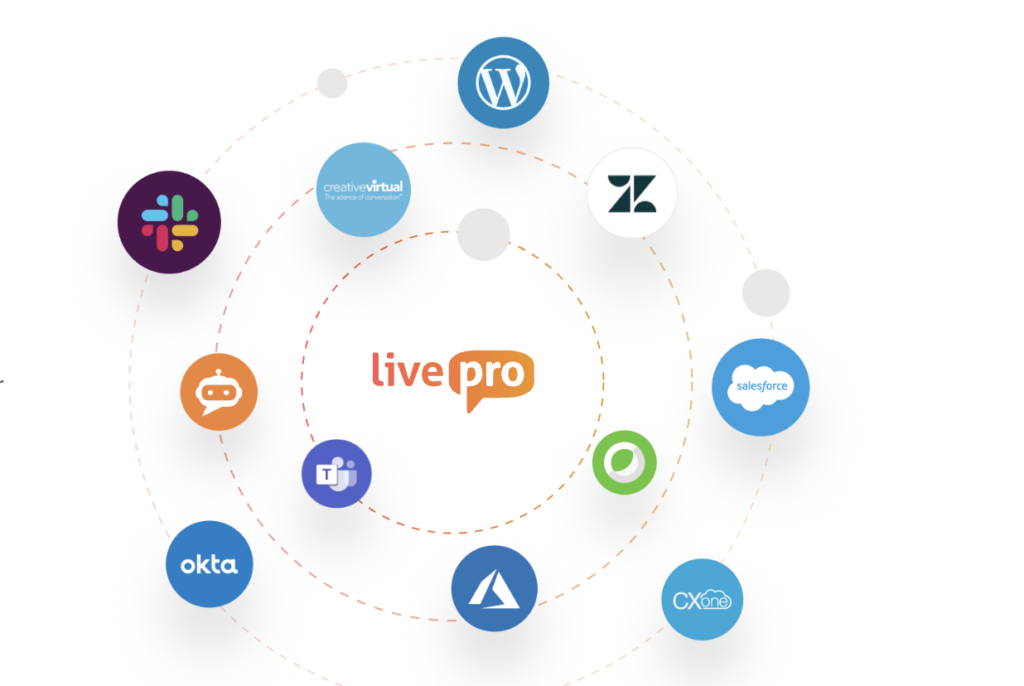
Most teams jump between Salesforce, Zendesk, Teams, and Slack all day to track or share the answers people need. This back-and-forth eats up valuable time and often leads to missed details or duplicate work.
livepro allows you to:
- Surface knowledge articles and workflows directly by integrating with Genesys Cloud, NICE CXone, Salesforce, Zendesk, Teams, Dynamics CRM, and Slack
- Agents can search and share answers without ever leaving their primary tools
- Use livepro’s API to integrate content into internal portals, chat systems, voice bots, or CRM screens
- Reduce tool-switching, preserve context, and speed up response times.
livepro Pricing
livepro provides three custom pricing options: Flex, Premium, and Enterprise. To find the best plan for your team’s size and requirements, contact our team.
livepro Reviews
What users like about livepro:
- Intuitive interface and quick onboarding for all users
- Fast, accurate AI search for complex queries
- Customizable workflows and strong permission controls
- Easy content authoring with WYSIWYG editor
- Built-in feedback, announcements, and collaboration tools
- Detailed version control and audit logs for compliance
- Responsive, knowledgeable customer support team
- Advanced analytics and customizable dashboards
- Consistent updates and new feature releases
What users don’t like about livepro:
- Some advanced features have a learning curve
- Admin setup can be time-intensive initially
Review 1: “I was introduced to livepro when I joined my current place of work approximately a year ago, and since then have fallen in love with the platform. livepro provides the means to have a single source of truth available to all employees but in a fun and engaging way.” – Jason S.
Review 2: “livepro has changed our life for our Customer Service Team. It is user-friendly for both our CSOs and our Authors. livepro’s team is professional, always available to assist, and nothing is too much trouble for them. Open Access provides our greater organisation a Single Source of Truth.” – Robyn C.
Document360
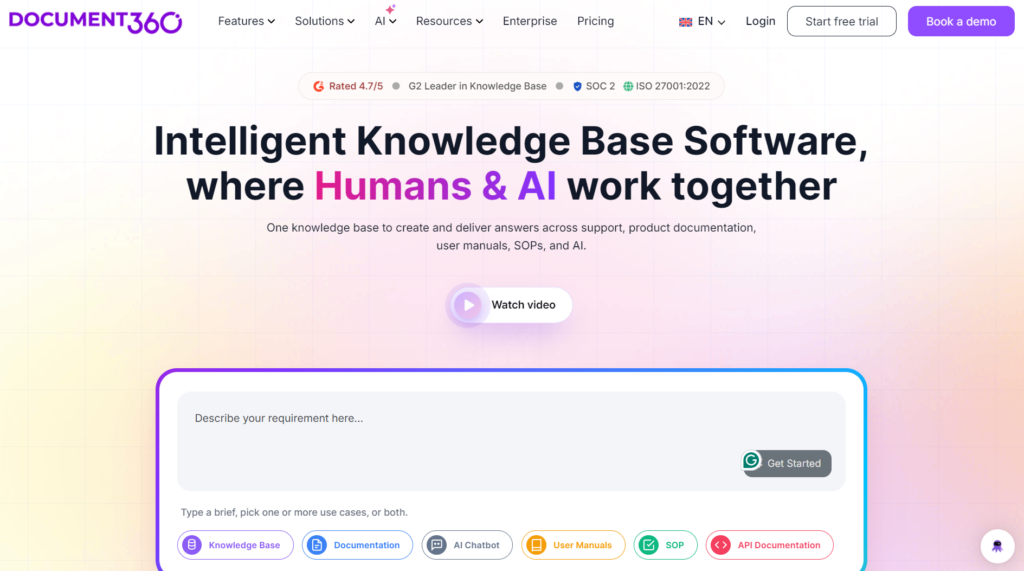
Document360 allows teams to manage and publish self-service knowledge bases for everyday workflows. It’s built for IT, product, support, quality, and operations teams that need to manage technical documentation.
By integrating your documents, manuals, and more in one place, it helps answer customer questions faster than with traditional search methods.
Many Document360 users praise its easy initial setup process, but report limited customization options and reporting tools.
Read more: Document360 Alternatives
Document360 Key Features
- Includes an AI-powered search assistant (Eddy AI)
- Automates content creation and publishing tasks
- Organizes content with a clear hierarchical structure
- Supports WYSIWYG editor, code blocks, callouts, and multimedia
- Supports multilingual knowledge bases for global teams
Document360 Pricing
Document360 offers custom pricing plans.
Notion
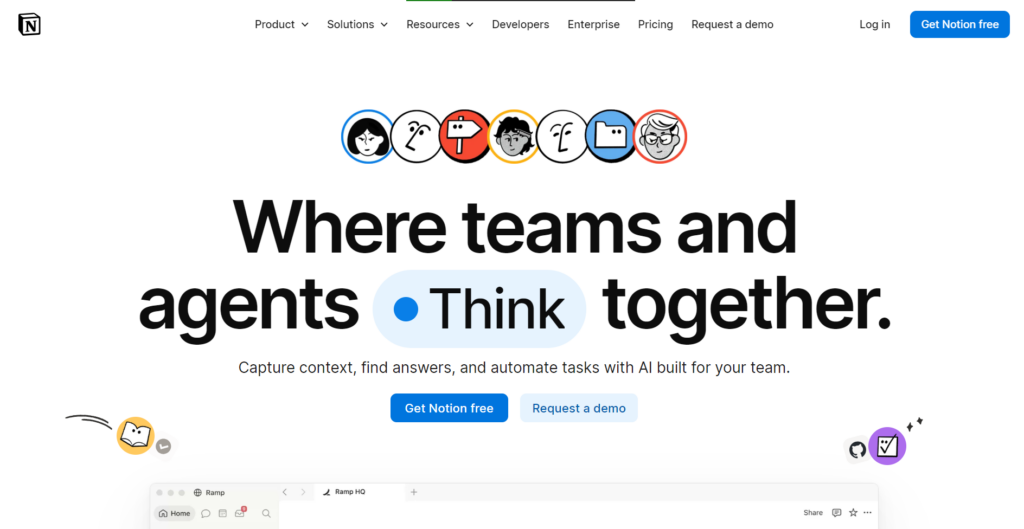
Notion is a flexible knowledge management platform. It combines structured data, collaborative documentation, and task tracking in one place.
Teams can link pages and databases with bidirectional references and manage tasks and comments together. It also allows automated workflows using integrations with Zapier, Make, or its open API.
Read more: Guru vs. Notion
Notion Key Features
- Organize information with easy drag-and-drop tools
- Supports real-time editing, commenting, and team discussions
- Connects with tools like Google, Trello, and Slack
- Keeps track of all page changes so you can review history
- Admin permissions for better control
Notion Pricing
Notion starts at $12 per user per month, with additional costs for premium features.
Bloomfire
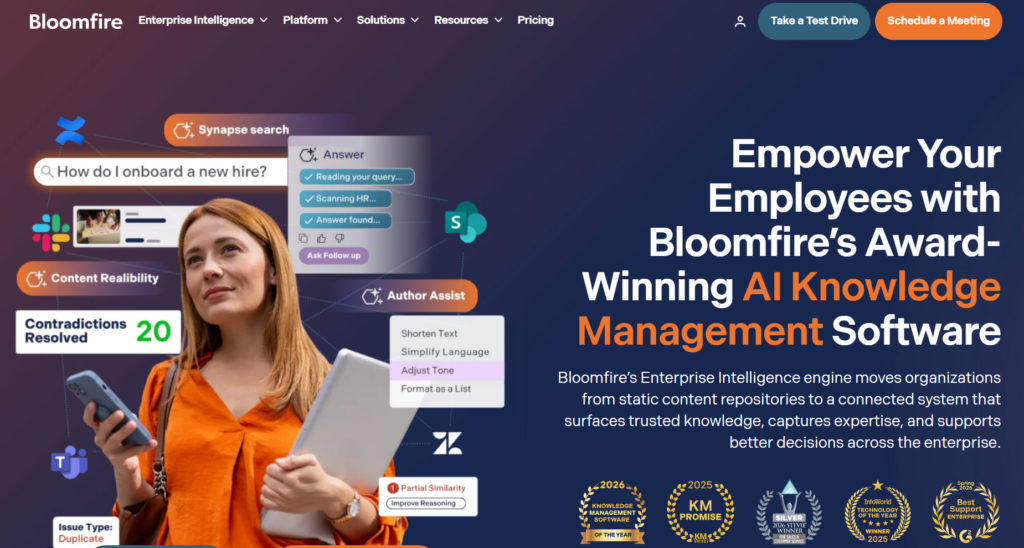
Bloomfire helps large teams share and access knowledge without barriers. Its generative AI feature surfaces the right answers, while community Q&A and collaboration tools invite everyone to contribute and learn from each other.
Many Bloomfire users like its cross-department collaboration tools, but complain about an inaccurate search function for specific queries.
Explore more: Bloomfire Alternatives
Bloomfire Key Features
- Automated deep indexing across all documents and knowledge assets
- Moderation and compliance workflows for editing, approval, and governance
- Intelligent deduplication to keep content clean and relevant
- Multi-format support for documents, rich media, and collaborative inputs
- Version control to maintain accuracy and transparency
- Built-in analytics for actionable insights into content engagement and usage
Bloomfire Pricing
Pricing is available upon request from the sales team.
Nuclino
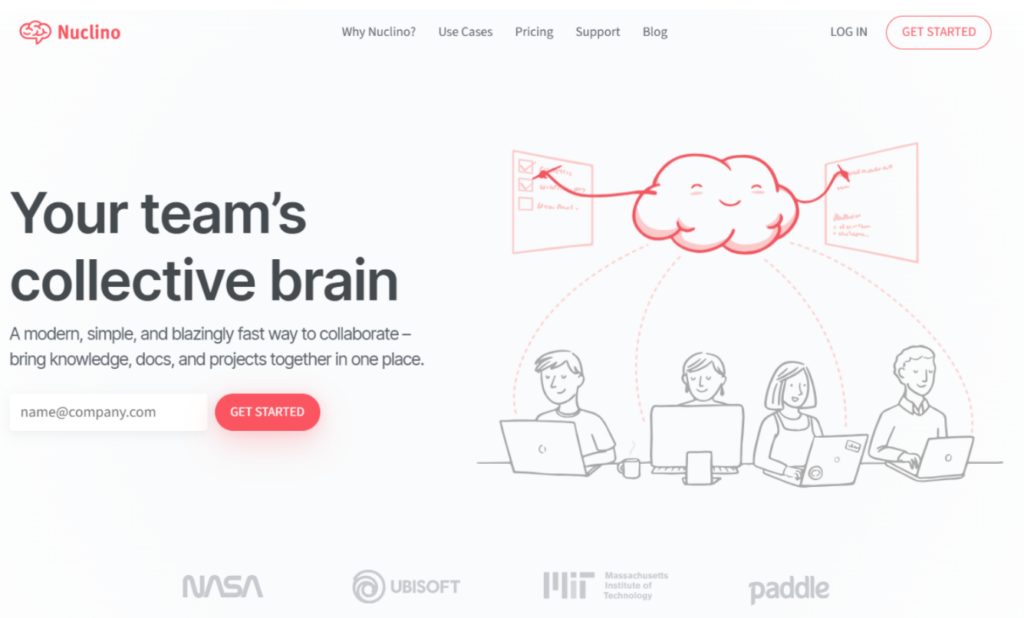
Nuclino is a visual-first workspace built for teams who want to connect ideas as quickly as they create them.
Unlike traditional wikis or static note apps, Nuclino offers an interactive graph view that shows how your content links together. Its distraction-free editor lets you add mind maps, structure documents, and add custom fields to track project status and ownership.
Read more: Nuclino Alternatives
Nuclino Key Features
- View your work as a list, board, table, or mind map
- Instantly link documents using @ mentions or the visual graph
- Add custom fields for things like status, owner, or priority
- Set permissions for teams or individual workspaces
- Connect with tools like Slack, Figma, and Google Drive
Nuclino Pricing
Nuclino pricing starts at $6 per user per month.
Confluence
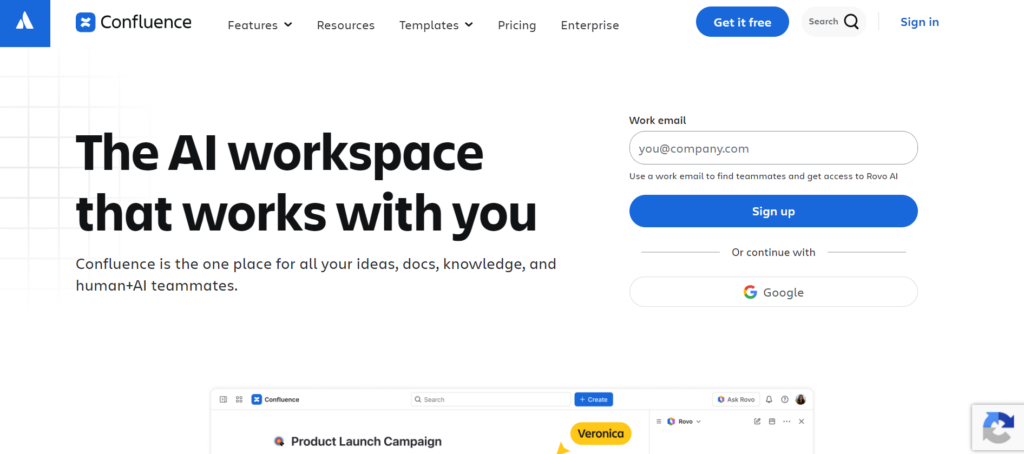
Confluence is a knowledge management platform built by Atlassian that lets teams create, organize, and share documentation in one central place. The platform organizes content into spaces and pages that are open by default, making information accessible across teams.
Many Confluence users praise its integrations with Jira, but complain that the platform gets clunky or slow as content libraries grow.
See more: Confluence Alternatives
Confluence Key Features
- Dynamic docs with text, tables, code, and Figma files
- AI-powered search with instant answer suggestions
- Real-time notifications on comments and page changes
- Page revision history with reversible changes
- Templates for how-to and troubleshooting articles
- Integrations with 3,000+ tools including Slack and Jira
Confluence Pricing
Confluence pricing starts at $5.42 per user per month.
SharePoint
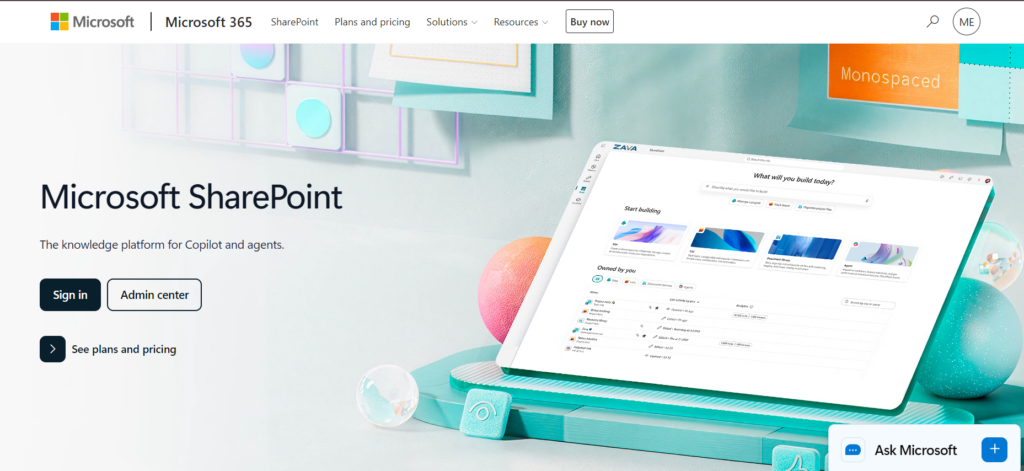
SharePoint is Microsoft’s document management and intranet platform, part of the Microsoft 365 suite. But this platform doesn’t come as a structured knowledge base. Teams need to create wiki pages, site pages, and document libraries manually to make it accessible for other departments and users.
Read more: SharePoint Alternatives
SharePoint Key Features
- AI-powered intelligent search that understands intent
- Custom agents scoped to specific knowledge areas
- Content freshness alerts for outdated pages and broken links
- AI workflows that automate processes in natural language
- Copilot-assisted page design and content creation
- Granular permissions at site, list and item level
- Microsoft 365 Backup for ransomware and deletion recovery
SharePoint Pricing
SharePoint isn’t sold as a standalone product. It’s bundled into Microsoft 365 plans starting at $9.29 per user per month, paid yearly.
Guru
Guru is a knowledge management system for mid-market to enterprise teams that need verified answers in the middle of a live conversation. It is built around bite-sized “cards” instead of long documents, and it surfaces those cards directly inside Slack, Teams, Salesforce, and other tools your team already uses.
Many Guru users praise its content sharing and verification, but complain that it’s hard to organize a large volume of content and the search function is inaccurate.
Read more: Guru Alternatives
Guru Key Features
- AI-powered search with cited, governed answers
- Knowledge Agent for research and multi-step answers across connected tools
- Native delivery inside Slack, Teams and the browser
- Real-time sync with Salesforce, Zendesk and Confluence Cloud
- Duplicate detection to flag and clean up redundant content
Guru Pricing
Guru offers custom pricing.
Helpjuice
Helpjuice is a knowledge base platform for teams that need documentation as the core product. It serves both internal teams and external customers from the same tool. It offers deep customization, branding, HTML and CSS control, so you can make the knowledge base look like your own product.
Many Helpjuice users praise its search and category management for organizing large volumes of content. But also report that formatting content takes extra manual effort when updating multiple articles at once.
Read more: Helpjuice Alternatives
Helpjuice Key Features
- AI-powered search that understands typos and intent
- Rich formatting with internal blocks, no developers needed
- Version control and content approval workflows
- Multi-language translation and sync across 50+ languages
- Analytics on article performance and content gaps
- Access control, SSO, encryption and automated backups
- Full brand customization with HTML and CSS access
Helpjuice Pricing
Helpjuice pricing starts at $249 per month for up to 30 users.
RightAnswers
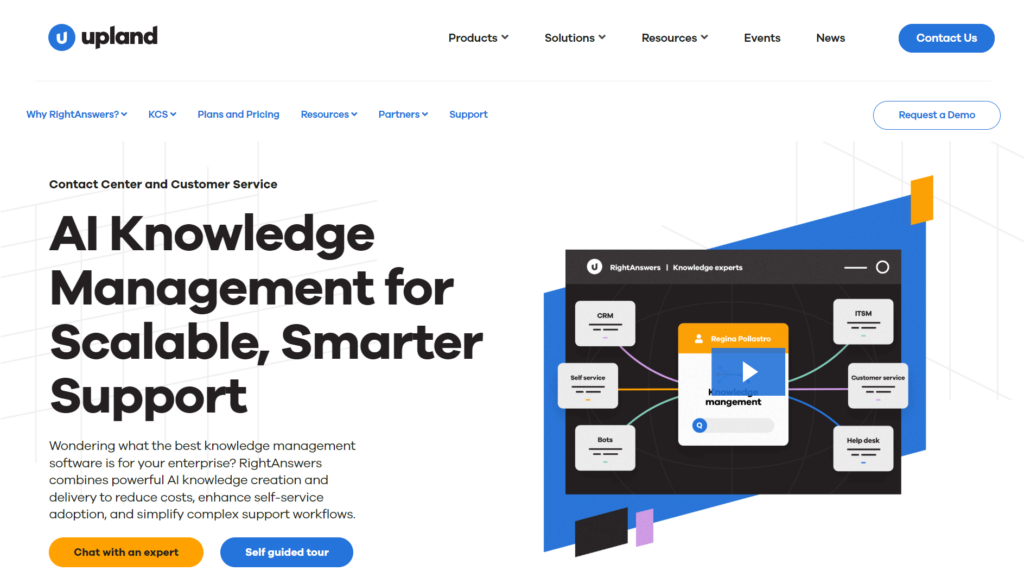
RightAnswers, by Upland Software, is a knowledge management platform for large enterprises running contact centers or service desks. It is built around the KCS (Knowledge-Centered Service) v6 verified methodology, which means agents create and refine knowledge as part of solving real issues.
The platform pulls a support ticket’s case description into its search engine to surface answers from the native knowledge base and other connected sources.
Read more: RightAnswers Competitors
RightAnswers Key Features
- AI-powered search and generative answers for agents
- Offers a no-code browser extension
- Integrations with 20+ ITSM, CRM, and collaboration tools
- Federated search across native and connected knowledge sources
- Advanced analytics on knowledge base health and usage
- Chatbot integration framework for third-party self-service tools
RightAnswers Pricing
RightAnswers offers custom pricing.
Comparison Table: Best Internal Knowledge Base Software in 2026
| Platform | Search Capability | Compliance | Access Management | Integrations |
| livepro | Lightspeed Search: federated AI search with relevance scores and AI Overviews | PII Redact, SOC 2 and HIPAA certified, self-hosted AI, automated audit logs, scheduled review dates | Role-based permissions assigned at every level, so users see only relevant content | Surfaces answers inside CRM and chat tools employees already use |
| Document360 | Eddy AI search assistant | SOC-compliant, GDPR aligned infrastructure | Fixed roles (Owner, Admin, Editor, Draft Writer, Viewer) with category-level restrictions; no custom role builder | Embeds articles inside helpdesk tickets through app extensions |
| Notion | Enterprise Search with cited answers across Notion and connected apps | SOC 2, ISO, GDPR, and CCPA compliant; zero data retention available on high-tier plans only | Permission groups and granular database-level permissions on Business plan; SAML SSO on Business plan | Open API syncs external data into Notion databases |
| Bloomfire | AI-powered search, but users report inaccurate results for specific queries | SAML/OIDC SSO and SCIM for access governance | Role-based access controls via SAML, OIDC SSO, and SCIM provisioning | SSO and SCIM sync access; app connectors embed knowledge in CRM |
| Nuclino | Sidekick AI that answers questions from team content | GDPR compliant | Permissions set per team or per workspace | Lightweight previews pull in links and content from other tools |
| Confluence | AI-powered search with instant answer suggestions | SOC 2 Type II, ISO, GDPR, and HIPAA certified; self-hosted Data Center | Role-based space access (Admin, Manager, Collaborator, Viewer) plus up to 10 custom roles | Marketplace apps embed content types from other tools into pages |
| SharePoint | AI-powered intelligent search that understands intent | SOC 2, ISO 27001, HIPAA, GDPR, and FedRAMP certified | Granular permissions at site, list, and item level | Native sync across Microsoft 365; broader tools via API |
| Guru | AI-powered search with cited, governed answers | GDPR and HIPAA compliant | Role and Group-based permissions at Collection, Page, and Source level; custom roles available | Syncs content and mirrors source system’s permissions |
| Helpjuice | AI-powered search that understands typos and intent | SSO and encryption | Fixed roles (Super Admin, Admin, Collaborator, Draft Writer, Internal Viewer) with group-based content restrictions | App extensions pull articles into support and chat tools |
| RightAnswers | Federated search across native and connected knowledge sources | KCS v6 verified methodology | Role-based permissions aligned to KCS licensing tiers (create/access split) | Pulls ticket data into search via CRM and ITSM integrations |
What to Include in an Internal Knowledge Base
You can include a wide range of content in your internal company knowledge base software to support different teams and functions. Here are some common categories and examples:
- Company Information: Annual reports, organizational charts, internal contact directories.
- HR Materials: Employee handbooks, payslip templates, performance review forms, and benefits information.
- Training Resources: Onboarding guides, employee training plans, health and safety procedures, and certification programs.
- Sales Collateral: Case studies, sales playbooks, pitch decks, sales process overviews, and performance dashboards.
- Operational Documentation: Process guidelines, software manuals, SOPs (Standard Operating Procedures), and task checklists.
- Marketing Assets: Editorial calendars, social media templates, brand messaging guides, and copywriting standards.
- Media and Press Materials: Press releases, media contact lists, approved press images, and public statements.
- Design Resources: Brand guidelines, design systems, logo files, typography specs, and color palettes.
- Legal Documents: Contracts, policy documents, compliance checklists, and regulatory filings.
- Customer Support Materials: FAQs, phone and chat scripts, email templates, and troubleshooting workflows to assist support teams
Including detailed and important knowledge for each department makes sure your knowledge base becomes a single source of truth your employees can access anytime.
Best Practices for Implementing an Internal Knowledge Base
Keep these best knowledge management strategies in mind when building an internal knowledge base your team can use and trust:
- Make information widely available so employees can learn and contribute, but restrict access to sensitive or conflicting documents as needed.
- Organize content with a clear hierarchy, categories, subcategories, and tags so people can navigate easily even without search.
- Keep your knowledge base active and collaborative by encouraging regular updates, comments, and team input.
- Standardize new content with templates and a style guide for consistency and faster creation.
- Write focused articles that answer one question or cover one issue, and use clear headlines or tables of contents for longer pieces.
- Encourage engagement by recognizing helpful contributions and enabling features like commenting, polls, and article ratings.
- Monitor usage and feedback with analytics to see what’s popular, spot gaps, and continuously improve your knowledge base.
Benefits of Using Internal Knowledge Base Software
Building an internal knowledge base comes with plenty of benefits for your team. Let’s take a look at some of the most impactful ones:
Improved Employee Autonomy and Satisfaction
Searching for information is one of the biggest productivity drains in the workplace. Consolidating all essential knowledge in a single, searchable location can reduce wasted time. It also empowers employees to focus on meaningful work.
Enhance Collaboration and Communication
Outdated methods like email-based document sharing lead to confusion and inefficiency.
An internal knowledge base software makes collaboration easier by allowing teams to co-edit content, leave comments, and request changes, all in one place.
Reduce Errors and Version Confusion
Mistakes often happen when teams work from outdated or conflicting document versions. Even a file name like “final_final_v3” doesn’t guarantee accuracy.
With built-in version control, internal knowledge base software makes sure that everyone accesses the most current document. You can also track changes, compare versions, and revert to older content when needed.
Strengthen Customer Service
Although internal knowledge bases are employee-facing, they impact customers as well.
Most customers expect an immediate response. According to a report, 90% of customers want support right away. Agents without fast access to accurate information can’t meet that bar.
Internal knowledge base software organizes FAQs, troubleshooting guides, and documentation in one central place. This structure helps agents find answers faster and deliver better customer service.
Increase Information Security
Managing knowledge in a secure cloud-based environment reduces the risk of data loss from misplaced drives or stolen devices. More importantly, internal knowledge base tools offer granular access controls, so you can:
- Limit access to sensitive information (e.g., HR or legal documents)
- Define who can view, edit, or share specific files
- Quickly revoke permissions as needed.
Improve Onboarding and Ongoing Training
Many employees feel overwhelmed during onboarding because of information overload and poor organization.
Centralizing onboarding materials (checklists, policies, and how-to guides) in your knowledge base ensures new hires have what they need from day one. Storing training videos, templates, and role-specific content in one place also supports ongoing learning.
What to Look for in an Internal Knowledge Base Software
To get the most value from your knowledge base, it’s important to know which features make the biggest difference for real teams.
Search Functionality
A modern knowledge base should let you find information fast, even across thousands of documents and multiple formats. Look for solutions with AI-powered, semantic search that supports natural language queries.
livepro’s Lightspeed Search uses NLP and vector-based retrieval to surface accurate results instantly, even from PDFs or long-form content.
Content Management
Efficient knowledge management relies on intuitive content creation and control. Seek platforms with WYSIWYG editors, version control, and multimedia support, plus robust tagging and organization.
livepro provides easy drag-and-drop authoring, strong version tracking, and customizable templates for fast, consistent content updates.
User Access
Granular access controls are essential, especially if your knowledge base stores sensitive or regulated information. You should be able to set clear permissions for each user or team.
livepro lets you assign permissions at every level, so users see only the content that matters to them and can safely contribute or edit as needed.
Collaboration Features
Effective collaboration needs more than shared editing. Built-in commenting, structured feedback, and approval workflows help teams flag issues and keep content accurate.
livepro offers commenting, feedback requests, and full approval workflows, making it simple to involve subject matter experts before publishing updates.
AI Features
Look for AI-powered tools that help summarize articles, recommend related content, and auto-tag new information.
livepro’s AI generates article overviews, improves search relevance, and suggests updates, streamlining both user experience and content management.
Compliance Tools
Industries with strict compliance needs require features like audit trails, PII redaction, and scheduled reviews.
livepro delivers built-in compliance controls, from automatic PII redaction and audit logs to configurable review schedules for all content.
Analytics and Reporting
You should have access to dashboards that show what’s being used, what isn’t, and where people are searching unsuccessfully.
livepro’s analytics dashboard tracks article usage, search trends, engagement, and read receipts, helping you identify gaps and measure content performance.
Integration Options
A knowledge base should work where you do, with integrations for CRM, helpdesk, chat, and API access for custom workflows.
livepro integrates with Salesforce, Zendesk, Teams, Slack, and more, plus API support to embed knowledge across your organization’s tools.
Bottom Line: livepro is the Best Internal Knowledge Base Software for Enterprises and Contact Centers
When your employees rely on fast access to SOPs, HR policies, FAQs, and troubleshooting guides, you need internal knowledge base software that makes information easy to organize, update, and find.
livepro is the best internal knowledge base software for teams in enterprises, contact centers, and regulated industries that can’t afford scattered knowledge or compliance risks. With AI-powered search, role-based permissions, and audit-ready controls, livepro keeps your information accurate and up to date.
Book a demo today to see how livepro simplifies internal knowledge management, so your team can work faster, deliver consistent answers, and focus on what really matters.
FAQs About Internal Knowledge Base Software
What are the types of internal knowledge bases?
Internal knowledge bases usually fall into a few categories based on what they store:
- SOP and process libraries cover step-by-step workflows and procedures
- HR and policy hubs hold employee handbooks, benefits information, and compliance documents
- IT and engineering knowledge bases store runbooks, troubleshooting guides, and technical documentation
- Cross-departmental hubs combine all of the above into one searchable system, which is what most growing enterprises and contact centers need as they scale.
What’s the difference between federated search and keyword search in a knowledge base?
Federated search pulls results from multiple sources at once and ranks them by relevance, context, and past query behavior. Keyword search only matches exact terms, so it can miss the right answer if the wording doesn’t match.
How granular should access permissions be across departments?
This depends on whether departments share a single knowledge base or maintain separate content hierarchies. Fixed-role systems (Admin, Editor, Viewer) work for smaller teams. Multi-department deployments usually need permissions set at the category, folder, or individual article level.
livepro gives you granular access control with built-in permissions. You can specify who can view, edit, comment on, or approve each article. This way, sensitive HR or legal content stays restricted even when it lives in the same knowledge base as frontline documentation.
What is the best internal knowledge base platform for contact centers?
livepro is built for contact centers that need a compliant, governed knowledge base. It offers features like AI-powered search, decision trees for guided troubleshooting, built-in governance, and audit-ready compliance controls.
The platform helps handle high-volume content libraries while giving agents access to accurate answers during live customer interactions.
How is an internal knowledge base different from a knowledge management system?
An internal knowledge base is one tool inside a broader knowledge management system. The knowledge base stores and organizes searchable content like SOPs and FAQs. Knowledge management covers the full process around that content, including how it’s created, reviewed, governed, and measured over time.
How can I consolidate five different tools into one internal knowledge base?
Start with one high-impact use case, like onboarding or FAQs, instead of migrating everything at once. Import existing content in bulk, assign clear content owners, and communicate the change early so employees understand what’s moving and why before you roll it out in phases.
livepro speeds up this process. LightspeedAI handles the bulk migration and reformatting. The platform’s native integrations with tools like Salesforce, Zendesk, and Slack let agents access the consolidated knowledge without abandoning their existing workflow.