


Guru helps teams launch a knowledge base fast, but it struggles when an organization grows and processes get complex.
Here are key areas where Guru falls short:
- Limited search accuracy: Tag-based search often misses results when users type partial phrases or use different terms.
- No structured flows: The editor can’t create step-by-step guides or decision trees, so employees must scan long text.
- Customer sharing gap: Guru offers no built-in portal for customers; publishing content online needs extra API work.
- Limited visibility around retired content: When content is deleted or archived, users report not seeing any indication that an article previously existed, which can cause confusion during search.
These limitations push companies to explore other options. So we researched and reviewed the top Guru alternatives in 2026 to see which ones actually work for different use cases. Whether you need better search, tighter compliance controls, or smoother integrations, there’s an option that fits.
What is Guru?
Guru is an AI-powered knowledge management platform for internal wikis, enterprise search, and lightweight intranets. It lets teams create bite-sized answer cards and organize them into searchable collections. Guru suggests content in real time, so users see relevant answers inside the tools they already use.
It’s most commonly used by support and CX teams in mid-sized companies across tech, financial services, and retail industries, but may require workarounds for enterprise-wide knowledge sharing.
Guru Pros and Cons
Pros: Why Teams Like Guru
- Connects with tools like Slack, Teams, Zendesk, and Google Workspace
- Powerful browser extension that automatically suggests relevant knowledge cards while working across any web-based tool
- AI-powered contextual suggestions that surface relevant information based on what you’re currently doing
- Card verification system with assigned expert owners who regularly review and confirm accuracy
- The analytics dashboard tracks which content gets accessed most, helping identify knowledge gaps and popular resources
- Real-time updates and notifications keep teams informed when knowledge changes
Cons: Reasons Why Teams Look for Guru Alternatives
As teams scale, user reviews highlight several gaps that prompt organizations to explore alternative knowledge management platforms.
- Inefficient Search: Users report difficulty locating the right information when content has been deleted, renamed, or duplicated.
- Unintuitive Navigation: The folder and card structure is frequently described as hard to follow, causing teams to bypass navigation altogether and rely entirely on search.
- Manual Content Governance: Keeping content accurate requires ongoing discipline. When many cards need review simultaneously, verification workflows can overwhelm content owners without flexible scheduling or automation.
- Limited Enterprise Flexibility: Guru offers fewer options for customizing workflows, content structures, and role-specific experiences than enterprise-focused knowledge platforms.
- Complex Setup and Migration: Migrating large knowledge bases and configuring permissions across collections can be time-intensive for established teams with existing documentation.
- Slower Support Response: Some users report delays when seeking help for technical or configuration-related issues.
Top 10 Guru Alternatives in 2026
Here’s a detailed look at the best alternatives to Guru in 2026:
livepro
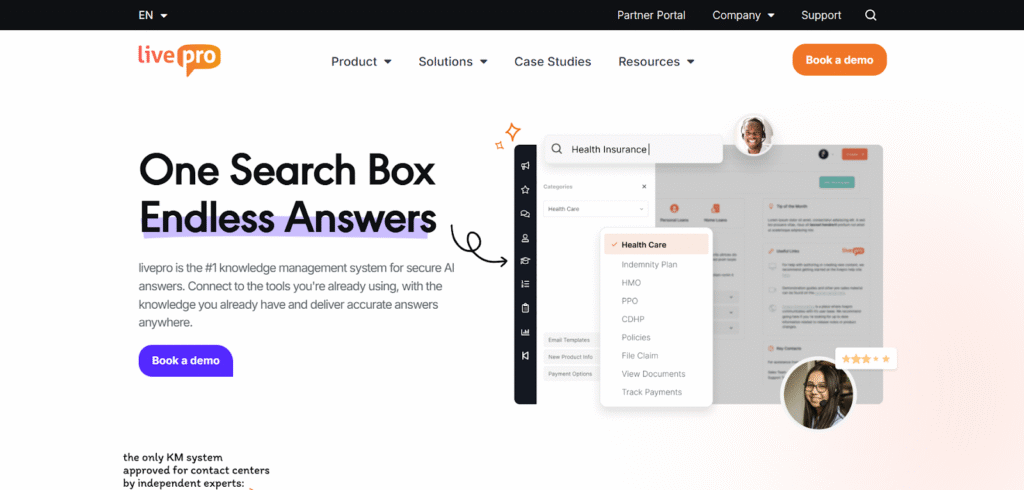
livepro is a knowledge management platform built for contact centers and enterprises that handle complex service, strict compliance requirements, or high volumes of customer inquiries. It centralizes operational knowledge, enabling teams to deliver accurate answers quickly and consistently.
It’s commonly deployed in:
- Contact centers and customer support operations
- Regulated industries like healthcare, government, and financial services
- Large enterprises managing knowledge across multiple departments
livepro helps frontline teams get up to speed faster. It guides agents through complex decisions during live interactions and ensures responses are based on current information.
Let’s look at the key features that make livepro a go-to Guru alternative for AI-based knowledge management:
AI Tools for Faster Resolution Time
Guru uses tags and saved cards to show answers, but this only works when the question is clear. If someone searches with unclear wordings, Guru might not find the right match. This leads to unnecessary delays, extra follow-ups, or repeated requests.
livepro fixes this with AI features that focus on meaning rather than just keywords.
- LightspeedAI Search understands intent, even with spelling errors or vague phrasing, and delivers the most relevant answer from approved content.
- Rocket guides employees through internal processes such as submitting a leave request, updating access credentials, or following compliance steps, prompting them one step at a time.
- AI Overview summarizes long content into short, trusted summaries pulled from internal knowledge. It shows only trusted, approved content and links back to the source.
Stay Compliant and In Control with Built-In Governance Tools
Guru lets you tag owners and mark content as verified. But when your team needs full oversight, you can’t track who changed what, who approved it, or when it went live. If something goes wrong, there’s no clear audit trail.
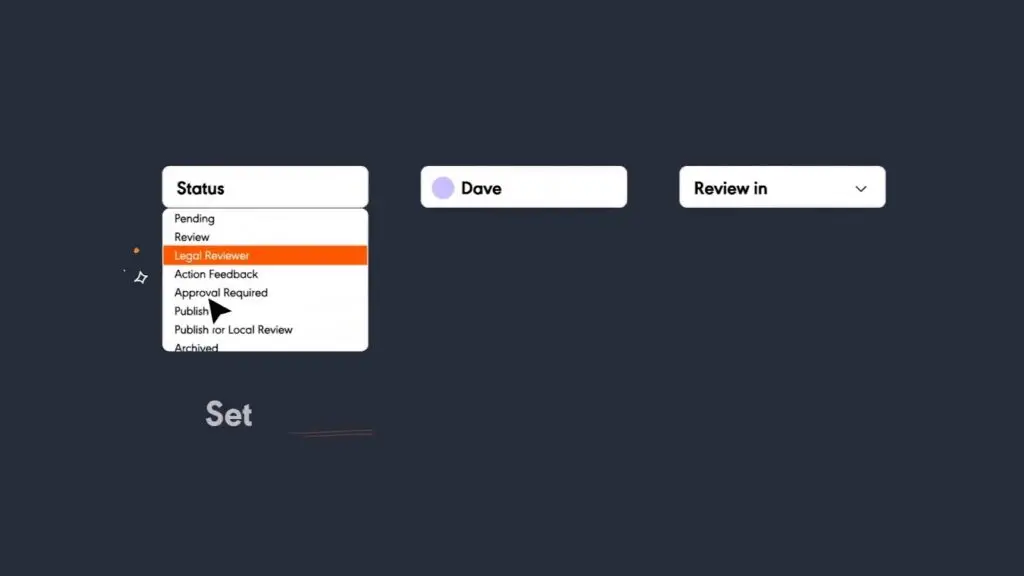
livepro fixes this with built-in compliance controls. You decide who creates, reviews, and publishes knowledge. Each update follows a clear path, and every action is tracked, so you always know what changed and why.
For example, when your legal team updates a refund policy, the knowledge manager can set the article to review every 90 days. A writer submits the draft, a legal reviewer approves it, and the system publishes it on schedule. Version history lets you compare edits and restore any earlier copy in seconds.
livepro’s knowledge governance features also route feedback to the right owner and log every change. Role-based access keeps content controlled, so teams only manage what they own.
A Single Source of Truth Built for Cross-departmental Knowledge Management

Guru works best when used by a single team. But when more departments get involved, sharing knowledge becomes harder. HR, Legal, L&D, and IT often need more structure, control, and flexibility than Guru can offer.
livepro brings every team into one platform. Teams like HR, IT, Legal, and Finance can manage their own knowledge, but work from the same system. That means one login, one source of truth, and one place to find the right answers. This keeps ownership clear and content easy to access.
livepro’s process guidance helps new staff follow each step of a task. For example, an HR team can show exactly how to handle leave requests. New staff follow each step in order.
livepro also makes it easy to share updates. Announcements appear inside the platform, so policy changes and reminders reach staff while they search for answers.
Extend Knowledge to Customers with Built-In Self-Service Tools

Guru works inside Slack, Teams, and browser tools, but it doesn’t support sharing content with customers. Some enterprises try to connect Guru to their website using its API, but this takes extra setup.
livepro lets you manage one knowledge base for both internal teams and customers. Departments like HR, Legal, IT, and Support can access approved content in one system. The same platform can also power self-service for customers.
Here’s how it works:
- With Web Answers, you can share approved content like policies, guides, and FAQs with both employees and customers. The same content stays synced and updates in real time.
- To keep that information safe, livepro includes PII Redact. This tool scans articles before they go live and removes personal details to meet privacy and compliance standards.
- While customers help themselves, support staff also get help behind the scenes. Genesys Agent Assist listens to live calls or reads chats and shows the right answer in real time.
Create and Maintain Clear, Consistent Knowledge with Built-In Authoring Tools
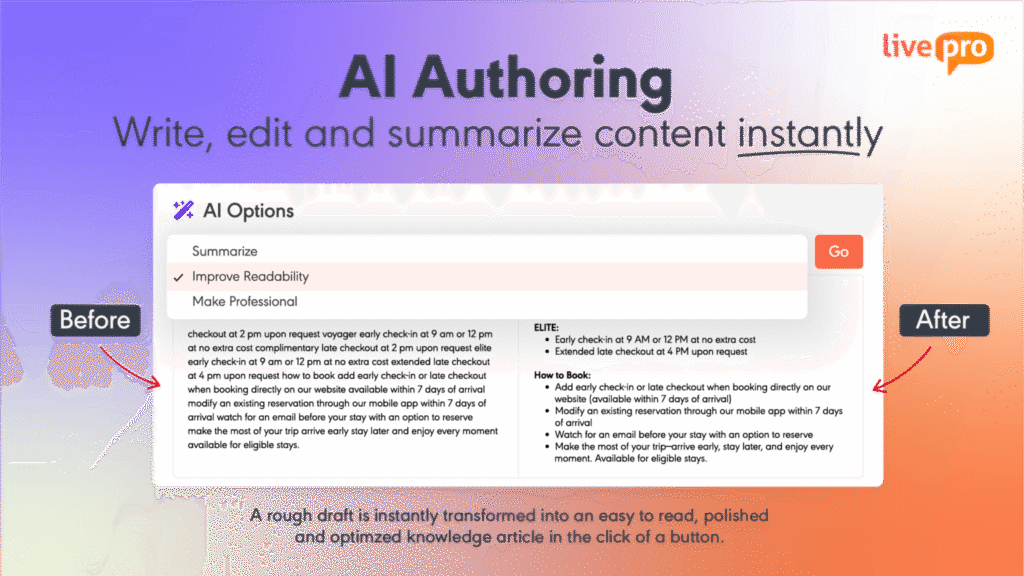
Guru’s editor is simple and works for short answers, but it limits teams that need more structure. You can’t build step-by-step guides or control flow, which makes it hard to write clear instructions for complex or regulated tasks.
livepro includes built-in knowledge authoring tools that help teams create clean, structured content. Authors can choose templates, write in a visual editor, and use drag-and-drop steps to map out logic or decision paths. There’s no need for design skills or code.
For example, a finance manager updating expense guidelines can select a template and enter the required steps. You can also map out decision paths for different approval levels. This keeps the article clear, consistent, and easy to follow.
Source Documents Streamline Knowledge Migration
Users report that setting up permissions and migrating large knowledge bases can take weeks of manual work. livepro reduces this effort with Source Documents, which allow teams to upload existing files directly, including:
- PDFs
- Word documents
- Excel spreadsheets
- PowerPoint presentations
- Images
Instead of rewriting content upfront, teams can upload their files as-is. livepro indexes the content immediately, making it searchable alongside structured knowledge articles.
For example, a team migrating policy documents from Word or training guides from PDF can upload them into livepro and access them right away. Over time, high-usage documents can be converted into structured articles, while lower-priority content remains searchable without rework.
This approach shortens implementation timelines and lets teams focus on improving content based on real usage, rather than delaying launch to complete a full migration.
livepro Integrations
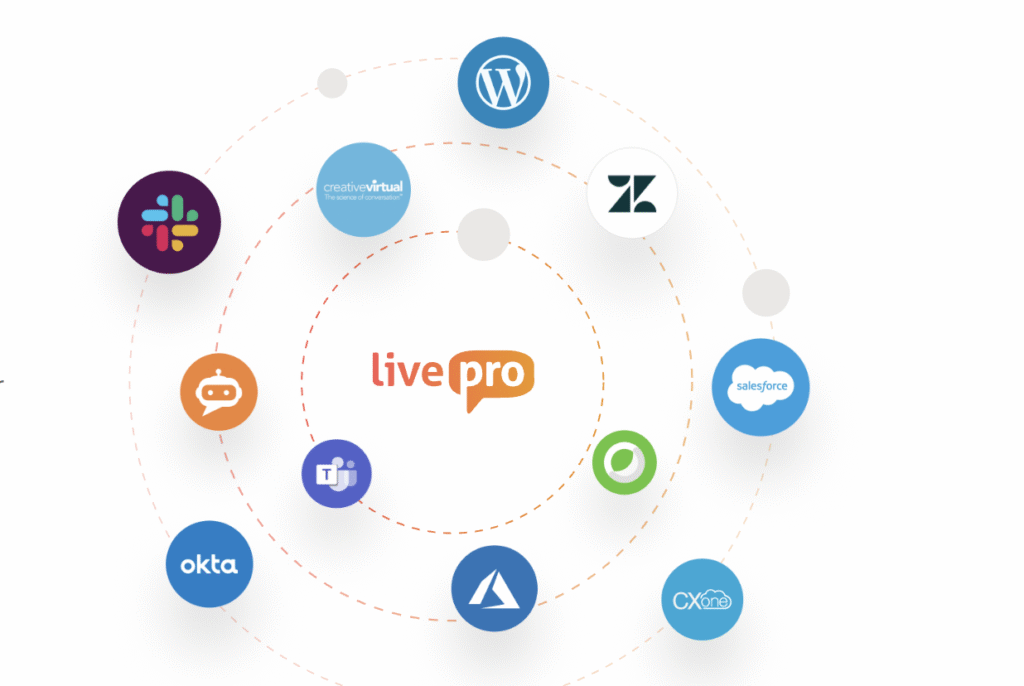
livepro integrates with the tools your company already uses. Key integrations include:
- Open API: Build custom experiences, connect internal tools, or display knowledge anywhere using livepro’s API.
- Microsoft Teams: Search, share, and receive livepro updates directly within Teams.
- Salesforce: Surface relevant articles inside Salesforce based on case details.
- Zendesk: Access context-aware knowledge next to every support ticket in Zendesk.
- Analytics Platform Integration: Send data to your existing reporting tools to track article views, searches, and gaps in real time.
- Single Sign-On (SSO): Use your existing login system to control access without managing extra passwords.
Pricing
livepro offers three pricing plans to match different business needs:
- Flex: For small and growing contact centers with focused knowledge needs
- Premium: For medium to large companies of 50+ users that need more features and flexibility
- Enterprise: For large, complex operations with full support and advanced capabilities.
Each plan includes access to core knowledge features. To get a quote, you can contact us.
livepro Pros and Cons
Pros
- Acts as a single source of truth for all teams
- Uses AI to support fast, self-service search
- Simple, easy-to-navigate interface
- Includes GenAI tools to deliver context-based answers
- Helps agents with step-by-step decision guides during calls
- Reduces call transfers and shortens training time
- Supports compliance with strong governance workflows
- Makes reporting easy with ready-to-use data tools
Cons
- Advanced features may require training, especially during setup
- Teams with complex role structures may need support during configuration
livepro Ratings
livepro Reviews
Here’s what users like about livepro:
- Easy for frontline teams to find the right information during busy shifts
- Features like quizzes and videos keep staff engaged and make training more effective
- Visual layout and design help reduce confusion and support faster navigation
- Ability to edit both through the front-end and backend gives admins flexibility
- Support team is quick to respond and easy to work with
- Self-service portal and help articles reduce reliance on external support
- Frequent updates keep the platform current and reliable
- Works well in high-volume contact centers and government environments
What users say takes some adjustment:
- Some setup steps, like assigning user roles or permissions, may take extra time, but guided help is available
- Advanced tools offer flexibility, but may take some hands-on learning during onboarding
Review #1: “The ease of use is the main thing I like about the software, creating the knowledge objects, updating information, reverting, training team members, searching for information, reporting, quizzes are all very easy to use.” — Geoff S.
Review #2: “livepro makes locating information and processes so easy, and from an admin perspective is so helpful to track usage, version history. It gives you all the tools you need to make content easy to find and understand.” — Catlin R.
Notion
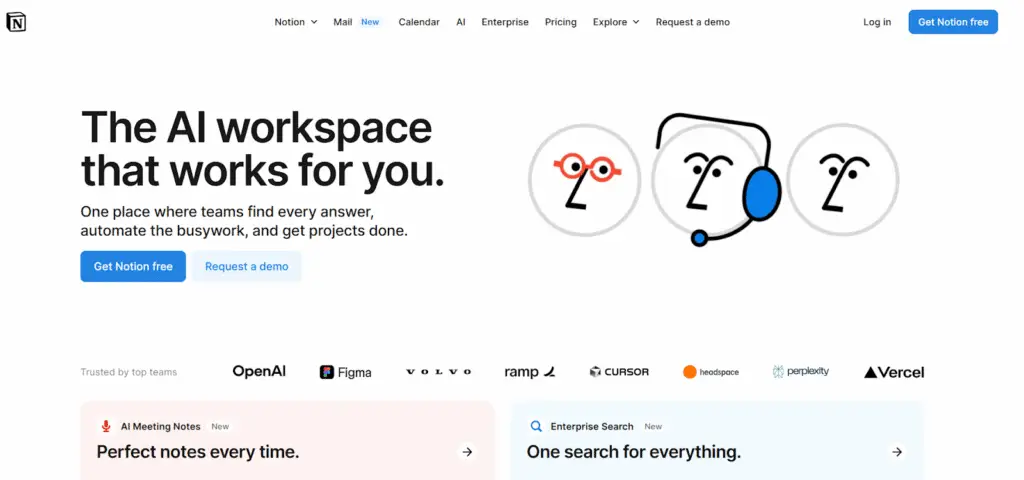
Notion is an AI workspace that combines notes, wikis, databases, and project tools in one platform. It fits best for startups, product teams, and small businesses that want to manage content and tasks together in a flexible layout. Compared to Guru, Notion offers more control over structure and supports workflows with templates, linked databases, and built-in content blocks.
Read more: Slite vs Notion
Notion Key Features
- Drag-and-drop blocks to build pages, trackers, and dashboards
- Large template library for planning, onboarding, and documentation
- Built-in AI to help write, summarize, and search content
- Real-time editing and feedback to keep teams aligned
- Sidebar and page structure that scales with growing content
Notion Pricing
- Free: $0/month for individuals
- Plus: $10/user/month
- Business: $20/user/month
- Enterprise: Custom pricing for advanced needs
Confluence
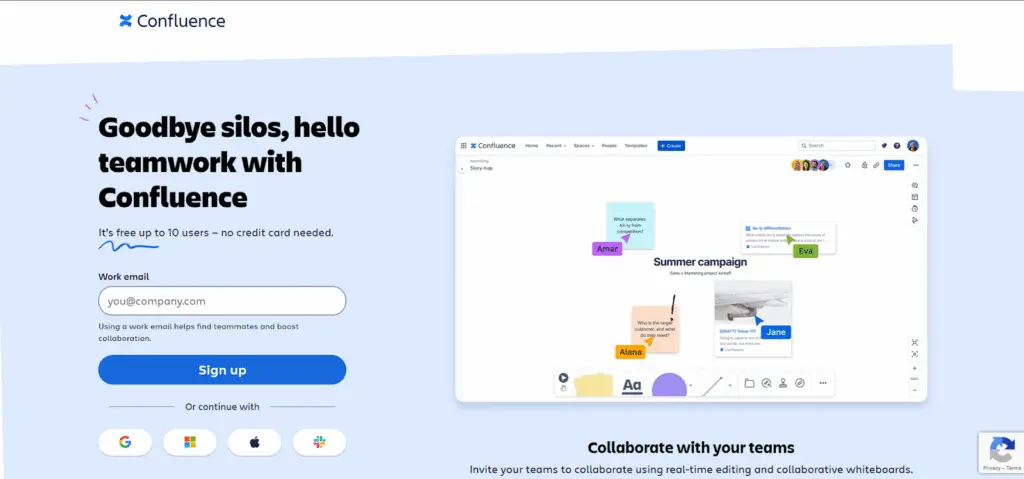
Confluence is a remote-friendly team workspace for internal documentation and project collaboration. It’s suitable for product, engineering, and IT teams that need to manage technical content and keep work in one place. Unlike Guru, Confluence handles long-form documentation better and connects directly with tools like Jira to support planning, tracking, and updates.
Read more: Confluence Alternatives
Confluence Key Features
- Real-time editing with version tracking and change highlights
- Structured page tree for organized content and fast access
- Built-in templates for documentation, planning, and team workspaces
- Deep integration with Jira, Trello, and other Atlassian tools
- Advanced user permissions and space-level access control.
Confluence Pricing
- Free: $0/month for up to 10 users
- Standard: $5.42/user/month
- Premium: $10.44/user/month
- Enterprise: Custom pricing
Document360
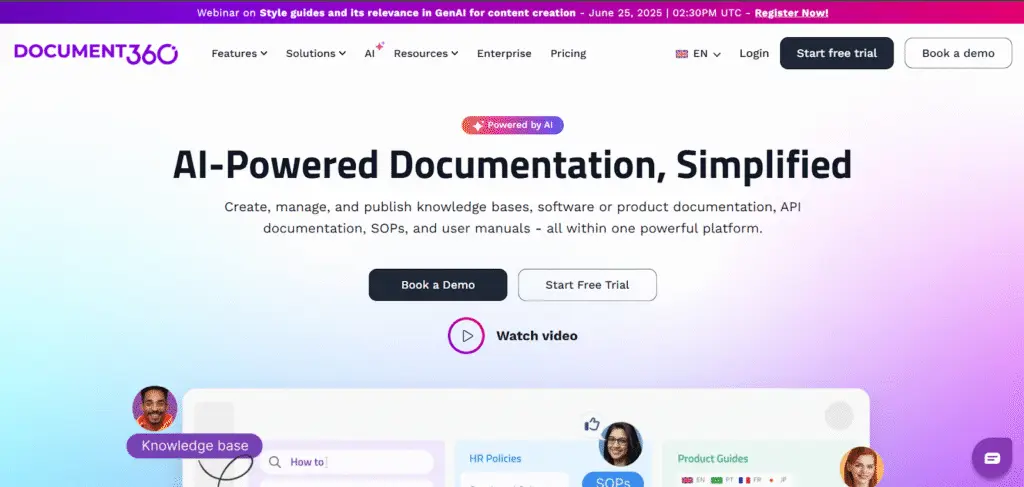
Document360 is an AI-powered platform for creating internal and external knowledge bases. It works well for support, product, and engineering teams that manage high volumes of structured content. Compared to Guru’s card-based layout, Document360 offers deeper content organization, version control, and multilingual publishing across private or public sites.
Learn more: Bloomfire vs Document360
Document360 Key Features
- AI Assistant, Eddy, gives answers using trusted content
- Public and private access settings for each article
- Version history tracks all edits and changes
- Custom workflows manage reviews and publishing
- API connects your knowledge base to other tools.
Document360 Pricing
Document360 offers custom pricing. Contact the team for a quote.
Bloomfire
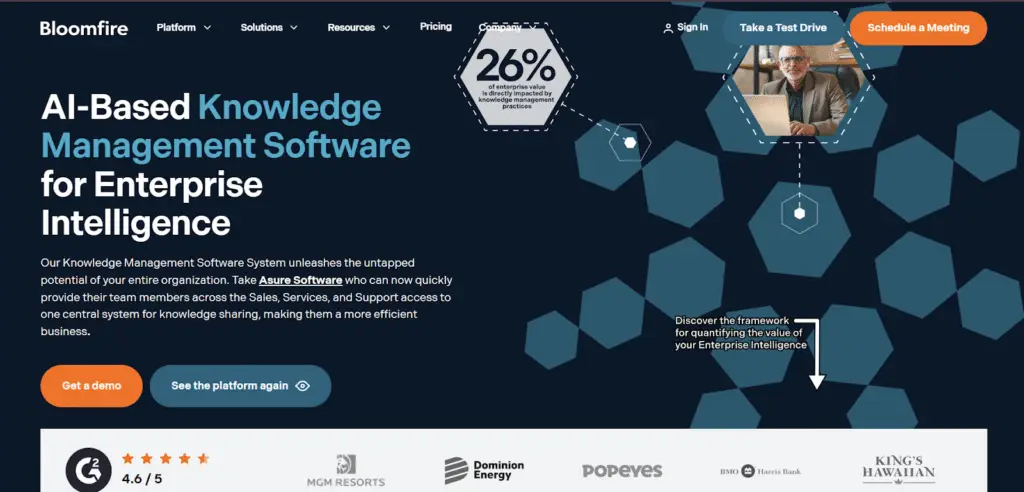
Bloomfire is an AI knowledge platform that helps teams organize and search content across formats. It fits support and ops teams that work with videos, charts, and documents. Unlike Guru, Bloomfire turns all content into searchable text. It also suggests updates through a personalized feed, helping teams share answers and keep knowledge active.
Read more: Bloomfire Alternatives
Bloomfire Key Features
- AI search that indexes all formats, from text to video
- Content moderation for review, approval, and compliance
- Version control and audit history
- Collaboration through Q&A, comments, and feedback
- Usage analytics to track content performance and gaps.
Bloomfire Pricing
Bloomfire offers custom pricing.
Tettra
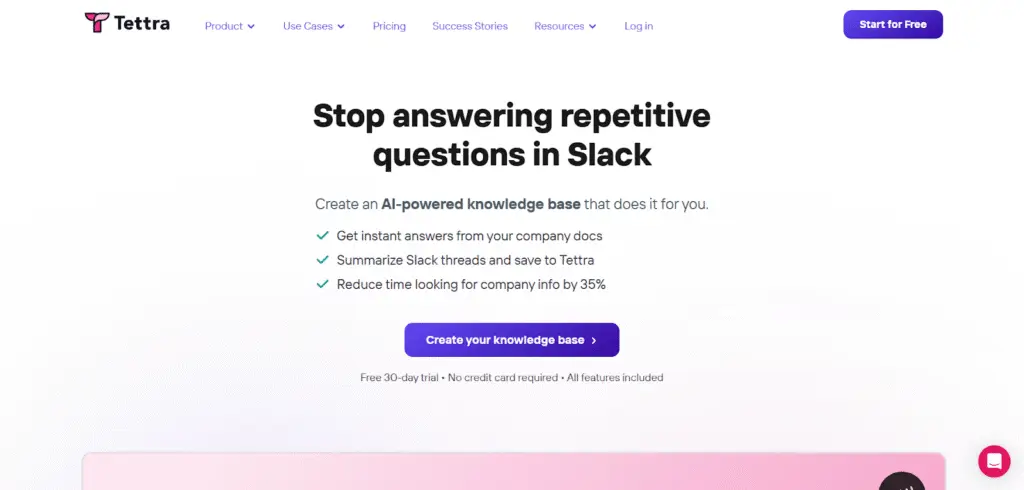
Tettra is an AI-powered knowledge platform. It suits teams that rely on chat and want answers to appear where questions are asked. Its AI assistant, Kai, suggests replies, saves repeated questions as articles, and sends new ones to the right expert. While Guru uses cards, Tettra automates answers through chat.
Tettra Key Features
- Slack and Microsoft Teams integration for in-chat answers
- Q&A workflow to route unanswered questions to subject experts
- Page verification reminders to keep knowledge fresh
- Simple editor with internal linking and folder structure
- Export options to clean HTML for backup or migration
Tettra Pricing
- Scaling: $10/user/month
- Enterprise: Custom Pricing
Nuclino
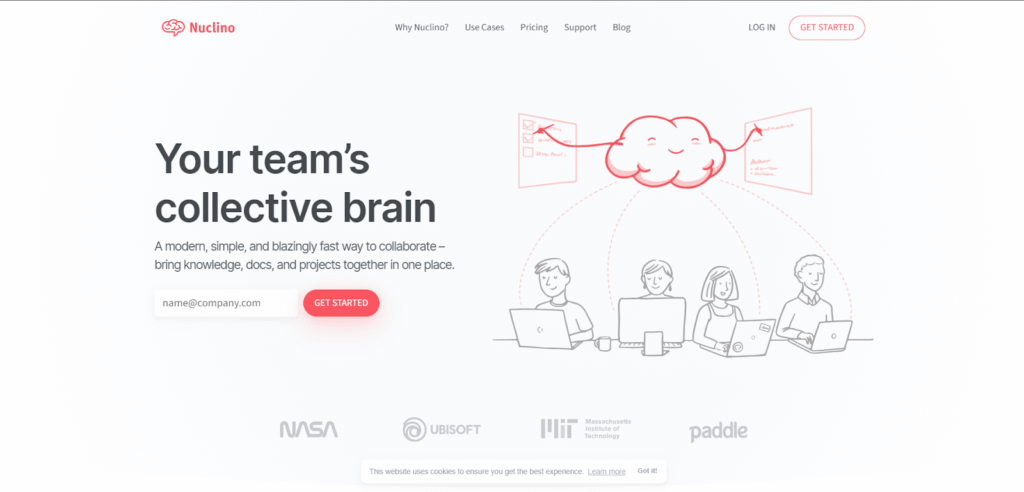
Nuclino is a unified workspace for knowledge, docs, and projects. It fits product teams and startups that need a fast, simple way to work together. It supports real-time editing, instant search, and multiple views like lists, boards, and graphs. While Guru divides answers into cards, Nuclino keeps everything editable and connected in one place.
Nuclino Key Features
- Drag-and-drop blocks for notes, wikis, and task tracking
- Real-time collaboration with inline comments and mentions
- Linked databases for custom workflows and project views
- Built-in AI for content generation, summarization, and Q&A
- Template gallery for onboarding, product planning, and internal docs
Nuclino Pricing
- Free: $0/user/month
- Starter: $6/user/month
- Business: $10/user/month
Kipwise
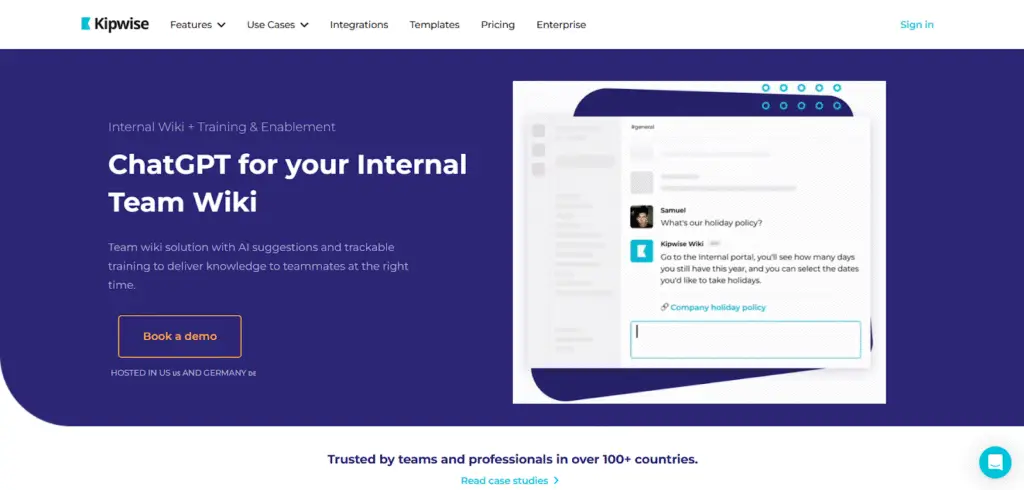
Kipwise is a lightweight company wiki built for teams that work inside Slack and Microsoft Teams. It fits support teams that need quick answers during live chats. Kipwise suggests content as you type, verifies updates in the background, and connects to shared workflows. While Guru stores static cards, Kipwise works like a live feed embedded inside daily tools.
Kipwise Key Features
- Slack and Microsoft Teams search commands that pull live answers
- Internal Q&A system with verified responses
- Smart reminders to review and update outdated content
- Shared folders that auto-sync across tools
- Page-level analytics to track knowledge usage
Kipwise Pricing
- Premium: $6.3/user/month
- Branded: $12.6/user/month
- Enterprise: Custom pricing
Microsoft SharePoint
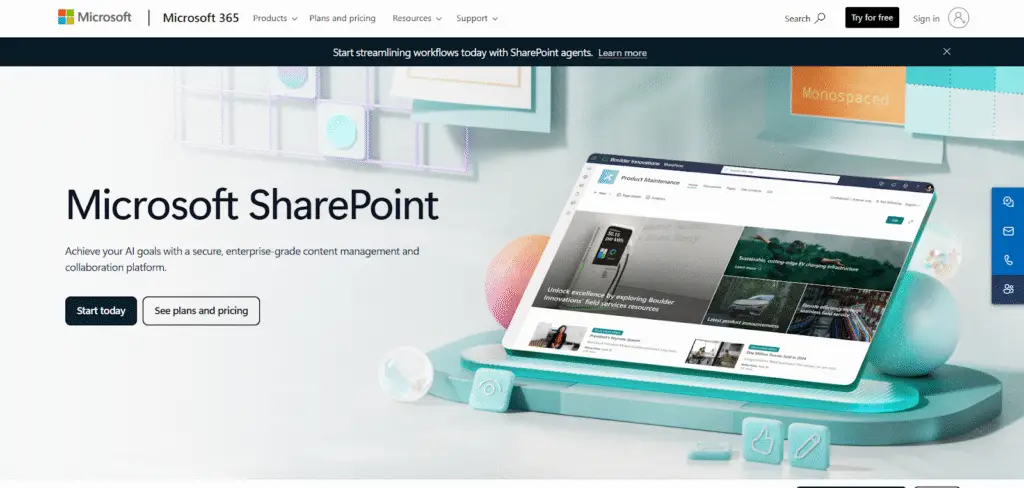
SharePoint is Microsoft’s platform for managing internal documents and sites. It fits companies on Microsoft 365 that need control over policies, handbooks, and files. It offers version history, site templates, and deep access controls. Guru is easier for support teams to run themselves, but SharePoint gives admins stronger oversight of who sees what and when.
Microsoft SharePoint Key Features
- Role-based access control for internal content
- Intranet site builder for departments, policies, and workflows
- Document version history and audit logs
- Deep integration with Microsoft 365 tools
- Search and filter across files, lists, and metadata
Microsoft SharePoint Pricing
- Plan 1: $5/user/month
- Microsoft 365 Business Standard: $12.50/user/month
- Microsoft 365 Copilot: $30/user/month
Slite
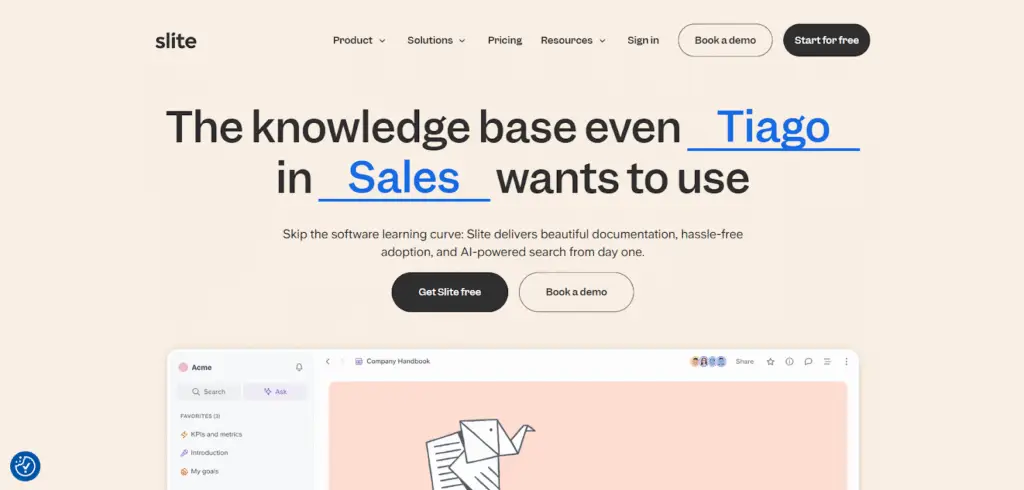
Slite is an AI knowledge base for async documentation. It fits teams working across time zones that replace meetings with written updates. Channels hold pages, templates speed up writing, and changes show in bold. Guru stores cards teams pull on demand, but Slite keeps discussions, edits, and history in one thread.
Read more: Slite Alternatives
Slite Key Features
- Collaborative docs with real-time editing and simple permissions
- Decision tracking to record what was agreed and why
- Async discussion threads embedded directly into pages
- Easy import from Google Docs, Notion, and Markdown
- Editor designed for structured writing, not just note-taking
Slite Pricing
- Standard: $8/user/month
- Knowledge Suite: $20/user/month
- Enterprise: Custom pricing
Comparison Table: Top Guru Alternatives in 2026
| Guru Alternative | Best For | Pricing Tier | Overall Rating |
| livepro | End-to-end knowledge management across CX, HR, IT, Legal, and regulated operations | Custom Pricing (Flex, Premium, Enterprise) | ⭐4.9/5 |
| Notion | Flexible internal docs and planning across small business teams | Free to $20/user/month (Business), Enterprise pricing available | ⭐4.7/5 |
| Confluence | Long-form documentation for technical and product workflows | Free to $10.44/user/month, Enterprise pricing available | ⭐4.1/5 |
| Document360 | Structured knowledge bases with strict review needs | Custom Pricing | ⭐4.7/5 |
| Bloomfire | Sharing mixed-format content across support and operations | Custom Pricing | ⭐4.6/5 |
| Tettra | Answer storage and internal help inside Slack or Teams | Starts at $10/user/month | ⭐4.7/5 |
| Nuclino | Fast, lightweight knowledge capture for startup workflows | Free to $10/user/month | ⭐4.6/5 |
| Kipwise | On-demand answers for chat-based customer support | $6.3 to $12.6/user/month, Enterprise pricing available | ⭐3.9/5 |
| Microsoft SharePoint | Internal document control across large enterprise stacks | $5 to $12.50/user/month, Copilot add-on at $30/user/month | ⭐4.0/5 |
| Slite | Async documentation and decision logging in remote setups | Free to $20/user/month | ⭐4.6/5 |
How to Choose the Best Guru Alternative for Your Team
Here’s what to look for when considering alternatives to Guru:
Choose a Platform That Can Scale With Your Team
Look for a Guru competitor that can scale as you add more users or expand knowledge sharing across departments. If the system lags or becomes hard to manage, it slows down internal teams and delays both customer support and employee access to critical information.
livepro supports high-volume contact centers and scales for enterprise-wide use, helping departments like HR, IT, customer experience (CX), and Legal share knowledge in one centralized system.
Look for AI That Supports Internal Teams and Customer-Facing Roles
Internal teams lose time when answers are buried. Customers get frustrated when support takes too long. You should choose a Guru alternative with AI features that provides instant answers and step-by-step guidance.
livepro helps employees find the right answer fast, follow step-by-step processes, and read quick summaries of complex topics.
Prioritize Ease of Use for Authors and Internal Teams
The platform you choose should be easy to search, navigate, and complete tasks with built-in help.
livepro is built for ease. The interface guides users through each task step by step. This helps new and experienced staff get answers without extra training.
Check That It Integrates With Your Existing Tools
If your knowledge base doesn’t integrate with the tools your team already uses, like your CRM, helpdesk, or chat platform, your employees will keep relying on scattered sources like emails or Slack. To drive real adoption, your platform must surface answers directly within daily workflows.
livepro connects to your CRM and support systems, so answers appear right where your team needs them. That keeps them focused, without switching screens or digging through docs.
Ensure Strong Security and Access Controls
When everyone can see or change everything, errors spread fast. Choose a Guru alternative that lets you assign roles for viewing, editing, and approval. It also needs a full edit history, so you can see what changed, who did it, and when.
livepro lets you control who can view, edit, approve, or publish. It keeps a version history and audit trail for every update, so you know exactly what changed and when.
Evaluate Implementation and Setup Complexity
The time and resources required to get your knowledge base running matter, especially when your team is already stretched thin. A tool that takes months to configure delays the value you’re trying to capture.
Unlike platforms that require complex, time-consuming setup, livepro provides implementation support and structured onboarding. Teams can efficiently configure role-based permissions, and migration services help transfer existing knowledge bases without overwhelming manual effort.
Consider Collaboration Features
Knowledge management is about keeping information alive, accurate, and evolving as your business evolves. Static knowledge bases become outdated quickly without strong collaboration features.
livepro includes built-in governance workflows that automatically route content to the right reviewers. Within the same system, users can suggest improvements directly on articles, while automated review schedules keep content current without placing extra burden on authors.
Factor in Total Cost of Ownership
The sticker price is just one part of the equation. Consider implementation costs, training time, and ongoing maintenance when evaluating true cost. A cheaper tool that requires constant manual work often costs more than a premium platform with automation.
livepro offers three transparent pricing tiers (Flex, Premium, and Enterprise) to meet different organizational needs. Implementation support is included, and customers typically see ROI within 4-6 months through reduced handling times and faster onboarding.
Best Guru Alternatives by Use Case
Different teams have different priorities. Here’s which alternatives work best for specific use cases:
| Use Case | Best Options | Why |
| Contact Centers & Customer Support | livepro, Zendesk, Bloomfire | Need instant answers during live calls with compliance controls |
| Fast-Growing Startups | Notion, Nuclino, Slite | Easy setup, flexible, affordable |
| Enterprise & Regulated Industries | livepro, Confluence, Document360 | Strong governance, audit trails, role-based permissions |
| Employee Onboarding & Training | livepro, ClickUp, Document360 | Structured learning paths, progress tracking, interactive quizzes |
| Teams That Live in Slack | Tettra, Kipwise, Slite | Knowledge surfaces directly in Slack channels |
For Contact Centers & Customer Support Teams
Best Options: livepro, Zendesk Support Suite, Bloomfire
Contact center teams need instant access to accurate information during live interactions. Knowledge must surface answers quickly, support high query volumes, and meet compliance requirements.
Why livepro? Built specifically for contact centers and customer-facing teams. It supports intent-based search that returns exact answers during live calls, guided decision trees (Rocket) for complex workflows, and real-time agent assist for consistent guidance. Teams using livepro report meaningful reductions in Average Handle Time and faster onboarding.
Why Zendesk? Works well for teams already using Zendesk for ticketing and customer support workflows, combining cases and help content into a single platform.
Why Bloomfire? Useful for teams that rely heavily on video, recorded training, and mixed media alongside written documentation.
For Fast-Growing Startups
Best Options: Notion, Nuclino, Slite
Startups need tools that are easy to adopt, flexible, and cost-effective. Heavy governance and enterprise features slow down small teams.
Why Notion? Offers an all-in-one workspace for documentation, tasks, and collaboration. It suits early teams that want a single tool to manage everything.
Why Nuclino? Focuses on speed and simplicity, with a clean interface and minimal setup.
Why Slite? Sits between lightweight tools and enterprise platforms, offering AI search and basic content verification without heavy configuration.
For Enterprise Teams & Regulated Industries
Best Options: livepro, Confluence, Document360
Large organizations need strong governance, version control, permissions, and scalability across departments.
Why livepro? Supports enterprise and regulated environments with full audit trails and version history, granular role-based permissions, and structured workflows for compliance-heavy processes. It’s commonly used in healthcare, government, and financial services.
Why Confluence? A strong option for teams deeply embedded in the Atlassian ecosystem and managing large volumes of structured documentation.
Why Document360? Provides controlled publishing workflows and multilingual support for global teams.
For Employee Onboarding & Training
Best Options: livepro, ClickUp, Document360
Onboarding requires structured learning paths, progress tracking, and content that’s easy for new employees to navigate and understand.
Why livepro? Reduces onboarding time with a built-in Learning Management System (LMS), step-by-step process guides (Rocket decision trees), interactive quizzes to verify comprehension, and a 20-50% reduction in training time.
Why ClickUp? Combines task management with knowledge docs, so new hires can follow onboarding checklists while accessing relevant documentation.
Why Document360? Offers structured content organization and templates that make it easy to create consistent onboarding materials.
For Teams That Live in Slack
Best Options: Tettra, Kipwise, Slite
For Slack-first teams, knowledge should surface where conversations happen.
Why Tettra? Offers deep Slack integration, including AI answers in channels and structured Q&A workflows.
Why Kipwise? Surfaces relevant content as users type and supports real-time updates.
Why Slite? Integrates with Slack for sharing and notifications while keeping a stronger web-based knowledge hub.
Bottom Line: livepro is the Best Guru Alternative in 2026
Guru works well for small teams getting started with knowledge management. But user reviews frequently cite search functionality issues, with many users reporting difficulties finding information efficiently.
The right Guru alternative depends on your organization’s size, compliance requirements, and whether you need both internal and customer-facing knowledge management.
livepro offers a centralized platform for contact centers and enterprises managing complex service operations. With livepro, companies like ME Bank reduced Average Handle Time by 40%, while TSA Group achieved a 21% improvement in AHT.
Book a demo to see how livepro can help your team manage knowledge at scale.
FAQs About Guru Alternatives
What are the best Guru alternatives for documentation in 2026?
The best Guru alternatives for documentation include Confluence, Document360, and Notion. Confluence is suited for structured, long-form documentation, Document360 offers strong review workflows and controlled publishing, and Notion works well for lightweight internal documentation in smaller teams.
But if your team needs answers during live customer calls or complex workflows, livepro delivers intent-based search and step-by-step guidance that surfaces the right information in seconds, not minutes.
What alternatives to Guru are there for knowledge management?
Common Guru alternatives for knowledge management include livepro, Confluence, Bloomfire, Document360, Notion, and Slite. The right choice depends on whether your priority is live support, governance, collaboration, or ease of setup.
livepro stands out for contact centers and regulated industries because it combines operational search with compliance controls and guided workflows. You get answers that work in real time, not just stored documentation.
Should I choose Bloomfire, Guru, or Confluence for team knowledge sharing?
The right choice depends on how your team uses knowledge:
- Guru works well for in-workflow access through browser extensions and chat tools
- Bloomfire suits teams that rely on video and multimedia content
- Confluence is best for structured documentation, especially for teams already using Atlassian tools
livepro goes further by supporting both internal teams and customer-facing operations. You can manage compliance, guide agents through complex decisions, and reduce handle time all in one platform.
How do I choose between Guru and other enterprise search platforms?
Consider how search is used in your organization. Guru works well for short, reusable knowledge cards.
livepro focuses on intent-based search that understands what users mean, not just what they type. Add in guided workflows and real-time agent assist, and you get a platform built for operational environments where speed and accuracy matter most.
What is the most user-friendly alternative to Guru for internal wikis?
For internal wikis, Notion, Nuclino, and Slite are considered more user-friendly due to simpler interfaces and faster onboarding. They work best for small to mid-sized teams with basic documentation needs.
livepro takes a different approach. It surfaces only the information users need based on their role and the question they’re asking. This reduces cognitive load and helps teams resolve issues faster without digging through wikis.
Which knowledge management tools integrate with Slack like Guru does?
Tools with strong Slack integration include Tettra, Kipwise, Slite, and Notion. These platforms surface knowledge directly in Slack channels or messages, reducing the need to switch tools.
livepro integrates with Slack and also connects to your CRM, helpdesk, and contact center systems. This means your team gets answers where they work, whether that’s Slack, Salesforce, Zendesk, or directly in their agent dashboard.
Are there cheaper alternatives to Guru with browser extension features?
Yes. Tools like Slite, Tettra, and Nuclino offer lower-cost plans and browser extensions, though they may lack advanced governance, analytics, or workflow features found in enterprise platforms.
livepro can cost more upfront but delivers faster ROI through reduced handle times, shorter onboarding, and better compliance. Customers like ME Bank cut AHT by 40%, and TSA Group saw a 21% improvement across all tenure groups.
What do analysts recommend for knowledge management tools?
Analysts recommend selecting knowledge management tools based on use case, scale, and operational requirements, rather than popularity alone. Lightweight tools work well for small teams.
For enterprises and customer-facing organizations, livepro combines governance, analytics, and workflow support in one platform. You don’t need to patch together multiple tools to manage knowledge at scale.