A new HR coordinator asks which parental leave policy applies. A contact center agent needs the latest refund rule mid-call. Legal wants to know which policy version was live last March.
In most large organizations, these answers exist somewhere in a SharePoint folder, an old email thread, or a PDF on someone’s desktop. Finding the right one is the hard part.
Enterprise knowledge management software gives every department one governed place to create, approve, and find answers. That matters even more now that AI assistants pull from the same documents, because outdated content turns into wrong answers at scale.
We compared 10 best enterprise knowledge management software options on governance, search accuracy, scalability, and integrations.
Enterprise Knowledge Management Software: Our Top 3 Picks at a Glance
| Software | Best For | Key Strength | G2 Rating |
| livepro | Enterprises in regulated industries that need accurate, approved answers across departments | Built-in governance with owners, approvals, review dates, and audit trails, plus AI search that only answers from approved content | 4.8/5 |
| Confluence | Engineering, product, and IT teams documenting work in Atlassian environments | Real-time collaborative editing and deep Jira integration | 4.1/5 |
| Microsoft SharePoint | Organizations standardized on Microsoft 365 that need document storage and intranet sites | Native fit with Teams, OneDrive, and the wider Microsoft 365 suite | 4.0/5 |
1. livepro
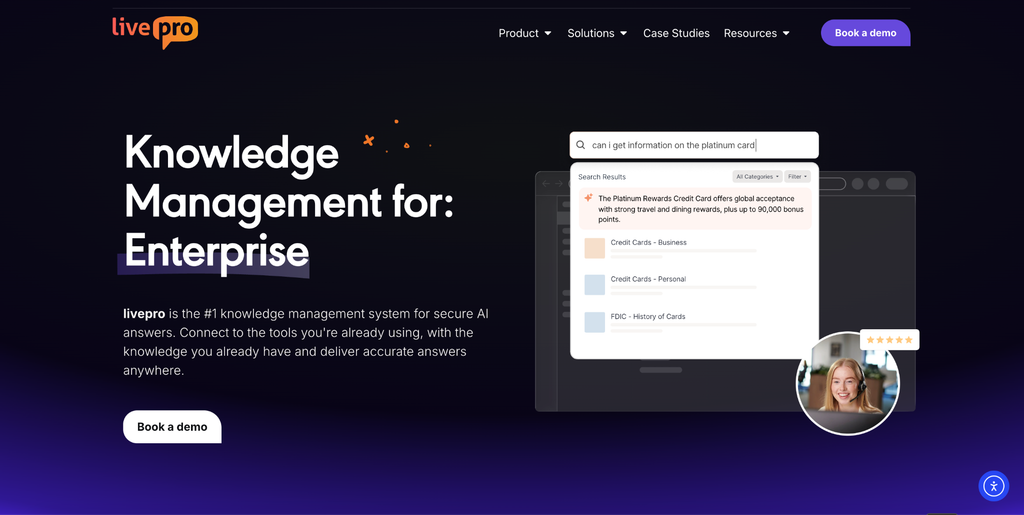
livepro is an AI knowledge management software for enterprises. It puts policies, procedures, and process guidance in one place, so every team works from the same approved answers. Each department has an option to get their own hub, with role-based access deciding who sees what.
What makes livepro different is control over what gets published. Every article has a named owner, passes review and approval before going live, and gets a review date.
That control is why highly-regulated industries like banks, insurers, healthcare providers, government agencies, and BPOs prefer livepro over other enterprise knowledge management platforms. livepro also scored 9.9/10 for data governance on G2, the highest score in that category.
One Source of Truth With Role-Based Access for Every Department
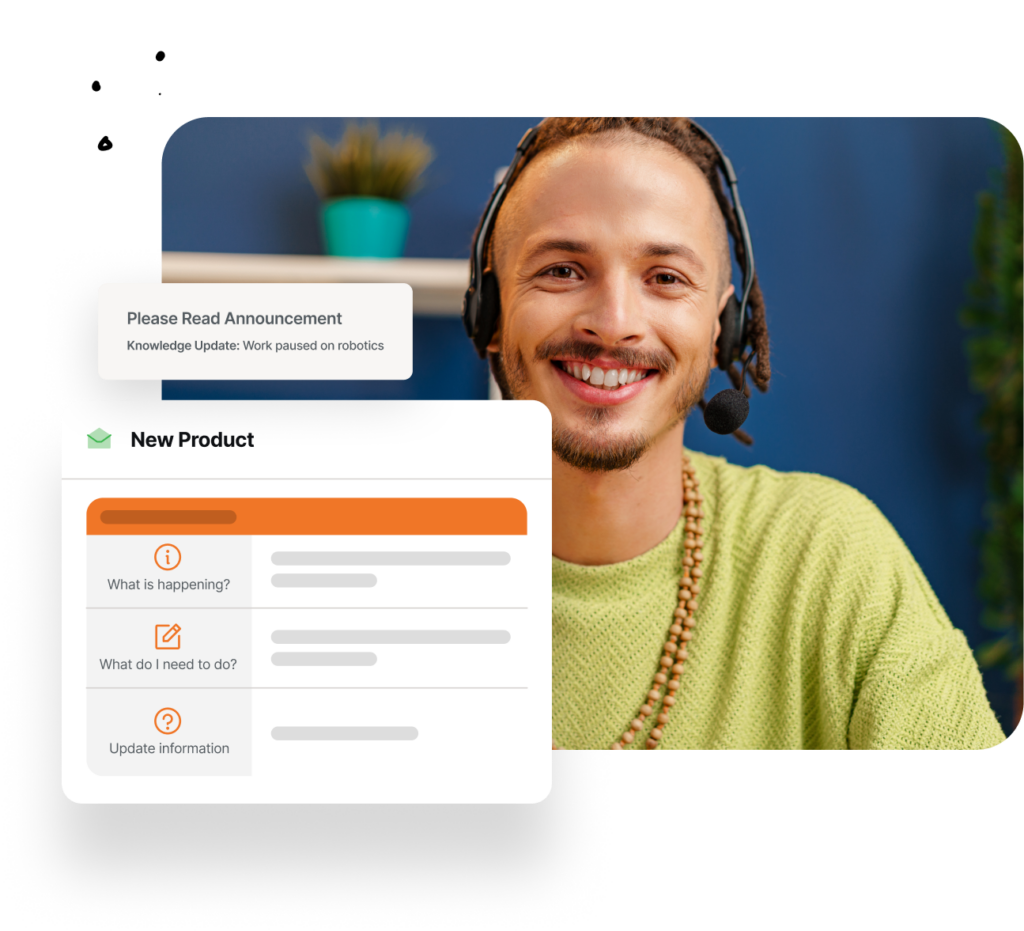
When knowledge is spread across SharePoint, shared drives, and inboxes, nobody can say which copy is current. livepro replaces scattered repositories with one knowledge base organized into department hubs.
HR, legal, finance, and the contact center each get their own hub. Permissions decide who can view, edit, and approve each article. Search shows each person only the content they can access, so an agent searching “parental leave” never sees the internal HR investigation procedure.
Multi-dimensional tagging lets one article appear in every hub where it’s relevant. A complaints-handling policy can sit in the legal, customer support, and quality assurance hubs at the same time. Teams can’t drift onto outdated copies because there’s only one copy to update.
Lightspeed Search and AI Overviews That Answer From Approved Content
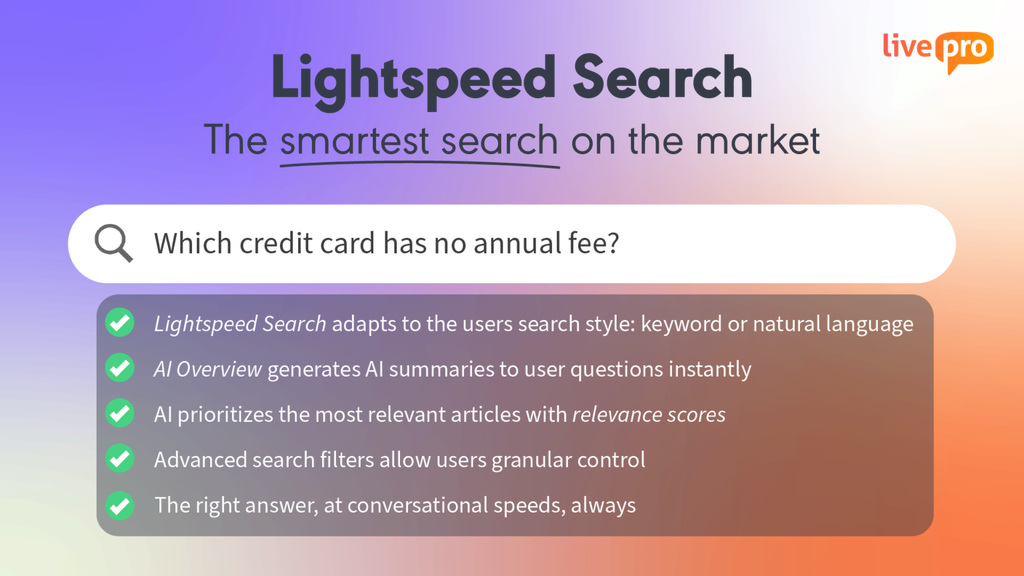
Employees search the way they think, not the way policies are titled. An HR coordinator types “maternity pay” when the document is called the Parental Leave Policy. A finance analyst searches “card limit” instead of the Corporate Expense Policy.
livepro’s Lightspeed Search combines keyword matching with natural language understanding. A search for “maternity pay” surfaces the Parental Leave Policy even when the wording doesn’t match. Results carry relevance scores, so staff can see which article best fits their query.
At the top of the results, an AI Overview summarizes the answer using only approved articles. Every summary links to its source article, so employees can verify the full policy before acting on it.
The AI draws only on content the logged-in user can see. A legal document restricted to the legal team never appears in a marketing employee’s results. Every query and answer is logged in reporting, which helps during audits and reviews.
Knowledge Governance and Enterprise Security
Without ownership rules, knowledge bases decay fast. livepro builds governance into every article. You can:
- Assign a named owner to every article
- Route new and edited content through author, review, and approval before it goes live
- Set review dates that prompt owners to recheck content
- Schedule articles to publish or expire on a set date
- Restore any previous version from the full change history
- Send articles to subject matter experts for comment, with every tracked change recorded in an audit trail.
livepro is SOC 2 audited and HIPAA compliant. Servers run in livepro’s own Virtual Private Cloud on Amazon, and no client can access another client’s data. AI features run on livepro’s own servers, so customer data isn’t sent to outside AI providers.
Governance only works if people use approved content. Before livepro, staff at US lender Atlanticus opened official policies less than 5% of the time and relied on unofficial sources. After switching, Atlanticus reached 100% compliance and 100% adoption, with reporting that showed exactly what staff accessed and when.
Decision Trees for Complex, Policy-Driven Processes
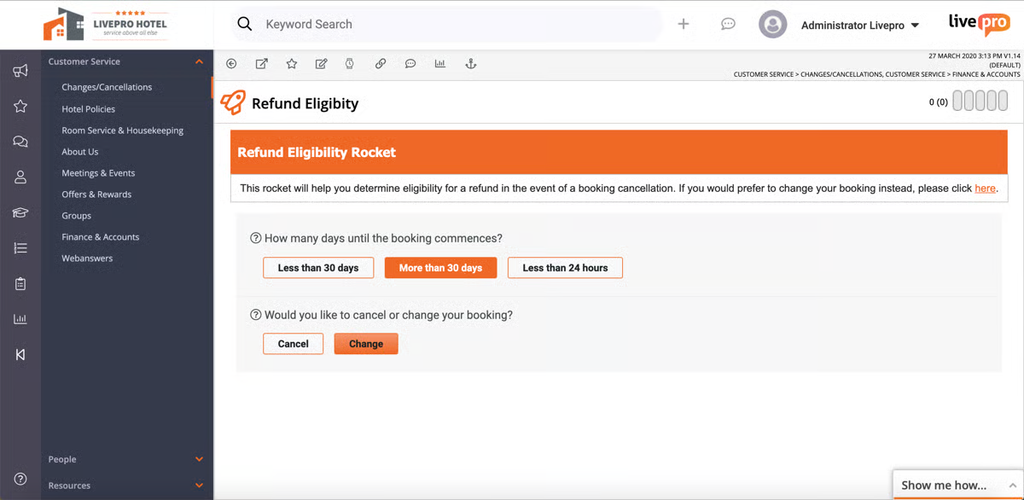
Some answers depend on five conditions at once. For example, whether a purchase needs extra approval might depend on the amount, vendor status, budget category, and region. Written as a 40-page procurement manual, that process is easy to misread, and new employees are the first to skip a step.
livepro’s Rocket decision trees turn those processes into guided question-and-answer flows. The employee answers one question, and the next relevant question appears. Each answer narrows the path until they reach the correct outcome, such as the right approver or the next form to submit. When a rule changes, the process owner updates one branch, and everyone gets the new flow immediately.
Go Live in Weeks With LightspeedAI Import
The first question any enterprise asks about a new knowledge system is how long it will take before staff can use it. Manually re-authoring years of policies, procedures, and FAQs into a new format can stall a rollout for months.
livepro gives teams two ways to get existing knowledge:
- LightspeedAI Import brings in your existing knowledge and uses AI to turn it into clear, structured answers built on livepro’s templates. A dense 30-page policy becomes scannable answers your employees can use right away.
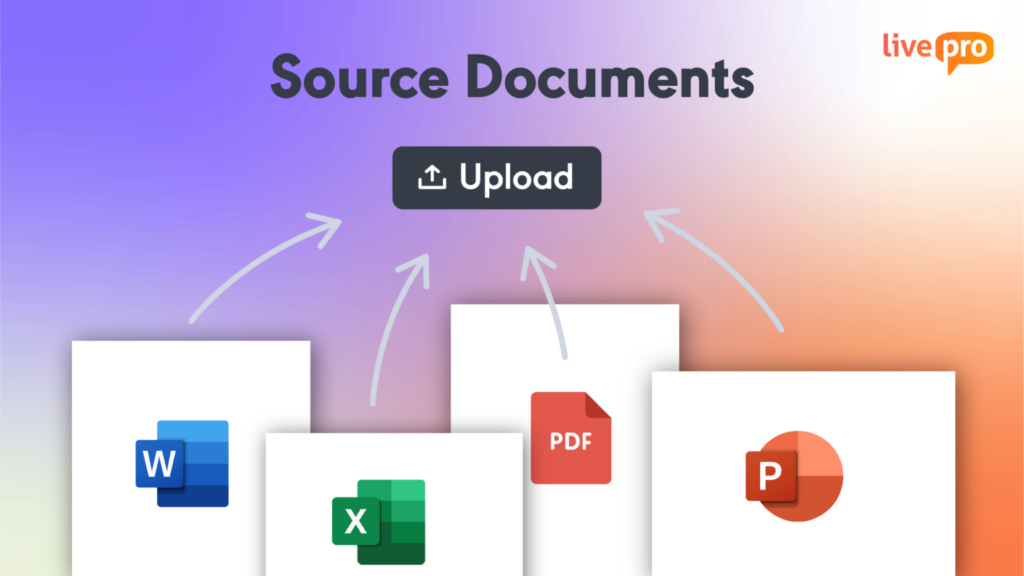
- Source Documents lets teams upload PDF, Word, Excel, and PowerPoint files in their existing format. Lightspeed Search makes them searchable, and AI Overview can generate answers from them. This suits documents that need to keep their original layout, like product disclosure statements or signed policy PDFs.
Many teams use both, converting the most-used content into structured answers while uploading reference documents as they are.
livepro offers a 90-day proof of concept with the full platform, white-glove setup, and dedicated training.
Your team can test livepro before committing.
Track Engagement and Gaps with Enterprise-Grade Analytics
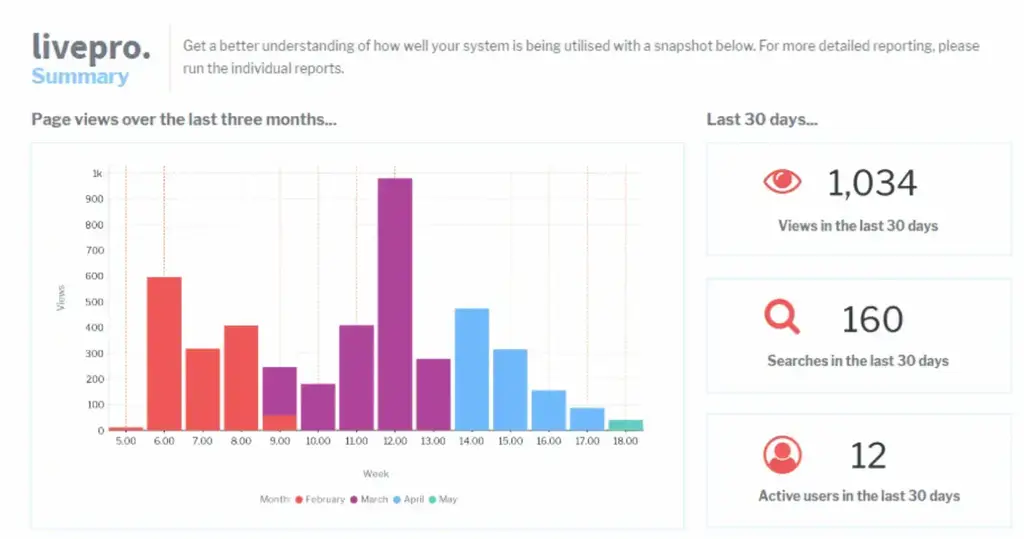
Many leaders want to improve their knowledge management strategy but are left guessing what’s working, what’s broken, and what’s missing.
livepro includes a reporting suite with pre-built reports. Each one maps to a business question:
- Searches with no results show the content gaps behind repeat escalations.
- Most-accessed articles show where training should focus.
- Article feedback flags confusing or outdated content before it reaches customers.
- Announcement read reports show who has read important updates, which is useful evidence during an audit.
Teams can also integrate livepro with existing analytics tools to link knowledge usage to metrics like average handle time and first-contact resolution.
Announcements and Read Tracking for Policy Changes
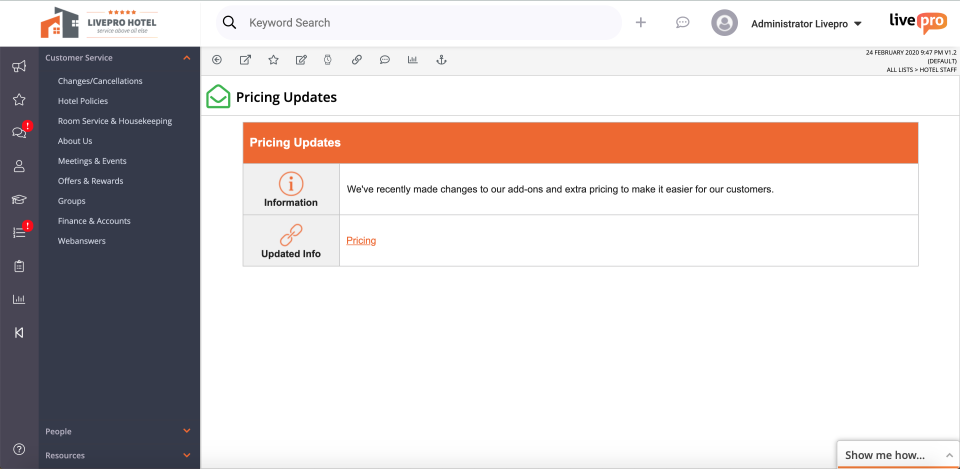
When a policy changes, an all-staff email doesn’t prove anyone read it. Townsville City Council’s customer service manager put the requirement plainly: “We wanted to track who’s read what and importantly, who understands it.”
livepro sends announcements to the teams an update affects and tracks who has read each one. Built-in quizzes check whether staff understood the change, and feedback buttons on every article let staff flag anything unclear.
For compliance teams, that means a clear record of who saw each update and when, ready to show an auditor.
Customer Self-Service From the Same Approved Knowledge Base
Most enterprises run two knowledge bases: an internal one for staff and a public help center for customers. The two drift apart. A policy changes, the internal article gets updated, and the website FAQ still shows last quarter’s terms.
livepro removes that gap by serving staff and customers from one source. With web-answers, you choose which articles to make public and sync them to your website or app through a simple API. When an owner updates an article, the change reaches employees and customers at the same time.
Self-service features include:
- Controlled visibility: Publish selected content to customers, partners, or contractors while keeping internal procedures private
- Federated search: Pull answers from your website, help center, and knowledge base in one search
- On-brand design: Match self-service content to your existing site and apps
- Search analytics: See what customers search for and which questions still lack answers
- Luna voice agent: Answer inbound calls 24/7 using approved content, with handover to staff for complex cases
Integrations
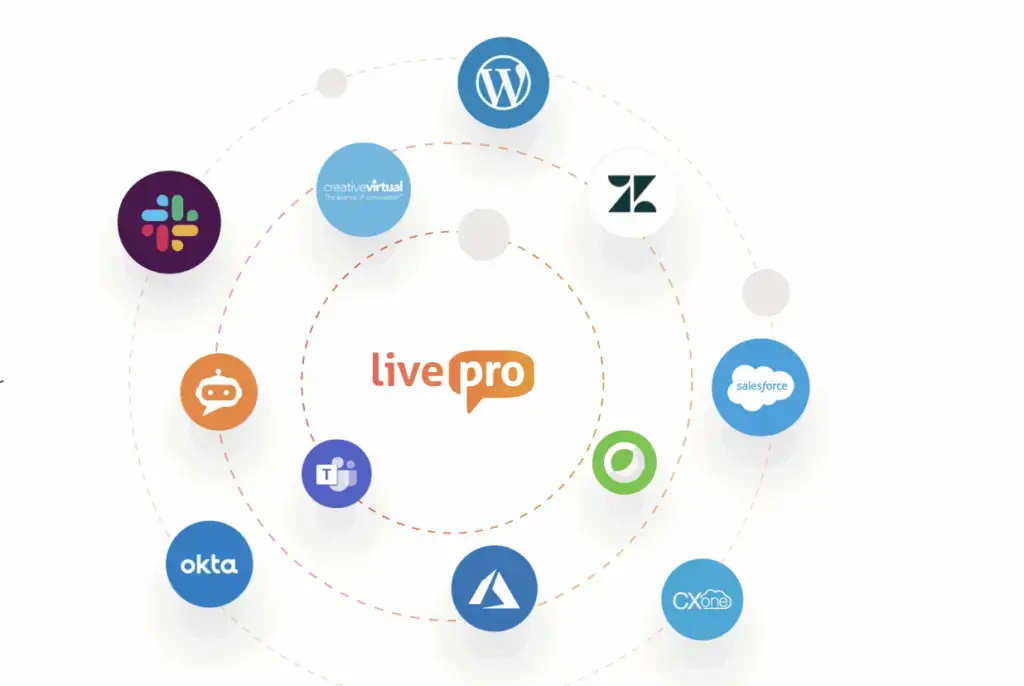
Most employees won’t open a separate app to check a policy. An HR manager answering a leave question in Microsoft Teams wants the answer right there. A service rep working a case in Salesforce shouldn’t have to leave the record to find the refund process.
livepro delivers knowledge inside the systems each department already uses:
- Collaboration tools: Microsoft Teams and Slack, so any department can pull answers into chats and channels
- CRM and service desks: Salesforce and Zendesk, so customer-facing teams see articles next to the case they’re working
- Contact center platforms: Genesys Cloud, NICE CXone, and Cisco Webex, for teams that handle customer calls
- Websites and portals: WordPress, so the same approved content can power external help pages
An open API connects livepro to custom internal tools and intranets, and SSO lets employees sign in with their existing company credentials.
Users rank livepro #1 on G2 for integrations, with a score of 9.6/10.
User Reviews
Pricing
livepro offers three quote-based plans: Flex, Premium, and Enterprise. Each adds more customization, integrations, and support. Teams can start with a free 90-day proof of concept on the full platform. livepro loads your knowledge, trains your team, and requires no credit card or contract.
Case Study: How TSA Group Scaled Knowledge Across Multiple Clients With livepro
TSA Group is a leading Australian contact center outsourcing provider. It runs customer service for multiple clients, each with its own products, policies, and processes. Agents need fast, accurate answers for every client they support.
The Problem
TSA relied on SharePoint to create, store, and manage knowledge. As the business grew, that approach led to inconsistent answers across client business lines. Agents had to pull knowledge from disparate systems, so even experienced staff followed cumbersome processes just to find an answer, which pushed handle times up.
The Solution
TSA moved its client knowledge into livepro and built a single source of truth. Agents now search one system for structured, approved answers instead of digging through SharePoint folders.
The Results
- 95%+ knowledge system utilization across all channels
- 21% reduction in average handle time
- 98% of staff said livepro made their job easier
- 58% reduction in time to locate knowledge
- 75% fewer clicks to reach the right answer
- 32.5% reduction in time to locate knowledge for new starters.
In 2026, livepro and TSA Group jointly won BPO / Technology Vendor Partnership of the Year at the Matchboard BPO Leadership Awards.
Want to see the software in action? Book a demo to see how livepro gives every department one approved answer, so you cut compliance risk and onboard staff faster.
2. Confluence
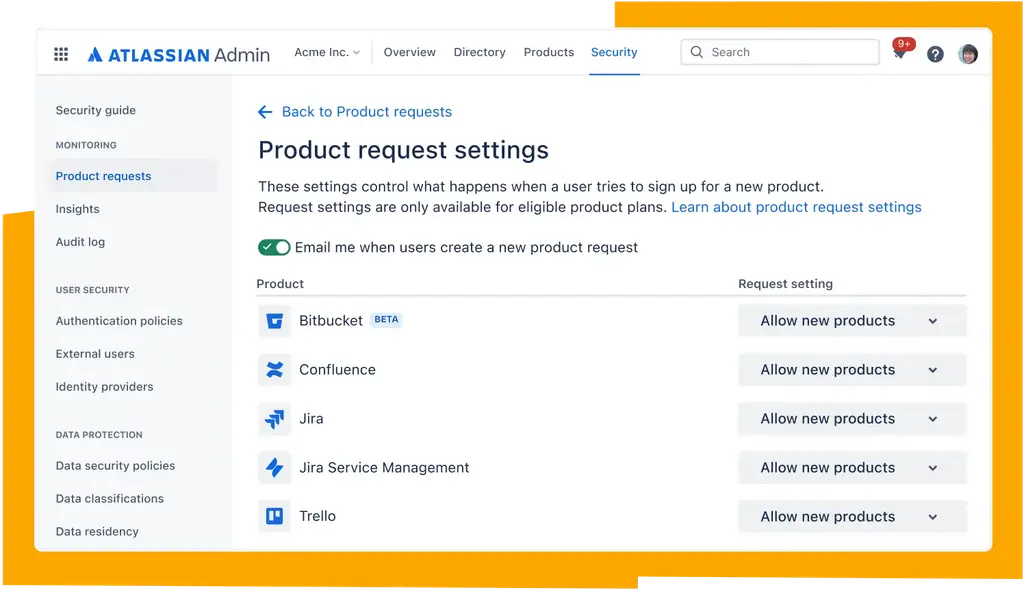
Confluence is Atlassian’s team workspace, where enterprises keep engineering runbooks, product requirement documents, architecture decisions, and IT how-to guides.
Content is organized into spaces by team, and pages link directly to Jira tickets and sprints. That makes it the default documentation tool in many software and IT departments.
Paid plans include Rovo, Atlassian’s AI assistant. Rovo searches across Atlassian and connected apps, only shows people content they have access to, and can summarize or draft pages.
For content upkeep, Confluence offers page owners, page statuses, approval workflows, and last-updated details, and Premium adds tools to find inactive content.
Read more: Confluence Alternatives
Pricing
Confluence offers a free plan for up to 10 users and three paid plans: Standard (5.78/user/month), Premium (11.66/user/month), and Enterprise (custom pricing for 801+ users), all billed annually.
3. Microsoft SharePoint
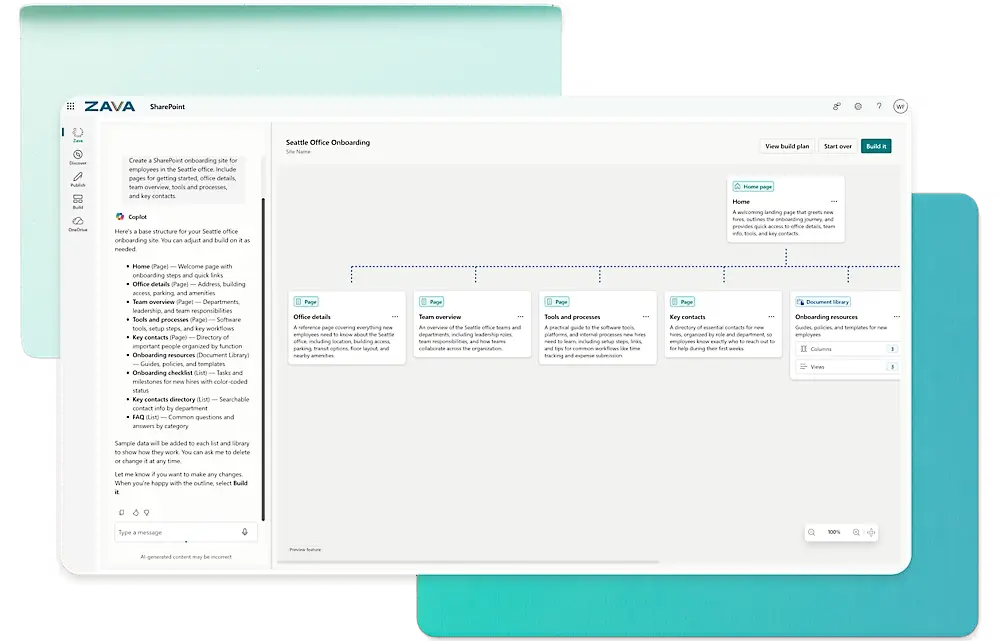
SharePoint is Microsoft’s platform for intranet sites and document libraries, used by organizations that already run on Microsoft 365.
Teams store policies, forms, and records in libraries with version history and permissions, and share them through Microsoft Teams and OneDrive. Legal, finance, and HR teams often use it because it sits inside their existing Microsoft identity and security setup.
Copilot in SharePoint can help create, manage, and improve SharePoint pages and knowledge bases, depending on licensing and admin setup.
Learn more: SharePoint Alternatives
Pricing
SharePoint comes as part of Microsoft 365 and is available in three plans, all billed annually: Microsoft 365 Business Basic ($7/user/month), Microsoft 365 Business Standard with Copilot ($23.50/user/month), and Microsoft 365 Business Premium with Copilot ($32/user/month).
4. ServiceNow Knowledge Management
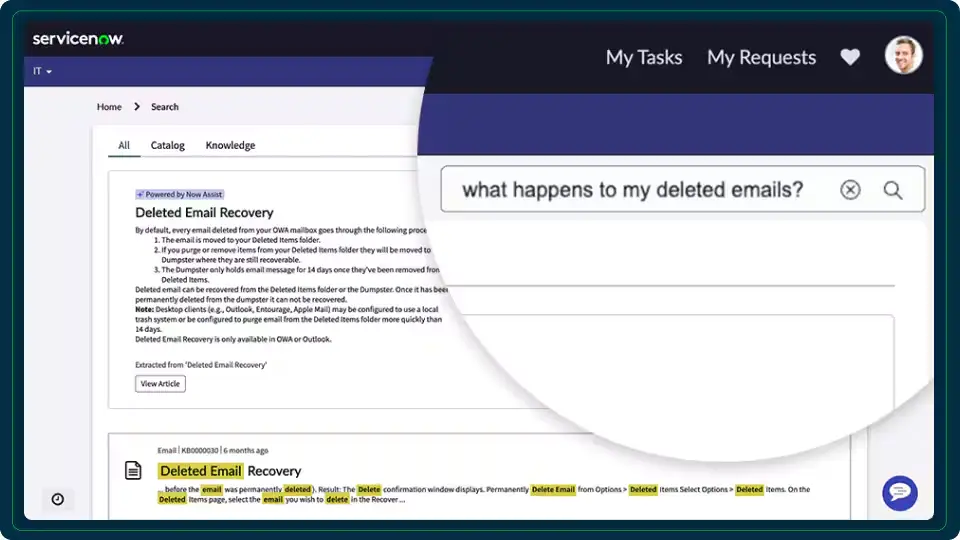
ServiceNow Knowledge Management is built into the ServiceNow platform and used mainly by IT, HR, and customer service teams. Knowledge articles connect to incidents, requests, and cases. An employee searching the HR portal can find an answer before raising a ticket, and service desk agents can reuse the same article while resolving one.
ServiceNow AI Search uses semantic search to surface answers from knowledge articles and FAQs across the Service Portal, Now Mobile, and Virtual Agent.
Pricing
ServiceNow offers custom pricing.
5. Salesforce Knowledge (Agentforce Service)
Salesforce Knowledge is the knowledge base inside Agentforce Service, formerly Service Cloud. Agents see relevant articles next to the case they’re working on in the Service Console, and the same articles can power a customer-facing help center. For organizations that already run customer service in Salesforce, it keeps knowledge in the same system as cases and customer records.
Agentforce adds generative AI that drafts responses, summaries, and knowledge articles. The Agentforce Help Agent connects to the knowledge base to resolve customer questions on its own, and Salesforce charges for it per resolution.
Pricing
Salesforce Knowledge is included in Agentforce Service Unlimited ($350/user/month) and available as an add-on for Enterprise ($175/user/month). Agentforce 1 Service costs $550/user/month. All three are billed annually.
6. Glean
Glean is an enterprise AI search tool that connects to the apps a company already uses, such as Google Drive, Slack, Jira, and Confluence, and lets employees search all of them from one place. Rather than hosting knowledge itself, it indexes content where it already lives, so teams don’t have to migrate documents to start using it.
Glean’s assistant answers questions in plain language using connected content, and teams can build their own agents for repeat tasks. Its Enterprise Flex plan also includes a people directory, Collections, and Go Links for sharing frequently used resources.
Read more: Glean Alternatives
Pricing
Glean offers custom pricing. Its Enterprise Flex plan combines per-user seats with a shared pool of FlexCredits for advanced AI features.
7. Notion
Notion is a flexible workspace where teams build wikis, project hubs, and databases from customizable pages. Enterprises use it for team handbooks, onboarding guides, meeting notes, and process libraries, especially in product, operations, and marketing teams that want to create and edit pages without IT support.
Notion AI is bundled into the Business plan, including Notion Agent, AI Meeting Notes, and Enterprise Search across Notion and connected apps. The Enterprise plan adds SCIM user provisioning and zero data retention with Notion’s AI model providers, which matters for teams handling sensitive information.
Learn more: Guru vs Notion
Pricing
Notion offers a free plan and three paid plans: Plus ($10/member/month), Business ($20/member/month), and Enterprise (custom pricing), with Plus and Business billed annually.
8. Document360
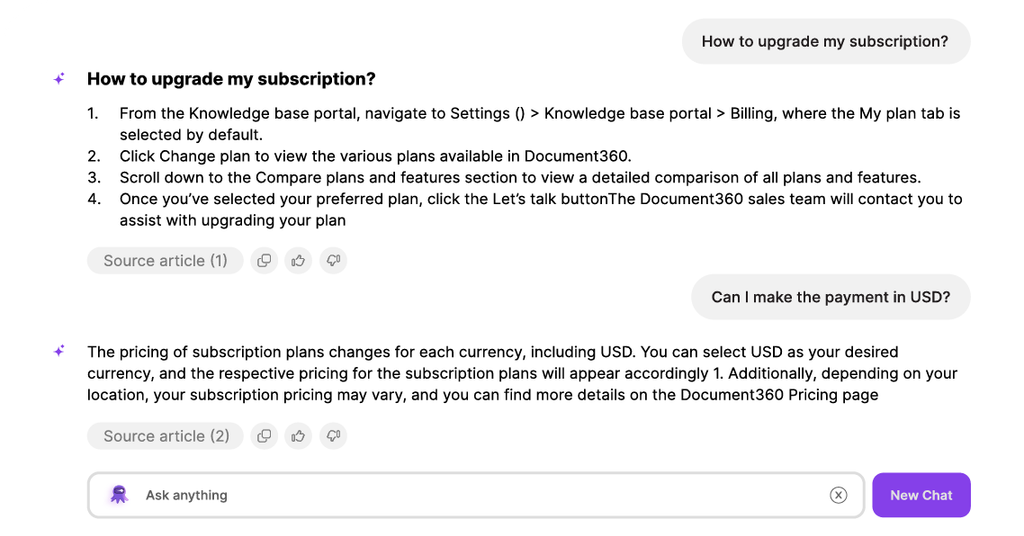
Document360 is a documentation-first knowledge base for product, support, and technical writing teams. Teams can run public, private, or mixed-access knowledge bases from one portal, so the same platform can hold customer help articles and internal support notes. A category manager with drag-and-drop ordering keeps large article libraries organized.
A workflow builder maps each article’s path from draft to publish, with set roles and checkpoints along the way. Its AI layer flags duplicate content, and teams can connect AI tools such as Claude and ChatGPT to the knowledge base.
Read more: Document360 Alternatives
Pricing
Document360 offers custom pricing based on your documentation needs, team size, and required features.
9. Zendesk
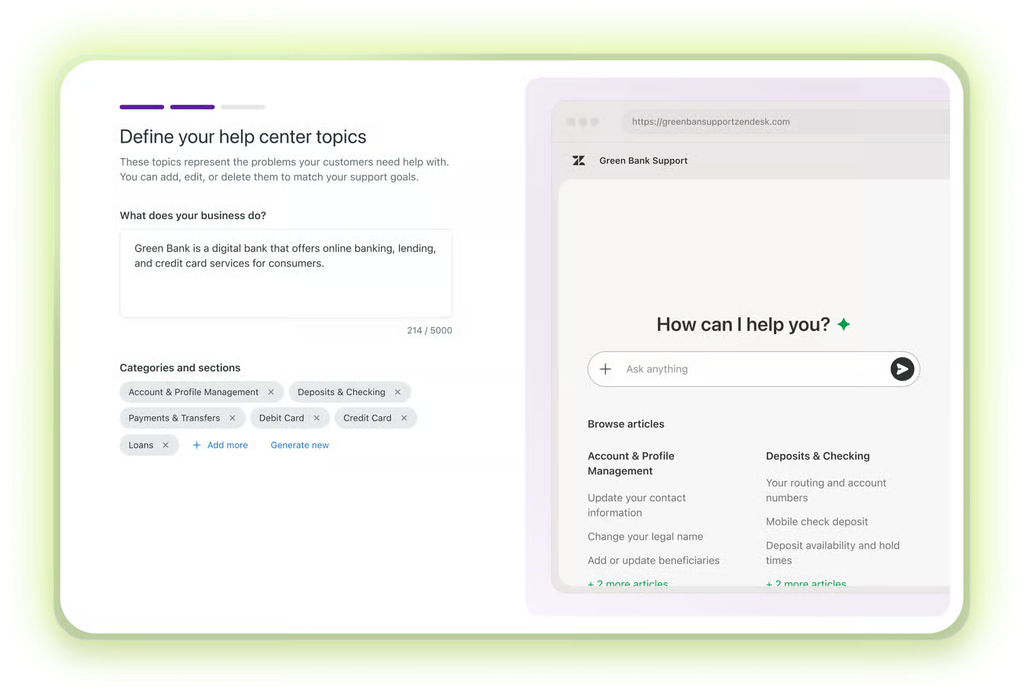
Zendesk combines ticketing, messaging, and a knowledge base in one customer service suite. Large support organizations use its knowledge base to publish help articles for customers and internal guidance for agents. Articles link directly to tickets, so agents can share an approved answer without leaving the ticket they’re working on.
Zendesk AI includes generative writing tools in the ticket interface and the knowledge base, which help agents draft replies and turn recurring ticket answers into articles. Because tickets and articles live in the same system, teams can spot the questions that keep coming in and write articles to answer them.
Pricing
Zendesk offers four main plans: Support Team ($19/agent/month), Suite Team ($55/agent/month), and Suite Professional ($115/agent/month), all billed annually, plus Suite Enterprise with custom pricing.
10. Stack Internal
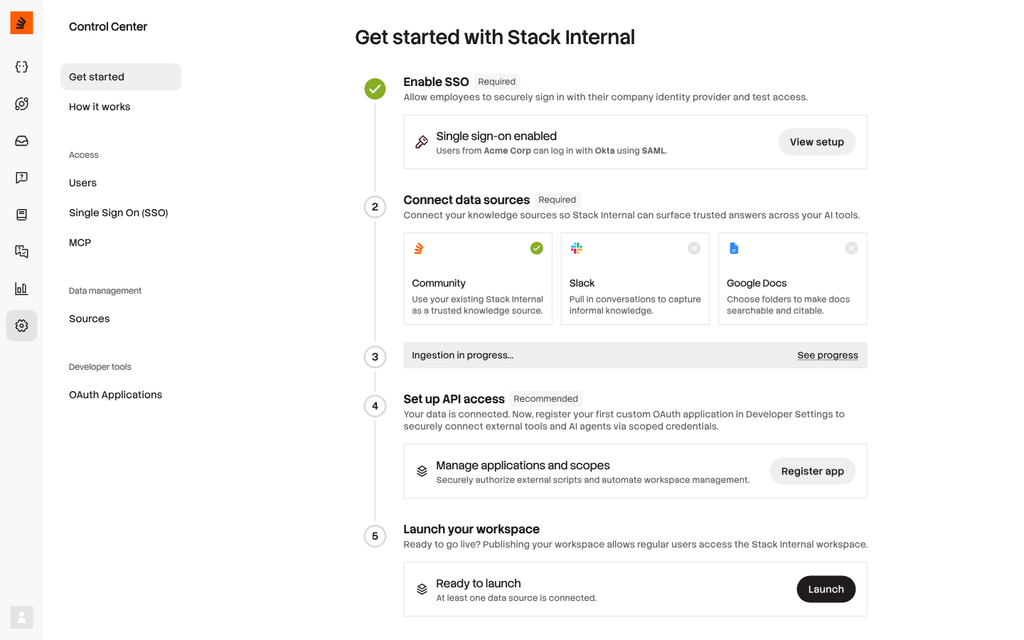
Stack Internal, formerly Stack Overflow for Teams, brings Stack Overflow’s question-and-answer format inside the company for engineering and technical teams.
Developers ask questions, colleagues answer, and the best answers rise to the top, building a searchable library of vetted technical knowledge. Integrations with Slack and Microsoft Teams let people ask and find answers without leaving chat.
The Organization plan adds an MCP server, so developers can search and create Stack Internal knowledge directly from AI assistants and coding agents. It also includes Ingestion, which pulls in content from external tools and scores it so it’s vetted before anyone finds it, along with ISO 27001 and 27701 certifications and single-tenant hosting.
Pricing
Stack Internal offers two plans: Starter (free, for up to 3 collaborators and 1,000 credits per month) and Organization (custom pricing, with unlimited collaborators and a custom monthly credit allowance).
What is Enterprise Knowledge Management and How Does It Work?
Enterprise knowledge management software is a central, governed system that stores an organization’s policies, procedures, and expert know-how. It controls who can see and edit each article, keeps content current through review workflows, and delivers answers to employees and customers across departments, regions, and channels.
What makes it “enterprise” is scale and risk. A 30-person team can run on a wiki. A 5,000-person organization can’t, because it faces problems a wiki isn’t built for:
- The same policy exists in different versions for each region
- HR, finance, and legal teams share one system but should only see their own content
- Auditors can ask which version of a policy was live on a given date
- Chatbots and AI assistants answer from the same content, so one outdated article reaches thousands of people
Enterprise knowledge management also captures what experienced staff know but never wrote down. Feedback and SME reviews turn that expertise into approved articles, so it stays when people leave.
| Basic Knowledge Management Software | Enterprise Knowledge Management Software | |
| Users | One team or a small company | Thousands of staff across departments, regions, and outsourcing partners |
| Permissions | Shared access by folder or space | Set by role, department, and region |
| Governance | Edit history only | Owners, approvals, review dates, and audit trails |
| Delivery | One portal or wiki | CRM, Microsoft Teams, self-service, chatbots, and voice |
| Security | Standard login | SSO, SOC 2, and HIPAA compliance |
What Role Does a Knowledge Management System Play in an Enterprise?
A knowledge management system gives an enterprise one governed source for the answers its staff and customers rely on. Its role is to keep those answers consistent and current across every department and channel, so teams make fewer errors, onboard faster, and can prove compliance.
In practice, the system does a different job for each team:
- Contact center and CX: Agents find the approved answer mid-call without putting customers on hold to ask a supervisor, which cuts handle time and repeat calls.
- HR: Employees check leave, benefits, and conduct policies themselves, and new hires follow one onboarding path in place of a folder of outdated PDFs.
- Legal, risk, and compliance: Every policy has an owner, a review date, and a version history, so the team can show an auditor exactly what staff were told and when.
- IT and operations: Troubleshooting steps and SOPs live in one place, so each shift doesn’t rediscover the same fix.
- Customers: Self-service pages and chatbots answer from the same approved content agents use, so customers get the same answer online and on the phone.
How to Implement an Enterprise Knowledge Management Platform
Most failed rollouts try to move every department at once. A phased rollout gives each team a working system before the next one starts.
Here are five steps you can follow:
- Audit where knowledge lives today: Map the SharePoint sites, shared drives, intranet pages, ticket macros, and inboxes each department relies on. Flag duplicates and conflicting versions, like three different refund policies, so they get resolved before anything moves.
- Start with one high-impact department: Pick the team where wrong answers cost the most and questions come in fastest, usually the contact center or HR. Pull its 50 most common questions from tickets, emails, and search logs to set the scope of the first rollout.
- Set ownership and approval rules before migrating: Decide who drafts, who approves, and how often each article is reviewed. High-risk content, like fee or eligibility policies, should need sign-off from compliance and a shorter review cycle than general how-to guides.
- Migrate and restructure the content: Turn long PDFs into short, templated articles that answer one question each, and archive outdated material instead of moving it across. Check whether the platform can convert existing documents for you, like livepro’s LightspeedAI Import.
- Connect channels, train, and measure: Integrate the knowledge base with the CRM, contact center desktop, and Microsoft Teams, and train each role on the searches it will actually run. Track failed searches, adoption, handle time, and onboarding time, and expand to the next department once the first one hits its targets.
For a deeper walkthrough, including how to plan your structure and templates, read our full guide on how to create a knowledge base.
How to Choose the Best Enterprise Knowledge Management Software for Your Business
Enterprise tools look similar in a demo. The differences show up once thousands of staff, several departments, and an auditor start relying on the system.
Compare these seven areas before you build a shortlist:
Permissions and Access Control
You should be able to restrict content by role, department, region, and external partner without IT building a custom group for every change. Test this in the demo. Log in as a contact center agent and search for an HR-only policy. It shouldn’t appear in the results or in any AI-generated answer.
Governance and Audit Trail
Check that every article can have a named owner, a review date, and an approval step before it goes live. Ask the vendor to show one article’s version history and restore an older version. Regulated teams should also ask whether the system can show which version was live on a specific date.
Search and AI Answer Accuracy
Take 20 real questions from your tickets, emails, or chat logs and run them through each tool using your own content. Include typos and the words customers actually use. For AI answers, check three things:
- Whether it answers only from approved content
- Whether it links to the source article
- What it does when no article fits the question
Integrations With Your Existing Stack
List where your staff work today, such as Salesforce, Genesys or NICE, Microsoft Teams, and your intranet. Confirm the tool has a native integration for each one, supports single sign-on with your identity provider, and offers an open API for everything else.
Migration and Time to Go Live
Ask how your existing PDFs, Word documents, and SharePoint pages will get into the new system, and who does that work. Some tools need every article rewritten by hand, while others can convert or index existing files. Get a realistic go-live date for your first department in writing.
Reporting
Page views only tell you what’s popular. You also need reports on:
- Searches that returned nothing
- Articles nobody has opened in months
- Who has read critical policy updates
Check whether the data can be exported to your BI tools, so you can compare knowledge usage against average handle time, first contact resolution, or onboarding time.
Security and Compliance
Request the vendor’s current SOC 2 report, and confirm HIPAA support if you handle health information. Ask where your data is hosted and whether the AI features send your content to outside AI providers.
If you work in banking, insurance, healthcare, or government, weight governance, permissions, and security most heavily, since a wrong answer carries regulatory risk. For engineering or internal documentation with lower stakes, collaboration features and price can carry more weight.
livepro’s sample requirement templates can help you build an evaluation checklist, and its 90-day proof of concept lets you test the platform on your own content before committing.
Book a demo to see the software in action!
FAQs
What is the difference between a knowledge management system and a document management system?
A document management system stores, organizes, and controls files like contracts, invoices, and signed records. A knowledge management system captures what people need to know, from policies to expert know-how, and delivers it as searchable answers. Many enterprises use both: one for records, one for day-to-day answers.
What is the best enterprise knowledge management software for regulated industries?
livepro is built for regulated industries like banking, insurance, healthcare, and government. Every article has a named owner, an approval workflow, a review date, and a full audit trail, and livepro scored 9.9/10 for data governance and 9.8/10 for compliance in G2’s Spring 2026 Grid data.
Can AI replace knowledge management?
No. AI assistants and chatbots generate answers from whatever content they can reach, so an outdated or unapproved article becomes a confident wrong answer.
Knowledge management gives AI a governed source to draw from, with owners, approvals, review dates, and permissions that control what each person or bot can see. Read more in livepro’s whitepaper, Knowledge Management as the Foundation for AI Success.