

According to Gartner, only 14% of customer service issues are fully resolved through self-service, largely because customers can’t find content relevant to their issue.
A customer searches and gets ten loosely related articles about their concern. They get in touch with your customer support after self-service was of no good use.
Your agents then spend the day typing the same answers to the same questions.
A self-service knowledge base platform helps customers find the right answers quickly. It uses content your team has already approved and shows what customers searched for but couldn’t find. That way, you know what to write or improve next.
This list covers the 10 best self-service knowledge base platforms, from help desk suites with a built-in help center to dedicated knowledge bases.
Quick Comparison: Our Top 3 Picks at a Glance
Here’s a quick look at our top three picks. The full reviews of all 10 platforms follow below.
| Platform | Best For | Starting Price | G2 / Capterra Rating |
| livepro | Contact centers and enterprises that need compliant, AI-powered self-service at scale | Custom quote, with a 90-day proof of concept | G2: 4.8 / Capterra: 4.8 |
| Zendesk Guide | Teams that want a help center inside a full support suite | Included in Suite Team, from $55 per agent per month (billed annually) | G2: 4.3 / Capterra: 4.4 |
| Document360 | Teams that want a standalone public knowledge base | Custom quote | G2: 4.7 / Capterra: 4.7 |
10 Best Self-Service Knowledge Base Platforms, Reviewed
1. livepro: Best for Compliant, AI-Powered Self-Service at Scale
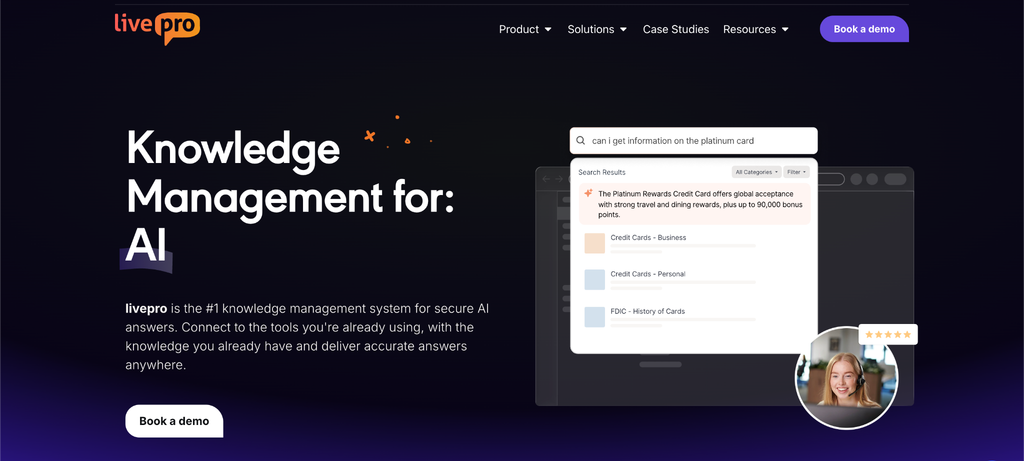
livepro is AI-powered knowledge management software built for contact centers and enterprise teams. Its self-service runs from a single source of truth, so customers get the same verified answers your agents use.
For regulated teams, that consistency is what makes self-service safer to offer. Customer-facing content can go through the same review and approval processes as the knowledge agents rely on.
livepro was ranked among G2’s top 5 Contact Center Knowledge Base Software providers in the Spring 2026 Grid Report, scoring 9.9/10 for data governance and 9.8/10 for compliance.
Here’s how livepro helps teams offer reliable self-service across websites, phone support, and other customer touchpoints:
Web Answers API to Publish Self-Service Content on Your Site in Real Time
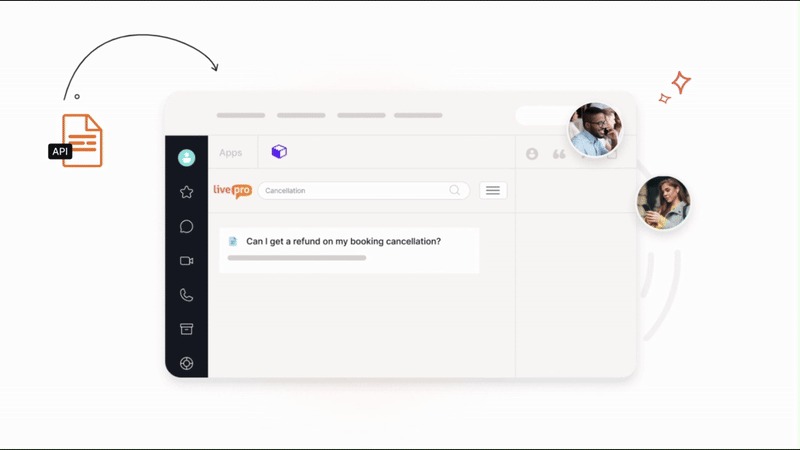
Help pages and internal knowledge bases don’t always stay in sync. Someone updates an internal article, but the website still shows the old information. Customers read the outdated policy, then call support to confirm it.
livepro’s Web Answers solves this by connecting your website to your knowledge base through an API. You choose which articles to publish, and updates appear on your website as soon as they’re published. If a fee changes on Monday, you update one article in livepro, and the website reflects the change.
You also control who sees what. Customizable views let you show customers, partners, and contractors different content while keeping it consistent with your website’s design.
Federated Search so Customers Find Answers, Not Article Lists
Customers rarely know where an answer lives or what your team calls it. Someone types “change my billing date,” a basic search returns ten articles that all mention billing, and after skimming two of them they pick up the phone.
livepro’s federated search checks every place your answers live in a single search, so customers don’t have to guess where to look. For that billing question, one search can pull from:
- Your website: The page that explains billing cycles.
- Your help center: The step-by-step guide to changing a date.
- Your knowledge base: The policy that says when a change takes effect.
The customer sees answers from all three in one place and doesn’t need to search each one separately.
Luna Voice Agent for 24/7 Self-Service Over the Phone

Calls spike during peak times and go unanswered after hours, so a simple question about opening hours gets stuck behind a complicated claim.
Luna is livepro’s AI voice agent, and it answers calls using the same approved knowledge your human agents use. It can handle anywhere from a handful of calls to thousands at once, recognizes the caller’s language and switches to it, and sticks to approved answers with guardrails that keep the conversation on topic.
When a call needs a person, Luna hands it to one of your agents. Setup takes a few days, and you can start with your top 10 most common questions before opening up the full knowledge base.
The use cases follow the questions callers ask over and over in each industry:
- Healthcare: A medical imaging network answers questions about procedure preparation, clinic hours, bookings, and billing at any hour.
- Local government: Councils answer questions about permits, events, and waste collection after the office closes.
- Insurance: Callers get guided through claim submissions, policy information, and coverage questions.
Knowledge Governance for Compliant Customer-Facing Answers
Once content is public, no one checks it before a customer acts on it. An outdated refund or eligibility rule in a help article leads to complaints and, in regulated industries, compliance issues.
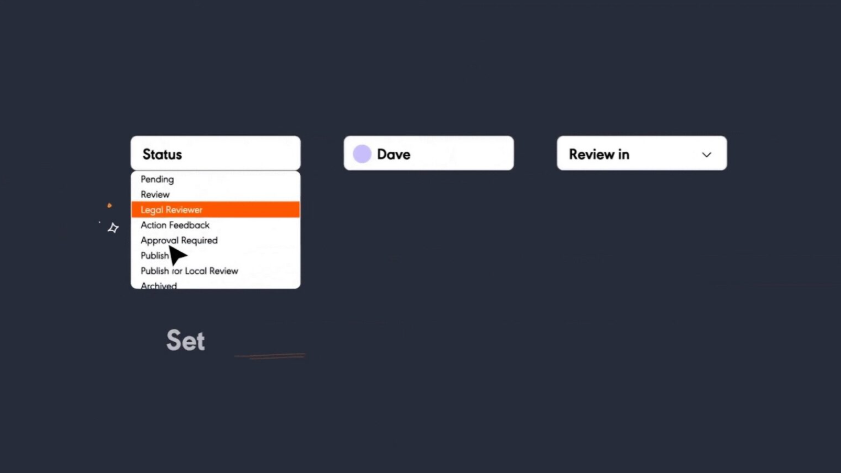
livepro puts the controls on each article, so every piece of customer-facing content has:
- Owner: A named person responsible for keeping it accurate.
- Review and expiry dates: Articles come up for review on a set date and can expire automatically, so old content doesn’t stay live.
- Approval workflow: Content moves from author to reviewer to approver before it publishes.
- Audit trail: Version history shows who changed what and when, and any previous version can be restored.
For example, a refund policy update potentially requires sign-off from your compliance manager before customers see it.
Analytics That Reveal What Customers Search For and Where Content Gaps Are
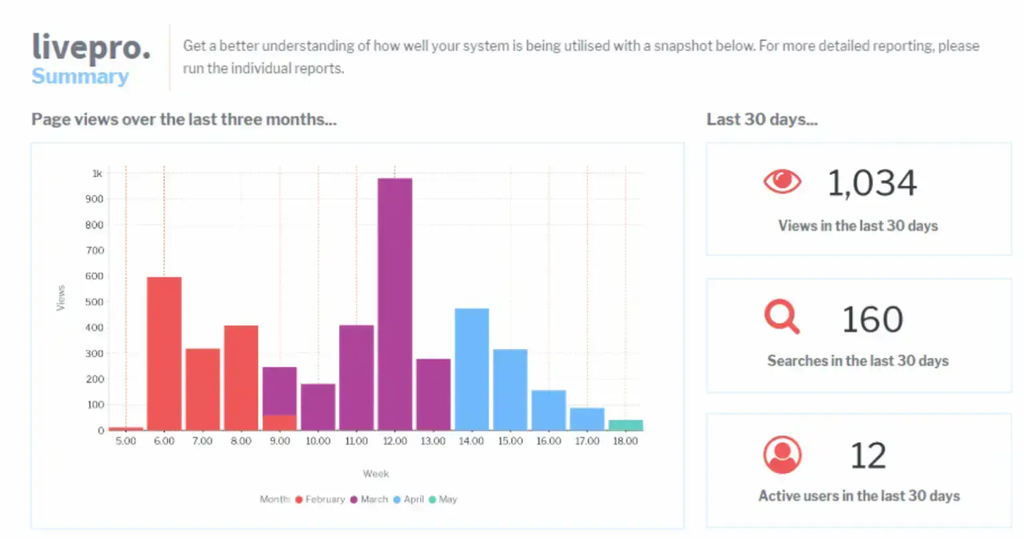
Most self-service reports stop at page views, which only show which articles were opened. They say nothing about searches that returned no results or the topics customers keep looking for that nobody has written yet. Teams fill that gap by guessing what to write next.
livepro’s analytics report on the searches themselves. You can see:
- Top searches: The questions customers ask most.
- Unanswered searches: Searches that returned nothing useful, which point to missing content.
- Article usage: Which self-service articles get read and which sit untouched.
Dashboards filter by team, role, category, and date range, and the data exports for monthly reporting.
Essential Energy shows how this plays out. About 100 of its knowledge articles are available on its website, and the team runs regular reports on what customers search for. Those reports help them spot content gaps and trending topics.
Integrations
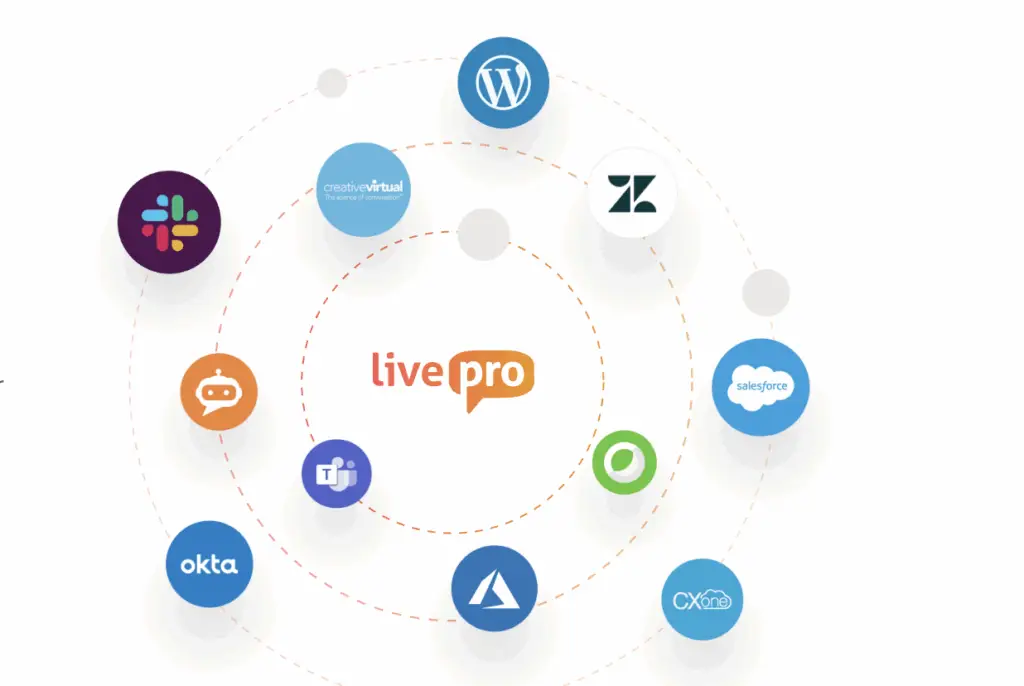
Self-service works best when it connects to the tools your support team already uses. livepro integrates with:
- Salesforce
- Genesys Cloud
- NICE CXone
- Zendesk
- Slack
- WordPress
If you use custom apps, livepro’s open API lets you connect them to chatbots, IVR, and other customer-facing channels.
Other livepro Features You Should Know
Self-service is one part of livepro, which is full knowledge management software. These are the other features that come with it:
- Lightspeed Search: Hybrid search that uses AI to find the right answer fast, combining keyword matching, natural language processing, and semantic understanding.
- AI Overview: Adds a short, cited answer to the top of search results, drawn only from approved knowledge.
- Decision trees: Guide agents through complex processes with step-by-step questions that lead to the right outcome.
- LightspeedAI Import: Turns existing PDF, Word, Excel, and PowerPoint files into structured knowledge articles.
- Authoring tools: A WYSIWYG editor and pre-designed templates keep every article in the same structure.
- Categories and hubs: Group content by role, department, or topic, so one article can appear in every relevant hub.User profiles, favorites, and feedback: Let staff save useful articles and suggest improvements.Security and compliance: SOC 2 audits run annually, HIPAA compliance is current, and all AI features run on livepro’s own servers.
Pricing
livepro offers Flex, Premium, and Enterprise plans with custom quotes, so book a call to get one.
You can also start with a 90-day proof of concept. It includes the full platform, setup, and training, so you can test livepro on your own content before committing.
User Rating
2. Zendesk Guide
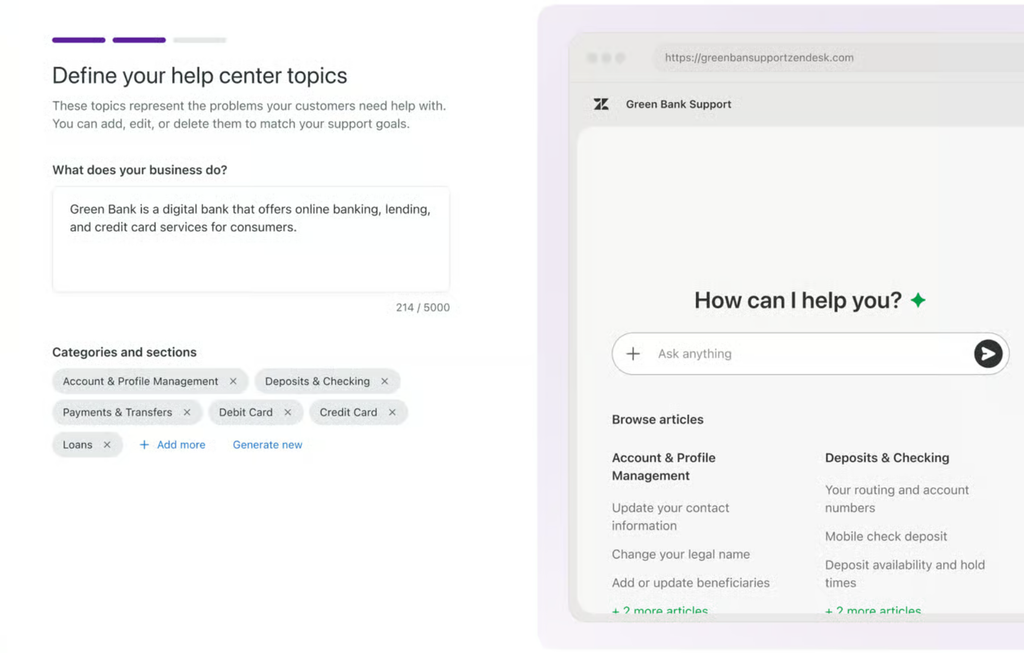
Zendesk Guide, now part of Zendesk Knowledge, lets businesses create a branded help center where customers can search articles, browse FAQs, and participate in community discussions. Its generative search feature gives customers AI-generated answers directly in the search results, so they don’t have to open several articles to find the information they need.
Zendesk also connects self-service with its ticketing system. If customers can’t find an answer, they can submit a support request and track its progress through the Customer Portal. The help center can even suggest relevant articles while someone fills out a ticket, giving them another chance to resolve the issue themselves before contacting support.
Pricing
Zendesk offers four main pricing plans: Support Team ($19/agent/month), Suite Team ($55/agent/month), and Suite Professional ($115/agent/month), all billed annually. Suite Enterprise + Copilot is available through a custom quote.
3. Document360
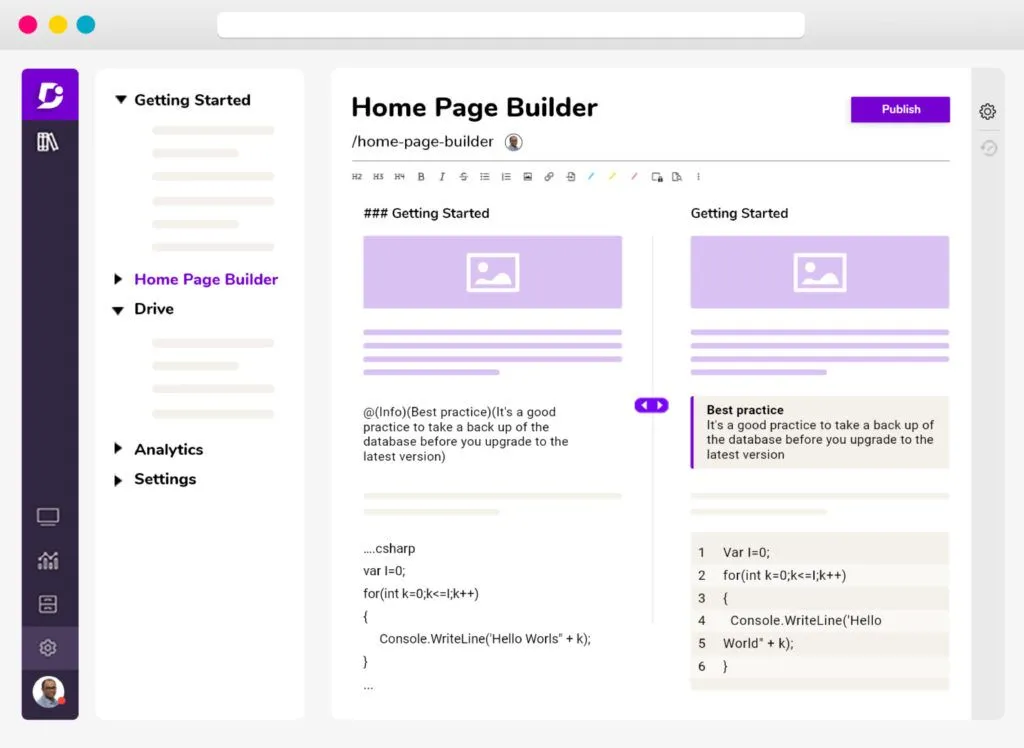
Document360 helps SaaS companies and technical product teams create self-service knowledge bases with setup guides, troubleshooting instructions, FAQs, and API documentation. Customers can browse articles by category, follow step-by-step instructions, and use the search bar to find information about specific product features.
Ask Eddy AI provides direct answers from published knowledge articles, along with citations to the source content. Teams can also embed a knowledge base widget inside their website or software, so customers can look up instructions without leaving the page they’re working on.
Read more: Document360 Alternatives
Pricing
Document360 offers custom pricing.
4. Freshdesk
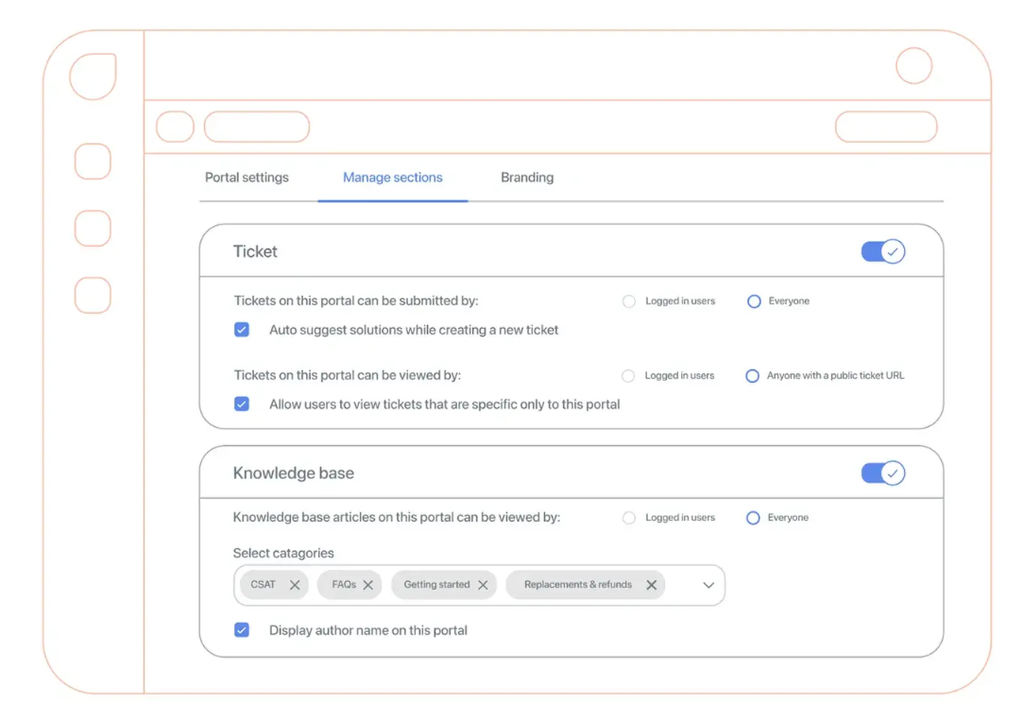
Freshdesk lets businesses create a self-service portal where customers can search knowledge base articles, read FAQs, and submit support tickets. Customers can also sign in to check their existing requests, making it easier to follow up without sending another email or calling support.
Freshdesk also offers Freddy AI Agent to handle common customer questions through automated conversations. The AI agent can use knowledge base content to answer routine queries and help customers find relevant information.
Pricing
Freshdesk offers three pricing plans: Growth ($19/agent/month), Pro ($55/agent/month), and Enterprise ($89/agent/month), all billed annually.
5. Guru
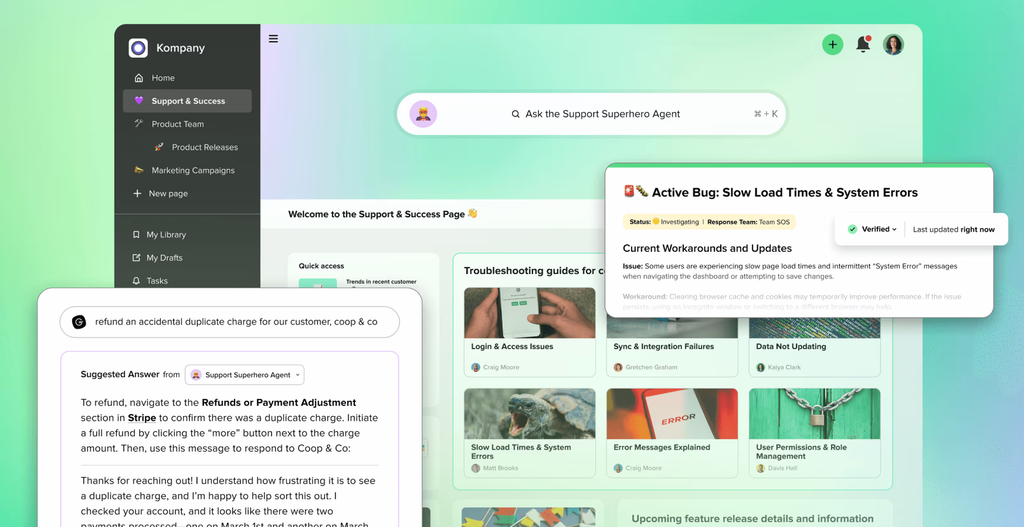
Guru helps customer support teams find accurate information without switching between multiple tools. Its AI-powered Knowledge Agents provide answers with source citations in Slack, Microsoft Teams, and other connected applications. Agents can also access relevant knowledge while working in support platforms like Zendesk and Salesforce.
Guru connects with over 100 tools and includes verification workflows that help teams keep knowledge accurate and up to date. It also supports permission-based access, so employees only see information they’re authorized to use.
Learn more: Guru Alternatives
Pricing
Guru offers custom pricing.
6. Helpjuice

Helpjuice lets businesses build a public knowledge base where customers can search FAQs, troubleshooting guides, and product documentation. Teams can customize the knowledge base’s layout, colors, and navigation to match their website, and publish content in multiple languages for customers in different regions.
Its higher-tier plans include AI Search and an AI chatbot that answers questions using knowledge base content. Helpjuice also tracks customer searches, article usage, and content performance, helping teams identify topics that need better documentation.
Read more: Helpjuice alternatives
Pricing
Helpjuice offers three pricing plans: Knowledge Base ($249/month), AI-Knowledge Base ($449/month), and Unlimited AI-Knowledge Base ($799/month).
7. Bloomfire
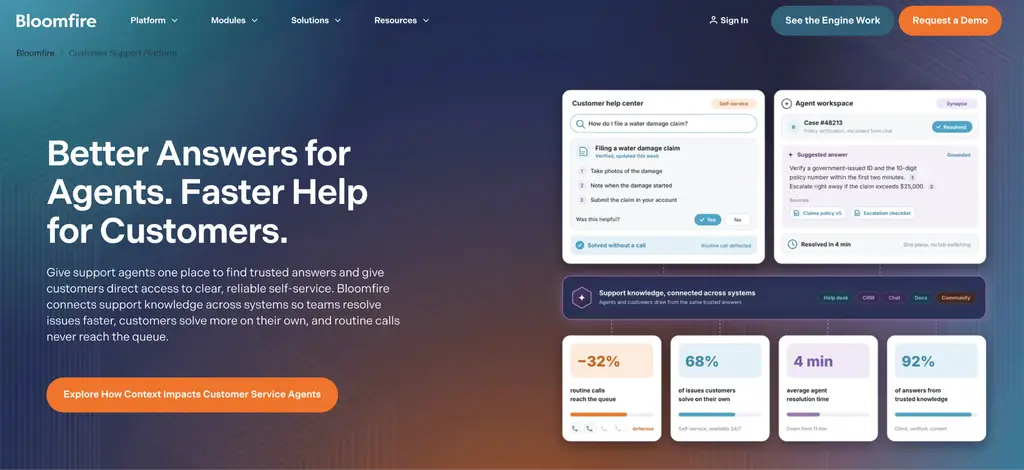
Bloomfire is built for companies that want one place to manage knowledge for staff and customers. You can set up an external help center and cross-publish between your internal and external communities, so you only need to update a support article once.
Customers find answers through search and Ask AI. Analytics show what they search for most and what they can’t find, telling you what to write next. Bloomfire connects with Salesforce and Zendesk and lists SOC 2 certification and HIPAA readiness.
Learn more: Bloomfire Alternatives
Pricing
Bloomfire offers custom pricing.
8. HubSpot Service Hub
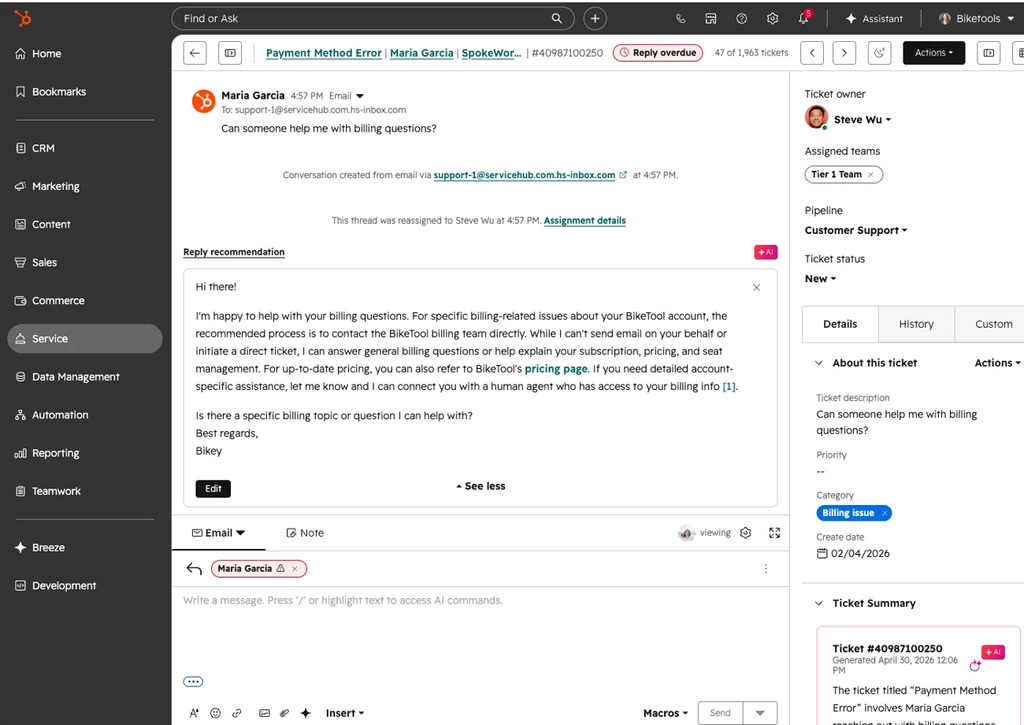
HubSpot Service Hub has a customer-facing knowledge base connected to its CRM, giving support teams visibility into how customers use self-service content. Customers can search help articles by topic, find information in different languages, and access articles on mobile or desktop.
Agents can also see which articles a customer has already viewed, helping them avoid suggesting solutions the customer has already tried.
The knowledge base is available from Service Hub Professional onward, with customizable designs, multilingual support, and content approval workflows. Enterprise offers higher article limits and additional customization options.
Pricing
HubSpot Service Hub offers four pricing plans: Free ($0), Starter ($7/seat/month), Professional ($90/seat/month), and Enterprise ($150/seat/month). The knowledge base and customer support portal are available starting with Professional.
9. KMS Lighthouse
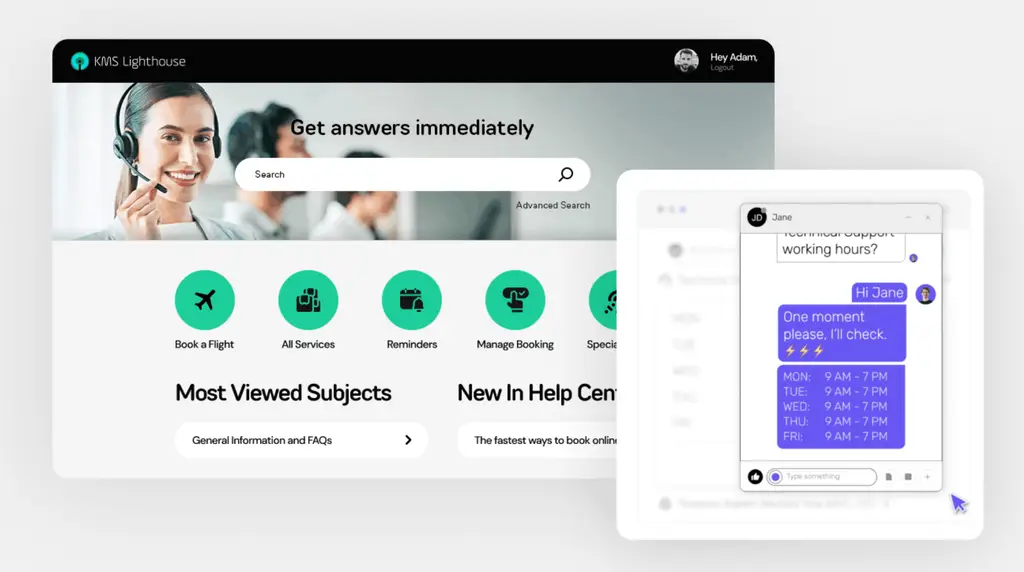
KMS Lighthouse offers a customer-facing Help Center that uses the same knowledge base as its contact center software. Support teams can create and update articles in one place and make them available across websites, mobile apps, chat, and agent desktops. This helps customers find the same information support agents use without contacting them directly.
The Help Center can be embedded into websites, apps, and conversational interfaces through a single link. It supports custom domains, branding, flexible layouts, and multiple languages.
Pricing
KMS Lighthouse pricing starts at $30/month per named user.
10. Zoho Desk
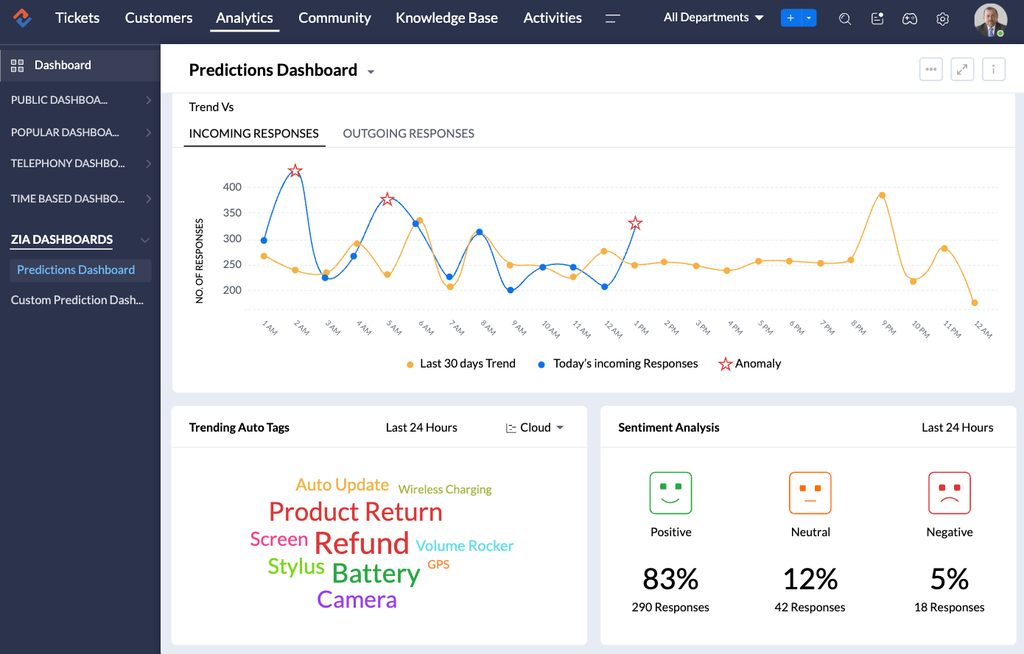
Zoho Desk offers a self-service help center where customers can search knowledge articles, ask questions in community forums, and track their support tickets.
Companies managing multiple brands can create separate help centers for each, with their own articles, designs, and access settings. This gives customers a dedicated place to find support information for the products or services they use.
Its ASAP help widget makes these features available directly on websites and mobile apps. For example, an online store can use the widget to display shipping and return instructions, so customers can find answers without leaving the page.
Customers can also use Zia’s AI Answer Bot, browse community discussions, or submit a support ticket if they need further help.
Pricing
Zoho Desk offers a free plan for up to three users and four paid plans: Express ($7/agent/month), Standard ($14/agent/month), Professional ($23/agent/month), and Enterprise ($40/agent/month), billed annually.
Full Comparison Table: Best Self-Service Knowledge Base Software
| Platform | Best For | Standout Self-Service Feature | Starting Price | G2 / Capterra Rating |
|---|---|---|---|---|
| livepro | Contact centers and enterprises that need compliant, AI-powered self-service at scale | Luna voice agent plus governance (owners, review dates, approval workflows) | Custom quote, with a 90-day proof of concept | G2: 4.8 / Capterra: 4.8 |
| Zendesk Guide | Teams that want a help center inside a full support suite | Generative search with AI answers in the help center | Included in Suite Team, from $55 per agent per month (billed annually) | G2: 4.3 / Capterra: 4.4 |
| Document360 | Teams that want a standalone public knowledge base | Ask Eddy AI answers with source citations | Custom quote | G2: 4.7 / Capterra: 4.7 |
| Freshdesk | Support teams that want a self-service portal with ticketing built in | Freddy AI Agent for automated customer conversations | From $19 per agent per month (billed annually) | G2: 4.4 / Capterra: 4.5 |
| Guru | Teams that want answers inside the tools they already use | AI Knowledge Agents in Slack, Teams, Zendesk, and Salesforce | Custom quote | G2: 4.7 / Capterra: 4.8 |
| Helpjuice | Teams that want a branded, customizable public knowledge base | AI Search and chatbot that answer from knowledge base content | From $249 per month | G2: 4.7 / Capterra: 4.7 |
| Bloomfire | Companies that want internal and external knowledge in one place | Cross-publishing between internal and external communities | Custom quote | G2: 4.6 / Capterra: 4.4 |
| HubSpot Service Hub | Teams that want self-service connected to their CRM | Agent visibility into which articles a customer already viewed | Knowledge base from Professional, $90 per seat per month | G2: 4.4 / Capterra: 4.4 |
| KMS Lighthouse | Contact centers that want one knowledge base for agents and customers | Embeddable Help Center sharing the agent knowledge base | From $30 per month per named user | Capterra: 4.5 (too few G2 reviews for a rating) |
| Zoho Desk | Multi-brand companies that want separate help centers per brand | ASAP widget embedding help on websites and apps | Free for up to 3 users; paid from $7 per agent per month (billed annually) | G2: 4.4 / Capterra: 4.5 |
What Is a Self-Service Knowledge Base Platform?
A self-service knowledge base platform is software that lets customers find answers on their own, without contacting your support team. You publish help articles, FAQs, and how-to guides in one place, and customers reach them through:
- A help center on your website
- An in-app widget
- A search bar
- A chatbot that answers from the same content.
The main difference from an internal knowledge base is who reads it. A self-service knowledge base is written for customers, so it must be easy to search, match your brand, and usually lives publicly so people can access it without logging in.
An internal knowledge base is for employees and holds policies, processes, and training material behind your company’s access controls.
Some platforms cover both in one system, with public content for customers and private content for staff. That keeps the answer a customer reads in sync with the answer an agent gives.
A good self-service knowledge base platform returns direct answers to customer questions and shows you what customers searched for and couldn’t find.
How to Choose the Best Self-Service Knowledge Base Platform
Here are six things to compare before choosing a platform:
Search Quality
Customers don’t use your product’s vocabulary. They type “cancel my plan” when your article says “terminate subscription,” and they make typos. Test this before you buy by taking 20 real questions from your tickets and running them through each platform’s search with your own content.
See whether the right article comes first. Regulated teams should also check that search only returns content the person is allowed to see.
AI Answer Accuracy
An AI answer is only as good as the content it can draw from. Ask each vendor three questions:
- Source: Does it answer only from your approved articles?
- Citation: Does it show which article each answer came from?
- Gaps: What does it do when nothing in your knowledge base fits?
Teams without regulatory exposure can accept the occasional miss and fix it as it appears. If a wrong answer could mislead a customer on fees, eligibility, or health information, limit answers to approved content, show the source, and log every question and answer.
Governance and Compliance
Customer-facing content goes stale quietly, so look for the controls that stop it:
- Ownership: Every article has a named owner.
- Review dates and expiry: Articles come up for review on a schedule, and old ones can expire.
- Approval before publishing: Someone other than the author signs off.
- Version history and audit trail: You can see who changed what and when.
- Role-based access: Teams only edit and see what they should.
Not every help center tool offers all of these, so check the list rather than assuming. If you’re regulated, also ask for the vendor’s security certifications, such as a current SOC 2 report, and whether they support HIPAA if you handle health information.
Integrations With Your Support Stack
Self-service works best when it draws on the same knowledge your agents use. Make sure the platform connects to your help desk or CRM, contact center software, chat tool, and website, and that an API covers anything else.
When one source feeds them all, you make a policy change once, and it shows up everywhere.
Analytics
Page views tell you what’s popular. The reports that help you improve are top searches, searches that returned nothing useful, and the articles customers read before they gave up and contacted you.
Ask to see these in the demo. If a vendor can’t show you unanswered searches, you won’t know what to write next.
Ease of Authoring
The people writing your content aren’t developers. Look for a visual editor, templates that give every article the same structure, and a way to import the PDFs and Word documents you already have. The more people contribute, the more a review step before publishing matters.
If you’re in a regulated industry, put governance and answer accuracy at the top of your list. That’s what livepro is built for: owners, review dates, approval workflows, role-based access, and AI answers drawn only from approved content with source links. If you’re not regulated, a help center built into your help desk may be enough, and setup ease and price can carry more weight.
Either way, test with your own content before you commit. livepro’s 90-day proof of concept includes the full platform, setup, and training.
How to Create a Self-Service Knowledge Base
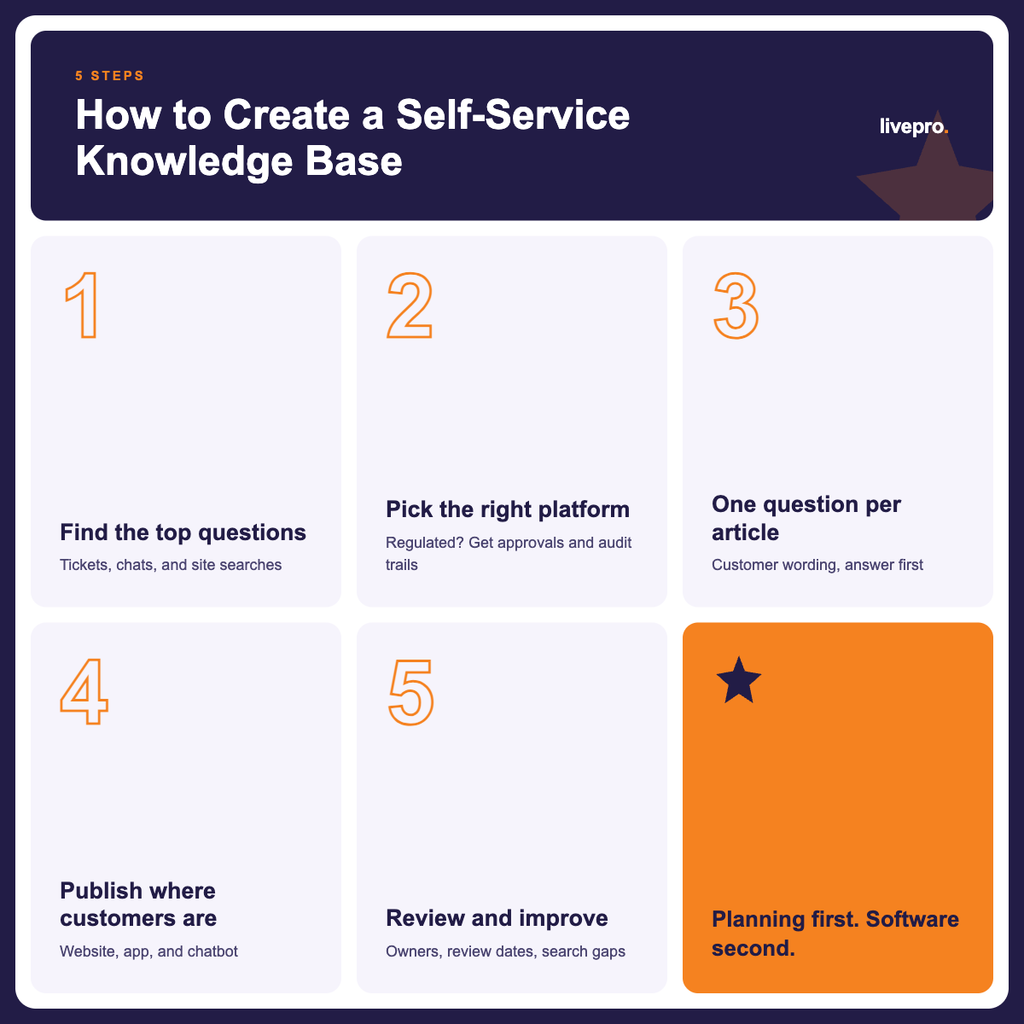
Setting up a self-service knowledge base is mostly planning and writing, and the software comes second.
Here are five steps to get started:
- Identify the questions customers ask most: Pull your most common ticket topics, chat transcripts, and website search terms, and list the questions in the words customers use. This becomes your first batch of articles, so you’re writing what people need instead of guessing.
- Choose a platform that fits your needs: Decide whether you need a help center built into your help desk or a dedicated knowledge base, and whether your industry requires approvals and audit trails.
- Write short articles with one question each: Give each article a title that matches how customers phrase the question, put the answer in the first lines, and use a template so every article is laid out the same way. If your answers already live in PDFs or Word documents, check whether the platform can convert them into articles, as livepro’s LightspeedAI Import does.
- Make answers available where customers need them: Publish your knowledge base on your website and, where possible, connect it to your app, chatbot, or other support channels. For example, adding a help widget to your website allows customers to find instructions without leaving the page.
- Review it and keep improving it: Assign an owner and a review date to every article, then check the searches that returned nothing useful and the articles customers read before contacting you. Those two reports tell you what to write or fix next.
For a deeper walkthrough, including what to include and how to plan the structure, read the full guide on how to create a knowledge base.
Which Self-Service Knowledge Base Platform Should You Pick?
The right platform depends on what a wrong answer costs you. If an outdated article means a few extra tickets, pick the tool that fits the support stack you already run.
Zendesk Guide, Freshdesk, Zoho Desk, and HubSpot Service Hub put the help center inside the system your agents already use, while Document360 and Helpjuice are built around a branded, customer-facing site. Bloomfire suits teams that want internal and external knowledge in one place.
If a wrong answer means a customer acts on information you can’t stand behind, pick the platform that controls what gets published. That’s where livepro stands out, with owners, review dates, approval workflows, and AI answers drawn only from approved content, with a source link on each one.
Book a demo to see how livepro helps you deflect tickets with answers your compliance team can actually sign off on.
Frequently Asked Questions
What is the difference between a knowledge base and a self-service portal?
A knowledge base is a library of articles, FAQs, and guides. A self-service portal is the customer-facing site that wraps around it. Customers visit the portal, which often includes features like submitting and tracking tickets or managing support requests, so many platforms sell them together.
Can a self-service knowledge base reduce support tickets?
Yes, when customers can find an answer faster than writing to you. It works for repeat questions, such as billing dates, password resets, and return policies, because a customer who finds the right answer in an article has no reason to open a ticket. It only works if the articles are accurate and easy to find, so check what customers search for and couldn’t find, and fix those first.
What makes a knowledge base “self-service”?
A knowledge base is self-service when customers can find answers in their own words and use them without asking an agent. That means it’s published where customers already are, such as a help center, your app, or your website search, and the articles are written for customers instead of staff. A good one also gives customers an easy way to contact you when the article doesn’t solve the problem.
Is an AI chatbot the same as a self-service knowledge base?
No. A chatbot is one way to ask a question, and the knowledge base holds the answers. A chatbot is only as accurate as what it draws from, so the safest setups answer only from your approved articles and show which article each answer came from.
livepro works this way, with its Luna voice agent answering phone calls from the same approved knowledge your agents use.
How much does self-service knowledge base software cost?
The cost of self-service knowledge base software depends on how the platform charges. Help desk tools with a built-in knowledge base usually charge per agent or per seat each month, so costs grow as your support team does.
Dedicated knowledge base tools often use flat monthly plans based on users, storage, and AI features. Some vendors don’t publish prices and quotes based on your setup, and many offer a free trial, so you can test a platform with your own content before you commit.