

Many teams use KMS Lighthouse for structured agent guidance and decision tree workflows. But some teams find it harder to manage as their operations grow.
Here are some gaps users report:
- Complex permissions setup: Managing permissions is challenging, and the platform limits the number of admin licenses. Some team members can’t assist users or complete their daily job functions.
- Search results that need exact keywords: Agents often have to rephrase their query or swap keywords before the search returns the right article.
- Rigid content structure: The platform is less flexible than most tools for teams that need to adapt content formats or build non-standard workflows.
If these gaps are slowing your team down, it’s worth exploring other options. We compared 10 KMS Lighthouse alternatives by key features, pricing, and user experience to help you find a better fit.
About KMS Lighthouse
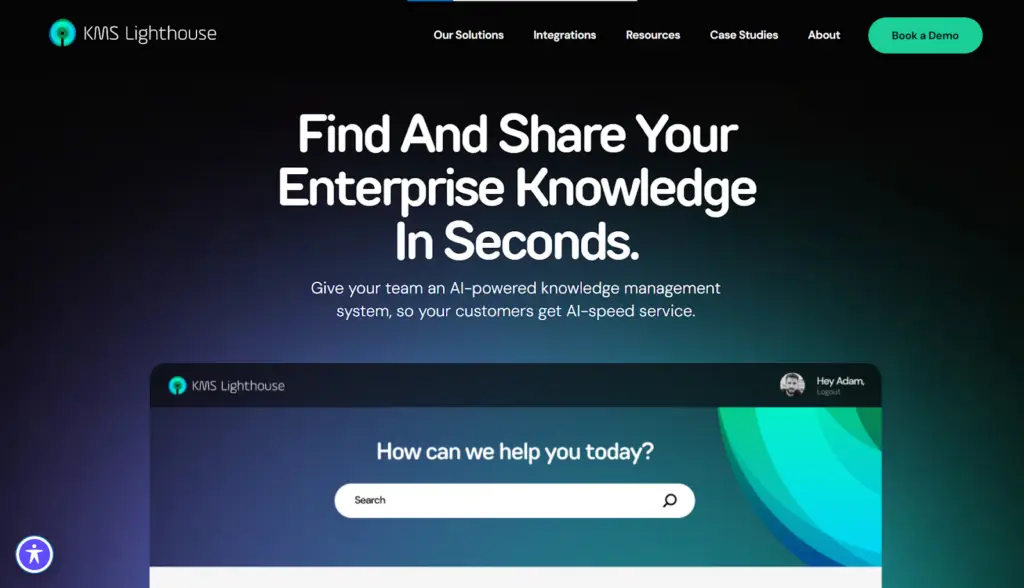
KMS Lighthouse is a knowledge management platform built for contact center and enterprise teams. It serves industries like healthcare, government, telecom, and logistics.
The software organizes knowledge into articles and decision trees, then delivers answers across channels through its patented GetAnswer search engine. It also powers customer self-service through chatbots, virtual assistants, and web portals.
KMS Lighthouse Pros
- Easy to use: Friendly interface that requires minimal onboarding and works well for agents accessing knowledge during live calls.
- Responsive customer support: The support team resolves issues quickly.
- Good CRM integration: Connects with CRM tools without extra configuration.
- Customizable templates: Pre-built templates give knowledge managers a consistent structure for creating and formatting articles across the platform.
KMS Lighthouse Cons
- Non-intuitive authoring tool: The wizard used to build and configure knowledge content is harder to navigate.
- Limited homepage customization: The homepage configuration offers fewer layout and content options than teams expect.
- One-way feedback loop: The platform limits how agents flag content issues, making it harder for knowledge managers to identify and act on gaps in real-time.
- Limited reporting: Managers can’t build custom reports to track knowledge usage, search performance, or content gaps.
If KMS Lighthouse is creating bottlenecks in your daily workflows, here are alternatives worth considering:
livepro
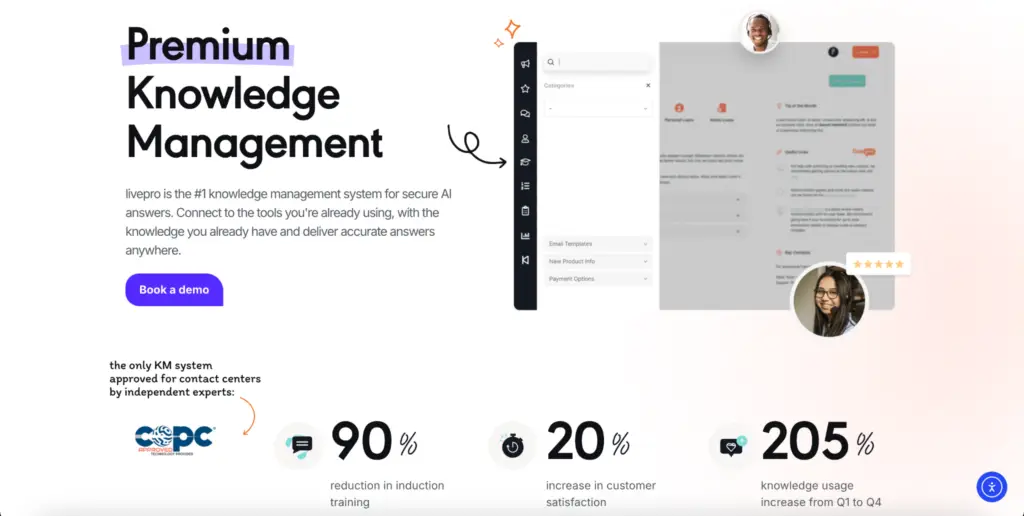
livepro is considered one of the best KMS Lighthouse alternatives. It’s an AI-powered knowledge management software built for contact centers and enterprise teams. It serves industries like banking, local government, healthcare, and BPOs.
G2’s Top 5 Contact Center Knowledge Base Software Features in 2026 report ranked livepro among the highest-scoring platforms across six categories: intelligent search, integrations, access management, analytics, database workflows, and data governance. It scored 9.9/10 for data governance and 9.8/10 for compliance, the highest in both categories.
Here’s how livepro addresses the gaps that most KMS Lighthouse users report:
Hybrid Search for Accurate Answers
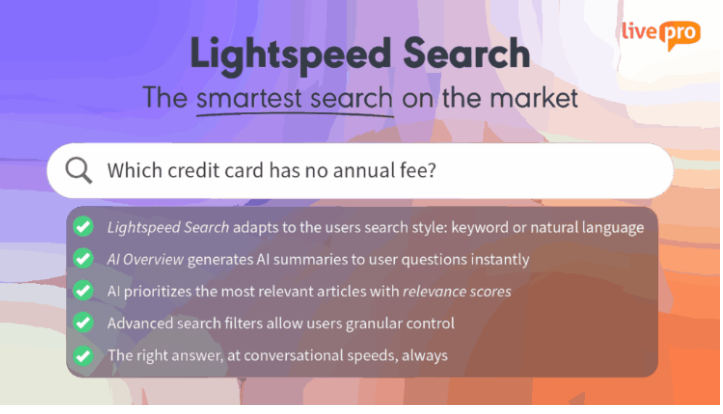
KMS Lighthouse users find its search engine complicated because agents need to rephrase their query or change keywords before the search returns accurate result.
livepro’s Lightspeed Search combines keyword matching, natural language processing, and semantic understanding to give accurate answers based on the intent, not just keywords.
If an agent searches “customer wants money back,” the system still pulls up the article titled “refund policy.” If they type “cancel” instead of “terminate,” the search recognizes that both words mean the same thing and returns the right content.
livepro also generates quick summaries on top of the ranked results, so agents can answer directly without opening the whole document. Every summary pulls strictly from your approved knowledge base using RAG (Retrieval-Augmented Generation), so answers stay grounded in verified content.
Agents can see where each answer comes from. They can open the source article, confirm the details, or send feedback to the content team right from the results page.
Over time, livepro tracks which articles your agents open most and pushes them higher in future results. The ranking adjusts based on real behavior, so your most relied-on answers appear at the top.
LightspeedAI to Migrate Scattered Documentation in Minutes
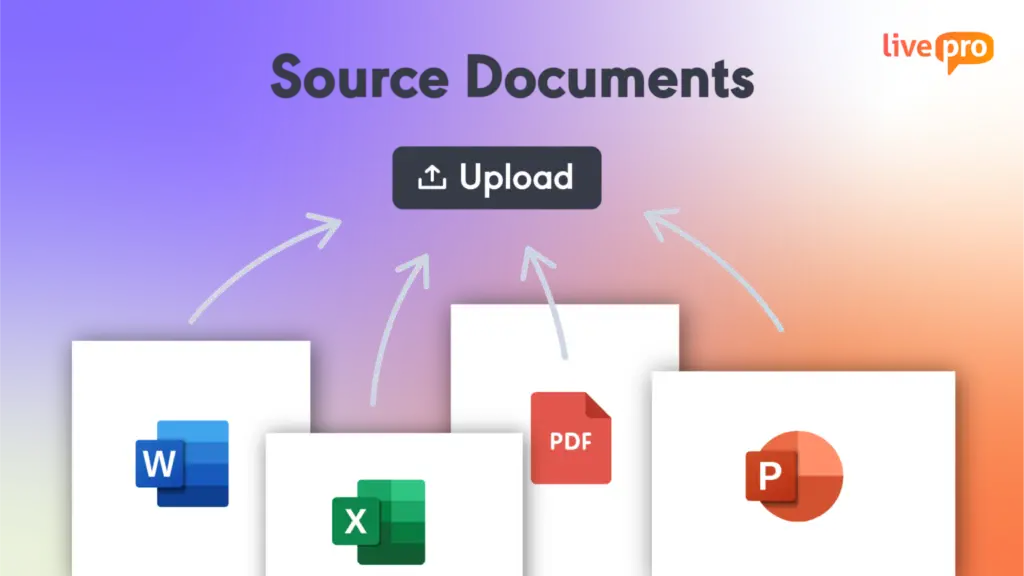
Most contact centers and enterprise teams store critical knowledge across hundreds of Word files, PDFs, and spreadsheets spread across departments. Moving that content into a new knowledge base manually can take months and add admin work.
livepro’s LightspeedAI ingests documents in bulk, reads their structure, identifies headings and key sections, and converts them into formatted, searchable knowledge articles. Your team uploads the files, while LightspeedAI does the restructuring.
For example, a government agency is migrating 800 policy documents and can upload Word and PDF files. LightspeedAI breaks it into individual articles by section, formats each one to match your templates, and queues them for review.
The same workflow applies when finance distributes a new expense policy or when your contact center operations team revises an escalation procedure.
AI Authoring Tools to Create and Edit Knowledge Articles Faster
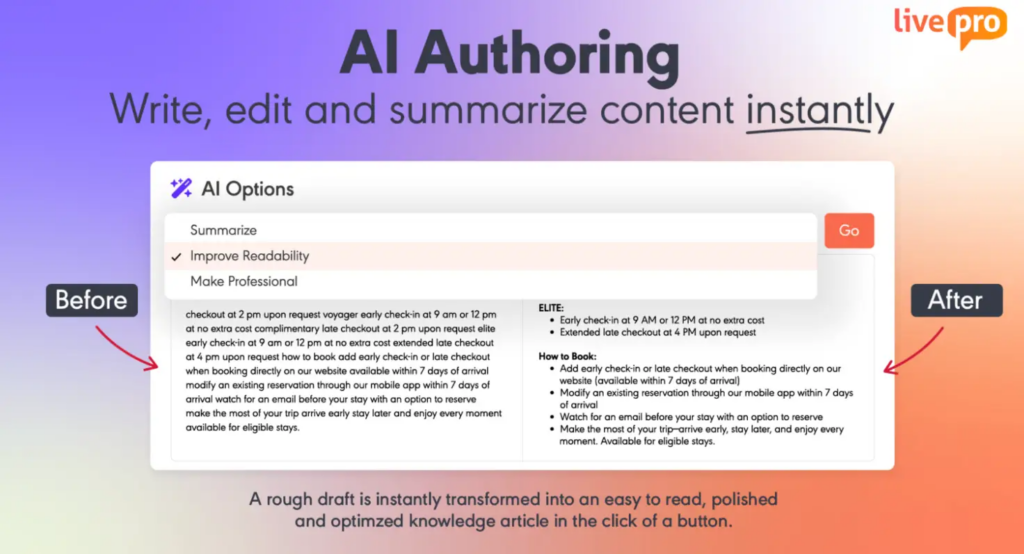
KMS Lighthouse users report spell and grammar check issues, and a cluttered admin setup that slows down content creation.
livepro’s authoring tools let subject matter experts create polished and consistent articles without technical training. A subject matter expert can start with a rough draft, and the AI refines it in one click. It summarizes lengthy content, simplifies complex language, and adjusts tone for a clear, professional finish.
livepro also allows you to use the WYSIWYG (what you see is what you get) editor to structure the content. You can add images, tables, links, and multimedia. You can use pre-built templates to apply consistent heading styles, font sizes, and layouts across every article, so agents always know where to find key information.
If your team handles multiple call types, livepro lets you divide articles by content types, so the structure matches the specific scenario and agents waste less time on irrelevant content.
Decision Trees for Step-By-Step Process Guidance
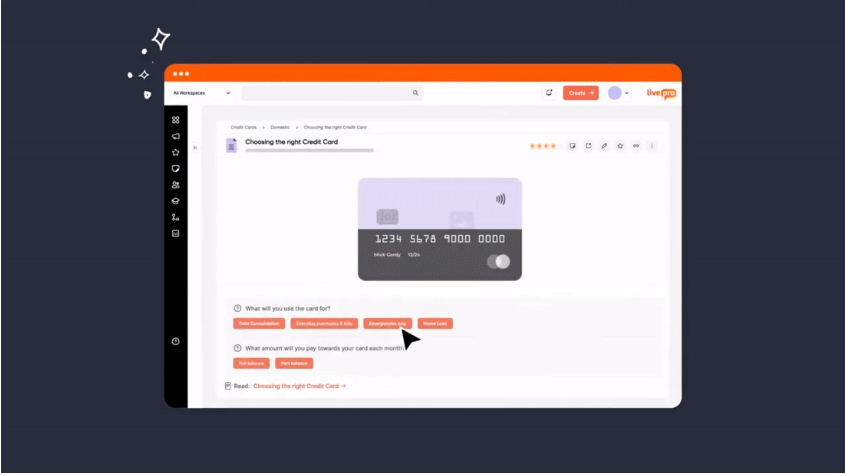
Search tools help agents answer simple queries. But some processes branch based on multiple conditions, carry exceptions, and lead to a different outcome depending on each answer. When agents handle these from static articles, they have to read the document, figure out which path applies, and decide the next step, while the customer waits.
livepro’s decision trees, called Rockets, turn these multi-step processes into guided flows. The agent sees one question at a time on the screen and selects an answer. The tree moves to the next relevant question based on that response. Each answer narrows the path until the agent reaches the exact outcome and steps for that situation.
Knowledge managers can build flows using a drag-and-drop editor. When a policy changes, they update one branch, and every agent sees the new path on their next call.
Rockets enforce compliance on each process. Every outcome follows verified rules and approved paths, so your team handles exceptions without transferring the call.
For example, if a member calls about coverage for a specialist visit, the agent follows the Rocket: Do they have a referral? What plan are they on? Is the specialist in-network? Each answer routes to the next question until it reaches the accurate outcome.
Governance Tools to Maintain Knowledge Accuracy
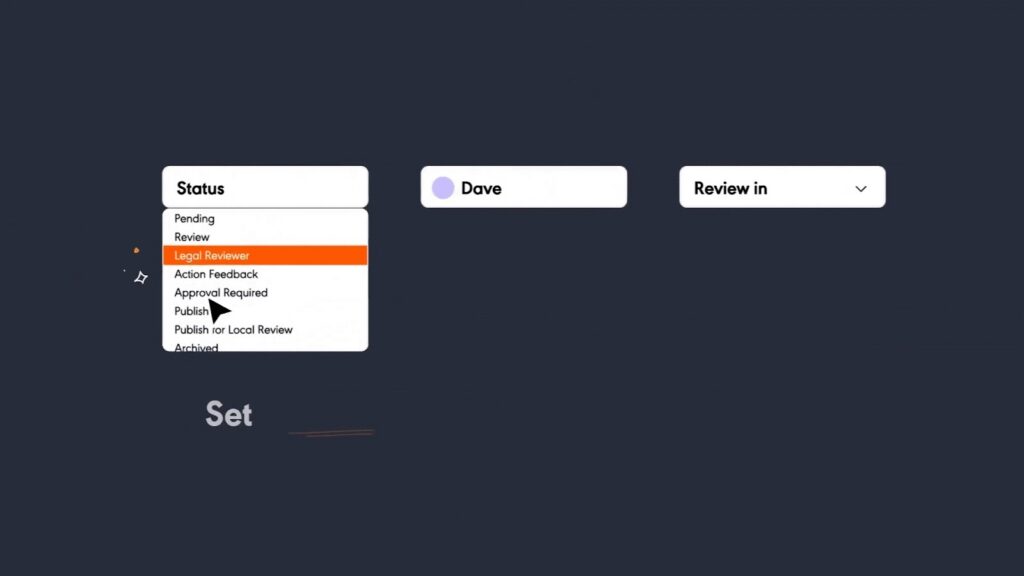
KMS Lighthouse users report that permissions are challenging to set up, and the feedback loop is one-directional. Content managers can receive feedback but leave the platform for follow-ups, which breaks the review workflow.
livepro’s built-in governance framework gives your team control over how content is created, reviewed, and published. Role-based permissions define who can do what, and adjust automatically when someone changes roles.
Every article moves through a structured workflow before agents see it. Authors draft, SMEs validate, approvers sign off. If a stage is skipped, the article stays in the queue until the right person acts on it.
Once the knowledge article is live, you can use version control to trace what was published, who approved it, and when. If an update introduces an error, you can restore the previous version.
Teams can add automated review date reminders and assign a team member for periodic refreshes. If an article passes its deadline without approval, livepro pulls it from circulation until someone signs off.
Data Compliance to Meet Regulatory Standards
Teams in regulated industries handle sensitive data. They need to maintain data integrity and compliance to meet regulatory standards.
livepro is a SOC 2 and HIPAA compliant knowledge management platform. It’s built on AWS infrastructure with dedicated environments. The livepro team also conducts regular penetration testing to catch vulnerabilities and mitigate data security risks.
That isolation extends to how knowledge reaches agents. When AI generates a response, PII redaction strips personally identifiable information before it appears on the agent’s screen. Role-based permissions add a second layer, making sure agents only access the content their role requires and nothing beyond it.
Customer Self-Service Solutions to Reduce Call Volume
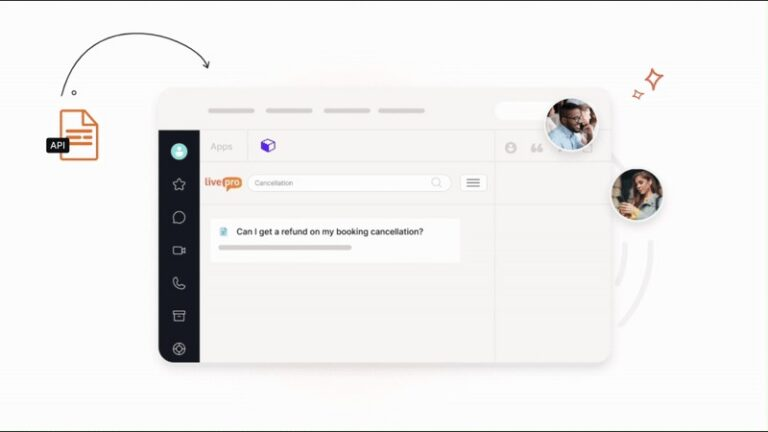
Contact centers handle a high volume of calls that don’t need a live agent. But if your FAQ page or search tool is outdated, customers end up calling in for basic inquiries.
livepro’s self-service solutions connect your knowledge base directly to your website, app, or portal through a simple API. Customers can ask questions in everyday language, and the platform retrieves answers from the same knowledge base your agents use.
Your knowledge managers can control what’s visible externally using smart knowledge containers. They can choose which articles are customer-facing and which stay internal, all from one knowledge base.
When a policy is updated internally, the customer-facing version updates at the same time, so there are no conflicting answers across channels.
Luna AI Voice Agent to Handle After-Hour Calls

KMS Lighthouse doesn’t offer a voice agent. If a customer calls, you still need human agents to handle the inquiry.
livepro’s AI voice agent, Luna, answers phone calls around the clock. It recognizes the caller’s language and switches to match their tone. When a customer asks a question, Luna pulls answers from the same knowledge base your agents use, so customers get the same verified information.
If a query grows complex, it hands the call over to a live agent with full context, so the customer never has to repeat themselves.
Advanced Analytics to Track Knowledge Performance and Trends
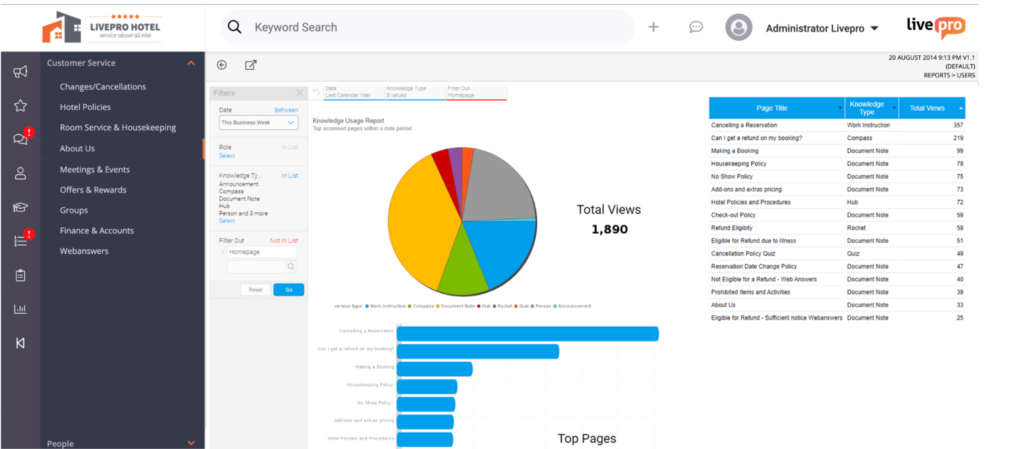
KMS Lighthouse users report missing reports in its analytics dashboard, making it hard to track how knowledge is actually performing across the team.
livepro’s award-winning knowledge analytics dashboards help managers track which articles agents access most, how long they spend on each one, and where searches return no results.
You can build custom reports and a homepage by department, role, or region to monitor KPIs that matter most to your business.
livepro gives visibility into:
- Knowledge gap reports: Pull metrics where agents can’t find what they need.
- Usage tracking: Tracks and ranks the most accessed articles.
- Search analytics: Shows queries that return poor or no results.
- Content performance: Monitors which articles resolve queries and which generate follow-up searches.
You can export data by weekly or monthly views and share it with your stakeholders, department heads, and executives. If you use external tools, livepro integrates with your tools to connect knowledge analytics with your broader business outcomes.
livepro Integrations
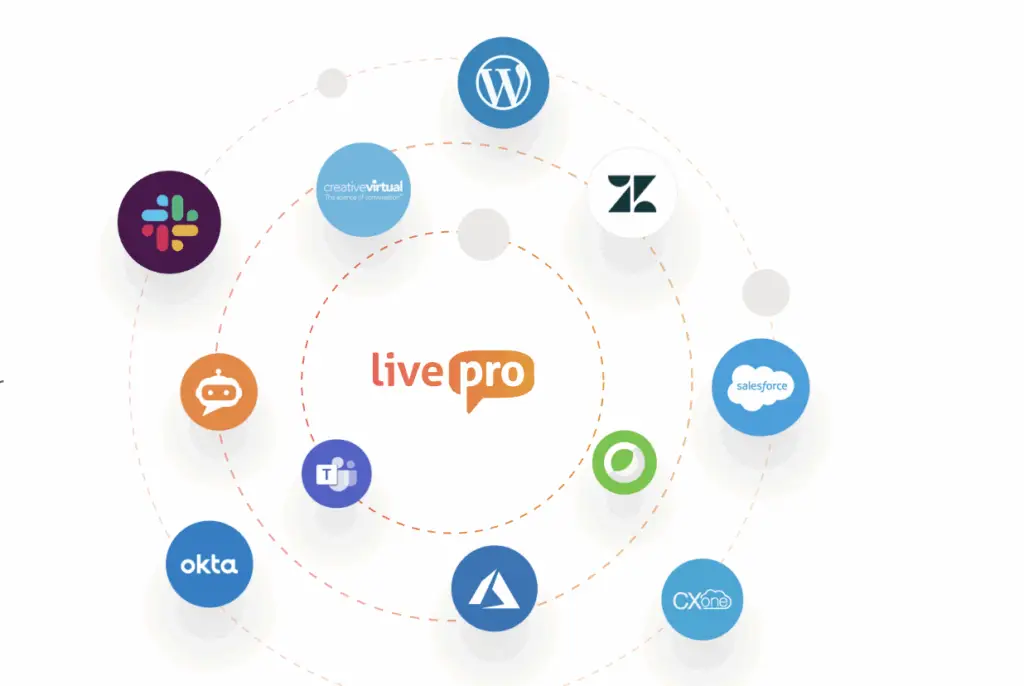
livepro integrates with your existing tools, so all knowledge base data flows into a single system. Your agents can log in, authenticate, and access answers without switching tabs.
livepro offers integrations with:
- Genesys Cloud
- NICE CXone
- Salesforce
- Zendesk
- Microsoft Teams
- Microsoft Dynamics CRM
- Cisco Webex
- Azure
- Okta
- Slack
If you use custom apps, livepro’s open API lets you connect with your existing website, chatbot, voice IVR, and human-assisted chat.
livepro Pricing
livepro offers three custom pricing plans: Flex, Premium, and Enterprise. You can contact the team for a personalized quote.
Guru
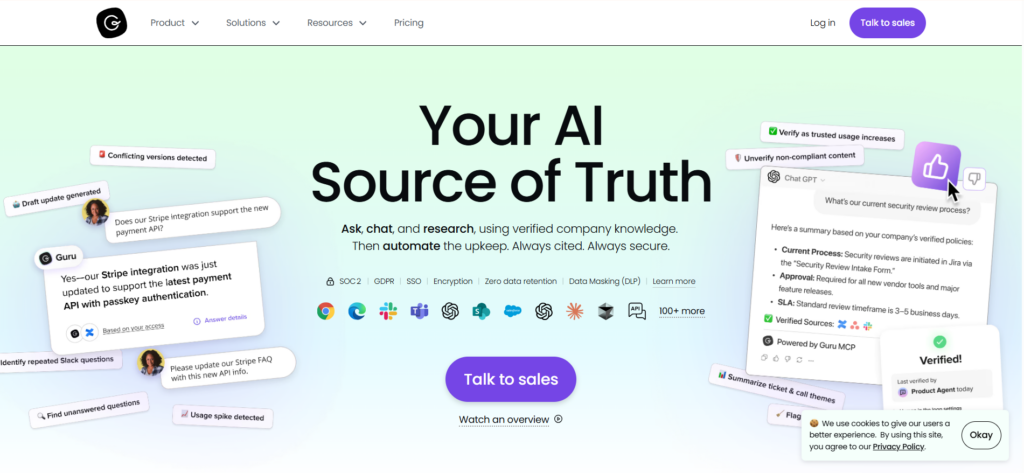
Guru combines enterprise search, a company wiki, and an intranet into a single system. It organizes knowledge into cards, assigns owners, and sets approval cycles to keep content fresh. Guru delivers answers inside tools like Slack, Chrome, Teams, and ChatGPT through Knowledge Agents.
Guru helps internal teams that need to retrieve knowledge from connected apps like Google Drive, Confluence, and SharePoint. KMS Lighthouse stores knowledge natively and delivers it through CRM and CCaaS integrations like Salesforce and Genesys.
Read more: Guru Alternatives
Guru Key Features
- Organizes knowledge into Cards with assigned owners and verification cycles
- Deploys Knowledge Agents that deliver permission-aware answers
- Verifies content through daily AI checks based on usage, quality, and engagement signals
- Flags outdated content and auto-archives unused and unverified Cards to reduce clutter
- Tracks what teams search, which Cards they use most, and where knowledge gaps exist to guide content decisions
Guru Pricing
Guru offers custom pricing.
Helpjuice
Helpjuice is a KMS Lighthouse alternative that serves industries like telecom, healthcare, and financial services.
Helpjuice is best for teams that need a branded, customer-facing knowledge base with HTML/CSS customization and multilingual support. KMS Lighthouse doesn’t offer that level of branding control, but it goes deeper on decision trees, CCaaS integrations, and guided workflows.
Learn more: Helpjuice Alternatives
Helpjuice Key Features
- Supports Swifty AI that powers search, chatbot responses, and content suggestions from the knowledge base
- Provides deep branding customization through visual and code editors with custom domain support
- Creates step-by-step visual guides with Wizardshot to document processes using annotated screenshots
- Tracks article performance, search patterns, and user engagement
Helpjuice Pricing
Helpjuice pricing starts from $200 per month for up to 16 users.
Document360
Document360 is a knowledge base platform built for companies that manage structured content like help docs, API documentation, user manuals, SOPs, and internal knowledge bases. It serves industries including SaaS, financial services, healthcare, manufacturing, and retail.
If you publish external-facing documentation, Document360 supports SEO controls, custom approval workflows, and API references. KMS Lighthouse is best for teams that deliver knowledge externally through conversational channels like chatbots and virtual assistants.
Read more: Document360 Alternatives
Document360 Key Features
- Offers Eddy AI that powers search, content drafting, translations, and chatbot responses from your knowledge base
- Provides a custom workflow builder with assigned roles and stages
- Tracks article performance, search behavior, and user engagement through Pro Analytics
- Guides users to a resolution through branching, interactive decision trees
- Imports existing PDFs and Word documents into the knowledge base
Document360 Pricing
Document360 offers custom pricing.
Knowmax
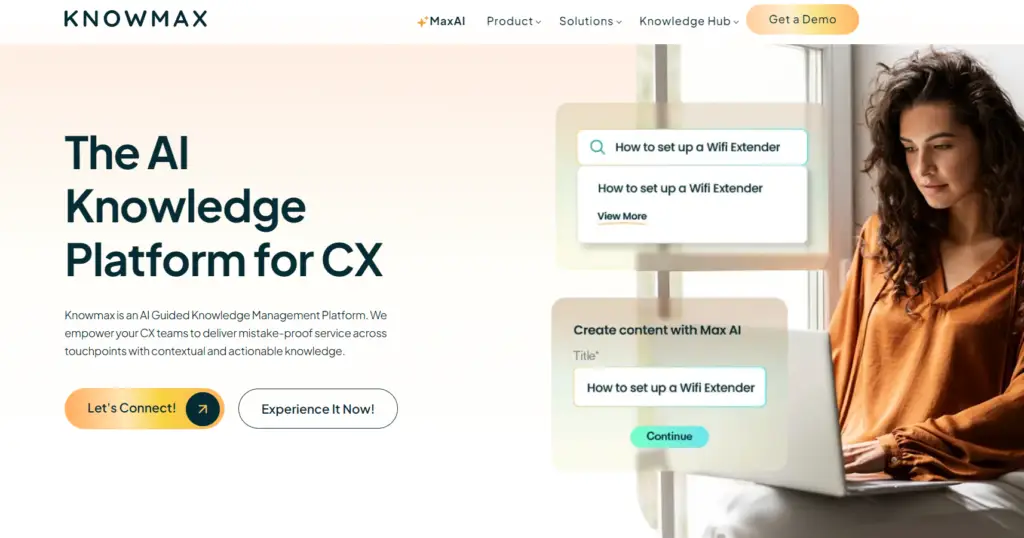
Knowmax is a knowledge management platform built for CX teams in banking, insurance, and retail that handle a high volume of queries across voice, chat, and email.
Knowmax focuses on guiding agents through personalized, step-by-step workflows where the system adapts based on the customer’s profile.
Knowmax Key Features
- Converts complex SOPs into no-code Cognitive Decision Trees
- Creates visual how-to guides with annotated screenshots and video
- Searches across the knowledge base using natural language processing and AI/ML
- Delivers consistent knowledge across voice, chat, email, and self-service
Knowmax Pricing
Knowmax offers custom pricing.
Bloomfire
Bloomfire is a knowledge management platform built for mid-to-large enterprise teams that need to centralize and share knowledge across departments. It connects to tools like SharePoint, Google Drive, Confluence, and Salesforce, creating a single searchable layer across all your content without requiring migration.
Bloomfire is best for teams that need AI search across diverse content formats with built-in content health monitoring that flags outdated, duplicate, or conflicting articles.
Learn more: Bloomfire Alternatives
Bloomfire Key Features
- Surfaces direct, sourced answers through Synapse AI with follow-up question support
- Supports multiple content formats, including documents, videos, audio, and Q&A discussions
- Tracks content relevance, user engagement, and knowledge gaps
- Controls access through role-based permissions, SSO, and data encryption with SOC 2 Type II compliance
Bloomfire Pricing
Bloomfire offers custom pricing.
eGain
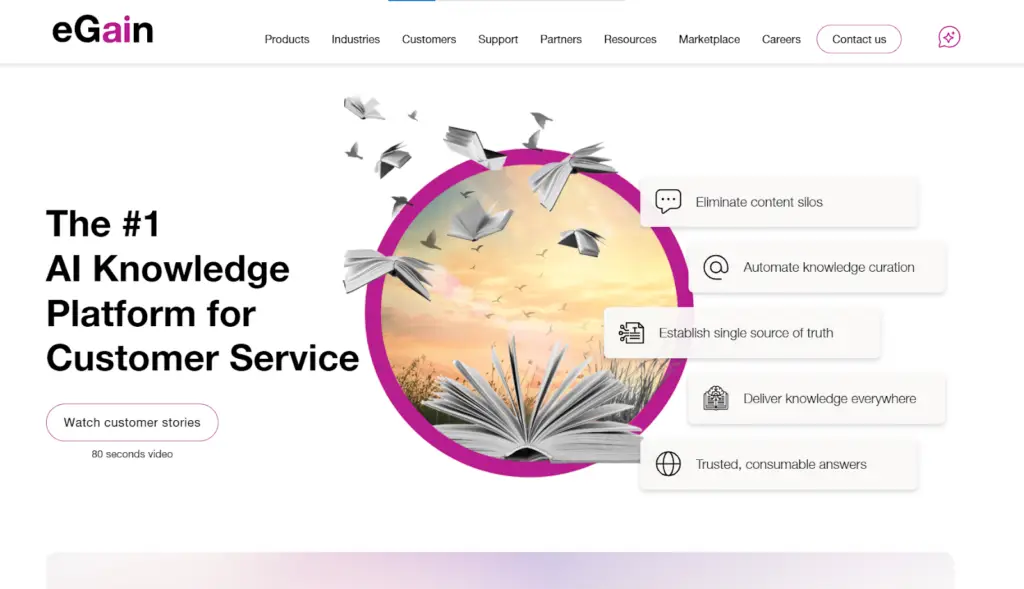
eGain is an AI knowledge platform built for large enterprise contact centers that need guided agent support at scale. It targets industries like banking, financial services, tech, and manufacturing.
eGain searches through the problem using an AI inference engine and adjusts the response based on who’s asking.
Learn more: eGain Alternatives
eGain Key Features
- Guides agents through complex queries using AI inference reasoning
- Personalizes content depth based on agent experience and role
- Creates and curates knowledge using AssistGPT with compliance controls
- Embeds into Five9 and major CCaaS agent desktops
- Tracks agent performance and knowledge usage through omnichannel analytics
eGain Pricing
You can contact the team for a custom quote.
Stonly
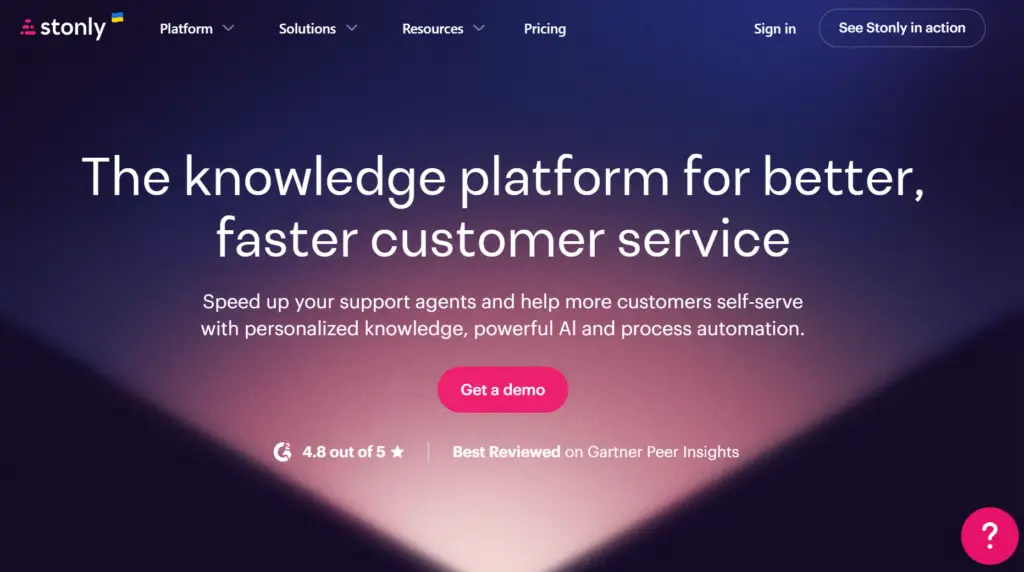
Stonly is a knowledge base platform built for customer service teams in industries like insurance, retail, and banking.
Stonly guides agents through the branch flows and adapts based on what the user inputs at each step. KMS Lighthouse runs agents through predefined decision paths set in advance by knowledge managers.
Stonly Key Features
- Summarizes tickets and drafts responses with AI Agent Assist
- Flags outdated, missing, and contradictory content automatically
- Delivers AI answers from verified knowledge
- Targets content based on personal and contextual user data
- Manages review flows, versioning, and scheduled content publishing
Stonly Pricing
Stonly offers custom pricing.
Panviva (By Upland Software)
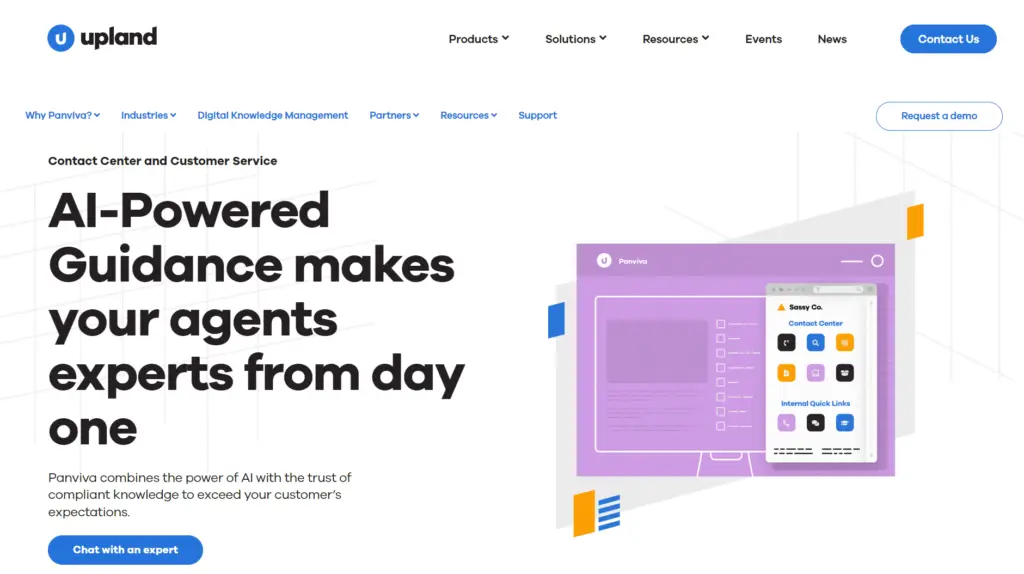
Panviva by Upland Software is an AI-powered knowledge management platform built for contact centers in banking, utilities, healthcare, and BPOs. It targets teams that handle complex compliance requirements where one wrong answer carries real risk.
Panviva delivers guided, compliant knowledge to agents through a browser extension based on live interaction. In KMS Lighthouse, the agent decides when to search and what to search for.
Panviva Key Features
- Searches knowledge using AI conversational search in natural language
- Creates chatbot-ready microcontent from a single document for different audiences
- Guides agents through complex procedures with step-by-step process workflows
- Delivers knowledge across IVRs, chatbots, CRM, EHRs, websites, and customer portals
Panviva Pricing
Panviva offers custom pricing.
Confluence
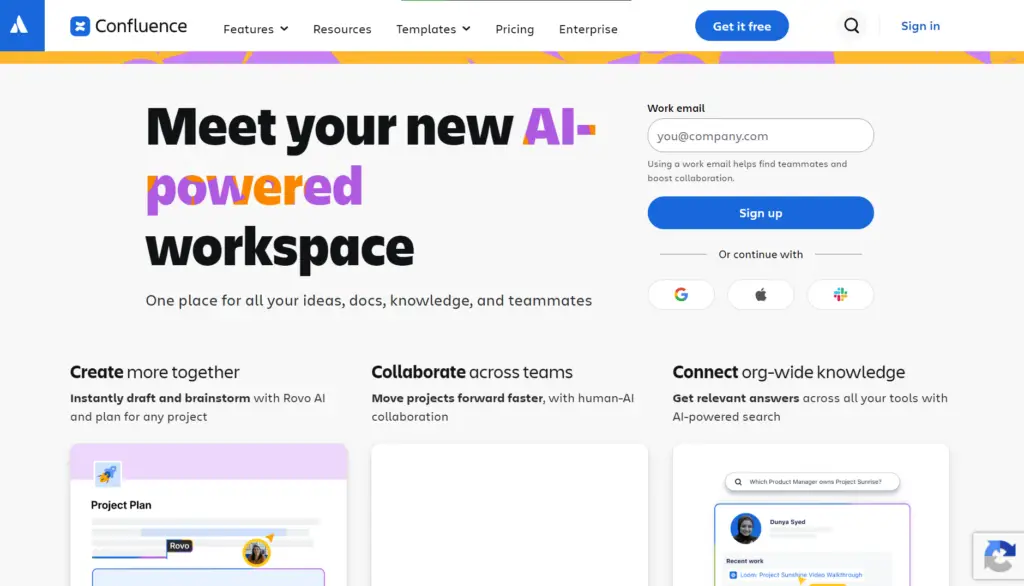
Confluence by Atlassian is a wiki and knowledge management platform built for teams that create, organize, and share internal documentation. It connects natively with Jira, Trello, Jira Service Management, and 3,000+ Marketplace apps.
Confluence is built for teams that create knowledge together through real-time co-editing, comments, and shared workspaces. But knowledge stays inside Confluence. Your team has to open it, search, or browse to find what they need. KMS Lighthouse embeds knowledge directly into agent workflows through Salesforce, Genesys, and Zendesk, so agents access answers without leaving their CRM.
Read more: Confluence Alternatives
Confluence Key Features
- Creates and organizes documentation using a rich editor with templates, slash commands, and real-time co-editing
- Searches across pages and spaces using Atlassian Intelligence with AI-powered suggestions and instant answers
- Connects natively with Jira, Trello, Jira Service Management, Slack, and 3,000+ Marketplace apps
- Summarizes long pages and defines company-specific acronyms through Rovo AI
- Tracks page views, content engagement, and version history
Confluence Pricing
Confluence pricing starts from $5.42 per user per month for up to 300 users.
Quick Comparison Table: 10 KMS Lighthouse Alternatives
| Platform | Search Approach | How Knowledge Reaches Agents | Governance Model | Best For |
| livepro | Hybrid (keyword + NLP + semantic + engagement ranking) with AI Overviews | Embedded in Salesforce, Genesys, Zendesk, Teams via integrations + SSO | Structured workflows with role-based permissions, automated review reminders, version control, and content expiry | Contact centers and enterprise teams that need governed, AI-powered knowledge |
| Guru | Searches across connected apps (Google Drive, Confluence, SharePoint) | Delivered inside Slack, Chrome, Teams, and ChatGPT through Knowledge Agents | Card-level verification cycles with assigned owners and daily AI checks | Internal teams that need knowledge from connected apps in one search bar |
| Helpjuice | Swifty AI-powered search with chatbot and content suggestions | Accessed through branded knowledge base portal with custom domain | Basic permissions with no structured approval workflow | Teams that need a branded, customer-facing knowledge base with deep design control |
| Document360 | Eddy AI for search, drafting, translations, and chatbot | Accessed through published help sites, API docs, and internal portals | Custom workflow builder with assigned roles and approval stages | Teams that publish external documentation with SEO controls and API references |
| Knowmax | NLP and AI/ML intent-based search | Embedded in CRM with live customer data pulled into decision trees | Role-based permissions with content curation workflows | CX teams that need personalized, step-by-step agent guidance using live CRM data |
| Bloomfire | Synapse AI with directly sourced answers and follow-up questions | Accessed through a platform with connected content from SharePoint, Google Drive, and Confluence | Automated content health monitoring flags outdated, duplicate, and conflicting articles | Enterprise teams that need cross-department knowledge sharing with content quality controls |
| eGain | AI Inference Reasoning Engine that reasons through the problem | Embedded in Five9 and major CCaaS agent desktops, personalized by agent role and experience | AssistGPT with compliance controls for content creation and curation | Large enterprise contact centers that need agent-level personalization |
| Stonly | AI Answers generated from a verified knowledge base with contextual understanding | Delivered inside Zendesk, Salesforce, Freshdesk, and HubSpot via AI Agent Assist | Automated review flows, versioning, and Knowledge Agents that flag outdated and missing content | Customer service teams that need interactive guides alongside AI-powered agent assist |
| Panviva | AI conversational search in natural language | Sidekick browser extension pushes answers based on CRM position or IVR selection | Step-by-step process guidance with compliance enforcement | Contact centers in regulated industries that need knowledge pushed to agents automatically |
| Confluence | Atlassian Intelligence with AI suggestions and instant answers | Accessed inside Confluence pages and spaces, no CRM or CCaaS embedding | User-level permissions with automatic versioning, no structured approval workflow | Teams already in the Atlassian ecosystem that need collaborative documentation |
How to Choose the Right KMS Lighthouse Alternatives
Here’s what you need to look for in a KMS Lighthouse alternative:
Understand Your Use Case
Assess your use case, team size, and knowledge management needs.
| Use Case | Recommended Platforms |
| Guided workflows, compliance governance, and omnichannel knowledge delivery for contact centers | livepro, eGain, Panviva, Knowmax |
| AI-powered search with content quality monitoring for GenAI-ready knowledge bases | livepro, Stonly |
| Contextual knowledge pushed to agents automatically during live calls | livepro, Panviva, eGain |
| Internal knowledge sharing across departments and connected tools | livepro, Bloomfire, Guru, Confluence |
| Structured documentation and self-service portals | livepro, Document360, Helpjuice |
Look for AI Search Capability
Check whether the search engine understands intent, handles synonyms, and works with typos. The platform should provide AI-generated summaries, role-based search permissions, and ranking that learns from agent behavior over time.
Assess Governance and Compliance Controls
The platform should include structured approval workflows, role-based permissions, automated review reminders, version control with audit trails, and content expiry that pulls outdated articles.
Evaluate Workflow Flexibility
Check whether you can build custom workflows with multiple review stages without IT support. The tool you choose should adapt when your processes change or if you’re locked into a fixed publishing path.
livepro’s workflow engine lets knowledge managers define review stages, assign owners, and set deadlines. When roles change, permissions update automatically.
See Integration Depth
The software you choose should integrate with your existing tech stack. See if the tool you pick embeds knowledge inside agent workflows or requires switching tabs. Look for SSO support, open API access, and pre-built connectors for your CCaaS, CRM, and ITSM tools.
Check Data Migration Capabilities and Onboarding Time
See how the platform you pick handles bulk document import and how long implementation takes from kickoff to go-live. Make sure the platform is easy to use and has an intuitive interface for faster adoption.
livepro’s LightspeedAI ingests bulk documents and converts them into searchable articles in the knowledge base. Many users praise livepro’s simple and modern interface that speeds up agents and internal teams onboarding.
Scalability
Many tools break down when your content library or the number of users grows. Choose a platform that handles multi-department deployment, concurrent users at scale, and knowledge delivery across all channels without degrading performance. The tool you pick should grow with your knowledge base.
livepro is the Best KMS Lighthouse Alternative for Contact Centers & Enterprises
If KMS Lighthouse doesn’t fit your needs, livepro is a better alternative for contact centers that need governance control, advanced reporting, and step-by-step guided workflows.
livepro offers an AI-powered search that reads intent behind every query, guides agents through decision trees, enforces role-based permissions and access, and gives a single source of truth that serves both agents and customers.
It connects with your existing workflows, migrates your documents into structured, searchable content, and keeps the knowledge base accurate through automated review cycles.
Book a demo to see how livepro fixes the search, permissions, and reporting gaps that hold your team back in KMS Lighthouse.