

Every organization runs on tacit knowledge that lives in people’s heads. It builds over years through experience, expertise, and problem-solving, and it differs across all departments. Most teams transfer this knowledge through hallway conversations, shadowing, and Slack threads.
The problem is that none of it is captured formally. It accumulates organically through doing the work, and no one pauses to document it because there is always something more urgent. When employees leave, the knowledge leaves with them. The next person starts from zero. Questions pile up, answers vary across teams, and onboarding drags because training depends on whoever is available to explain.
An internal knowledge base brings structure to how knowledge is captured, organized, and published. It helps teams formalize scattered information into a single source that stays accurate as the content library grows.
In this article, you’ll learn how to create an internal knowledge base. We’ll discuss what to include, how to structure content, how to set governance rules that keep the base accurate at scale, and where most teams go wrong.
What Is an Internal Knowledge Base?
An internal knowledge base is a centralized hub where an organization stores policies, procedures, SOPs, training materials, and troubleshooting guides to make it searchable. Agents and internal teams use it to find verified answers during their workday.
It helps reduce search time, improve answer retrieval, and organize content into a standardized structure. Every article covers one topic, carries an assigned owner, follows a review schedule, and goes through approval before publication.
Why Do Teams Need an Internal Knowledge Base?
Knowledge management is getting more complex every year. The number of content producers, consumers, and systems keeps growing with time. The IDC survey shows that 44% of companies struggle with inadequate knowledge management solutions. Documents, policies, and tribal knowledge scatter across shared drives, email threads, chat messages, and individual hard drives.
Without a centralized system, retrieval breaks down. Employees search shared drives, scan email threads, message colleagues, and check chat histories for answers. New hires ramp up slowly because onboarding materials sit in five different tools. Agents give different answers to the same question because no governed source exists.
Compliance risk also grows since there’s no one to flag content accuracy. Teams in regulated industries like banking and local government need audit trails, version-controlled documents, and proof that staff accessed the current policy. A shared drive with open folder permissions and no publishing controls can’t meet that standard.
AI copilots and AI agents are adding to this pressure. These tools pull answers directly from the knowledge base at query time. When the content underneath is outdated, duplicated, or ungoverned, the AI serves those problems to every employee at scale. A structured internal knowledge base is the foundation that AI systems depend on to produce accurate, trustworthy outputs.
Common Mistakes Teams Make When Managing An Internal Knowledge Base
Most teams respond to these problems by adding more tools or layering AI on top of disorganized content. The foundation stays broken.
Here are some mistakes teams make when managing an internal knowledge base:
No Assigned Owner for Content
Teams launch a knowledge base, everyone contributes for the first few weeks, and then no one maintains it. Articles go stale, processes change, but the documentation doesn’t.
Knowledge Concentrated in People With No System to Capture It
Teams schedule knowledge capture as a one-time initiative: a sprint to document everything, a knowledge transfer session, a wiki cleanup week. The effort competes with every other priority and stalls the moment something urgent comes up.
A Reddit user expresses: “The person with the knowledge is also the person too busy to write it down. That is usually why it never got documented in the first place.”
Documentation works when it is built into the daily workflow.
Content Organized by Department
Teams mirror the org chart: an HR folder, an IT folder, a Legal folder. An agent looking for a refund exception policy doesn’t care which department owns it.
No Consistent Structure Across Articles
When every contributor formats content differently, the knowledge base becomes harder to navigate with each new article.
One Reddit user described this exact problem when using SharePoint as an internal knowledge base. The pages have no consistent design language, each page requires sifting through a different layout, and the search function doesn’t work due to inconsistent content structure.
No Feedback Loop After Launch
The knowledge base goes live, and the team moves on. No one tracks what employees search for, which articles get zero views, or where searches return no results. Content gaps grow silently. The platform loses relevance and employees stop trusting it within months.
6 Steps to Create an Internal Knowledge Base Your Teams Will Use
Creating an internal knowledge base varies for each organization. Some teams need searchable databases to find files faster; others want more governance and scrutiny on how content is created, approved, and published.
The following steps show you how to create an internal knowledge base that fits your team’s workflows:
1. Create a Knowledge Management Strategy
A knowledge management strategy is a plan that defines what knowledge your organization captures, how teams access it, and who maintains it over time.
Start with the problem. Identify what your teams struggle with: slow answer retrieval, outdated policies circulating, compliance gaps, long onboarding ramps, or duplicate content across tools. Define who the knowledge base serves. Contact center agents, HR staff, operations teams, and IT support all search differently and need different content structures.
Set measurable goals tied to those problems. These goals shape every decision that follows, from platform selection to content prioritization.
You can also use this knowledge management strategy template to structure how content is created, reviewed, and managed.
2. Plan Your Content Hierarchy and Guidelines
A content hierarchy is the structure that determines how articles are grouped, labeled, and accessed inside the knowledge base.
Start with top-level categories based on what employees do: billing, onboarding, escalations, compliance, troubleshooting, HR requests, and IT support.
Within each category, create subcategories that reflect specific workflows. Every article should cover one topic, answer one question, and carry one owner. Use consistent naming conventions employees already recognize and tag articles by content type. This helps with search and filtering.
3. Set Governance Rules Before Building Content
Define who can create, edit, review, and publish before a single article goes live. Assign content owners by topic area. Set review cadences: quarterly for fast-changing policies, annually for stable procedures. Build a publishing workflow that routes every new article and every edit through approval.
Map your content hierarchy to your access model. Determine which roles see which content. Compliance documentation may need restricted visibility. General SOPs may stay open to all employees.
4. Audit and Clean Existing Documentation
Gather every document your teams currently rely on: shared drive files, intranet pages, email attachments, chat threads, ticket responses, and personal notes. Catalog each one and make a decision: update, merge, archive, or delete.
Look for duplicate content, conflicting versions, and documents no one has opened in over a year. Flag content that lacks an owner or a last-reviewed date. This audit prevents the most common migration failure: importing disorganized content into a new platform and calling it a knowledge base.
5. Collaborate With Multiple Team Members
A knowledge base built by one person or one department reflects a single perspective. The content gaps show up the moment another team tries to use it.
Involve subject matter experts from each department during the content planning phase. Each SME can draft content for their domain, review submissions from other contributors, and flag outdated material in their area.
Assign clear roles across the collaboration workflow. Authors create drafts. Reviewers verify accuracy. Approvers sign off before publication. This separation prevents unreviewed content from going live and distributes the maintenance workload across the organization.
6. Choose the Right Internal Knowledge Base Tool
Match the internal knowledge base platform to the governance and retrieval requirements your strategy defined. Evaluate based on search capability, publishing workflows, version control, role-based permissions, compliance features, analytics, and integration with tools your teams already use.
Teams in regulated industries need audit trails, PII handling, and scheduled review automation. A general-purpose wiki or document tool will fall short of these requirements at scale.
How livepro Helps Create and Manage Internal Knowledge Base
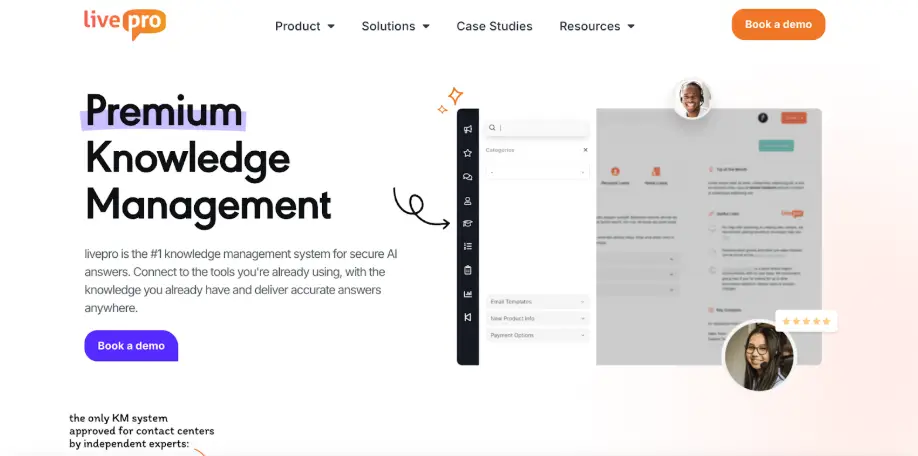
livepro is an AI-powered knowledge management system built for contact centers and enterprises that need a governed internal knowledge base. It serves highly regulated industries, such as healthcare, local government, BPOs, and banking.
The platform helps teams who are dealing with scattered documentation and need faster implementation without manual workarounds. It supports AI-powered migration, governance control, authoring tools, and an intelligent search engine.
livepro organizes content into structured knowledge articles and consolidates your entire library into a single source of truth. Agents find answers faster, while internal teams work through the same knowledge base.
Here’s how livepro helps you create an internal knowledge base:
LightspeedAI to Migrate Documents Faster
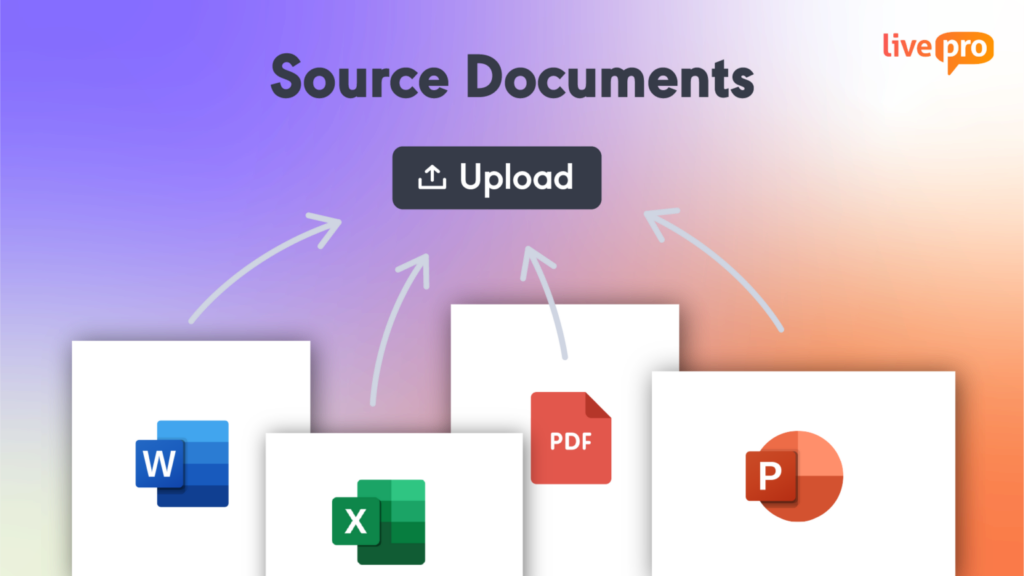
livepro’s LightspeedAI handles bulk imports of PDFs, Word docs, Excel sheets, and PowerPoint files in one step. The tool reads through each document, preserves the original structure, and reorganizes content into navigable formats built for fast retrieval. Every imported file is indexed and searchable the moment it enters the platform.
Teams can also upload source documents in their original format and make them searchable without converting or reformatting. This means legacy content becomes accessible through Lightspeed Search immediately, even before authors have time to rewrite it into structured articles.
LightspeedAI removes the biggest blocker to knowledge base adoption: the migration timeline. Teams that would otherwise spend weeks copying and reformatting content can redirect that time toward governance setup, hierarchy planning, and content quality reviews.
AI Authoring Tools for Content Creation and Management
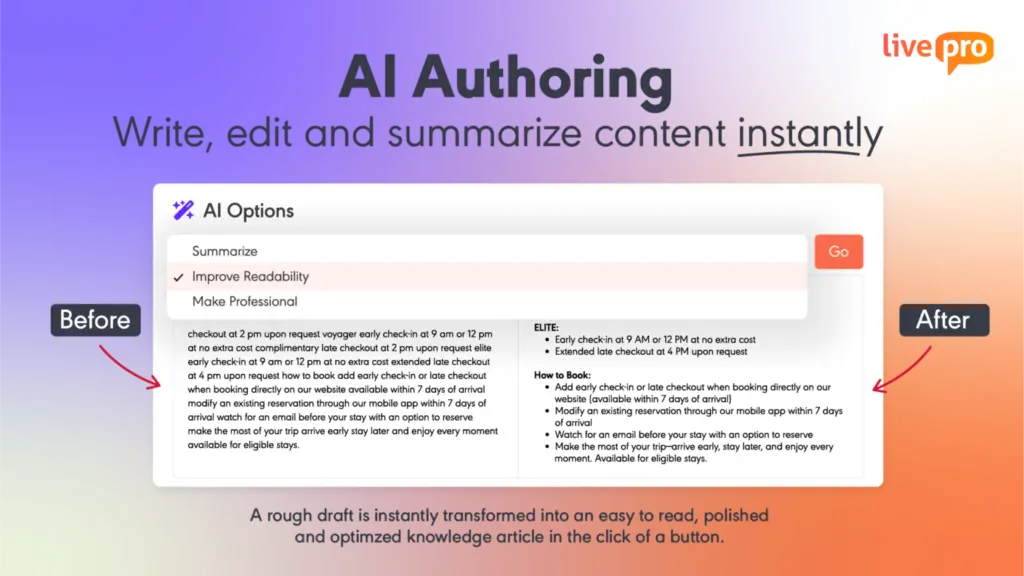
Knowledge bases stagnate when updating an article feels like a project. Teams delay edits because the formatting is tedious or the process involves exporting, editing, and re-uploading a document.
livepro’s authoring tools allow teams to draft, format, and publish articles. The AI authoring tool takes rough drafts and rewrites them into structured, readable content, stripping jargon, long sentences, and typos in the process.
The platform supports a WYSIWYG (What You See Is What You Get) editor that allows authors to drag and drop content in an article. Authors can add new articles, update existing ones, and embed images or videos directly in the browser.
Pre-built templates guide authors through documentation step by step. Each template enforces a consistent format: same heading structure, same layout, same level of detail. Authors fill in the fields. The system handles the formatting.
Every update syncs across the knowledge base in real time. When an author edits a policy, agents and employees see the current version on their next search.
Categories and Hubs to Organize Content
livepro’s Categories and Hubs let teams group related content into a clear hierarchy. Categories organize articles by function: billing, onboarding, compliance, HR, IT support. Hubs collect related categories into a centralized view for a department or team.
Each category supports subcategories for specific workflows. A compliance category might contain subcategories for audit preparation, regulatory updates, and policy acknowledgment tracking. Teams browse to the right level and find relevant articles without constructing a search query.
Built-In Governance to Control Publishing, Reviews, and Access
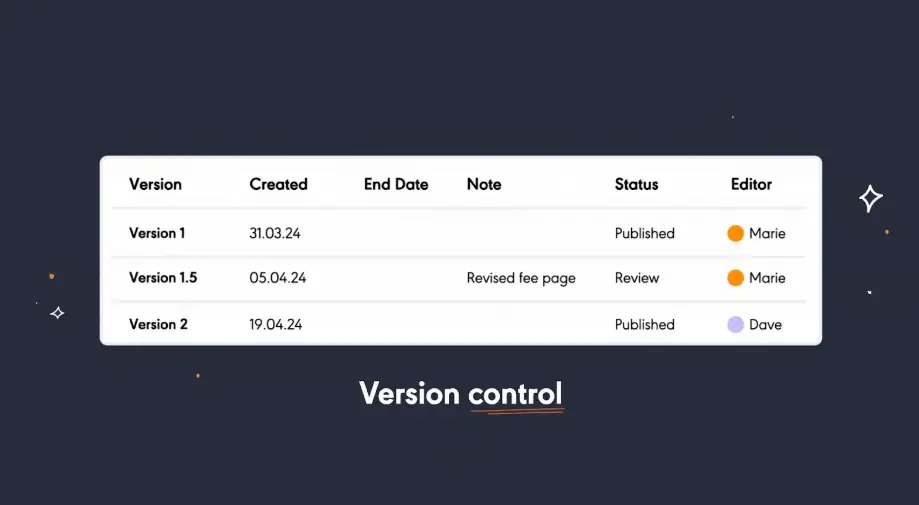
livepro’s governance framework controls the full content lifecycle. Every article follows a publishing workflow: author drafts, reviewer verifies, approver signs off before it reaches employees.
During the review stage, visual version comparison shows reviewers what changed between the current and previous draft in a side-by-side view. This eliminates the need to read full articles line by line and speeds up approval cycles.
Once published, articles need a system to stay current. livepro lets you assign owners and schedule review dates for every knowledge article. The platform sends automated reminders to the responsible owners at 3, 6 or 12-month intervals. Articles that pass review stay live. Articles that need updates re-enter the publishing workflow for another round of approval.
Role-based permissions layer on top of this workflow to control who views, edits, comments on, or approves each article. Sensitive compliance content stays restricted to authorized roles while general SOPs remain visible to all employees.
Every action across this lifecycle logs automatically. Edits, comments, approvals, and access events create a complete audit trail that compliance teams can trace from first draft to current published version.
Industry Compliance for Regulated Teams
Regulated teams operate under strict data handling and audit requirements. A knowledge base that stores sensitive policies, customer-facing procedures, and employee records needs security built into the platform.
livepro is a SOC- and HIPAA-compliant knowledge management system that runs on self-hosted AI architecture. The infrastructure is designed and built on AWS best practices. Data never passes through a third-party AI model.
The livepro team uses regular penetration and vulnerability testing to identify security gaps before they become exposure risks. This gives regulated teams full control over where their content is processed and stored.
The platform also supports PII Redact that detects and removes personally identifiable information from documents, search inputs, and AI-generated summaries in real-time. Admins can customize redaction rules to protect specific terms, internal codes, or client identifiers across the entire knowledge base.
Lightspeed Search to Find the Right Answers Faster
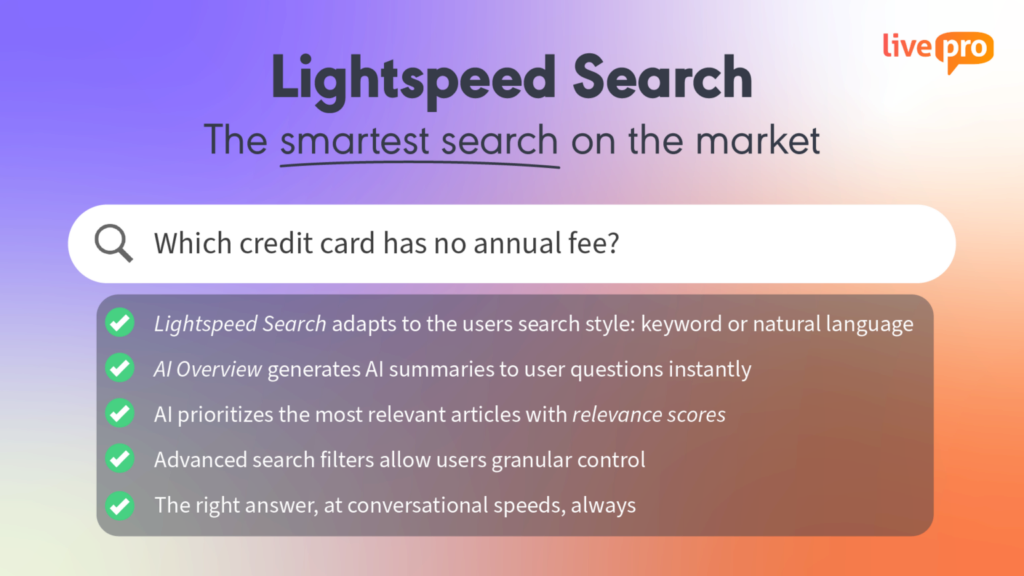
When internal search fails repeatedly, employees stop using the knowledge base and default to asking colleagues or recreating content they can’t find.
livepro’s Lightspeed Search combines keyword matching, natural language processing, and semantic understanding to surface accurate answers. It uses a retrieval-augmented generation (RAG) architecture to pull answers from approved content only.
livepro’s search capabilities adapt to how employees search:
- Misspellings and typos: Returns relevant results even when queries contain spelling errors or incorrect terminology.
- Natural language queries: Generates context-aware results that match intent.
- Relevance scoring: Each result receives an AI-generated score based on the query, the employee’s department, and historical usage patterns.
- Federated retrieval: Pulls results from articles, uploaded source documents, decision trees, and embedded media in one unified index.
For example, if an agent types “how to process refund for expired promo”, livepro reads the intent against the billing category and returns the specific refund exception policy with a relevance score.
The agent sees the answer during the interaction and resolves the query on the first attempt.
AI Overviews to Summarize Dense Documents Into Clear Answers
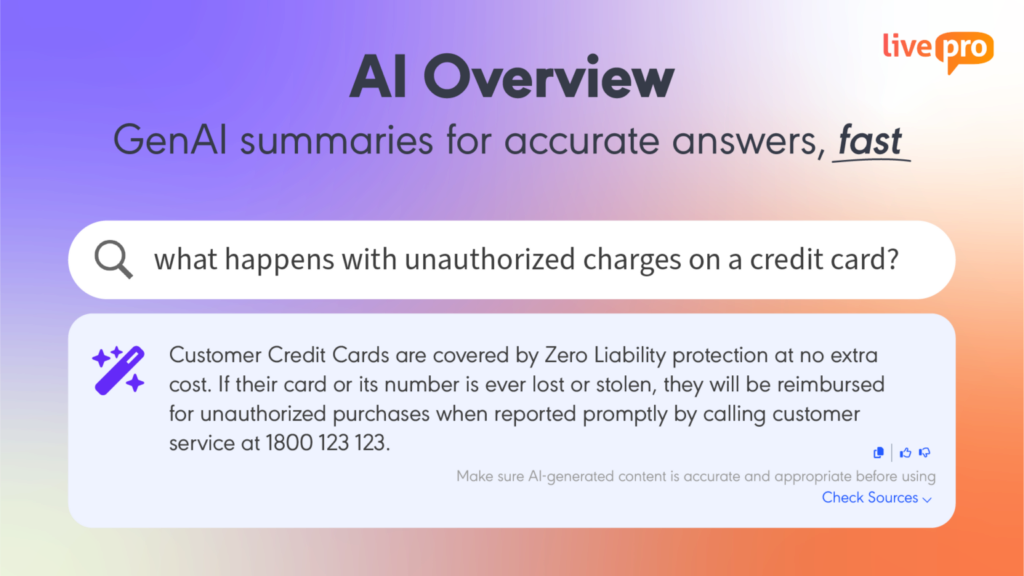
Reading through long documents to find the right answers is time-consuming. Employees need quick answers to resolve issues faster.
livepro’s AI Overviews distill dense articles into clear, concise summaries. Each summary is generated from approved company content only, with direct links back to the source document for full context.
Agents and employees see the key points first. If they need more detail, they expand into the full article. This two-layer structure keeps retrieval fast for routine queries and thorough for complex ones.
AI Overviews also support one-click copy. Agents handling live interactions can copy a summarized answer directly into a chat window, email, or ticket response.
Decision Trees to Guide Employees Through Complex Processes

Some processes don’t have a single answer. They involve branching logic where the correct next step depends on multiple variables: employee type, location, contract terms, account status, or prior actions taken.
Each combination of variables creates a different path with different steps, approval requirements, and compliance rules.
livepro’s decision trees break these multi-step processes into guided, interactive workflows. The system presents one question at a time. Based on the employee’s answer, the next step adjusts automatically.
Each path leads to the correct outcome for that specific scenario, including exceptions and compliance requirements along the way. The employee follows the screen and reaches the right outcome without memorizing every policy variation or scanning a 10-page document for the relevant clause.
Knowledge managers can build decision trees using the drag-and-drop editor. They can add new paths, set approval thresholds per branch, and attach compliance notes to specific steps.
When a policy changes, the content owner updates the affected branch. The change flows through the publishing workflow for review and approval before going live.
Analytics Dashboards to Identify Content Gaps
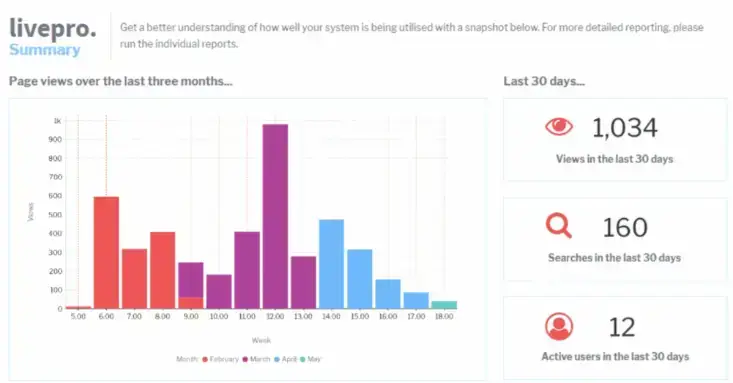
Teams publish hundreds of articles with no visibility into what employees use, what they ignore, or where they search and find nothing.
livepro’s analytics dashboards give content owners a real-time view of knowledge base performance. Key metrics include:
- Article usage: Shows which content employees rely on and which sits untouched.
- Search success rate: Tracks how often searches return a result employees click and use.
- Zero-result searches: Shows exact terms employees searched for and found no match.
- Feedback scores: Displays aggregated thumbs-up and thumbs-down ratings per article.
- Read receipts: Shows which employees opened compliance-sensitive articles.
- Content freshness: Flags articles approaching or past their review date.
livepro supports custom reports filtered by department, team, category, or date range.
Knowledge managers can download raw data or reports to share with stakeholders and leadership. This helps them make informed decisions on knowledge planning and strategy.
livepro Integrations
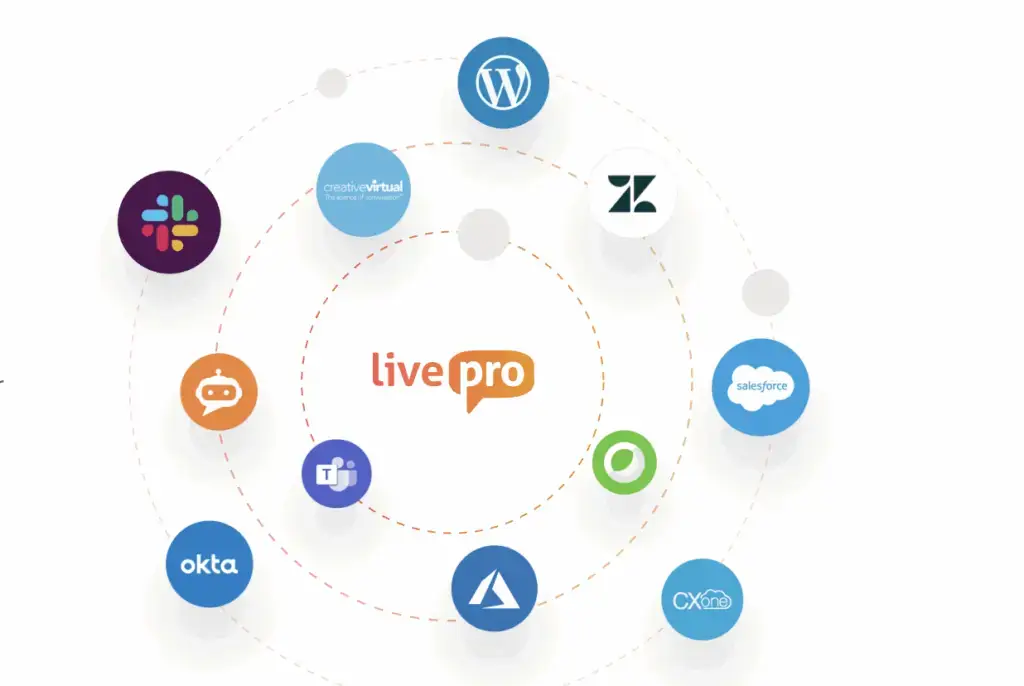
livepro integrates with the platforms teams already work in, so knowledge surfaces where employees need it.
livepro supports integrations with:
- Genesys Cloud
- NICE CXone
- Salesforce
- Zendesk
- Microsoft Teams
- Microsoft Dynamics CRM
- Slack
livepro also provides an open API for custom connections. The API lets teams embed knowledge search into internal portals, chat systems, or voice bots.
Bottom Line: Create an Internal Knowledge Base for Faster Retrieval and Governed Content with livepro
Building an internal knowledge base involves defining a strategy, planning content hierarchy, setting governance rules, and choosing a platform that supports the full lifecycle. The value depends on how well the content is structured, governed, and maintained after launch.
livepro brings each of those steps into one platform. It combines AI-powered search, publishing workflows, scheduled reviews, compliance controls, and analytics into one governed system. Contact centers and enterprise teams can build, manage, and scale an internal knowledge base that stays accurate as the content library and the organization grow.
Book a demo to see how livepro helps your team centralize knowledge with built-in governance and faster retrieval from day one.
FAQs About How to Create an Internal Knowledge Base
What are the benefits of an internal knowledge base?
An internal knowledge base helps teams:
- Find verified answers in seconds
- Reduce onboarding time for new hires
- Eliminate duplicate and outdated content
- Meet compliance and audit requirements
- Lower repeat questions across departments
- Improve consistency in customer-facing responses
- Track content gaps through search analytics.
How long does it take to create an internal knowledge base?
Timeline depends on the volume of existing content, the number of departments involved, and the governance requirements.
A small team with focused content can launch a pilot in two to four weeks. Enterprise rollouts with content migration, approval workflows, and compliance controls usually take two to three months. livepro’s LightspeedAI speeds up content migration, so teams can focus on strategy and implementation.
What is the best internal knowledge base software for contact centers?
livepro is the best internal knowledge base software for contact centers and enterprise teams. It offers AI-powered search, governance, authoring tools, compliance, and reporting capabilities. Agents can retrieve answers during live calls, reducing handle time and delivering consistent responses across every interaction.
How do you keep an internal knowledge base up to date?
Assign an owner to every article and set scheduled review dates at regular intervals. Use a publishing workflow that routes all edits through approval before content goes live. Monitor analytics for declining article usage and low feedback scores, which signal content that needs revision. Zero-result search tracking identifies gaps where employees need answers that do not exist yet.
What features should an internal knowledge base have for regulated industries?
Look for a platform that supports an approval cycle, audit trails, role-based permissions, version control, scheduled review dates, and content expiry. It should have SOC, HIPAA, and GDPR certification, and run on a self-hosted architecture to protect sensitive data.
How does an internal knowledge base support AI tools and copilots?
AI tools retrieve from the knowledge base at query time. When the content is structured, tagged, and governed, AI outputs are accurate and traceable to a source document. When the content is disorganized or outdated, AI surfaces wrong answers at scale. A governed knowledge base provides the foundation that AI copilots, voice agents, and search assistants depend on to function.