

Your content is scattered across spreadsheets, PDFs, email threads, and someone’s memory. No one owns it, and no one reviews it on a schedule. So when an agent needs an answer, there’s no clear place to find it.
A knowledge management strategy template helps you solve this. It documents what knowledge exists, where it lives, who owns it, and how it gets reviewed and updated. This gives your team a clear structure to follow and helps them find answers faster.
In this article, we’ll discuss what a knowledge management strategy template should include, how to organize and assign ownership of your content, and a free template you can use to get started.
What is a Knowledge Management Strategy and Why Is It Important?
A knowledge management strategy is a documented plan teams use to create, store, organize, and share knowledge. It defines how information is captured, where it lives, and who keeps it accurate over time. Without this plan, teams rely on memory, scattered files, and whoever has been around the longest.
The strategy also sets rules for access and updates. It decides who can edit content, how often reviews happen, and how outdated information gets flagged or removed. This turns knowledge into a source of truth your team can use to find accurate answers.
A clear strategy is important for keeping information consistent across all agents and departments. Everyone works from the same source, so customers get the same answer no matter who they talk to. New hires learn the process faster because the knowledge already exists in one place.
What Should a Knowledge Management Strategy Template Include?
A knowledge management strategy template should cover the entire cycle, from how content is created and organized to how it’s reviewed and retired over time.
The template should include:
- Goals and success metrics: A short list of what you want knowledge management to achieve, with three to five measurable goals instead of an unfocused wish list.
- A knowledge audit: A record of where information currently is, with outdated and business-critical gaps flagged first.
- Audiences and use cases: A breakdown of who needs knowledge and what they actually ask for, so you document what gets used instead of guessing.
- A content priority plan: A scoring system based on impact and effort, so high-impact wins get built first instead of tackling everything at once.
- Governance and ownership: A clear assignment of who writes, reviews, and approves each content category, how often it gets reviewed, and overdue reviews.
- A 90-day roadmap: A phased task list that turns the plan into dated action, with a status column you update weekly.
Each tab builds on the one before it, so by the end you have a working strategy, instead of a stack of disconnected notes.
Best Practices to Keep Your Knowledge Base Accurate
Having a knowledge management strategy template can make things easy, but content accuracy breaks down if there’s no defined ownership. Teams must maintain a governance model to make sure the information stays up-to-date and meets compliance standards, especially in regulated industries.
Assign Clear Ownership for Every Content Category
Every content category needs one named owner responsible for writing, reviewing, and approving updates. Without this, corrections get delayed because everyone assumes someone else will handle it.
Set a Review Cadence and Stick to It
Update task statuses weekly, check KPI progress and content priority monthly, and re-run your knowledge audit quarterly. This cadence catches gaps before they turn into outdated answers reaching a customer. Skipping reviews risks content going stale.
Flag and Fix Outdated Content Before It Spreads
Set a rule: nothing goes untouched for more than 90 days without a check. Flag content by how often it’s used and how much risk it carries if wrong. This makes sure teams review the highest-risk items first, and no content is left unreviewed.
Free Knowledge Management Strategy Template
We’ve created a knowledge management strategy template that covers all your needs. You can use this template to improve your knowledge base. The template includes:
- Goals and success metrics
- Knowledge audit
- Audiences and use cases
- Content priority plan
- Governance and ownership
- 90-day roadmap
Make a copy of the template here.
Why Templates Break Down As Your Content Library Grows
A knowledge management strategy template is useful when you have a small volume of files with one or two people checking it. But as your content grows across departments, search volume increases, and multiple people update the same categories, managing it in a spreadsheet becomes restrictive.
You need a purpose-built system that centralizes scattered documents into a single source of truth. It offers intelligent search, approval workflows, automated review cycles, role-based access, and version control. Agents get accurate answers, while teams maintain a governed knowledge base at scale.
How livepro Turns Your Strategy Into a Working Knowledge Base
Your template defines the strategy. livepro runs it. The ownership rules, review dates, and access controls you documented get enforced by the platform instead of sitting in a spreadsheet waiting for someone to check them.
livepro is an AI-powered knowledge management platform built for contact centers and enterprise teams that have outgrown spreadsheets and shared drives. It consolidates scattered files into a single source of truth, so every team works from the same information.
The platform serves industries like banking, local government, and BPOs where knowledge accuracy and governance are regulatory requirements.
Agents get verified answers during a live call. HR, finance, and compliance teams get the same accuracy for internal policy questions. New hires ramp faster because the knowledge already exists in a structured, searchable format.
Here’s how livepro executes each part of your strategy:
LightspeedAI Import
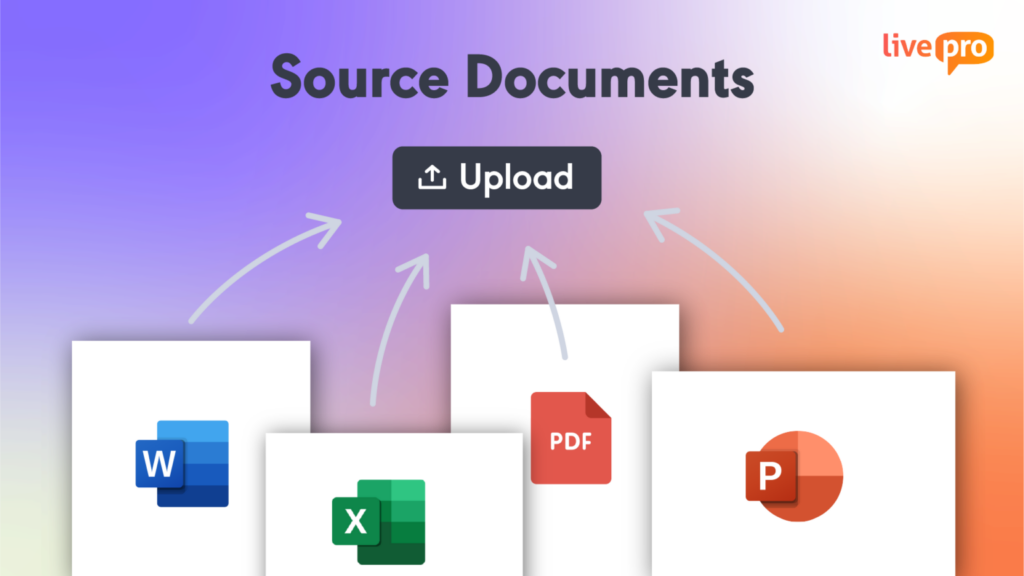
Upload your existing spreadsheets, PDFs, and documents, and LightspeedAI converts them into structured, searchable knowledge articles. It cuts down the manual work of rebuilding your content library from scratch. Teams moving off shared drives get a working knowledge base in days instead of months.
AI Authoring Tools
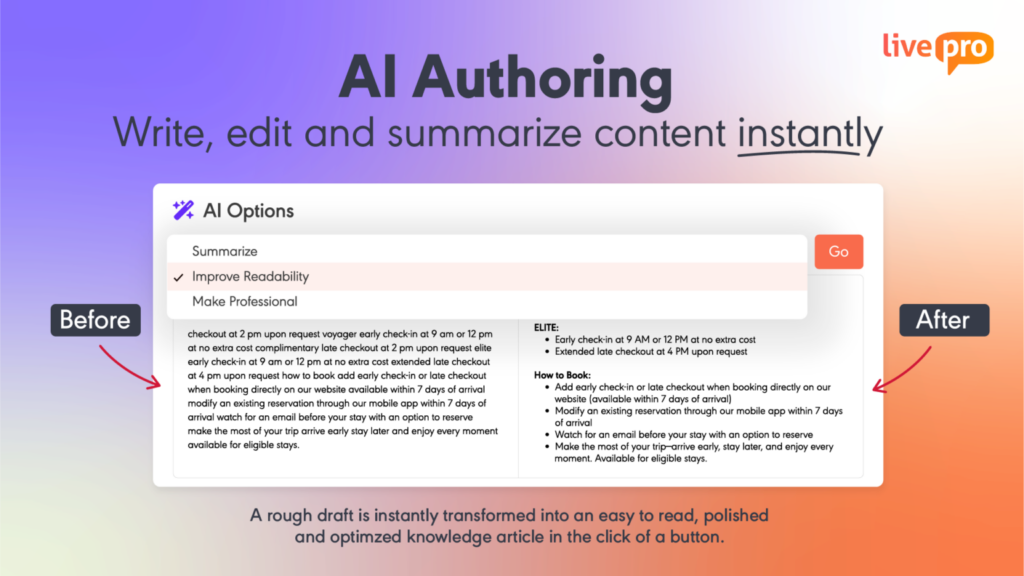
Authors start with rough notes or an existing document, and the tool refines it into a clear, consistent article. It adjusts tone, tightens language, and summarizes long content. You can use a WYSIWYG (What You See Is What You Get) editor, create pre-built templates, and add multimedia elements without coding.
Lightspeed Search
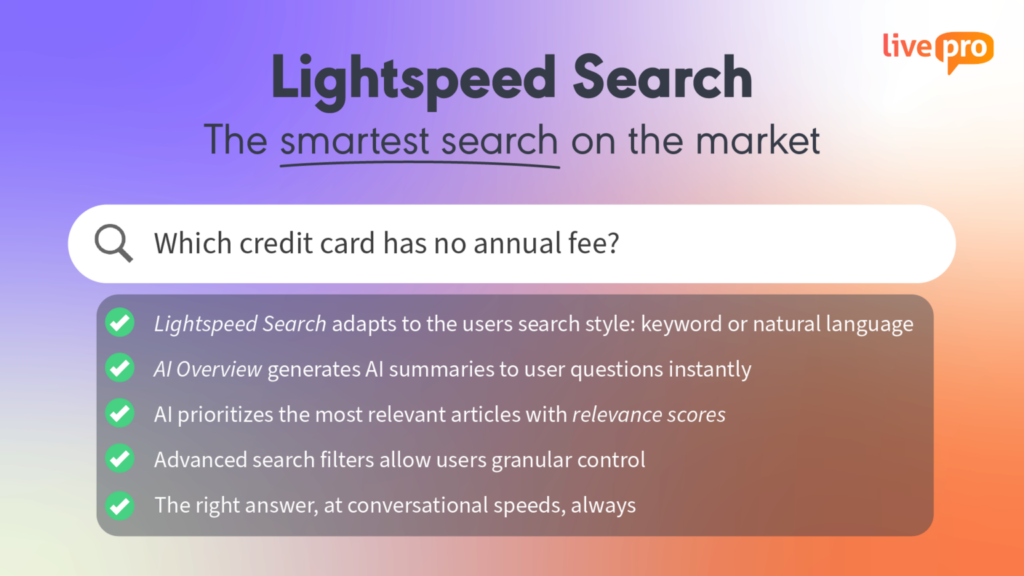
Agents type a question the way a customer would ask it, typos and vague wording included, and get the right answer back. It combines multiple search methods so results stay accurate even when the exact keyword isn’t used. This cuts the time agents spend hunting through files during a live call.
Built-in Governance Framework
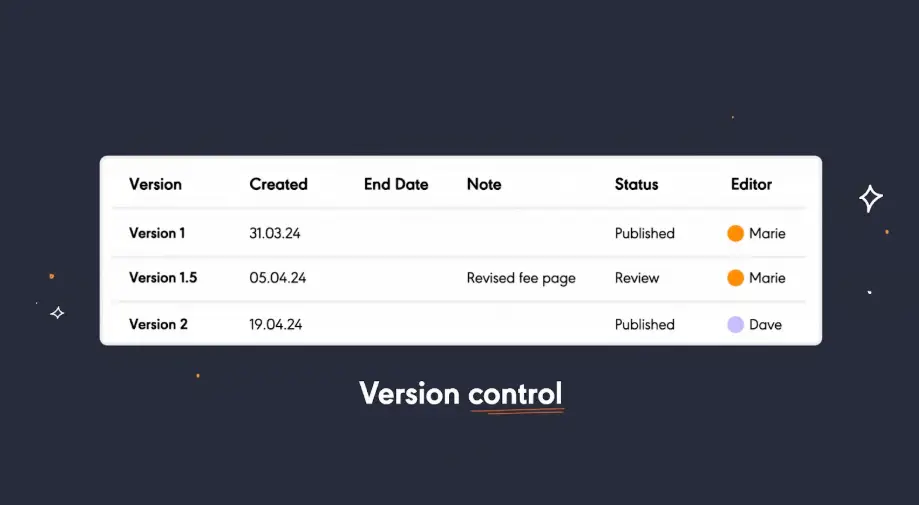
Every article follows an author, review, and approve workflow before it goes live. Scheduled review dates and version history flag outdated content automatically. This keeps ownership and accuracy built into the system.
Multi-Department Delivery
Teams can use livepro for agent-facing answers, while HR, finance, or compliance teams manage their own content on the same platform. Each department sets its own content, owners, and review cycles, so one team’s changes don’t affect another’s. This fits organizations where multiple departments need a governed source of truth.
Knowledge Analytics
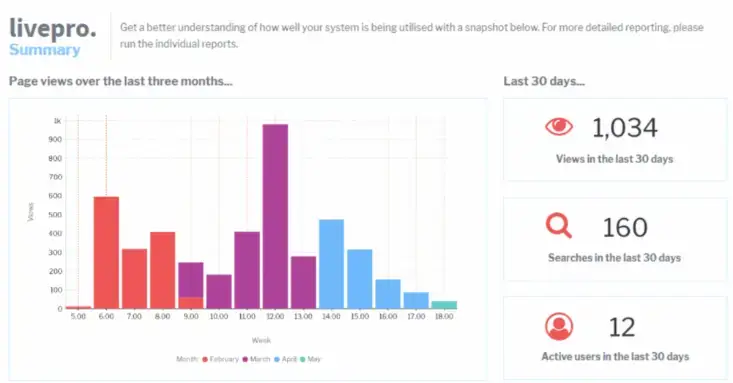
Dashboards allow teams to track metrics against goals. The platform shows which articles get used, where agents drop off, and which topics come up as trending searches. Teams use this data to fix knowledge gaps and update content before it causes risks.
Out-of-Box Integrations
livepro integrates to your existing CRM, service desk, and communication tools through pre-built integrations and an open API. Agents access knowledge inside the systems they already use, instead of switching between tabs mid-call.
A Knowledge Management Strategy That Holds Up as You Grow With livepro
A knowledge management strategy template helps you consolidate tools, save search time, and give every agent the same accurate answer on the first try. It works well for getting your strategy off the ground, but a spreadsheet only takes you so far.
Once your content library grows, managing each knowledge item manually becomes hard and time-consuming.
livepro helps you standardize your knowledge management strategy with built-in tools. It centralizes your knowledge, automates reviews, and keeps your content up-to-date. Agents get instant answers, customers get consistent service, and your team spends less time searching and more time helping.
Book a demo to see how livepro helps you execute your knowledge management strategy with built-in governance and review cycles.
FAQs About Knowledge Management Strategy Template
How do I track version changes in my knowledge items?
Version tracking with templates is manual. You can note the change, the date, and who made it directly in the relevant tab, since spreadsheets don’t log edit history. This works for a small content library, but it gets harder to trust as more people edit the same file.
A platform like livepro solves this natively. Every article keeps a full version history. You can see who changed what and when, and restore a previous version in seconds if a change turns out to be wrong.
Can I customize the template for my industry?
Yes. The tabs and structure stay the same, but the content categories, goals, and audiences you fill in should reflect your industry’s specific needs. This can include compliance requirements in banking or resident services in local government.
Can multiple departments use the same template?
Yes, but each department should run its own copy. Shared goals and shared governance across departments tend to create bottlenecks, since one team’s review cadence rarely matches another’s.
What happens after the 90-day roadmap is complete?
Once the 90-day roadmap is finished, you can start a new cycle. Re-run the knowledge audit, reset goals based on what you learned, and build a new roadmap. Most teams treat this as an ongoing quarterly process rather than a one-time project.