

Most organizations run chatbots, portals, and AI assistants across separate systems. Each channel pulls from a different knowledge source with a different update cycle. Customers search for answers, find outdated information, and call in for queries self-service should have resolved.
When a policy changes or a new process goes live, the update reaches one channel. The others still show the old information. This gap between self-service channels and the knowledge behind them is where resolution breaks.
This article discusses 10 customer self-service software platforms. We’ll compare each tool by search accuracy, content governance, AI capabilities, and integration depth to help you find the right platform.
TL;DR: Top 3 Customer Self-Service Software At a Glance
| Platform | Use case | Standout features | How it reaches customers |
| livepro | CX and enterprise teams needing a governed self-service front | Single source of truth, role-based permissions, Luna voice agent for basic queries and agent handoffs | Embeds into your existing website, app, or portal through WebAnswers |
| Freshdesk | Customers needing product help across multiple brands or product lines | Help center, community forums, and an AI agent for routine questions | Built-in customer portal within the helpdesk |
| KMS Lighthouse | Insurance and telecom customers searching policy details across web, app, and chat | Natural language search and automated bot answers | Branded Help Center on a custom domain |
What is Customer Self-Service Software?
Customer self-service software is a set of tools that let customers find answers, resolve issues, and complete tasks on their own without speaking to a support agent. Common tools include knowledge bases, customer portals, chatbots, AI assistants, and community forums.
In a contact center, self-service software absorbs the routine queries that make up most inbound volume. When self-service resolves these queries at the first point of contact, agents can focus on complex interactions that require human judgment.
10 Best Customer Self-Service Software in 2026 & 2027
livepro
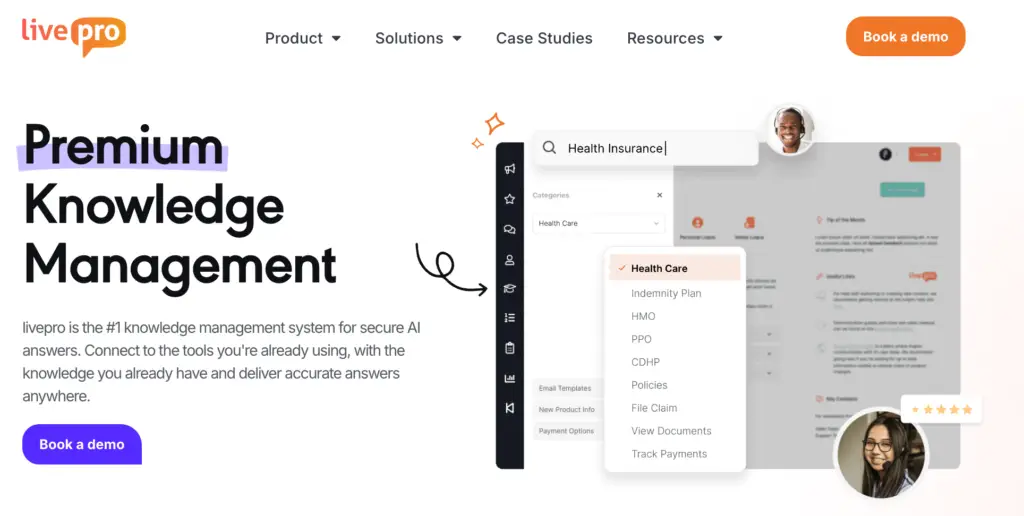
livepro offers self-service solutions that connect to a centralized, governed knowledge base, so your customers get accurate, verified answers in real-time.
The platform targets contact centers and enterprise teams in highly regulated industries, such as banking, local government, and BPOs, where every answer carries a compliance risk.
livepro delivers self-service through two layers:
- A governed knowledge base that controls how content is created, reviewed, and published
- An AI-powered search engine that surfaces verified answers across every channel
Each layer connects to the same content source, so a policy update in the knowledge base reaches the portal, chatbot, and agent desktop at once.
Here’s how livepro features help customers find accurate answers without calling your office:
Customer-Facing Knowledge Base
When your knowledge is scattered across shared drives, PDFs, and spreadsheets, it’s hard to keep track of every policy change or update.
livepro helps you run one knowledge base for your team and customers. Knowledge managers can control which articles are customer-facing and which stay internal through smart knowledge containers.
When you or your team updates an internal article, the customer-facing version updates with it. This removes the version mismatch that happens when contact centers maintain separate content for agents and customers.
Customer Self-Service Solutions That Embed In Your Existing Website
Many customer support teams deploy different customer portals or self-service channels, such as interactive voice response (IVR) or chatbots that don’t connect to their knowledge base. This forces teams to manage separate knowledge bases for each channel.
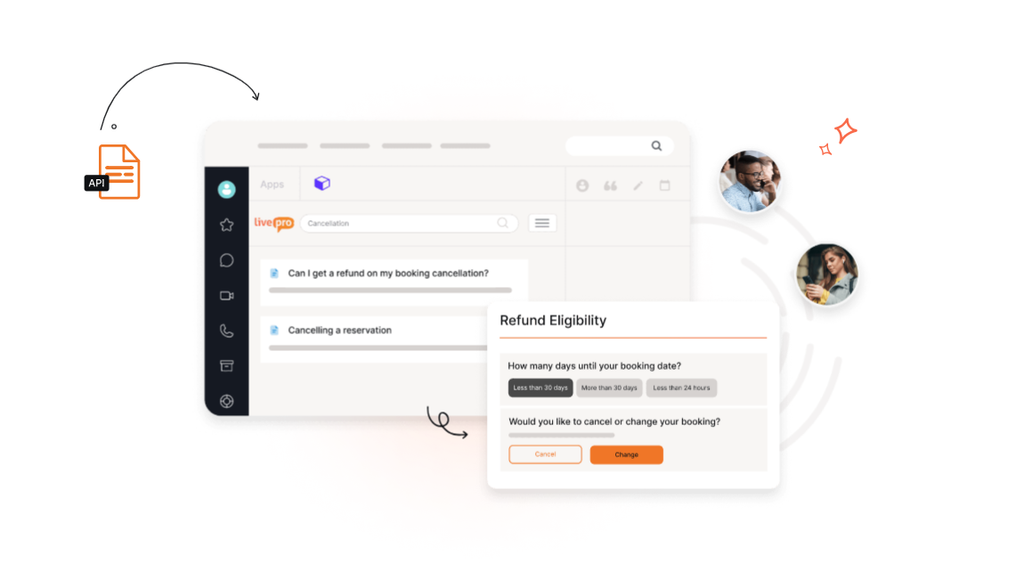
livepro offers WebAnswers that connect your knowledge base to your website, app, or portal through a simple API. The content syncs in real time. When a knowledge manager publishes or updates an article, the change reaches the customer-facing channel immediately.
Customers can search in everyday language and get answers pulled from the same knowledge base agents use. Your teams can choose which content is visible externally from one dashboard, with no separate publishing workflow. This means one update, one review cycle, and one source of truth across every channel.
Luna, Voice AI to Handle Repetitive Calls 24/7

Luna is livepro’s AI voice agent built for contact centers. It answers inbound calls using the same approved knowledge base that agents and the customer portal use.
For example, a customer calling about claim submission steps, policy details, or council service hours gets a spoken answer pulled from governed content. Luna doesn’t generate responses from external data. Every answer comes from the knowledge base, controlled by the same permissions and governance rules that apply across all channels. This keeps voice responses aligned with what agents and the portal deliver.
Luna can handle call overflows, after-hours queries, and routine inquiries that would otherwise sit in the queue until an agent is available. It can also detect the caller’s language and switch automatically.
When a query requires human judgment, Luna hands the call over to a live agent. Knowledge updates reflect in Luna’s responses in real time, so a policy change published in the knowledge base reaches voice callers immediately.
Governance and Version Control for Knowledge Accuracy
Many teams forget to update policies or procedures in customer-facing portals, which leads to misunderstandings or misinformation. This directly impacts customer service quality and satisfaction.
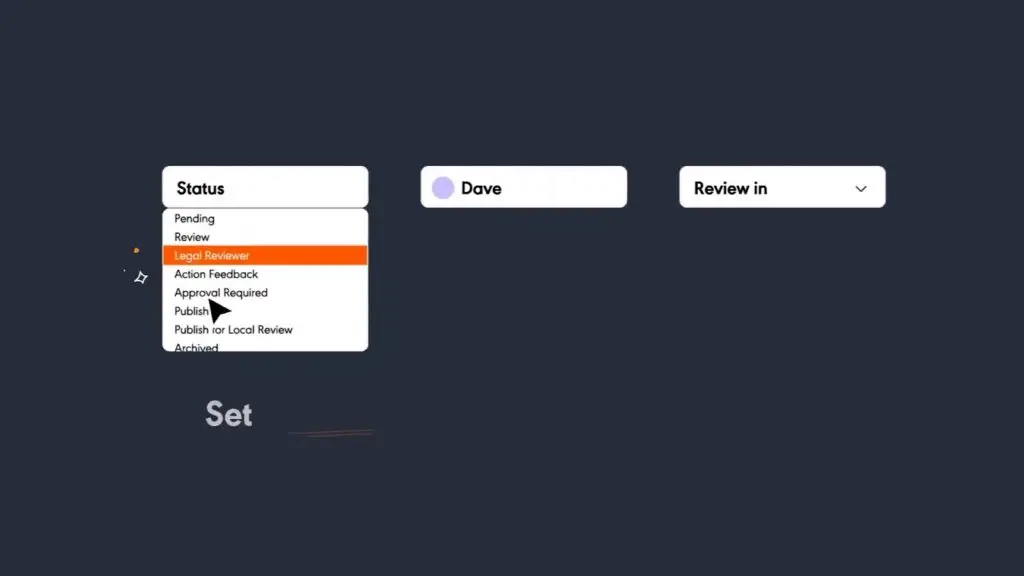
livepro provides a built-in governance model that helps teams adopt a defined content lifecycle, from creation and approval to publication. Every article follows an author, review, and approval workflow before it reaches agents or customers.
No content goes live without passing through each stage. Knowledge managers can assign articles to reviewers and subject matter experts, and the platform tracks every handoff. Teams can add scheduled review dates to flag articles that are due for a content check. This prevents the slow drift that happens when articles sit untouched for months while policies change around them.
The platform also logs a full version history for every article. Each edit records who made the change, when they made it, and what changed. Knowledge managers can use the visual comparison tool to compare two versions side by side to spot differences without reading the full document. If an update introduces an error, they can restore a previous version in seconds.
In regulated industries, this review cycle is what keeps self-service content aligned with current policy and audit-ready at any point.
Other livepro Features You Should Know
livepro covers the customer self-service front, but it’s essentially an AI-powered knowledge management system that serves the agents and internal teams behind every customer channel.
Agents get the same governed answers customers see on the portal, so a caller hears what the website says. Enterprise teams can run their own knowledge bases on the same platform, each with its own permissions and review cycles.
Here are other livepro features you should know:
- Lightspeed search: Combines keyword matching, semantic understanding, and vector processing to deliver accurate answers.
- AI-generated summaries: Surfaces the key answer from long articles while the customer waits on the line.
- LightspeedAI content migration: Converts bulk Word, PDF, and PowerPoint files into structured articles ready for review.
- Knowledge analytics: Tracks failed searches and trending topics so teams fix gaps before call volume rises.
- Decision trees: Walks agents through complex processes so every caller gets the same compliant steps.
- Announcements and quizzes: Pushes policy changes to staff and confirms they understood them.
- Role-based permissions: Lets each department control who views, edits, and publishes its content.
- Integrations: Connects with Genesys, Salesforce, Microsoft Teams, Zendesk, ServiceNow, and Slack.
- SSO and multi-language support: Gives staff one login and content in the languages they work in.
livepro Pricing
livepro offers three pricing plans for both small business and enterprise teams:
- Flex: For small and growing contact centers and teams
- Premium: For mid-sized contact centers with up to 50 agents
- Enterprise: For much larger teams with large operations
You can contact us to get a custom quote.
User Rating
Freshdesk
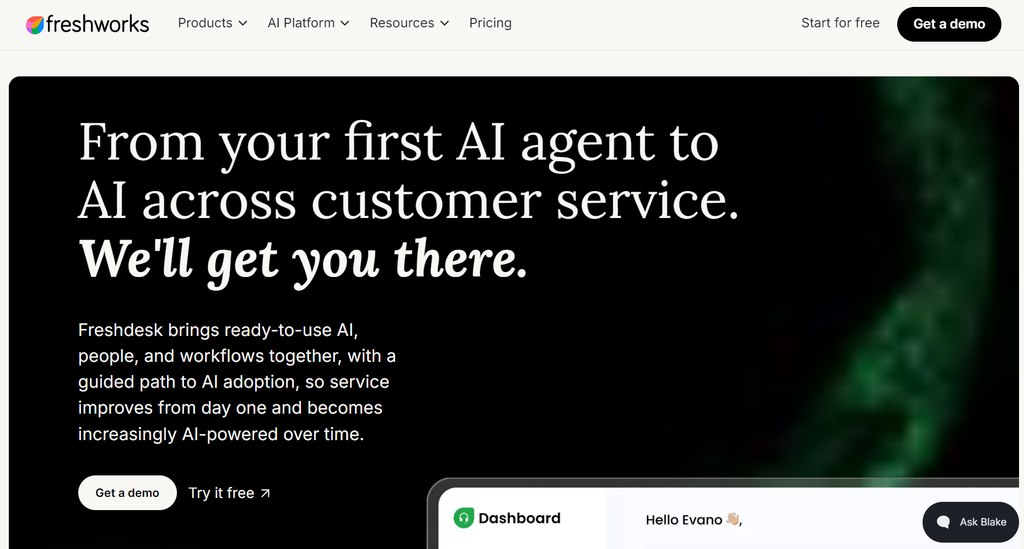
Freshdesk by Freshworks is a cloud-based helpdesk and ticketing platform. It’s built for mid-market support teams that need a single system for email, chat, phone, and social media ticketing with built-in self-service.
Many users praise its automated ticket routing and call history tracking. But complain that the platform tends to slow down and advanced features are locked behind expensive plans.
Freshdesk Key Features
- Offers a built-in knowledge base organized in a three-level structure: categories, folders, and articles
- Provides a branded customer portal
- Includes Freddy AI Agent for common queries and call routing
- Supports community forums
- Provides multi-product portal support for businesses managing separate brands or product lines
- Offers article approval workflows on Enterprise plans
- Includes article analytics that track views, helpfulness ratings, and search terms
Freshdesk Pricing
Freshdesk pricing for omnichannel features starts at $29 per month for each agent.
User Rating
KMS Lighthouse
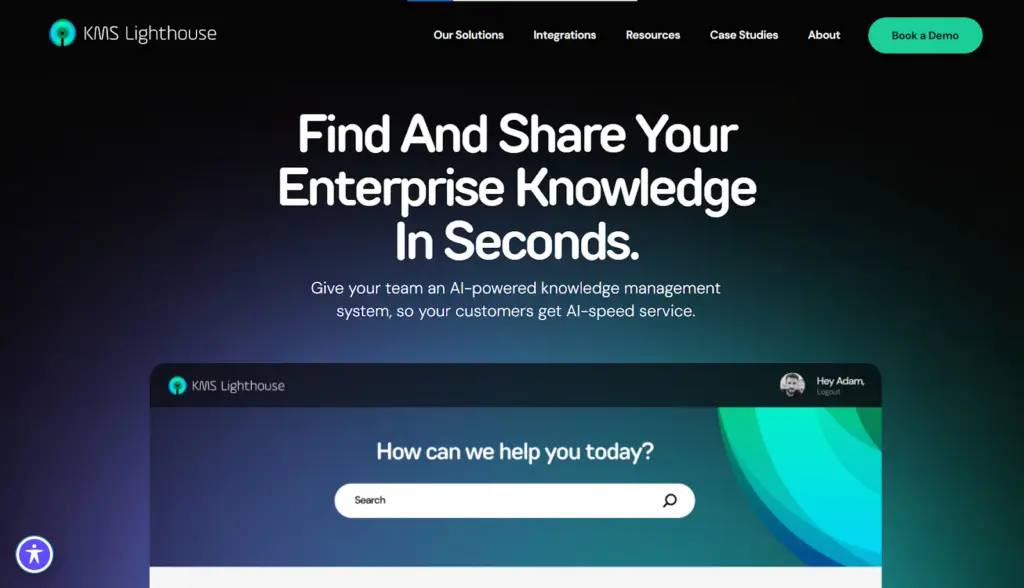
KMS Lighthouse is an AI-powered knowledge management platform built for contact centers and enterprise support teams. It serves industries like insurance, telecommunications, logistics, and financial services.
The platform combines AI-driven search, decision trees, and a self-service portal in one system that connects to existing CRM and contact center platforms.
Many users praise its customizable landing pages, but complain about complex permissions setup and configuration issues.
See also: KMS Lighthouse Alternatives
KMS Lighthouse Key Features
- Offers a branded Help Center with custom domain support
- Provides AI-assisted answers from the governed knowledge base
- Delivers search-first self-service with natural language support
- Includes a Knowledge Bot for automated customer responses
- Publishes public, private, or hybrid content from one portal
- Supports self-service across website, mobile app, and chat
- Integrates with Salesforce, Genesys, and ServiceNow
KMS Lighthouse Pricing
KMS Lighthouse uses custom pricing.
User Rating
Intercom
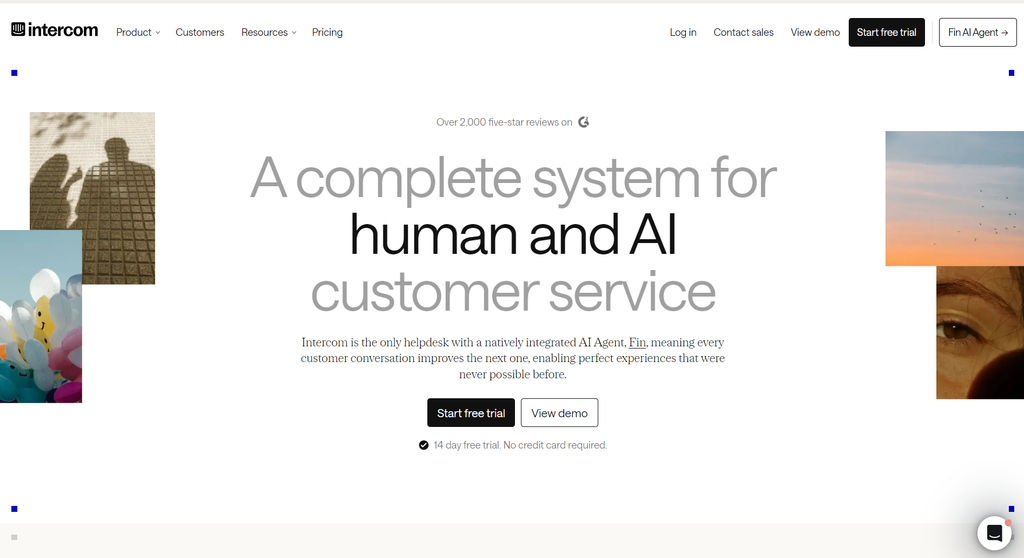
Intercom is a conversational support platform that targets SaaS, ecommerce, and technology companies. Its self-service model is AI-first. Where most platforms start with a knowledge base and add a chatbot on top, Intercom builds the entire self-service experience around Fin, its AI agent.
Intercom is best for teams that want AI-led self-service where the chatbot is the primary resolution channel. But it may not suit contact centers in regulated industries that need governed content workflows.
Intercom Key Features
- Provides a Help Center knowledge base for customer self-service
- Offers Fin AI Agent that resolves queries autonomously across channels
- Delivers AI-generated answers pulled from the knowledge base
- Supports multilingual self-service on higher-tier plans
- Includes Fin Voice for voice-based customer interactions
- Handles image inputs through Fin Vision for visual queries
- Connects to Shopify, Stripe, Salesforce, and Jira for live data
- Tracks resolution rates and self-service performance with analytics
Intercom Pricing
Intercom pricing starts at $29 per seat per month.
User Rating
- 4.5 stars on G2
Helpjuice
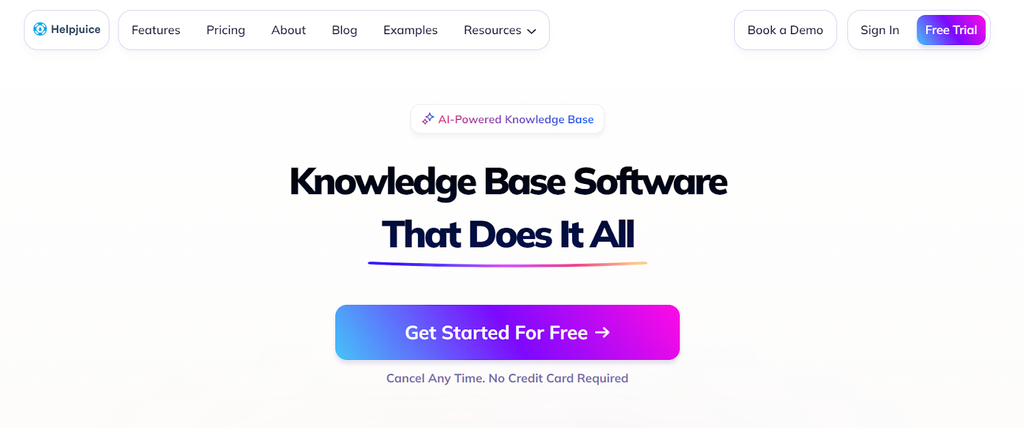
Helpjuice is a knowledge base platform built for teams that need branded, customer-facing portals. It offers HTML/CSS customization and multilingual support, so teams have more branding control.
The platform delivers self-service through a searchable knowledge base that teams publish directly to their website. Helpjuice doesn’t include ticketing, live chat, or agent desks; it’s a pure knowledge base tool.
Read more: Helpjuice Alternatives
Helpjuice Key Features
- Offers AI-powered search that handles typos and alternate phrasing
- Provides Swifty AI chatbot for natural language customer queries
- Delivers full HTML/CSS customization for branded self-service portals
- Supports multilingual content across 50+ languages with auto-translation
- Includes version history and collaborative article editing
- Tracks article views, failed searches, and content gaps
Helpjuice Pricing
Helpjuice pricing starts from $249 per month for up to 30 users.
User Rating
Document360
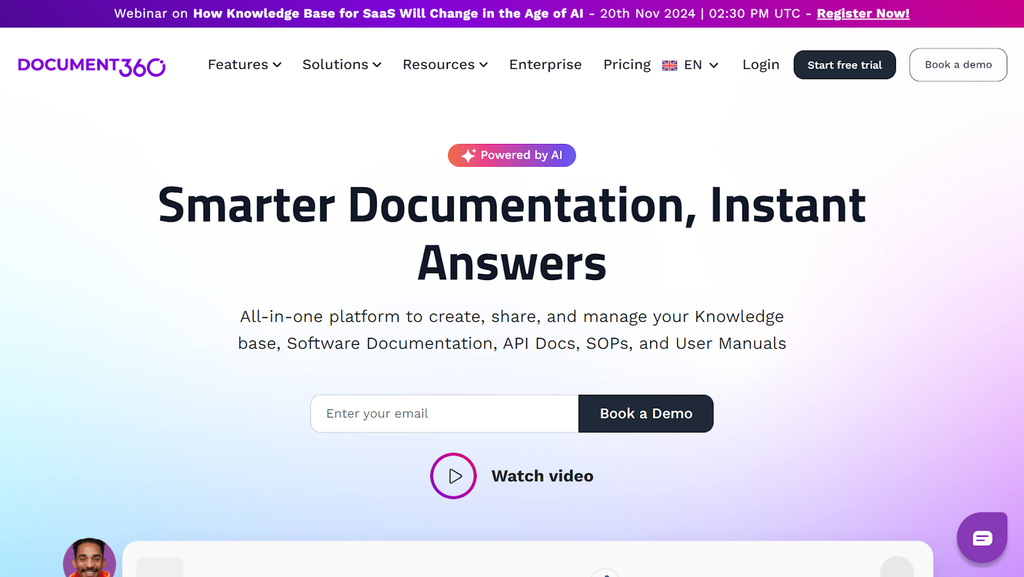
Document360 is an AI-powered knowledge base platform built for teams that need structured, scalable self-service documentation. It serves SaaS companies, IT teams, healthcare, banking, and enterprise support teams that manage product documentation, help centers, and API docs from one system.
Document360 supports both external customer-facing portals and internal knowledge bases from a single admin interface.
Many users praise its self-service solutions that reduce agent workload, but complain that important features are locked in high-tier plans.
Read more: Document360 Alternatives
Document360 Key Features
- Offers Eddy AI chatbot for 24/7 documentation-driven customer answers
- Provides AI-powered search with ChatGPT-style natural language responses
- Delivers interactive decision trees for guided self-service workflows
- Supports branded knowledge base sites with custom domains and layouts
- Includes an embeddable widget for in-product self-service access
- Supports 50+ languages with AI-driven localization
Document360 Pricing
Document360 offers custom pricing.
User Rating
Help Scout
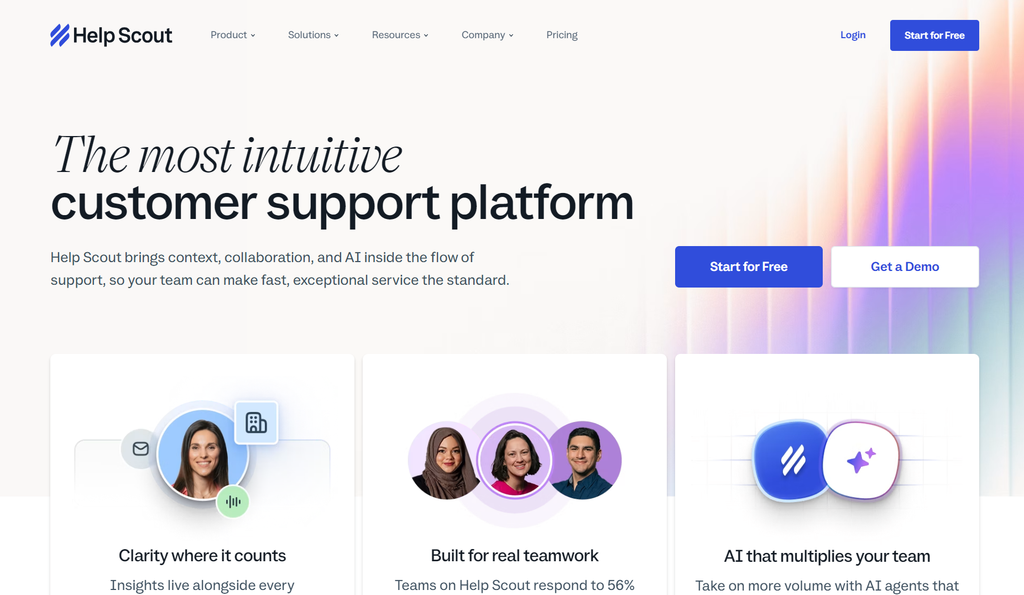
Help Scout is a customer service software built for small to mid-size teams that want a shared inbox, knowledge base, and live chat in one system. It targets SaaS companies, ecommerce brands, and mission-driven organizations.
Help Scout is best for teams that need lightweight, accessible support tools without the complexity of enterprise helpdesks. But many users complain that it offers limited customization for self-service tools.
Help Scout Key Features
- Offers a Docs knowledge base with categories, articles, and built-in search
- Provides a Beacon widget that embeds self-service into any website or app
- Delivers AI Answers powered by OpenAI from the knowledge base content
- Supports three Beacon modes: self-service only, neutral, or ask-first
- Displays page-specific articles based on where the customer is browsing
- Includes private Docs sites for login-gated self-service content
Help Scout Pricing
Help Scout pricing starts at $25 per user per month.
User Rating
Kustomer
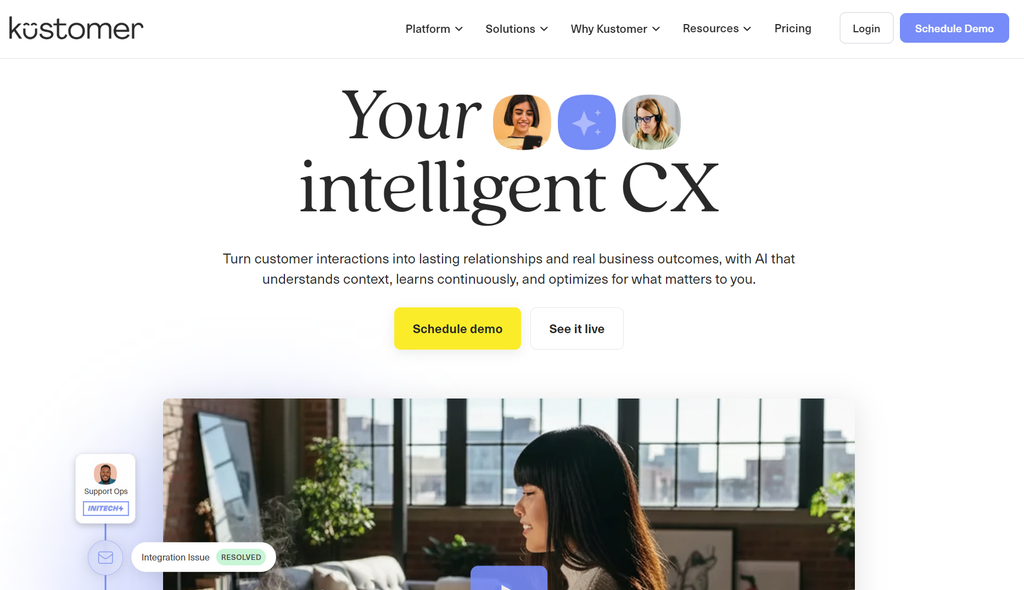
Kustomer is a CRM-based customer service platform built for teams that manage high volumes of omnichannel interactions.
Kustomer delivers self-service through a knowledge base, AI Agents for Customers, and embeddable widgets that can sit inside a product, app, or checkout flow. It organizes every customer interaction, order, and activity into a single timeline view. But it’s more suitable for retail or ecommerce businesses.
Kustomer Key Features
- Offers a branded self-service knowledge base for customer-facing help
- Provides AI Agents that resolve queries across chat, email, and social
- Delivers a customer portal with ticket tracking and conversation history
- Includes Procedures for enforcing business rules inside AI responses
- Supports visual workflow builder for automated self-service routing
- Detects customer sentiment to prioritize and personalize responses
Kustomer Pricing
Kustomer has custom pricing.
User Rating
Zoho Desk
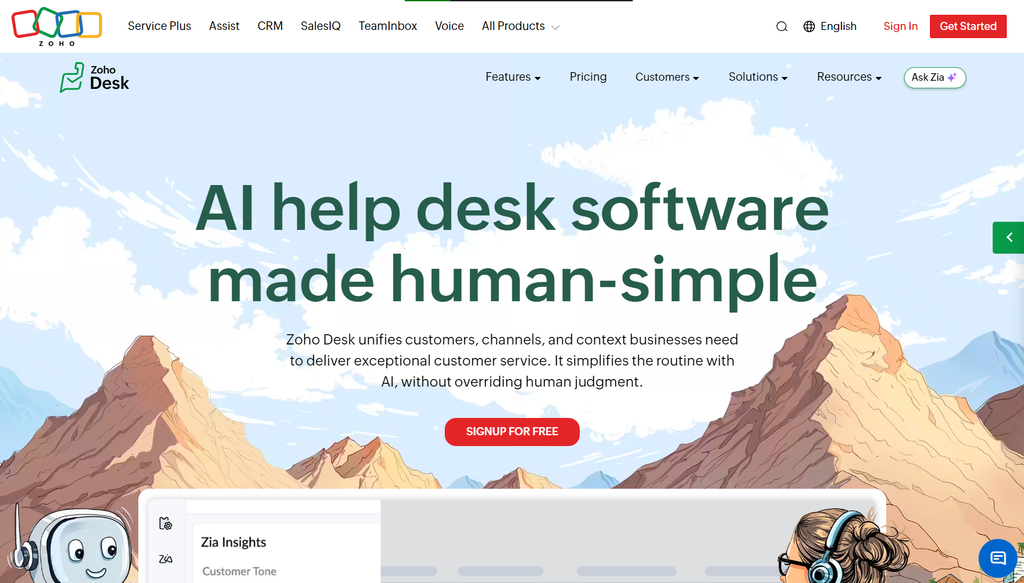
Zoho Desk is a cloud-based helpdesk platform built for small to mid-size businesses that want affordable omnichannel support with built-in self-service.
The platform is best for teams that already use Zoho CRM. It delivers self-service through a knowledge base, community forums, and Zia, its AI assistant that answers customer questions from published articles.
Many users praise its automated tools and ticket management, but complain about poor search and expensive pricing plans.
Zoho Desk Key Features
- Offers a customer-facing knowledge base with a branded Help Center
- Provides Zia AI assistant that deflects tickets with knowledge base answers
- Delivers Guided Conversations for rule-based self-service chatbot flows
- Includes ASAP widget for in-app and on-site self-service access
- Offers customer portal for ticket submission, tracking, and knowledge access
- Provides multilingual Help Centers on Professional and Enterprise plans
Zoho Desk Pricing
Zoho Desk pricing starts at $5 per user per month.
User Rating
Hiver

Hiver is an omnichannel customer service platform available as a Gmail-native helpdesk or a standalone workspace that supports Gmail, Outlook, and other providers. It brings email, live chat, Slack, voice, WhatsApp, and social media into one queue.
Hiver is best for teams that want structured self-service without adopting a complex helpdesk. But many users complain about expensive pricing.
Hiver Key Features
- Offers a branded help center with searchable knowledge base articles
- Provides AI Agents that resolve common customer queries end-to-end
- Delivers a customer portal for ticket submission, tracking, and article search
- Supports live chat with an AI-powered chatbot on the website and in-app
- Connects Google Drive and Confluence as AI knowledge sources
Hiver Pricing
Hiver pricing starts at $25 per user per month.
User Rating
Quick Comparison Table: 10 Best Customer Self-Service Software
| Platform | Best For | Self-Service Channels | AI Search | Content Governance | Overall Rating |
| livepro | Contact centers and enterprises in regulated industries | Knowledge base, WebAnswers via web/app/portal/help center embed, Luna voice agent | Intelligent search, AI-generated summaries with RAG sourced from approved content | Author-review-approve workflow, version history, scheduled review dates, version control | 4.8/5 |
| Freshdesk | Mid-market support teams | Knowledge base, branded portal, community forums, multi-product portals | Federated search across help center, forums, and external domains | Article approval workflows on Enterprise plans, version history | 4.4/5 |
| KMS Lighthouse | Contact centers in insurance, telecom, and financial services | Branded Help Center, Knowledge Bot, web/mobile/chat self-service | AI-assisted search with natural language support | Versioned content with structured publishing for operational accuracy | 4.5/5 |
| Intercom | SaaS and ecommerce teams | Help Center, Fin AI Agent, Fin Voice | AI-generated answers pulled from knowledge base content | No built-in approval workflow; draft and publish only with role-based permissions | 4.5/5 |
| Helpjuice | Teams needing branded, multilingual portals | Knowledge base with full HTML/CSS customization | AI-powered search that handles typos and alternate phrasing | Version history, collaborative editing, role-based access levels | 4.6/5 |
| Document360 | SaaS, IT, and enterprise documentation teams | Knowledge base, embeddable widget, decision trees | AI-powered search with ChatGPT-style natural language responses | Workflow designer with approval stages, version control with diff viewer, role-based permissions | 4.7/5 |
| Help Scout | Small to mid-size SaaS teams | Docs knowledge base, Beacon widget, private Docs sites | AI Answers powered by OpenAI from knowledge base content | No article version control, no built-in approval workflow | 4.5/5 |
| Kustomer | High-volume retail and ecommerce teams | Knowledge base, AI Agents, customer portal, embeddable widgets | AI-powered search tied to unified customer timeline | Procedures for enforcing business rules in AI responses | 4.5/5 |
| Zoho Desk | SMBs already using Zoho CRM | Knowledge base, Help Center, Guided Conversations, ASAP widget, customer portal | Zia AI assistant that answers from published articles | Article review and approval process with reviewer assignment, version history | 4.5/5 |
| Hiver | Teams wanting Gmail-native or lightweight helpdesk | Help center, customer portal, live chat, AI chatbot | AI-powered search across Google Drive and Confluence sources | No governance features | 4.6/5 |
Common Challenges Support Teams Face With Self-Service Software
Most self-service tools solve one part of the problem well and leave the rest to the team. Here are the challenges teams face with self-service.
Customers Search But Don’t Find the Right Answers
A knowledge base with hundreds of articles still fails when search can’t match how customers phrase their questions. Customers type “get my money back,” but the article is titled “cancellation and refund policy.”
Keyword-based search misses the connection. When search returns irrelevant results, customers abandon self-service and call in, which adds to the volume the tool was supposed to reduce.
Content Goes Stale Without a Review Cycle
Teams publish articles during onboarding and forget about them. Policies change, processes get updated, but the self-service portal still shows the old version.
In regulated industries, a single outdated article can trigger a compliance violation. Without scheduled review dates and automated reminders, content decay is invisible until a customer or auditor catches it.
Each Channel Runs on a Different Knowledge Source
The portal pulls from one set of articles. The chatbot pulls from another. The agent desktop references a third. When a policy changes, the update reaches one channel. The others lag. Customers who check the portal and then call in get a different answer from the agent, which damages trust in both channels.
Self-Service Data Sits in a Silo
Many platforms track article views and search volume but don’t surface what matters: which searches return zero results, which articles customers abandon mid-read, and which topics are trending before they hit the call queue. Without that data, knowledge managers react to call spikes after they happen. They can’t prevent them.
Migration Stalls the Entire Rollout
Teams commit to a new platform but stall when they face migrating thousands of existing documents. Manual migration takes months of reformatting, restructuring, and re-uploading. The longer migration drags, the longer the team runs two systems in parallel, which doubles the maintenance burden and delays the return on the investment.
If you’re facing similar challenges or beyond, we’ve compiled a list of customer self-service software for contact centers you can consider.
Benefits of Using Customer Self-Service Software
Here are the benefits of using customer self-service software:
Lower Support Costs Per Resolution
Self-service interactions cost a fraction of agent-assisted contacts. Every query a customer resolves through a portal or knowledge base bypasses the queue. That reduction increases across thousands of monthly interactions. Contact centers with tight margins see direct savings in staffing and overtime spend.
Faster Resolution for Routine Queries
Most contact center volume comes from repetitive questions about billing, account changes, and basic troubleshooting. Self-service software surfaces verified answers to these queries in seconds. Customers get what they need without sitting on hold or navigating IVR menus. Satisfaction scores improve when resolution time drops from minutes to seconds.
Consistent Answers Across Every Channel
A centralized knowledge base feeds the same governed content to every self-service channel. Web portals, chatbots, and mobile apps all pull from one source of truth. Regulated industries benefit most, where a single outdated answer can trigger a compliance violation. One update to the source content pushes the correction across all customer-facing channels at once.
Reduced Agent Workload on Repetitive Contacts
When customers resolve routine queries on their own, agents handle fewer repetitive contacts. That shift frees agent capacity for complex cases requiring judgment and empathy.
Agents stay engaged when their workload centers on meaningful problem-solving. Retention improves when agents spend less time repeating the same scripted responses.
Round-the-Clock Availability
Self-service portals operate around the clock without shift scheduling. Customers in different time zones access answers on their own schedule.
Organizations save on overnight staffing and outsourced after-hours support. Seasonal volume spikes become manageable when self-service absorbs the predictable queries.
Actionable Data on Customer Needs
Self-service platforms track every search query, every clicked article, and every abandoned session. That data reveals what customers struggle with most. Knowledge gaps surface when common search terms return zero results. Teams prioritize content updates based on real demand patterns and trending topics.
How to Choose the Right Customer Self-Service Software
Choosing the right platform depends on how your organization manages knowledge, where your compliance risks sit, and how much control you need over what customers see.
Here are some features you need to look for:
Map Your Use Case Before Evaluating Platforms
Define which channels your customers use most, what query types dominate your volume, and which departments will own the content. That scope determines whether you need a simple FAQ portal or a governed knowledge platform with decision trees, AI search, and multi-channel delivery.
Evaluate Search Accuracy
Look for a platform with intelligent search that surfaces answers by understanding the intent. A lot of tools claim to be “AI-powered” but fail to return accurate results. Others work well with basic answers but break down when the search is too complex.
Most search failures also trace back to how the knowledge base is structured. A Reddit user says that when policies sit in long, unformatted documents, AI search pulls irrelevant sections and misses the actual answer. A platform with structured, templated articles gives the search engine a clean source to retrieve from. The accuracy of the AI layer depends on the content layer underneath it.
Check Content Governance and Approval Workflows
Regulated teams need version control, scheduled review dates, and role-based publishing permissions. Some platforms let anyone publish content with no approval step, which creates compliance exposure. Look for an author-review-approve-publish workflow and automatic flagging when content expires or falls out of date.
Assess Integration Depth With Your Existing Stack
A self-service portal that sits outside your CRM and ticketing system creates another silo. Check the vendor’s API documentation and confirm whether integrations sync in real time or run on a delayed schedule. Batch updates mean your self-service answers can lag what your agents see.
Confirm Customer-Facing Delivery Options
Check whether the platform can publish content to a customer-facing portal, web widget, or external help center without duplicating articles. Some tools support branded self-service pages out of the box. Others require custom development to expose content externally.
Confirm Scalability Across Departments and Channels
A platform that works for one team needs to scale across departments without duplicating content. Check whether the software supports role-based access so each team controls its own content from a single source. The same knowledge base should feed your web portal, chatbot, mobile app, and internal agent tools.
The Role of AI in Customer Self-Service Software
Most self-service platforms now include some form of AI, but the gap between marketing claims and real-world performance is wide. A 2024 Gartner survey of 5,728 customers found that only 14% of service issues reach full resolution through self-service. 43% of customers said they couldn’t find content relevant to their issue, and 45% felt the company didn’t understand what they were trying to do.
That failure rate points to a search and content problem. AI addresses this gap when it improves how the platform interprets queries and matches them to the right content. Intent-based search handles misspellings, conversational phrasing, and abbreviations that keyword-based systems miss. AI-generated summaries pull the answer out of long articles so customers get what they need without scrolling through pages of documentation.
AI agents add a second layer that can handle predictable queries like billing or package questions. But the technology breaks down on complex or multi-step issues that require context from multiple sources. The platform should have the ability to transfer calls from an AI agent to a human agent with full context. This way, customers don’t repeat themselves, and everything looks seamless.
What Metrics to Track When Using Customer Self-Service Software
Customer support teams implement multiple self-service channels, but they don’t track the success rate or response rate of every channel. Here are metrics you can track for self-service software:
- Search success rate: Track how often a customer’s search returns a relevant result on the first attempt. A low success rate signals that content structure or terminology doesn’t match how customers phrase their questions.
- Trending searches: Monitor which search terms are spiking in volume over a given period. Acting on trending data before those queries turn into support tickets keeps self-service ahead of demand.
- Knowledge gaps: Track search terms that return zero results or lead to no clicks. Prioritizing new content around these terms has a direct impact on resolution rates and reduces escalation volume.
- Article engagement and usage: Measure which articles get the most views, which get skipped, and which ones customers leave without completing. Low engagement on high-traffic articles suggests the content exists but doesn’t answer the question well enough.
- Content freshness: Track how many articles are past their scheduled review date or approaching expiry. Outdated content in a self-service portal creates compliance risk and erodes customer trust.
- Escalation rate: Measure the percentage of self-service sessions that end with a handoff to a live agent. Breaking this metric down by topic reveals which specific areas need the most content attention.
These metrics work best together. A platform with built-in analytics that surfaces all six in one dashboard saves teams from stitching reports across multiple tools.
livepro is the Best Customer Self-Service Software for Contact Centers & Enterprise Teams
Some self-service software offers multi-channel delivery but requires teams to update knowledge manually. Others break down due to large content libraries, poor governance, or search inaccuracies.
livepro closes those gaps with a self-service front that connects to a governed knowledge base. It’s built for contact centers and enterprise teams that need one source to deliver accurate answers across websites, apps, help centers, and phone.
Book a demo to learn how livepro’s self-service solutions help your customers resolve queries before they reach your agents’ queue.
FAQs About Customer Self-Service Software
How much does customer self-service software cost?
The pricing varies based on the platform, number of users, and feature tier. Most tools charge per agent per month, with plans ranging from free tiers for small teams to enterprise pricing above $100 per seat. Some vendors charge based on ticket volume or AI resolution counts.
How can I integrate a customer self-service portal into my existing tools?
Most platforms offer APIs, pre-built integrations, or marketplace connectors for popular CRMs, ticketing systems, and contact center platforms. Check whether the integration syncs data in real-time or runs on a batch schedule.
Start by mapping which tools the portal needs to pull data from, like order history, account details, or billing records. A portal that connects to your existing stack gives customers accurate, live information without agent involvement.
How can customer self-service software reduce call volume?
Self-service software deflects routine queries by giving customers direct access to answers through a knowledge base, chatbot, or portal. When customers resolve basic queries on their own, agents handle fewer repetitive contacts. The reduction increases over time as the knowledge base grows and search accuracy improves.
What are the types of customer self-service software?
The main types of customer self-service software are knowledge bases and help centers, chatbots, customer portals, community forums, IVR systems, and guided workflow tools. Some platforms specialize in one type, while others combine multiple self-service channels into a single solution. The right type depends on your customer base, query volume, and the channels your customers use most.
What is a customer self-service strategy?
A customer self-service strategy is a plan for how an organization enables customers to resolve issues without contacting a live agent. It covers which channels to offer, what content to publish, how to maintain accuracy, and how to measure success.
A strong strategy starts with identifying the queries that drive the most volume and building self-service paths for those topics first. It also defines escalation rules for when self-service falls short and a customer needs human support.