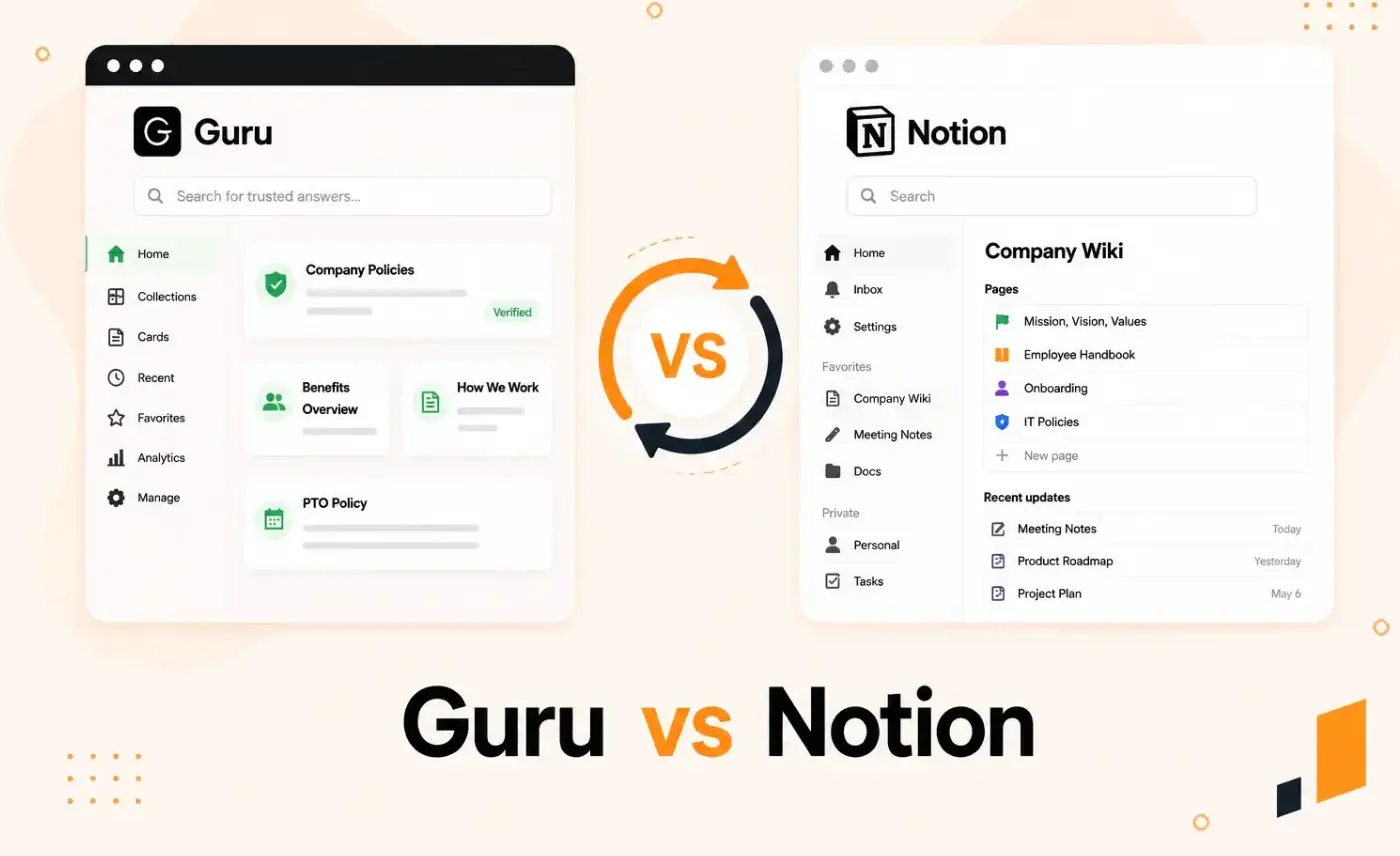


Guru and Notion come up in every search result when you look for the best knowledge management tools. Both promise to centralize your documentation. But they solve the problem in very different ways.
Guru captures knowledge into verified cards and delivers answers inside tools like Slack, Zendesk, and Teams. Your team never leaves their workflow. Notion is a flexible workspace where teams build wikis, databases, and docs in one place. Your team goes to Notion to find what they need.
The right choice depends on how your team works, what they need to access, and how much governance you need over that content. This Guru vs Notion comparison breaks down features, pricing, and real user feedback so you can make that call.
About Guru
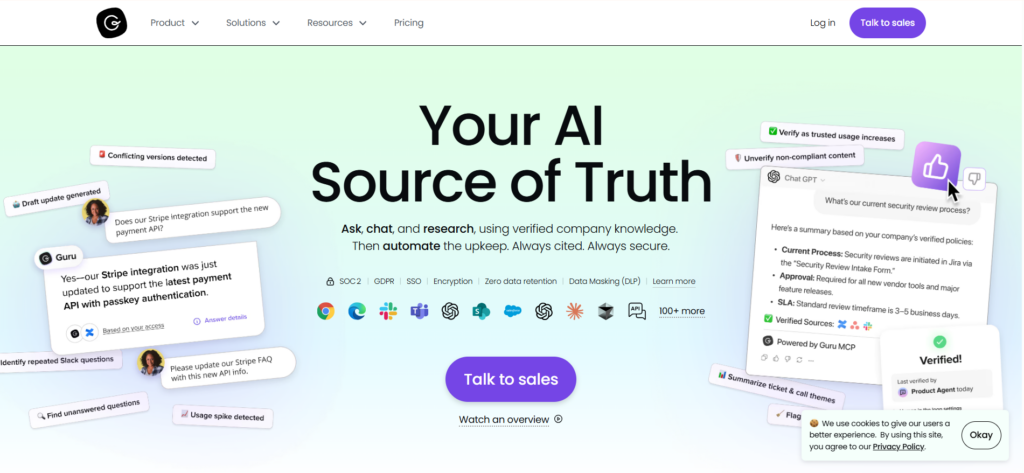
Guru is an AI-powered knowledge management platform that structures, governs, and delivers company knowledge across enterprise teams. It stores information in verified cards and surfaces answers inside tools like Slack, Zendesk, and Teams so teams don’t have to switch tabs. Guru is used by customer support, sales, HR, and operations teams. It’s known for its content verification workflows, permission-aware AI answers, and browser extension that pulls knowledge in real time.
Many users praise Guru’s easy interface, but complain about its limited search engine accuracy and integration issues.
Read more: Guru Alternatives
Guru Key Features
Here are the key features of Guru:
- Atomic knowledge cards: Stores information in concise, verified units that are easy to search, update, and deliver in flow.
- Knowledge agents: Deliver cited, permission-aware responses inside Slack, Teams, and connected AI tools.
- Verification workflow: Assigns owners and expiration dates to every card to keep content accurate and trustworthy.
- Knowledge triggers: Pulls relevant cards when specific text appears on a screen in Salesforce, Zendesk, or Intercom.
- Browser extension: Accesses and searches verified knowledge directly in Chrome, Edge, or Opera without switching tabs.
- AI Suggest: Recommends up to five relevant cards inside support tools like Zendesk, Freshdesk, and Intercom during live interactions.
- Analytics dashboard: Tracks content usage, search trends, trust score, and team adoption across the workspace.
Guru Pricing
Guru pricing starts at $25 per user per month when billed yearly.
User Rating
About Notion
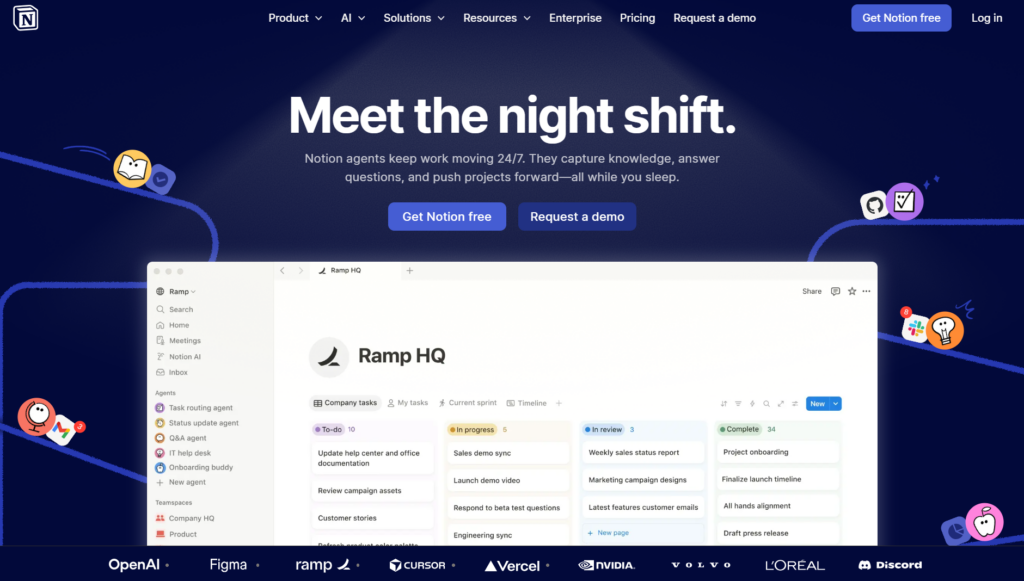
Notion is an all-in-one workspace that combines docs, wikis, databases, and project management into a single platform. Teams use it to build internal knowledge bases, organize documentation, and manage projects across departments. Notion’s block-based editor lets you structure content with tables, embeds, toggles, and nested pages. Its AI agent can search across the workspace and connected apps like Slack, Google Drive, and GitHub to surface answers on demand.
For knowledge management, Notion works as a destination workspace. Teams go to Notion to create and find documentation rather than receiving answers inside their existing tools. This makes it a strong fit for cross-functional teams that want flexibility, but less suited for teams that need governed, in-workflow knowledge delivery.
Many users praise Notion for its flexibility and ease of use, but find its search inaccurate when the knowledge volume grows.
Notion Key Features
Here are the key features of Notion:
- Block-based editor: Builds pages using flexible content blocks, including text, tables, embeds, code, and callouts.
- Wikis and teamspaces: Organizes team knowledge into hierarchical pages and private or shared teamspaces across departments.
- Databases: Creates relational tables with multiple views, including board, timeline, and calendar, to structure knowledge like FAQs, SOPs, and directories.
- Notion AI agent: Searches across the workspace and connected apps to find, summarize, and surface relevant knowledge on demand.
- Enterprise search: Searches across Notion and connected apps like Slack, Google Drive, and GitHub from a single interface.
- Connected apps: Pulls knowledge from Slack, Google Drive, GitHub, and other tools into one searchable workspace.
Notion Pricing
Notion pricing starts at $10/user/month for small teams and $20/user/month for growing businesses.
User Rating
Guru vs Notion Quick Pricing Comparison
| Platform | Plans | Free Trial | Starting Price | What’s Included |
| Guru | Self-serve + Enterprise | Yes (30 days) | $25/user/month (billed annually) | AI-powered knowledge management, knowledge agents, verification workflows, browser extension, Slack and Teams integration, analytics |
| Notion | Free, Plus, Business, Enterprise | Yes (free plan) | $10/user/month (billed annually) | Docs, wikis, databases, AI agent, enterprise search, AI meeting notes, page history, granular permissions, SSO on Business and above |
Guru vs Notion: Feature-by-Feature Comparison
Although Guru and Notion simplify knowledge for enterprise teams, they serve different use cases. Here’s a feature-by-feature comparison between Guru and Notion:
Knowledge Delivery
Guru surfaces verified cards inside Zendesk, Salesforce, Slack, and Teams without agents leaving their workflow. Notion’s Enterprise Search pulls answers from connected apps, but teams must navigate to Notion to find them. There is no in-ticket overlay or context-triggered delivery.
Content Governance
Guru assigns every card a verified owner, expiration date, and trust score. Notion adds a verified badge to pages but has no native review cycle, content expiry, or auto-archive. Teams using Notion for governed knowledge must build and maintain that discipline themselves.
Authoring and Editing
Guru’s editor is built for concise, structured knowledge cards. Notion’s block-based editor supports rich formatting, including tables, embeds, code blocks, callouts, and toggles. Teams that need long-form documentation or complex formatting will find Notion more capable.
AI Capabilities
Guru’s Knowledge Agents deliver cited, permission-aware answers grounded in verified content across Slack, Teams, and external AI tools via the MCP (Model Context Protocol) server.
Notion’s AI Agent takes autonomous multi-step actions, such as building databases, drafting content, and routing tasks across the workspace.
AI Writing Tools
Both platforms have a built-in AI writing assistant that removes jargon, condenses articles, and improves card content. Notion’s AI goes further with drafting pages, autofilling database properties, writing formulas, and generating content from scratch across the workspace.
Compliance and Security
Both platforms hold SOC 2 Type II and ISO 27001 certifications and support HIPAA via a signed BAA. Guru enforces compliance through content verification, role-based permissions, and audit trails built into its knowledge governance model.
Permissions and Access Control
Guru enforces permissions from connected source systems like Salesforce and Slack in real-time across the AI layer. Notion offers granular database permissions and audit logs, but both are gated behind premium plans.
Branding and Customization
Guru’s interface is functional but not highly configurable. Teams can create custom pages with role-specific layouts but have limited control over fonts, colors, and visual design.
Notion lets teams publish pages with a custom domain, remove Notion branding, and customize the favicon, navigation bar, and share previews.
Analytics and Reporting
Guru’s analytics surface trust score, content verification rates, search trends, and knowledge gaps across the workspace. Notion’s analytics cover page views, editor history, and AI usage, with workspace-level and user-level reporting only for higher-tier plans.
Guru vs Notion Feature Comparison at a Glance
| Feature | Guru | Notion |
| Knowledge delivery | Pushes answers inside Zendesk, Salesforce, Slack, and Teams in real time | Requires teams to search within Notion; no in-ticket overlay |
| Content ownership | Assigns every card an owner, expiration date, and trust score | Adds verified badges to pages; no native review cycle or expiry |
| Authoring editor | Lightweight card-based editor for concise knowledge | Rich block editor with tables, embeds, code blocks, and toggles |
| AI capabilities | Delivers cited, permission-aware answers via Knowledge Agents | Runs autonomous multi-step actions across the workspace |
| AI writing assistance | Removes jargon, condenses, and improves card content | Drafts pages, autofills databases, and generates content from scratch |
| Branding options | Supports custom pages and card templates, less flexible | Custom domain, removable branding, and offers theme options via Notion Sites |
| Compliance | Built-in verification, permissions, and audit trails | SOC 2, ISO 27001, HIPAA via BAA; advanced controls on Enterprise only |
| Permissions | Inherits permissions from Salesforce, Slack, and other source systems | Manages permissions within Notion; no external system inheritance |
| Analytics | Tracks trust score, verification rates, and knowledge gaps | Tracks page views and AI usage; advanced reporting on higher plans only |
livepro: The Knowledge Platform Built for Teams That Can’t Afford Wrong Answers
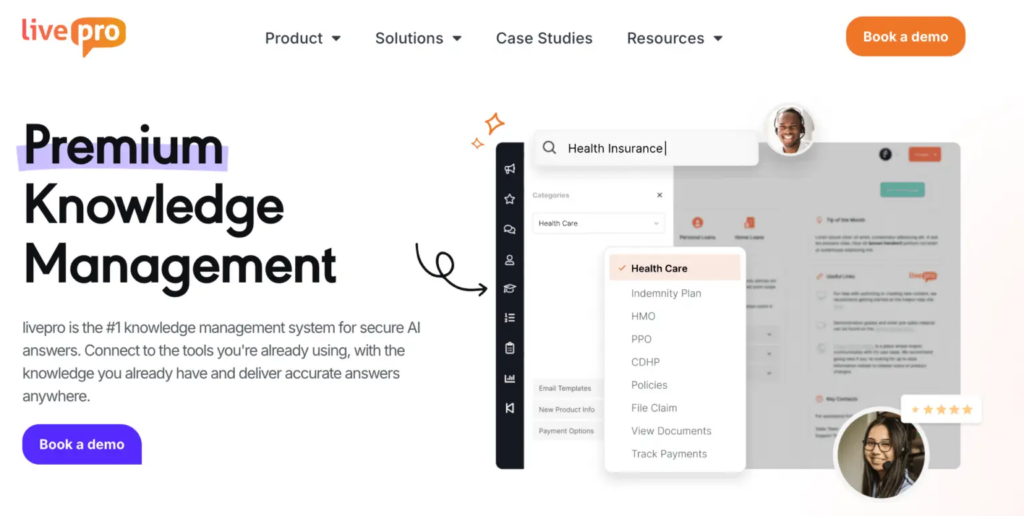
livepro is an AI knowledge management software built for contact centers and enterprise teams. It serves highly regulated industries like healthcare, BPOs, and local government.
G2’s Spring 2026 Grid Report ranked livepro as a top-rated contact center knowledge base for intelligent search, integrations, access management, analytics, and data governance. It scored 9.5+ out of 10 across all five categories.
Unlike Guru and Notion, livepro is purpose-built for teams that need governed, searchable knowledge at scale. It combines hybrid AI search, built-in governance workflows, decision trees, and analytics into a single platform. Teams get accurate answers without leaving their workflow, and administrators get full control over who sees, edits, and approves every piece of content.
Here’s how livepro solves problems many teams face with Guru or Notion:
Hybrid Search for Accurate Answers
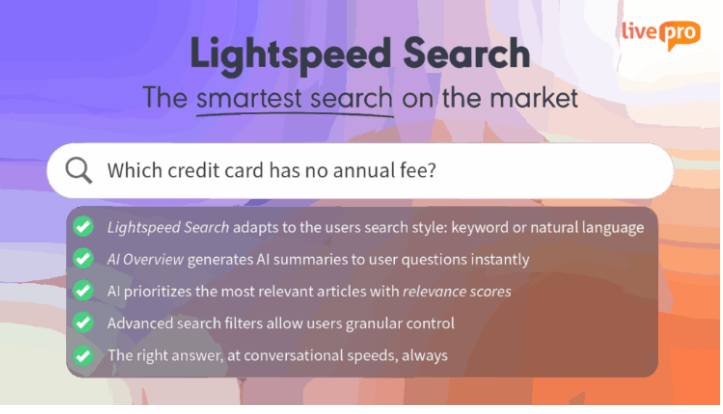
Many Notion users report that its search becomes unreliable once their knowledge base grows. Guru requires precise keyword usage to deliver accurate results.
livepro’s Lightspeed Search combines keyword matching, natural language processing, and semantic understanding to surface accurate answers, even when team members mistype or use different phrasing.
Some Guru users report being overwhelmed by too many results with no clear way to judge which is correct. livepro’s Lightspeed Search detects intent and assigns relevance scores to prioritize the most accurate results. This helps team members judge which knowledge article is most relevant.
livepro’s search also applies RAG (Retrieval-augmented Generation) to deliver verified search results. It generates answers only from content the logged-in user has permission to access.
Every answer shows the source article it came from, and all queries and answers are logged in reporting. This gives administrators full visibility into what was asked and what was returned.
AI Overviews for Quick Summaries
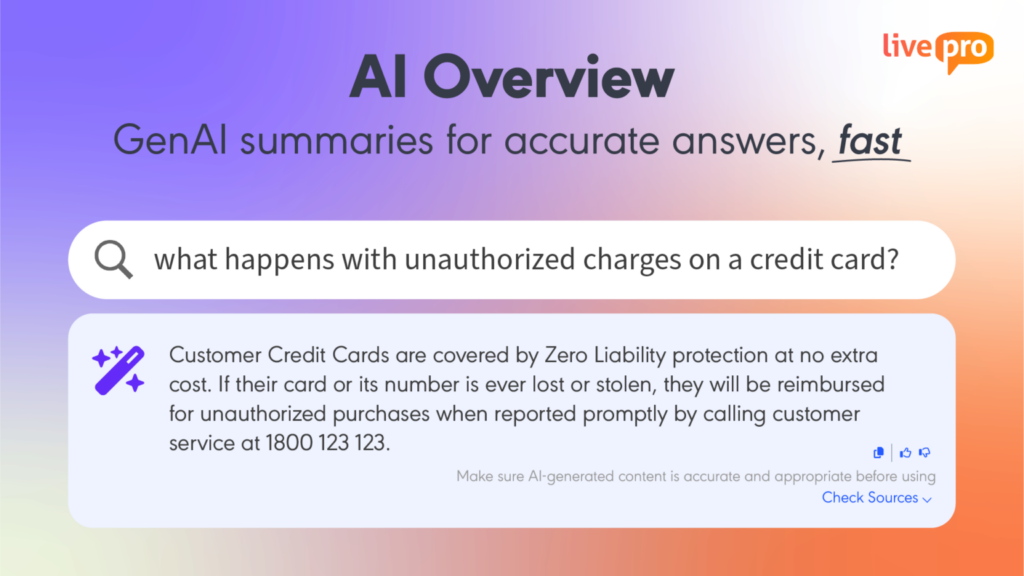
Many Notion users complain that its AI assistant fails to generate accurate answers if the query is phrased differently or lacks context. This slows down your entire workflow.
livepro’s AI Overview sits at the top of every search result. It gives you a concise GenAI summary drawn directly from verified and approved content
Every summary includes a “Check Sources” link so agents can verify the full context when needed. Your agents can also copy the response with one click or rate it with a thumbs-up or down, providing a continuous feedback loop to improve accuracy over time.
Categories and Hubs for Knowledge Content Organization
Many Guru users complain that organizing and categorizing a large volume of content becomes difficult as the knowledge base grows.
livepro structures knowledge into role-based hubs, so your team can find what’s relevant to their role, department, or team.
You can organize and format knowledge base using:
- Categories: Group content into clearly defined areas that mirror how your organization is structured.
- Multi-dimensional tagging: Tag a single article by department, regulation, product line, or audience so it appears in every relevant hub
- Hubs: Pull all resources on a given subject into one place, so team members stop searching across multiple folders.
You can browse through Categories and Hubs or search using keywords to find relevant information. Both routes surface the same verified answer from a single knowledge source.
LightspeedAI to Import Documents
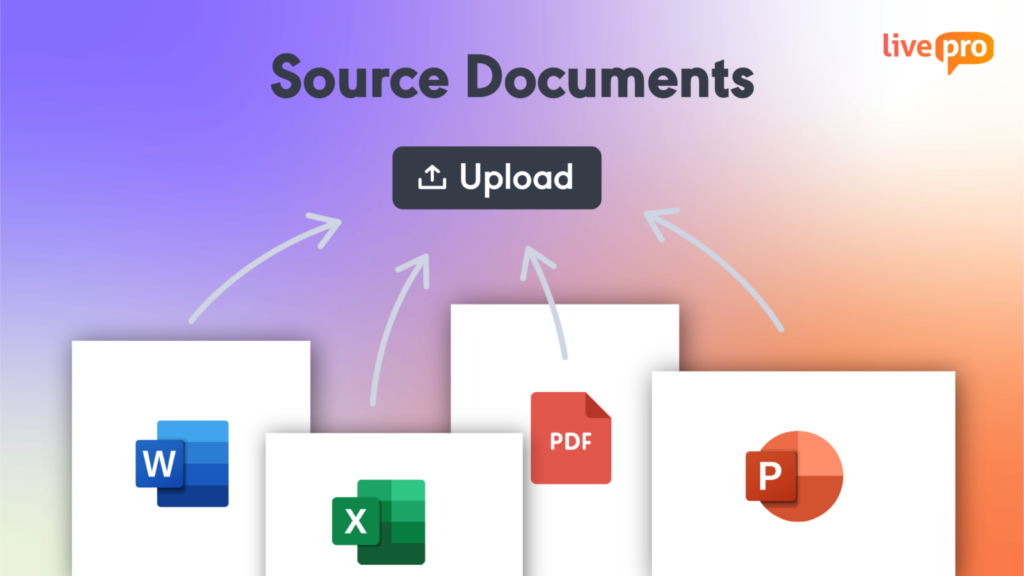
Many Notion users report that uploaded files are difficult to search across once the workspace grows. Guru’s card-based structure is built for concise knowledge snippets, making it less suited for long-form documents like policies and compliance manuals.
livepro’s LightspeedAI makes existing files instantly searchable without re-authoring content. Teams from different departments can upload PDFs, Word documents, Excel spreadsheets, and PowerPoint files directly into livepro. Our AI indexes them immediately and treats them as part of the same knowledge base as authored articles.
livepro also supports permission-based uploading to maintain governance. Administrators can control who can see which documents, so sensitive content like HR policies or legal files is only visible to the right people.
Built-in Governance to Improve Knowledge
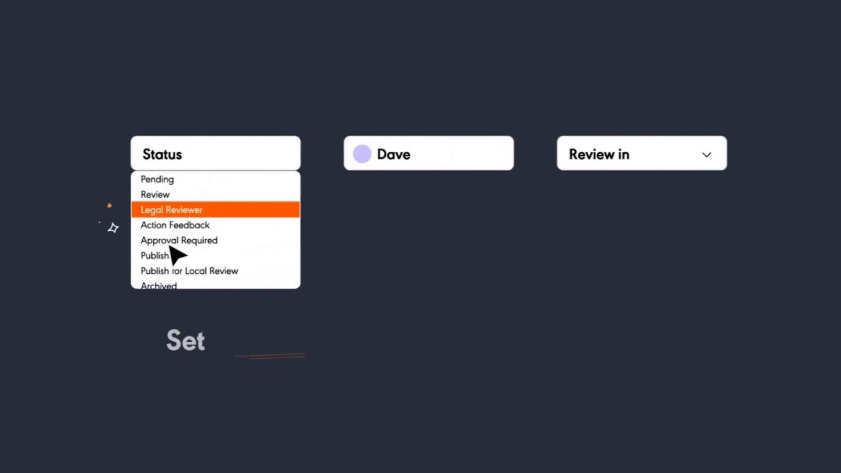
Many Guru users complain that it lacks strict governance tools. This makes knowledge easily outdated, and finding answers becomes a bottleneck.
livepro builds governance into every knowledge article. It offers granular controls that give you more control over your knowledge base.
You can:
- Assign content ownership: Tie every article to a named owner so accountability never falls through the cracks.
- Set automated review reminders: Flag content for periodic review and notify the assigned owner when a review date arrives.
- Schedule publication and expiry: Prepare content in advance and set it to go live or expire automatically on a specific date.
- Manage approval workflows: Route new knowledge content through an author, review, and approve process before it reaches agents.
- Track every change: Have a full document version control and see who changed what and when, with the ability to reinstate any previous version in seconds.
- Control access by role: Restrict who can view, edit, and approve content based on team, department, or seniority level.
Decision Trees for Guided Workflows
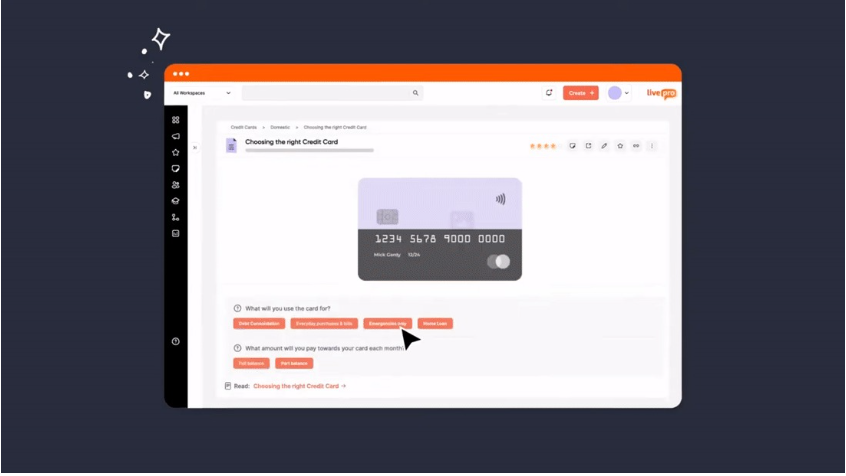
Guru doesn’t offer guided workflows to help team members through complex, multi-step processes, while Notion only documents processes.
livepro’s Rocket is a dynamic decision tree tool that converts complex procedures into guided, conditional workflows. When team members search for a query, Rocket presents a series of questions based on the situation. Each answer leads to the next relevant step, narrowing down to the correct outcome.
If you manage compliance-heavy or multi-variable processes, Rocket removes the risk of a team member skipping a step or applying the wrong policy.
For example, RemServ, a salary packaging provider, used livepro to guide agents through customer queries and internal processes. As a result, training time dropped 50%, and customer satisfaction improved as agents found accurate answers faster.
AI Authoring Tools for Content Creation and Formatting
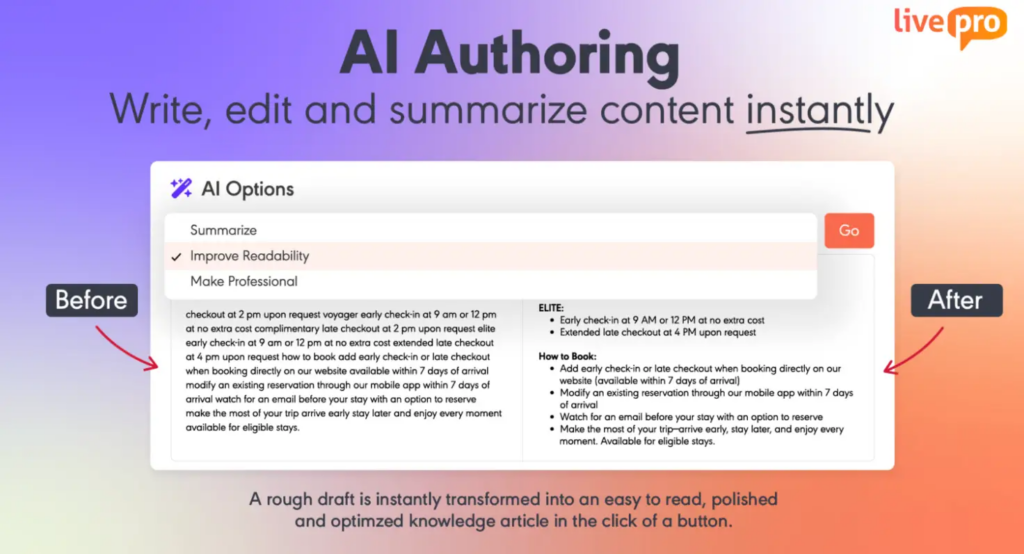
Guru users report limited layout control and restricted formatting choices that make content harder to read across large knowledge bases.
livepro’s authoring tool gives you full control over how content looks and reads. You can use pre-designed templates and styles to structure your content. The WYSIWYG visual editor makes it easy to create concise knowledge articles, paste images, and upload multimedia content within minutes.
Every article follows the same structure, so team members know exactly where to look for the information they need.
livepro’s AI also speeds up content creation. Knowledge managers share a rough draft, and the AI uses a pre-made template and structures complex text into a readable format. It also proofreads for typos before the article is uploaded to the knowledge base.
Built-in Analytics to Measure Knowledge Performance
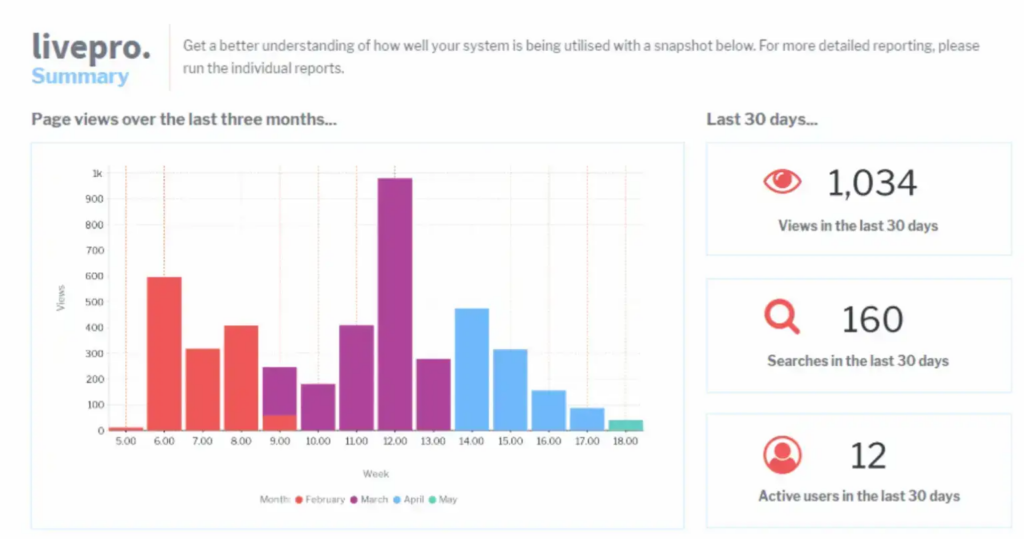
Both Guru and Notion users report a lack of advanced analytics on content engagement and knowledge performance across teams.
livepro offers dashboards and analytics that give full visibility into how knowledge is accessed, managed, and updated in real-time. You can filter out important metrics by team, role, category, and date range to find specific insights.
You can:
- Identify the questions teams ask most to spot gaps in existing content before they affect performance
- See which articles are accessed most and which are being ignored, so knowledge stays relevant and current
- Export data to create monthly reports for leadership without manual effort
livepro lets you connect reporting data to your existing analytics platforms, so you can analyze how knowledge impacts business performance.
Integrations
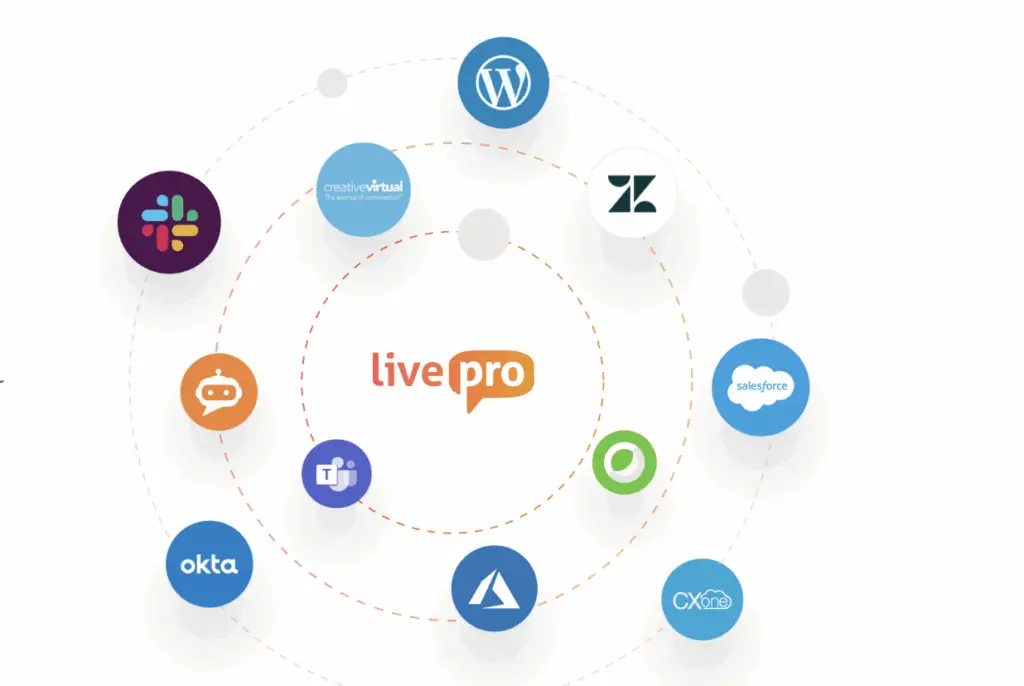
livepro offers integrations with tools your teams already use.
livepro natively connects with:
- Microsoft Teams
- Slack
- MS Dynamic CRM
- Cisco WebX
- Azure
- Salesforce
- Zendesk
- Genesys Cloud
- NICE CXone
If you use custom apps, you can use our open API to connect livepro with internal tools.
livepro Pricing
livepro offers Flex, Premium, and Enterprise pricing plans. Contact our team for a custom quote.
User Rating
Quick Comparison Table: Guru vs Notion vs livepro
| Tool | Best For | Key Features | Scalability | Team Adoption |
| Guru | Teams managing internal documentation inside workflows | Verified knowledge cards, knowledge agents, verification workflow, knowledge triggers, and browser extension | Unreliable search as content volume increases | Users praise its easy interface, but complain onboarding the existing setup is time-consuming |
| Notion | Cross-functional teams wanting one workspace for docs, wikis, and projects | Block-based editor, wikis and teamspaces, AI agent, real-time collaboration, and integrations | Flexible structure for content creation, but weaker search reliability and permissions management | Users report a steep learning curve as workspaces grow |
| livepro | Contact centers and enterprises that can’t afford outdated or inaccurate knowledge reaching customers | Hybrid AI search, AI-generated answer summaries, decision trees for guided workflows, automated governance workflows, role-based access controls, and native contact center integrations | Search accuracy and governance hold up as content volume grows across departments and teams | Simple interface with minimal training needed; dedicated implementation team handles setup and migration |
Guru vs. Notion: Which Knowledge Management Software Should You Choose?
Choosing between Guru and Notion depends on your use case, team needs, and knowledge base volume.
Guru is best for teams that need governed and accurate answers delivered inside the tools they already use. If your priority is content accuracy, verification, and reducing agent handle time, Guru’s structured card system and in-flow delivery make it the stronger choice.
Notion is best for cross-functional teams that want one flexible workspace for documentation, project management, and collaboration. If you want flexibility and AI-driven workflow automation, Notion is the more capable option.
But if inaccurate knowledge means compliance violations, longer handle times, or failed audits, neither Guru nor Notion was built for those stakes.
livepro: Accurate Search, Governed Knowledge, and Compliance in One Platform
livepro is built for contact centers and enterprises that need accurate answers, governed content, and compliance tools in a single platform. It fills the gaps that Guru and Notion leave open: unreliable search at scale, limited governance workflows, and no purpose-built contact center integrations.
Teams using livepro get hybrid AI search that stays accurate as content grows, automated review cycles that keep knowledge current, and decision trees that guide agents through complex processes without skipping a step.
Book a demo to see how livepro delivers accurate, governed knowledge across your contact center and enterprise teams.
FAQs About Guru vs Notion
Can Guru or Notion handle compliance for regulated industries like healthcare or finance?
Guru offers content verification and audit trails, but lacks automated approval workflows and scheduled content expiry. Notion gates audit logs and DLP behind its Enterprise plan and has no native approval workflows or review cycles. livepro includes automated review reminders, approval workflows, version history, and role-based access as standard. G2 rated livepro 9.9/10 for data governance across contact center knowledge base software.
Do Guru or Notion offer decision trees for guided workflows?
Guru does not offer native decision trees. Notion can document processes but doesn’t provide conditional, step-by-step guidance based on user input. livepro’s Rocket converts complex procedures into guided workflows where each answer leads to the next relevant step. RemServ, a salary packaging provider, used livepro’s decision trees to cut training time by 50%.
Which tool is better for contact center teams that need fast, accurate answers?
Guru surfaces cards inside support tools, but users report search accuracy drops as content grows. Notion has no in-ticket overlay or native contact center integrations. livepro is purpose-built for contact centers with hybrid AI search, native integrations with Genesys Cloud, NICE CXone, Zendesk, and Salesforce. G2 ranked livepro a top-rated contact center knowledge base for intelligent search.
What is the best Guru alternative?
livepro is the best Guru alternative for contact centers and enterprise teams that need a governed knowledge base. It offers hybrid AI search, built-in governance, AI authoring tools, decision trees, and analytics in a single platform to deliver accurate answers at scale.
Which tool handles large-scale knowledge migration better, Guru or Notion?
Guru requires teams to manually restructure documents into individual cards after migration. Notion allows bulk imports, but content organization and governance remain a manual process.
livepro’s LightspeedAI Import converts existing policies and documents into structured, templated articles automatically. It can handle a large volume of knowledge content without sacrificing search accuracy or governance control.