

If you’re using Glean in a contact center, you already know the frustration. The platform connects to over 100 workplace apps and works well for engineering teams and sales reps searching across Slack, Confluence, and Google Drive.
But contact center agents aren’t browsing documents for background research. They’re handling live calls where every second of silence costs customer trust, and the answers they give have to be verified, compliant, and consistent across every agent on every shift.
Glean indexes information and helps employees find it, but it doesn’t govern how that information gets created, approved, or delivered to customers. Contact centers need guided workflows, formal approval chains, audit trails, and automated review cycles, and those aren’t capabilities you can bolt onto a general-purpose search platform.
This article reviews seven Glean alternatives built for teams that need structured knowledge management, not just enterprise search. It covers what each platform offers, key features, pricing, and what real users say.
About Glean
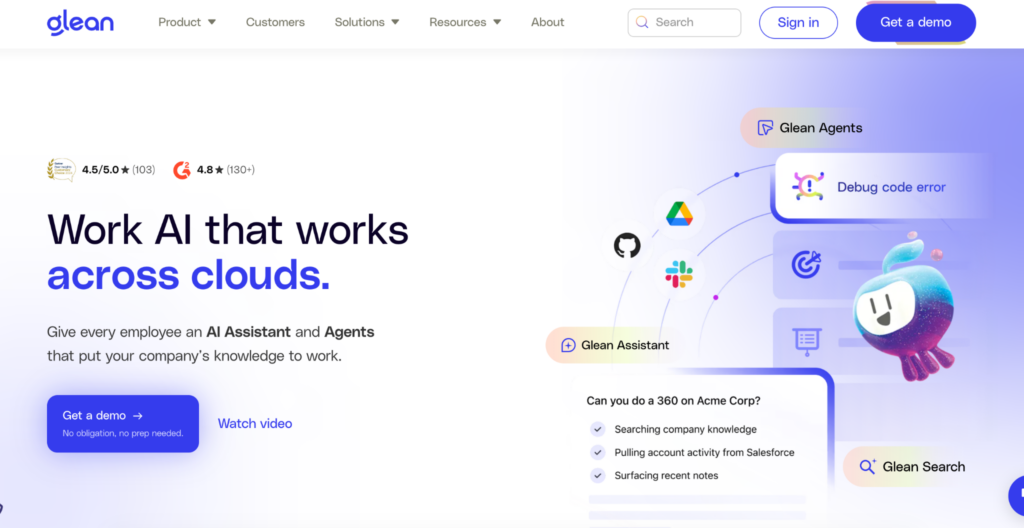
Glean is an AI-powered enterprise search platform founded in 2019 by former Google engineers. It connects to over 100 workplace apps and uses a knowledge graph to deliver personalized, permission-aware answers grounded in your company’s data.
The platform serves engineering, sales, support, and operations teams across industries like tech, finance, retail, and manufacturing.
Glean Pros
Here’s what Glean does well:
- AI-powered Search: Searches across Slack, Google Workspace, Microsoft 365, Salesforce, Jira, and 100+ other workplace apps from a single interface.
- Knowledge Graph: Maps relationships between people, content, and context to deliver personalized, role-based results.
- Permission Enforcement: Mirrors source-system permissions so employees only see what they’re authorized to access.
- Work AI Agents: Automates tasks like summarizing backlogs, drafting updates, and generating research reports.
- Integration Ecosystem: Pre-built connectors for most enterprise SaaS tools with minimal configuration.
Glean Cons
Glean works well as a general enterprise search platform. But teams evaluating it for contact centers and regulated environments run into specific limitations.
Here are the key areas where Glean falls short:
Limited Search Sorting and Filtering
Glean ranks results by relevance, but the logic behind that ranking isn’t transparent to users. Some reviewers mention the lack of sorting options like date or alphabetical order, making it harder to find the most recent or specific content quickly.
“Sometimes the search results can be a bit too broad, and it takes a few extra steps to find the most relevant information. More advanced filtering options could improve the experience.” – G2 Reviewer
“Search would be improved with greater sorting capabilities, right now relevance (which is not clear to the user) is the main factor but it would be a relative easy addition to allow users to SORT BY date (Z-A or A-Z)” – G2 Reviewer
Inflexible Analytics
Glean offers analytics, but users report the reporting interface is rigid. Setting date ranges and generating adoption reports for department leads requires exporting CSV files and working outside the platform.
“Analytics is a little inflexible but nothing that can’t be fixed in the UI. Though you can download the CSV file and slice and dice however you wish, simply setting date ranges and getting clearer indicators that could help drive adoption.” G2 Reviewer
Limited Customization
Some reviewers note that Glean’s one-size-fits-all approach doesn’t work well for teams with unique workflows or specific operational needs.
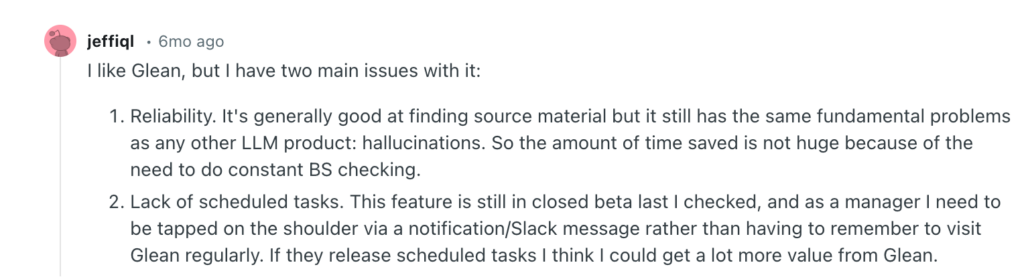
No Scheduled Tasks or Proactive Notifications
Glean lacks scheduling features for automated alerts and task reminders. Users report having to manually check the platform rather than receiving notifications through tools like Slack, reducing day-to-day utility for managers. Here’s what a redditor had to say:
High Cost Relative to Value
Glean doesn’t publish pricing. Buyer reports put costs at $50 or more per user per month with minimum annual commitments starting around $60,000. Some users describe the price as disproportionate for a platform focused on finding information rather than creating or managing it.

No Guided Workflows or Decision Trees
Glean returns documents and AI-generated summaries. It doesn’t offer step-by-step guided workflows for processes like claims handling, policy exceptions, or escalation paths.
These limitations are why many contact center teams look beyond Glean for platforms that offer structured workflows, compliance governance, and external knowledge delivery.
Here’s how seven alternatives compare.
livepro
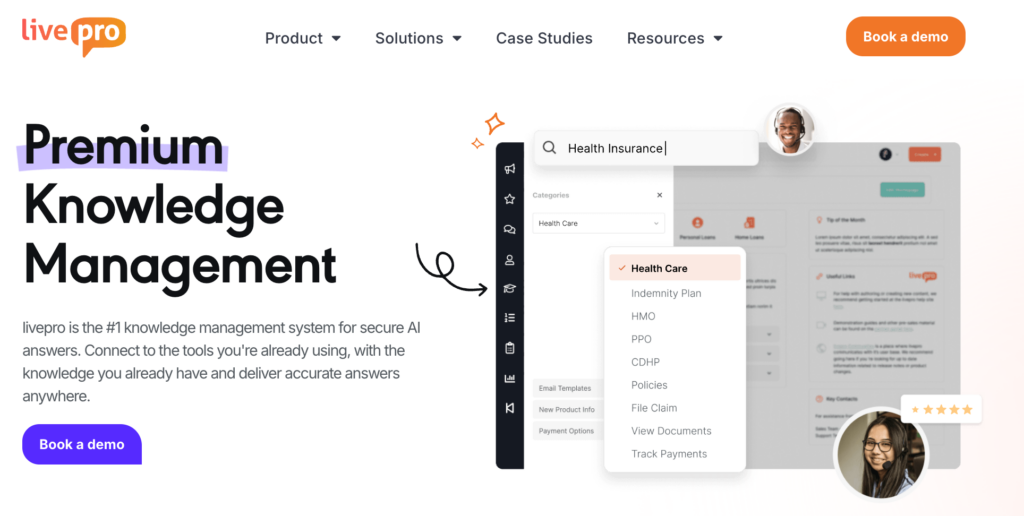
livepro is an AI-based knowledge management software built for contact centers and enterprises. livepro helps agents deliver compliant, guided, and accurate answers during live interactions.
The platform combines enterprise search, AI-generated summaries, guided decision trees, and governance controls into a single system. Knowledge flows both internally to agents and externally to customers through self-service portals, chatbots, and the Luna AI Voice Agent.
Here are the key features that make livepro a purpose-built alternative to horizontal search platforms like Glean:
Lightspeed AI Search for Fast and Accurate Search Results
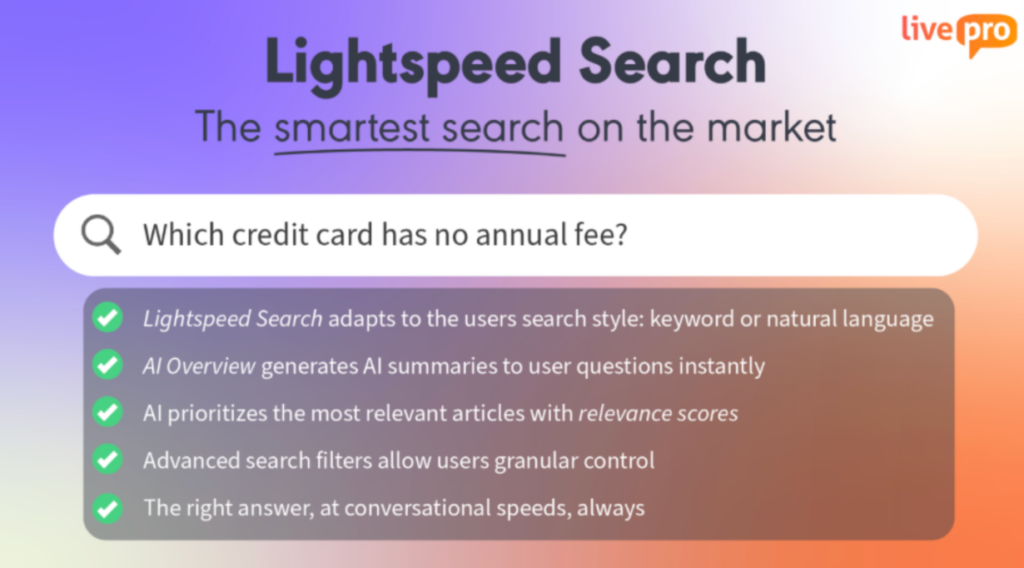
livepro’s Lightspeed Search understands context and intent. It delivers accurate results even when agents don’t use the exact keywords stored in the knowledge base.
- Typo Tolerance: Returns correct results even when agents mistype under pressure.
- Semantic Understanding: Recognizes that “cancel my plan” and “account termination process” refer to the same content.
- Usage-based Ranking: Prioritizes articles that teams access most, pushing the most useful content to the top.
For example, an agent searching “late payment fee waiver” gets the right article even if it’s titled “Overdue Balance Exception Policy.” The search understands intent, not just words.
AI Overview for Instant and Verified Answers
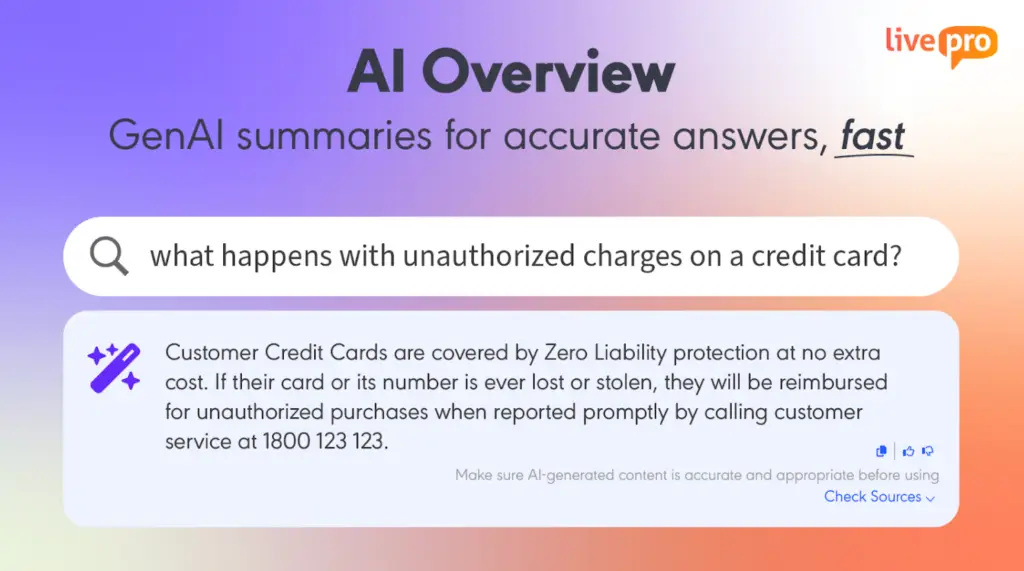
When your agents ask questions, livepro’s AI Overview pulls answers from long-form content and presents it as a verified summary at the top of each search result. The full source article stays one click away for situations that need deeper context.
Agents get:
- Concise Summaries: Extracts the critical detail from multi-page documents.
- Source-linked: Every summary traces back to the approved article for verification.
- Expandable Context: Agents drill into the full article only when the situation demands it.
Decision Trees (Rockets) for Step-by-Step Guidance
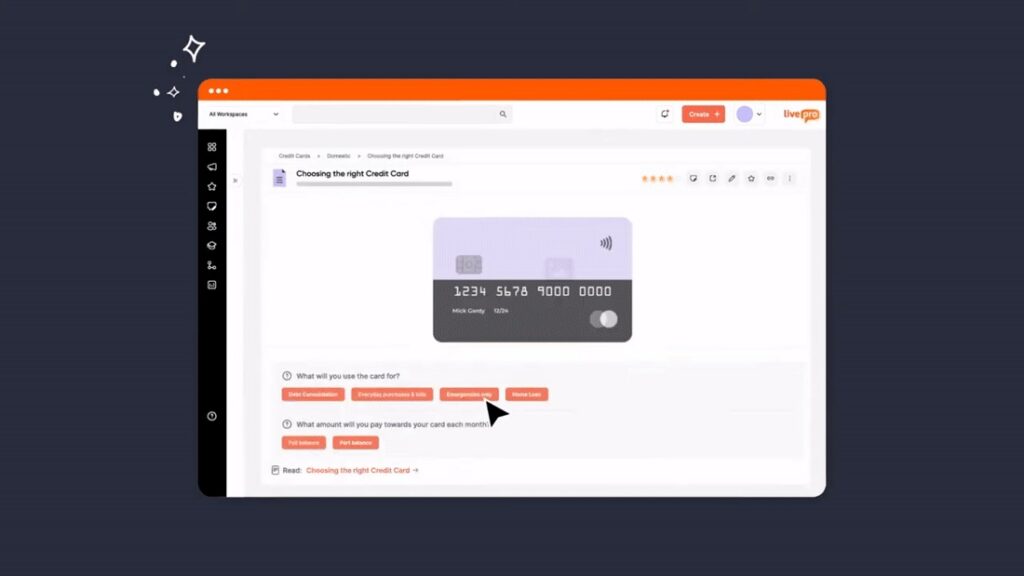
Multi-step processes documented in long-form text often gets interpreted differently by every agent. This results in inconsistent judgment and processes across teams.
livepro’s Rockets are visual decision trees with branching logic. Agents answer simple questions at each step and follow the correct path to resolution, every time.
For example, a healthcare contact center handling insurance verification can build a Rocket that starts with “Is the caller the policyholder?” and branches into the correct identity verification path, required documentation, and turnaround timeline. Every agent reaches the same outcome regardless of tenure.
Flexible Categorization and Role-Based Hubs for Smarter Navigation
Contact centers handle dozens of product lines, each with its own policies, escalation paths, and compliance rules. When all of that lives in a single flat folder structure, agents waste time scrolling through content that doesn’t apply to their team. New hires search blindly. Tenured agents skip the knowledge base and rely on memory.
livepro organizes content into Role-Based Hubs that surface only what’s relevant to each agent’s function, department, or team. Key capabilities include:
- Multi-dimensional Tagging: Tag a single article by department, regulation, product line, and audience at once.
- Custom Hierarchies: Build navigation structures that mirror your org chart or service lines.
- Hubs: Articles appear in multiple hubs automatically based on assigned tags.
For example, a BPO managing five insurance clients can create separate hubs for each client’s policies. An agent handling auto claims only sees auto claim content. An agent on health insurance sees a completely different set of articles. No filtering, no guesswork.
LightspeedAI Import for Rapid Knowledge Base Migration
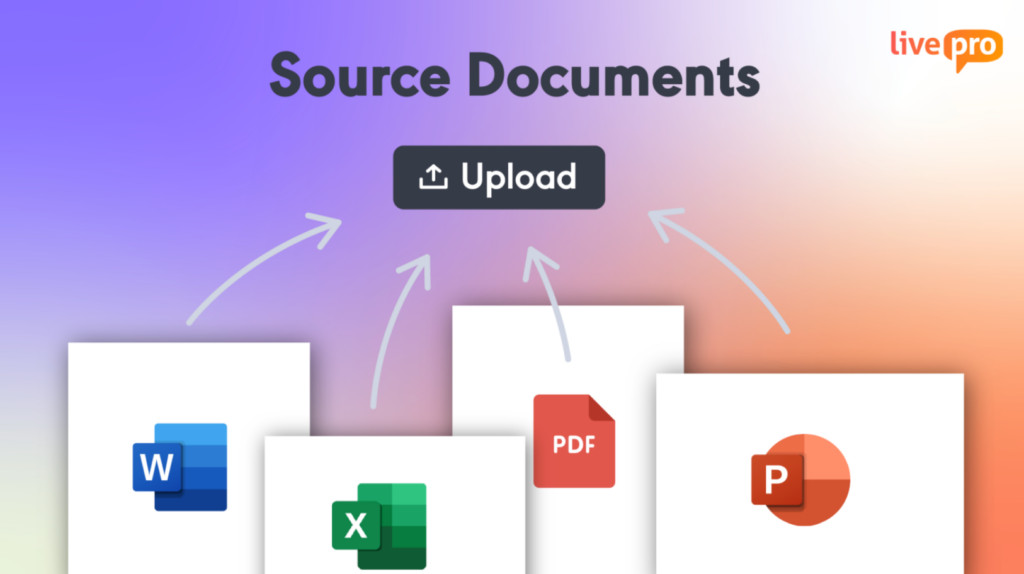
Knowledge base migrations stall because of the manual effort required. Teams copy, reformat, and recategorize hundreds of articles one by one while running parallel systems that create version conflicts.
livepro’s LightspeedAI Import ingests documents in bulk, identifies structure, and suggests categorization automatically. The import process covers:
- Bulk Upload: Import PDFs, Word docs, Excel files, and PowerPoint content in a single batch.
- Intelligent Parsing: AI identifies titles, sections, and procedures within uploaded documents.
- Format Preservation: Maintains tables, lists, images, and existing document structure.
- Auto-categorization: Suggests tags and categories based on content analysis.
For example, a BPO managing knowledge for multiple clients can upload 2,000 articles at once and have them parsed, formatted, and categorized within weeks instead of months.
Advanced Analytics for Tracking Knowledge ROI
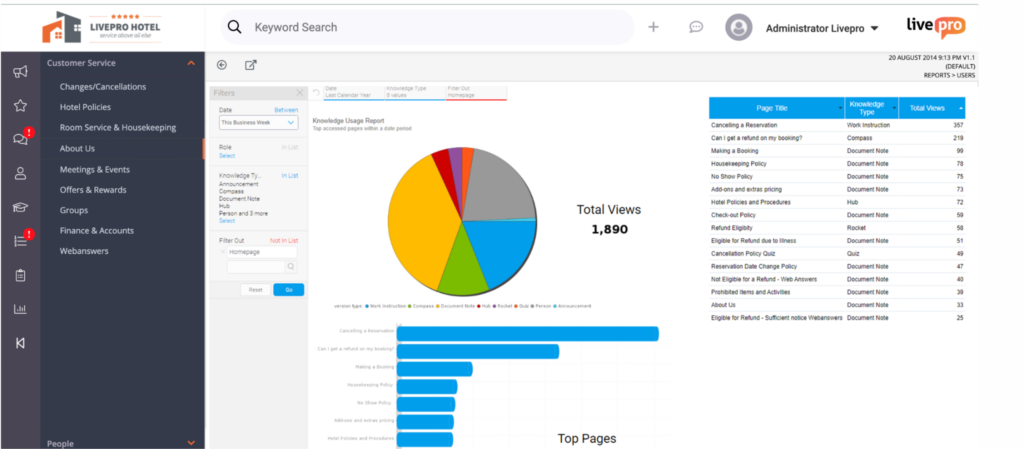
Leadership needs proof that the knowledge base drives measurable outcomes. Reporting gaps make it hard to connect knowledge performance to operational metrics.
livepro’s analytics dashboard tracks search behavior, content usage, knowledge gaps, and engagement in real time. Teams can monitor:
- Search Analytics: See what agents search for most and where queries return no results.
- Knowledge Gap Detection: Identify missing content from failed searches and trending queries.
- Usage Reporting: Track which articles get accessed, which get ignored, and which need updates.
- Engagement Metrics: Monitor adoption rates across teams, departments, and tenure groups.
- Exportable Reports: Generate leadership-ready data without manual spreadsheet work.
For example, when 30% of searches for “claim escalation” return no results, the content team knows exactly what to build next. Knowledge gaps stop being invisible.
Luna AI Voice Agent for 24/7 Customer Support

Luna is livepro’s AI voice agent. It handles inbound customer calls using verified knowledge base content, providing accurate, policy-approved answers without human involvement. Luna handles real customer interactions through:
- 24/7 Availability: Answers calls outside business hours without staffing overhead.
- Approved Answers Only: Pulls responses from your verified knowledge base. No hallucinations.
- Natural Language Understanding: Interprets how customers actually speak, not just rigid keyword phrases.
- Multilingual Support: Switches to the customer’s preferred language automatically.
For example, an insurance customer calls at 10 PM to ask about filing a claim. Luna walks them through eligibility requirements and required documentation using the same knowledge agents’ reference during business hours.
Customer Self-Service for Call Deflection and Consistent Answers
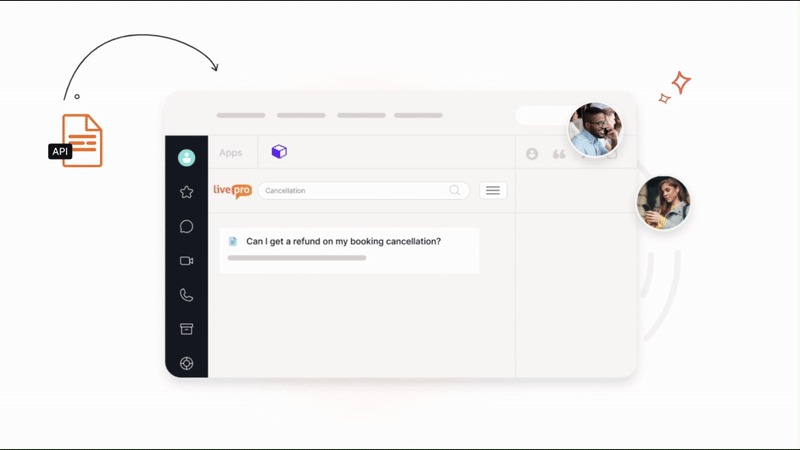
When customers visit your website with a billing question or policy inquiry, they expect a clear answer within seconds. But if your FAQ page hasn’t been updated in six months, or your help center only covers ten generic topics, that expectation breaks down fast. The customer picks up the phone. Your contact center absorbs the call and agent workload increases.
livepro’s self-service portal publishes the same verified knowledge externally that internal teams use. Customers access accurate answers through:
- Branded Portals: Customer-facing help center with your organization’s branding and design.
- AI-powered Chatbots: Instant answers from the same knowledge base agents use.
- Content Reuse: Publish internal content externally without duplicating or reformatting.
- Self-service Analytics: Track which topics customers search for most and where self-service fails.
livepro Pros and Cons
Pros:
- Purpose-built for contact centers and enterprises
- Guided decision trees (Rockets) enforce consistent outcomes across agents
- Single source of truth
- Governance controls include approval workflows, audit trails, and scheduled review cycles
- Luna AI Voice Agent for 24/7 customer support
- Integrates with contact center platforms like NICE CXone, Genesys Cloud, and Salesforce
Cons:
- Slight learning curve, but customer support is there to onboard
livepro Pricing
livepro offers three pricing plans:
- Flex: For growing contact centers.
- Premium: For established operations (Most Popular).
- Enterprise: For large-scale deployments.
Pricing is customized based on requirements. Contact us for a quote.
livepro Reviews
Review 1: “livepro makes locating information and processes so easy, and from an admin perspective, is so helpful to track usage, version history. It gave you all the tools you need to make content easy to find and understand.”
Review #1: “I really like the simplicity of livepro Knowledge Management when it comes to creating, updating, and editing any knowledge base pages. It’s very user-friendly to navigate from a user perspective for searching and locating knowledge.”
livepro Rating
GoSearch
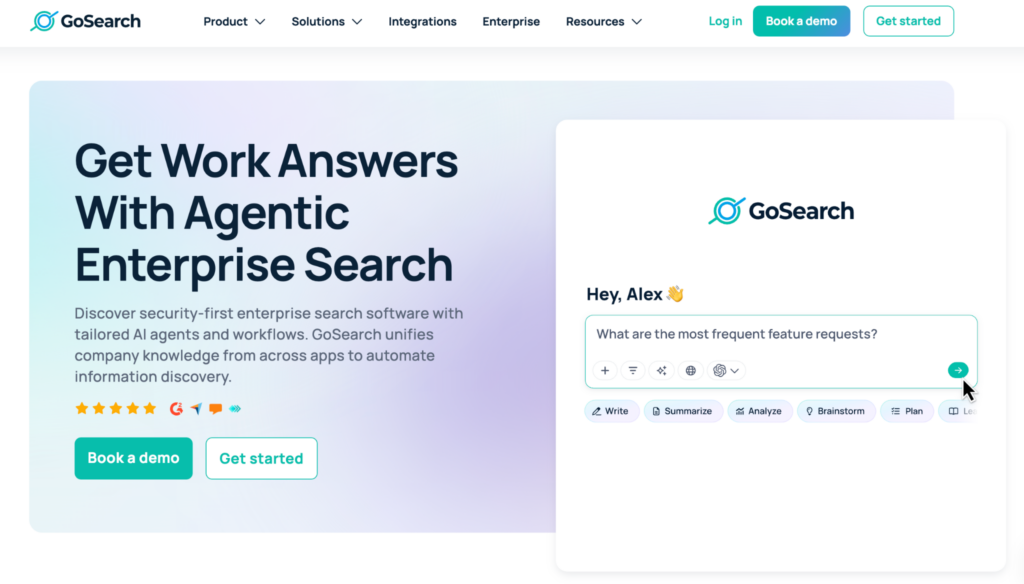
GoSearch is an enterprise search platform. It connects to over 100 workplace apps and uses a hybrid architecture that indexes shared content while querying sensitive data in real time through live connectors.
GoSearch positions itself as a faster, more affordable alternative to Glean with transparent pricing and same-day deployment. The platform is best suited for teams that want unified search across their tech stack without the infrastructure overhead of a fully indexed system.
Key Features
- A hybrid search architecture that combines indexing with real-time federated retrieval
- Built-in AI agents and automated workflows with support for multiple LLMs (OpenAI, Claude, Mistral)
- SOC 2 Type II compliance with zero data retention and bring-your-own-cloud options
- GoAI conversational assistant for direct, cited answers from connected apps
- Part of the GoLinks ecosystem (GoLinks, GoProfiles, GoSearch) for unified knowledge navigation
Pricing
GoSearch pricing starts at $20 per user per month.
Guru
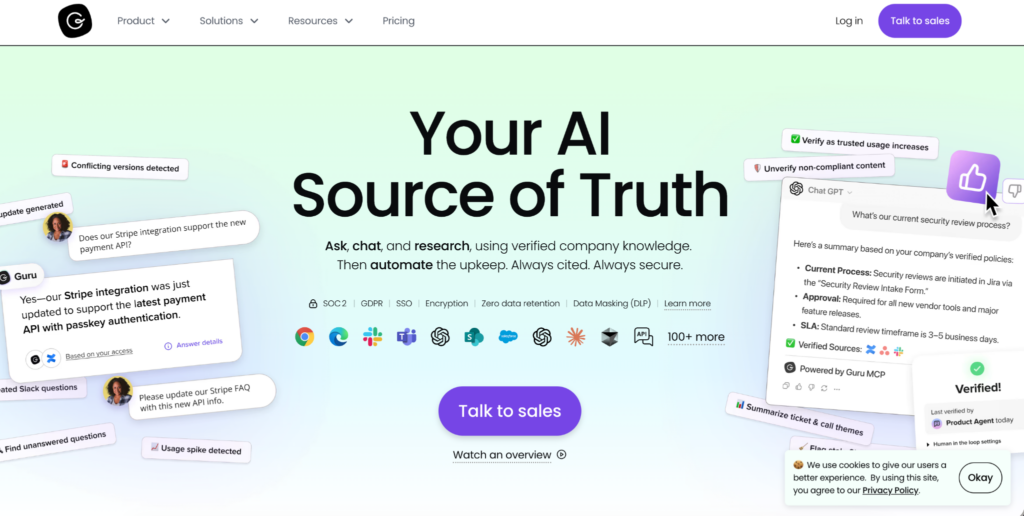
Guru is an AI-powered knowledge management platform that organizes company information into searchable knowledge cards. The platform focuses on ensuring internal knowledge is verified, governed, and accessible through tools like Slack, Microsoft Teams, and Salesforce.
Guru’s content verification workflows let subject matter experts claim ownership of specific knowledge areas and automatically flag outdated content.
Read more: Guru Alternatives
Key Features
- AI-powered semantic search with cited, permission-aware answers
- Knowledge cards that organize information into digestible, verified formats
- Automated content verification workflows with expert ownership and expiration alerts
- 100+ integrations, including Slack, Teams, Salesforce, Zendesk, and Confluence
- Custom Knowledge Agents that research and summarize across connected apps
Pricing
Guru’s pricing starts at $25 per user per month.
Coveo
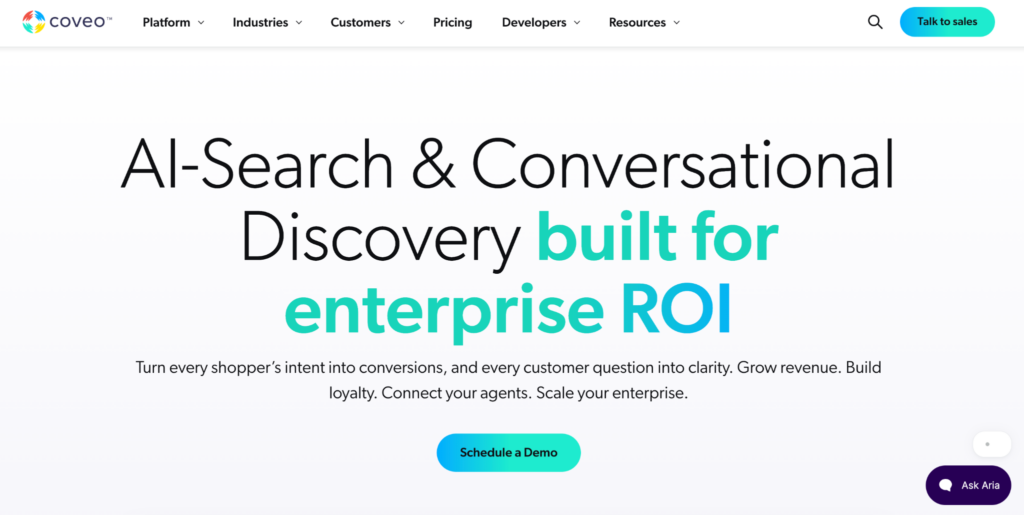
Coveo is an AI-relevance platform that delivers intelligent search, recommendations, and personalization across commerce, customer service, and workplace applications. The platform uses machine learning to tune search results based on user behavior.
Coveo’s strength is in customer-facing use cases like self-service portals, e-commerce product discovery, and support agent assist. It integrates with Salesforce, ServiceNow, SAP, and Adobe.
Key Features
- AI-powered search with automatic relevance tuning based on user behavior and interactions
- Generative answering that synthesizes responses from multiple content sources
- Deep Salesforce integration for agent assist and case deflection
- Omnichannel architecture spanning commerce, service, workplace, and website search
- Enterprise analytics with out-of-the-box dashboards and Snowflake data sharing
Pricing
Coveo offers custom pricing.
Elastic
Elastic is an open-source search platform. It provides full-text, vector, and hybrid search capabilities for organizations that want complete control over their search infrastructure.
Elastic is developer-focused. Teams with engineering resources can build highly customized search experiences across any data source. The platform also supports log analytics, observability, and security use cases beyond enterprise search.
For contact centers without dedicated development teams, Elastic requires significant technical investment to deploy, configure, and maintain as a knowledge management solution.
Key Features
- Open-source core with full-text, vector, and hybrid search capabilities
- Developer-friendly APIs and customization for building tailored search experiences
- Deployable on Elastic Cloud (AWS, GCP, Azure) or self-hosted on-premises
- Real-time data indexing with log analytics and observability features
- Role-based access controls, encryption, and audit logging for enterprise security
Pricing
Elastic’s pricing varies significantly by configuration.
Docket
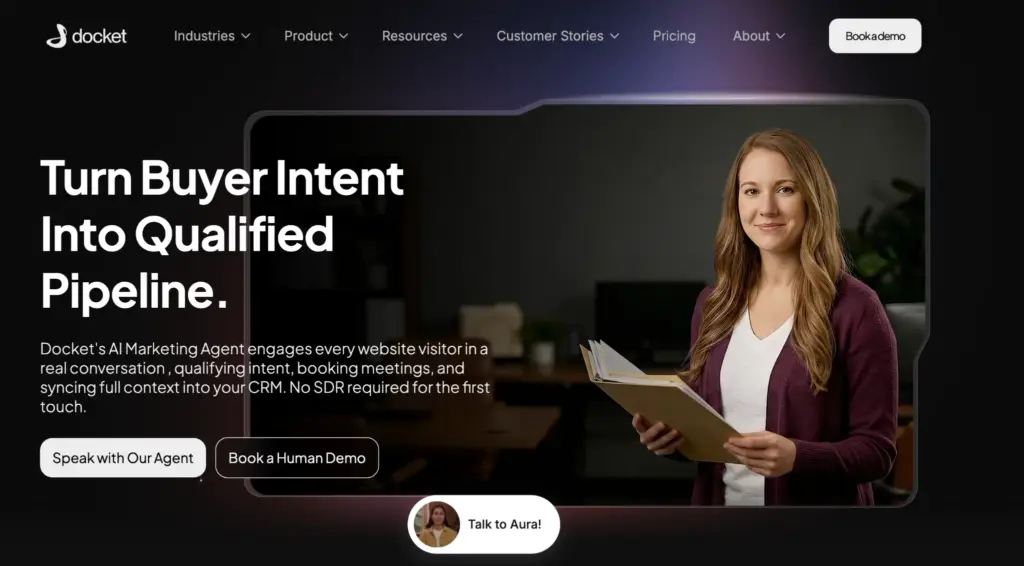
Docket is an AI-powered sales knowledge platform that acts as a virtual sales engineer. It centralizes sales content from across CRM systems, call recordings, Slack, Google Drive, Notion, and over 50 other sources.
Docket’s AI agents provide instant answers to technical product questions, automate RFP responses, and engage website visitors through human-like conversations that qualify leads and book meetings.
Key Features
- Sales Knowledge Lake that unifies structured and unstructured GTM data from 50+ sources.
- An AI Sales Agent that answers technical questions and supports reps during live deals
- AI Marketing Agent that engages website visitors, qualifies leads, and books meetings
- Automated RFP and security questionnaire response generation
- SOC 2 Type II, ISO 27001, and GDPR compliance.
Pricing
Docket’s pricing starts at USD 36,000 per year.
Capacity
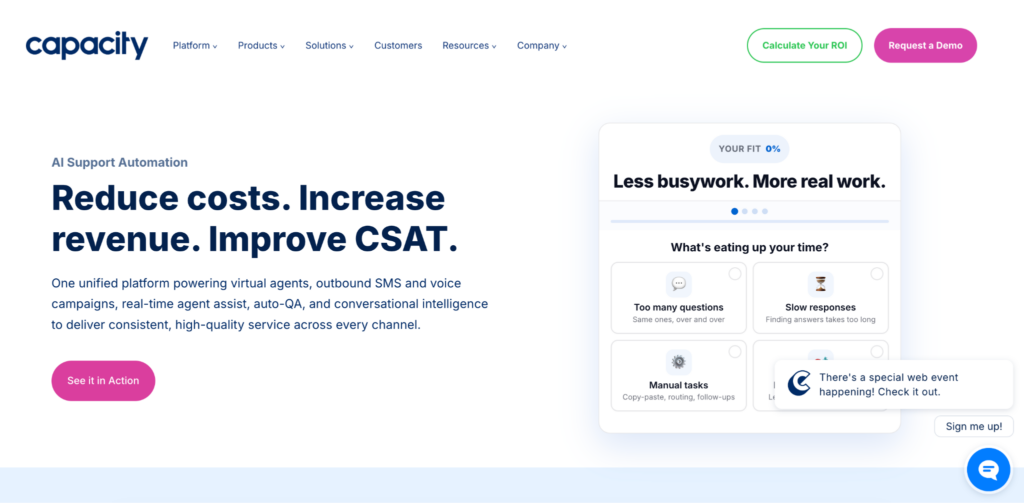
Capacity is a unified CX automation platform that combines AI-powered knowledge management, virtual agents, and workflow automation for customer and employee support.
The platform connects to over 250 business systems and uses a “train once, use everywhere” approach where a single knowledge layer powers chatbots, voice agents, agent assist, and self-service across every channel.
Key Features
- AI-powered virtual agents across voice, chat, email, and SMS channels
- Unified knowledge base with natural language processing for conversational search
- Drag-and-drop workflow builder for automating escalations, follow-ups, and ticket routing
- Agents assist with real-time AI coaching and suggestions during live interactions
- 250+ integrations, including Salesforce, Slack, Microsoft Teams, Jira, and more
Pricing
No public pricing tiers are listed.
7 Best Glean Alternatives: Comparison Table
| Software | Best For | Key Features | Vs. Glean | Pricing |
| livepro | Contact centers and regulated enterprises | Lightspeed AI Search, Decision Trees (Rockets), Luna Voice Agent, Governance Controls, Customer Self-Service | Purpose-built for contact centers with guided workflows, external delivery, and compliance governance | Custom (Flex, Premium, Enterprise) |
| GoSearch | Teams wanting fast deployment and transparent pricing | Hybrid search, AI agents with multi-LLM support, GoAI assistant, zero data retention | Faster deployment, free tier, hybrid architecture reduces compliance risk from centralized indexing | Paid plans start from $20/user/month |
| Guru | Internal knowledge verification and governance | Knowledge cards, content verification workflows, 100+ integrations, Custom Knowledge Agents | Verified knowledge with expert ownership and expiration alerts; no external delivery or decision trees | From $25/user/month |
| Docket | Sales knowledge and GTM enablement | Sales Knowledge Lake, AI Sales Agent, AI Marketing Agent, automated RFP responses | Purpose-built for sales teams, not enterprise search; unifies GTM data for deal support | Starts from $36K/year |
| Coveo | Customer-facing search, ecommerce, and agent assist | AI relevance tuning, generative answering, deep Salesforce integration, omnichannel architecture | Stronger in customer-facing search and ecommerce personalization; complex implementation | Custom quotes |
| Elastic | Developer teams wanting full search infrastructure control | Open-source core, vector, and hybrid search, self-hosted or cloud deployment, log analytics | Full customization and self-hosting; requires dedicated engineering resources | Free open-source tier, Cloud plans vary by configuration |
| Capacity | Support automation and ticket deflection | AI virtual agents across voice/chat/email/SMS, workflow builder, agent assist, 250+ integrations | Unified CX automation with multi-channel virtual agents; broader than search-only | Custom pricing |
How to Choose the Best Glean Alternative for Your Business
Picking the right Glean alternative depends on your team’s specific workflows, compliance needs, and how knowledge reaches your agents and customers.
Here are the key factors to evaluate:
Define Your Primary Use Case
Start by identifying the core problem you are trying to solve.
| Use Case | Recommended Platforms |
| Unified search across workplace applications | GoSearch or Elastic |
| Guided workflows, compliance governance, and external knowledge delivery for contact centers | livepro |
| Sales knowledge management, deal acceleration, and RFP automation | Docket |
| Ticket deflection and multi-channel support automation | Capacity |
| Customer-facing search, ecommerce personalization, and agent assist | Coveo |
Evaluate Compliance and Governance Requirements
Regulated industries need more than permission-aware search. Look for formal approval workflows, audit trails, scheduled content reviews, and version control.
livepro and Guru both offer governance features, but livepro goes further with automated review cycles and compliance reporting built for contact center environments.
Determine Whether You Need External Knowledge Delivery
Most Glean alternatives focus on internal search. If your organization needs to deliver the same verified knowledge to customers through self-service portals, chatbots, or voice agents, narrow your list to platforms that support external delivery.
livepro serve internal and external channels from a single knowledge source.
Compare Pricing Models Against Your Growth Plans
Per-user pricing scales fast. A 500-agent contact center at $50 per user per month is $300,000 a year before implementation costs.
Compare per-user models (GoSearch, Guru) against custom pricing (livepro, Coveo, Capacity) and annual commitments (Docket) to find a model that aligns with how your team grows.
Assess Integration Requirements
Check whether the platform connects to your existing contact center stack. livepro’s integrations include NICE CXone, Genesys Cloud, and Salesforce. GoSearch and Guru connect to 100+ workplace apps. Capacity covers 250+ systems. If your tech stack relies on specific tools, verify native integration support before committing.
Bottom Line: livepro is the Best Glean Alternative for Contact Centers in 2026
Glean is a recognized enterprise search platform, but as contact centers scale, its gaps around guided workflows, compliance governance, and external knowledge delivery become hard to ignore.
If you’re searching for a Glean alternative built for contact centers, livepro stands out. It offers decision trees that enforce consistent agent outcomes, governance controls for regulated industries, and a single knowledge source that serves both agents and customers across every channel.
It’s a better fit for organizations that need structured processes, faster answers during live interactions, and tighter control over how knowledge is created, approved, and delivered.
Book a demo to see how livepro helps your contact center deliver compliant, consistent answers at scale.
FAQs About Glean Alternatives
Which Glean alternatives are free?
GoSearch offers a free tier for small teams. Elastic provides a free open-source version with limited features. Most other platforms on this list, including livepro, Guru, Coveo, Docket, and Capacity, use custom or paid pricing models. Guru and GoSearch both offer free trials for teams that want to evaluate before committing.
What’s the best Glean alternative for contact centers?
livepro is the best Glean alternative for contact centers. It’s purpose-built for regulated environments with guided decision trees, compliance governance, external knowledge delivery, and Luna AI Voice Agent. No other platform on this list combines all four capabilities in a single system.
Which Glean alternative is easiest to use?
livepro and Guru are both praised by reviewers for intuitive interfaces and fast adoption. livepro’s Rockets and search functionality reduce training time for new agents.
Can I migrate my data from Glean?
livepro’s LightspeedAI Import supports bulk migration from existing knowledge bases and accepts PDFs, Word docs, Excel files, and PowerPoint content. The AI identifies document structure, preserves formatting, and automatically suggests categorization, compressing migration timelines from months to weeks.