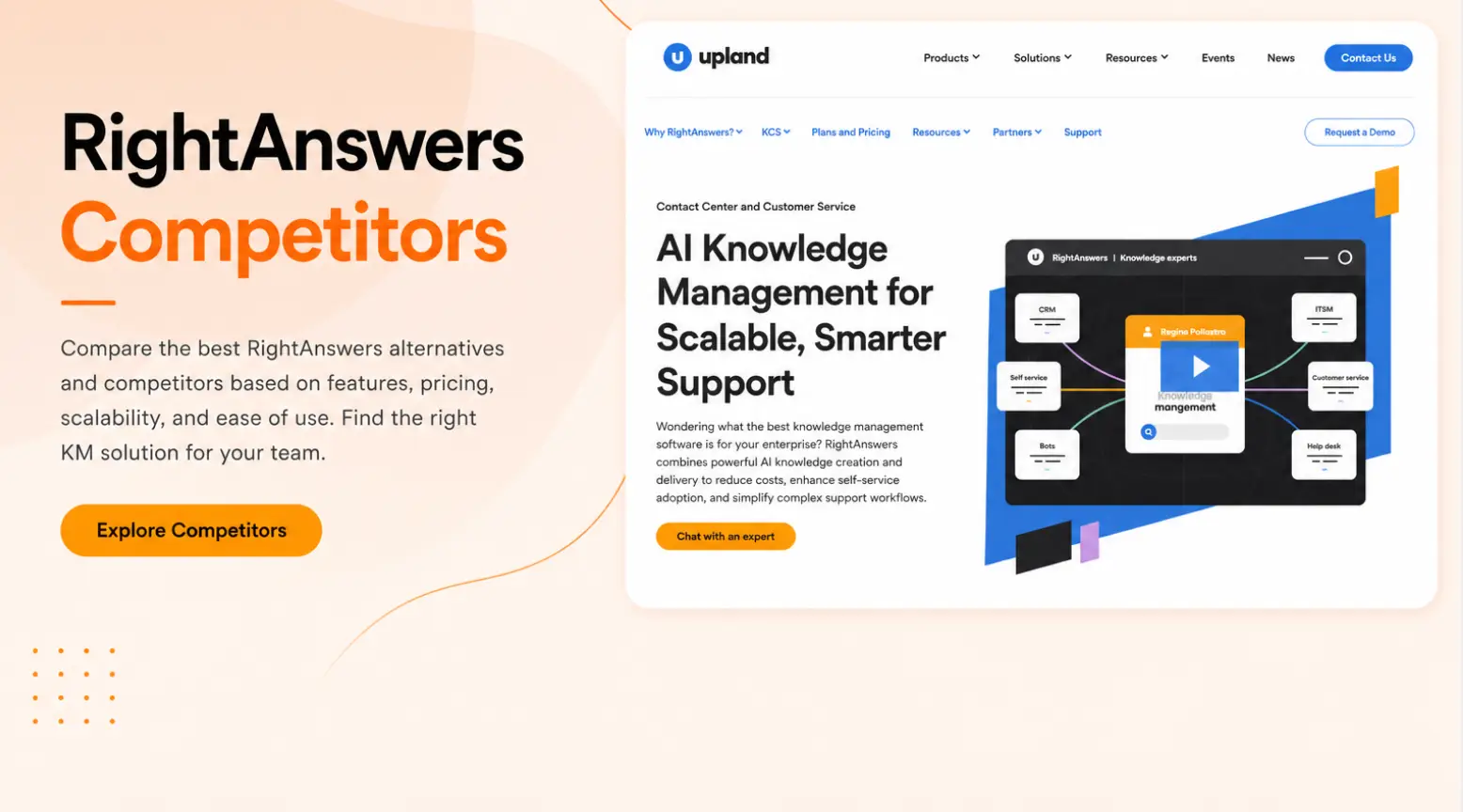


Many contact centers use RightAnswers to manage their knowledge base, but customer service teams often find it limiting. Here’s what many users complain about:
- Customization takes time: Many users say setting up RightAnswers for complex workflows is like “pulling teeth.” And support cases can drag on for months without a clear fix.
- Integration challenges: Connecting the existing tech stack with RightAnswers is frustrating. Users need to juggle multiple tools and tabs, and the knowledge base just becomes another tab to manage.
- Inaccurate search results: Users report that the neural search can miss articles even when the keyword appears in the title. Others find the search functionality too slow.
- Limited reporting features: Multiple users report that the web interface restricts access to key fields, even in detailed usage reports.
In this article, we’ll review the top 7 RightAnswers alternatives and competitors for contact centers. We’ll compare key features and pricing, so you can choose the right knowledge management software for your business needs.
livepro
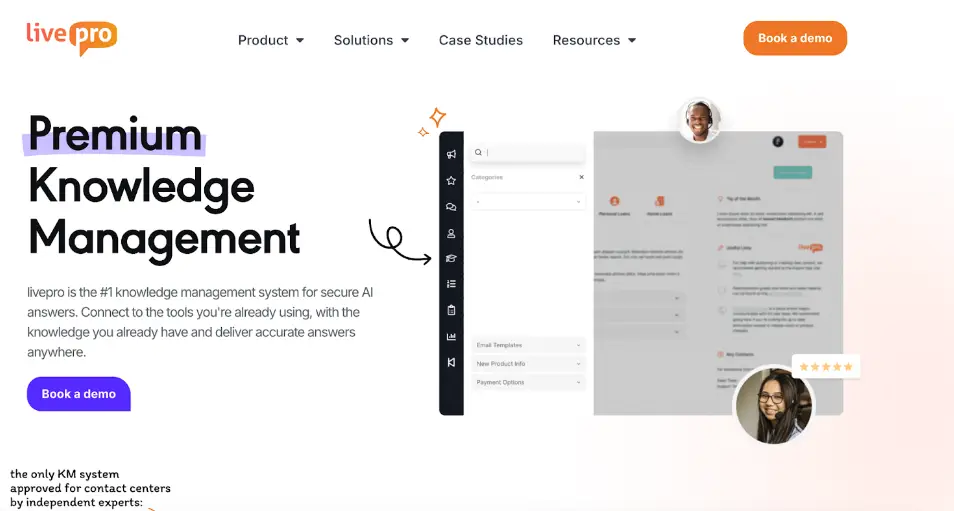
livepro is an AI-powered knowledge management platform built for contact centers. It serves customer service teams in industries like healthcare, banking, non-profits, and local government.
livepro centralizes and structures your scattered guides, manuals, policies, and procedures into a single source of truth. Your team can use livepro to train new agents, answer customer queries, reduce compliance risk, and keep information consistent across search, calls, chats, and internal teams.
Here’s how livepro helps you deliver accurate knowledge at scale as a RightAnswers competitor:
AI-Generated Summaries for Quick Answers
Many users complain that RightAnswers generates inaccurate answers. This costs agents time mid-call, forces them to double-check responses, and increases the risk of giving customers wrong information.
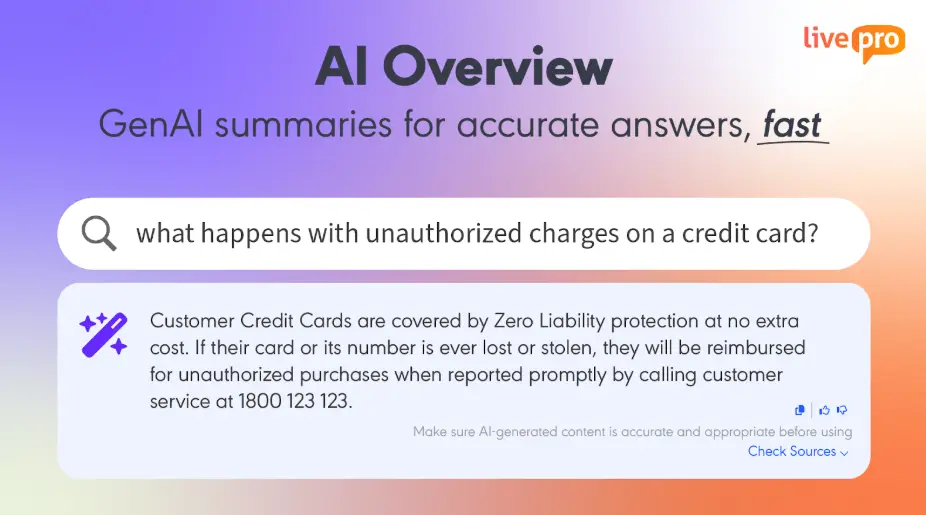
livepro’s AI Overview works more precisely. Agents type a question in natural language. The system generates a quick summary pulled directly from your verified, approved knowledge base.
Every answer links back to the source article, allowing agents to check the full details in real-time. And all responses carry an audit trail for compliance.
Hybrid Lightspeed Search to Deliver Consistent Information
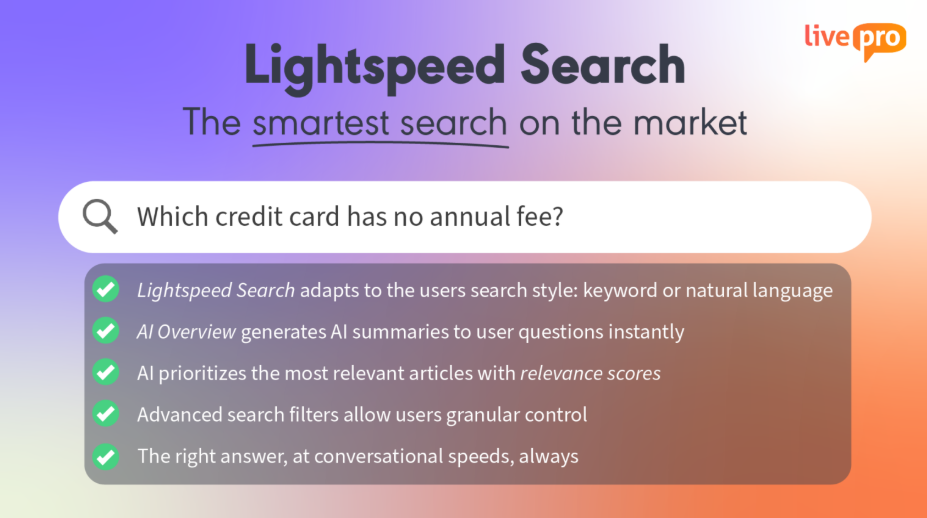
livepro’s Lightspeed search functionality combines natural language processing, vector retrieval, and hybrid keyword matching to generate accurate results.
Here’s what makes Lightspeed Search different from a standard knowledge base search:
- Relevance scoring: Every result gets an AI-assigned score based on how closely it matches the query, the agent’s department, and past usage history. Agents see the best answer first, not a list they have to dig through.
- Handles imperfect searches: It returns accurate, context-aware answers even if you misspell a term, use the wrong jargon, or forget the exact keyphrase.
- Learns from real usage: The system factors in how other agents have engaged with results, so the more it’s used, the more accurate it gets.
For example, if an agent types “savings rate change,” livepro can find the correct policy even if that phrase doesn’t appear in the document. It ranks by relevance, so the agents can pick and choose articles.
You can also embed livepro’s Lightspeed Search directly on your website. Customers get access to the same verified, approved knowledge your agents use. They can search in natural language, get accurate answers instantly, and resolve their queries without waiting in a queue.
This helps you turn your internal knowledge base into a self-service tool, reducing inbound call volume while keeping every answer consistent across agent and customer channels.
Knowledge Governance to Maintain Content Quality
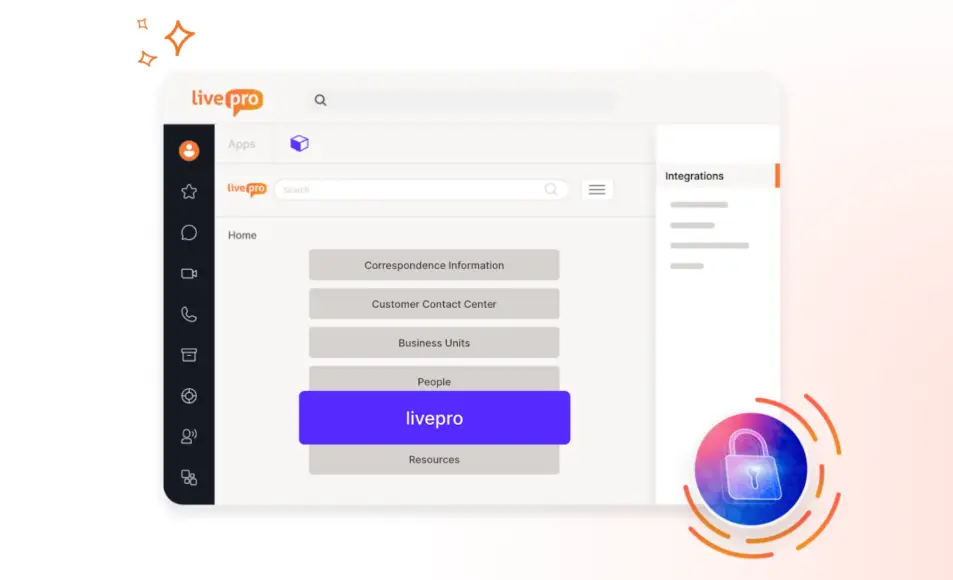
RightAnswers users report that information can be inconsistent, with agents receiving conflicting answers across different channels.
livepro’s knowledge governance tools make sure that doesn’t happen. Every piece of content goes through a structured workflow before it reaches agents:
- Automated review dates: Articles are assigned ownership and review schedules. When content is due for a refresh, the right person is notified automatically.
- Approval workflows: Content moves through a defined path: author, reviewer, approver, publish.
- Version control: Tracks every document version for teams to see change history and restore previous versions if needed.
- Role-based access: Permissions are set by role, so sensitive or regulated content is accessible to the right people.
For example, a healthcare provider managing clinical guidelines and patient-facing procedures can assign each article to a compliance officer with a set review cycle. When a treatment protocol changes, the responsible team member gets notified, updates the content, and it goes through approval before it reaches frontline staff.
AI-Powered Authoring to Create Articles Faster
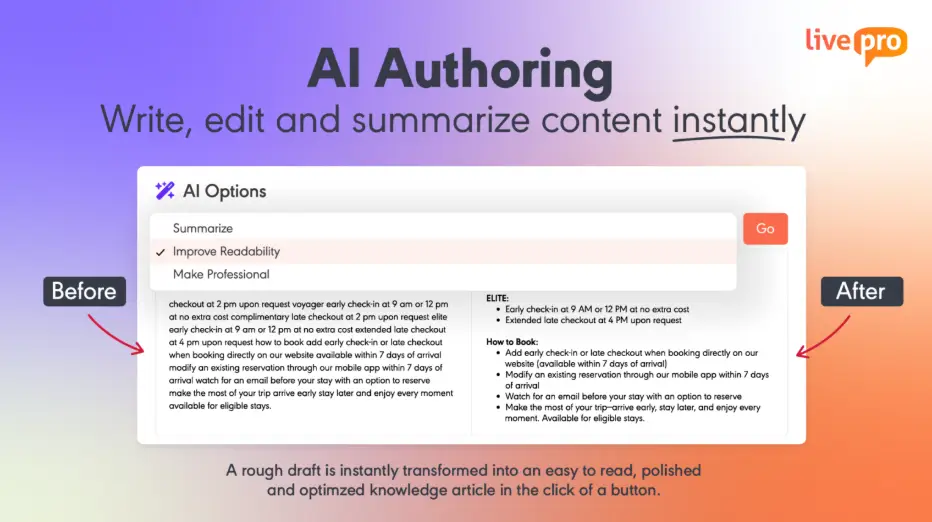
RightAnswers users complain that its editor is feature-poor and forces manual error checking on every article.
livepro offers AI-powered knowledge authoring tools. You can write rough or basic content using pre-saved templates or from scratch. The AI summarizes lengthy content, suggests clearer wording, shortens long explanations, and adjusts the tone to fit the audience.
Instead of manually proofreading every article for errors and readability issues, the AI handles the heavy lifting before anything goes live.
Our platform also offers a WYSIWYG editor that allows non-technical teams to create and update content. The editor supports drag-and-drop formatting, images, links, and structured layouts, all without any coding or HTML knowledge.
When combined with livepro’s governance workflows, every article goes through an author, reviewer, and approver sequence before it reaches agents.
Source Documents to Organize Knowledge Base
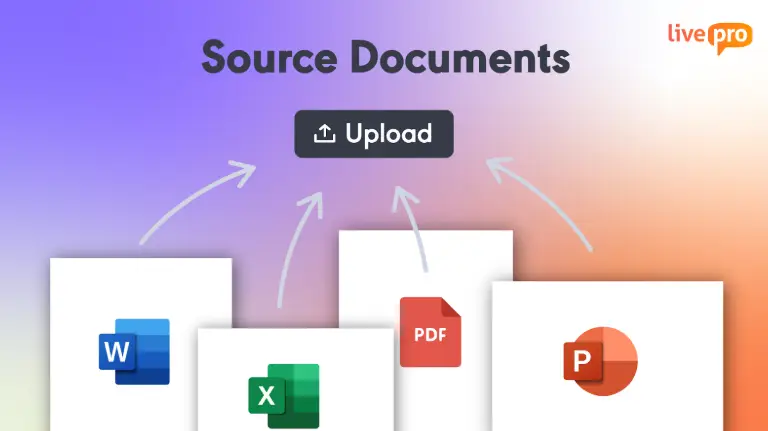
livepro lets you bulk upload PDFs, Word, Excel, or PowerPoint files in their existing format. The platform converts them into searchable content for accurate answers.
This helps contact center teams:
- Access years of existing policies and procedures without rebuilding them from scratch
- Give agents a single place to search across all document types, instead of jumping between shared drives, email attachments, and internal folders.
- Group files into Categories and Hubs by department, process, or topic.
- Assign ownership, review dates, and version history to maintain governance and accountability.
- Surface AI-generated summaries on top of uploaded documents, so agents get the key answer instantly without reading through the full file.
Luna AI Voice Agent to Provide 24/7 Customer Service

Luna is livepro’s AI voice agent that handles customer calls around the clock. Luna uses natural language processing to understand customer queries. It then pulls an accurate answer directly from the same verified knowledge base your agents use.
If a call is beyond Luna’s scope, Luna escalates to a live agent with full context. The agent picks up right where Luna left off, so customers don’t have to repeat themselves.
This AI solution in contact centers helps agents handle repetitive inbound volume, reduce queue times, and free agents to focus on complex queries.
Knowledge Analytics for Performance Insights
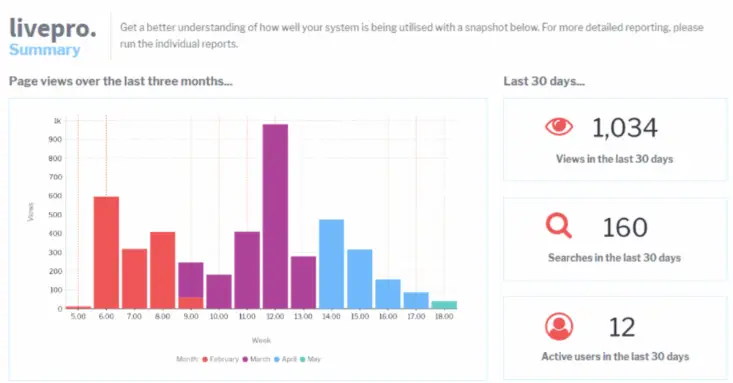
livepro offers custom analytics dashboards that give you visibility into your knowledge base. You can configure metrics that matter to you and tailor them to role-based views for managers, executives, or front-line teams.
Here’s how livepro’s analytics features stand out among RightAnswers alternatives:
- Usage analytics: See which articles agents access most, which content is going unread, and how engagement changes over time across teams and individuals.
- Trending searches and knowledge gaps: Identify what agents are searching for but not finding, so you can create or update content before it starts affecting call quality.
- Built-in reporting suite: Run and export detailed reports for quick performance reviews without manually compiling data from multiple sources.
- Audit trail: See who accessed what, when, and what changes were made.
For example, if the dashboard shows high search volume for a specific topic with low article engagement, managers can quickly create or update content to meet demand.
livepro Integrations
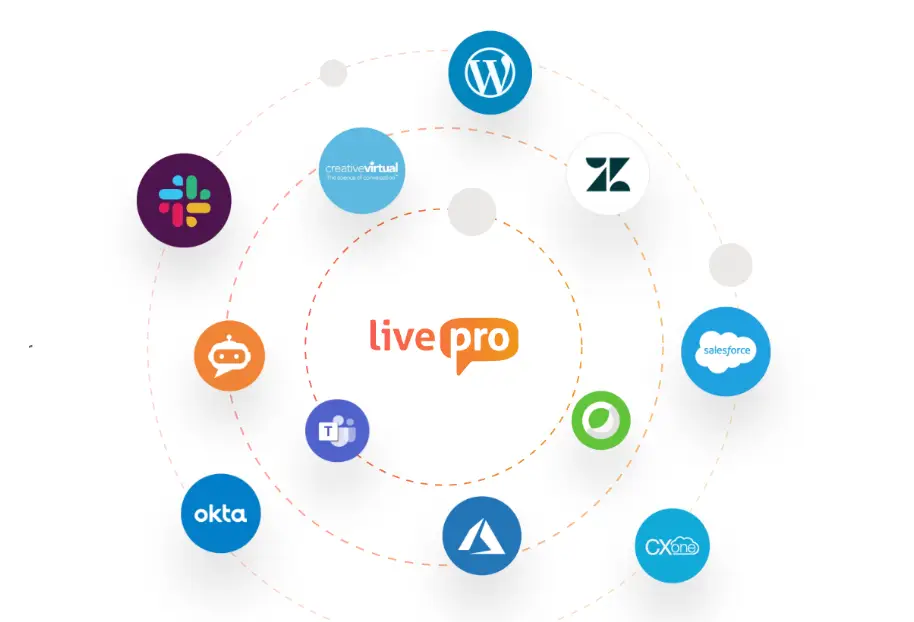
Juggling between multiple tools slows down your team. livepro connects with your existing systems, so you don’t have to switch between tabs.
livepro offers integrations with:
- Salesforce
- Zendesk
- Microsoft Teams
- Slack
- Genesys Cloud
- NICE CXone
If you have a custom setup, you can use our open API to connect your apps.
livepro Pricing
livepro offers three pricing plans: Flex, Premium, and Enterprise. Book a call with our team for a custom quote.
How ME Bank Cut Average Handle Time by 40% with livepro
ME Bank is one of Australia’s largest direct banks, serving over 400,000 customers with no physical branches. That means its contact center is the only face of the business. Every call matters.
Before livepro, ME Bank’s agents relied on an internal wiki built in SharePoint. The wiki was hard to search, difficult to organize, and required extensive training just to navigate. Agents spent too long hunting for answers mid-call, which drove up handle times and frustrated both customers and staff.
Sean McGinn, General Manager at ME Bank, put it simply: “We needed a better knowledge management solution to achieve customer satisfaction and staff engagement.”
The Results
After switching to livepro, ME Bank saw measurable improvements across the board. Average handle time dropped from 10 minutes to 6 minutes, a 40% reduction. That’s four minutes saved on every call, which translates directly into lower operational costs and shorter customer wait times.
Staff engagement shifted just as sharply. ME Bank surveyed agents before and after the rollout and found that 92% of staff rated livepro as useful. An additional 38% agreed they now had access to all the information they needed, and 61% more staff confirmed the information was accurate and up to date. These aren’t vanity metrics. When agents trust the system, they stop second-guessing answers and start resolving calls with confidence.
The platform also reduced training overhead. Because livepro’s interface is designed to be intuitive, ME Bank no longer needed to invest weeks training new agents on how to navigate the knowledge base. Agents could search in natural language and get the right answer without learning a complex system first.
As Hasan Sevik, Communications Coordinator and Service Excellence at ME Bank, reported: “Since implementing livepro, we have seen our AHT reduce from 10 minutes to 6 minutes. That’s a 40% decrease.”
eGain
eGain is a customer engagement and knowledge management platform built for large enterprise contact centers. It combines AI-guided conversations, knowledge delivery, and analytics into a single suite. This allows agents and customers to find answers across multiple interaction channels.
Read more: RightAnswers vs. eGain
eGain Key Features
Here are the key features of eGain:
- Offers omnichannel knowledge delivery across all touchpoints
- Supports AI-guided conversational assistance for agents
- Offers AssistGPT for AI-powered content creation and curation
- Allows multilingual content support across localized interfaces
- Personalizes guidance based on agent role and experience level
- Offers built-in reporting and knowledge analytics tools
- Provides self-service knowledge delivery for end customers
eGain Pricing
eGain offers custom pricing.
Helpjuice
Helpjuice is a knowledge management platform built for teams that need a customizable documentation portal. It focuses on helping businesses create and manage internal and external knowledge bases, with branding controls.
See also: Helpjuice Alternatives
Helpjuice Key Features
Here are the key features of Helpjuice:
- Delivers an AI-powered search that understands context and intent
- Supports full HTML and CSS customization for branded knowledge base design
- Offers in-depth knowledge analytics dashboards
- Enables multi-user collaboration with role-based permissions and editing history
- Supports multilingual content with one-click translation capabilities
- Integrates with tools like Zendesk, Freshdesk, and Google Analytics
- Includes version control and editing history to track content changes over time
- Generates AI-powered step-by-step tutorials through its Wizardshot feature
Helpjuice Pricing
Helpjuice pricing starts from $129/month when billed annually.
Bloomfire
Bloomfire is an AI-powered knowledge management system built for enterprise teams. It serves industries like financial services, market research, healthcare, and professional services.
Bloomfire focuses on breaking down internal information silos by centralizing knowledge across departments, making it searchable and shareable across the entire organization.
Read more: RightAnswers vs. Bloomfire
Bloomfire Key Features
Here are the key features of Bloomfire:
- Offers indexing across documents, videos, audio, and slides for unified search
- Includes an Ask AI tool that delivers cited answers from verified knowledge instantly
- Uses a self-healing knowledge base that auto-flags outdated and redundant content
- Allows discussion boards, comments, and Q&A sessions for collaborative knowledge sharing
- Delivers personalized knowledge experiences tailored by role, team, or department
- Tracks content engagement, search behavior, and knowledge gaps through advanced analytics
- Supports approval workflows, version control, and content moderation at scale
- Connects with cloud storage tools to centralize documents from across existing systems
Bloomfire Pricing
Bloomfire offers custom pricing.
Confluence
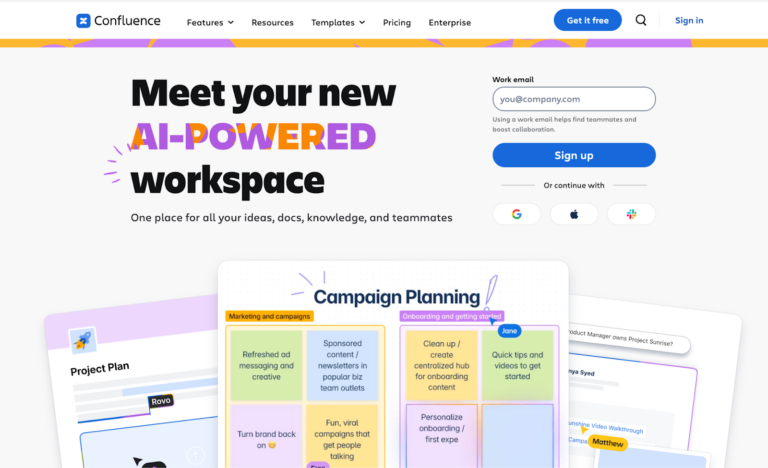
Confluence by Atlassian is designed for internal teams that need a central workspace to create, organize, and share documentation.
Confluence works best for organizations already using Atlassian tools like Jira, where deep integration between project management and documentation is the priority.
Read more: Confluence Alternatives
Confluence Key Features
Here are the key features of Confluence:
- Offers real-time co-editing for simultaneous team collaboration
- Provides version history to track, compare, and revert page changes
- Supports permission-based access controls
- Provides ready-made templates across multiple use cases
- Integrates with Jira, Slack, Google Drive, and third-party tools
- Offers keyword, label, and content type search with filters
- Supports AI-powered page summaries and content catch-up features
- Provides space-based content hierarchy for organized knowledge storage
Confluence Pricing
Confluence pricing plans start from $5.42/user/month.
Freshdesk
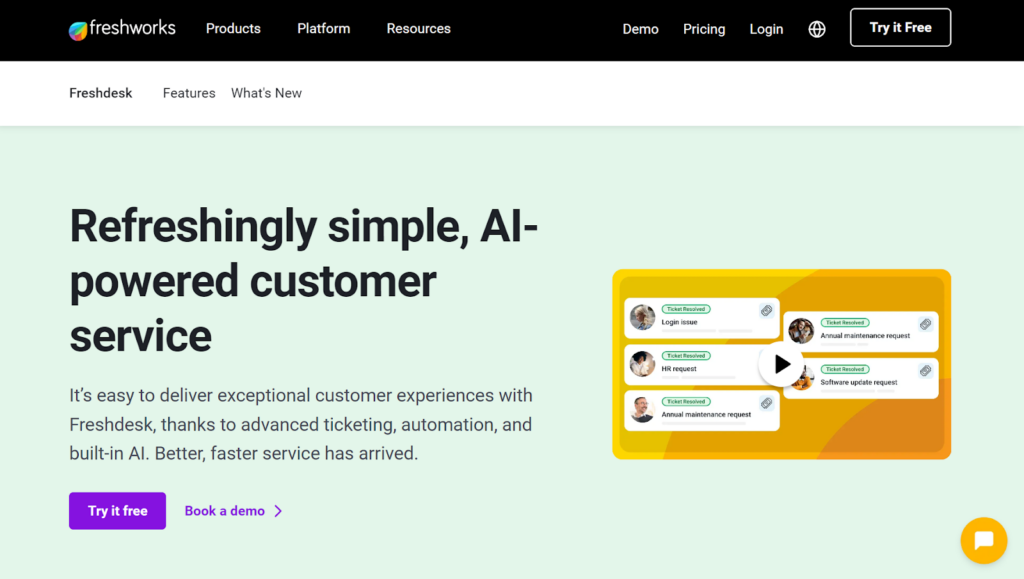
Freshdesk by Freshworks is a customer support platform. It’s designed for small to mid-sized support teams that need a helpdesk ticketing system with a built-in knowledge base.
Freshdesk Key Features
Here are the key features of Freshdesk:
- Converts ticket replies into articles instantly
- Supports multilingual content across 300+ languages for global teams
- Features Freddy AI for auto-suggested solutions before customers submit tickets
- Delivers article performance analytics, including views, ratings, and feedback tracking
- Maintains version history so teams can track edits and revert to previous versions
- Integrates with Freshdesk’s ticketing system for a unified support workflow
- Allows content to be organized into categories, folders, and subcategories
- Supports approval workflows for content review before articles go live
Freshdesk Pricing
Freshdesk pricing plans start from $15/month for each agent, depending on your feature needs.
Shelf

Shelf is an AI-powered knowledge management platform built for contact centers and enterprise teams. It serves industries like financial services, retail, technology, and healthcare.
Shelf helps manage large, frequently changing knowledge libraries across multiple agents. It also works well for organizations already using CCaaS, CRM, or ticketing platforms.
Read more: Shelf Alternatives
Shelf Key Features
Here are the key features of Shelf:
- Features MerlinAI search that proactively suggests answers across search, chat, IVR, and forms
- Tracks content to flag outdated, redundant, and contradictory articles
- Includes a GenAI Content Copilot that creates and updates articles with a single click
- Supports content connectors that sync knowledge from existing repositories
- Offers knowledge analytics and dashboards
- Enables decision tree authoring for guided workflows
- Supports automatic content translation capabilities
- Includes an announcements manager with read receipts and due date reminders
- Maintains version control so teams have access to the latest approved content
Shelf Pricing
Contact the team for custom pricing.
Comparison Table: Top 7 RightAnswers Alternatives and Competitors in 2026
| Platform | Best For | Internal Knowledge Capabilities | Team Adoption |
| livepro | Contact centers | Centralizes policies, manuals, and procedures in one place. AI-generated summaries, Hybrid Lightspeed Search, source document upload, governance workflows with version control and approval chains, analytics dashboards | Quick setup with guided customer support for faster implementation |
| eGain | Large contact centers needing omnichannel knowledge delivery | AI-guided assistance, AssistGPT for content creation, knowledge analytics, and self-service delivery for end customers | Administrators and content owners need training, and the authoring console has quirks that slow teams down |
| Confluence | Internal teams already using Atlassian tools like Jira | Real-time co-editing, version history, space-based hierarchy, and AI-powered page summaries | Non-technical users face a steeper learning curve, and teams that skip the setup investment often end up with cluttered, hard-to-navigate spaces |
| Helpjuice | Teams needing a customizable documentation portal with branding controls | AI-powered contextual search, in-depth analytics, multilingual support, version control, and editing history | Simple interface that non-technical users can navigate, but advanced customization options (HTML/CSS) may require developer support for full setup |
| Freshdesk | Small to mid-sized support teams needing a helpdesk with a built-in knowledge base | Email-to-KBase article creation, AI for auto-suggested solutions, multilingual support, approval workflows, and ticketing integration | Reviewers find it less intuitive when used as a standalone knowledge tool |
| Bloomfire | Enterprises that need to share and manage knowledge at scale with advanced search and media support | Unified indexing across documents and media, Ask AI for cited answers, a self-healing knowledge base, discussion boards, and advanced analytics | Limited tracking adoption inside the platform, with some teams needing external tools to measure engagement |
| Shelf | Contact centers managing large, frequently changing knowledge libraries | MerlinAI answers suggestions across search, chat, IVR, and forms, GenAI Content Copilot, content connectors, decision trees, and version control | Fast onboarding setup |
What to Look for in a RightAnswers Alternative
Knowledge Base
Look for a system that helps you centralize your complex documents, manuals, and guides into a single source of truth. This helps you maintain an accurate and up-to-date knowledge base.
Search Accuracy
Pick a platform that goes beyond keyword matching. Agents shouldn’t have to dig through a list of results mid-call. It should surface the most relevant answer first, using natural language processing to understand what the agent wants to know.
Knowledge Governance and Workflow
Look for a tool with structured approval workflows, automated review schedules, and version control built in. Without these, content goes stale, agents get conflicting answers, and compliance risk quietly builds up.
Authoring Tools
Look for a system with a built-in editor that makes it easy to create clean, structured content. Templates, drag-and-drop formatting, and WYSIWYG editing help authors produce articles quickly.
Self-Service Portal
A good self-service portal pulls from the same verified knowledge base your agents use. This way, customers get accurate answers, and your team handles fewer low-value tickets.
Analytics and Dashboard
Look for a tool that tracks what agents search for but can’t find. Usage data and failed searches tell you exactly where your knowledge base is letting your team down, before it starts affecting call quality or customer satisfaction.
Integration Depth
Pick a platform that embeds into the tools your team already uses, like Salesforce, ServiceNow, or Genesys. This allows agents to work in the same workflows without switching between tools to find the answer.
Scalability
Look for a platform that grows with your team without breaking down. As your agent count, content volume, and customer queries increase, it should handle the load without slowing down search, degrading answer quality, or requiring a re-implementation.
Bottom Line: livepro is The Best RightAnswers Alternative for Contact Centers
RightAnswers offers structured knowledge management, but implementation takes time. Many users face a steep learning curve, and the neural search feels cumbersome for contact center agents who need fast answers mid-call.
livepro solves these gaps with AI-powered search, generative summaries, and a knowledge governance system. It also offers guided workflows, role-based access controls, content authoring tools, and deep integrations.
Book a demo to see how livepro helps your contact center cut handle time, reduce compliance risk, and get agents answering with confidence from day one.
FAQs
How do I migrate my knowledge base from RightAnswers to another platform?
Most knowledge management platforms support bulk content imports through file uploads or API-based migration. The key steps include exporting your existing articles, mapping your content structure (categories, tags, permissions) to the new platform, and running a test migration before going live.
livepro simplifies this process with its source document upload feature. You can bulk upload PDFs, Word, Excel, and PowerPoint files, and livepro converts them into searchable, structured content. Your team doesn’t have to rebuild articles from scratch. Combined with livepro’s guided onboarding support, most teams are up and running within weeks, not months.
Does RightAnswers work better for IT service desks or contact centers?
RightAnswers was originally built for IT service desks. Its strongest integrations are with ITSM tools like ServiceNow, BMC, and Microsoft Dynamics. If your primary use case is IT knowledge management and ticket deflection, RightAnswers fits that workflow.
But if your team handles customer-facing calls across healthcare, financial services, or government, you need a platform built for contact center speed. livepro is purpose-built for this. Features like Hybrid Lightspeed Search, AI-generated summaries, and guided decision trees (Rockets) are designed to get agents the right answer mid-call, not after a ticket is logged.
Do RightAnswers alternatives support KCS (Knowledge-Centered Service) methodology?
Some do, but support varies. RightAnswers is KCS v6 verified, which matters if your team follows that framework. But KCS verification alone doesn’t guarantee better outcomes. What matters more is whether the platform makes it easy for agents to create, improve, and reuse knowledge in their daily workflow.
livepro supports KCS principles through its feedback loops, content governance workflows, and agent engagement tools. Agents can flag outdated content, suggest edits, and submit feedback directly from their workflow. These contributions feed into structured review and approval cycles, so knowledge stays accurate without depending on a dedicated KCS team.
What compliance features should I look for in a RightAnswers alternative?
If you operate in a regulated industry, like financial services, healthcare, or government, you need more than basic version control. Look for role-based access controls, automated review schedules, full audit trails, and approval workflows that enforce content accuracy before anything reaches agents.
livepro was built for this. Every article moves through an author, reviewer, and approver sequence before publication. Review dates are assigned automatically, and the system notifies the right person when content is due for a refresh. Full audit trails track who accessed, edited, or approved every piece of content. livepro is SOC 2 Type II certified and supports HIPAA compliance, which makes it a strong fit for regulated contact centers.
How much does RightAnswers cost compared to alternatives?
RightAnswers does not publish its pricing. You need to contact their sales team for a custom quote, and pricing varies based on user type (authors, readers, or AI users). This makes it difficult to compare costs upfront.
Most RightAnswers alternatives follow a similar model. Helpjuice starts at $129/month, Freshdesk starts at $15/agent/month, and Confluence starts at $5.42/user/month. livepro offers three plans (Flex, Premium, and Enterprise) with custom pricing based on team size and feature needs. You can book a call with livepro’s team to get a quote tailored to your contact center setup.