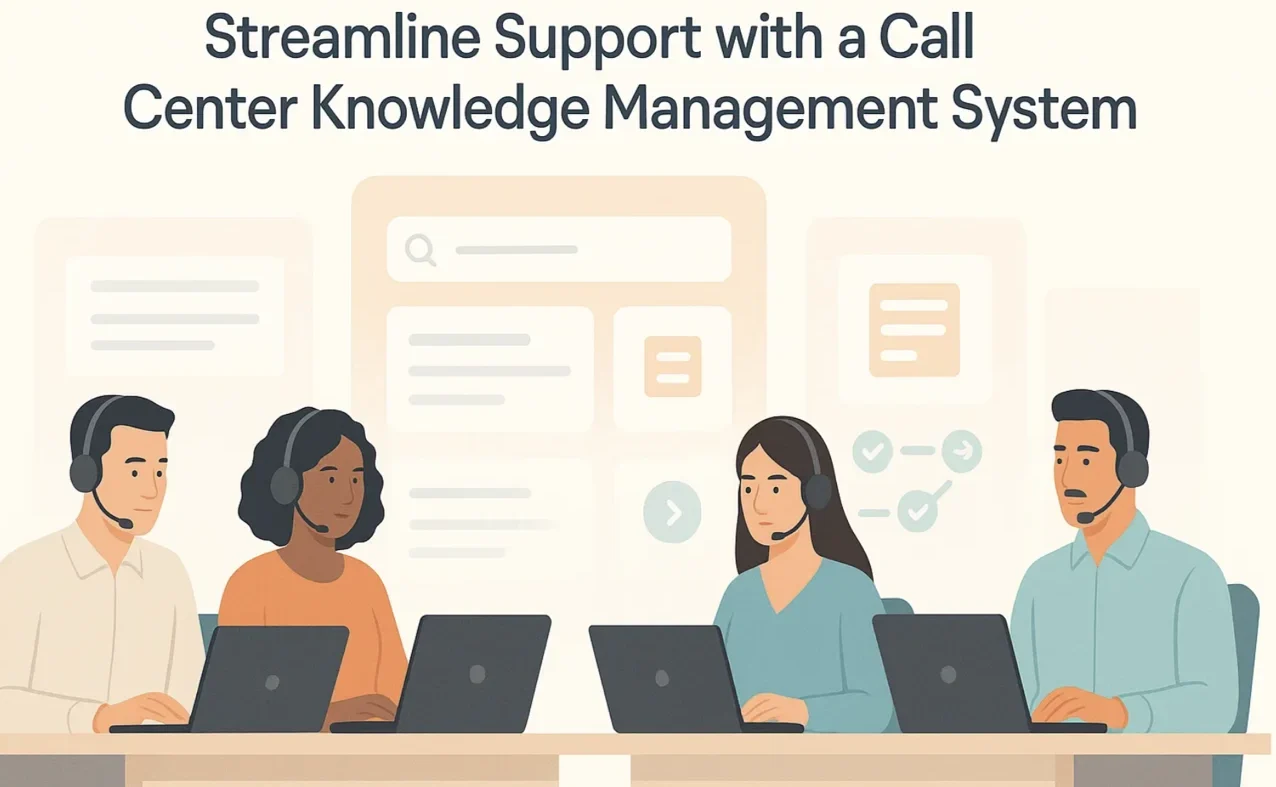


Your FCR (First Contact Resolution) and AHT (Average Handle Time) targets aren’t improving because your agents waste time hunting for answers across multiple systems while customers wait on hold.
Policy updates arrive by email. Billing procedures live in a shared drive. Compliance scripts get posted in Slack. Your agents toggle between five different tools during every call, and that scattered knowledge directly impacts your performance metrics.
A call center knowledge management system consolidates every policy, procedure, and troubleshooting step into one searchable platform. Agents find answers in seconds without leaving their workflow. That’s what actually improves handle time, first contact resolution, and compliance accuracy.
In this article, we will discuss 9 best call center knowledge management systems by comparing key features and pricing. You will also learn how choosing the right tool can improve AHT, FCR, compliance, and onboarding.
TL;DR: Best Call Center Knowledge Management System by Use Case
| Platform | Use Case |
| livepro | Guided workflows, compliance governance, and AI-powered accurate knowledge delivery for contact centers |
| eGain | Scale agent guidance by experience level, full workflows for novices, quick prompts for veterans |
| KMS Lighthouse | Enterprise knowledge management with proactive AI content drafting and role-based access mapping |
| Knowmax | Replaces text-heavy manuals with visual, step-by-step troubleshooting guides |
| Panviva | Embeds compliant procedures directly inside existing business applications |
| Shelf | AI-driven content quality control for large, fragmented knowledge libraries |
| Stonly | Walks customers or agents through interactive, branching self-service guides |
| Freshdesk | Turns resolved support tickets into knowledge base articles automatically |
| Verint | Ties knowledge performance to existing workforce and quality management data |
livepro
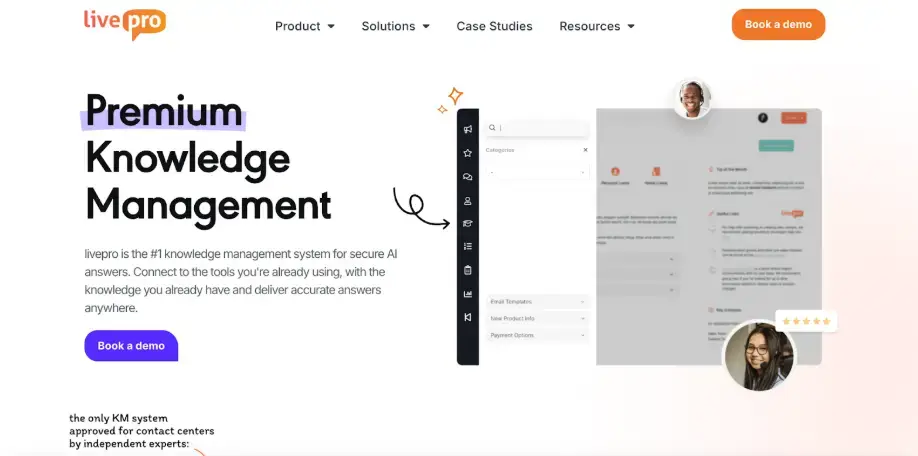
livepro is an AI-powered knowledge management system built for call centers and cross-department teams that support them. It turns scattered documents into a governed, searchable, and guided knowledge layer that sits at the heart of your call center.
The platform serves industries like BPOs, banking, local government, and healthcare, where compliance and knowledge accuracy are crucial.
The G2 Spring Report 2026 ranks livepro among the top-rated knowledge management tools across six feature categories: intelligent search (9.5/10), data governance (9.9/10), compliance (9.8/10), integrations (9.6/10), access management (9.7/10), and analytics (9.5/10).
Agents and call center teams use livepro to:
- Find verified answers during live calls
- Follow guided decision trees for complex cases
- Access step-by-step process guidance without leaving their workflow
- Keep knowledge accurate and controlled at scale
Here’s how livepro helps call centers deliver a smooth customer experience:
Lightspeed Search to Find Accurate Answers Faster
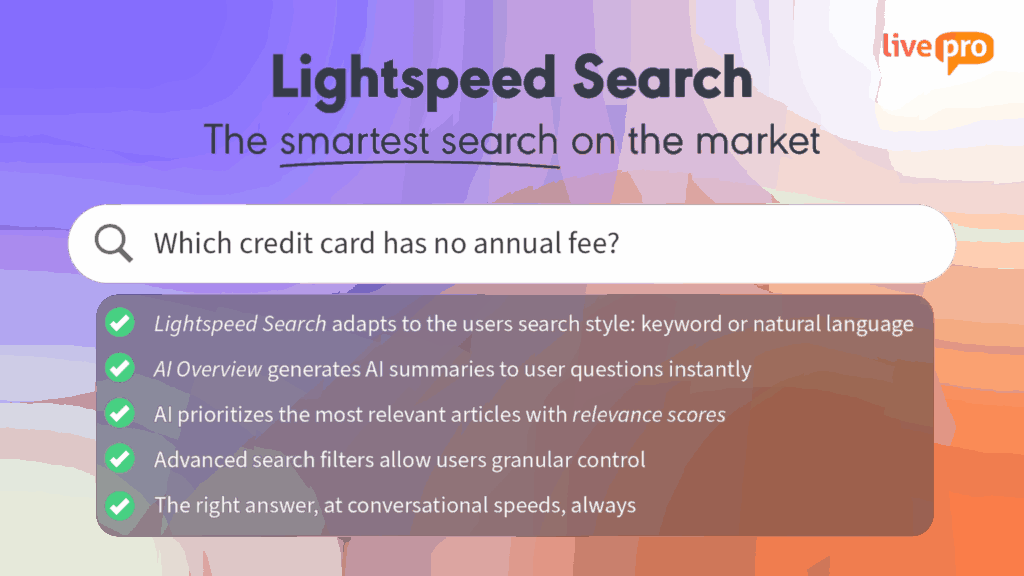
During a live call, even a short delay in finding the right information can hurt handling time and customer confidence. Agents can’t afford to scroll through long documents or guess which article is correct.
livepro offers Lightspeed Search that understands intent, not just keywords. It interprets natural language queries and ranks the most relevant results at the top so agents see the right answer first.
When an agent searches for a term, the AI-powered search retrieves relevant articles, even if they don’t use the exact term. For example, an agent searching “can customer cancel mid contract” gets matched to the cancellation policy, even though the article title reads “Early Termination Process.”
Each result carries a search score, so agents know which answer to trust first. A short AI Overview sits above the results and summarizes the answer before the agent opens the article.
Answer-Ready Articles Designed for Live Calls
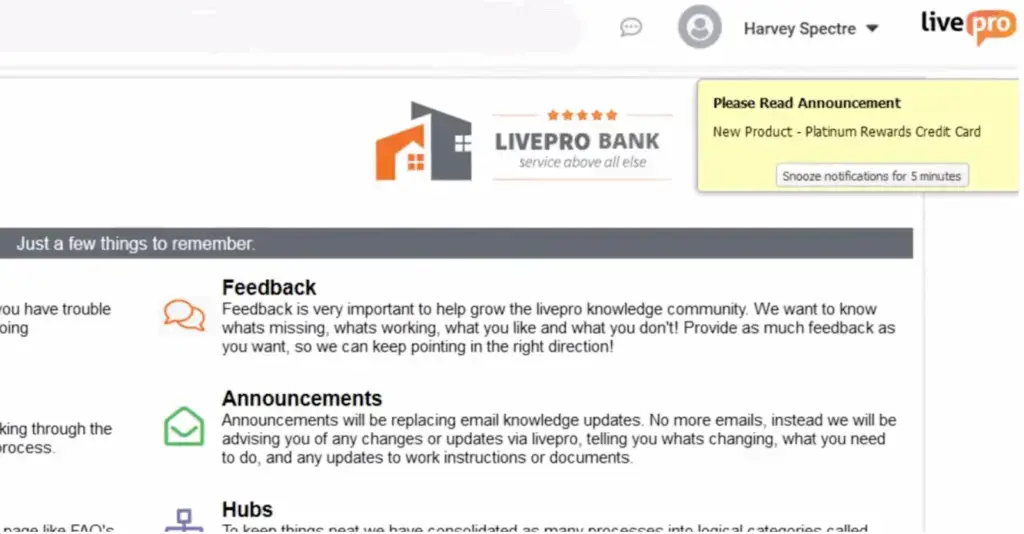
Agents need information they can use immediately during a conversation. Instead of long documents or detailed explanations, they rely on three key formats within livepro that are built for customer satisfaction:
- Answer Articles: Short and direct responses written for live call speed. Each article covers a single question with a verified answer, so agents don’t need to interpret or rewrite information.
- Process Guidance: Step-by-step instructions for processes that must follow a specific order. New agents can follow each step, while experienced agents can move faster using optional drop-down paths.
- Announcements: Time-sensitive updates displayed directly in the agent workspace. These keep staff informed about outages, policy changes, or temporary instructions without relying on email or chat.
For example, if a customer inquires about a delivery delay, the agent can open the Answer Article, which displays the approved explanation and the current timeframe. If further action is required, Process Guidance walks them through the exact steps to complete. These formats provide agents with reliable information at the pace of a live call.
Decision Guidance with The Rocket for Confident Decisions
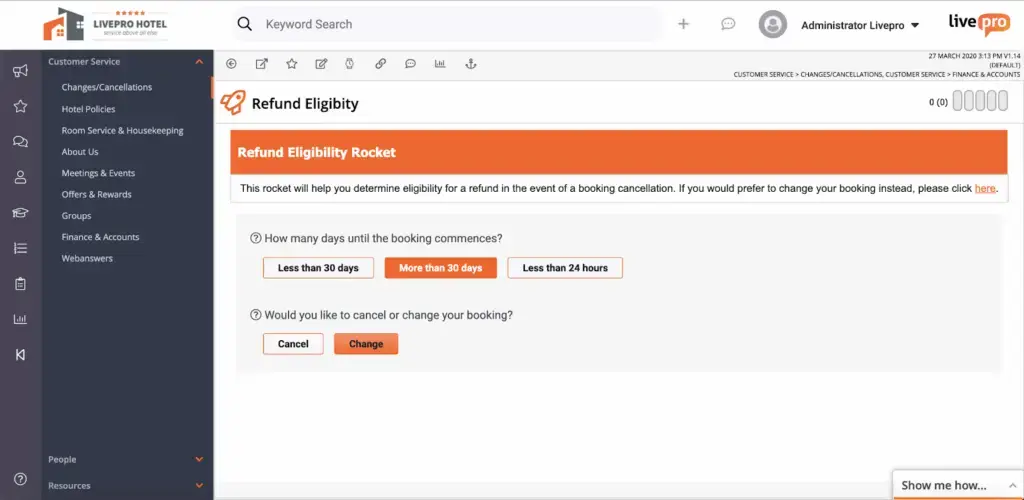
Some customer scenarios involve branching rules, eligibility checks, or exceptions that are difficult to manage from memory.
To prevent inconsistent answers or unnecessary escalations, livepro offers The Rocket, a question-based decision tree that adjusts to each response the agent selects. It breaks complex processes into simple steps and leads agents to the approved outcome without requiring them to search through documents or interpret policy language.
Here’s how The Rocket works:
- It asks one targeted question at a time
- Each answer triggers the next relevant step automatically
- The flow narrows down until the correct resolution is reached
- All outcomes follow verified rules and compliance requirements.
For example, during a billing investigation, The Rocket guides the agent through questions about account status, eligibility, or exception scenarios. Each response moves the agent forward until the approved resolution (whether it’s a credit, denial, or escalation) is identified.
Authoring Tools That Keep Content Clean and Consistent
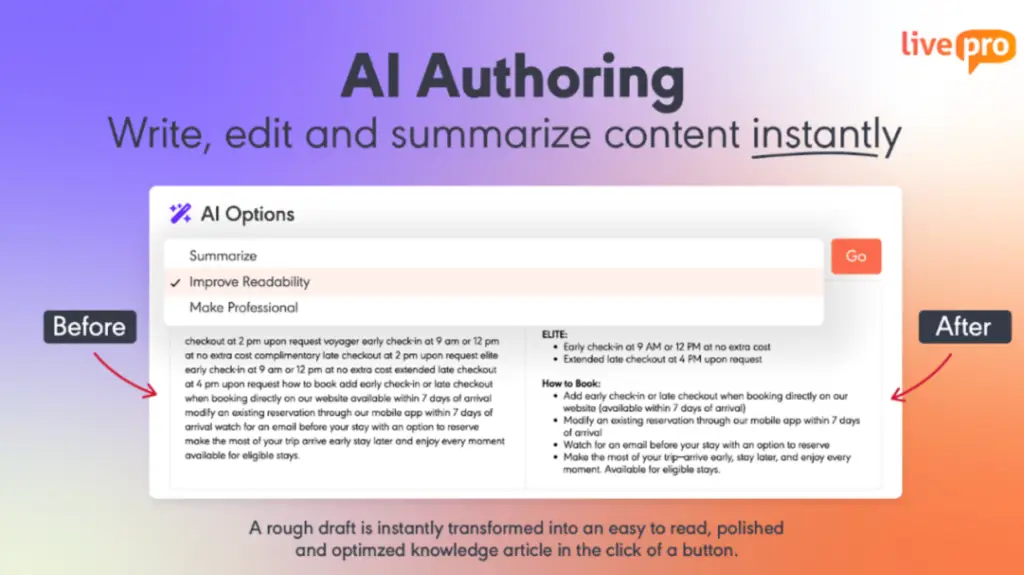
Knowledge is only useful when subject experts can create, update, and maintain it without leaving their daily tools.
livepro’s authoring tools help knowledge managers and subject matter experts create, manage, and edit knowledge content into readable articles.
Here are the key tools available:
- AI authoring tool: Create a rough draft, and the AI rewrites it into consistent content with the right tone and style. It can simplify jargon words, shorten verbose sentences, and reformat them into templates.
- Premade templates: Use pre-built styles to reduce formatting time and keep the entire knowledge base visually consistent.
- WYSIWYG (What You See Is What You Get) editor: Write and update content quickly without complications.
- Multimedia support: Add links, paste images, upload videos, and adjust structured layouts that are easy for agents to read.
- Drag-and-drop decision authoring: Build decision flows for the Rocket in a simple, visual way.
- Prebuilt templates: Create process guidance that makes it easy to create step-by-step workflows with clear sequencing.
- Categories: Create a structured hierarchy that mirrors how call centers operate by product, process, team, or queue.
- Hubs: Build collections that bring all related knowledge together, giving agents one centralized view of everything they need.
For example, when creating a new refund process, authors can select a process template, add steps in order, and adjust the flow visually. These authoring tools make it easier for teams to manage knowledge at scale while maintaining clarity across the entire system.
Governance and Compliance Built for High-Risk Industries
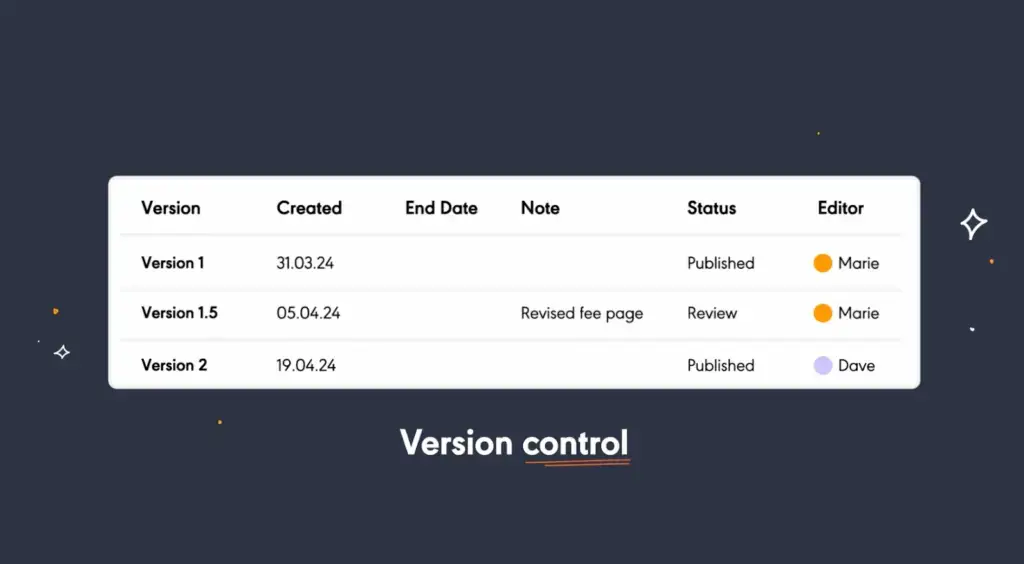
livepro’s governance framework manages content from creation to retirement. Each article moves through defined workflow stages, from draft to SME review to compliance sign-off and publication. SLAs flag stalled reviews and route approved content forward without manual follow-up.
- Author-reviewer-approver sequence: every article moves through set roles before it publishes, and no stage can be skipped.
- Visual version comparison: reviewers see edits side by side with changes highlighted, and can revert to a past version in one click.
- Named content ownership: each article has one accountable owner who gets notified before review deadlines pass.
- Role-based permissions: viewers, editors, approvers and publishers stay within defined limits, and permissions sync with tools like Salesforce and Genesys.
- Scheduled publication and expiry: updated content goes live on a set date while outdated versions retire on schedule.
For example, when a new compliance requirement is introduced, knowledge managers can schedule the updated article to publish on a specific date while automatically expiring the old version.
Customer Self-Service Solutions to Reduce Call Volume
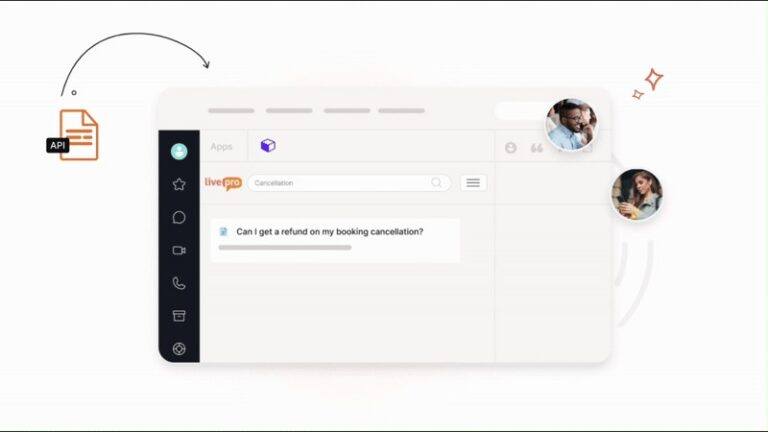
If customers are calling for every basic query, call volume increases, and agents spend time on questions that don’t need a live conversation.
livepro offers self-service solutions that connect the same knowledge base to your website, so customers can search for answers themselves through the source agents already use.
AI Overview lets customers ask questions in plain language and get a direct answer pulled from approved content, not a link to a full document. Because both channels pull from one source, the answer a customer gets online matches what an agent would say on the phone.
- WebAnswers: Connects your website and self-service channels to the same knowledge base agents use.
- AI Overview for customers: Turns natural language questions into direct answers instead of document links.
- Version control: Keeps every channel showing the current, approved answer.
- Simple API integration: Adds self-service search to your website without a rebuild.
For example, a customer asking “how do I cancel my plan” on the website gets the same answer an agent would give on a call, straight from the approved cancellation policy article. That consistency cuts basic queries before they reach the phone.
AI Voice Agent to Handle After-Hour Calls

livepro’s Luna is an AI voice agent available around the clock. It can solve basic queries, book appointments, and hand off complex conversations to human agents with context.
Luna retrieves answers from the same knowledge base your agents use. A customer asking about a return policy gets the same answer a live agent would give, not a generic response from the open web.
Luna also scales with demand. Whether it takes ten calls or ten thousand during a peak period, hold times stay the same for your callers. When a query needs a human, Luna passes the conversation with what the customer already said, so agents don’t start from zero.
Insights and Feedback for Continuous Improvement
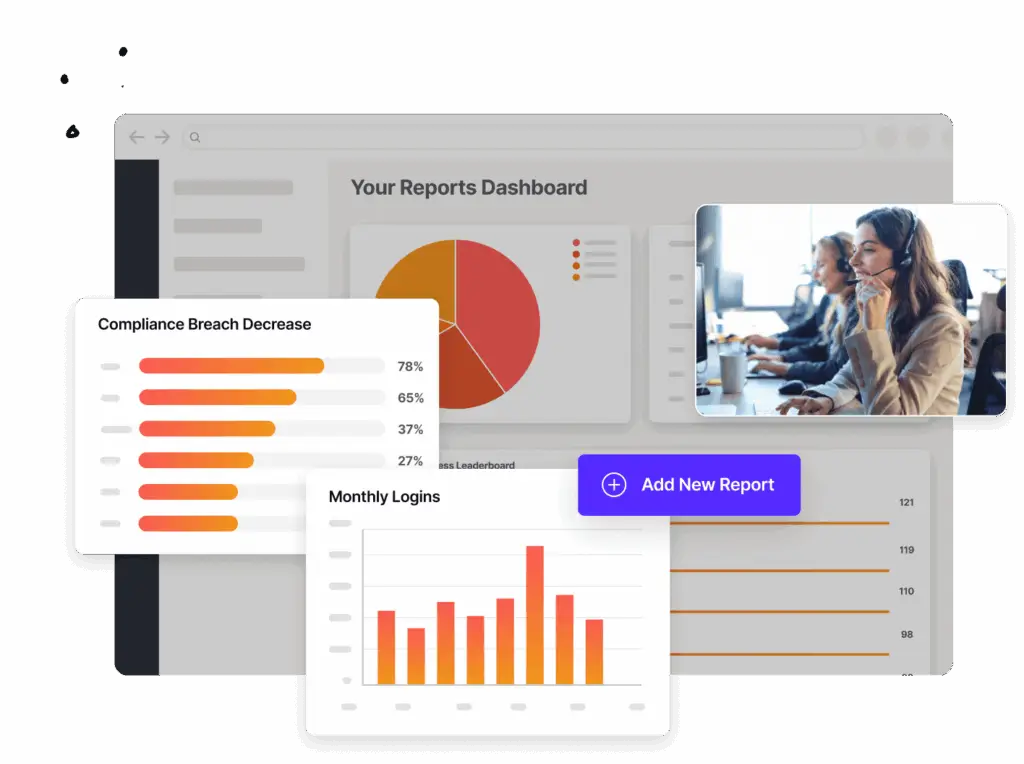
Without continuous feedback, knowledge managers don’t know which articles are failing agents until complaints pile up or handle times creep higher.
livepro’s dashboards and analytics give knowledge managers visibility into search patterns, article performance, and agent feedback, so they know what to fix.
Here are the key insights and feedback capabilities that keep knowledge aligned with operational needs:
- Custom reporting: Show usage trends and search behavior, so teams spot AHT and FCR drivers at a glance.
- Search analytics: Flag failed searches and vague queries so teams know which content gaps to close first.
- Article-level analytics: Track views and interaction patterns to show which articles help agents and which need a rewrite.
- Feedback tools: Let agents flag issues or suggest edits directly from an article.
- Customizable reporting (Enterprise): Link content metrics to AHT, FCR, and compliance accuracy for leadership reporting.
livepro allows teams to export custom reports and share them with stakeholders to maintain transparency and improve decision-making. You can also connect external tools to sync knowledge management data with other departments.
livepro Integrations
During live calls, agents don’t have the time to switch between tabs to find the right answer.
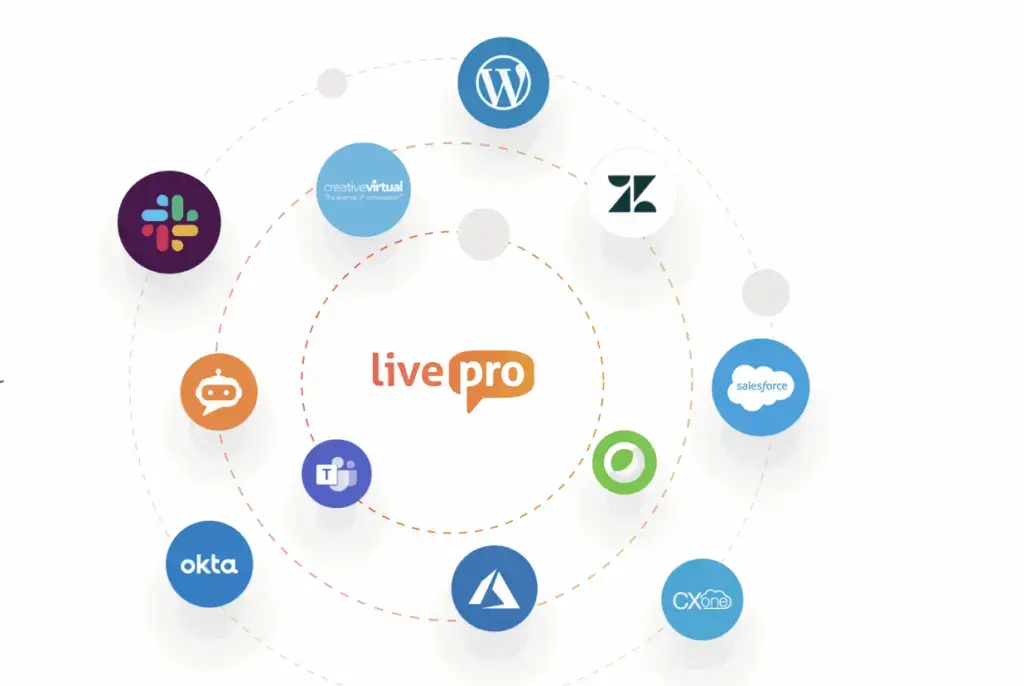
livepro integrates with the platforms call center teams already use, so data flows through a single interface.
livepro offers integrations with:
- Salesforce
- Zendesk
- Microsoft Teams
- Slack
- NICE CXone
- Genesys Cloud
livepro also offers an open API and Single Sign-On (SSO) for streamlined access. Knowledge appears directly inside the agent’s existing interface, so answers and process steps surface without leaving the workflow.
livepro Pricing
livepro offers three pricing plans: Flex, Premium, and Enterprise. You can contact our team for a custom quote.
User Rating
eGain
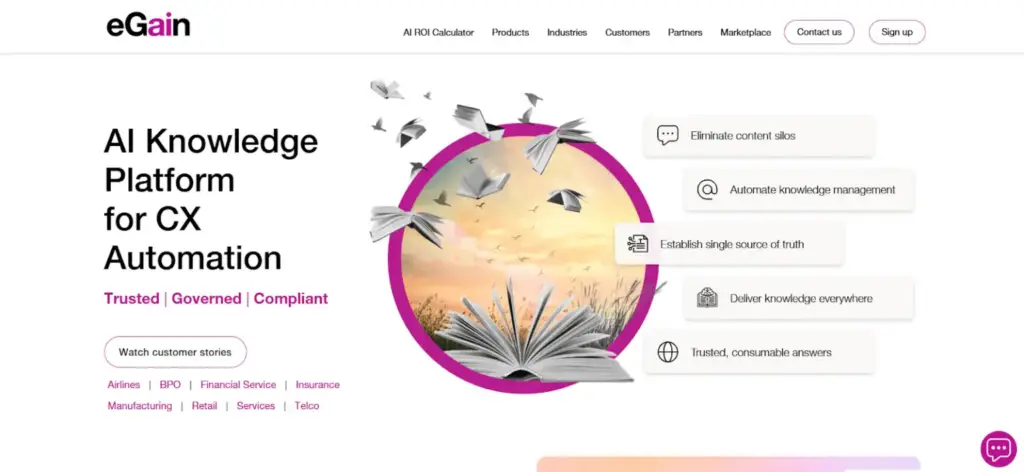
eGain is an AI-powered knowledge management platform built for enterprise contact centers, help desks, and omnichannel service teams. It centralizes policies and procedures into one governed hub and adapts agent guidance to experience level.
The platform integrates with major CRM and CCaaS platforms like Salesforce, Genesys, and Amazon Connect, targeting enterprises consolidating knowledge across an existing tech stack.
Read more: eGain Alternatives
eGain Key Features
- Conversational AI guides customers before escalation to agents
- Proficiency-based guidance gives novices full workflows, veterans quick prompts
- Real-time call listening adjusts guidance as conversations evolve
- Feeds agent behavior into performance management for coaching
- Knowledge evaluation layer catches AI drift and duplicate content
eGain Pricing
eGain pricing plans start from $25 per user per month.
User Rating
- 4.5 stars on G2
KMS Lighthouse
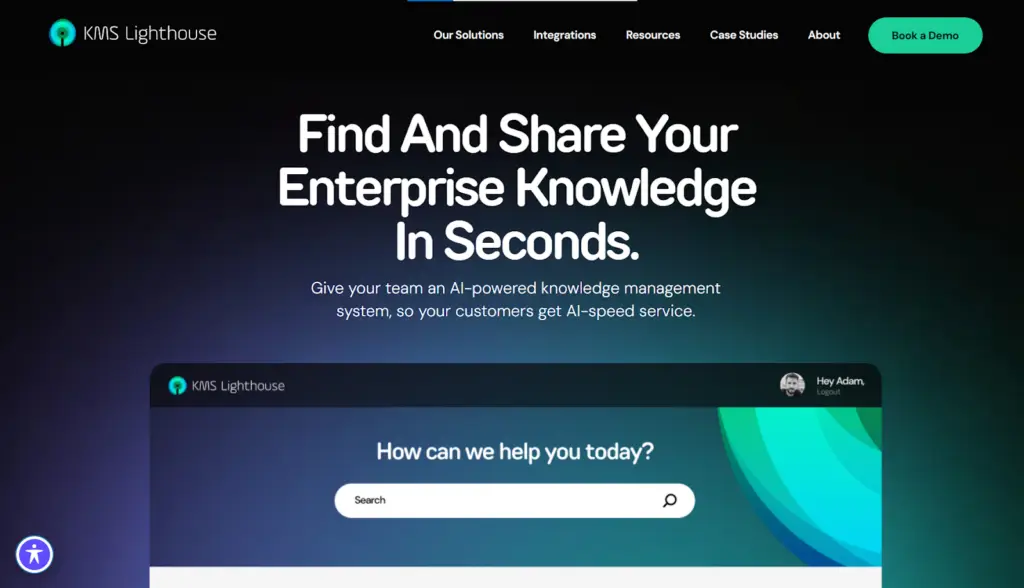
KMS Lighthouse is an enterprise knowledge management platform built for customer support and internal knowledge sharing. It targets call centers, telecommunications, and healthcare industries.
The platform organizes content into readable articles and decision trees, making it easier for agents to access answers faster. But many users complain about limited reporting and content feedback issues.
Read more: KMS Lighthouse
KMS Lighthouse Key Features
- AI agents proactively draft articles from recurring ticket gaps
- Enterprise access mapping by role, department, and location
- MCP integrations let organizations connect their own AI agents
- Patented GetAnswer search technology powers real-time knowledge retrieval
- Integrates with Microsoft Teams, Dynamics 365, and Azure OpenAI
KMS Lighthouse Pricing
KMS Lighthouse pricing starts at $30 per named user per month.
User Rating
Knowmax
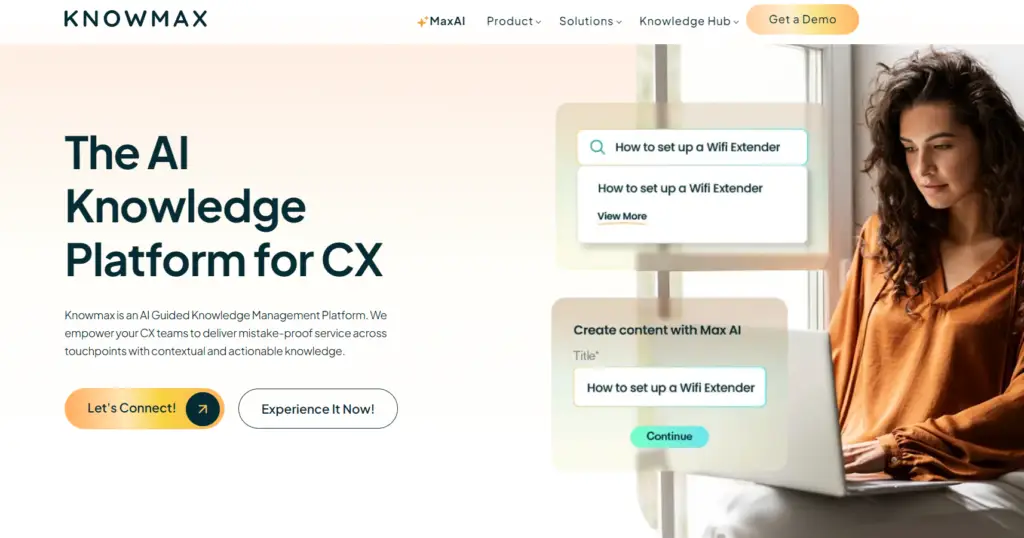
Knowmax is an AI-powered knowledge management system built for CX teams, contact centers, and enterprise support operations. It combines a search engine, no-code decision trees, and visual how-to guides to replace static documentation with guided resolution flows.
Many Knowmax users praise its knowledge base structure, but complain about limited customization options in admin workflows and unreliable decision trees.
Read more: Knowmax Alternatives
Knowmax Key Features
- Visual how-to guides replace long, text-heavy PDF manuals
- Omnichannel delivery feeds agents, chatbots, IVR, and self-service
- Google-like search surfaces answers across all touchpoints instantly
- CRM integration personalizes resolutions at scale for agents
- Built-in analytics track knowledge usage and content gaps
Knowmax Pricing
Knowmax offers custom pricing
User Rating
Panviva
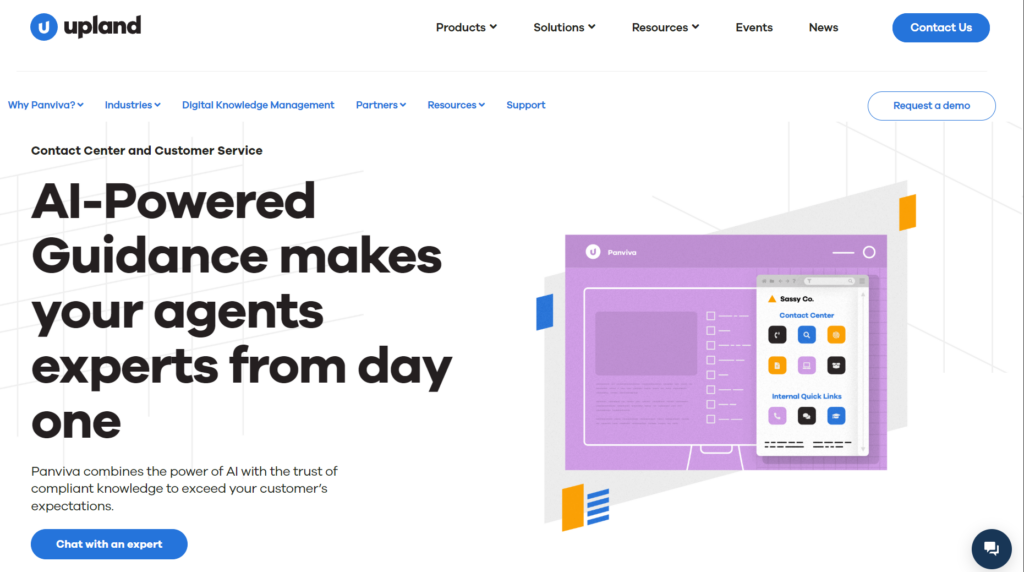
Panviva, by Upland Software, is a knowledge management system built for contact centers in highly regulated industries, such as banking, utilities, and BPOs. The platform delivers compliant knowledge and content accuracy, so agents get verified answers.
Many Panviva users praise its customer service, but complain about integration issues with CRM and limited reporting capabilities.
See also: Panviva vs. eGain
Panviva Key Features
- AI-powered conversational search answers natural language questions
- Real-time compliance notifications when policies or procedures update
- Governed single source of truth mapped to regulations like HIPAA
- Embeds guidance directly into business applications, reducing training needs
Panviva Pricing
Panviva offers custom pricing.
User Rating
- 4.6 stars on G2
Shelf
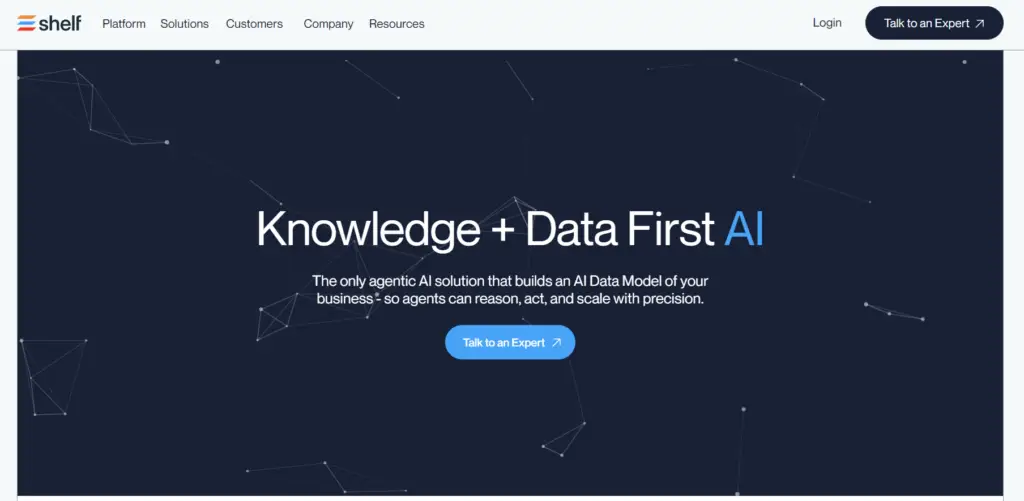
Shelf is an AI-driven knowledge platform designed for enterprise customer service. It helps teams with large, fragmented content libraries control AI answer quality at the source.
Many users praise its self-service capabilities, but complain about inaccurate search performance and limited admin setup.
Read more: Shelf Alternatives
Shelf Key Features
- MerlinAI suggests answers across search, chat, IVR, and forms
- Identifies gaps between customer questions and existing answers
- Health scores and content engagement dashboards
- Pre-built integrations with ServiceNow, Salesforce, Zendesk, Confluence, Slack
Shelf Pricing
Shelf offers custom pricing
User Rating
Stonly
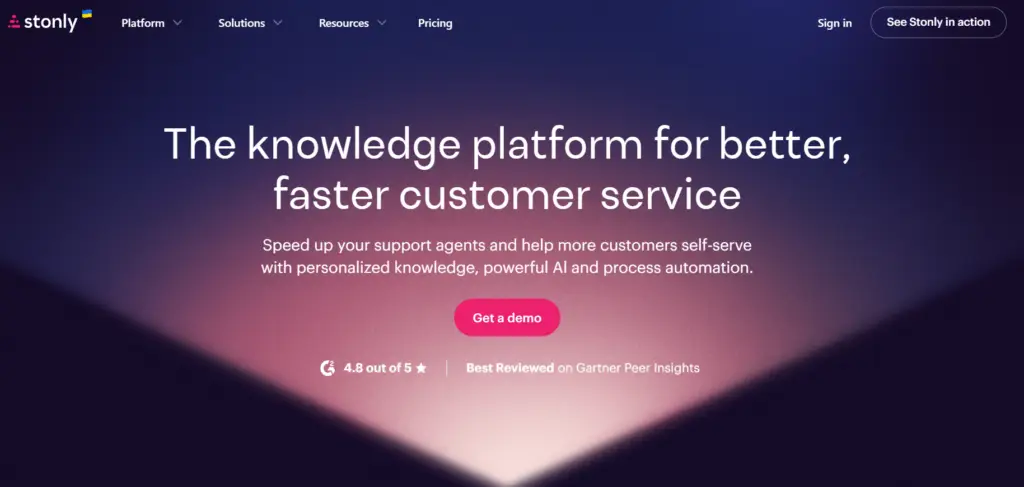
Stonly is a knowledge management platform built around interactive guides. It’s designed for support, customer success, and product teams that need guided troubleshooting rather than a plain document repository.
Stonly users praise multilingual workflows, but report limited authoring tools and integration issues with some platforms.
Read more: Stonly Alternatives
Stonly Key Features
- Interactive guides with decision trees and conditional logic
- Knowledge Agents monitor content against tickets and draft updates for review
- AI Answers deliver quick responses or in-depth guidance
- Version control and multi-language auto-translate
- Integrates with Zendesk, Salesforce, Freshworks, HubSpot, ServiceNow
Stonly Pricing
Stonly offers custom pricing plans.
User Rating
Freshdesk
Freshdesk, by Freshworks, is a customer support platform built around multi-channel ticketing (email, chat, phone, social) with a knowledge base bundled in as one feature. It targets small to mid-sized support teams looking for an affordable, easy-to-adopt platform.
Many Freshdesk users praise its organized ticketing system, but complain about limited reporting and search functionality.
Freshdesk Key Features
- Converts ticket replies into articles instantly
- Freddy AI suggests answers and auto-generates articles from common queries
- Article versioning and approval workflows
- Community forums and customizable branded help centers
Freshdesk Pricing
Freshdesk pricing starts from $19 per agent per month.
User Rating
Verint
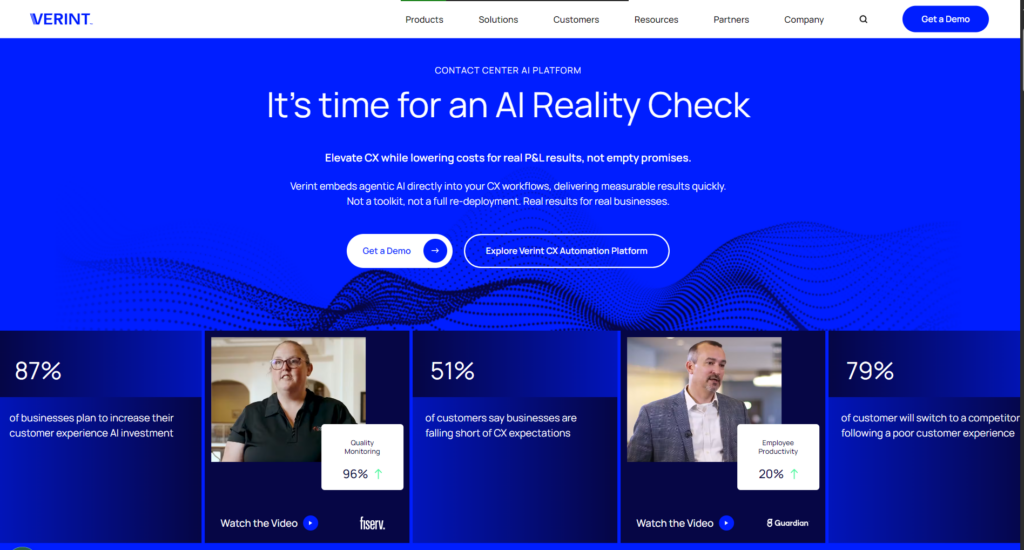
Verint is a knowledge management system built for contact centers in industries like banking, public sector, and telecommunications.
The platform offers deep integration with its own WFM and QM products, so knowledge management isn’t a separate silo from performance and quality data.
Many users praise its admin control and compliance tools, but report high implementation costs and licensing fees.
Verint Key Features
- Role-based access controls and audit trails for regulated industries
- Decision tree model builder for guided procedures
- Embedded analytics to track usage and identify content gaps
- Real-time notifications for policy or procedure updates
- Self-service portal alongside internal knowledge delivery
Verint Pricing
Verint offers custom pricing.
User Rating
- 4.4 stars on G2
Quick Comparison Table: Best Call Center Knowledge Management System
| Platform | Best For | Search and AI Capabilities | Governance | In-Call Capability |
| livepro | Contact centers and CX teams that need accurate answers fast to increase customer satisfaction | Hybrid search, intent-based NLP, with search scores and AI Overview summaries | Decision trees, author-reviewer-approver workflow, version control, scheduled publish/expiry | Knowledge surfaces inside the agent’s CRM or telephony screen via open API and SSO |
| eGain | Enterprise contact centers, help desks, omnichannel service teams | Semantic search powered by the patented Inference Reasoning Engine | Knowledge evaluation layer flags AI drift and duplicate content | Integrates with CRM/CCaaS platforms; guidance adjusts in real time as the call progresses |
| KMS Lighthouse | Call centers, telecom, healthcare | Patented GetAnswer search; AI agents draft articles from recurring ticket gaps | Enterprise access mapping by role, department, location, but limited reporting | Knowledge surfaces inside Teams or Dynamics; MCP lets AI agents pull answers mid-call |
| Knowmax | CX teams, contact centers, enterprise support operations | Google-like search across touchpoints | Version control, approval workflows, centralized content management | Feeds agents, chatbots, IVR, self-service; CRM integration via connectors |
| Panviva | Contact centers in regulated industries: banking, utilities, BPOs | AI-powered conversational search | Real-time compliance notifications; single source of truth mapped to regulations like HIPAA | Integrates via API with CRMs, telephony platforms (Genesys, NICE, Talkdesk), and IVR systems |
| Shelf | Enterprise customer service with large, fragmented content libraries | MerlinAI suggests answers across search, chat, IVR, forms | Health scores and content engagement dashboards | Prebuilt connectors bring Shelf into Genesys, Salesforce, and Five9 directly |
| Stonly | Support, customer success, and product teams needing guided troubleshooting | AI Answers pull quick or in-depth responses directly from content | Version control, multi-language auto-translate; Knowledge Agents draft updates for review | Guides embed directly into product, website, or support channels in use |
| Freshdesk | Small to mid-sized support teams needing affordable ticketing plus knowledge base | Freddy AI suggests answers and generates articles from ticket replies | Article versioning and approval workflows | Freshcaller is native, so calls and tickets share one system by default |
| Verint | Contact centers in banking, public sector, telecommunications | Patented AI-infused search with NLP and generative AI summaries | Role-based access controls, audit trails, real-time policy update notifications | Works with any agent desktop, built around Verint’s own WFM/QM stack |
What Is a Call Center Knowledge Management System?
A call center knowledge management system (KMS) is a digital tool that stores, manages, and delivers the information agents need to handle customer queries. It centralizes policies, procedures, troubleshooting steps, and scripts into one structured and searchable source of truth.
A call center knowledge management system usually includes:
- Searchable knowledge base
- Guided workflows and decision support
- AI-powered search and recommendations
- Governance and version control
- Analytics and optimization tools
- Integrations with CRM, telephony, and chat platforms.
The Operational Problems a Call Center Knowledge Management System (KMS) Solves
Even the best call centers deal with slow responses and inconsistent service because knowledge lives in scattered systems. Agents waste time searching across PDFs, portals, and email threads instead of helping customers.
Agents Searching Across Multiple Systems
Many contact centers still rely on shared drives, long PDFs, email updates, and outdated portals. Agents lose time jumping between tools to find a single answer. A purpose-built knowledge platform centralizes information and delivers it through one structured interface, reducing unnecessary searching.
Policies and Procedures Changing Faster
Product updates, pricing changes, and compliance adjustments happen regularly, but frontline teams often receive them through inbox messages or chat threads.
A centralized knowledge environment publishes updates instantly, applies review cycles, and makes sure only the approved version is visible to agents.
Inconsistent Responses Between Experienced and New Agents
Without guidance, new agents rely on guesswork, while experienced agents rely on memory. Both create variation in service quality. Structured knowledge ensures every agent follows the same approved steps, reducing dependency on tenure or personal notes.
Long Training Cycles Driven by Information Overload
When processes live in complex documents, training focuses heavily on memorization rather than practical application. A guided knowledge system shifts learning into the workflow, allowing agents to learn while handling real scenarios, which shortens training time.
Escalations Caused by Outdated Instructions
Supervisors often deal with avoidable escalations because agents didn’t have clear instructions for uncommon scenarios. Decision support and step-by-step guidance direct agents to the correct outcome, reducing uncertainty and unnecessary transfers.
Difficulty Identifying Knowledge Gaps
Without proper insights, leaders can’t see which topics create confusion, which articles underperform, or where failed searches occur. Built-in analytics highlight search behavior, unused content, and areas that need review, enabling proactive improvement.
Variability Across Teams, Queues, and Locations
Multi-site and hybrid call centers struggle to maintain consistency when each location stores or updates knowledge differently. A centralized system ensures all teams reference the same approved information.
Higher Compliance Risk During Peak Periods
During busy times, agents fall back on personal notes or outdated material to keep up with call volumes. A controlled knowledge source provides verified answers in real-time, which reduces compliance errors.
Features to Look for in a Call Center Knowledge Management System
A call center knowledge management system must support fast answers, reduce errors, and keep information consistent across every channel. The features below represent the functionality call centers rely on most, especially in high-volume or regulated industries:
AI-Powered Search and Intent Recognition
Agents need answers at the pace of a live call, not a document search. Gen AI in customer support interprets natural language, understands intent, and retrieves the most relevant content instantly. Beyond keyword matching, intelligent search also provides:
- Context-aware suggestions
- Summarized information for faster scanning
- Relevance-ranked results based on usage and accuracy
- Predictive recommendations aligned with the query
This reduces time spent scrolling through long articles and ensures agents see the correct version of information first.
Guided Knowledge (Decision Trees, Workflows, and Scripts)
Complex processes lead to inconsistent outcomes, especially when agents rely on memory or personal notes. Guided knowledge tools, such as decision trees, step-by-step workflows, and approved scripts, walk agents through the correct path in real time.
This approach:
- Reduces errors during multi-step procedures
- Helps new agents perform at the same level as experienced ones
- Maintains compliance by enforcing required questions and disclosures
- Prevents unnecessary escalations.
Content Governance and Version Control
In call centers where policies change often, inaccurate answers lead to complaints, rework, and regulatory risk. Governance ensures content remains current, compliant, and traceable.
Key components include:
- Approval workflows before publishing
- Audit trails showing who changed what and when
- Version comparisons to track updates
- Automated review reminders
- Scheduled publication and expiry
This prevents outdated policies from staying live and reduces compliance risk.
Role-Based Access and Personalization
Different teams with billing, claims, retention, and complaints need different information. A well-designed knowledge system allows leaders to set permissions so each group sees only what’s relevant to their role.
Role-based access:
- Reduces information overload
- Prevents accidental use of the wrong process
- Improves focus and accuracy
- Supports specialized teams and multi-client environments
Personalization features can also display frequently used content or recommended articles based on the agent’s queue or skill set.
CRM and Telephony Integrations
Knowledge is most effective when it appears directly in the agent’s workflow. Integrations with CRM, ticketing, telephony, and chat systems eliminate the need for screen-switching.
An API-first design allows the knowledge system to:
- Surface answers inside CRM screens
- Display guidance during live calls
- Link knowledge with customer history
- Reduce duplication across tools
This creates a workflow where agents don’t need to leave the system they’re already working in.
Feedback Loop and Analytics Layer
Knowledge content needs regular updates, including pruning duplicates and clarifying articles that cause failed searches. Analytics help leaders see how content performs and where gaps exist. Contact center knowledge management systems track:
- Failed searches
- Low-rated articles
- Unused or outdated topics
- Patterns in agent behavior
- High-traffic content that may need refinement
Feedback tools allow agents to flag issues instantly, creating a cycle where knowledge is updated based on real usage.
KPIs a Call Center Knowledge Management System Improves
A call center knowledge management system directly impacts the speed, accuracy, and consistency of customer service. The following KPIs are the core metrics leaders use to measure whether their call center customer experience strategy is improving operational performance:
Average Handle Time (AHT)
AHT reflects the total time agents spend handling each interaction. When knowledge is structured, searchable, and easy to follow, agents spend less time looking for information. A call center knowledge management software reduces unnecessary delays, long holds, and post-call clean-up.
Training and Onboarding Time
A knowledge structure helps new agents learn processes faster. Instead of memorizing content during training, agents rely on guided knowledge during real calls, which shortens onboarding cycles and improves time-to-competency.
First Contact Resolution (FCR)
FCR measures how often an issue is solved on the first interaction. When agents have instant access to accurate, verified information and guided steps, they can resolve more queries without escalating or following up.
Customer Satisfaction (CSAT / NPS)
Customers remember how fast you resolve their issue and whether different agents give the same answer. Reliable knowledge supports clearer communication, fewer errors, and smoother resolutions, which directly improve satisfaction scores.
Compliance Accuracy
Policies, regulatory requirements, and process steps must be followed exactly. A structured knowledge environment helps agents reference the latest approved information, reducing compliance risks and incorrect advice.
Agent Confidence and Engagement
When agents can find what they need quickly, they feel more in control of their work. A well-designed system reduces frustration, increases confidence on calls, and supports higher overall engagement.
Knowledge Findability
Findability measures how quickly and accurately agents can locate the right information. Strong search performance reduces hesitation, minimizes screen-switching, and improves consistency across the team.
Self-Service Deflection
Accurate and centralized knowledge can be reused across customer-facing channels. When customers can resolve issues through FAQs, chatbots, or online portals, call volume decreases, and agents focus on more complex tasks.
How to Choose the Right Call Center Knowledge Management System
Most knowledge tools just add another tab for agents to click through. A useful knowledge management system improves the metrics you already report on: handle time, first contact resolution, and compliance accuracy.
So start with the outcomes you need, then pressure-test each vendor against them. The nine questions below do that. Each one has a specific answer you should hear back, and a vague reply tells you as much as a clear one.
| Question to Ask | What to Look For in the Answer |
|---|---|
| Does it reduce average handle time in a measurable way? | A case study or pilot with a before and after number from a call center of similar size. Claims about general efficiency gains do not count. |
| Can new agents reach proficiency in under two weeks? | Guided content formats and step-by-step process guidance agents follow during live calls, so training moves out of the classroom and into real work. |
| Is semantic or intent-based search built in? | Agents type a natural phrase and still land on the right article, even when the title uses different wording. Ask for a live search using your own terminology. |
| Does it support guided workflows and decision logic? | Branching decision trees that ask one question at a time and lead to an approved outcome, not a static flowchart saved as a PDF. |
| Is content governance automated? | Named article owners, an author to reviewer to approver sequence, automated review reminders, version history, and scheduled publish and expiry dates. |
| Can you control access by role, team, or client? | Permission levels that separate viewers, editors, approvers, and publishers. In multi-client environments, you also need to segment content by queue or client. |
| Does it integrate with your CRM, ticketing, and telephony platforms? | Named integrations with the tools you already run, plus an open API and single sign-on. Answers should surface inside the agent’s existing screen. |
| Are analytics detailed and actionable? | Reporting on failed searches, low-rated articles, unused content, and article-level usage, so you know which content gaps to close first. |
| Are there proven results in a call center like yours? | Documented outcomes from your industry or a comparable environment, plus reference customers you can contact directly. |
Run every shortlisted platform through the same nine questions and score the answers side by side. The gaps show up fast when you compare like for like.
Bottom Line: livepro is the Best Call Center Knowledge Management System for Quick, Accurate Answers
A high-performing call center needs a structured, reliable way for agents to access clear answers during live conversations. A purpose-built call center knowledge management system makes that possible.
livepro is designed for contact centers where agents and teams need to deliver accurate answers in real-time. The platform turns scattered documents into a single source of truth with guided decision tools, AI search, governance, and integrations. This allows teams to work faster and deliver quality and consistent customer service.
Book a demo with livepro to see how it helps agents deliver verified, accurate answers to customers mid-call.
FAQs About Call Center Knowledge Management System
Why do call centers need a dedicated knowledge management system?
Call centers handle complex questions, fast-changing policies, and high call volumes. A dedicated knowledge system ensures agents always have the correct information, which improves handle time, accuracy, onboarding, and customer satisfaction.
How does a knowledge management system reduce average handle time (AHT)?
A knowledge management system reduces AHT by making answers easier to find through AI search, structured content, guided workflows, and clear instructions. Agents no longer spend time searching through long documents or checking multiple sources.
How does a knowledge management system support new agent onboarding?
New agents can rely on guided instructions and clear content instead of memorizing complex processes. This shortens training time and helps them reach proficiency faster.
Can a knowledge management system improve first-contact resolution (FCR)?
Yes. When agents have accurate and approved information in one place, they can resolve more issues during the first interaction without escalating or calling back.
Is a knowledge management system the same as a wiki or shared drive?
No. Wikis and shared drives store information, but they lack governance, guided workflows, semantic search, and structured formats needed for live call environments. A KMS is designed for speed and accuracy during real-time interactions.