

Many teams use Zingtree to guide agents through step-by-step workflows. They write every policy or product update directly into the tree as a new branch. Over enough quarters of these updates, a single tree ends up holding hundreds of paths, and all of that content lives only inside individual nodes.
As trees grow large, they become harder to navigate and maintain, since there’s no separate content library an author can update without touching the tree itself. Many users also report that pricing scales up quickly as more seats and workflows get added to an account.
When you have a large content library scattered across separate files and documents, a well-maintained decision tree only becomes a burden. Teams can’t track whether the source content is accurate, and outdated files eventually route agents to the wrong answer.
In this article, we’ll discuss 10 Zingtree alternatives for contact centers. We’ll compare each tool’s features, pricing, and user experiences, so you can pick the right tool.
TL;DR: Top 10 Zingtree Alternatives
| Platform | vs. Zingtree |
| livepro | Offers a governed knowledge base with decision trees built in; Zingtree’s trees have no knowledge layer behind them |
| Bloomfire | Surfaces AI-verified answers across video, audio, and documents; Zingtree doesn’t support different content types |
| Document360 | Publishes structured, versioned technical documentation like manuals and API docs; Zingtree has no article-based content library |
| Balto | Coaches agents live during calls with prompts and suggestions; Zingtree’s guidance is limited to the steps built into a tree |
| Freshdesk | Unifies email, chat, phone, and social into one shared ticket queue; Zingtree has no ticketing system |
| ProcedureFlow | Lets agents type a question in their own words and land on the right step; Zingtree’s search retrieves from within a single node at a time |
| Panviva | Restricts answers by role and region and requires expert review before publishing; Zingtree has no built-in review process |
| Five9 | Runs the entire contact center stack, telephony, routing, and self-service, well past Zingtree’s narrower workflow-only scope |
| PixieBrix | Extends the same embedded, browser-based automation idea to over 1,000 connected apps |
| Talkdesk | Resolves customer issues through conversational AI agents; Zingtree’s AI Actions resolve by following pre-defined logic and guardrails |
What is Zingtree?
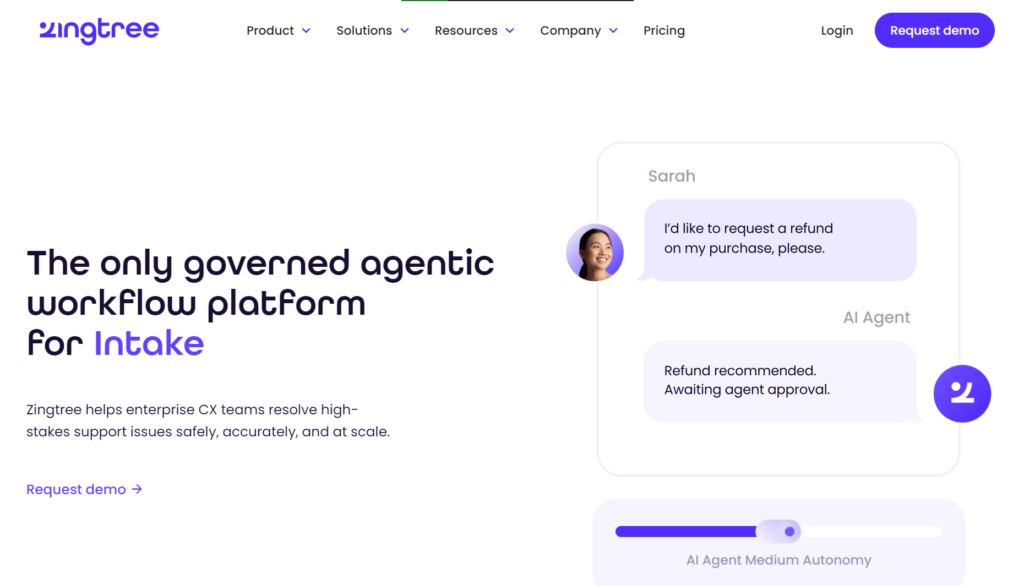
Zingtree is a no-code decision tree and agentic workflow platform built for enterprise call centers and support teams in regulated industries. The platform offers no-code decision trees, agent scripts, and guided workflows that sit inside CRM tools agents use, including Salesforce and Zendesk.
Each workflow walks an agent through a process one step at a time, based on the customer’s specific situation. The same logic works as a customer-facing self-service troubleshooter, embedded on a website or help center.
But Zingtree operates as a workflow layer, instead of a knowledge base. Policies, product details, and process steps are scattered across files the tree can’t reach.
Zingtree Pros
- No-code tree building: Users say the drag-and-drop builder lets teams update logic within minutes as policies change, cutting hours off for static documentation work.
- Native CRM integrations: Integrations like Zendesk and Salesforce work well with existing ticketing workflows.
- Faster new-hire ramp: New agents can follow processes without constant supervisor input.
- Version control for audits: Allows teams to roll back changes and audit what shifted between versions.
Zingtree Cons
- Breaks down with large decision trees: Many users complain that as decision trees grow complex, it’s hard to navigate, update, and organize content at scale.
- Learning curve for advanced builds: Users say documentation covers the basics, but advanced technical setups require a lot of trial and error.
- Reported pricing changes: Multiple users report the tool is pricey. The pricing also scales up quickly as seats are added.
- Inconsistent reporting: Some users report missing data or failure to load on schedule.
- No underlying knowledge management layer: Content lives inside individual nodes. Teams can’t track where the answer lives, who owns it, how it’s reviewed, and how anyone finds it outside the one path they’re already on.
If you’re facing similar bottlenecks, we’ve compiled the 10 best Zingtree alternatives you can choose from.
Top 10 Zingtree Alternatives You Should Consider in 2026
livepro
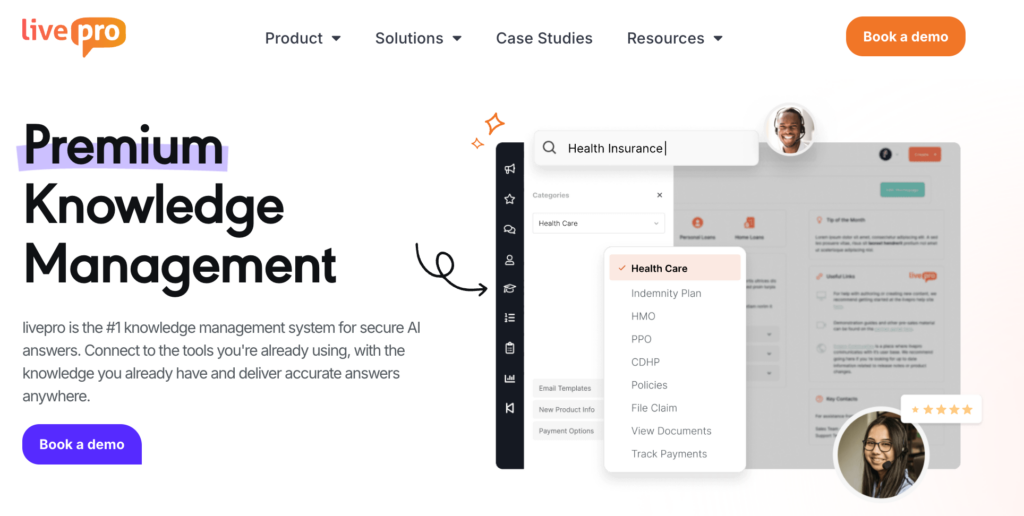
Zingtree guides an agent through a decision tree, but it doesn’t support teams that manage articles, documentation, or process guides. livepro is an AI-powered knowledge management system that consolidates your scattered knowledge into a single source of truth, with built-in decision trees, guided workflows, and governance controls.
The platform is built for contact centers and enterprise teams that need to manage a compliant, governed knowledge base at scale. It serves industries like local governments, banking, BPOs, and healthcare.
livepro ranks among G2’s top 5 Contact Center Knowledge Base Software in 2026. The platform was rated highest across five categories: intelligent search, access management, integrations, analytics, and data governance.
Here’s how livepro helps teams that outgrow Zingtree’s tree-only structure:
Dynamic Decision Trees for Step-by-Step Agent Guidance
Zingtree users report that complex decision trees are hard to navigate and organize as they grow. The visual interface gets clunky, and adding or updating the tree becomes a real challenge. Agents lose time hunting through a cluttered tree instead of answering the customer mid-call.
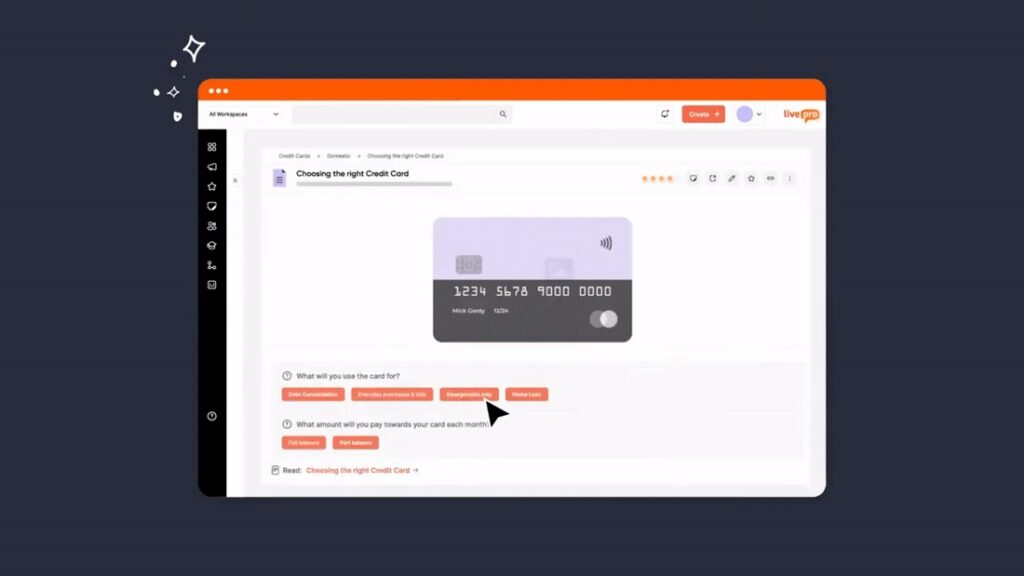
livepro’s decision trees break complex policies and procedures into step-by-step branching logic to deliver accurate answers. Agents select one answer at each step, and each answer expands to different paths. The agent keeps answering until the decision tree reaches the right outcome for that situation.
As a Zingtree alternative, livepro’s decision tree features:
- Branching logic: The tree adapts to user type, issue severity, department, or regulation, so each agent follows the exact path built for their scenario.
- Visual flowcharts: Authors and agents see the full decision path, not just the current step, so the reasoning behind each outcome stays visible.
- Embedded actions: Each step can link out to systems, scripts, forms, or escalation contacts, so agents complete the next action without leaving the tree.
- Version control: Updates publish without breaking sessions already in progress, so a live edit never disrupts an agent mid-call.
The platform allows authors to build this structure using the drag-and-drop editor. They can add each question and connect it to the next question that should follow from each possible answer.
For example, a question about account type might lead to a different follow-up question for each plan, then branch again based on the next answer. The decision tree takes shape as authors add these questions and link them together, with no coding required.
Every agent reaches the right outcome, regardless of their expertise or experience. This allows new agents to handle calls without escalating them to supervisors or risking wrong answers.
When a policy changes, authors can update the relevant branch, and the change goes through the approval workflow before it’s updated in the tree. This saves the effort of re-designing the entire process again.
Built-in Governance for Knowledge Accuracy
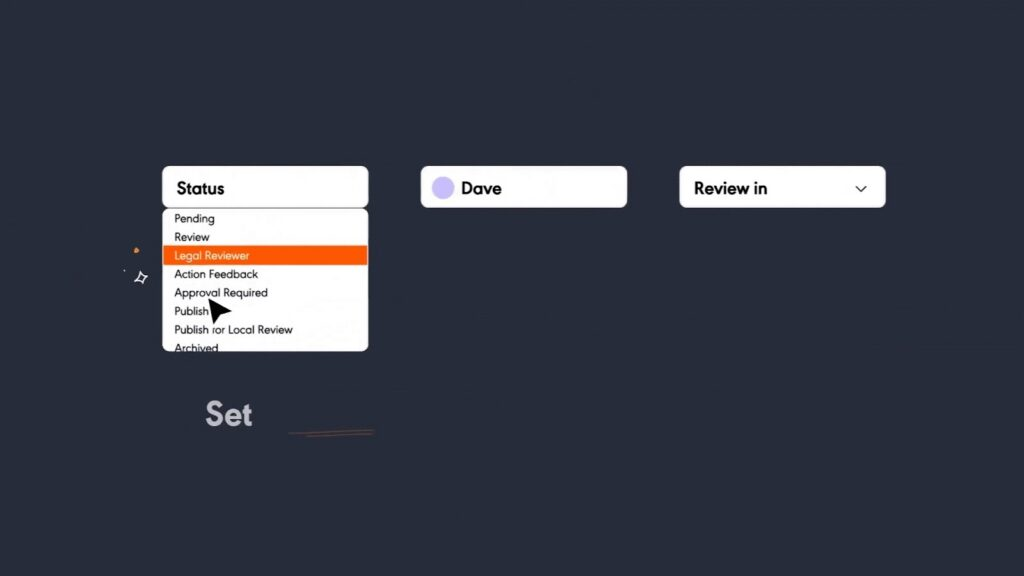
livepro’s governance framework embeds into your entire knowledge base, so every article is accurate, approved, and compliant.
The platform runs every article through a defined sequence. A creator drafts it, a subject matter expert (SME) validates accuracy, and an approver signs off before it reaches an agent. If any stage gets skipped, the article stays stuck in the queue.
The decision trees sit inside the same pipeline. A policy change to a decision tree carries the same ownership, review date, and audit trail as a change to any article. You don’t need a separate governance layer.
Role-based permissions control what each person can do, view, edit, approve, or publish, and those permissions update automatically when someone changes roles, so access never lags behind who holds the job. Version control keeps a full history of every edit and approval, letting a compliance officer trace what an agent saw on a specific date and restore a previous version in one click.
Review dates run on a schedule matched to how much risk the content carries. The content owner gets a reminder as the deadline nears, and if the article passes its expiry date without sign-off, livepro pulls it from circulation until someone approves it.
Categorization to Organize and Navigate Through Knowledge Base
livepro organizes content into Categories and Hubs, grouping related articles, decision trees, and process guides, like policies, training materials, or department manuals, under a shared structure. As the knowledge base grows, content stays grouped by topic.
Each Hub gathers everything related to one subject in one place, so an agent or author browses to the right area without relying on search alone. This matters most when the same topic spans multiple content types.
For example, an agent handling a billing dispute might need a policy article, a step-by-step process guide, and a decision tree for edge cases. Categories keep all three connected under one heading instead of scattered across an unstructured list.
Hybrid Search to Get Verified Answers Faster
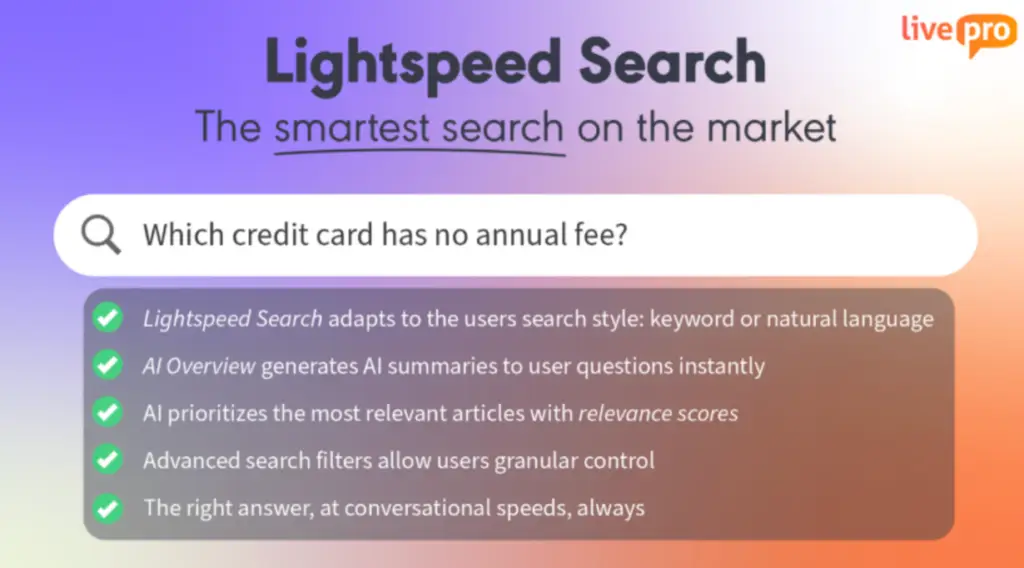
Many Zingtree users complain about its poor search functionality. This forces agents to manually look for answers mid-call, which affects customer experience.
livepro’s Lightspeed Search combines keyword matching, natural language processing, and semantic search to deliver quick answers. It understands intent even when the exact wording doesn’t match. An agent typing “give the money back” surfaces the refund policy without needing to guess the term the article uses.
If the agent mistypes or uses a different term to search, livepro will still deliver accurate results. This gives agents confidence to resolve customer inquiries using an accurate and verified knowledge base.
Each result carries a relevance score based on the query, the agent’s department, and how other agents have used that content before. The platform learns how agents interact with the search result, so it delivers the most reliable answer for future searches.
AI Overviews for Short Summaries
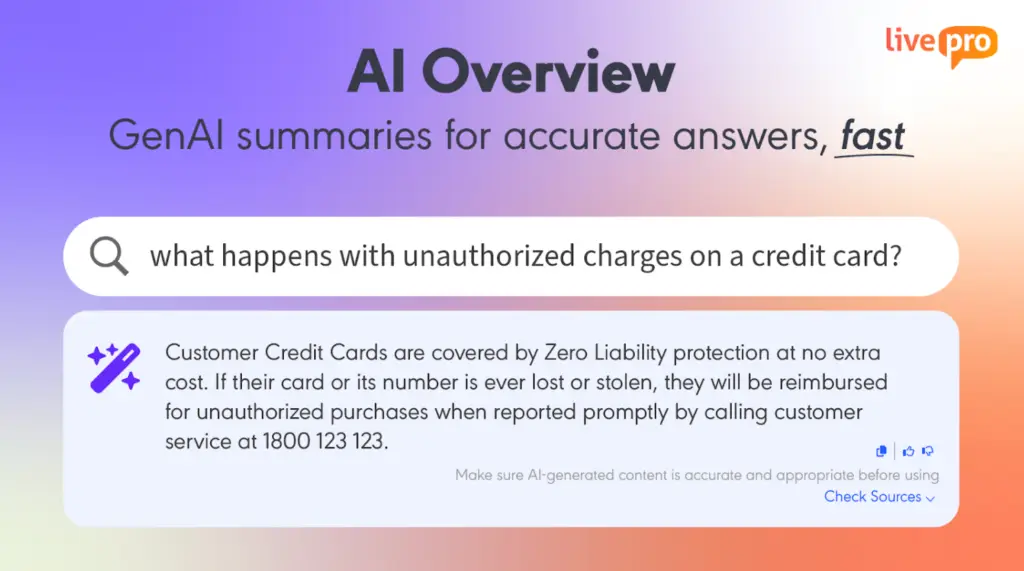
Agents mid-call don’t have the time to scroll through long-form articles to find relevant information. They need quick answers they can deliver to customers.
livepro’s AI Overviews condense long-form content into a short, accurate summary the moment a search returns a result. The agent sees the key answer right away and can expand for full detail when the situation calls for it.
Every summary draws only from approved, governed content already living in the knowledge base, with a link back to the source article. An agent gets a fast, reliable answer. They can copy it with one click or flag it with a thumbs up or down to improve future results.
Self-Service Solutions to Reduce Call Volume
Zingtree’s base self-service tool runs on the same tree-and-node engine built for agents, embedded on a website. Customers need to click through each answer to get information, which might not always work right.
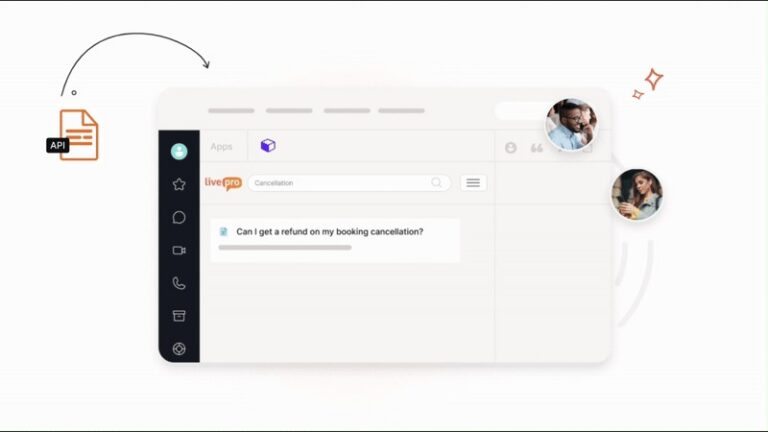
livepro offers self-service solutions that connect the same governed knowledge base agents use to a website, so customers get the exact answers. You don’t have to build or maintain a separate content library.
Customers can search in natural language on your website or help center to get accurate answers instantly. The AI-powered search understands the intent and retrieves verified answers.
livepro gives you permission controls to limit which articles are visible to customers. This helps you keep your internal and external knowledge compliant.
If you’re updating a policy internally, the customer-facing portal also updates at the same moment. This way, your customers get accurate information. You can use livepro’s self-service in two ways:
- WebAnswers: Connects to a website through a simple API. It syncs chosen content from the knowledge base in real time so customers get answers without submitting a ticket.
- OpenAccess: A fully hosted help site published directly from the internal platform, with federated search across both internal and public sources.
AI Voice Agent (Luna) for Customer-Facing Calls

livepro’s AI voice agent, Luna, handles customer calls around the clock. It uses the same verified knowledge base to deliver accurate answers without human involvement. Customers can ask questions in natural language, and Luna understands the intent to retrieve answers accordingly.
Luna can also recognize the caller’s language and switch automatically from English to match it. If a query grows complex, it transfers the call to a human agent with full context so the customer doesn’t have to repeat themselves.
If you make changes to any knowledge article or guide, the platform reflects the same updates in Luna, so it delivers accurate answers. Luna is highly configurable. You can choose a name, voice, and greeting to match your organization’s brand. It also self-learns based on everyday interactions to improve future calls.
AI Authoring for Faster Content Creation
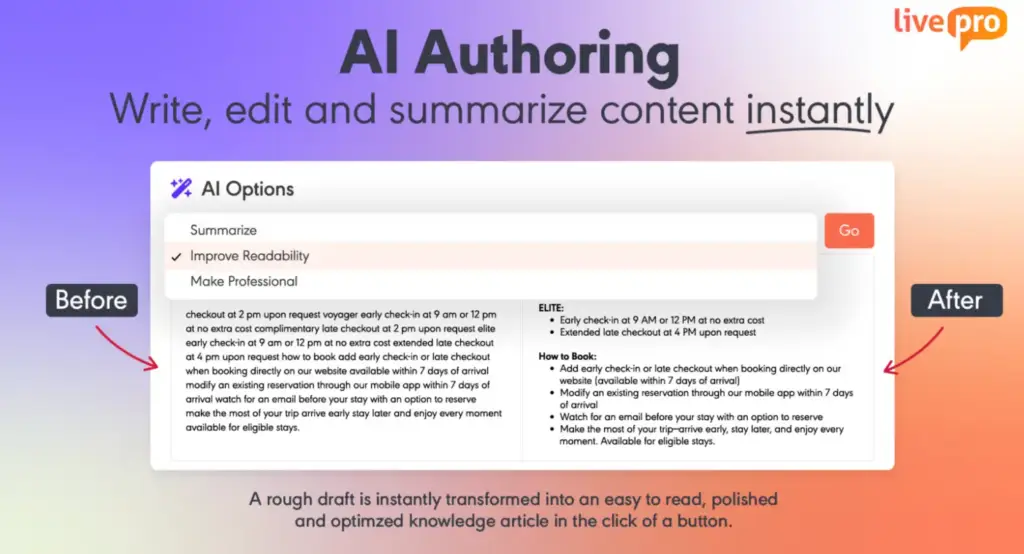
Zingtree users complain that the platform lacks customization options and design elements.
livepro’s authoring tools allow users to create, edit, and manage articles in the same system. SMEs can use the AI authoring tool to create polished articles. The AI reads the rough draft, refines its tone, simplifies complex jargon, and summarizes long-form content into a consistent format.
You can also pre-build templates for different content types to make sure the AI follows the same article structure and style.
livepro lets authors manually edit articles using the WYSIWYG (What You See Is What You Get) editor. You can paste images, add multimedia, edit heading styles and font size, and adjust layout for every article.
With authoring tools, you can keep a consistent format for knowledge articles, allowing agents to find the right information faster.
LightspeedAI to Migrate Documents
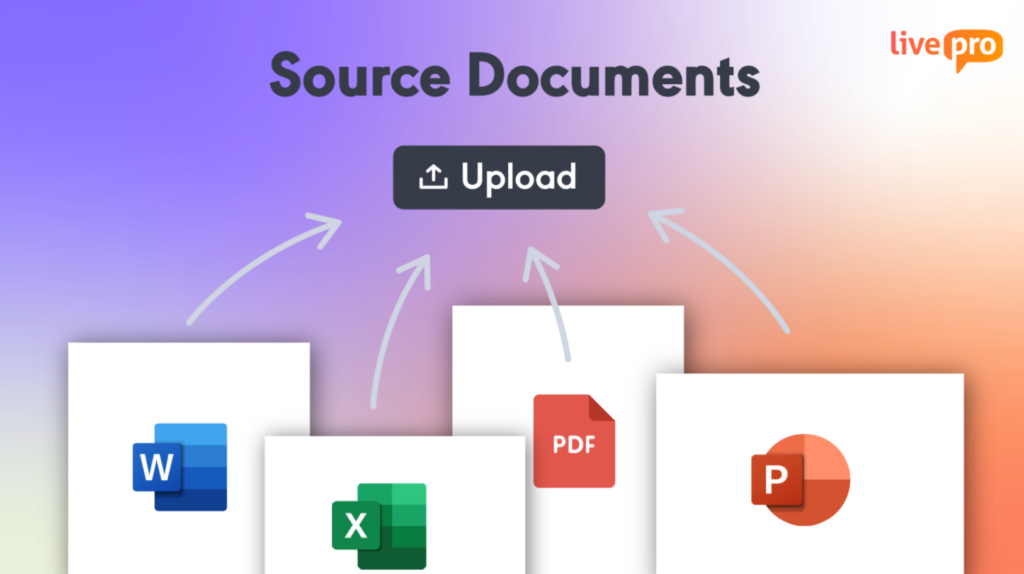
Many Zingtree users complain that the pricing structure gets costly as their business grows. This pushes them to buy another knowledge management tool, but the switch itself can be expensive and time-consuming.
livepro’s LightspeedAI removes that rebuild step. Teams can upload PDFs, Word docs, Excel sheets, or PowerPoint files in bulk. The AI ingests the content, identifies structure, and indexes it into searchable content. It features:
- Intelligent parsing: Identifies titles, sections, and procedures within each uploaded document.
- Format preservation: Keeps tables, lists, images, and existing structure intact rather than flattening content into plain text.
- Auto-categorization: Suggests tags and categories based on what the content covers, so a knowledge manager reviews suggestions instead of sorting from scratch.
Every article follows the approval workflow before it’s searchable on the knowledge base. This allows agents to find accurate answers faster.
For example, a BPO with knowledge from several clients could load 2,000 articles in one batch. The AI will parse and organize them into consistent articles, work that would otherwise stretch across months of manual reformatting.
Knowledge Analytics to Track Agent Performance and Search Trends
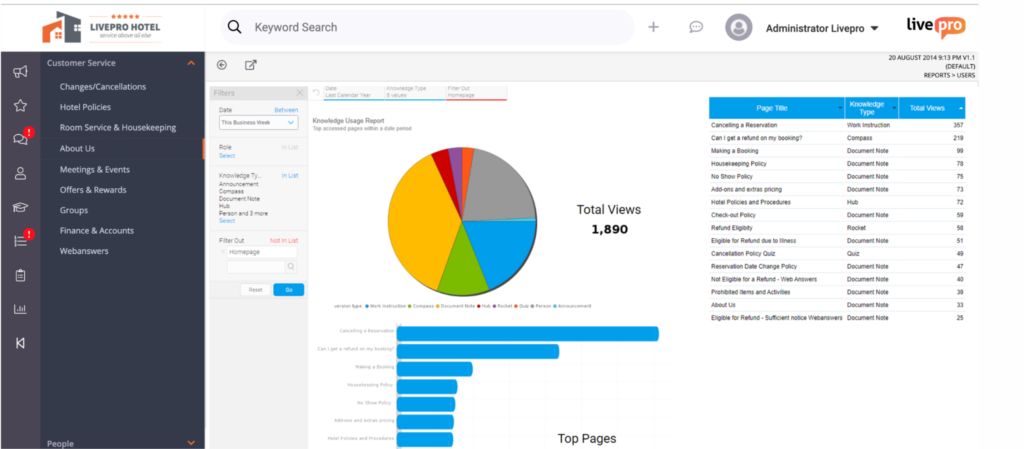
Zingtree users report limited analytical features. A user complains that pulling reports for specific metrics is hard, even if the information exists.
livepro offers built-in analytics that allow a knowledge manager to see usage, search trends, and content gaps from a single dashboard.
With livepro, you can track:
- Usage tracking: Shows which articles get accessed most, broken down by team and department, in one view.
- Zero-result search flagging: Flags a search that returns nothing, so a knowledge gap surfaces before it affects a live call.
- Content performance tracking: Shows time spent on an article and its feedback score, so a manager knows what content actually helps.
- Read receipts: Confirms who has viewed a compliance-critical article, useful evidence during an audit.
- Overdue review visibility: Shows every article that missed its review cycle and who owns it, without checking a spreadsheet.
Unlike Zingtree, you can build custom reports for metrics that matter to you or your stakeholders. livepro lets you export data and download reports with infographics.
livepro Integrations
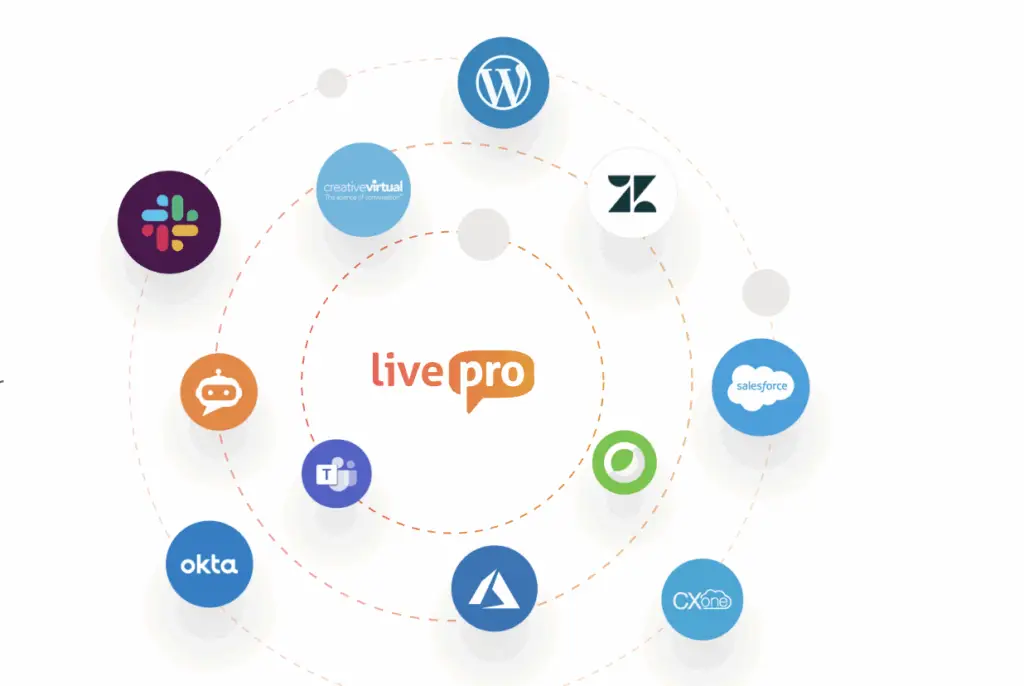
Zingtree users report friction connecting to external systems, including trouble getting third-party integrations working and pulling in external data connections.
livepro offers native integrations with tools your agents already use. The data flows to a single dashboard, so your agents don’t have to switch between tabs to find the right answers mid-call.
livepro integrates with:
- Genesys Cloud
- NICE CXone
- Salesforce
- Zendesk
- Microsoft Teams
- Microsoft Dynamics CRM
- Cisco Webex
- Azure
- Okta
- Slack
You can also use the open API to connect custom apps, websites, voice IVRs, and human-assisted chats with livepro.
livepro Pricing
livepro offers three custom pricing plans: Flex, Premium, and Enterprise. Contact the team for a personalized quote.
Bloomfire
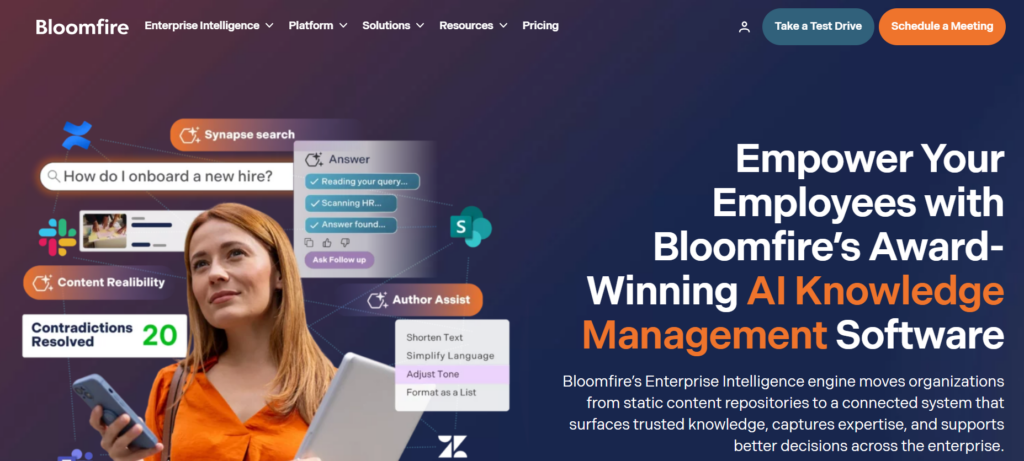
Bloomfire is an enterprise knowledge management platform built around Synapse, an AI answer layer. Synapse surfaces a direct, sourced response above search results, pulling only from certified company knowledge.
If you need an AI-verified answer pulled from mixed content types, Bloomfire indexes video, audio, and documents together and continuously flags outdated content. Zingtree is best for teams that need a guided workflow or branching logic.
Read more: Bloomfire Alternatives
Bloomfire Key Features
- Surfaces a direct, sourced answer above search results through Synapse
- Indexes video and audio content, including spoken words inside recordings
- Monitors the knowledge base continuously to flag outdated or duplicate content
- Connects to SharePoint, Google Drive, and Salesforce for cross-source search
- Tracks engagement and content performance through built-in analytics
Bloomfire Pricing
Bloomfire offers custom pricing.
Document360
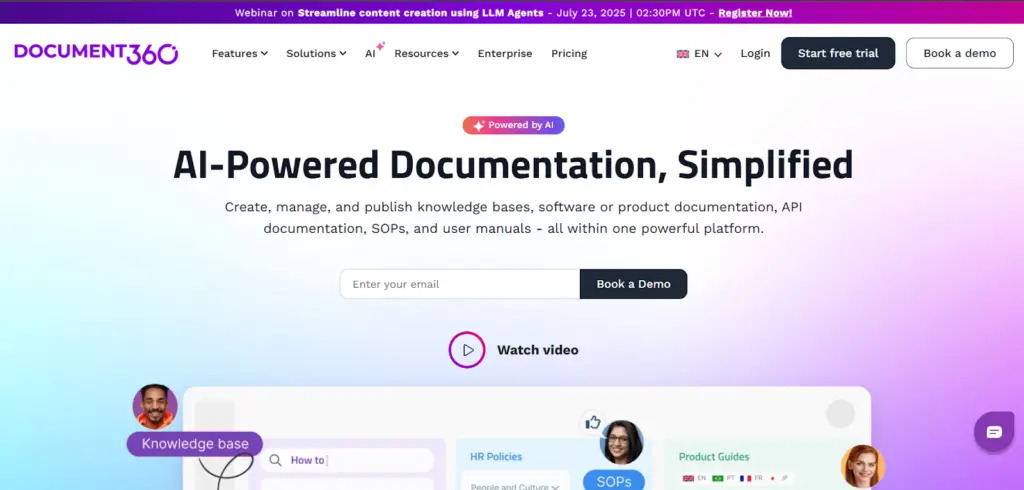
Document360 is an AI-powered knowledge base platform. It’s built for teams that manage structured documentation like help docs, user manuals, API documentation, SOPs, and internal knowledge bases.
If you publish external-facing technical documentation, Document360 supports version control and multilingual publishing across an entire knowledge base. Zingtree is best for teams that need agents or customers guided through a structured, branching process.
See also: Document360 Alternatives
Document360 Key Features
- Delivers AI search that returns context-aware answers
- Converts text, video, or prompts into structured, ready-to-publish documentation
- Tracks every article version and lets teams revert to prior ones
- Enforces structured review and approval workflows with a full audit trail
- Supports multilingual documentation for compliance-sensitive and global teams
Document360 Pricing
Document360 offers custom pricing.
Balto
Balto is a real-time call guidance platform for contact centers in regulated industries like collections, insurance, and healthcare. It listens to live phone conversations and surfaces prompts, compliance language, and next-best-action suggestions.
Balto AI agent handles phone calls independently, taking on repetitive tasks like scheduling and account verification. Zingtree’s Conversational AI blends structured workflows with chat experiences embedded into a CRM, web, or chat interface.
Balto Key Features
- Guides agents with dynamic prompts and compliance language during live calls
- Coaches by alerting managers to coachable moments so they can join calls in real time
- Automates repetitive calls like scheduling through Togo, its voice AI agent
- Monitors interactions live to flag risk and maintain a full audit trail
- Evaluates every call automatically instead of relying on manual sampling
Balto Pricing
Balto offers custom pricing.
Freshdesk
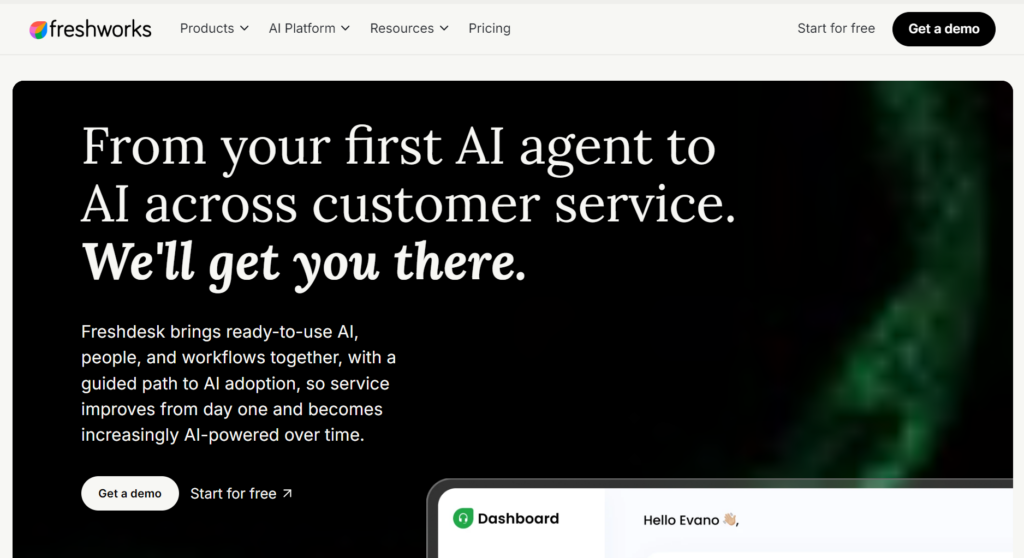
Freshdesk, by Freshworks, is a helpdesk platform built for small and midsize businesses that need multichannel ticketing without heavy IT involvement. Its Freddy AI automates ticket routing and suggests responses, while a self-service portal and knowledge base let customers find answers.
Freshdesk is best for teams that need unified ticketing across email, chat, phone, and social media. Freddy retrieves from past tickets and existing articles to draft a reply, while Zingtree walks an agent through a sequence of questions to reach an outcome.
Freshdesk Key Features
- Unifies email, chat, phone, and social conversations into one shared ticket queue
- Routes tickets automatically with automation rules
- Tracks service level agreements and flags a ticket before it breaches its deadline
- Suggests replies and solution articles through Freddy AI Copilot, sourced from past tickets
- Resolves repetitive queries through Freddy AI Agent
- Reports on ticket volume, agent performance, and customer satisfaction
Freshdesk Pricing
Freshdesk pricing starts from $23 per agent per month (billed monthly).
ProcedureFlow
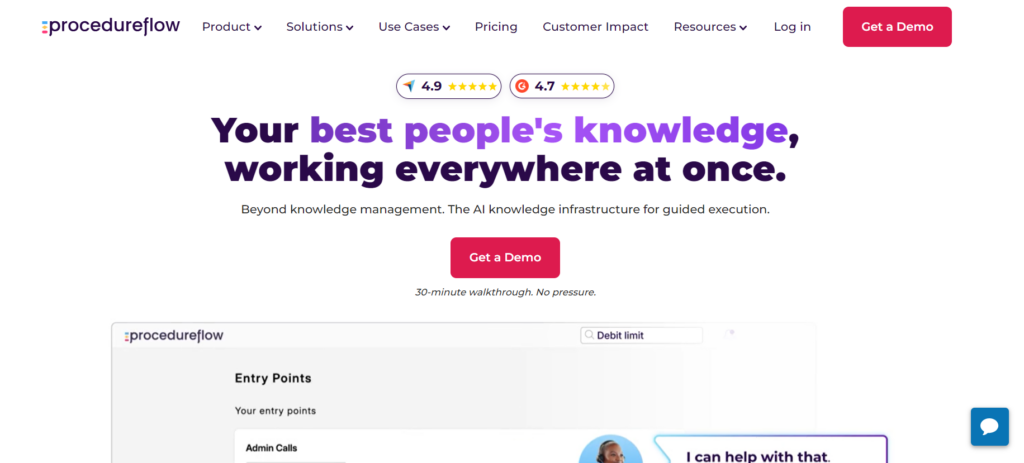
ProcedureFlow is a knowledge management platform that turns standard operating procedures into visual, flowchart-style guides. The platform is built for CX teams across insurance, financial services, utilities, and government.
ProcedureFlow’s flows are visual maps of an entire process. An agent types a question in their own words and lands on the exact step in the exact flow. Zingtree branches toward a single outcome, suitable for scripted interactions like a call flow or a customer self-help tool.
ProcedureFlow Key Features
- Guides agents through a visual flowchart instead of a list of static articles
- Matches a typed phrase in the agent’s own words to the exact step in the exact flow
- Detects the call type in real time and surfaces the right workflow
- Tracks every process change through a full audit trail for compliance
- Integrates with Salesforce, Genesys, and NICE CXone
- Feeds the same structured, versioned flow to AI agents through its API, so a copilot or IVR draws from one source of truth
ProcedureFlow Pricing
ProcedureFlow pricing starts at $33 per user per month.
Panviva by Upland Software
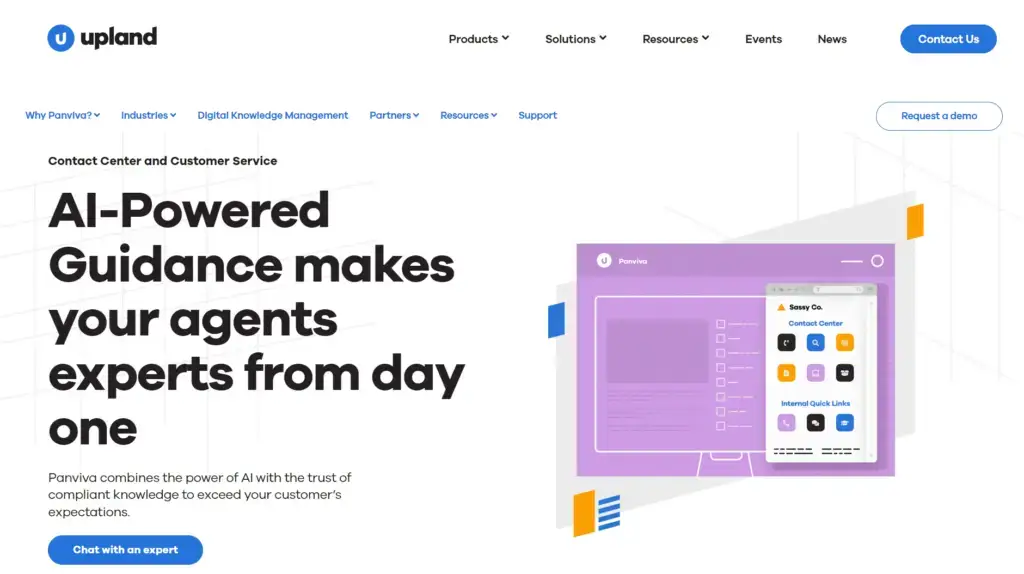
Panviva by Upland Software is an AI-powered knowledge management platform designed for contact centers in banking, healthcare, and BPOs. The platform serves highly regulated teams that need to maintain a compliant knowledge base.
Panviva is best for teams that need accurate answers through a browser extension during live interactions. Zingtree embeds AI-powered search directly into a CRM, web page, or chat.
Learn more: Panviva vs eGain
Panviva Key Features
- Surfaces AI-generated Smart Snippets through Sidekick, its browser extension for Chrome and Edge
- Delivers guided process navigation directly inside the agent’s existing CRM or contact center tool
- Personalizes content by role, region, business unit, or application version for each agent
- Pushes knowledge to chatbots, IVR systems, and websites through its content, live, and artefact APIs
- Restricts answers to only the content an agent is authorized to view, reviewed by subject matter experts
Panviva Pricing
Panviva offers custom pricing.
Five9
Five9 is a cloud contact center platform (CCaaS) built for enterprise and mid-market contact centers across healthcare, financial services, retail, and telemarketing. It offers telephony, omnichannel routing, workforce management, and AI-driven automation.
Five9 supports AI-based self-service with handoff to a live agent, plus native Agent Scripts for guiding a rep through a call. Zingtree’s self-service runs as a separate decision tree that a customer clicks through step by step.
Five9 Key Features
- Combines human agent service with AI and automation to boost productivity
- Allows customer self-service through Five9 Intelligent Virtual Agent, with live handoff
- Coaches agents in real-time through Agent Assist during live calls
- Optimizes workforce scheduling and performance through built-in workforce optimization tools
- Unifies voice, email, chat, SMS, and social messaging into one customer history
Five9 Pricing
Five9 pricing starts at $119 per seat per month.
PixieBrix
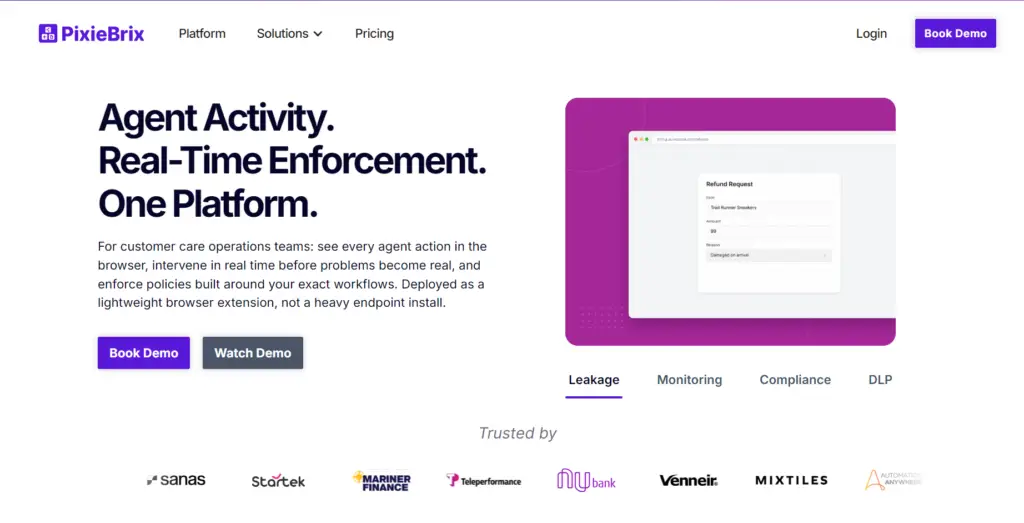
PixieBrix is a browser extension and low-code automation platform that customizes and automates any web application directly inside the browser. The platform embeds AI, decision trees, and workflow automation into existing tools.
PixieBrix’s strength is in contact center use cases like agent workflow guidance, refund and claims processing, and compliance-sensitive tasks layered on top of existing software. Zingtree’s trees live as their own destination or CRM embed.
PixieBrix Key Features
- Guides agents through standardized paths with decision trees embedded in the browser
- Surfaces knowledge base search results directly inside the app that is already open
- Automates repetitive tasks like form fills, data fetching, and record updates without code
- Embeds custom buttons, panels, and checklists into any existing web application
- Connects to CRMs, issue trackers, and over 1,000 apps through Zapier and Integromat
PixieBrix Pricing
PixieBrix pricing starts at $15 per user per month for small teams.
Talkdesk
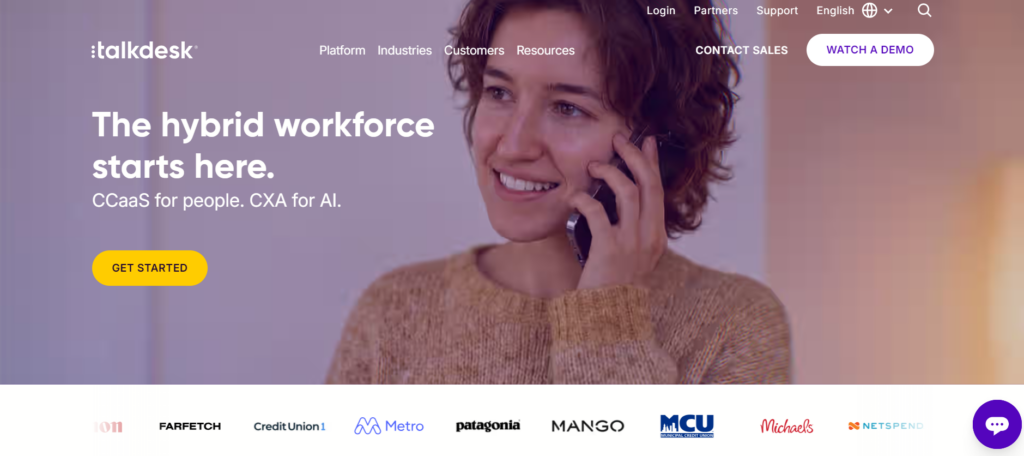
Talkdesk is built for contact centers across financial services, healthcare, retail, and government. The platform automates the full customer interaction lifecycle, from handling self-service to guiding a human agent in real-time.
Talkdesk delivers answers through answer cards in a knowledge base that connects to third-party knowledge sources like Salesforce and Confluence. Zingtree uses generative AI to surface answers from connected systems within a workflow rather than functioning as a standalone knowledge base product.
Talkdesk Key Features
- Resolves customer issues autonomously across voice and digital channels using Autopilot’s agentic AI
- Surfaces next-best actions and knowledge base answers to agents in real time, then auto-summarizes calls at wrap-up
- Routes customers to the right outcome, human or automated, using natural conversation and real-time context
- Connects third-party knowledge sources like Salesforce and Confluence to auto-generate answer cards
- Transcribes and analyzes 100% of customer interactions to surface intent, sentiment, and quality scores
Talkdesk Pricing
Talkdesk pricing starts at $85 per user per month.
Quick Comparison Table: Top 10 Zingtree Alternatives in 2026
| Platform | Best For | Decision Trees and Workflow Guidance | How Agents Access Knowledge | Search Capability | Governance model |
| livepro | Contact center and enterprise teams in regulated industries needing a governed knowledge base | Branching decision trees with visual flowcharts and embedded actions | Centralized knowledge base with categories, hubs, and AI authoring tools | Hybrid Lightspeed Search plus AI Overviews for instant summaries | Author-review-approve pipeline with scheduled review dates |
| Bloomfire | Teams needing AI-verified answers across mixed content types | No native decision tree builder, relies on Salesforce, Teams, and SharePoint integrations for process-adjacent workflows | Certified knowledge base indexing video, audio, and documents together | AI surfaces a sourced answer above search results | Continuous flagging of outdated or duplicate content |
| Document360 | Teams publishing external-facing technical documentation | No native decision tree builder, connects to Zendesk, Intercom, Freshdesk, and Slack | Structured documentation for help docs, manuals, and SOPs | Eddy AI for search, content drafts, translations, and chatbots | Version history plus structured review and approval workflow |
| Balto | Regulated teams needing real-time call guidance | Not tree-based, guides agents through live call prompts | No standalone knowledge base; pulls from the CRM/telephony systems it’s layered on | Surfaces compliance language during calls | Live call monitoring with full audit trail |
| Freshdesk | Teams needing unified multichannel ticketing | No branching decision tree; uses automation rules and canned responses to route and pre-fill common replies | Self-service portal with knowledge base for customers | Freddy AI drafts replies from past tickets and articles | Service-level agreement tracking, not article-level governance |
| ProcedureFlow | Teams needing natural-language navigation through complex processes | Visual flowchart-style process guides | Flows act as the knowledge layer, no separate knowledge base | Matches a typed phrase to the exact step in the exact flow | Full audit trail on every process change |
| Panviva | Regulated teams needing in-browser guided answers | Guided process navigation inside the agent’s existing CRM | Role- and region-personalized content, reviewed by SMEs | Smart Snippets surfaced via Sidekick AI | Answers restricted to content each agent is authorized to view |
| Five9 | Teams needing full CCaaS with built-in self-service | Native Agent Scripts guide reps through live calls | Relies on native Salesforce and Zendesk integrations to surface existing knowledge base content inside the agent workspace | Intelligent Virtual Agent with live agent handoff | Not a governance-focused platform |
| PixieBrix | Teams needing low-code automation layered on existing tools | Browser-embedded decision trees inside existing apps | Surfaces whatever knowledge base is already open in the host app, rather than hosting its own | Pulls from the host app’s existing search, not a native AI answer engine | Not a governance-focused platform |
| Talkdesk | Teams needing a full contact center platform with AI agents | No branching decision tree product; Studio handles voice/omnichannel call-flow orchestration instead, built for IVR logic rather than agent-facing trees | Answer cards connected to Salesforce, Confluence, and other sources | AI-powered semantic search surfacing precise answers | Access levels and permissions, not scheduled reviews |
How to Choose the Right Zingtree Alternative?
Here’s what you need to look for in a Zingtree alternative:
Decision Trees and Workflow Flexibility
Check whether the platform supports branching logic that adapts to user type, issue severity, or department.
Look at whether permissions let you control who can build, edit, or approve a tree, since this determines how safely non-technical teams can maintain workflows at scale. Test the vendor’s demo on a complex, multi-layered process to see if the tree stays flexible and easy to navigate as branches grow.
livepro’s decision trees allow authors to divide complex processes into branched workflows that connect to the knowledge base. Authors can also assign owners, set scheduled approvals, and set deadlines.
Use Case
Verify whether you need a tool built for agent-facing workflows, customer self-service, or both. Check the vendor’s site for named use cases like claims triage, returns, or billing disputes to confirm the tool matches your actual process.
| Use Case | Recommended Platforms |
| Governed decision trees and guided workflows for contact center agents with a knowledge base | livepro, ProcedureFlow, Panviva |
| AI-powered search with content governance for compliance-ready knowledge bases | livepro, Bloomfire |
| Contextual answers surfaced automatically to agents during live calls | livepro, Balto, Talkdesk, Five9 |
| Structured documentation and self-service portals for customers | livepro, Document360, Freshdesk |
| Workflow automation embedded into existing CRM or support tools | PixieBrix, Panviva |
AI Search
Test the search using vague or misspelled queries to see if it still returns the right answer. Check whether the platform uses semantic search or keyword matching alone, since this affects how well it handles real agent phrasing.
Governance and Automated Review Cycle
Look for a platform that gives you a defined author-review-approve workflow and version control. Check whether the platform sets automatic review dates and pulls expired content from circulation, since this matters most for regulated teams.
Self-Service
Check whether the same knowledge base powers both agent tools and the customer-facing portal, so updates sync automatically. Look at whether the vendor offers a hosted help site option or only an embeddable widget.
Onboarding and Migration
Ask the vendor how it handles bulk migration of existing documents, spreadsheets, or trees from your current tool. Check G2 or Capterra reviews for real onboarding timelines rather than relying on the vendor’s own estimate.
livepro LightspeedAI speeds up migration through bulk uploads. The AI ingests documents and converts them into searchable articles without requiring manual formatting. Many users praise livepro’s onboarding process and easy interface that allow agents to adapt from day one.
Workflow Integration
Confirm the platform connects natively to the CRM or contact center tool your agents already use. Check the platform’s integrations, since some tools list partners that require custom setup.
Scalability
Check user reviews for complaints about the tool slowing down or becoming hard to manage as content grows. Ask the vendor how pricing and performance change as your team or workflow count increases.
Reporting
Look for built-in dashboards that track search performance, content gaps, and agent usage. Check whether the platform lets you build custom reports, since some tools limit you to fixed, pre-built metrics.
livepro is the Best Zingtree Alternative for Contact Centers
Zingtree lacks a built-in knowledge base that large contact centers need to manage and organize their growing content library. Many also find its pricing too costly for their growing businesses.
If Zingtree doesn’t suit your needs, livepro is a better alternative for contact centers that need knowledge management, governance, and step-by-step guided workflows built into one platform.
livepro provides AI-powered search that delivers accurate answers, dynamic decision trees to guide agents, role-based permissions to control access, and compliance for regulated teams. The platform gives you a single source of truth for agents, customers, and internal teams, so every answer is accurate and verified.
Book a demo to learn how livepro helps teams deliver accurate answers and maintain a governed knowledge base.