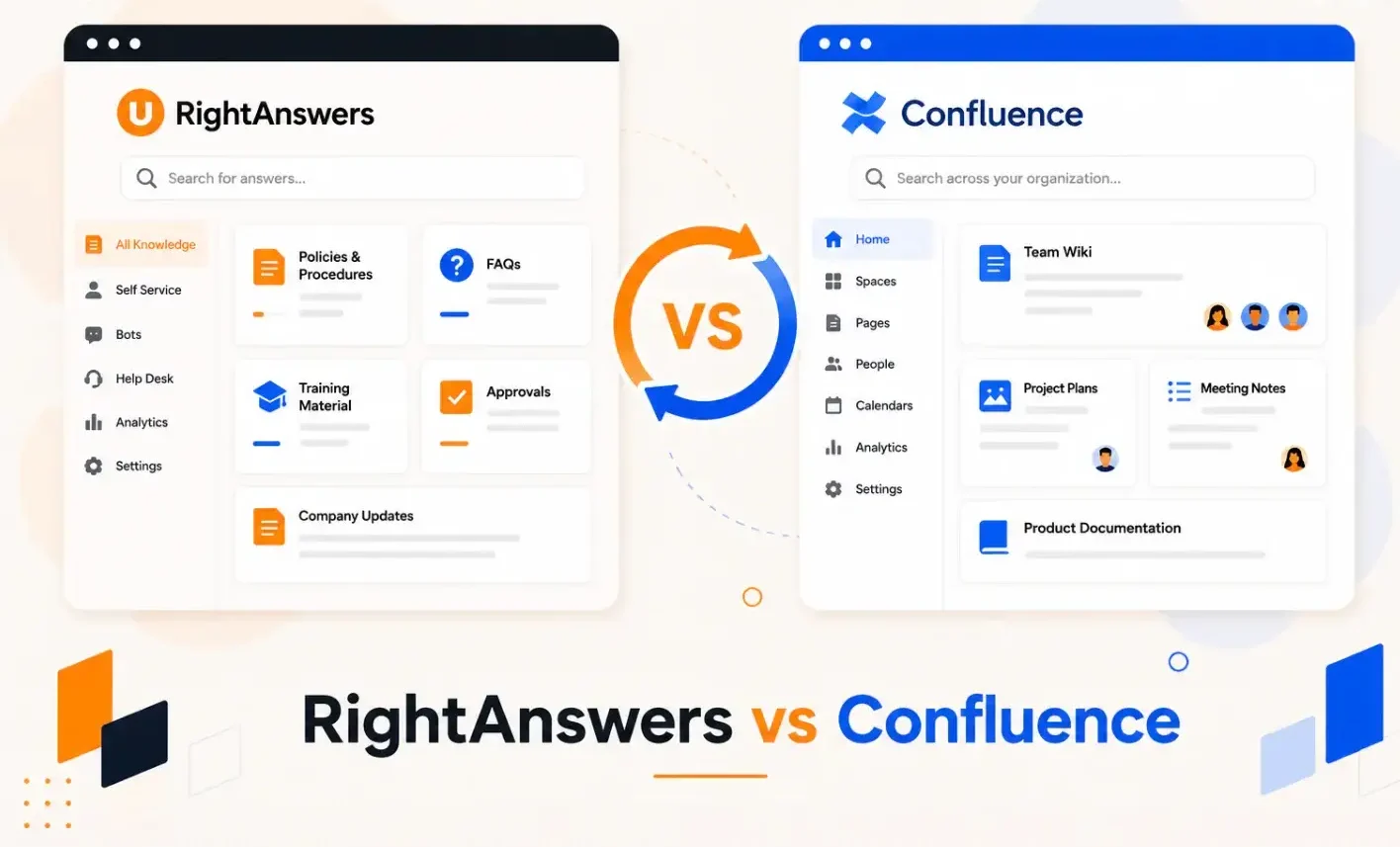


RightAnswers is built for IT and support teams that need structured and compliant knowledge delivery. Confluence is a general-purpose wiki for internal enterprise teams that already use Atlassian tools like Jira.
On paper, they both manage knowledge. But in practice, they solve different problems for different teams. RightAnswers enforces a KCS-driven workflow where every resolved ticket improves the knowledge base. Confluence gives teams a flexible workspace to document and collaborate, with no enforced structure.
Pick the wrong one, and your team either fights a rigid system that doesn’t match their workflow, or drowns in unstructured pages no one can find.
This article compares RightAnswers vs Confluence across features, pricing, and real user feedback. We also cover livepro, which may be a better fit if you need governed knowledge delivery for contact centers or enterprise teams.
About RightAnswers
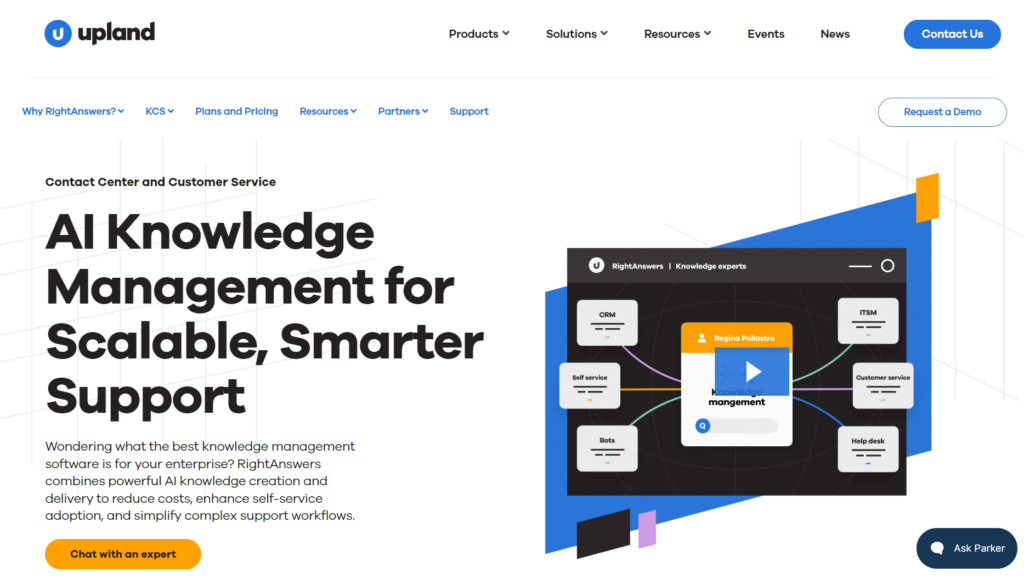
RightAnswers, a product by Upland, is an enterprise knowledge management platform built for IT service desk teams. It uses AI and machine learning to help organizations create a structured knowledge-sharing culture, with integrations that surface knowledge inside the tools agents already use.
The platform adopts the KCS (Knowledge-Centered Service) v6 methodology, which means agents build and refine knowledge articles as they resolve tickets. Over time, this turns everyday support work into a self-improving library of answers.
Many users praise RightAnswers for its simple user interface, but complain about the lack of customization options and integration issues.
Read more: RightAnswers Alternatives
RightAnswers Key Features
Here are the key features of RightAnswers:
- Generative AI knowledge creation: Drafts and validates knowledge articles in minutes.
- Hybrid search: Uses natural language processing to return accurate results.
- Gen AI answers: Delivers summarized answers directly to agents to resolve issues without reading through full articles.
- Bring your own AI: Gives teams the flexibility to use RightAnswers’ built-in AI model or integrate their own preferred AI provider.
- Browser extension: Surfaces knowledge inside 20+ apps without agents leaving their workflow.
- Self-service portal: Allows customers to find answers independently.
- Pre-built IT knowledge library: Ships with 40,000+ troubleshooting articles so IT support teams can run quickly.
- Integrations: Natively connects with ServiceNow, Salesforce, Zendesk, Microsoft Dynamics, and Genesys.
- Reporting and analytics: Tracks user activity, knowledge usage, and content performance.
RightAnswers Pricing
RightAnswers offers custom pricing.
User Ratings
About Confluence
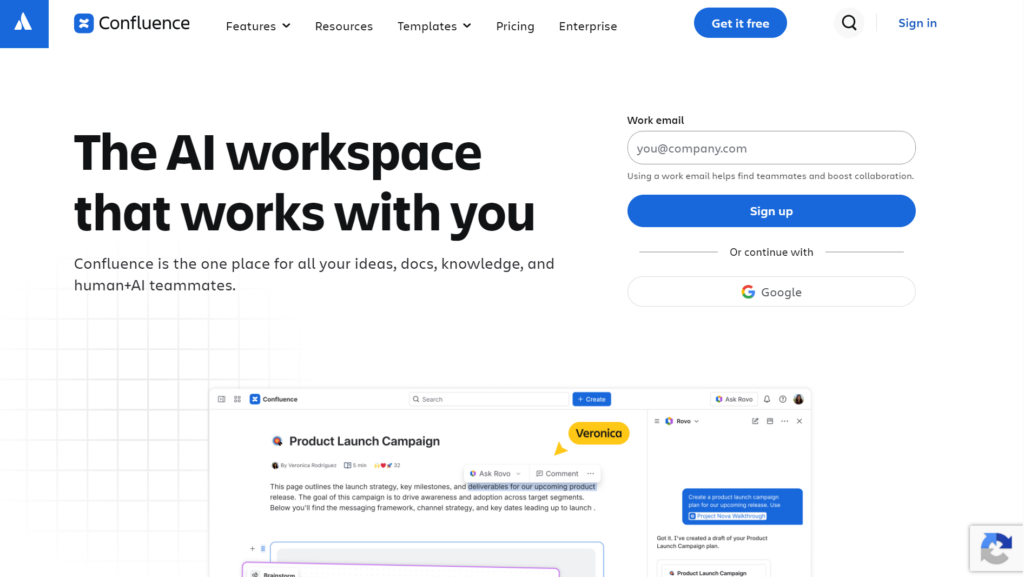
Confluence by Atlassian is a connected workspace built for internal team collaboration. The platform is widely adopted across tech organizations, especially those already running on the Atlassian ecosystem.
Users like Confluence for its well-structured team documentation, but complain about inaccurate search results and clunky UI.
Read more: Confluence Alternatives
Confluence Key Features
Here are the key features of Confluence:
- Rovo AI search: Searches across Confluence, Jira, Slack, and connected enterprise apps to surface answers from across your entire toolstack.
- Rovo AI assistant: Drafts content, summarizes pages, extracts insights, and automates recurring tasks directly within the workspace.
- Content hierarchy: Organizes knowledge across teams, projects, and goals using a structured page tree with advanced search and labels.
- Real-time collaborative editing: Multiple team members can write and edit pages simultaneously, across time zones, with in-line commenting and tagging.
- Page versioning: Tracks the full change history of every page so teams can compare versions and revert updates when needed.
- Reporting and analytics: Tracks user engagement and content performance
- Pre-built templates: Offers templates for product requirements, marketing plans, HR processes, and more to speed up content creation.
- Atlassian Guard and SSO: Provides centralized security with SAML SSO, automated user provisioning, and IP allowlisting for enterprise deployments.
- Atlassian ecosystem integration: Connects with Jira, Trello, and Loom for internal knowledge sharing.
- Marketplace integrations: Connects with Microsoft Teams, Google Drive, Figma, GitHub, Zoom, and other third-party apps.
Confluence Pricing
Confluence basic plan starts at $5.42 per user per month.
User Ratings
RightAnswers vs Confluence: Feature-by-Feature Comparison
Although both platforms are useful for knowledge management, they cater to different use cases.
The following is a feature-by-feature comparison between RightAnswers and Confluence:
Knowledge Retrieval
Both platforms use AI-powered search to retrieve information from the knowledge base. But Confluence users complain that the search surfaces archived or unrelated content, forcing them to hunt for answers through direct links.
Content Management
RightAnswers structures content around a governed knowledge lifecycle, with AI-assisted article creation, duplicate detection, version control, and approval workflows.
Confluence lets teams co-edit pages in real-time, organize content into spaces, and track version history, but doesn’t offer authoring tools.
Governance and Compliance
RightAnswers builds compliance into its KCS workflow. Every ticket agent resolves adds to the knowledge base, with role-based permissions and configurable templates controlling how content is created and approved.
Confluence offers page-level permissions and data residency controls as administrative options rather than enforced standards. This creates risk in regulated environments where content accuracy is non-negotiable.
Reporting and Analytics
RightAnswers offers KCS-specific dashboards tracking article usage, agent activity, and coaching opportunities tied to operational outcomes. Confluence provides site, space, and page-level reports covering views and user engagement, but only on Premium plans and above.
Team Guidance
RightAnswers guides agents through complex support workflows with AI-generated answers, decision trees, and a self-service portal. Confluence helps internal teams through page comments, task assignments, and notifications.
Integration
RightAnswers integrates ServiceNow, Salesforce, Zendesk, and Genesys, plus a no-code browser extension for any browser-based app. Confluence connects with the Atlassian suite and third-party tools like Microsoft Teams, Google Drive, and GitHub through its Marketplace.
Onboarding Support
RightAnswers offers a dedicated implementation team that guides you through setup. Confluence relies on self-serve learning through Atlassian University and community support. Live assistance is only available on premium plans.
Scalability
Both platforms are built to scale across large enterprise environments with growing user bases and content libraries.
Customization
RightAnswers offers configurable templates tied to KCS standards. Confluence is more flexible but relies on admins to build consistency.
Features Comparison Table: RightAnswers vs Confluence
| Feature | RightAnswers | Confluence |
| Search functionality | Hybrid search returns summarized answers within a single window | Graph-based Rovo AI searches across connected tools and apps |
| Editor | Structured templates with AI drafting, tooltips, and style guides | Flexible real-time co-editing with no enforced content structure |
| Duplicate detection | AI scans the knowledge base and flags redundant content automatically | Not available natively |
| Approval workflows | Built-in sequenced workflow | Manual, admin-configured page permissions only |
| Governance model | KCS v6 verified, enforced by default | Optional admin settings, not enforced |
| Compliance controls | Role-based permissions with audit trails | Page-level permissions and data residency on paid plans |
| Analytics focus | Agent activity, article usage, and KCS program performance | Page views and user engagement, Premium plans only |
| Self-service | Dedicated customer-facing portal | Relies on Jira products |
| Integrations | CRM and ITSM tools with a no-code browser extension | Atlassian suite and third-party apps via Marketplace |
livepro: The Best Alternative to RightAnswers vs Confluence for Contact Centers & Enterprises
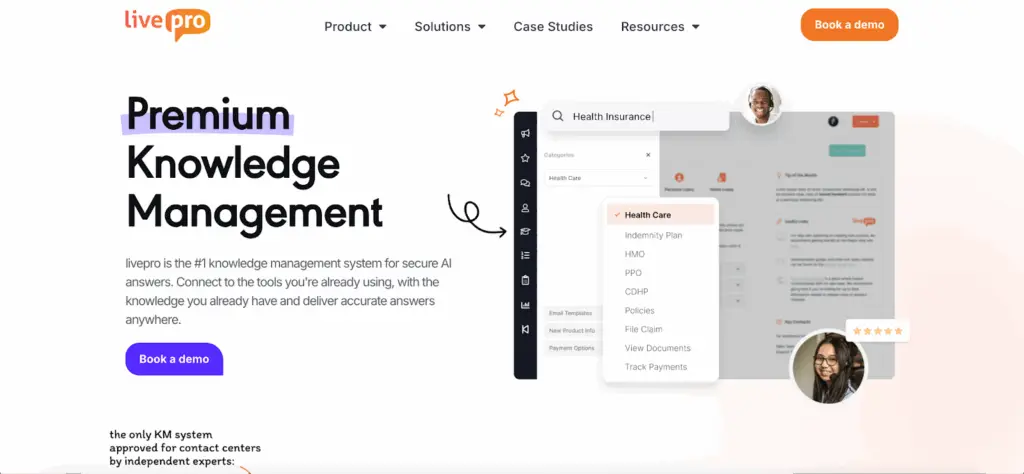
livepro is an AI-powered knowledge management system built for contact centers and enterprise teams. It serves healthcare, government, BPOs, and charitable organizations where teams need fast and accurate access to knowledge at scale.
G2’s Top 5 Contact Center Knowledge Base Software Features in 2026 report ranked livepro among the highest-scoring platforms across six categories: intelligent search, integrations, access management, analytics, database workflows, and data governance. It scored 9.9/10 for data governance and 9.8/10 for compliance, the highest in both categories.
The platform combines guided workflows, AI-powered summaries, authoring controls, and reporting analytics into one governed system. Every team works from a single source of truth, so the right answer is always one search away.
Here’s where livepro closes the gaps that RightAnswers and Confluence leave open:
Lightspeed Search to Retrieve Accurate Answers Faster
Confluence users report that complex search queries return inaccurate results or require manual skim-through, which wastes valuable time.
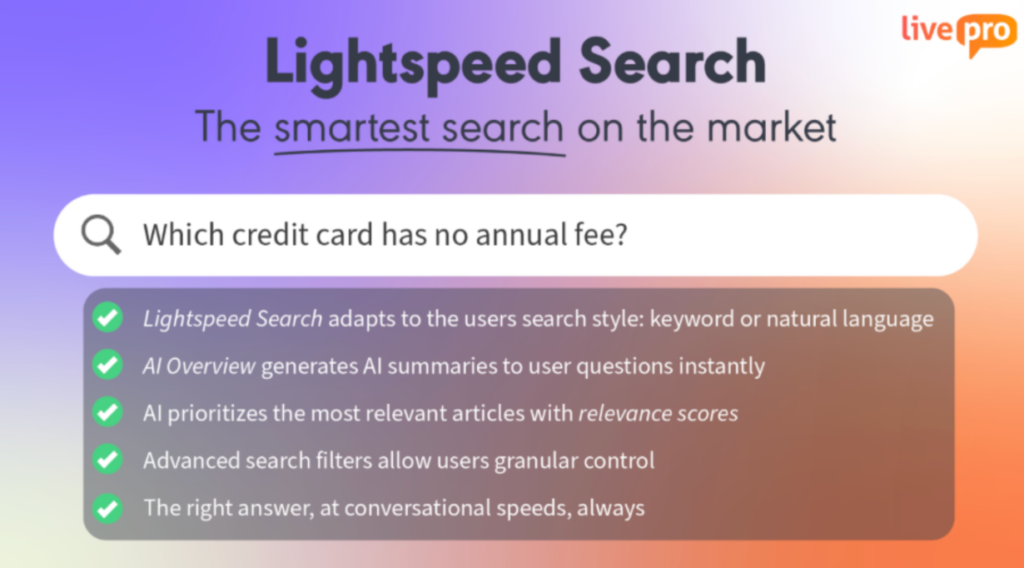
livepro’s Lightspeed hybrid search uses natural language processing, vector reasoning, and semantic matching to surface the most relevant answer. The system also implements RAG (Retrieval-Augmented Generation), which means it only returns answers from content the logged-in user has permission to access.
When agents search for a specific term, our search function looks beyond the keyword to retrieve information based on intent. For example, if a banking agent types “early withdrawal penalty on fixed deposit,” livepro identifies the intent and retrieves the exact policy section.
Each result includes a relevance score and source links, so agents can quickly judge how closely the answer matches their query. Teams can also filter results by source, category, or document type to narrow the search.
AI Overviews to Reduce Time Spent Reading Full Articles

Confluence users find it hard to locate exact information, forcing them to search for specific terms manually using Ctrl + F or live search. This consumes a lot of time, especially for customer-facing teams. RightAnswers users also report limited search functionality.
When a customer is waiting on the line, and an agent needs specific compliance info buried inside a 20-page policy document, there’s no time to scroll through sections.
livepro offers AI overviews that generate a concise natural language summary at the top of the results. It tells the agent what the answer is, without them needing to open and read the full article.
Each response is context-aware and supported with source citations, so agents can trust the information and act faster.
This matters because policy documents rarely contain just one answer. They cover multiple scenarios, exceptions, and conditions. An agent under pressure will naturally stop at the first thing that looks close enough, even if it’s not the right fit for the customer’s specific situation.
AI Overview responds to what the agent actually searched for. The answer is always tied to the query rather than the document structure. This reduces handle time and lowers the risk of agents providing inaccurate information.
Source Documents Into Searchable Articles
Confluence users report that uploading large files on the platform is often slow or clunky. RightAnswers users complain that adding documents to the system requires too many steps, which discourages knowledge workers from contributing.
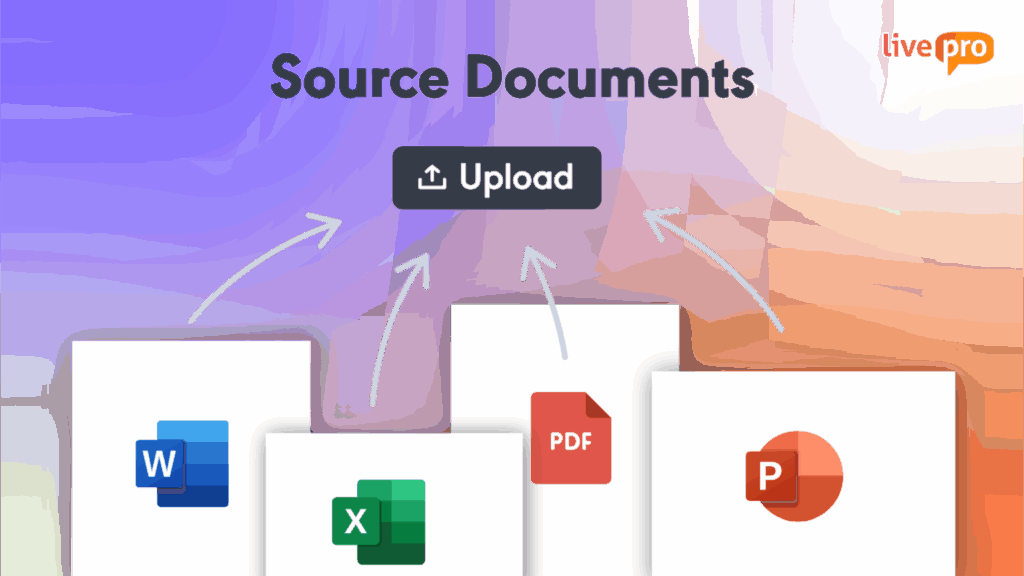
livepro’s Source Documents feature lets all teams upload PDFs, Word documents, Excel spreadsheets, and PowerPoint files directly into the system. This makes them fully searchable through Lightspeed Search without requiring any re-authoring.
Teams can also assign ownership and set review dates for each document, so everyone knows who is responsible and information stays accurate over time.
When a policy changes, the department that owns it can upload the new version. Agents can also search against the latest file, instead of a manually transcribed version that may have missed a clause.
AI Voice Agent for 24/7 Customer Support

Both RightAnswers and Confluence lack a native AI voice agent. Teams that need to automate phone-based customer interactions have to integrate third-party voice tools and configure them separately.
livepro’s Luna is a built-in AI voice agent that connects directly to your knowledge base and handles customer calls 24/7. It delivers verified answers over the phone, so customers get accurate responses without waiting for an agent.
When a call moves beyond what Luna can handle, it hands over the conversation to a live agent with full context.
Luna scales with your contact center. It can handle thousands of simultaneous calls, so call overflow, after-hours inquiries, and peak period spikes no longer fall entirely on your team.
Decision Trees for Agent Training and Guidance

Without guided workflows, new agents struggle to answer complex inquiries, leading to inconsistent responses and longer handle times.
livepro’s decision trees simplify this for CX teams. The platform takes a complex policy or process and breaks it into a simple question-and-answer flow. The agent answers one question at a time, and the next question appears based on their previous answer.
At the end of the flow, the agent lands on the exact resolution for that customer’s situation, with the right script and next steps already on screen.
For example, a new agent handling a policy cancellation call simply works through a short set of questions. Each answer moves them to the next step until the correct resolution appears on screen, whether that’s processing the cancellation or escalating to a retention team. The customer gets a clear answer without being put on hold.
Knowledge managers can build the flow directly inside our software using a drag-and-drop interface. They map out the questions, define the answer options, and connect each path to the right outcome. When a policy changes, they update the relevant step and publish it. Every agent gets the updated flow instantly.
Authoring Tools for Content Management

Confluence users complain that its editor can be slow when working with large pages or multiple tables. RightAnswers’ editor is also not feature-rich.
livepro offers a modern interface with authoring tools that allow teams to create, edit, and manage knowledge content quickly. Authors can write and format content directly in the browser, and what they see while editing is exactly what agents will see.
Here’s what our authoring suite includes:
- Premade styles and templates: Author well-structured, on-brand knowledge articles in minutes using pre-designed templates, without building layouts from scratch.
- WYSIWYG (what you see is what you get) editor: Create concise knowledge articles using a visual editor.
- Drag-and-drop decision guidance authoring: Build complex decision trees using a straightforward drag-and-drop interface.
- Visual uploads: Add images, multimedia, and organize knowledge articles for a visual outlook.
- Process guidance templates: Author step-by-step process guides quickly using pre-made, styled templates designed for clarity and consistency.
- Knowledge authoring training: Learn best practices and get the most out of the system with expert-led training from the livepro team.
This improves publishing time and gives you more control over how your knowledge base looks across internal teams, agents, and customers.
Knowledge Governance to Keep Content Up-to-Date
Confluence users report that the permission system is confusing. The space-level and page-level controls conflict and force admins to waste time figuring out the right setup.
livepro offers knowledge governance tools that give you full control over who creates, approves, and publishes content across your organization. Capabilities include:
- Role-based permissions: Control who can view, edit, and approve content across departments, so only authorized contributors can make changes.
- Structured approval workflows: Move every article through an author, reviewer, and approver sequence before it reaches agents.
- Automated review scheduling: Assign each article an owner and a review date, so the system flags it automatically when an update is due.
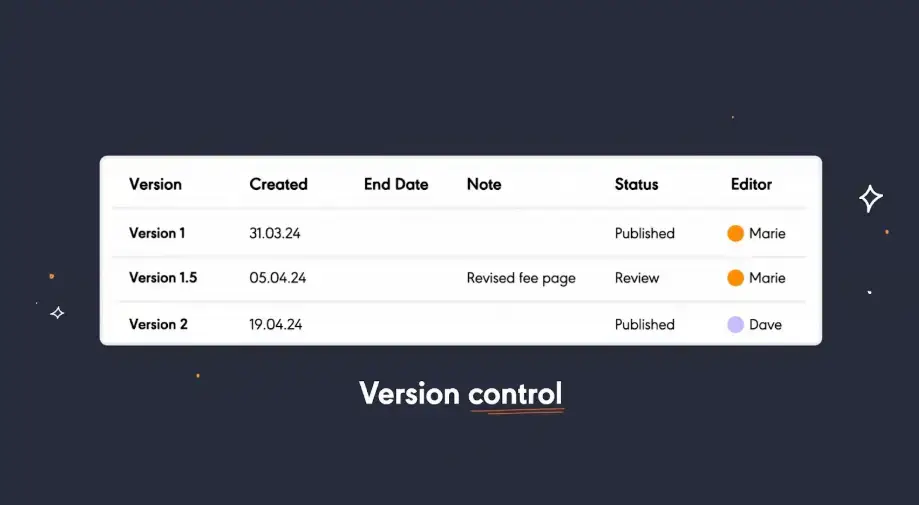
- Version history with visual comparison: Track what changed between drafts and restore previous versions if needed.
Datacom struggled to manage complex federal government inquiries under strict compliance requirements. The team implemented livepro’s guided navigation and decision trees to help agents find accurate answers without memorising large volumes of information.
This reduced 17% of average handling time and improved speed to competency across the team.
Data Security to Meet Compliance Standards
Regulators require enterprises in highly regulated industries to document evidence of how data is stored, accessed, and protected.
livepro maintains the following security standards on an ongoing basis:
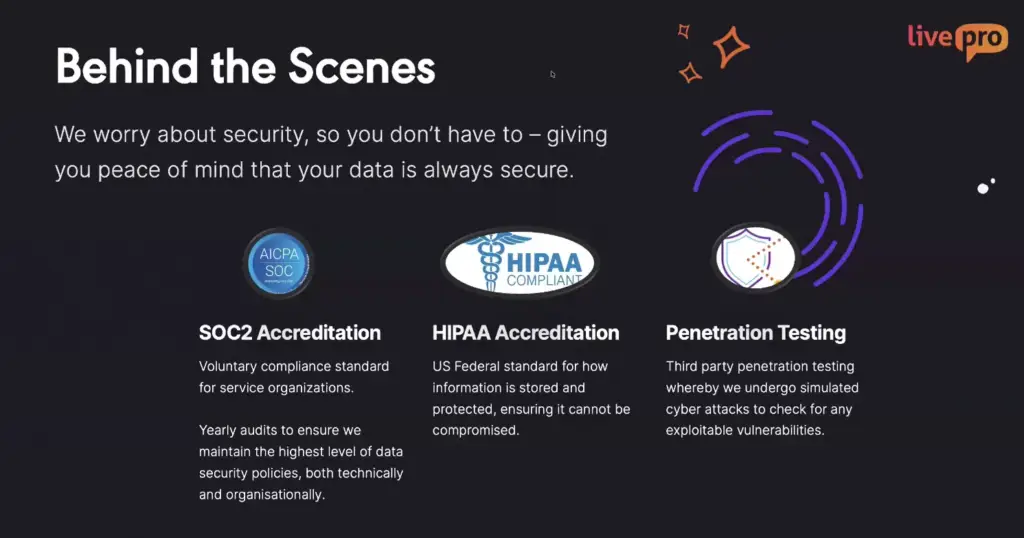
- SOC 2 certification: The team conducts an independent annual audit to verify livepro’s security, availability, and confidentiality controls. Reports are available to customers on request.
- HIPAA compliance: They maintain standards for US customers handling protected health information, making livepro suitable for healthcare contact centers with strict data handling obligations.
- Independent penetration testing: Third-party security testing is conducted at least twice per year, with findings reviewed and patched promptly.
- Self-hosted AI: All AI features run on livepro’s own servers. No customer data is sent to external AI providers.
For teams evaluating enterprise knowledge management platforms, this deliberate design decision helps meet compliance requirements where data sovereignty is non-negotiable.
WebAnswers for Customer Self-Service

livepro’s WebAnswers connects your knowledge directly to your website and customer-facing channels. Customers can ask questions in plain language and get accurate answers pulled straight from your verified knowledge base, without submitting a ticket or waiting for an agent.
WebAnswers draws from the same knowledge base your agents use. Every answer customers see reflects the most current, approved content. Teams can control knowledge access for both public and internal teams, so sensitive or agent-specific content doesn’t reach the wrong viewers.
With livepro’s self-service solutions, contact centers can cut down support ticket volume and improve overall customer experience at scale.
Knowledge Analytics to Track Performance and Trends
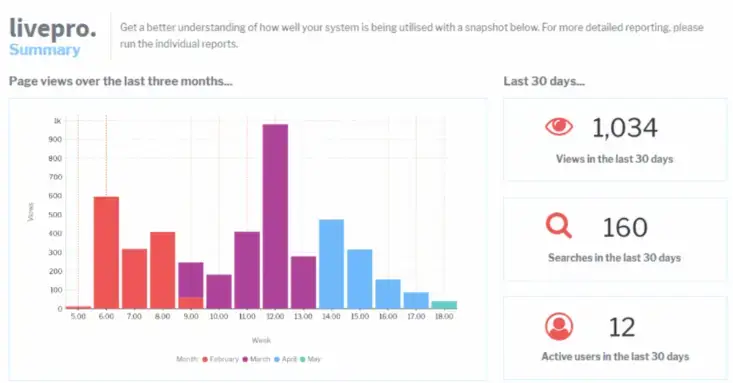
RightAnswers users complain about its limited reporting tools. The web interface restricts access to additional usage fields, so if you want to dig deeper, the data simply isn’t there.
livepro gives you a real-time view of how your content is performing. Customizable dashboards show usage trends, trending searches, and knowledge gaps, so teams can make informed decisions about what to update, retire, or create.
You can also export data or connect livepro’s reporting suite to external analytics tools if you need a deeper view.
livepro also supports compliance-ready reporting that tracks adherence to established processes. It gives team leaders the data they need for coaching conversations.
For example, a healthcare compliance officer can use livepro to track whether agents are following approved clinical protocols and flag any deviations before they become an audit risk.
livepro Integrations
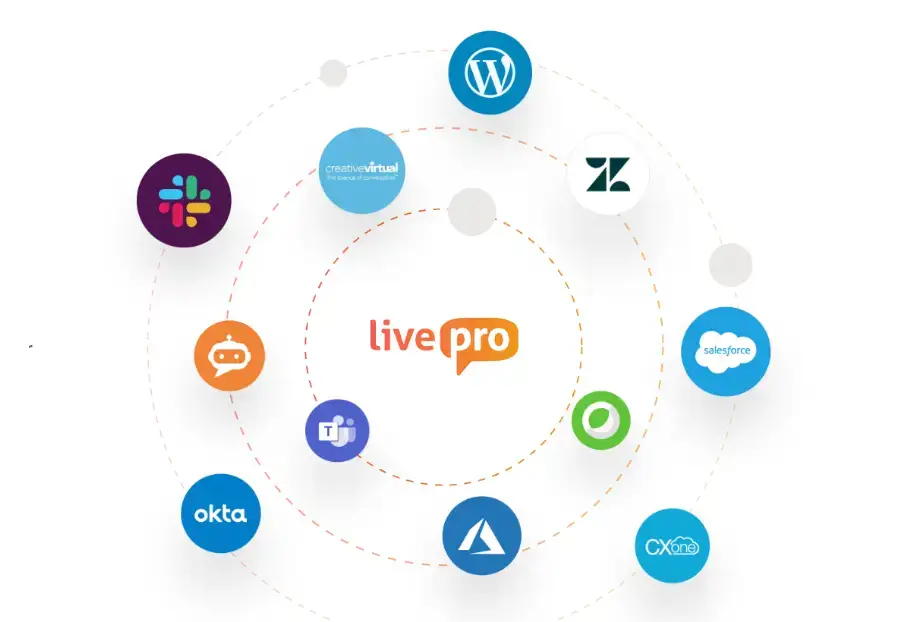
RightAnswers users report integration issues with third-party apps, which limit how much value teams can extract from the platform.
livepro connects natively with the tools your team already uses. All your data flows into a single system, saving your agents from switching between tools mid-call.
livepro offers integrations with:
- Genesys Cloud
- NICE CXone
- Salesforce
- Zendesk
- Microsoft Teams
- Microsoft Dynamics CRM
- Cisco Webex
- Azure
- Okta
- Slack
It also offers an open API and native SSO support for custom apps, so you can onboard and deploy faster.
livepro Pricing
livepro offers three pricing plans: Flex, Premium, and Enterprise. Book a call with our team for a custom quote.
User Ratings
Comparison Table: livepro vs RightAnswers vs Confluence
| Platform | Best For | Key Features | Customization Depth | Team Adoption | G2 Rating |
| livepro | Contact centers and enterprises | AI-powered search, decision trees, guided workflows, authoring tools, governance, self-service solutions, voice agent, analytics, and integrations | Role-based permissions, open API, configurable workflows, and pre-built templates | Guided onboarding with expert-led training; intuitive for agents from day one | 4.9/5 |
| RightAnswers | Compliance-driven support teams | Hybrid search, Gen AI answers, KCS v6 verified, and browser extension | Configurable templates tied to KCS standards | Dedicated implementation team; structured setup | 4.5/5 |
| Confluence | Internal collaboration across tech and product teams | Rovo AI search, collaborative editing, Atlassian ecosystem integration, and marketplace integrations | Flexible but admin-dependent | Self-serve via Atlassian University; live support on premium plans only | 4.1/5 |
Why Contact Centers and Enterprise Teams Choose livepro Over RightAnswers and Confluence
RightAnswers is best for teams that follow the KCS v6 methodology and need compliance-driven knowledge delivery. Confluence works well for internal documentation across tech and product teams that already use tools like Jira.
But if you’re looking for AI search accuracy, knowledge governance, and flexible workflows, livepro is a better alternative for contact centers and enterprise teams.
livepro connects your agents, internal teams, and customers to a single source of truth, so every answer is accurate and verified. Each knowledge article moves through a structured approval process, with role-based access. Your knowledge base stays accurate, compliant, and ready to scale as your business grows.
Book a demo to learn how livepro outperforms RightAnswers and Confluence.
FAQs About RightAnswers vs Confluence
How does RightAnswers’ browser extension perform across non-native integrations?
RightAnswers’ browser extension performance can vary across non-native integrations. Teams that use custom or proprietary apps may need additional configuration to get reliable results.
How hard is data migration on RightAnswers or Confluence?
Both platforms support structured content imports, but the complexity depends on how your existing knowledge is formatted and organized. Teams migrating from unstructured sources like SharePoint or shared drives usually face the most friction. Content needs manual clean-up before it is imported to these tools.
livepro simplifies this with Source Documents. It converts Word, PDF, Excel, and PowerPoint files directly into structured, searchable articles without re-authoring. You can upload legacy content as-is and make it instantly accessible through Lightspeed Search.
Should I choose RightAnswers or Confluence based on my industry’s regulatory requirements?
RightAnswers is suitable for regulated industries, given its KCS v6 verification, role-based permissions, and compliance-focused workflows. Confluence offers page-level permissions and data residency controls, but you need to set up compliance rules yourself.
How do RightAnswers and Confluence compare when onboarding large agent teams?
RightAnswers provides a dedicated implementation team and structured onboarding. Confluence relies on self-serve learning through Atlassian University, with live support only available on premium plans.
For large agent teams that need fast implementation, livepro is a better option as it provides a dedicated support team. We work closely with your team to determine your needs and objectives so you can onboard quickly.