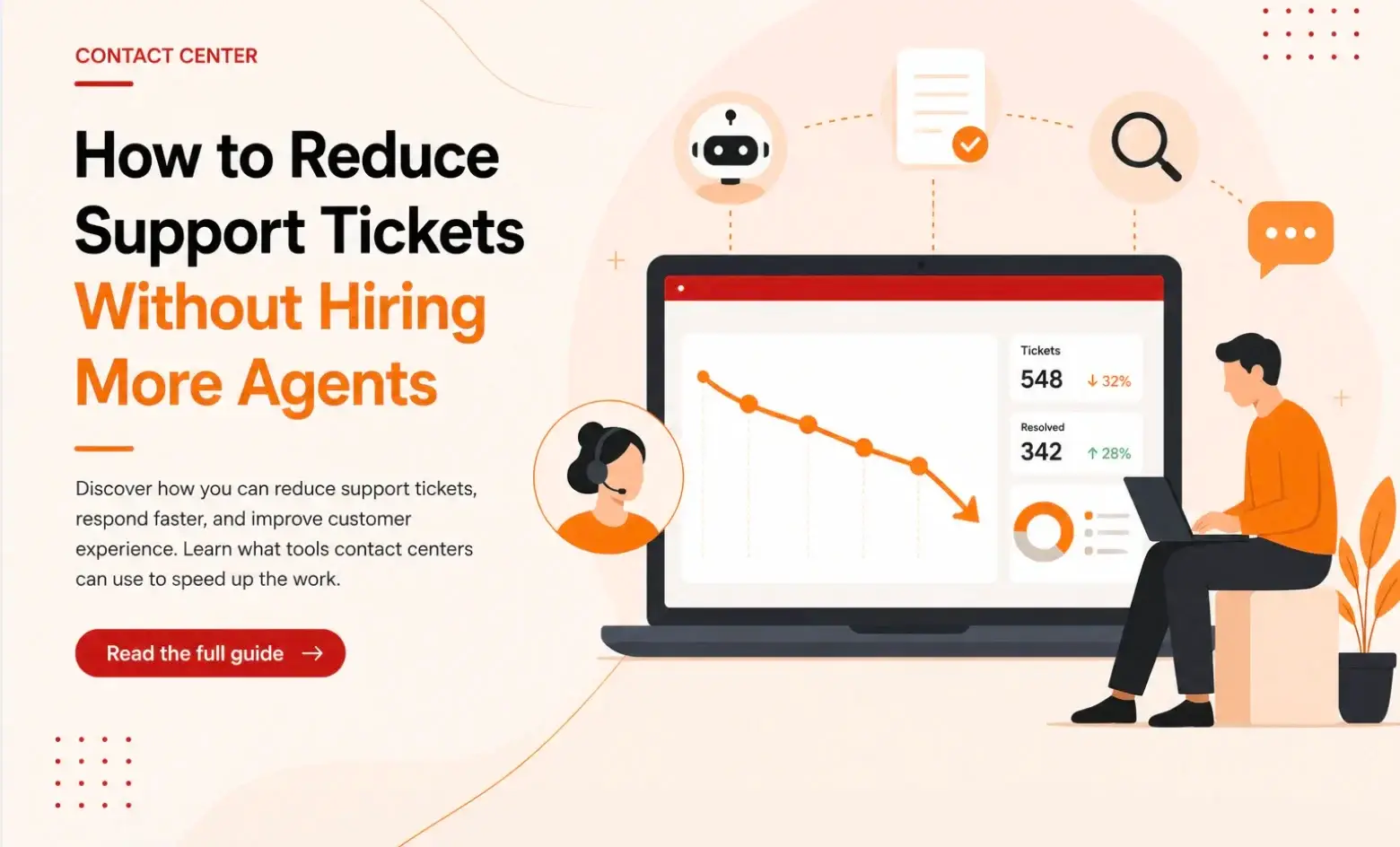


73% of customers try to resolve their issue through self-service before ever contacting a human agent. Yet only 14% of them actually succeed. The rest call because the content is outdated, written in language they don’t use, or buried under navigation no one works through.
That gap shows up in your queue. Every failed self-service attempt becomes an inbound contact that an agent has to handle manually. And in most contact centers, a large share of those contacts are the same five or ten questions repeated across shifts. Your agents are spending time on issues that accurate self-service content would have resolved before the customer ever dialed in.
This article covers strategies contact centers can use to reduce support tickets and inbound contacts. You’ll also learn how a knowledge management platform helps you deflect repetitive queries, improve first contact resolution, and free your agents for the calls that actually need them.
Challenges Contact Centers Face with Support Tickets
Here are some challenges contact centers face with support tickets:
Self-Service Content Isn’t Helpful Enough
Customers can’t find content relevant to their issue, or the navigation makes it too hard to get there. “Customers feel frustrated by self-service journeys that feel too rigid to deal with the complexities of their service issues,” says Eric Keller, Senior Director at Gartner.
When that happens, the phone becomes the easiest option, and every one of those calls is a ticket that self-service should have stopped.
Tickets Arrive From Different Channels With No Context
Customers don’t use one channel consistently. They start on live chat, don’t get a resolution, send a follow-up email, and then call. Each of those interactions gets logged as a separate ticket, even though they’re all about the same issue.
Agents handling the phone call have no visibility into what was discussed on chat. The customer has to repeat everything from scratch, which frustrates them and extends the call.
New Agents Take Too Long to Reach Full Productivity
Every time a new agent joins the team, there’s a window of weeks, sometimes months, where their ticket resolution rate is lower than it should be. They’re slower to find answers, more likely to escalate unnecessarily, and more likely to close a ticket without fully resolving the issue, which brings the customer back.
Contact centers with high turnover run this cycle constantly. The team never stabilizes because experienced agents leave while undertrained new ones are still finding their footing.
Teams Can’t Tell Which Tickets Are Worth Fixing At the Source
Most contact centers know they have recurring ticket types, but don’t know which specific issues are driving the most volume and what’s causing them. Tickets get logged and closed, but the underlying pattern stays invisible.
Without that visibility, every week looks the same: the same types of contacts, the same questions, the same frustrated customers. The team is reactive by design because no one has the time or the tools to step back and identify the handful of root causes.
Implementing AI Without the Right Knowledge Foundation
According to a Gartner survey, 91% of customer service leaders are under pressure to implement AI in 2026. Most are deploying AI to reduce support tickets and improve self-service success.
But AI systems pull answers from the same knowledge base that agents use. When that knowledge is outdated or inconsistent, AI inherits these problems and delivers them to customers. For example, a chatbot trained on old content may generate incorrect answers and cause a ticket backlog.
7 Ways to Reduce Support Tickets in Contact Centers
Most contact centers try to reduce ticket volume by adding headcount or pushing customers toward chatbots that aren’t ready. Neither works long-term. The strategies below focus on fixing the root causes: knowledge gaps, broken self-service, and inconsistent answers across channels.
Some are process changes your team can implement this week. Others use AI to reduce support tickets by automating repetitive queries and surfacing the right answers before agents have to search for them.
Maintain Knowledge Governance to Keep Information Up-to-Date
When knowledge has no owner and no review cycle, it drifts. A policy changes in operations, but the article agents pull from during calls still reflects the old version. One agent quotes the correct process. Another quotes what was true six months ago. The customer gets two different answers, calls back, and the ticket count increases.
Content governance is important to fix this problem. Every article needs a clear owner, a review date, and a process for flagging outdated content. Set review dates at the point of creation so the team checks content on a schedule.
When a policy changes, run the update through an approval process before it reaches agents, and archive the old version automatically with a full record of what changed and when.
This structure keeps agents working from the most current, approved content at all times.
Improve Your Self-Service Options
Self-service fails for three reasons: the content doesn’t exist, it uses a different language than customers use, or it’s buried under navigation that most customers won’t work through. Each of those failures pushes the customer toward a live agent.
Treat self-service content the same way you treat agent-facing knowledge. Write it in plain language that matches how customers phrase their questions. Structure it around the specific issues that drive the most contacts.
Then fix the structure. A customer who types a question and gets a precise result in seconds resolves their issue and moves on. A customer who gets a list of loosely related articles closes the tab and calls.
When self-service works, a large portion of your ticket volume never reaches the queue.
Use Decision Trees to Close Tickets on the First Contact
A large share of repeat contacts is caused by agents giving incomplete answers. The customer gets a partial resolution, hangs up, realizes something wasn’t covered, and calls back. That second call is a new ticket that the first call should have prevented.
Decision trees solve this by guiding agents through every step of a resolution, including the follow-up questions most agents forget to ask under pressure. Instead of relying on memory or experience, the agent follows a structured path that covers the full scope of the issue before the call ends.
Build a Community Forum for Peer Support
When customers hit a problem, their first instinct is often to search for someone who has already solved it. A community forum gives them that resource before they ever think about opening a ticket.
Customers can post questions, experienced users can answer them, and every resolved thread becomes a permanent, searchable record. Over time, the community builds its own library of real solutions. New customers with the same problem can find the answer without ever contacting your team.
Make sure to treat the forum as a living support channel and seed it with answers to your highest-volume ticket types. Assign someone to monitor it and step in when questions go unanswered. The more useful it becomes, the more customers use it instead of calling.
Send Follow-up After Every Resolved Ticket
Treat every resolved ticket as a data point. When the same question appears repeatedly, that pattern signals a gap: a missing knowledge article, an unclear process, a product change that wasn’t communicated, or a self-service page that isn’t working. Each of those gaps has a fix, and fixing it removes a category of tickets permanently.
Build a process around this. After resolving a high-volume ticket type, ask two questions: why did this contact happen, and what would have prevented it?
You can also rely on agent feedback for this process. Agents handle hundreds of contacts a week and quickly develop a clear picture of what customers repeatedly struggle with. Build a structured way for agents to flag recurring issues and surface them to knowledge owners.
Connect Your Knowledge Base to Every Channel Customers Use
A customer searches the website, finds nothing, opens a chat, gets a partial answer, and calls. Three separate interactions. One unresolved problem. The contact center logs all three as distinct tickets, but they’re all the same contact that should have been resolved the first time.
Make sure the knowledge is consistent across every channel. When the same accurate, up-to-date content powers your self-service portal, your chat, your IVR, and your agent desktop, customers get the same answer regardless of where they look. This helps you increase customer satisfaction.
Cut Onboarding Time for New Agents
Every new agent may take longer to find answers, give incomplete resolutions, and escalate calls an experienced agent would close.
The fastest way to train a new starter like a seasoned agent is by giving them immediate access to accurate, structured knowledge from day one. This way, agents don’t have to rely on memory, colleagues, or instinct to find an answer. They resolve issues correctly the first time, even in the first weeks on the job.
How livepro Helps Contact Centers Reduce Support Tickets
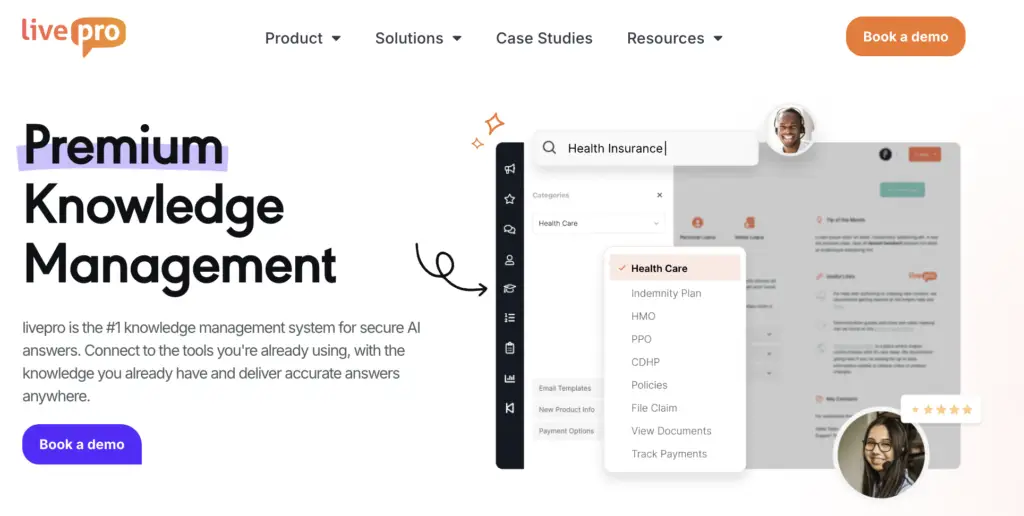
livepro is an AI-powered knowledge management system designed for contact centers. It gives teams a single source of truth to source and deliver information, with guided workflows, lightspeed search, governance controls, and real-time analytics.
Our platform centralizes knowledge into a single governed source, delivers it across every channel agents and customers use, and keeps it updated through automated review and approval workflows.
Here’s how livepro helps you reduce support tickets:
Knowledge Base to Maintain a Single Source of Truth
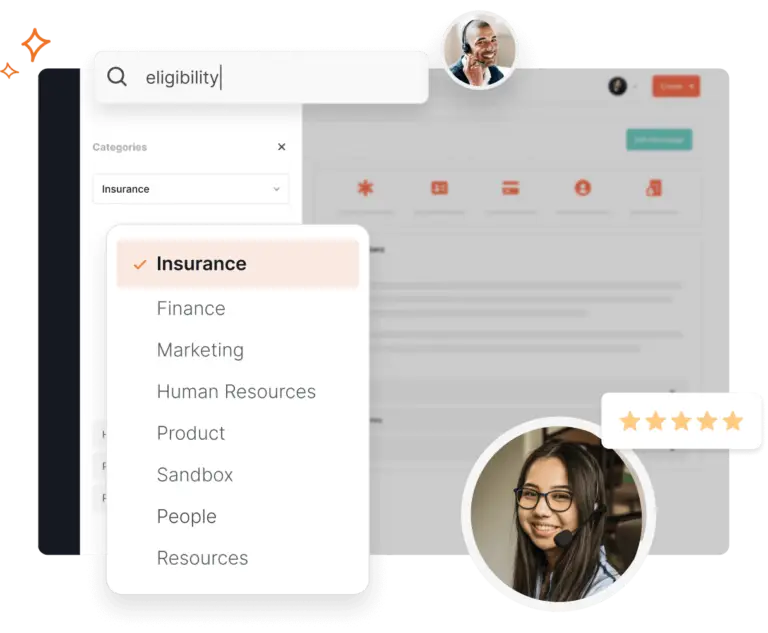
When knowledge lives in multiple places, agents make judgment calls about which version is correct. Some check the shared drive. Others ask a colleague. Some go with what they remember from training. Each of those paths produces a different answer, and when two agents give a customer two different answers, that customer calls back. That callback is a new ticket created by your own inconsistency.
livepro eliminates this problem by centralizing policies, procedures, product information, and compliance content into a single source of truth that every agent pulls from. But centralizing knowledge only works if the content stays accurate over time. A knowledge base that launches clean and drifts within months just delays the same problem.
That’s why livepro builds governance directly into the platform.
- Automated review reminders flag content for periodic updates so knowledge managers never miss a review cycle.
- Version control tracks every change with a full history of who edited what and when, with the ability to restore a previous version in seconds. Agents can flag inaccurate content directly from the article, routing it to the owner for review and correction.
- Role-based permissions control who can view, edit, and approve content.
And before anything goes live, articles route through subject matter experts for review, with a full audit trail on all tracked changes.
When every agent works from the same accurate, approved content, customers get the same correct answer regardless of who picks up the call. That consistency is what stops the repeat contacts that inflate your ticket count.
Luna Voice AI to Resolve Repetitive Queries Without Handoffs

A large portion of the support ticket volume comes from queries that follow the same pattern every time. These contacts don’t require an agent, but they still consume agent time, extend wait times, and push genuinely complex issues further back in the queue.
Luna is livepro’s AI voice agent. It handles routine customer queries end-to-end by pulling answers directly from the same governed knowledge base that agents use.
For example, when a customer calls to ask about their account balance or check the status of a claim, Luna processes the request. It retrieves the accurate, policy-approved answer and resolves it without involving a live agent. The customer gets an immediate response without needing an agent.
If a query is beyond Luna’s capabilities, the AI automatically hands off to a live agent with full context already captured. The customer doesn’t repeat themselves, and the agent picks up everything they need to resolve it quickly.
Self-Service Search Functionality to Reduce Repetitive Tickets
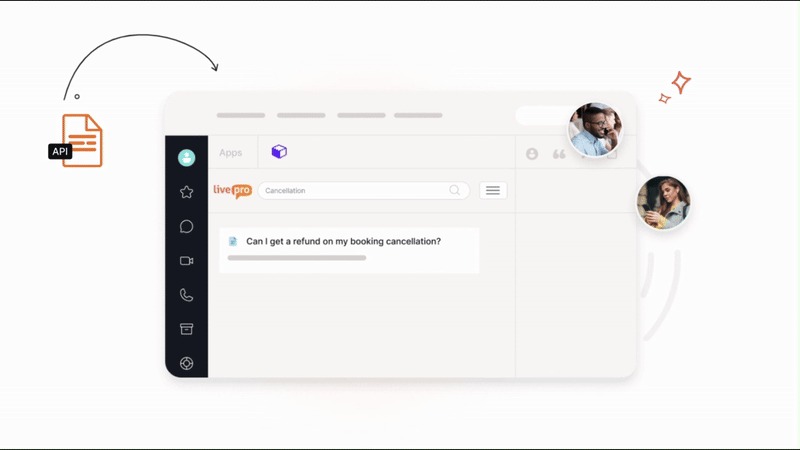
Most tickets are created because the customer can’t find answers to complex queries.
livepro connects the same knowledge base agents use directly to customer-facing channels. When a customer searches on the website, they draw from the same governed, up-to-date content an agent would use to answer the same question on a call.
livepro’s hybrid search ranks results by relevance rather than recency, so customers reach the right answer quickly, even if they don’t use the exact terminology in the knowledge base. The experience is close enough to asking a live agent that many customers don’t feel the need to escalate.
livepro also gives knowledge managers visibility into what customers are searching for but not finding. For example, if customers are searching for “cancellation policy” and getting no results, that’s a direct signal to create that content before it generates another wave of inbound calls.
Hybrid Search to Get Accurate Answers Faster
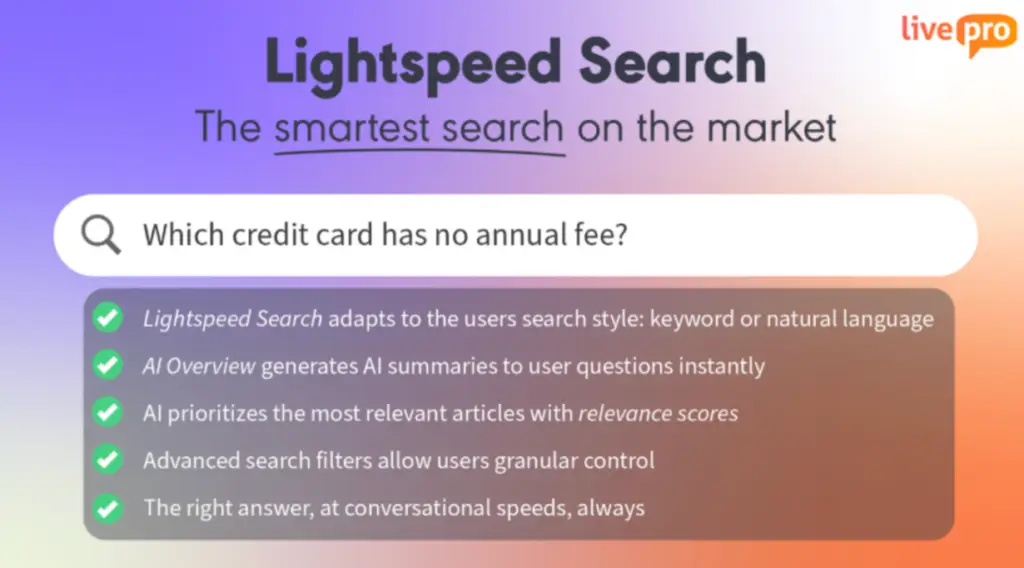
livepro’s Lightspeed Search uses a hybrid approach that combines keyword matching with AI to surface the most relevant answer for every query.
When a customer calls in for a query, livepro generates AI-generated summaries so agents don’t have to open multiple articles to find what they need.
If your contact center uses source documents like PDFs, Word files, or PowerPoint decks, livepro makes those instantly searchable in their existing format, so no reformatting is needed before the content becomes usable.
This way, agents resolve contacts correctly on the first call, and customers don’t need to call back, reducing ticket volume.
Decision Trees to Guide Agents During Calls
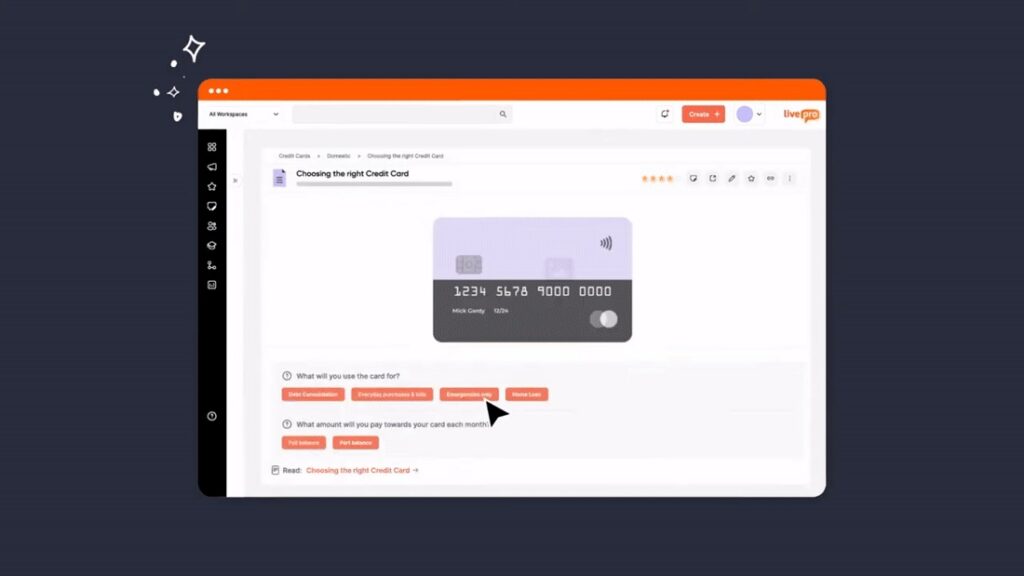
livepro’s Decision Guidance Tool (called Rocket) helps beginner and experienced agents answer customer queries accurately. When an agent handles a customer query, they select their first response from a set of options.
The tool automatically shows the next relevant question or step. The agent answers that, and the tool generates the next one, and so on, until the customer’s issue is fully resolved.
Here’s how livepro helps you standardize agent workflow to reduce support ticket response time:
- Dynamic decision trees: Guide through complex, conditional queries so every resolution accounts for the customer’s specific situation.
- Drag-and-drop authoring: Build and update decision trees without technical expertise, keeping guidance current as policies change.
- Novice-to-expert performance: New agents follow the same structured path as experienced ones, closing the performance gap that drives incomplete resolutions during onboarding.
- Skip functionality: Move through familiar steps quickly using dropdown navigation without being slowed down by a process agents already know.
- Consistent outcomes: Follow the same decision path with the same correct answer, eliminating the variation that sends customers back to the queue.
Knowledge Analytics to Improve Ticket Response Time
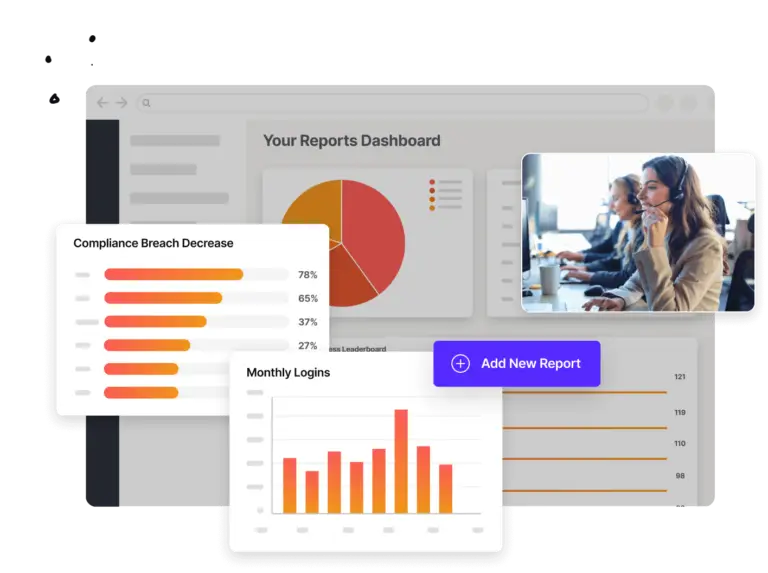
livepro’s analytics give knowledge managers a clear picture of how knowledge is being used across the contact center. Your team can measure:
- Trending searches: See which topics agents and customers search for most frequently, so content teams prioritize the knowledge that has the highest impact on ticket volume.
- No-result searches: Identify searches that return no matching content. Each failed search is a customer or agent who couldn’t find an answer, and a contact that likely followed.
- Article performance: Track which articles get accessed most and how long agents spend on them. High access combined with long read times signals content that needs to be simplified or restructured.
- User engagement by team: See usage patterns across branches, teams, or individual agents. A team with low knowledge engagement is likely relying on colleagues, which drives inconsistent answers and callbacks.
- Content currency reporting: Find articles that haven’t been reviewed or updated recently so knowledge managers can prioritize what to fix.
For example, if analytics show that searches for “refund eligibility criteria” spike every Monday morning but carry a high abandonment rate, that’s a clear signal the article isn’t answering the question customers and agents are asking.
The content team can rewrite it, track whether the abandonment rate drops, and monitor whether related inbound contacts decrease the following week.
Fewer Support Tickets Start With Better Knowledge Management
Support teams don’t need more staff. They need smarter solutions to resolve issues faster and reduce ticket backlog. Most of the contacts filling your queue repeat questions from customers who couldn’t find an answer in self-service.
livepro is a knowledge management system built for contact centers, with governed content, hybrid search, decision trees, and real-time analytics. Our platform helps you stop tickets before they’re created, resolve issues on the first contact, and give every agent the right answer at the right time.
Book a demo to see how livepro helps teams resolve issues faster and reduce support tickets.
FAQs
Can self-service affect customer experience?
Yes. When self-service works well, customers resolve their issues faster without waiting for an agent, which directly improves satisfaction. When it fails, customers feel frustrated and lose trust in the channel, making them less likely to use it again.
How do I balance self-service with agent handoffs?
You need to make sure self-service handles routine, repeatable queries while live agents focus on complex issues that need human judgment. You need to define a clear escalation path, where customers can reach an agent without repeating themselves, so the handoff feels seamless.
livepro’s Luna AI handles this automatically. When a query falls outside its scope, it transfers the customer to a live agent with full context already captured. The agent picks up where Luna left off without asking the customer to repeat themselves.
What happens if the search functionality can’t answer the customer’s inquiry?
When search returns no results, the customer gets a clear path to contact a live agent. At the same time, livepro logs every failed search so knowledge managers can see what customers are looking for and didn’t find. This allows teams to fill search gaps with new content, so the next customer who searches for the same thing finds an answer.
How can you reduce support tickets with AI?
AI reduces tickets by resolving routine queries before they reach an agent. Tools like livepro’s Hybrid Lightspeed Search surface accurate answers instantly so agents close calls faster with fewer callbacks. For repetitive inbound calls, livepro’s Luna AI Voice Agent handles the query end-to-end using the same governed knowledge base, only handing off to a live agent when the issue requires it.
How do you measure ticket response time?
Start the timer when a customer submits a request. Stop it when an agent sends the first response. The difference is your ticket response time. Most helpdesk tools calculate this automatically and report it as an average across all tickets. To get a fuller picture, track it alongside average handle time and first contact resolution rate. These metrics together show you where your team is fast, where it’s slow, and which ticket types need the most attention.
How can AI reduce support ticket response time?
AI reduces response time by surfacing the right answer before the agent has to search for it. Instead of opening multiple tabs or asking a colleague, the agent gets a relevant, accurate result the moment they type a query. AI can also handle routine questions entirely on its own through chatbots or voice agents, which removes those tickets from the queue and lets agents focus on complex issues that take longer to close.