

Notion and SharePoint for knowledge management get picked for different reasons. IT teams lean toward SharePoint because it’s secure and easy to govern. Everyone else tends to prefer Notion because it’s faster to set up and doesn’t need IT involved.
Both are valid reasons, which is what makes the decision harder than it should be.
In this article, we compare Notion vs SharePoint on search, collaboration, permissions, governance, and pricing, then introduce livepro as a third option for teams that need both the speed and the compliance neither platform delivers.
About Notion
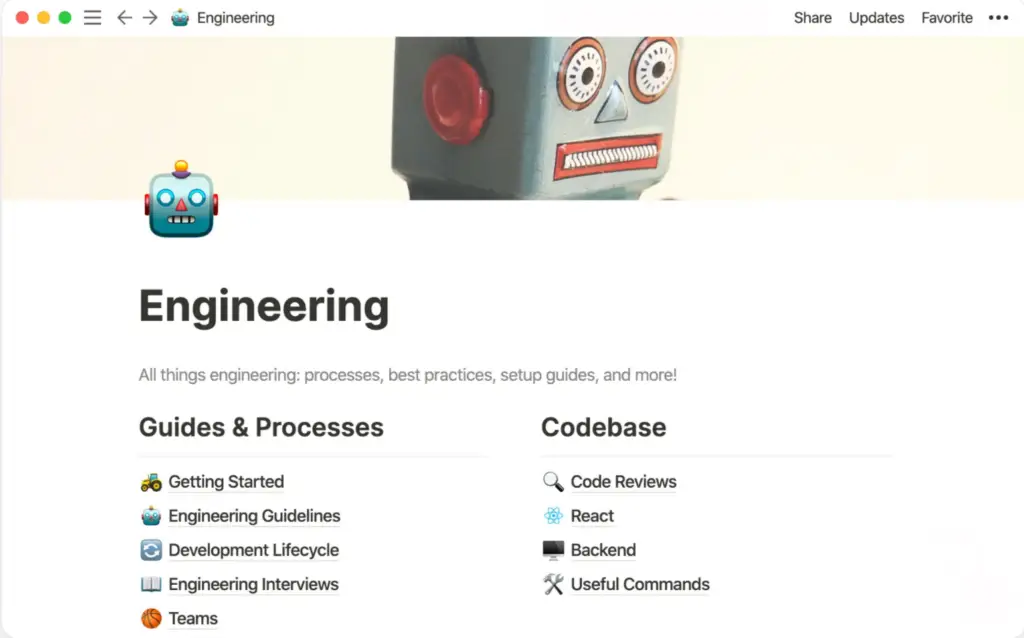
Notion is a connected workspace that combines docs, wikis, databases, projects, and AI into a single tool. Teams use it to capture knowledge, build internal wikis, and manage projects side by side in the same workspace.
The platform is built around modular “blocks.” Every piece of content, such as text, an embed, a to-do, a database, is a block that can be rearranged, nested, and reused across pages.
Notion Key Features
- Block-based Editor: Builds pages from flexible content blocks, including text, tables, embeds, code, and callouts.
- Wikis and Teamspaces: Organizes knowledge into hierarchical pages inside open or private teamspaces by department.
- Databases: Creates relational tables with multiple views (board, timeline, calendar) to structure FAQs, SOPs, and directories.
- Notion Agent: Completes multi-step tasks using context from Notion, connected apps, and the web; full access is included on the Business plan.
- Enterprise Search (Beta): Searches across Notion and connected apps like Slack, GitHub, Jira, and Salesforce from one interface.
- AI Meeting Notes: Automatically transcribes and summarizes meetings, with follow-ups drafted in Notion.
- Verified Pages: Adds a verified badge to pages that are up to date, which appears in search results and AI citations.
- Granular Database Permissions: Restricts access to specific rows in a database rather than the entire table.
Notion Pricing
Notion offers four tiers, billed per member per month:
- Free
- Plus ($10/member/month, billed annually)
- Business ($20/member/month, billed annually)
- Enterprise (custom pricing).
User Rating
About SharePoint

SharePoint is Microsoft’s web-based collaboration and document management platform. Organizations use it to store, organize, share, and access files, and to run branded internal intranets on top of the same content.
SharePoint has two primary uses: structured document libraries for content and records management, and intranet or communication sites for company-wide announcements and resources. It’s sold as part of Microsoft 365, not as a standalone product.
Read more: SharePoint Alternatives
SharePoint Key Features
- Document Libraries: Organizes files with metadata and content types instead of deep folder structures, with major/minor versioning and check-in/check-out.
- Microsoft Purview Governance: Applies retention labels, sensitivity labels, and data loss prevention policies to keep content compliant.
- Records Management: Declares immutable records for compliance-critical documents and supports eDiscovery for legal holds.
- Microsoft Search: Uses semantic ranking to surface results across SharePoint, Teams, Outlook, OneDrive, and connected third-party apps.
- Intranet and Hub Sites: Builds branded communication sites, people directories, and org chart views on top of SharePoint content.
- Entra ID Security: Provides single sign-on, conditional access by location or device, and information barriers between divisions.
- Microsoft 365 Integration: Connects natively to Teams, OneDrive, Outlook, Power Platform, and Copilot for in-app collaboration.
- Co-authoring: Lets multiple users edit Word, Excel, and PowerPoint files at the same time directly inside the browser or desktop apps.
SharePoint Pricing
SharePoint is included in the following Microsoft 365 tiers, billed per user per month, with an annual commitment:
- Microsoft 365 Business Basic ($7)
- Microsoft 365 Business Standard with Copilot ($23.50)
- Microsoft 365 Business Premium with Copilot ($32).
User Rating
Notion vs. SharePoint: Pricing Comparison
| Cost Factor | Notion | Microsoft SharePoint |
| Pricing plans | Free: $0; Plus: $10/user/mo; Business: $20/user/mo; Enterprise: custom pricing | Business Basic: $7/user/mo; Business Standard with Copilot: $23.50/user/mo; Business Premium with Copilot: $32/user/mo |
| AI | Notion Agent, AI Meeting Notes, and Enterprise Search included in Business | Copilot available through eligible Microsoft 365 plans and add-ons |
| Storage | Unlimited pages and blocks; upload limits vary by plan | Shared SharePoint storage based on Microsoft 365 licensing |
| Implementation | Self-service workspace setup | Site-based setup with libraries, permissions, metadata, and admin controls |
| Extra costs | Enterprise pricing and some usage-based AI features | Copilot, extra storage, Power Platform, and other Microsoft services |
Notion vs. SharePoint: Feature-by-Feature Comparison
Here’s a Notion vs. SharePoint breakdown across their core features:
Search Capability
Notion’s Enterprise Search pulls cited, AI-generated answers from Notion pages and a growing list of connected apps like Slack, GitHub, and Salesforce, though several integrations are still in beta.
Microsoft Search indexes content permission-by-permission across SharePoint, Teams, Outlook, and OneDrive, and increasingly answers natural-language queries through Copilot rather than keyword matching alone.
Notion’s search works well within a single workspace but can struggle as content volume grows without disciplined tagging. SharePoint’s search is powerful in scope, but multiple reviewers note that result quality depends heavily on how consistently content is tagged with metadata from the start.
Document Collaboration
Notion supports real-time block co-editing with inline comments, so changes from multiple people appear instantly on the same page. SharePoint relies on Office co-authoring inside Word, Excel, and PowerPoint, plus deep Teams integration for chat-based collaboration around files.
Content Creation and Editing
Notion’s block editor is built for flexible, mixed-format pages: text, embeds, databases, and to-dos can all live on the same page and be rearranged freely. SharePoint pages are more structured, built from web parts and document libraries designed to hold formal files rather than freeform notes.
Teams that want to draft and organize content quickly tend to prefer Notion’s editor. Teams managing large volumes of formal documents (contracts, policies, reports) get more out of SharePoint’s library and content-type structure.
Permissions and Access Control
Notion offers workspace, teamspace, page, and granular database-row permissions, with SSO and SCIM available on Business and Enterprise plans. SharePoint supports site, list, and item-level permissions with permission inheritance and breaks, security groups, and conditional access tied to Entra ID.
Knowledge Governance
Notion governs through verified pages and synced blocks, flagging content as current wherever it appears. SharePoint governs through retention policies, content types, and AI-driven content-freshness detection.
Knowledge Analytics
Notion connects through a broad set of third-party connectors plus a public API and Workers for custom integrations. SharePoint’s integration depth comes from native Microsoft 365 connections such as Teams, OneDrive, Office, Power Platform, and Copilot.
Neither platform was built primarily as a knowledge analytics tool, and both can push their deeper reporting behind premium plans.
Integration Depth
Notion connects to third-party apps through its own connectors, a public API, and Workers (its serverless code runner). SharePoint’s integration depth comes from being native to Microsoft 365; Teams, OneDrive, Outlook, Power Platform, and Copilot all connect without additional setup.
If a team already runs on Microsoft 365, SharePoint’s integrations require far less configuration. If a team’s stack is more mixed, Notion’s broader third-party connector list and open API offer more flexibility.
Scalability
Notion can slow down in large workspaces; global search precision and page load times both degrade as the number of interconnected pages grows into the thousands without segmentation.
SharePoint is built to scale to enterprise content volumes; document libraries are designed to handle large item counts, but that scale comes with more upfront architecture and metadata planning.
Deployment and Data Residency
Notion is cloud-only, with EU data residency available to Enterprise-plan customers (US is the default for all other plans). SharePoint supports cloud, on-premises, and hybrid deployment.
Notion vs. SharePoint: Side-by-Side Comparison Table
| Feature | Notion | SharePoint |
| Search capability | Enterprise Search (Beta): AI-generated, cited answers across Notion and connected apps (some connectors still in beta) | Microsoft Search/Copilot: permission-trimmed, metadata/property queries plus in-document search |
| Document collaboration | Real-time block co-editing with inline comments | Office co-authoring plus Teams integration |
| Content creation and editing | Block-based editor; movable, mixed-format blocks reusable as templates | Web parts assembling documents, lists, and other M365 content into pages |
| Permissions and access control | Workspace/teamspace/page/granular database-row permissions; SSO (Business), SCIM (Enterprise) | Site/list/item-level permissions with inheritance and breaks, groups, and conditional access |
| Knowledge governance | Verified pages + synced blocks | Retention policies, content types, and AI content-freshness detection (rolling out in preview) |
| Knowledge analytics | Page views, editor activity, AI usage at workspace level | Site and search analytics via Microsoft 365 admin tools |
| Integration depth | Broad third-party connectors, public API, Workers | Native M365: Teams, OneDrive, Office, Power Platform, Copilot |
| Scalability | Scales with workspace structure; teamspaces and nested pages, organization left to the team | Scales through site/hub-site architecture for large content volumes under one governed structure |
| Deployment & data residency | Cloud-only; EU data residency on Enterprise plan (US default elsewhere) | Cloud, on-premises, or hybrid |
livepro: A Better Alternative to Notion and SharePoint for Contact Centers and Enterprises
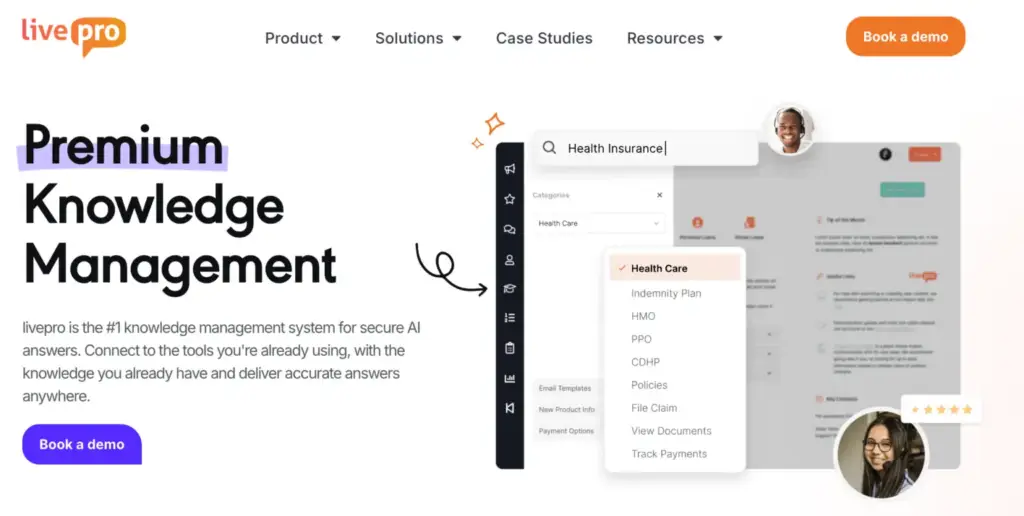
Neither Notion nor SharePoint was purpose-built for governed, verified, agent-facing knowledge management. Notion trades governance for flexibility. SharePoint trades simplicity for enterprise-grade compliance. livepro is built specifically to close that gap for contact centers and enterprise teams in regulated industries.
livepro was ranked among G2’s top 5 Contact Center Knowledge Base Software providers in the Spring 2026 Grid Report, scoring 9.9/10 for data governance and 9.8/10 for compliance.
Here’s how livepro solves problems many teams face with Notion or SharePoint:
AI-Powered Search for Accurate Answer Retrieval

As Notion workspaces grow past a few thousand pages, search precision tends to drop without strict segmentation, surfacing duplicates. SharePoint’s own G2 reviewers frequently tag “Inefficient Searching” as a common complaint.
livepro’s Hybrid Lightspeed Search combines keyword matching, natural language processing, and semantic understanding to surface accurate answers, returning correct results even when your team mistypes or uses different phrasing.
The system detects intent and assigns relevance scores to prioritize the most accurate results, so your team isn’t stuck guessing which article is right.
livepro’s search also applies RAG (retrieval-augmented generation) to deliver verified results. It generates answers only from content the logged-in user has permission to access.
Every answer shows the source article it came from, and every query and response is logged in reporting, giving administrators full visibility into what was asked and what was returned.
AI Overviews for Quick Summaries
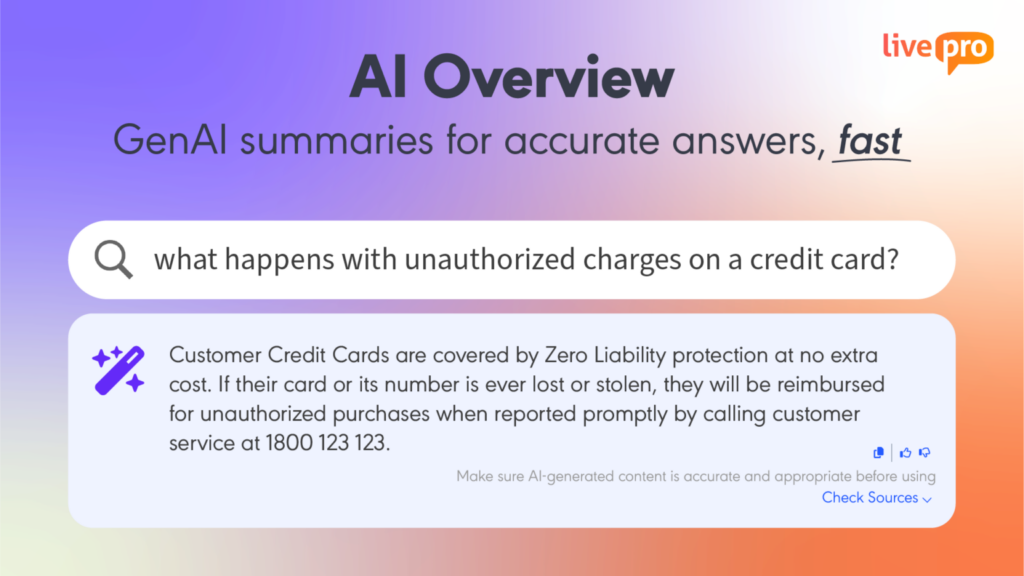
livepro’s AI Overview sits at the top of every search result, generating a concise GenAI summary drawn directly from verified, approved content in the knowledge base. Your team types a question in plain language and gets an accurate answer immediately, without reading through a full article.
Every summary includes a “Check Sources” link so agents can verify the full context when needed. They can also copy the response with one click or rate it with a thumbs-up or down, building a continuous feedback loop that improves accuracy over time.
LightspeedAI to Migrate Documents in Bulk
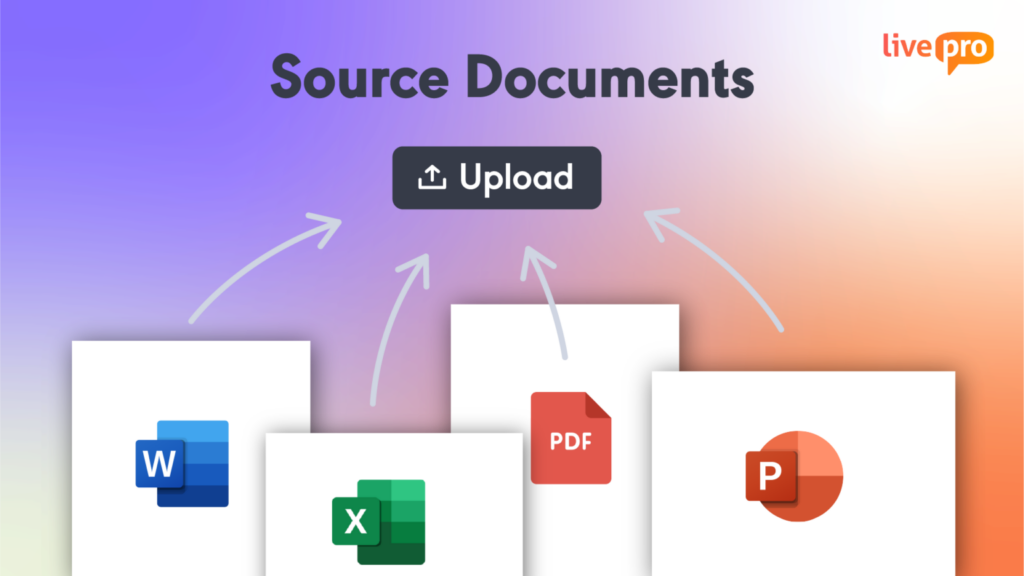
Notion can import existing files, but it does not guarantee that complex formatting will be preserved during migration. Layouts, styling, tables, callouts, colors, headers, and other app-specific features may require manual cleanup once the content lands in the workspace.
livepro’s LightspeedAI Import goes further than a straight file transfer. It uses generative AI to automatically restructure raw PDFs, Word documents, Excel spreadsheets, and PowerPoint files into templated knowledge articles.
Upload the document, choose a template, and livepro formats the content into a consistent article structure, reducing the manual rework required after migration.
Categories and Hubs for Content Organization
livepro structures knowledge into role-based hubs, so your team finds what’s relevant to their role, department, or function. You can organize your knowledge base using:
- Categories: Group content into clearly defined areas that mirror how your organization is structured.
- Multi-dimensional tagging: Tag a single article by department, regulation, product line, or audience so it appears in every relevant hub.
- Hubs: Pull all resources on a given subject into one place, so your team stops searching across multiple folders.
Your team can browse through Categories and Hubs or search by keyword. Both routes surface the same verified answer from a single knowledge source.
Authoring Tools for Content Management
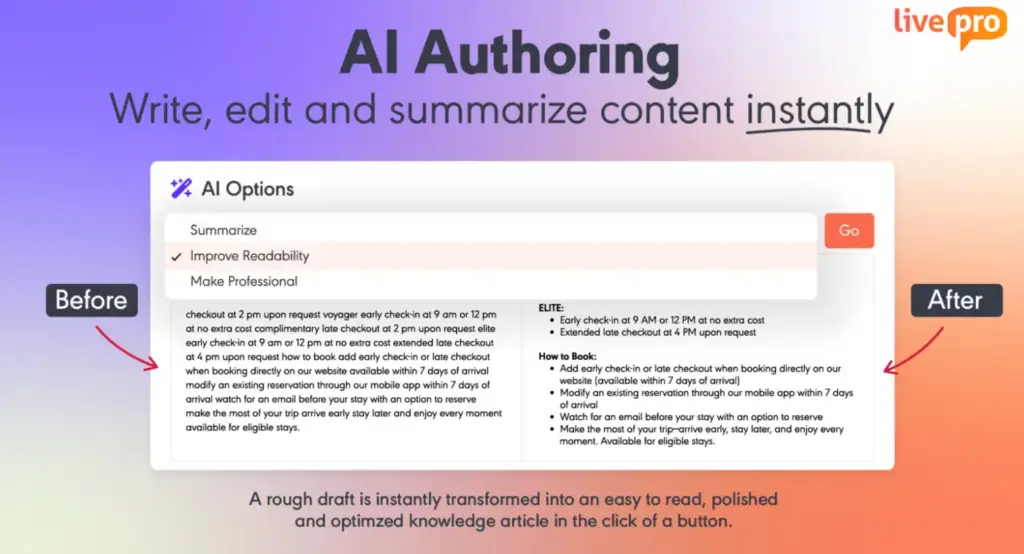
A common challenge with knowledge management tools is how well they support the actual work of writing, reviewing, and restructuring documentation.
- SharePoint users report that it works well as a repository, but active writing, reviewing, and restructuring can feel less direct because much of that work happens through connected Microsoft 365 tools.
- Notion users report that pages with long text, multiple images, and several linked database views can become slower to edit as page complexity increases.
These issues can add friction when teams are maintaining a growing knowledge base. livepro’s authoring tools address this with a WYSIWYG editor and pre-designed templates built specifically for creating and maintaining knowledge articles.
Teams can paste images, add multimedia, and format content directly in the editor, while templates keep article structure consistent across the knowledge base. This makes it easier to create, review, and update content without rebuilding each article’s structure from scratch.
Decision Trees for Process Guidance
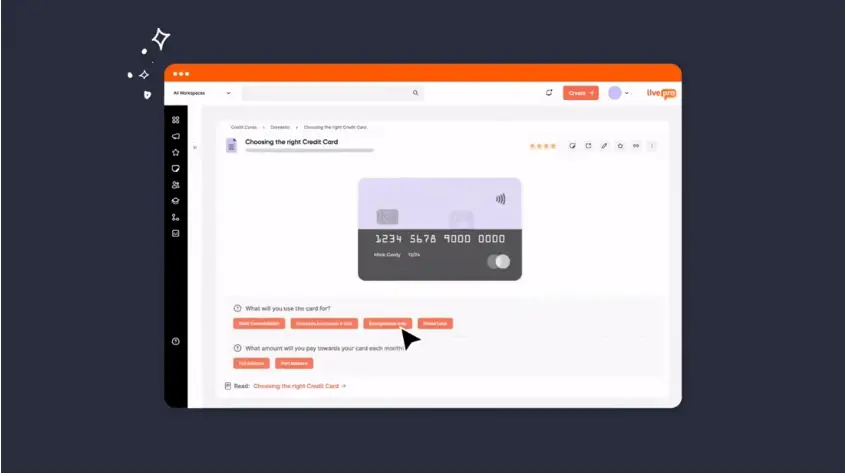
Neither Notion nor SharePoint offers native conditional decision trees for guided workflows.
livepro’s Rocket converts complex procedures into guided, conditional workflows. When your team searches for something, Rocket presents a series of questions based on their situation, and each answer leads to the next relevant step until they reach the correct outcome.
For example, a company could use a “Remote Work Eligibility Rocket” instead of asking employees to read through a long HR policy in Notion or SharePoint.
It might ask:
- What country is the employee working from?
- Is the request temporary or permanent?
- How many days will they work remotely?
- Does the role require access to restricted systems?
Based on the answers, Rocket can tell the employee whether the request is allowed, needs manager or HR approval, or falls outside the company policy.
Version Control and Role-Based Permissions
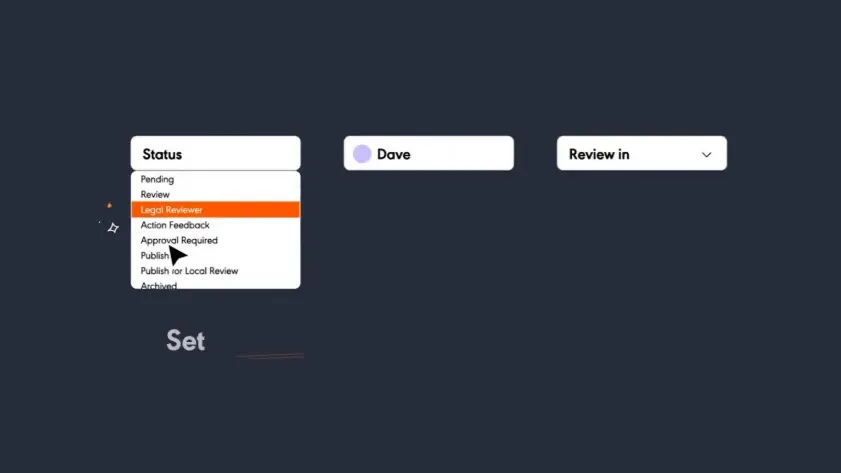
Permissions become harder to manage once a knowledge base serves multiple teams, roles, and external users. SharePoint gives organizations detailed control, but users note that configuring sites, libraries, and permissions can require technical knowledge.
Notion takes a simpler workspace approach, though some users want more granular control when sharing database content externally.
livepro handles this at the article level. Each piece of content can have its own owner, review cycle, publication date, expiry date, version history, and access rules. A policy article, for example, can be visible to frontline agents, editable only by the knowledge team, and require approval from a compliance manager before an update goes live.
If that policy changes later, livepro keeps the previous version, records who made the change, and can automatically remind the owner when the article is due for review again.
This makes governance part of the content workflow itself, rather than something teams have to manage separately around the knowledge base.
Knowledge Analytics to Track Content Gaps
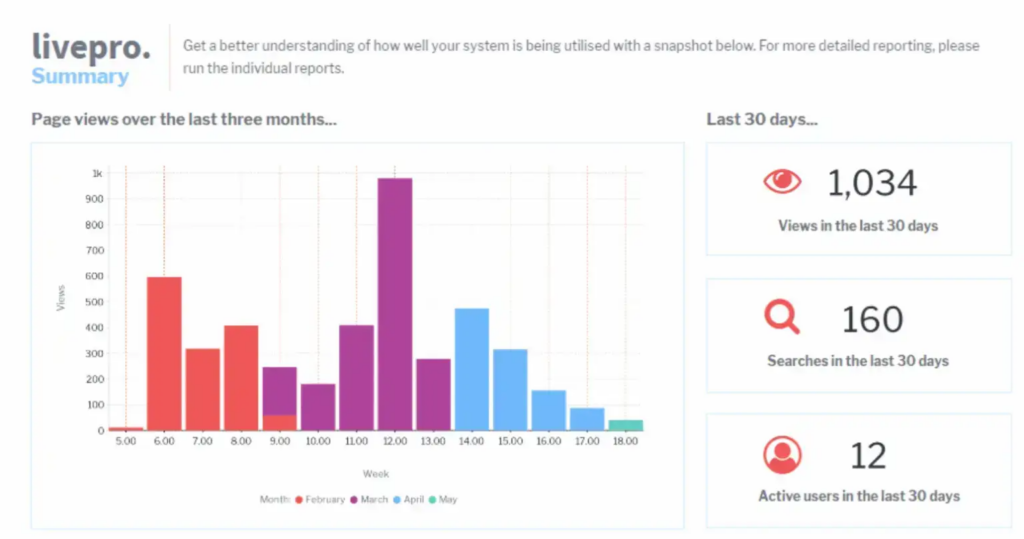
Page views and search counts only show part of the picture. What matters more is whether teams can see where people fail to find answers, which content gets used, and where knowledge needs updating.
livepro brings that into one dashboard, with filters for team, role, category, and date range. Teams can use it to:
- Find Content Gaps: See common searches and unanswered questions that point to missing knowledge.
- Track Article Usage: Identify which articles are accessed most and which receive little engagement.
- Build Reports Faster: Export dashboard data for leadership reporting without compiling it manually.
Reporting data can also connect with existing analytics platforms, so teams can compare knowledge usage with operational metrics such as handle time and resolution rate.
Integrations
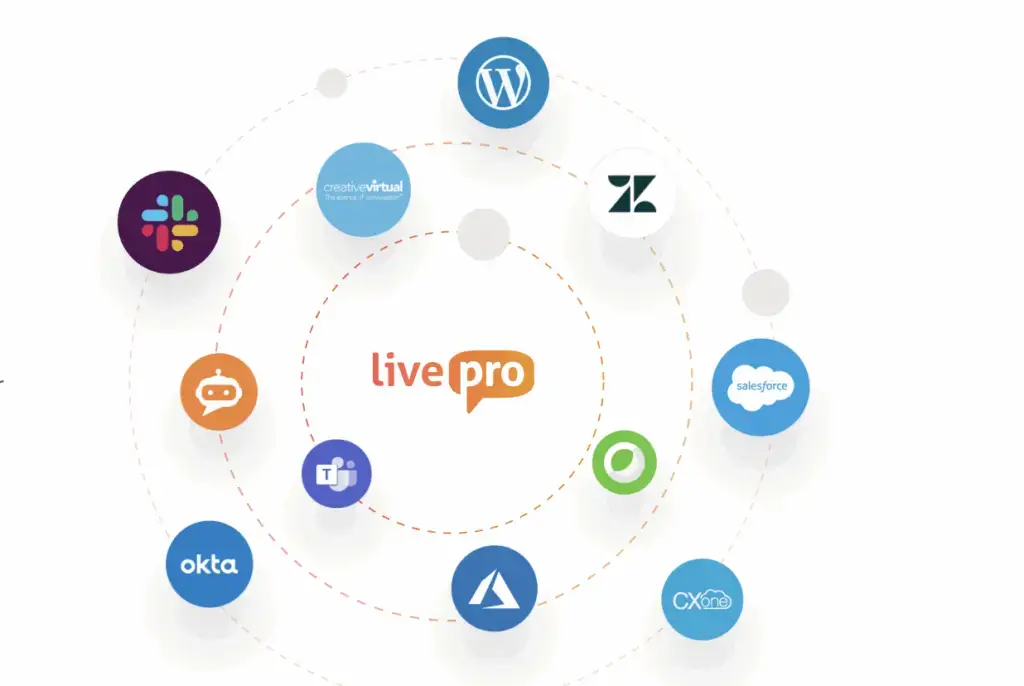
livepro offers integrations with the tools your team already uses, with Single Sign-On so nobody has to switch between tabs. livepro natively connects with:
- Microsoft Teams
- Slack
- MS Dynamics CRM
- Cisco Webex
- Azure
- Salesforce
- Zendesk
- Genesys Cloud
- NICE CXone
If you use custom apps, livepro’s open API lets you connect it with your internal tools too.
livepro Pricing
livepro offers three pricing options: Flex, Premium, and Enterprise. Book a call with the team for a custom quote.
User Rating
Comparison Table: livepro vs Notion vs SharePoint
| Tool | Best For | Governance | Compliance Depth |
| Notion | Cross-functional teams wanting one flexible workspace for docs and projects | Verified pages and synced blocks; no native review cycle | SOC 2, ISO 27001, HIPAA via BAA on Enterprise |
| SharePoint | Enterprises already invested in the Microsoft 365 ecosystem | Purview retention policies, sensitivity labels, DLP | Deep compliance tooling, but requires upfront configuration |
| livepro | Contact centers and enterprises that can’t afford outdated or inaccurate knowledge reaching customers | Automated review, approval, and expiry workflows by default | SOC 2 and HIPAA maintained on an ongoing basis; 9.8/10 G2 compliance score |
Notion vs. SharePoint: Which One Wins?
Here’s where each platform makes the most sense:
Choose SharePoint If:
- You’re already using Microsoft 365. SharePoint fits naturally alongside Teams, Outlook, Word, and OneDrive.
- Governance is a priority. Retention policies, sensitivity labels, DLP, and detailed permissions support stricter content controls.
- A formal intranet is needed. Communication sites and hub sites help organize company-wide resources and departmental content.
Choose Notion If:
- A self-service workspace matters. Teams can build pages, databases, wikis, and teamspaces without setting up a formal site structure first.
- Less IT involvement is preferred. Most workspace structure and content organization can be handled directly by the team.
- Flexible database views are useful. The same information can appear as a table, board, calendar, timeline, or gallery.
Beyond Notion and SharePoint: livepro for Contact Center and Enterprise Teams
livepro serves contact centers and enterprise teams that need compliance-grade knowledge management without the manual setup Notion requires or the configuration overhead SharePoint demands.
The platform centralizes scattered content into a single source of truth, so agents, internal teams, and customers all draw from the accurate information.
Every article moves through a governed approval chain with role-based access and automated review cycles built in from day one. Book a demo to see how livepro helps teams deliver compliant, accurate answers at scale.
FAQs About Notion vs SharePoint
Is SharePoint being retired?
Standalone SharePoint Online Plan 1 and Plan 2 are being retired. Microsoft announced in January 2026 that new sales end during 2026, with end of service in 2029. SharePoint itself isn’t going away. It’s no longer sold as a standalone product and is bundled into Microsoft 365 suites going forward.
Does Notion have version control?
Yes. Notion keeps page history and lets users restore previous versions, with the history window depending on the plan. For teams that need more formal governance, livepro adds scheduled review cycles, content ownership, and automatic expiry alongside version history.
Can Notion or SharePoint handle compliance for regulated industries?
Yes. Notion supports enterprise security and compliance controls, while SharePoint extends further through Microsoft 365 governance and compliance tooling.
For regulated teams that want those controls built directly into the knowledge workflow, livepro adds article-level approvals, review cycles, expiry dates, permissions, and auditability around published knowledge.
What is the best SharePoint alternative for contact centers?
livepro is a purpose-built SharePoint alternative for contact centers and enterprise teams, offering hybrid AI search, decision trees, and automated governance workflows without the configuration overhead SharePoint requires to reach the same compliance depth.