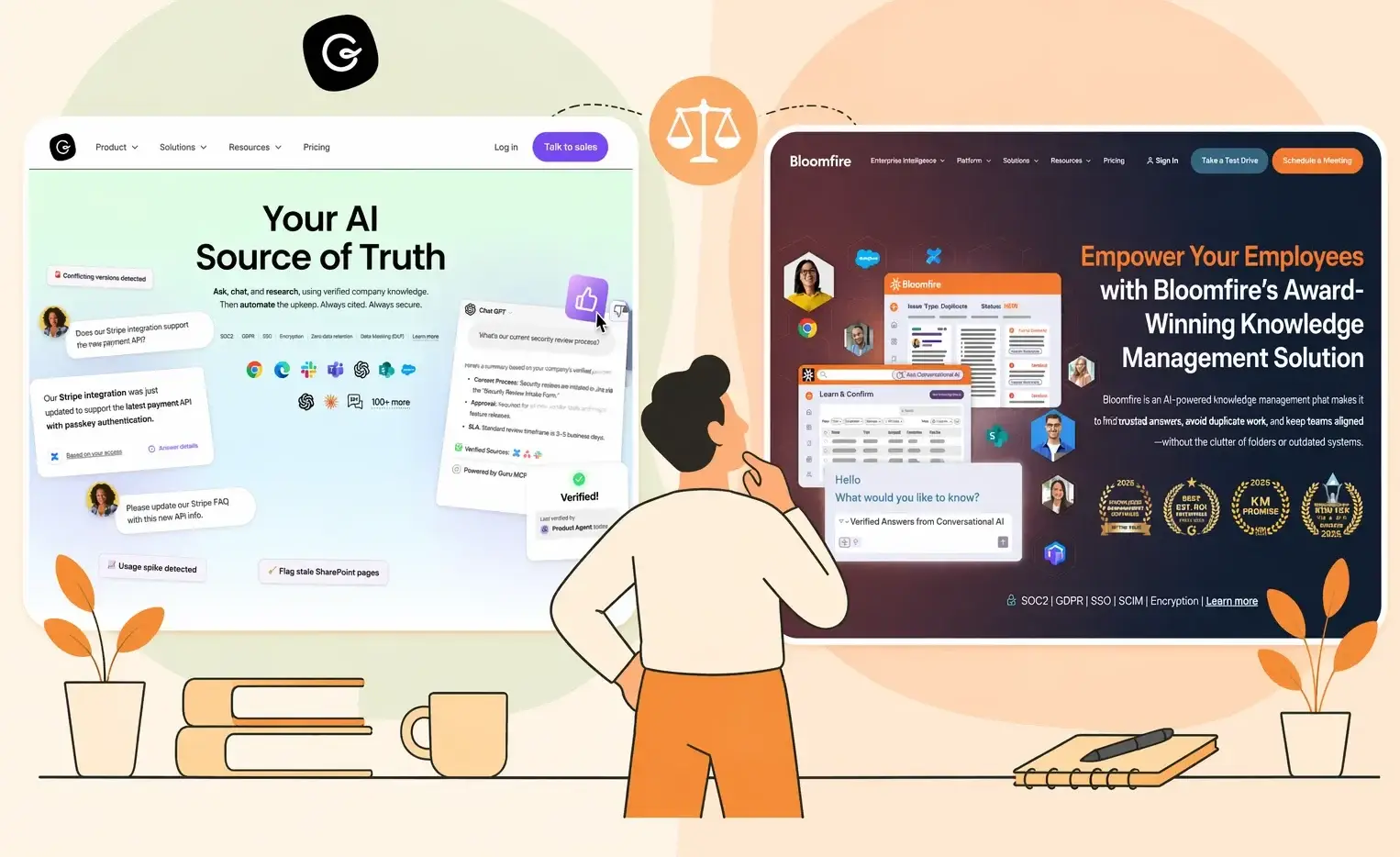


Guru and Bloomfire approach knowledge management differently.
Guru organizes knowledge into bite-sized cards and delivers them inside Slack, Microsoft Teams, and Chrome. It’s built to keep teams aligned without leaving their workflow tools. Bloomfire builds a centralized content hub where teams upload documents, videos, and research, then uses AI-powered search to surface answers from that library.
Whether you choose Bloomfire or Guru depends on whether your priority is embedding knowledge into daily tools or building a searchable enterprise content repository.
This article compares Guru vs Bloomfire across search, content management, integrations, pricing, and user reviews.
We’ll also introduce livepro, a purpose-built alternative for contact centers and enterprises that need compliance-grade knowledge management with measurable results.
What Is Guru?
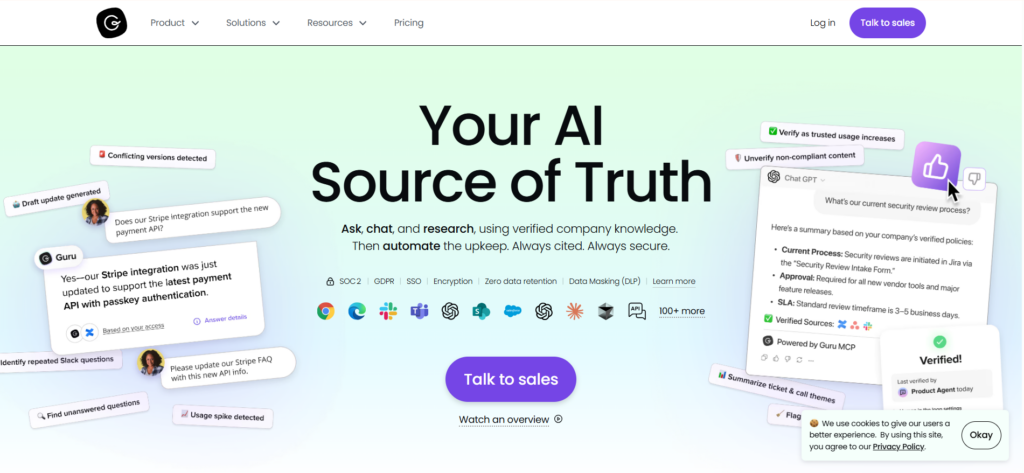
Guru is an AI-powered knowledge management software. It centralizes internal knowledge and delivers it inside the tools employees already use.
Guru’s browser extension, Slack integration, and Microsoft Teams connector let employees access knowledge cards without switching applications.
Guru serves customer support teams, sales departments, HR, and IT functions in mid-market to enterprise companies. Common use cases include employee onboarding, sales enablement, customer support knowledge bases, and internal communications.
The platform works best for teams that rely heavily on Slack or Teams for day-to-day communication and want knowledge surfaced proactively within those tools.
Read more: Guru Alternatives
Guru Key Features
- Knowledge Cards: Organize information into structured and digestible formats that can be grouped into collections and boards for organized navigation.
- AI-Powered Enterprise Search: Semantic search that understands context and intent. Connects to external data sources like Google Drive, Confluence, and Slack channels to surface answers from across the tech stack.
- Knowledge Agents: Configurable AI assistants that pull information from connected content sources and deliver cited, permission-aware answers.
- Content Verification Workflows: Automated reminders that prompt subject matter experts to review and verify knowledge cards on customizable schedules.
- Browser Extension: Chrome, Edge, and Opera extension that surfaces relevant knowledge cards while employees browse, write emails, or work in web applications.
- Slack and Teams Integration: Native connectors that let users search, share, and create knowledge cards directly within Slack and Microsoft Teams.
- Analytics Dashboard: Tracks content engagement, search patterns, knowledge gaps, and verification status across the organization.
- AI Content Assist: Generative AI tools for drafting, summarizing, and translating knowledge cards in 50+ languages.
Guru Pricing
Guru offers two pricing tiers, starting at $25 per user per month. Enterprise pricing is usage-based with custom quotes.
Guru Reviews
What users like:
- Intuitive interface that requires minimal training for new users
- Slack and browser extension integrations make knowledge accessible without switching tools
- Content verification system keeps information accurate and up to date
- AI search and proactive suggestions reduce time spent looking for information
What users dislike (analyzed from review sites like Capterra & G2):
- Search results can be inconsistent, especially when users don’t remember exact card titles or use different terminology
- Card-based format limits formatting options for teams that need detailed, structured documents
- Managing large volumes of cards becomes overwhelming without dedicated knowledge management resources
- Per-user pricing adds up quickly for larger teams, with the 10-seat minimum increasing costs for small groups
- No built-in customer-facing knowledge base. External sharing requires API workarounds or third-party tools.
Review #1: “In the Guru AI when working with the nested collections, sometimes the UI becomes slow and takes little bit time to respond. And also, customer support replies are mostly from the bots so there is a need for human agents.”
Review #2: “The platform has excellent ease of use which makes it simple to search and access important information quickly. The ease of implementation is also impressive because teams can start documenting and sharing knowledge card, verification workflows and collaboration tools”
Guru Ratings
- G2: 4.7/5 stars
- Capterra: 4.8/5 stars
What Is Bloomfire?

Bloomfire is an AI-powered knowledge management platform with an AI search engine that indexes over 29 file types. It automatically transcribes video and audio content, making spoken words searchable. This makes it a good fit for organizations that rely on multimedia content like recorded presentations, training videos, and research interviews.
Bloomfire serves sales enablement, customer support, market research, and operations teams. The platform features a Q&A engine where employees can ask questions and subject matter experts respond, creating organic knowledge sharing.
It also includes a self-healing knowledge base that flags outdated content and prompts authors to update it.
Teams use Bloomfire to build internal knowledge repositories, research libraries, and customer self-service portals.
Read more: Bloomfire Alternatives
Bloomfire Key Features
- AI-Powered Search: Deep indexing across 29+ file types with natural language queries.
- Video and Audio Transcription: Automatic transcription that makes spoken content searchable by keyword or phrase.
- Synapse AI: Conversational AI that generates direct answers from company knowledge rather than returning document links.
- Self-Healing Knowledge Base: AI flags outdated or redundant content and prompts content owners to review and update.
- Q&A Engine: Built-in community functionality where employees ask questions and subject matter experts respond publicly.
- Smart Content Organization: Customizable categories with multiple levels, communities for departments or projects, and AI-assisted tagging.
- Real-Time Analytics: Dashboards tracking most viewed content, frequently searched terms, knowledge gaps, and user satisfaction.
- Native Integrations: Connects with Salesforce, Slack, Microsoft Teams, Zendesk, SharePoint, Google Drive, and other business tools.
- External Knowledge Sharing: Ability to publish knowledge bases for customers and partners, not just internal teams.
Bloomfire Pricing
Bloomfire uses custom pricing based on deployment scope (team, department, or enterprise-wide) rather than per-user fees. Annual costs include implementation fees.
According to third-party data, the median enterprise cost is approximately $158,000 per year.
Bloomfire Reviews
What users like:
- Intuitive interface that new users adopt quickly with minimal training
- AI-powered search handles diverse file types far better than folder-based alternatives
- Video transcription makes multimedia content fully discoverable
- Q&A functionality creates a culture of knowledge sharing rather than just document storage
- Self-healing features reduce the manual effort of keeping content current
What users dislike:
- Built-in analytics and reporting feel basic for enterprise teams with complex needs
- Search can struggle to point directly to specific answers within large documents or presentations
- Cost is difficult to justify internally without transparent per-user pricing
- Recent UI changes have reduced article display width, making tables and embedded documents harder to read
Review #1: “Bloomfire is not for small companies that are money sensitive due to its high costs of implementation. Sometimes, there are problems with search, which leaves users disappointed.”
Review #2: “The platform has excellent ease of use which makes it simple to search and access important information quickly. The ease of implementation is also impressive because teams can start documenting and sharing knowledge card, verification workflows and collaboration tools”
Bloomfire Ratings
- G2: 4.6/5 stars
- Capterra: 4.4/5 stars
Guru vs Bloomfire: Pricing Comparison
| Software | Plans | Free Trial | Starting Price | What’s Included |
| Guru | Two pricing tiers | 30-day free trial | $25/user/month (10-seat min) | AI search, knowledge cards, verification workflows, browser extension, Slack/Teams integration, analytics |
| Bloomfire | Custom | No | Custom pricing | AI search, video transcription, Q&A engine, self-healing KB, analytics, external sharing |
Guru vs Bloomfire: Feature-by-Feature Comparison
Here’s a side-by-side breakdown of Guru vs Bloomfire across core capabilities:
Search Capabilities and AI-Powered Discovery
Guru uses semantic AI search that connects to external data sources like Google Drive, Confluence, and Slack channels. The search works across Guru’s own cards and connected platforms. This allows your employees to find answers from multiple tools without leaving their workflow.
But users report that search accuracy drops when queries don’t match exact card titles. Partial phrases or alternate terminology can return irrelevant results, forcing users to try multiple searches.
Bloomfire indexes content across 29+ file types using natural language processing. The platform’s biggest search advantage is video and audio transcription. Spoken words in recorded meetings, training sessions, and presentations become searchable text.
Bloomfire’s search has its own gaps. Users report needing to type the exact wording to find the right answer.
Workflow Integration vs Content Centralization
Guru is built around in-workflow delivery. The browser extension overlays relevant knowledge while employees use web applications. The Slack and Teams integrations let users search and share cards without opening a separate platform. This model works well for support agents, sales reps, and HR teams who need quick answers during conversations.
Bloomfire takes a centralized hub approach. All content lives in one platform where teams upload, organize, and search. The platform supports external knowledge sharing, meaning companies can publish portals for customers, partners, and vendors using the same content base.
Content Creation and Editing Experience
Guru uses a card-based editor designed for short, focused knowledge articles. Cards work well for FAQs, quick reference guides, and process snippets. The AI Content Assist feature helps draft, summarize, and translate content.
The trade-off is flexibility. Users report the formatting options are limited. Teams that need detailed documents with tables, diagrams, or multi-section layouts may find the card format restrictive.
Bloomfire supports drag-and-drop uploading for diverse file types. Users can create content directly in the platform or upload existing documents, videos, and presentations. The platform makes every uploaded file searchable without conversion.
Integration Ecosystem and Workflow Delivery
Guru connects to hundreds of tools including Slack, Microsoft Teams, Salesforce, Zendesk, Confluence, and Google Drive. The browser extension is Guru’s standout integration, delivering knowledge across any web application. Guru also connects to LLMs like ChatGPT and Claude, providing verified context from your knowledge base.
Bloomfire integrates with 20+ tools including Salesforce, Slack, Microsoft Teams, Zendesk, SharePoint, and Google Drive. Integration depth is narrower than Guru’s but covers the most common business applications. Bloomfire’s approach prioritizes centralized access rather than distributed delivery.
Knowledge Verification and Content Freshness
Knowledge cards inside Guru have assigned owners who receive automated reminders to review and re-verify content on customizable schedules. Verified cards display trust indicators so users know the information is current. This creates accountability and prevents stale content from spreading.
Bloomfire uses a self-healing approach. AI flags outdated or redundant content and prompts authors to update. Verification workflows assign subject matter experts to review content on scheduled intervals.
Collaboration and Team Workflows
Guru supports card-level collaboration with inline comments, suggestions, and @mentions. Multiple team members can contribute to knowledge cards. The platform also converts Slack conversations into knowledge cards, capturing institutional knowledge that would otherwise be lost in chat history.
Bloomfire leans into social collaboration with comments, likes, and the Q&A engine. The Q&A functionality is unique to Bloomfire. Employees post questions, subject matter experts respond, and all exchanges are preserved for future reference.
Analytics and Content Performance Tracking
Guru provides analytics on content engagement, search patterns, and knowledge gaps. The AI Training Center helps identify what questions users are asking that don’t have matching content. This gap identification helps knowledge managers prioritize new content creation.
Bloomfire tracks most-viewed content, trending searches, knowledge gaps, and user satisfaction. But multiple users describe the built-in reporting as basic for complex enterprise needs. Teams requiring deep, customizable analytics may need to export data to external tools.
livepro: A Better Alternative to Guru vs Bloomfire for Contact Centers and Enterprises
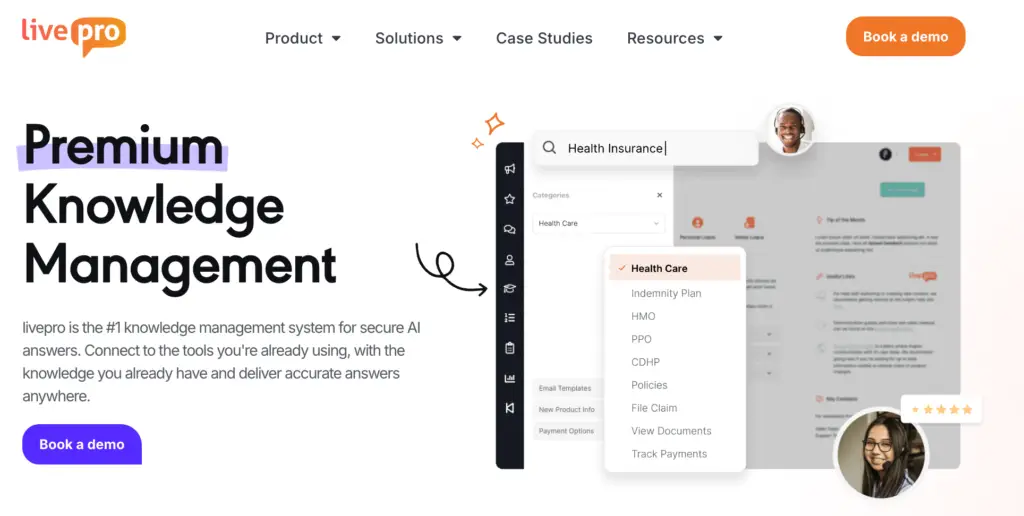
livepro is an AI-powered knowledge management platform designed for contact centers and enterprises where accuracy, speed, and compliance matter. Our software serves industries like financial services, insurance, healthcare, and government.
Guru optimizes for workflow integration. Bloomfire optimizes for content discovery. But neither was built for industries where a wrong answer carries compliance risk, where agents handle hundreds of calls daily, or where measurable outcomes like average handle time and first-call resolution are tracked.
livepro combines intent-based search with guided decision workflows, compliance controls, and analytics that tie knowledge performance directly to contact center metrics.
Here’s how livepro addresses the challenges that Guru and Bloomfire leave unresolved:
Hybrid Lightspeed Search for Accurate Knowledge Discovery at Scale
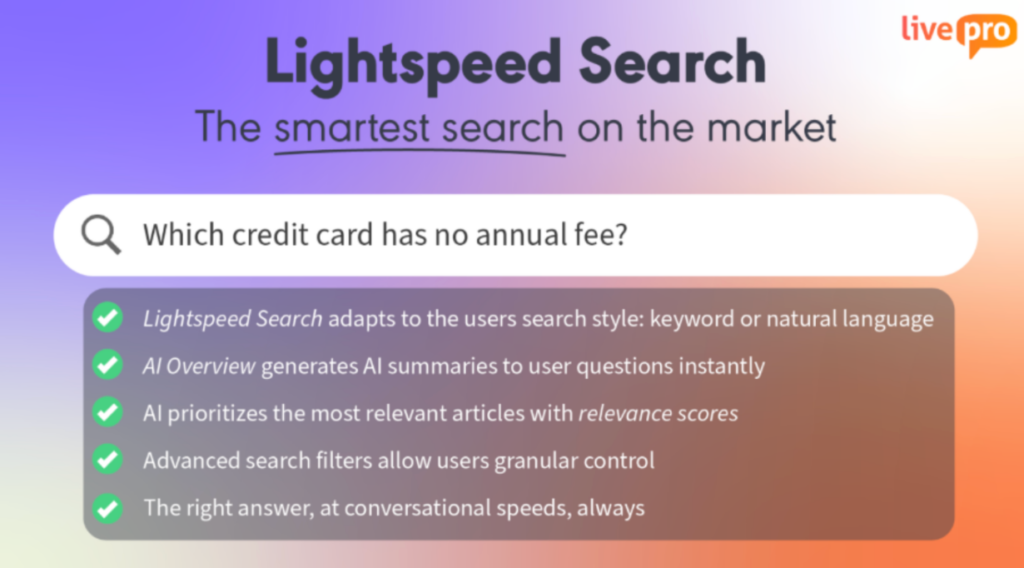
Guru users report that searches with partial phrases or unfamiliar terms return irrelevant results.
livepro’s Lightspeed Search delivers the specific sentence, rule, or instruction that answers the query. Not a list of related documents.
The search indexes articles, procedures, decision trees, and uploaded source files at the sentence level. It interprets the intent behind the question rather than relying on keyword matches. Every answer includes its source so agents can verify accuracy before responding.
For example, when an agent searches for “refund eligibility for cancelled orders,” livepro returns the applicable policy rule and its source, so the agent can respond without opening and scanning multiple documents.
TSA Group implemented livepro across their organization and saw a 58% reduction in time to locate knowledge for new starters and 32.5% for established staff after implementing livepro’s intent-based search.
Categories and Hubs for Scalable Content Organization
Guru organizes knowledge into cards, collections, and boards. This works for small to mid-size knowledge bases. But users report that managing large volumes of cards becomes difficult, and content structure can deteriorate without dedicated knowledge management resources.
Here’s how livepro keeps knowledge navigation simple at scale:
- Categories classify content across the entire knowledge base. Teams can tag and group articles by topic, product, policy type, or any structure that fits how the organization works.
- Hubs create department-specific or topic-specific knowledge centers. Each hub serves as a focused portal for a team or function, showing only the content relevant to that group.
For example, a financial services company can set up separate Hubs for claims, lending, and compliance, each with its own categories for policies, procedures, and FAQs. Agents only see what applies to their role, even though all content lives in one system.
WYSIWYG Editor with Pre-Made Templates for Consistent Formatting
Guru users note limited formatting options in the card editor. Bloomfire users report that text editing capabilities trail dedicated documentation platforms. When knowledge managers need to publish updates quickly, restrictive editors slow down the process.
livepro’s What You See Is What You Get (WYSIWYG) editor and pre-made templates give authors everything they need to create and publish content fast:
- WYSIWYG Editor displays content exactly as end users will see it. Authors don’t need to preview, publish, and re-edit to check formatting. What they build is what agents get.
- Pre-Made Templates provide ready-to-use layouts for common content types like policies, procedures, FAQs, and troubleshooting guides. Authors pick a template and fill in the content rather than building structure from scratch.
- Drag-and-Drop Authoring lets teams build decision trees, embed multimedia, and structure articles visually without technical skills or design resources.
This cuts time-to-publish and keeps formatting consistent across thousands of articles, regardless of who creates them.
Rockets Decision Trees for Guided Process Navigation
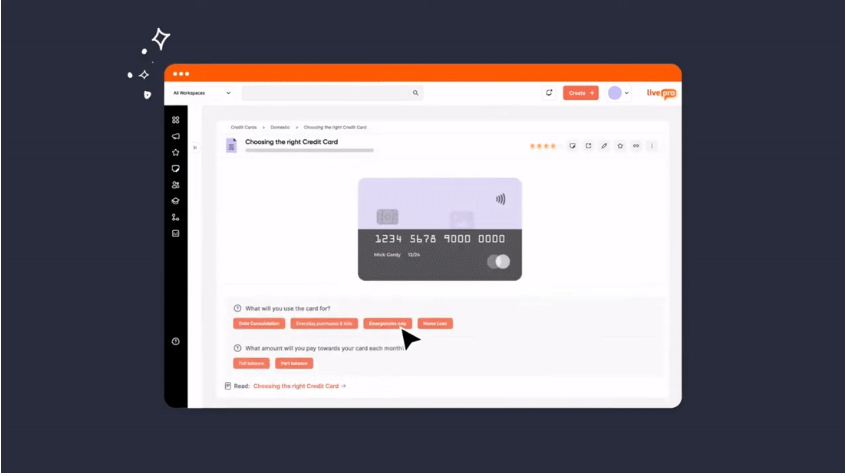
When policies have multiple conditions, exceptions, and branching outcomes, card-based formats and document libraries fall short. Agents must read, interpret, and decide which rules apply. This creates inconsistency and compliance risk.
livepro’s Decision Trees (called Rockets) convert complex policies into step-by-step guided workflows. Each step presents a clear question and routes the agent to the next decision or final outcome.
For example, a Rocket for processing a customer address change might guide agents through: identity verification requirements, documentation needed for different address types, system update steps, and confirmation procedures. The agent follows the workflow rather than interpreting a multi-page policy document.
This is valuable in regulated industries where consistent and auditable decision-making is non-negotiable.
Version Control and Automated Review Cycles for Compliance
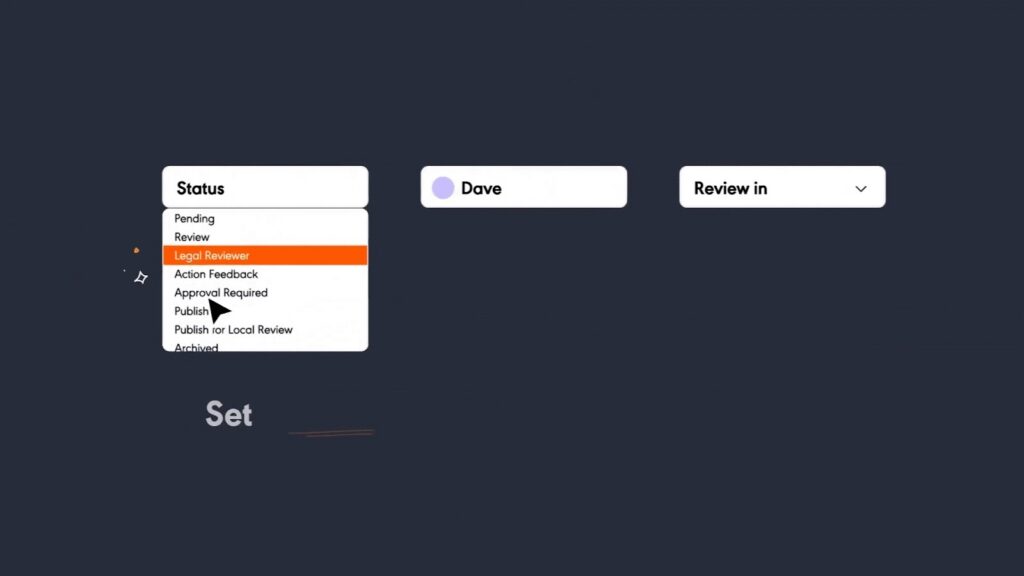
A single outdated policy that slips through without review can lead to compliance violations, financial penalties, or incorrect customer guidance. livepro prevents this by embedding governance directly into the content lifecycle:
- Full Document Version Control records every change with detailed audit trails. Side-by-side visual comparisons show exactly what changed between versions, who changed it, and when it went live.
- Enforced Review and Approval Workflows prevent unapproved content from reaching agents. Every article follows a defined path from author to reviewer to approver before publication.
- Automated Review Reminders notify content owners when articles are due for review. No one needs to track review dates manually or rely on memory.
- Scheduled Publishing Controls let knowledge managers set go-live dates and expiry dates in advance, so time-sensitive content appears and disappears on schedule.
One of our clients, Atlanticus, achieved 100% compliance after implementing livepro, closing all previous policy gaps and maintaining audit-ready documentation.
Work Instructions for Standardized Complex Tasks
When contact center agents handle multi-step processes like account closures, claims processing, or onboarding workflows, they need structured checklists that track completion.
Missing a single step can trigger compliance violations or customer complaints.
livepro’s Work Instructions turn complex processes into guided, trackable task sequences:
- Step-by-step task guides that break multi-step procedures into a defined sequence agents follow in order
- Built-in completion tracking that lets agents check off steps and managers verify adherence
- Flexible navigation that lets advanced users skip steps using the dropdown menu, while novice users follow the full guided sequence
- Consistent execution across teams, so the procedure runs the same way regardless of agent experience
The result is fewer errors, faster task completion, and reduced training time for new hires.
Announcements and Alerts for Proactive Knowledge Delivery
Policy changes, product updates, and urgent procedure modifications need to reach agents immediately. Relying on agents to search for updated content creates delays and inconsistency.
livepro puts critical information in front of agents before they need to search for it:
- Announcements push policy changes, product updates, and procedure modifications directly to every agent’s screen the moment they go live
- Alerts deliver urgent, time-sensitive information proactively, so agents don’t miss critical updates during high-volume shifts
- Quizzes confirm that agents have read and understood new content, giving managers visibility into knowledge adoption across the team
This keeps every agent aligned with the latest information without adding manual follow-up for knowledge managers.
livepro Pricing
livepro uses custom pricing based on your company size, user count, and feature requirements. Contact us for a custom quote and ROI analysis.
livepro Reviews
What users like:
- Purpose-built for contact centers with measurable impact on AHT, training time, and compliance
- Lightspeed Search returns specific answers rather than document lists
- Intuitive interface that agents adopt without formal training
- Decision Trees (Rockets) guide agents through complex processes step by step
- Strong content categorization and organization through Categories and Hubs
- Responsive customer support and implementation team
What users dislike:
- Some users report a learning curve for authors and admins when first setting up content
Review #1: “livepro serves as our single source of truth for policies, procedures, and operational guidance across the company. Adoption is very strong, with roughly 80% of the business using it month over month, which shows how deeply it’s embedded in day-to-day work.”
Review #2: “I really like that we can embed content in livepro, as it removes the need to duplicate the same information across multiple knowledge articles. This means we only need to update content once, in one central location, and it automatically flows through to every article that uses it. It saves a huge amount of time and ensures consistency across the board.”
livepro Ratings
- G2: 4.8/5 stars
- Capterra: 4.8/5 stars
Quick Comparison: Guru vs Bloomfire vs livepro
| Platform | Key Features | Best For |
| Guru | AI enterprise search, knowledge cards, browser extension, Slack/Teams integration, content verification, Knowledge Agents | Internal teams (support, sales, HR) that need knowledge delivered inside workflow tools like Slack and Chrome |
| Bloomfire | AI search across 29+ file types, video/audio transcription, Synapse AI, Q&A engine, self-healing KB, external sharing | Sales, support, and research teams that need a centralized multimedia knowledge hub with community collaboration |
| livepro | Hybrid Lightspeed Search, Decision Trees (Rockets), AI authoring, Luna Voice Agent, automated compliance workflows, knowledge analytics | Contact centers and customer-facing teams in regulated industries needing compliance controls and measurable outcomes |
Guru vs Bloomfire: Final Verdict On Which Software to Choose in 2026
Guru and Bloomfire address different knowledge management priorities. The right choice depends on what your team needs most.
Choose Guru if you:
- Rely on Slack or Microsoft Teams as your primary communication tool and want knowledge embedded there
- Need a fast-deploying internal knowledge base with minimal setup
- Prioritize content verification workflows to keep knowledge accurate and trusted
- Have a tech-savvy team comfortable with card-based knowledge formats
- Want AI-powered enterprise search that connects to existing data sources across your tech stack.
Choose Bloomfire if you:
- Work with multimedia content (videos, audio, presentations) that needs to be searchable
- Need a centralized content hub for cross-departmental knowledge sharing
- Want built-in Q&A functionality that creates community-driven knowledge
- Require external knowledge sharing for customers and partners
- Prefer deployment-based pricing over per-user costs.
Both platforms work well for their intended use cases. Guru gets knowledge into workflows fast. Bloomfire centralizes and makes diverse content discoverable.
But if you run a contact center, operate under regulatory requirements, or need to tie knowledge management directly to metrics like AHT, training time, and compliance, both platforms leave gaps.
livepro: The Go-To Alternative to Guru and Bloomfire for Contact Centers & Enterprises
livepro is built for industries where the cost of a wrong answer is measured in compliance violations, customer churn, and operational inefficiency.
The platform addresses the core gaps in both Guru and Bloomfire: search that returns documents instead of answers, lack of guided workflows for complex scenarios, manual governance processes, and analytics that don’t reveal where knowledge breaks down during live customer interactions.
Book a demo to see how livepro’s Lightspeed Search, Decision Trees, and compliance workflows deliver the outcomes Guru and Bloomfire can’t.
FAQs About Guru vs Bloomfire
Which platform has better search: Guru or Bloomfire?
Guru’s search excels when knowledge is well-documented in cards and connected sources. It finds answers across Slack, Google Drive, and other integrated tools. Bloomfire’s search handles more file types, particularly video and audio content. Its transcription capability makes spoken words searchable.
livepro’s Lightspeed Search returns the specific answer an agent needs rather than a list of potentially relevant documents or cards.
What integrations do Guru and Bloomfire offer?
Guru connects to hundreds of tools with deep integrations for Slack, Microsoft Teams, Salesforce, Zendesk, and Google Workspace. Its browser extension works across any web application. Bloomfire integrates with 20+ tools including Salesforce, Slack, Teams, Zendesk, and SharePoint, with a focus on centralized access rather than distributed delivery.
Do Guru and Bloomfire work for contact centers?
Both can serve contact centers at a basic level, but neither was purpose-built for them. Guru’s card-based model works for quick reference lookups, but it lacks decision trees for complex policies and compliance-grade audit trails. Bloomfire’s search handles diverse content types but doesn’t offer structured workflows for multi-step processes.
livepro is a purpose-built contact center knowledge management software, with features like Decision Trees, Work Instructions, Announcements, and analytics that track knowledge performance against operational metrics.
How does livepro’s search compare to Guru and Bloomfire?
livepro’s Lightspeed Search is intent-based. It understands what the user is asking and returns the exact answer, not a ranked list of potentially related content.
The search works across articles, decision trees, and uploaded source documents at the sentence level. This is particularly valuable in contact centers where agents need the right answer in seconds during a live customer call.