


Confluence is built for product, information technology, and technical teams. It’s part of Atlassian’s suite of workplace tools, which includes project management software like Jira. The platform supports structured documentation, version control, and Jira-linked workflows.
Guru delivers knowledge directly inside the apps teams already use. Browser extensions and chat integrations let users find answers without switching between tools.
In this article, we will compare Confluence vs Guru across search, structure, workflows, pricing, and real user feedback.
We will also introduce an alternative to Confluence and Guru, livepro, a knowledge management platform built for contact centers and enterprises that need intent-based answers and compliance-ready workflows.
Confluence vs Guru at a Glance
| Criteria | Confluence | Guru |
| Verdict | Best for product, IT, and enterprise teams managing technical documentation and SOPs | Best for sales teams, support teams, and distributed organizations seeking instant knowledge through browser/chat |
| Key features | Hierarchical page structure, version history, deep Atlassian integration (Jira, Jira Service Management), documentation templates for SOPs, project specs, and runbooks, and macros for layout and formatting | AI-powered search, browser extension, card-based knowledge, Slack/Teams integration, verification system |
| Ease of use | ⭐⭐⭐ | ⭐⭐⭐⭐ |
| Customization options | Page templates, macros, space-level permissions, complex formatting | Card templates, collections, basic permissions, limited formatting |
| Pricing | Starts at $5.42/user/month | Starts at $25/user/month |
What Is Confluence?
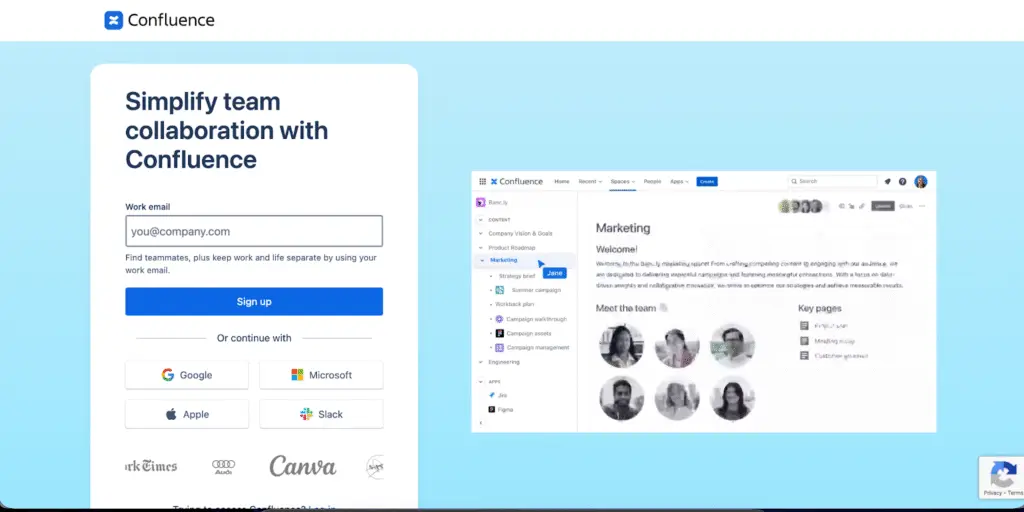
Confluence is Atlassian’s enterprise knowledge base and documentation platform. It offers deep integration with Jira and the Atlassian ecosystem. Confluence allows teams to create structured documentation, SOPs, and project knowledge with hierarchical page organization.
The software also offers version control and collaborative editing.
Learn more: Confluence Alternatives
Confluence Key Features
Here are the key features of Confluence:
- Visual Editor With Templates and Macros: Create structured documentation using pre-built templates and custom formatting options for technical content.
- Spaces and Hierarchical Page Structures: Organize knowledge into separate workspaces with nested page trees for comprehensive information architecture.
- Full Version History: Track every page change with complete version control, restore previous versions, and compare edits side-by-side.
- Inline Comments and Collaboration: Work together in real-time with @mentions, inline comments, and task assignments for team coordination.
- Permissions Management: Control access at space, page, and group levels to protect sensitive information and manage team visibility.
- Reporting and Analytics: Track page views, contributor activity, and space engagement to measure content usage and team collaboration.
- Atlassian Ecosystem Integration: Connect seamlessly with Jira, Jira Service Management, and hundreds of Marketplace apps for extended functionality.
- Templates and Automation: Automate repetitive tasks and standardize documentation with built-in templates and workflow automation.
- Whiteboards: Collaborate visually with digital whiteboards for brainstorming, planning, and diagramming directly within your workspace.
- Mobile Access: View and edit documentation from mobile devices to stay connected while away from your desk.
Confluence Pricing
Guru’s pricing starts at $25 per user per month.
Confluence Pros & Cons
Pros:
- Page hierarchies support complex documentation structures
- Complete version history with visual comparison
- Jira and Atlassian ecosystem integration
- Robust templates for various documentation needs
- Strong collaboration features with inline comments
Cons:
- Slow performance with large pages or numerous attachments
- Steep learning curve for new users
- Search functionality requires exact keywords
- Page management becomes cumbersome as content scales
- Complex permissions structure difficult to maintain
- Limited customization compared to dedicated knowledge management platforms
Confluence Ratings
What Is Guru?
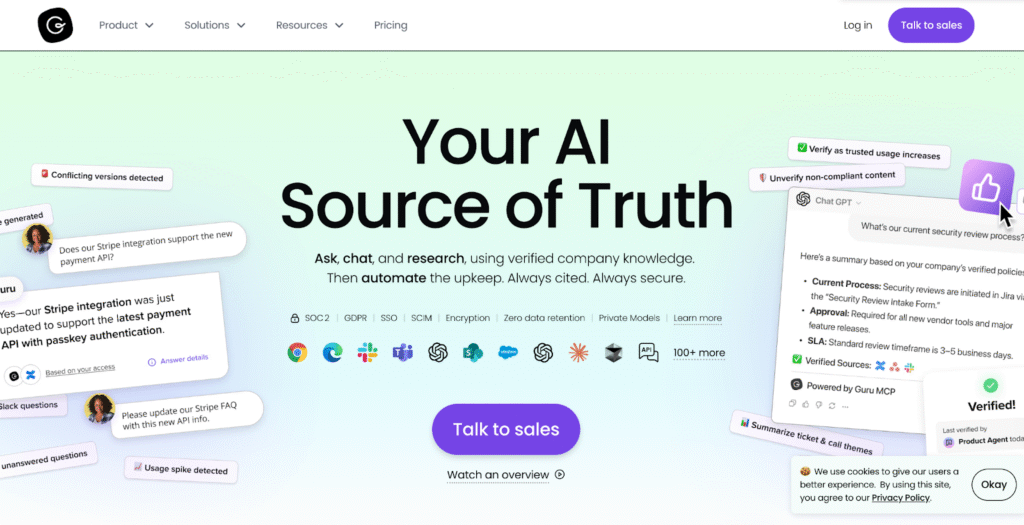
Guru is an AI-powered knowledge management platform that delivers information through browser extensions, Slack, and Microsoft Teams. Teams capture knowledge in cards, verify content accuracy, and access answers without leaving their workflow.
Guru suits sales teams, customer support, and distributed organizations that need instant access to verified information across multiple tools.
Read more: Guru Alternatives
Guru Key Features
Here are the key features of Guru:
- AI-Powered Search: Find information across connected tools using natural language queries that surface relevant knowledge cards instantly.
- Browser Extension: Access knowledge without leaving your current tool through Chrome, Edge, or Opera extensions that provide in-context answers.
- Card-Based Knowledge Capture: Create concise, focused knowledge cards that capture information quickly and make it easy to share across teams.
- Slack and Teams Integrations: Get instant answers directly in Slack and Microsoft Teams conversations without switching between applications.
- Knowledge Verification System: Assign content owners who receive reminders to review and verify information stays accurate and current.
- Collections and Boards: Organize knowledge cards into collections and boards for structured content management across teams and topics.
- Permissions and Sharing Controls: Manage who can view, edit, and verify content with role-based access controls at the collection level.
- Chrome Extension and Mobile Apps: Access your knowledge base from any device with dedicated mobile apps and browser extensions.
- Knowledge Triggers and Automation: Surface relevant cards automatically based on user context and behavior to reduce search time.
- Analytics and Engagement Tracking: Monitor card views, verification status, and usage patterns to identify popular content and knowledge gaps.
Guru Pricing
Confluence offers four plans: Free, Standard, Premium, and Enterprise, with prices starting at $5.42/user/month.
Guru Pros & Cons
Pros:
- Intuitive interface that requires minimal training
- Seamless browser and Slack/Teams integration reduces context switching
- Quick card creation captures knowledge in real-time
- Verification workflows keep content accurate
- AI-powered suggestions surface relevant information
Cons:
- Search requires specific keywords to find relevant cards
- Struggles with general queries or broad searches
- Large knowledge bases become difficult to navigate without strict governance
- Limited structured workflow capabilities for complex processes
- Basic version control compared to documentation-focused platforms
Guru Ratings
Confluence vs Guru: Pricing Comparison
Here’s the full pricing breakdown for Confluence vs Guru:
| Software | Plans | Free Trial | Starting Price | What’s Included |
| Confluence | Free, Standard, Premium, Enterprise | Free plan available | $5.42/user/month | Basic collaboration features, unlimited pages/spaces, templates, and version history |
| Guru | Starter, Builder, Enterprise | Free for up to 3 users | $25/user/month | Card-based knowledge, browser extension, Slack/Teams integration, and verification workflows |
Confluence vs Guru: Feature-by-Feature Comparison
Let’s dive deep into feature-by-feature comparison for Guru vs Confluence:
Search and Information Retrieval
Guru delivers AI-powered search across connected tools with browser-based access. Search understands natural language but requires specific keywords for complex queries. Users report search returns too many similar cards when content isn’t well-tagged.
Confluence provides keyword-based search across pages and spaces. Users report needing exact page titles to find information quickly. User reviews mention search struggles with relevance when dealing with large content volumes.
Collaboration Features
Guru enables team collaboration through card comments, verification assignments, and knowledge suggestions. The browser extension allows teams to share cards directly in Slack and Teams conversations.
Confluence supports real-time collaborative editing with inline comments, @mentions, and task assignments. Teams can edit pages simultaneously and track changes through activity feeds.
Integrations
Guru integrates with Salesforce, Zendesk, Slack, Microsoft Teams, and Google Workspace through native connections. The browser extension works across tools to surface knowledge in context.
Confluence offers deep Jira and Jira Service Management integration. The platform also integrates with hundreds of Atlassian Marketplace apps. Confluence also connects with other tools through APIs and third-party integrations.
Content Organization
Guru organizes knowledge in collections and boards with a card-based structure. Each card contains focused and concise information.
Confluence uses hierarchical spaces and page trees for content structure. Teams build nested documentation with parent-child page relationships. Users report navigation becomes cumbersome as the number of spaces grows.
Version Control and Content Accuracy
Guru maintains content accuracy through verification workflows. Subject matter experts receive reminders to review assigned cards. The platform flags outdated content based on verification dates.
Confluence tracks complete version history for every page. Users can restore previous versions, compare changes side-by-side, and see who edited content. However, the platform doesn’t automatically flag outdated information.
Permissions and Access Control
Guru provides basic role-based permissions at the collection and board level. Teams control who can view, edit, or verify specific content groups.
Confluence offers granular permissions at space, page, and group levels. Admins can configure complex access rules, though users report that the permission structure becomes difficult to maintain at scale.
Analytics and Reporting
Guru tracks card views, verification status, and user engagement. Analytics identify frequently accessed content and cards needing updates.
Confluence provides page-level analytics and space reporting at Premium tiers. Teams track page views, contributors, and activity, though users note analytics don’t identify knowledge gaps.
livepro: A Better Alternative to Confluence vs Guru for Knowledge Management in 2026
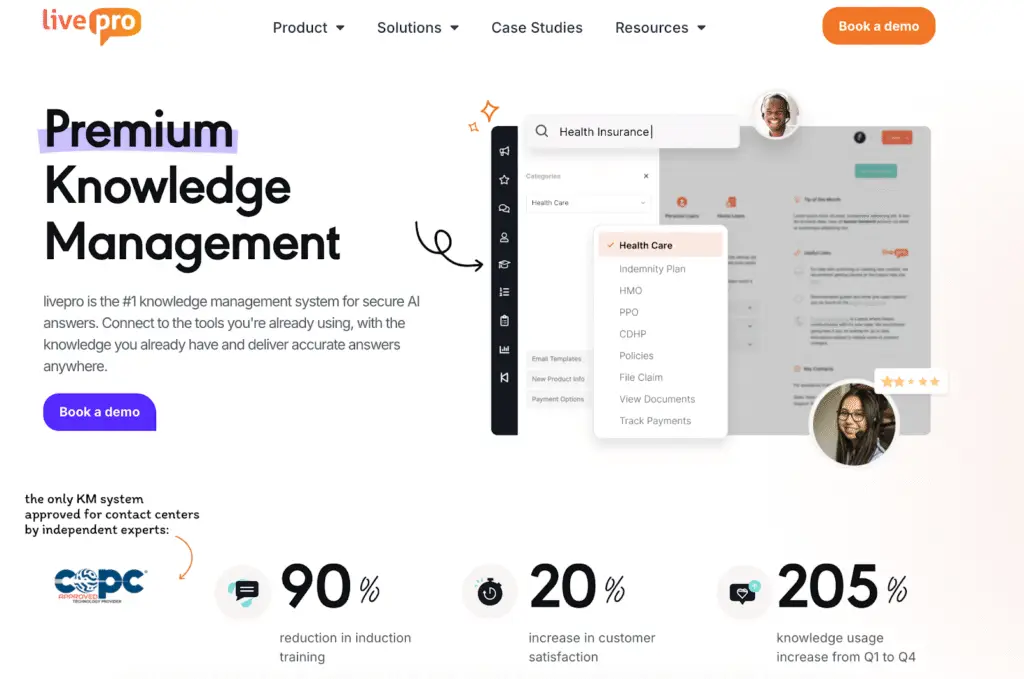
livepro is a knowledge management platform for contact centers and enterprises managing customer support, compliance, and multi-department knowledge delivery.
The platform serves industries such as financial services & banking, healthcare, government, and BPOs that need instant intent-based answers, structured workflows, and audit-ready governance.
As a Confluence and Guru alternative, livepro combines intent-based search with decision trees, compliance controls, and omnichannel delivery. It delivers precise answers in seconds while maintaining the governance and audit trails customer facing teams and enterprises require.
Here’s how livepro features solve the knowledge management challenges Confluence and Guru leave unaddressed:
Lightspeed Search for Intent-Based Answers
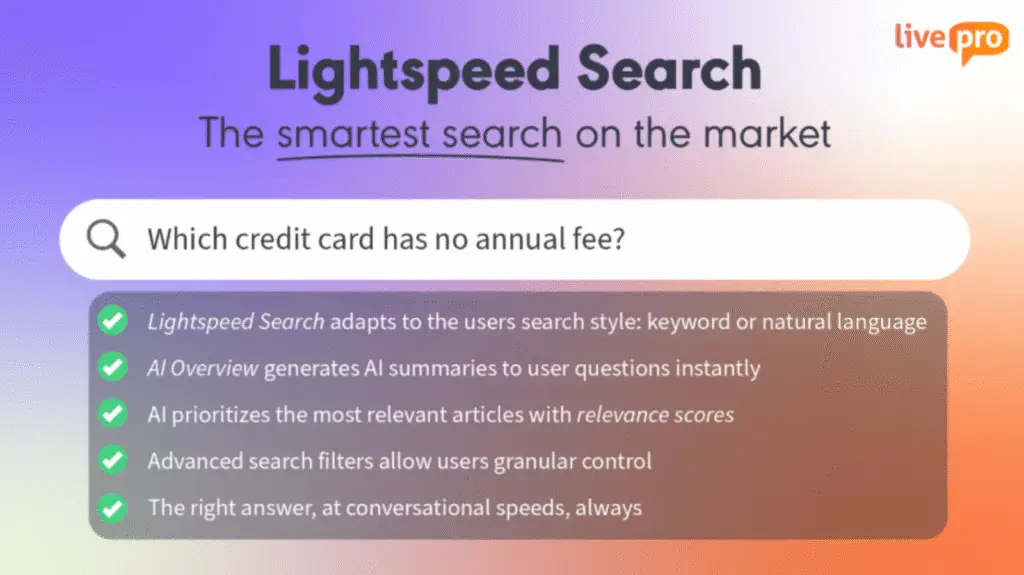
Search is a common friction point across Confluence and Guru as teams and content libraries grow.
- Confluence users report inconsistent search results, making it harder to locate older documents or specific sections within long pages.
- Guru users note that search can surface many related cards without clearly leading to the intended answer, especially when topics overlap.
As the knowledge base expands, this adds friction. livepro offers Lightspeed Search, designed to understand query intent rather than relying on exact keywords, tags, or page titles.
For example, when an agent searches for “refund policy for orders over $500,” our search surfaces the exact rule or sentence that applies, along with its source. The agent doesn’t need to open a document, scroll through sections, or interpret multiple results.
Lightspeed Search also works across structured articles, decision trees, and source documents, ensuring that answers remain consistent regardless of where the knowledge originated.
This allows teams to move from searching for documents to receiving accurate and contextual answers as knowledge volume and organizational complexity increase.
The Rocket for Structured Workflows

Confluence and Guru organize information well, but neither platform guides users through multi-step processes with conditional logic.
livepro’s Rocket provides guided workflows and decision trees for procedures that change based on context. Conditional logic directs users through the correct path by asking questions, evaluating responses, and moving them to the next step automatically.
For example, Rocket can be configured to guide insurance verification. If a patient has an HMO plan and a specialist visit, the workflow requires a referral, prompts the agent to check its status, and then directs the correct next step based on whether the referral is active or expired.
The Rocket adapts to different use cases across departments:
- IT teams can build troubleshooting trees that diagnose issues based on symptoms.
- Compliance teams can create audit workflows that ensure every required step gets completed.
- HR teams can guide managers through performance review processes that vary by employee status.
This reduces errors and makes complex procedures followable for all skill levels. It allows users to complete tasks correctly without memorization or escalation.
AI Overview for Actionable Summaries
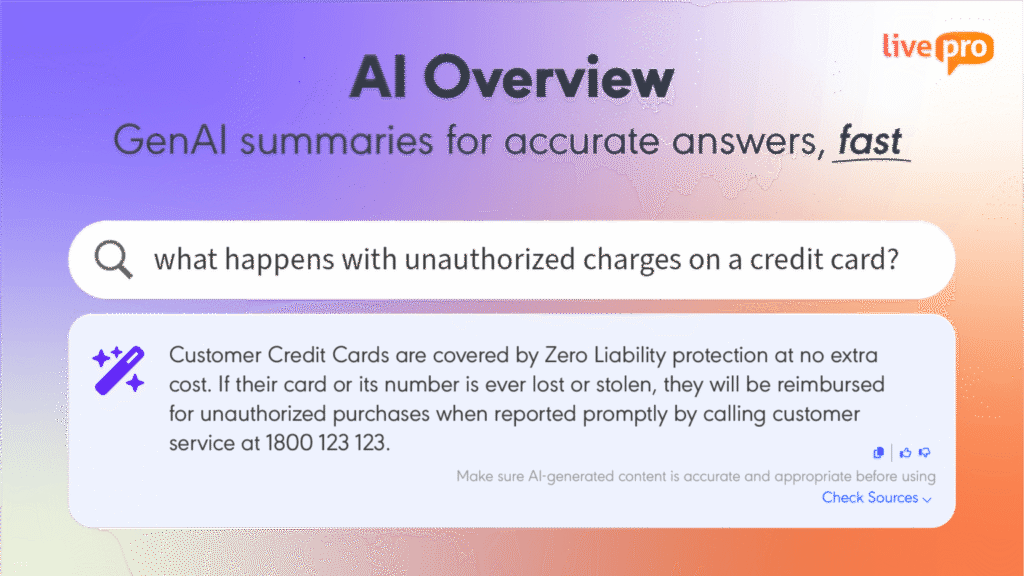
Search friction doesn’t stop at finding information. Teams also struggle with what they find.
- In Guru, search can surface cards that are outdated or only partially relevant, requiring users to review multiple results to determine what applies.
- In Confluence, keyword searches across large knowledge bases often return many pages, forcing users to open and scan several documents to locate the correct section.
livepro offersAI Overview feature that generates plain-language summaries alongside source documents. It presents key points first while keeping the full content available for reference.
The system identifies relevant sections based on the user’s query and role, then surfaces the information that applies. This works across policies, procedures, compliance documents, and technical content.
For example, instead of opening a multi-page return policy, an agent sees a short summary outlining the applicable rules, such as return timeframes, requirements for higher-value items, and applicable fees. The full policy remains accessible if further details are needed.
Knowledge Analytics to Identify Content Gaps
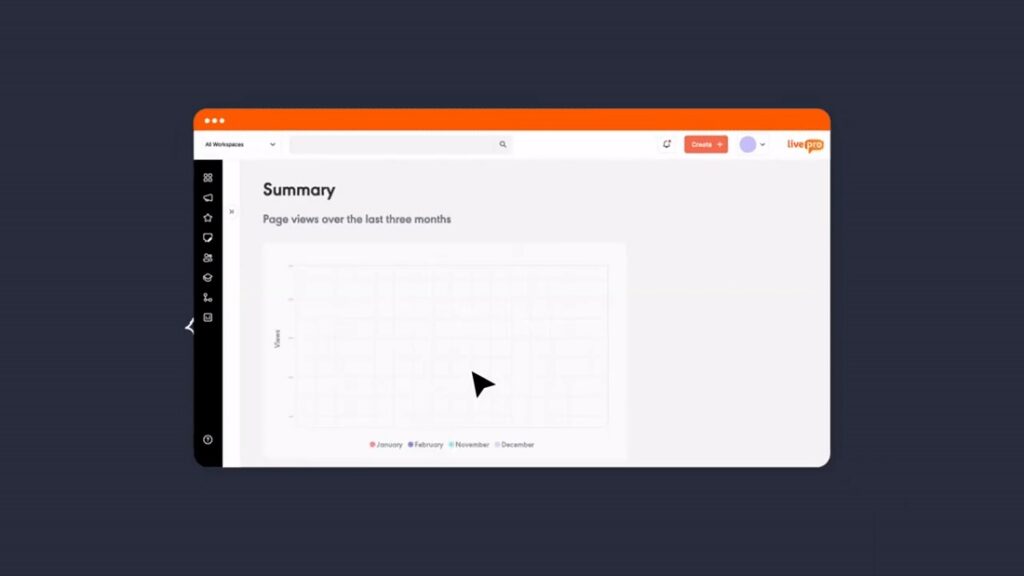
Guru and Confluence can show which articles or cards are viewed most or least, along with basic engagement metrics like page or card views.
Where both platforms fall short is operational insight. Neither shows failed searches, how knowledge performs across multi-step workflows, or where users struggle to find answers in real situations.
livepro addresses this through Knowledge Analytics. It identifies unused or low-engagement content, tracks searches with no results to reveal knowledge gaps, flags content that needs review, and measures engagement at the workflow level.
For example, if agents repeatedly search for a policy exception and get no results, livepro surfaces that gap so the content can be created or updated before it causes repeat errors or escalations.
Version Control With Visual Comparison
Confluence users report that managing version control is not intuitive, and comparing changes between document versions requires extra steps that add complexity.
livepro offers built-in version control and visual side-by-side comparison. Changes are shown clearly in context, highlighting additions, removals, and edits along with timestamps and editor details.
For example, when a compliance policy changes from “refunds processed within 7 business days” to “refunds processed within 5 business days,” the visual comparison immediately shows the modification highlighted in context. The audit trail records who made the change, when it was approved, and which version was active during specific time periods.
It also supports scheduled reviews. Content owners can be assigned review dates for individual articles or content groups, with reminders sent ahead of time.
This prevents outdated information errors that could cost thousands per incident, and provides clear audit trails for regulatory reviews.
Role-Based Permissions for Complex Access Control
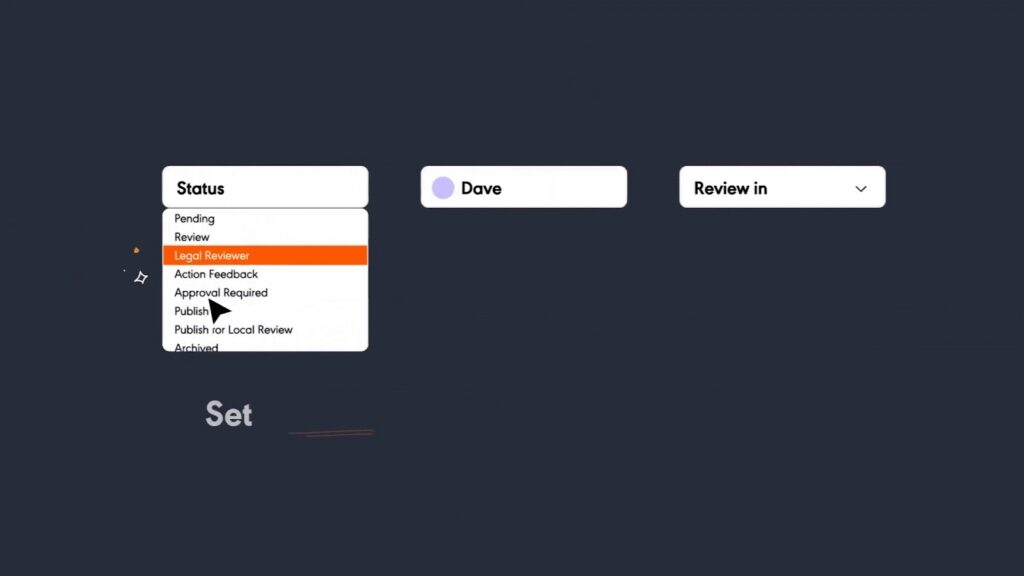
Organizations need to control who sees what information when handling sensitive data, compliance procedures, or confidential business processes.
Without granular permissions, teams either restrict access too broadly (slowing down work) or grant access too widely (creating compliance and security risks).
livepro offers granular role-based access control, ensuring users see only job-relevant knowledge. You can configure permissions by role, department, location, or any combination of factors.
For example, if you run a financial services contact center, you can configure three support tiers:
- Tier 1 agents: Access basic account procedures and standard troubleshooting.
- Tier 2 agents: Access Tier 1 content plus fraud investigation and escalation procedures.
- Compliance managers: Access all content, including audit documentation and regulatory reporting.
When a Tier 1 agent searches for “account dispute,” results are limited to articles they are authorized to view. Fraud investigation workflows don’t appear in search results or navigation, reducing the risk of accidental access to sensitive content.
The system also supports temporary access. New hires can be granted read-only access to advanced procedures during training, and seasonal staff permissions can be set to expire automatically at the end of a contract period.
Luna AI Voice Agent to Extend Service Hours

livepro offers Luna, an AI voice agent that extends your knowledge base to phone channels. This represents a shift in how organizations deliver AI in customer support, moving beyond screen-based tools to voice-first service.
Customers can call a dedicated number, ask questions in natural language, and receive approved answers from the same governed knowledge agents use.
For example, a healthcare provider can use Luna to handle after-hours patient inquiries. Callers ask about appointment preparation, prescription refill rules, or coverage requirements. Luna provides answers from approved policies. When an issue requires follow-up, the call is routed with the relevant context captured.
Source Documents to Accelerate Implementation
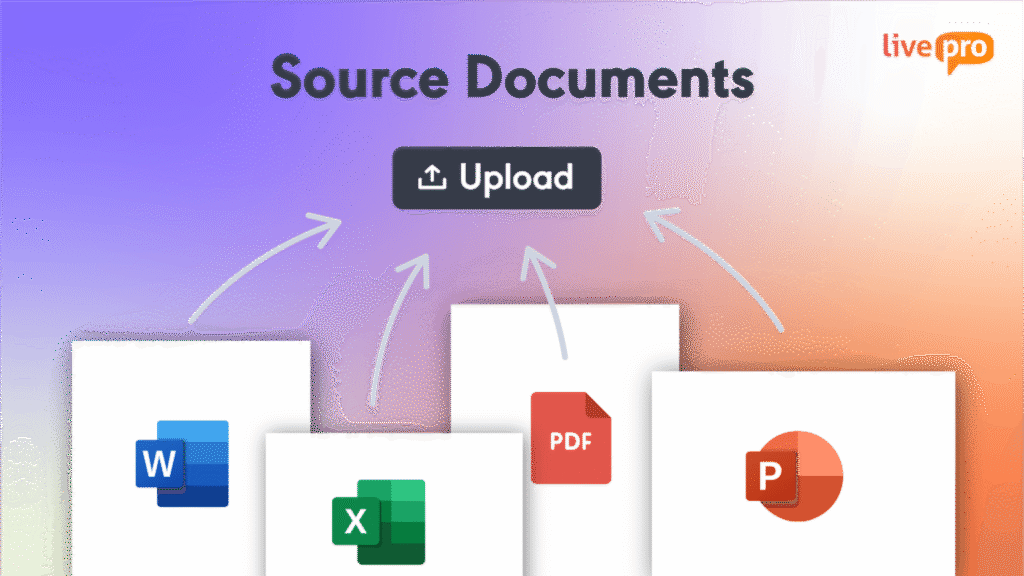
Organizations switching knowledge management platforms need to migrate large volumes of existing content stored in Word, PDF, PowerPoint, and spreadsheet files.
Guru users report that content migration is largely manual. Teams must copy content page by page and reformat material for the new system.
livepro addresses this challenge with Source Documents. Existing files are uploaded directly and converted into structured and searchable articles while preserving formatting, tables, images, and document hierarchy.
For example, a government agency migrating more than 500 policy documents can upload its Word and PDF files. The content is converted into searchable articles that are immediately available in livepro’s search and workflows without extended manual migration.
This preserves institutional knowledge, reduces migration effort, and shortens implementation timelines.
livepro Pricing
livepro offers three pricing plans: Flex, Premium, and Enterprise. Contact us for a custom quote.
livepro Ratings
Comparison Table: Confluence vs Guru vs livepro
| Software | Best for | User experience | Customization | Reporting |
| Confluence | Product, IT, and technical teams needing structured documentation within Atlassian ecosystem | Moderate learning curve; slow with large pages; strong for teams already using Jira | Page templates, macros, complex permissions, extensive marketplace apps | Page and space views (Premium+), no visibility into failed searches or unanswered questions |
| Guru | Sales and support teams needing instant access through browser/chat | Intuitive and fast; minimal training required; works in existing tools | Card templates, collections, basic permissions, limited formatting | Card usage, verification status; basic engagement metrics |
| livepro | Contact centers and enterprises that require instant intent-based answers with compliance and structured workflows | Users are led step by step with answers presented in sequence, reducing reading and decision effort | Custom workflows, decision trees, role-based permissions, granular access controls | Knowledge analytics, gap identification, usage patterns, compliance reporting |
Confluence vs Guru: Which Knowledge Management Software Wins in 2026?
Confluence is more suited for product, IT, and technical teams embedded in the Atlassian ecosystem who need structured documentation with version control. It offers hierarchical page structures, collaborative editing, templates, and integration with Jira.
Guru is suitable for sales teams, support teams, and distributed organizations who need instant knowledge access through browser extensions and chat integrations. It offers AI-powered search, card-based knowledge capture, browser extensions and content creation.
livepro: The Go-To Alternative to Confluence vs Guru for Contact Centers and Enterprises in 2026
livepro is the best AI-based knowledge management platform built around how agents actually work on calls. Instead of asking users to search, read, and decide, the system supports structured guidance for common scenarios, with controls around who sees what and how information is used.
This makes livepro a practical option for teams where consistency, compliance, and speed matter more than documentation flexibility.
Book a demo to see how livepro cuts handle time while keeping your team compliant and confident.
Frequently Asked Questions About Confluence vs Guru
What is the main difference between Confluence and Guru?
Confluence is built for structured documentation and long-form content, especially for product, IT, and engineering teams already using the Atlassian ecosystem. Guru focuses on in-the-moment knowledge delivery through browser extensions and chat tools, making it more popular with sales and support teams.
If you need both instant answers and structured workflows with compliance controls, livepro combines intent-based search with decision trees and audit-ready governance built for contact centers and regulated environments.
Is Confluence better than Guru for documentation?
Yes, Confluence is generally stronger for deep documentation. It supports hierarchical page structures, templates, macros, and detailed version history. Guru is better suited to short, reusable knowledge snippets than to large policy or process documents.
livepro handles both use cases by letting you upload source documents directly while also delivering precise answers in seconds, so your team gets structured knowledge without the friction of searching through long pages.
How do Confluence and Guru compare on search?
Both platforms support search, but users report limitations. Confluence search often requires precise keywords or page titles, especially in large workspaces. Guru search can surface multiple similar cards, which makes it harder to find the right answer quickly in complex environments.
livepro’s Lightspeed Search understands query intent and surfaces the exact sentence or rule that applies, not just related documents, so agents find answers faster without scrolling or interpretation.
Does Confluence track knowledge usage?
Confluence tracks page views and basic engagement metrics. More advanced analytics are available only on Premium and Enterprise plans, and reporting focuses on pages and spaces rather than workflows or outcomes.
livepro’s Knowledge Analytics identifies content gaps by tracking failed searches, flags outdated content, and measures engagement at the workflow level so you can see where agents struggle and what knowledge needs updating.