


Guru and Document360 are popular knowledge management tools that store and distribute company data, standard operating procedures (SOPs), FAQs, and how-to-guides among employees or customers.
Guru gives team members access to data hidden in tools like Slack and Salesforce. Document360 manages your internal knowledge base but also offers self-service portals so your customers can troubleshoot issues without raising a ticket.
Given these different approaches, you’re probably wondering which one is right for your organization. This Guru vs Document360 comparison guide shows you what each tool covers and where they each fall short.
We will also introduce livepro, a better knowledge management software choice for contact centers and enterprises in regulated industries that depend on fast, reliable answers.
TL;DR: Guru vs Document360
- Guru helps teams find answers inside the tools they already use. But it isn’t built for customer-facing support or complex, multi-step processes.
- Document360 handles structured documentation well. But it functions more like a searchable library than a live-support tool.
- livepro combines fast AI search, guided workflows, and compliance governance. This makes it the strongest fit for contact centers and enterprises in regulated industries.
| Tool | Best For |
| Guru | Internal teams that need AI-powered search embedded in Slack, browsers, and CRMs. |
| Document360 | SaaS and product teams publishing structured documentation and customer-facing help centers. |
| livepro | Contact centers and enterprises that need guided, compliant knowledge delivery during live interactions. |
What Is Guru?
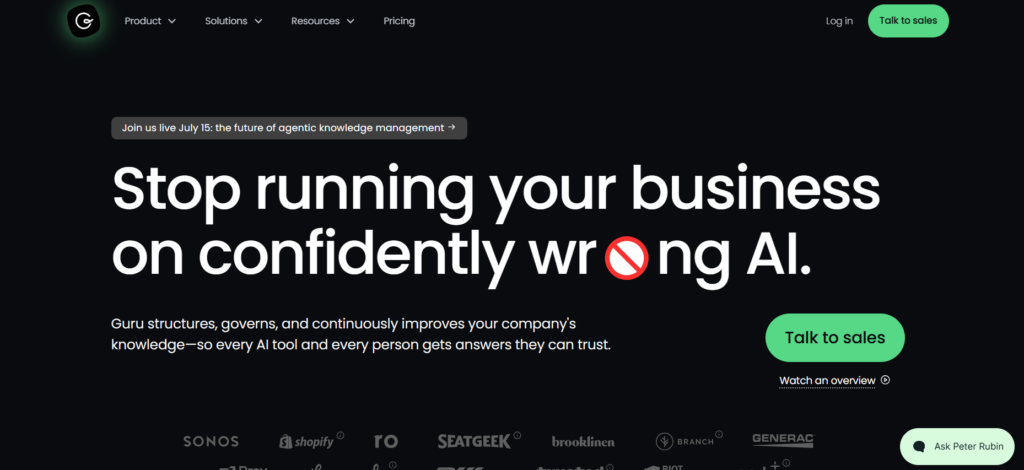
Guru is an internal documentation platform that gives teams easy access to information living in tools they already use, like Slack, Salesforce, and Hubspot. It retrieves information from your company’s existing toolstack and delivers summarized answers to a user without disrupting their workflow.
Say you’re corresponding with a lead via email and need the latest client onboarding procedure. You don’t need to switch apps, message a colleague for help, or scroll through lengthy threads on Slack to find it. You simply type your query into Guru’s search bar, get your answer, and continue your interaction without breaking your workflow.
Who’s It Best For?
Guru is for mid-to-large teams like HR, legal, and finance whose internal knowledge base is scattered across tools. The software unifies this data and makes it accessible to team members. Fast-paced teams will also appreciate that it presents information in short answer cards rather than longer, in-depth procedures.
Strengths
Guru maintains accuracy of its answers through expert verification. Each answer card is tagged “verified” or “unverified,” with unverified cards routed to the appropriate experts to review, update, and republish. This keeps the organization’s answers current and accurate.
Limitations
If you need to build customer-facing knowledge portals, Guru is not the right tool for you. Guru is designed specifically for knowledge sharing within teams. To host an external help center, you’ll have to set up an API, which can be time-consuming and complex.
Guru’s card-style format means you get quick, bite-sized answers, but it also cuts off information that may be useful for agents during live calls.
The software also lacks decision trees that walk call agents through step-by-step procedures mid-interaction. This means your agents have to piece together the steps themselves, mid-call.
If your knowledge management software doesn’t have these features, your call agents won’t have the information or guidance they need when handling complex customer interactions. Contact center managers are better off investing in a Guru alternative.
Guru’s Key Features
Here are Guru’s key features:
- AI Enterprise Search: Quickly access company-wide data across tools without searching manually. The AI is also permission-sensitive, so it controls what data each user can access based on their role and clearance level.
- Knowledge Agents: Knowledge agents are autonomous AI tools that can reason, engage with follow-up questions, and handle complex tasks, not just summarize answers. They use these advanced capabilities to manage requests specific to certain departments and roles. You can have a dedicated agent for HR, customer support, or finance that caters to each department’s specific needs.
- Expert Verification: When inaccurate or obsolete information circulates in an organization, it can cause serious compliance risks, especially in regulated industries like healthcare or finance. Subject matter expert verification is Guru’s way of curbing this. Each knowledge card is stamped either “verified” or “unverified,” with unverified claims routed to the appropriate human authority for review.
- Integrations: Switching between apps to find that conversation you had with the CEO six months ago can slow things down. Guru fixes this by sitting inside your company’s existing ecosystem, helping you retrieve data across 100-plus tools, including Slack, Teams, Salesforce, Hubspot, and Claude.
- Browser Extensions: Guru’s browser extension surfaces answers within tools you use in your browser, even those without a direct Guru connection, like Gmail or a client’s webpage.
Guru Pricing
Contact sales for a custom quote.
What Guru Users Say (Real User Reviews)
The general consensus on Guru is split between positive and negative opinions. G2 reviewers praise the tool for being easy to use and credit its AI search feature for helping them find information quickly.
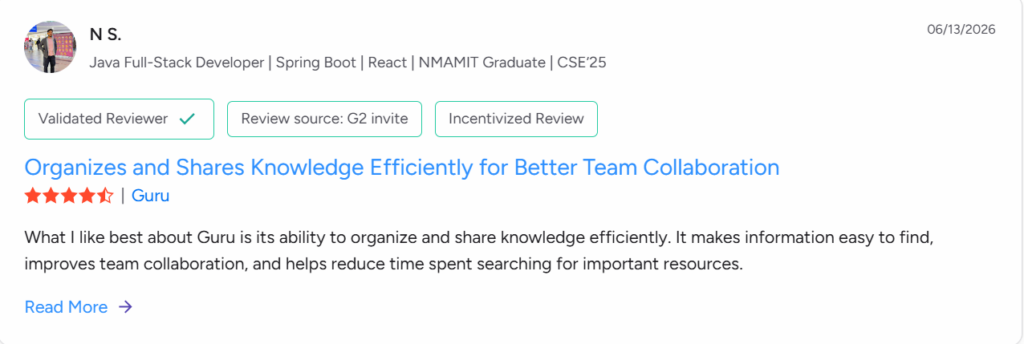
Still, other users complained that the search function relied on exact keyword matching, as typos or wrong phrasing produced wrong responses.

The expert verification feature gets a lot of love from users. Dairon P, a knowledge specialist, says it helps keep information accurate and up to date.
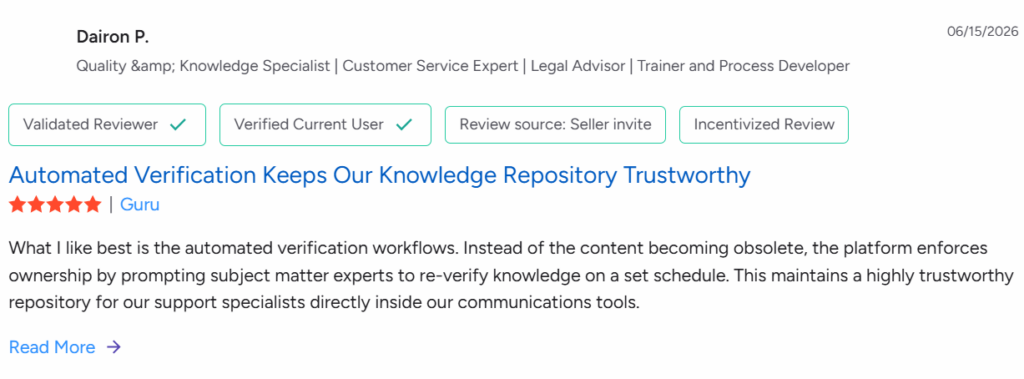
But others didn’t like that the cards were hard to customize. Adding images or tables to a dropdown shrinks the space available, and makes it harder to present the full context an answer needs.
Some reviewers also found that the expert verification feature can undermine accurate information over time. Since accuracy depends on human review, unverified data can linger if reviewers aren’t consistent about updating cards.
Pricing was also an issue for some users. Though Guru’s paid pricing is available only by contacting sales, reviews mention Guru offers a free plan. Key features like detailed analytics, verification workflows, and Knowledge Agents are locked behind paid tiers. Its plans are also based on per-user pricing, which can be a barrier for smaller teams on a tight budget.

What Is Document360?
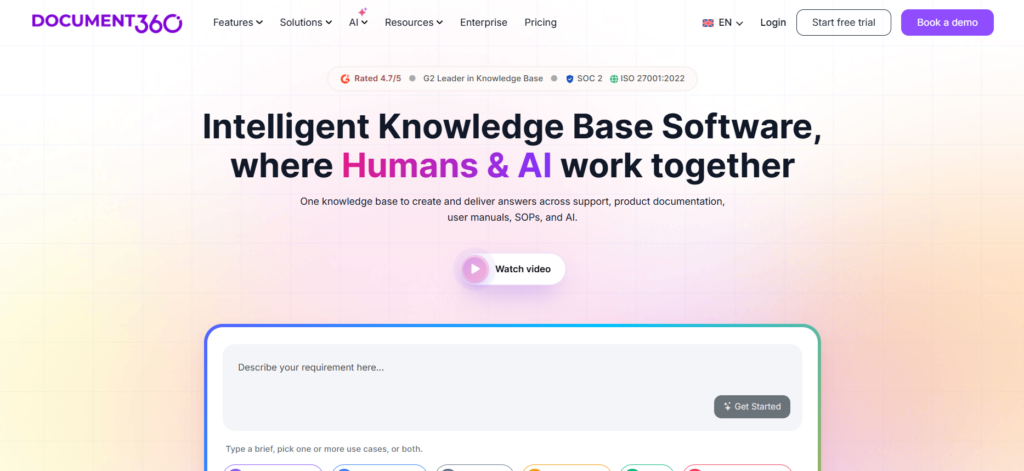
Document360 is an AI documentation platform built for internal and external knowledge bases. Once you sign up, you’ll have access to its built-in editor and suite of AI tools. These help knowledge specialists and technical writers create, edit, publish, and update documentation within the same platform.
You can use its AI writing tool, Eddy AI, to proofread and paraphrase your articles, or prompt it to generate ready-to-use drafts from scratch. The AI can also generate articles from imported files like PDFs, Word docs, and spreadsheets, plus audio and video. Once articles are finalized, you can indicate which ones are accessible to your customers and privatize others for internal use.
Learn more: Document360 Alternatives
Who’s It Best For?
Document360 is built for SaaS companies, technical writers, course creators, and businesses that need one tool for building both internal and external documentation. From one command center, contributors can review what’s being built, who has edit access, and what customers can read versus those restricted to teammates.
Core Strengths
What sets Document360 apart is its rich authoring tools, where technical writers and contributors can write, collaborate, share, and publish knowledge articles. While writing, collaborators can tag teammates for review and use the inbuilt AI to generate complete articles or polish human-written drafts.
Content approval workflows mean everyone involved in the creation process stays notified and consistent in their contributions. With version control, you can view past histories without losing the latest updates.
Users also appreciate its white labeling and customization features. You can include your company’s logo, favicon, fonts, and style elements to keep branding consistent across your website.
Limitations
If you are a contact center or enterprise, you should know these limitations.. Document360’s decision trees are locked behind the Enterprise plan and still in beta. They don’t support conditional content, so every agent follows the same fixed steps regardless of the customer’s situation.
Decision trees also aren’t covered by team auditing yet, so if a step gets changed or deleted, there’s no record of who did it or when, and no way to restore it. Without this, agents on lower tiers have no guided path. A decision tree that can’t adapt to context risks walking an agent through the wrong steps, or giving customers the wrong information.
Document360 also lacks an AI voice agent to handle high call volumes. Without this, calls pile up, and customers have to wait until a human agent is available.
Document360’s Key Features
The following are some key features of Document360:
- Eddy AI Suite: Help you create and edit entire knowledge bases. Once you give it your brand’s writing guidelines, you can prompt it to generate SEO-optimized articles with screenshots and media to enhance readability.
- Multi-Workspace: Document360’s workspaces help teams categorize articles based on company products, product versions, and readers. If you have different products, you can build multiple workspaces, one for each. Workspaces also separate internal knowledge hubs from customer-facing ones, so data doesn’t get mixed up across portals.
- Custom Domain and Branding: When you build your knowledge base with Document360, you can change your default URL to a custom domain name of your choosing, like “help.company.com.” The inbuilt editor also has customization options for maintaining a consistent theme, logo, favicon, and formatting structure across all articles. This keeps your knowledge base’s look consistent with the rest of your website.
- Workflow Builder: Helps you design an intuitive project cycle detailing each stage content passes through before approval and publication. It also maps out who’s responsible for each stage and tracks the project’s progress in real time, so you can spot and manage delays quickly.
- SEO Tools: To make your customer knowledge base visible online, Document360’s AI handles on-page and off-page SEO. You can ask Eddy AI to write meta titles and descriptions, or generate bulk metadata across multiple pages. On the technical side, the AI can review your internal linking health to catch broken links or orphaned pages.
- Analytics Dashboard: Document360’s analytics dashboard tracks how the knowledge base is being used, so managers and admins can spot what’s missing and make improvements.
Document360 Pricing
Contact sales for a custom quote. A 14-day free trial is available.
What Document360 Users Say (Real Reviews)
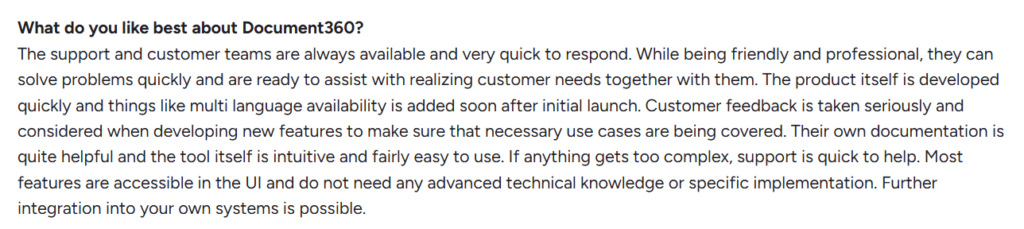
G2 reviewers often mention how simple it is to build and manage their company’s knowledge base with Document360. Technical writers like Ronak say Eddy AI helps them overcome writer’s block faster by generating near-ready drafts they simply need to edit and approve.
Document360’s customer support team also gets a lot of love. Users say support is always available and quick to respond when they run into issues. This keeps workflows moving smoothly without bottlenecks.
But Document360 also has its shortcomings. Ronak, for instance, thinks its API documentation feels dated next to newer platforms that offer more modern, developer-focused interfaces.

Other users found it less flexible for customizing the knowledge base’s appearance to match their existing website.

Document360’s search functionality also draws criticism. Like Guru, users say it relies too heavily on exact keyword matching. This can return the wrong answer if users make typos, use unfamiliar phrasing, or search with synonyms.

As knowledge hubs grow, managing content across multiple workspaces gets harder for users. Pages become disorganized and clunky, and multiple workspaces require manual formatting.

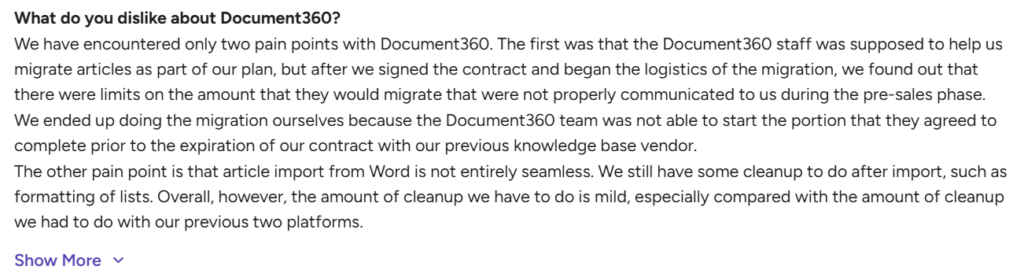
Importing and formatting migrated documents was also a hiccup for some. Some users said the vendor’s migration limits weren’t properly communicated upfront and they ended up doing the migration themselves. Word imports also need cleanup afterward, especially with list formatting.
Analytics reports also fall short of what’s advertised. Document360 doesn’t offer a single dashboard summarizing data across workspaces, so teams don’t get a real in-depth view of their content’s performance.

Guru vs Document360: Head-to-Head Comparison
Choosing between Guru and Document360 comes down to one question: do you need quick internal answers, or a documentation hub your customers can use too? Here’s how they compare across features that matter most.
| Feature | Guru | Document360 |
| Search | Keyword and tag-based search; can return no results for typos or vague phrasing | Relies on exact keyword matching; can return the wrong answer for typos or unfamiliar phrasing |
| Content Format | Short answer cards | Long-form documentation articles |
| AI Features | AI Enterprise Search, Knowledge Agents, Expert Verification | Eddy AI Suite for drafting, editing, and proofreading; AI-generated content from imported files |
| Integrations | 100+ integrations, including Slack, Teams, Salesforce, Hubspot, and Claude | Native integrations with Slack, Teams, Zendesk, Salesforce, and others via API |
| Customer-Facing Delivery | Not built-in; requires custom API setup to share content externally | Built-in self-service portals with public/private access controls |
| Compliance governance | Verified/unverified card tagging; no detailed version history or rollback | Team auditing and content approval workflows; audit log can’t restore versions on its own |
| Pricing Model | Custom quote | Custom quote, with a 14-day free trial |
| Best For | Internal teams needing quick answers inside existing tools | SaaS and product teams publishing structured internal and external documentation |
livepro: A Better Alternative to Guru vs Document360 for Contact Centers & Enterprises
Building and managing knowledge libraries is different from handling thousands of live customer calls a day while keeping every answer compliant.
Guru helps your team find information within tools they already use, like Slack or Teams. Document360 creates and maintains documentation for both internal and customer-facing portals. But when you run customer support at scale, you’ll find that neither has the features to keep up or stay compliant with strict industry regulations.
That’s the problem livepro solves.
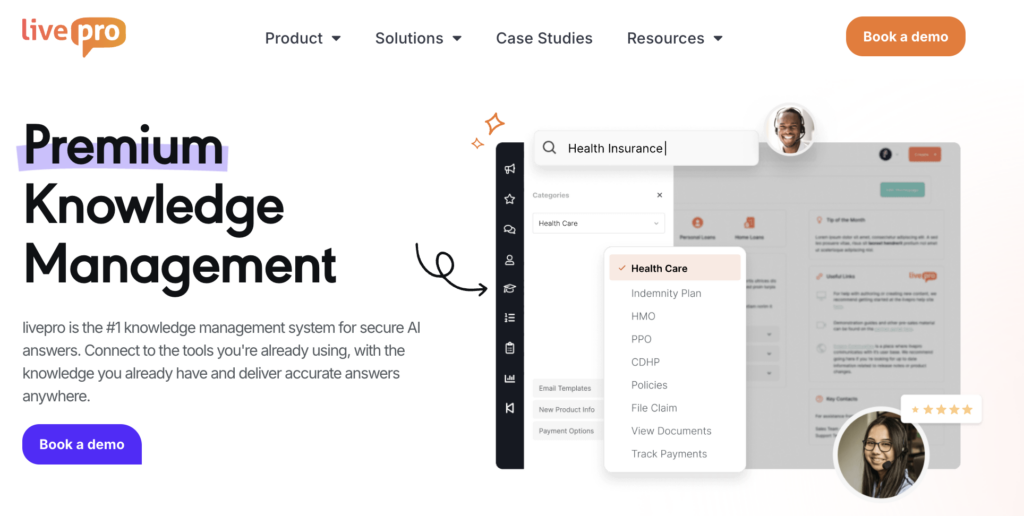
livepro is an AI-powered knowledge management platform built for contact centers and enterprises. In its Spring 2026 report, G2 ranked livepro number one across five core contact center categories, including AI search, integrations, and compliance governance.
Your call agents need this combination to access accurate information during live customer interactions. And if customer inquiries pile up, the AI voice agent, Luna, handles thousands of calls simultaneously. It sounds human and frees up your real agents to handle more complex tasks.
livepro also helps industries and departments with strict compliance requirements consistently provide customers with verified, up-to-date information. You can also govern what data gets shared across departments and with whom.
Let’s look at some of these features in more detail.
Hybrid Lightspeed Search for Instant, Accurate Answers
Guru and Document360’s search functions are too limited for live calls. Guru’s card format works with keyword and tag matching. If tags are mixed up or your call agent makes a typo, the search comes back empty. The same goes for Document360.
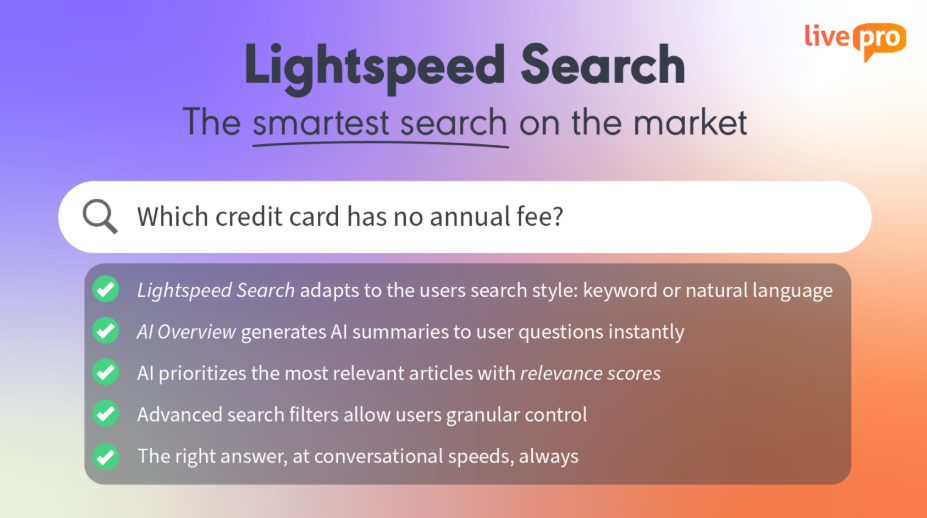
livepro’s Hybrid Lightspeed Search fixes this gap with a combination of keyword and semantic matching. Its AI-powered search works with natural language processing instead of an exact word match. Even if your call agents make typos or use vague phrasing, the AI understands the intent behind the query and pulls up the accurate answer.
This helps your agents find the information they need fast enough to actually use during a call. It also reduces your contact center’s call handling time and boosts customer satisfaction.
Rockets (Decision Trees) for Guided, Step-by-Step Workflows

Your call agents aren’t experts on every customer inquiry. And they can’t risk working from memory and giving customers false information. livepro’s decision trees called Rockets are built to solve this. They guide your call agents through a process step-by-step to help customers solve a specific problem in real time.
Guru doesn’t offer decision trees at all, according to G2 reviews. Document360 does, but it’s Enterprise-only, still in beta, and can’t adjust the steps based on what the customer says in real time. livepro’s Rockets are available in every tier and adjust the steps automatically as the conversation unfolds.
If a customer needs to file an insurance claim, your agent doesn’t have to panic trying to remember the entire process. Rockets provide the instructions, so agents follow the correct process and reduce errors.
Luna AI Voice Agent for 24/7 Customer Support

One shortcoming of both Guru and Document360 is that neither has a voice-enabled knowledge delivery system. What happens when there’s a call overflow and your agents can’t handle them all? Call queues and average handling times pile up, frustrating customers enough to take their business elsewhere.
livepro’s Luna is an AI voice agent that handles these calls and frees up your human agents for more complex tasks. It mimics real-life interactions, so customers can ask questions verbally and receive human-like responses. The voice agent also connects with your existing knowledge base to deliver pre-approved, accurate answers, unlike regular AI tools that tend to hallucinate.
Luna can also schedule appointments, take routine calls, and provide customer service outside office hours, all in multiple languages. It can also route calls to an actual call agent if it senses that an inquiry needs a human touch.
Compliance Governance and Audit Trails Built for Regulated Industries
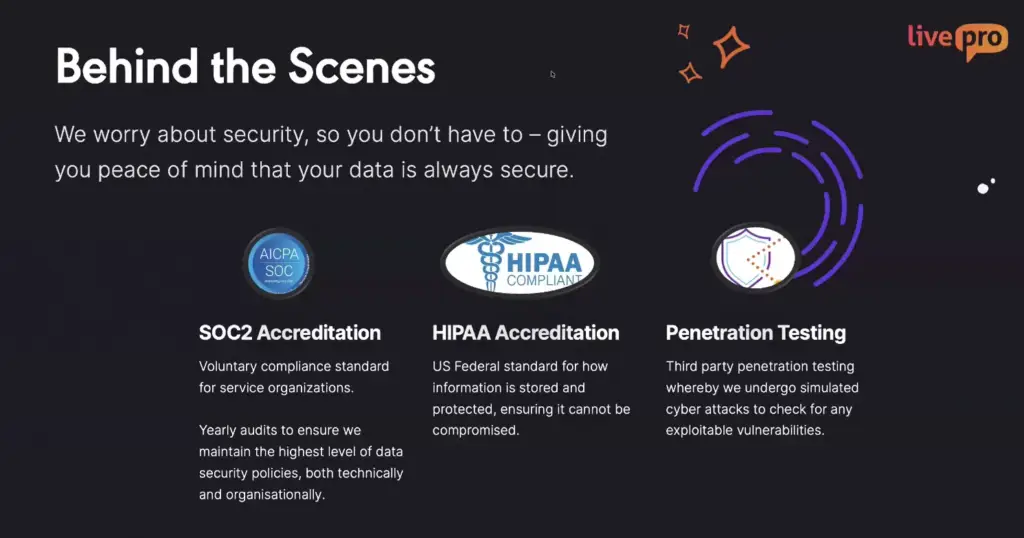
livepro’s compliance governance tools and audit trails control who can write, review, or update your company’s knowledge articles. They also maintain a version history of who changed what, when, and why. If you work in regulated industries like healthcare or insurance, these features help you give customers accurate, up-to-date information every time.
Without this, a call agent, for instance, might tell a patient their surgery is covered based on an outdated policy. The claim gets denied, and the patient is hit with a surprise bill. If the patient files a complaint, your organization might suffer financial penalties or a public compliance violation that damages your reputation for years.
Customer Self-Service Solution for Reduced Support Dependency
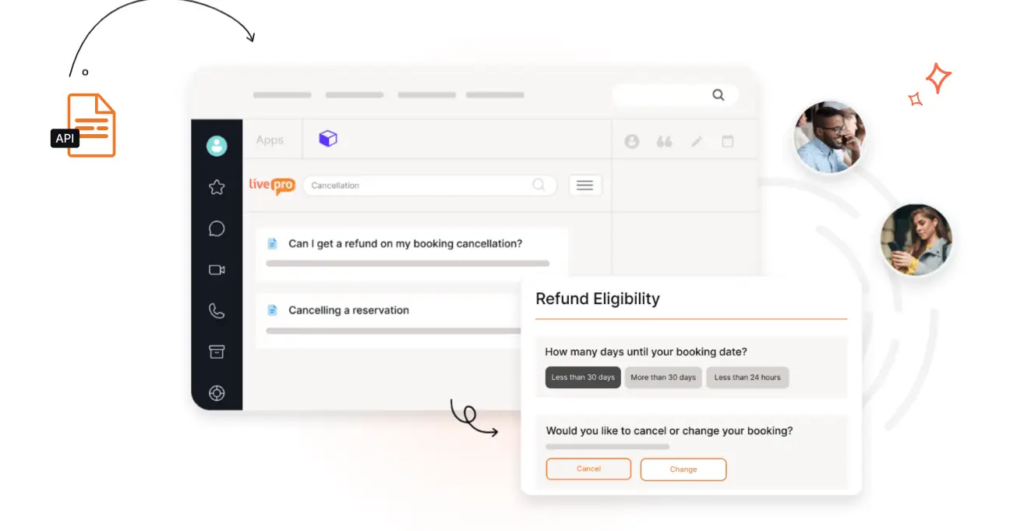
When your self-service portal and contact center run on separate systems, customers can get one answer online and a different answer from a call agent. Outdated content lingers on the public-facing side long after your internal knowledge base has been updated. This damages customer trust and drives people to call anyway.
livepro solves this by letting you manage one knowledge base for both your contact center and your customer-facing self-service portal. Your call agents stay fully equipped to handle complex calls like escalations or disputes, while customers can resolve simpler queries on their own through self-service.
Because governance and audit trails apply across the entire system, the customer-facing knowledge base updates automatically as changes are made internally. Sensitive data also stays protected from public exposure. This reduces repeat support tickets and frees your agents to focus on the complex cases that actually need a human.
Source Documents for Faster Migration
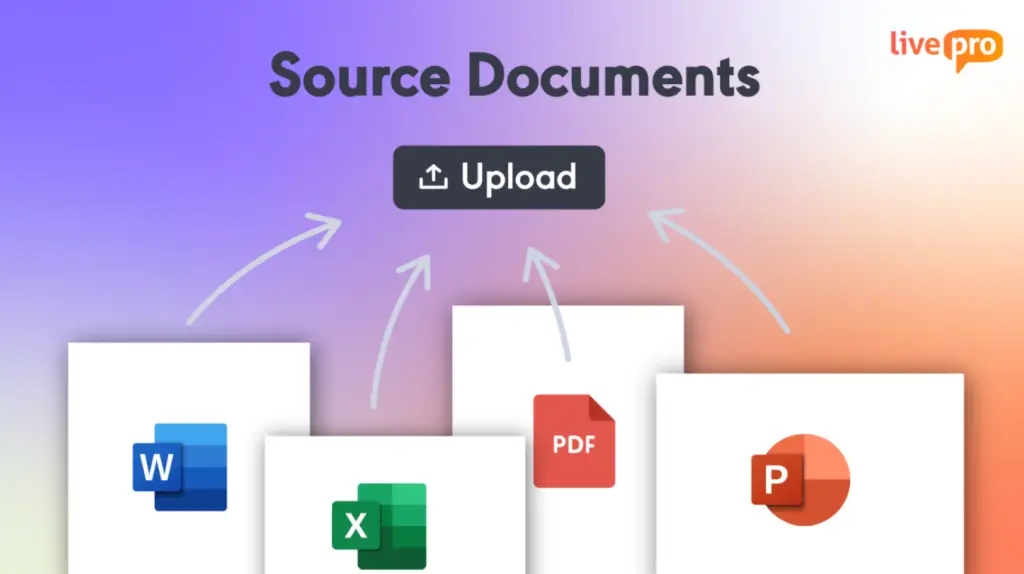
Many companies have relevant data buried in large files that would take forever to rewrite and restructure into a new system. Migration and import features on other platforms don’t always help. Document360 users often run into issues formatting imported documents. Guru reviewers mention slow upload times with multiple documents and trouble telling similar files apart during search.
With livepro, you can import your existing files, like PDFs, Word docs, and spreadsheets, and it indexes them right away. This makes them searchable alongside your other knowledge content. You can convert your most-used documents into structured articles later, without digging through pages of unformatted text.
livepro Integrations
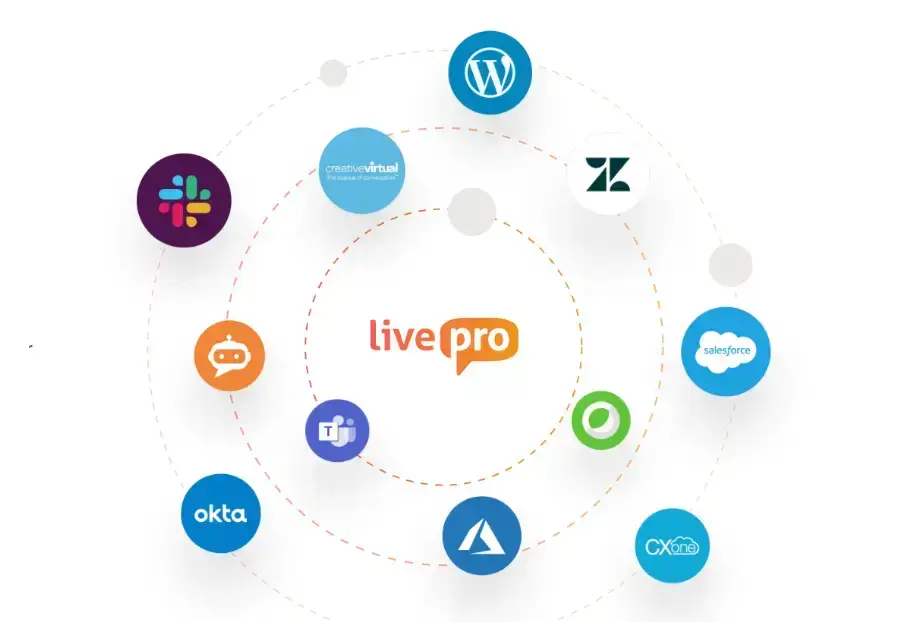
Though Guru and Document360 offer multiple integrations, setting up Guru takes more time and effort than expected. And on Document360, the connections aren’t as capable as admins would like. This limits your control over how integrations behave.
livepro integrates with the platforms your team already uses, so you can share information company-wide from a single source. It also connects with contact-center-specific platforms like Genesys Cloud CX and NiCE CXone. These display answers directly on the agent’s screen during a live call.
If you need more connections, you can build custom ones using livepro’s API.
livepro Pricing
livepro offers three pricing plans for both small business and enterprise teams:
- Flex: For small and growing contact centers and teams
- Premium: For mid-sized contact centers with up to 50 agents
- Enterprise: For much larger teams with high-scale operations
You can contact us to get a custom quote.
Bottom Line: Look Beyond Guru vs Document360 for Knowledge Management with livepro
Guru and Document360 both do their jobs well. Guru gives internal teams a single source of truth without leaving the apps they already use. Document360 builds documentation for both internal and external use.
Neither was built to handle high volumes of live calls, where a wrong or delayed response can cost you a customer or trigger a compliance violation.
livepro closes that gap. With AI search, decision trees, a voice agent, and compliance governance, every answer a customer gets, whether from an agent or self-service, is accurate and audit-ready.
Book a demo to see how livepro’s AI search, decision trees, and compliance governance give your teams the right answer every time, whether they’re on a live call or managing knowledge across departments.
FAQs About Guru vs Document360
Is Guru or Document360 better for a contact center?
Neither fits a contact center well. Guru works for internal team knowledge sharing, while Document360 focuses on documentation and self-service portals. Both lack decision trees, voice support, and the compliance governance regulated contact centers need. livepro was built specifically for live call environments where accuracy and compliance matter most.
Can Document360 be used as an internal knowledge base?
Yes, Document360 supports internal knowledge bases alongside customer-facing documentation. You can restrict certain articles to staff while publishing others externally.
Does Guru offer a customer-facing knowledge portal?
Not natively. Guru is built for internal teams accessing company knowledge through tools like Slack and Salesforce. Sharing content with customers requires a custom integration using Guru’s API. It isn’t a built-in self-service solution the way Document360 or livepro are.
How does livepro compare to Guru and Document360 for enterprise teams?
livepro supports the same cross-department knowledge sharing Guru and Document360 offer, but adds compliance governance, audit trails, and guided decision trees built for regulated industries. Enterprise teams managing HR, legal, finance, and customer support get one governed system instead of piecing together several disconnected tools.
What is the cheapest option between Guru, Document360, and livepro?
All three offer custom pricing based on team size and needs, so there’s no fixed cheapest option upfront. Aside from pricing, weigh total cost of ownership, implementation time, training, and maintenance, since a cheaper platform can cost more if it demands constant manual work.