

Your knowledge is scattered across multiple departments. Each team has their own PDFs, chats, email threads, and Slack messages that hold critical information. You need a tool to fix this problem. Many teams recommend Confluence and SharePoint, but you’re not sure which one is right for you.
Confluence helps engineering teams build an internal wiki to organize technical and product documentation. SharePoint is best for teams that need a collaborative workspace for storing and governing files across departments.
In this article, we’ll compare Confluence vs SharePoint. We’ll discuss each platform’s key features, pricing, and user experience, and see how they differ.
We’ve also added a third alternative, livepro for contact centers and enterprise teams that need governed knowledge with compliance controls and automated workflows.
TL;DR: Confluence vs SharePoint: Where Each Platform Wins
| Category | Winner | Why |
| Ease of collaboration | Confluence | Real-time co-editing and an open, org-wide knowledge structure |
| Backup and retention | SharePoint | Tenant-level backup and archive, covering retention across the whole platform |
| Search accuracy | livepro | AI-powered search, typo tolerance, relevance scoring, with AI-generated summaries in real-time |
| Built-in governance | livepro | Granular permissions and access management |
| Compliance readiness | livepro | SOC 2 and HIPAA certified, self-hosted AI infrastructure, with full audit trails |
What is Confluence?
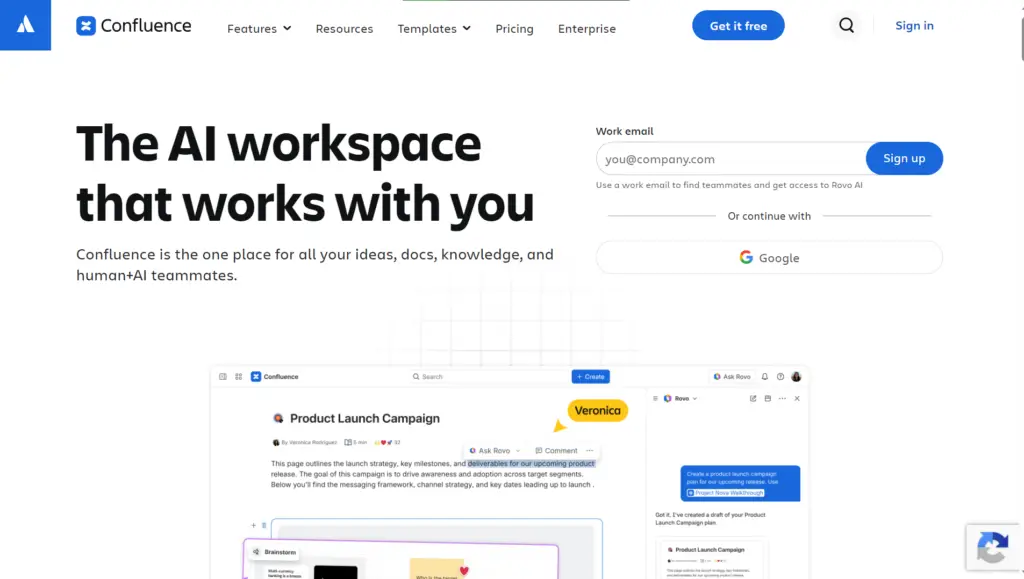
Confluence is Atlassian’s connected workspace built for teams across engineering, IT, product, HR, marketing, and operations. It helps with internal documentation, knowledge sharing, and collaborative projects.
The platform targets teams that already use Jira and the wider Atlassian ecosystem.
Many users find it suitable for tech-related projects, but complain about search inaccuracies and limited governance control.
Read more: Confluence Alternatives
Confluence Key Features
Here are the key features of Confluence:
- Rovo AI: Built-in AI that searches, summarizes, and chats across your knowledge base to speed up work.
- Advanced search: Finds the right knowledge fast using labels, smart links, and content tagging instead of manual digging.
- Page versioning: Real-time co-editing with in-line comments, version history, and instant notifications.
- Content hierarchy: Groups related pages by team, project, or department for easy navigation.
- Company Hub: A central home for org-wide knowledge, news, and announcements everyone can access.
- Templates: Pre-built page formats that keep knowledge documentation consistent across contributors.
- Whiteboards with Jira conversion: Turns brainstormed sticky notes into trackable Jira issues in one click.
- Macros and automation rules: No-code triggers that auto-update, notify, or archive knowledge content on schedule.
- Marketplace integrations: Connects Confluence to tools like Slack, Google, Figma, and Microsoft Teams.
- Knowledge insights and analytics: Tracks views, popular content, and engagement to spot knowledge gaps.
Confluence Pricing
Confluence basic plan starts at $5.42 per user per month.
User Rating
What is SharePoint?

SharePoint is Microsoft’s knowledge and content management platform, built to store, organize, and govern information across Microsoft 365. It serves IT admins and governance-driven enterprise teams.
SharePoint acts as a knowledge layer that powers intranets, team sites, and secure file sharing at scale. Its native integration with Microsoft 365 tools like Teams, Outlook, and Power Platform keeps knowledge tied into daily workflows.
Many SharePoint users praise its centralized access, but they complain about poor search results and complex setup.
Read more: SharePoint Alternatives
SharePoint Key Features
Here are the key features of SharePoint:
- Work IQ: Grounds Microsoft 365 Copilot and AI agents in your organization’s verified knowledge content.
- Intelligent search: Surfaces answers across SharePoint sites using AI-powered, natural language queries.
- Knowledge Agent: Flags outdated pages, broken links, and content gaps to keep knowledge accurate.
- Custom and ready-made site agents: AI agents built on specific SharePoint sites to answer questions from that content.
- Communication and Team sites: Structured hubs for department knowledge, updates, and project collaboration.
- Document libraries and Microsoft Lists: Native storage for structured and unstructured knowledge content.
- SharePoint Advanced Management: Granular, site-level permissions to control exactly who accesses what.
- AI workflows: Natural language automation that updates or routes knowledge content across SharePoint and Teams.
- Microsoft 365 Backup and Archive: Protects knowledge content with built-in backup and long-term retention.
- Deep Microsoft 365 integration: Connects directly to Teams, Outlook, Word, Excel, and Power Platform for in-workflow access.
SharePoint Pricing
SharePoint pricing starts at $7 per user per month for the Microsoft 365 Business suite.
User Rating
Confluence vs SharePoint: Feature-by-Feature Comparison
Here is the feature-by-feature comparison between Confluence and SharePoint:
Confluence Finds Content Through Labels and Links, SharePoint Finds Through Metadata
Confluence search relies on labels, Smart Links, and page tree navigation to surface related content. The Rovo Search uses natural language answers on top of that structure. But search quality drops if pages aren’t labeled, linked, or sit outside a clear page hierarchy.
SharePoint’s intelligent search reasons over metadata across sites. It matches Microsoft’s broader emphasis on structured, governed content. But the results depend on how much of your organization’s data is properly permissioned and connected.
Confluence Reports Engagement, SharePoint Flags Content Gaps
Confluence’s page insights show views and engagement trends, but teams still have to review that data themselves to spot gaps. SharePoint’s Knowledge Agent goes a step further and flags outdated pages, broken links, and content gaps, though this feature is currently in public preview.
Confluence Centers on Collaborative Pages, SharePoint Centers on Files and Records
Confluence builds knowledge as Pages that multiple people edit together in real time, with full version history tracking every change.
SharePoint organizes knowledge as files stored in document libraries and Lists. It treats each piece of content more like a stored record than a page people actively write and update together.
Confluence Allows Full-Page Co-Editing, SharePoint Locks Individual Blocks
Both platforms support real-time, multi-user editing on the same document. Confluence lets up to 12 people edit one page simultaneously, syncing changes as they type.
SharePoint locks editing at the web part level. If one person is editing a specific web part, that web part locks for others until they finish. But other team members can edit other web parts on that same page.
Confluence Nests Knowledge in One Hierarchy, SharePoint Splits Knowledge Across Sites
Confluence organizes content in Spaces, so all pages for a team or project sit under one structure you can browse top to bottom. This suits smaller, collaborative teams that want one browsable structure.
SharePoint splits content into separate Communication and Team sites, so each department or project gets its own standalone site. This is best for larger enterprises that need separate, permission-controlled sites per department.
Confluence Gates Governance Behind Higher Tiers, SharePoint Builds It In
Confluence’s content permissions and audit logs scale in at the Premium and Enterprise tiers. SharePoint applies granular, site-level permissions through Advanced Management, which comes with a separate add-on.
Confluence Automates with Rules, SharePoint Automates with Natural Language
Confluence automation runs on no-code rules triggered by set conditions. SharePoint’s AI workflows use natural language commands and routes and update content across SharePoint and Teams.
Confluence is more predictable since the logic is visible and fixed. SharePoint is faster to set up, but this depends on whether AI reads your instructions correctly.
Both Offer AI Assistance for Content Creation
Confluence’s Rovo AI supports writers inside the editor, offering summaries and suggestions as they build a page manually. SharePoint’s Copilot goes further at the drafting stage, generating a complete page from a natural language description or an existing file before editing begins.
Confluence Edits One Continuous Document, SharePoint Assembles Modular Blocks
Confluence’s WYSIWYG (What You See Is What You Get) editor and macros let writers build a single flowing page, with structured elements (tables, panels, embeds) inserted inline. SharePoint’s web parts work more like a page builder, where writers assemble separate content blocks side by side rather than editing one continuous document.
Confluence Supports a Marketplace, SharePoint Integrates Within One Ecosystem
Confluence connects to 4,000+ Marketplace apps and ties deeply with Atlassian tools. SharePoint stays native to Microsoft 365, connecting directly to Teams, Outlook, Word, Excel, and Power Platform.
Scalability
Many Confluence users say the platform slows down as your content library grows, often due to page bloat and content sprawl. SharePoint users face similar issues, with large document libraries and workflow configurations.
Confluence vs SharePoint: Quick Feature Comparison Table
| Feature | Confluence | SharePoint |
| AI assistant | Rovo AI, built into the workspace for chat, summaries, and audio briefings | Copilot, grounded in your content through Work IQ |
| Search | Labels, Smart Links, and page tree navigation | Metadata-driven search that reasons over site content |
| Core content unit | Pages, built as continuous documents | Web parts, assembled as modular blocks |
| Organization structure | Spaces and page tree | Communication and Team sites |
| Collaboration tools | Real-time co-editing on the same page, up to 12 editors at once | Real-time co-editing across web parts, but one editor locks a web part at a time |
| Governance | Content permissions and audit logs at Premium/Enterprise | Granular, site-level permissions through Advanced Management by default |
| Automation | No-code automation rules | AI workflows using natural language |
| Authoring tools | WYSIWYG editor, 100+ templates, macros | Drag-and-drop layouts, web parts, Copilot-generated drafts |
| Backup/version control | Page-level version history and restore | Tenant-level backup and archive |
| Knowledge analytics | Page insights and analytics track views and engagement | Knowledge Agent flags outdated pages, broken links, and gaps |
| Integrations | 4,000+ marketplace apps, connects Atlassian tools | Native to Microsoft 365 (Teams, Outlook, Word, Excel, PowerPoint) |
Confluence vs SharePoint: Pricing Comparison Table
| Platforms | Plans | Starting Price | What’s Included |
| Confluence | Free, Standard, Premium, Enterprise | $5.42 per user per month | Rovo Search, Chat, and Agents with integrated AI-powered work features; advanced permissions; 250 GB of storage; up to 250,000 users per site |
| SharePoint | Microsoft 365 Business Basic, Standard, Premium | $7 per user per month for up to 300 users | Web and mobile versions, custom business email, 1 TB of cloud storage per user; AI chat experience |
livepro: A Better Alternative to Confluence vs SharePoint for Contact Centers and Enterprise Teams
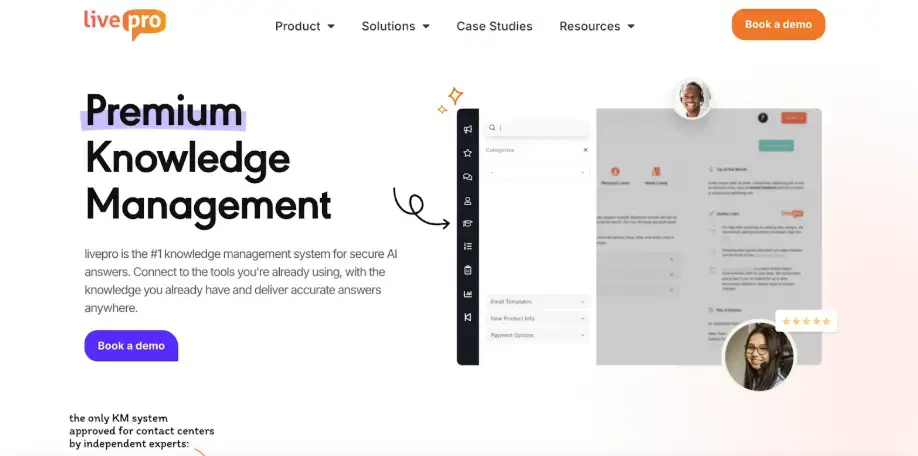
livepro is an AI-powered knowledge management system built for contact centers and enterprise teams that need a governed knowledge base with accurate answer retrieval. The platform serves highly regulated industries like healthcare, BPOs, and local government.
livepro consolidates all your scattered knowledge into a single source of truth, so agents, internal teams, and customers access the same information. It delivers accurate answers during live interactions and helps internal teams find specific information with decision trees and content governance.
G2 Spring 2026 Grid Report ranked livepro among the top three knowledge management platforms in 2025 across all six feature categories. The platform ranks highest in data governance (9.9/10), access management (9.7/10), and compliance (9.8/10), followed by intelligent search, integrations, and analytics.
Here’s how livepro solves problems that Confluence and SharePoint users face:
AI-Powered Search for Faster Answer Retrieval
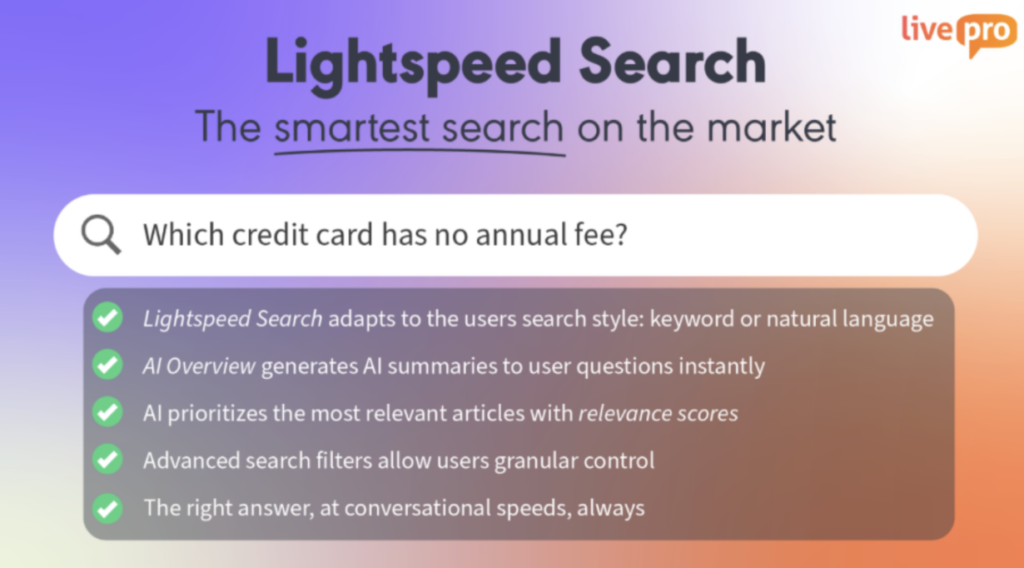
SharePoint users complain that search results lack precision, especially for large content libraries. Some Confluence users also report that exact-title searches often rank archived pages above the correct result, pushing teams to rely on direct links.
livepro’s Lightspeed Search combines keyword matching, natural language processing, and vector-based retrieval into one hybrid search engine. Each method compensates for the others’ blind spots:
- Keyword search catches exact terminology
- Natural language processing interprets what the searcher means
- Vector-based search compares the meaning behind a query, so it finds semantic matches even when the exact wording differs.
For example, an agent typing “refund rules” gets matched to the latest return policy directly, instead of a list of generic results. The same logic holds in regulated environments with specialized vocabulary.
livepro’s search implements RAG (Retrieval-Augmented Generation) to pull the most relevant approved content first, then generates a response based only on what it retrieved.
If an agent mistypes a term mid-call, the search still responds with relevant results in real-time. The platform also supports AI relevance scoring to rank results by accuracy, approval date, and confidence level. It surfaces the most current answer first rather than the most recently added one.
This helps agents and internal teams speed up search time and see accurate results with confidence.
AI Overviews for Quick Summaries
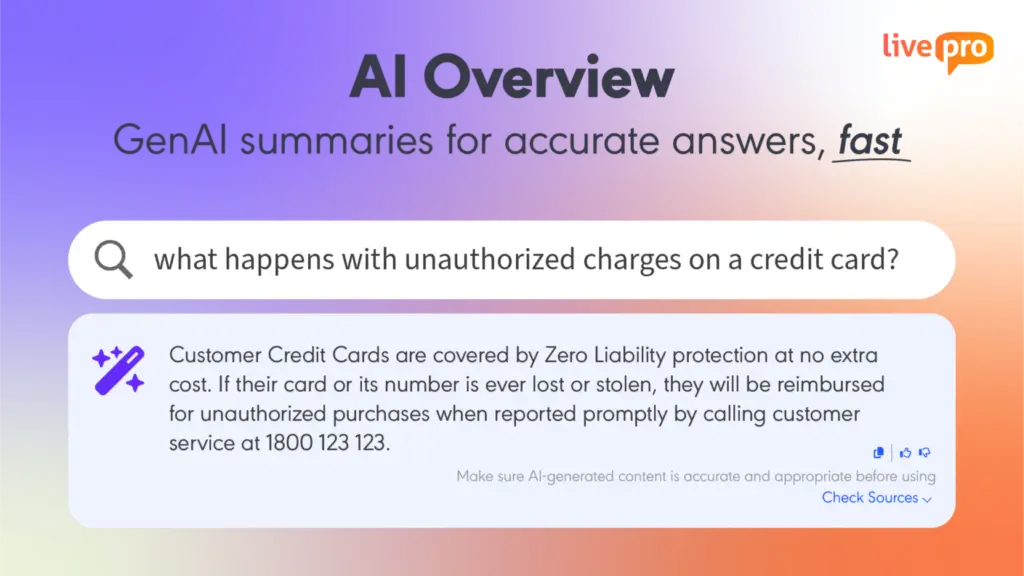
Finding the right article solves half the problem. A ten-page policy document might contain the answer to a simple question, but an agent on a live call can’t scroll through it.
livepro’s AI Overview generates a short, natural-language summary at the point of search.
Unlike an AI assistant that might draft an answer from anywhere, AI Overview stays constrained to your organization’s verified content. Answers are generated from approved knowledge only and link back to the original article. This allows agents to confirm details and respond confidently in real time.
The AI-generated summaries can include key points, important notes, or specific information that an agent or team member needs at the time.
Unlike Confluence or SharePoint, livepro also offers a built-in feedback workflow to improve content quality. Agents can give instant feedback with thumbs up and thumbs down buttons. Repeated negative feedback on a summary flags that article for review, giving knowledge managers a live signal for where documentation needs revision.
For example, a patient access manager searches for “referral intake process.” The AI Overview pulls the latest approved workflow and summarizes the key steps for verifying referrals and insurance coverage. It also links to the complete procedure for anyone who needs the full details.
LightspeedAI to Migrate Documents Faster
Both Confluence and SharePoint users struggle to structure their content into a readable format for the platforms.
Confluence requires content to be exported into plain text, HTML, or Confluence Storage Format before bulk import will accept it. SharePoint’s own migration tool only handles content moving from SharePoint, file shares, or OneDrive, leaving external files unsupported.
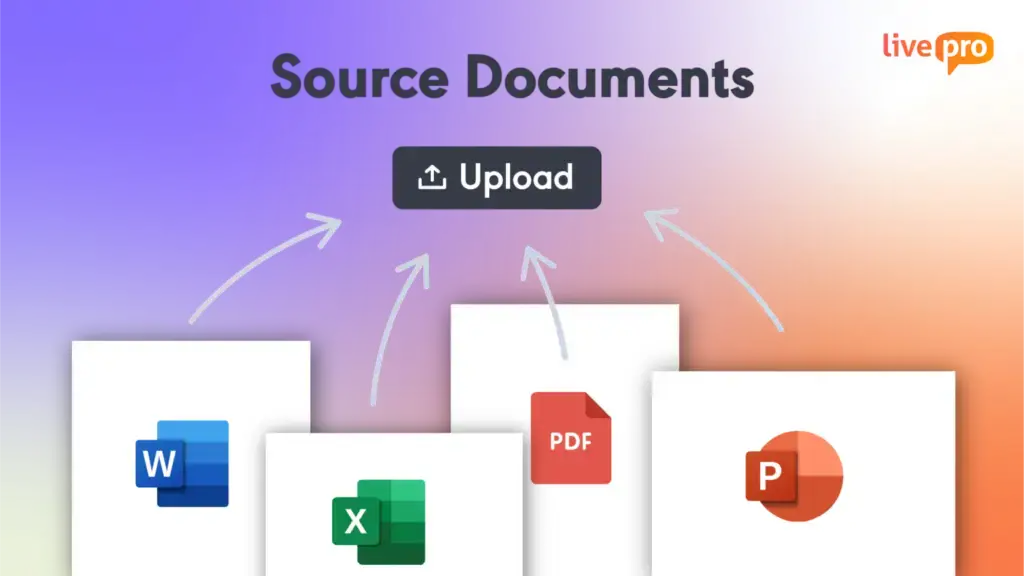
livepro’s LightspeedAI lets you bulk upload multiple file formats, including PDFs, spreadsheets, Word files, and PowerPoint decks. You can upload policies, processes, and procedures from different departments into a single platform.
The AI turns the raw, unstructured content into readable articles within minutes. It shortens long-winded sentences, simplifies jargon, and makes content accessible to agents and internal teams.
You can also create pre-built templates that LightspeedAI uses to format content into searchable articles without manual work.
As AI structures the content, the knowledge articles await approval by default. You or your team members can review and approve each article before it’s live. This makes sure agents and internal teams access approved knowledge.
Decision Trees for Step-by-Step Process Guidance

Both Confluence and SharePoint don’t support branching workflows or step-by-step process guidance. If your process has five different branches, each with a different outcome, agents need to read through long documents to determine the right path. But this requires experience and time.
livepro’s decision trees turn static articles into branching workflows. Agents answer one question at a time, and the tool routes them to the next relevant question based on their previous answer. Each branch narrows the path until the agent lands on the specific outcome.
This shifts the cognitive load off the agent and onto the tool. A new agent handling an unfamiliar scenario doesn’t need to learn the underlying policy logic. They just need to answer the questions in front of them, and the decision tree enforces the correct path every time, regardless of who is running it or how experienced they are.
Knowledge managers can set up decision trees with a simple drag-and-drop editor. They can map out decision points, add questions, and link each answer to an outcome, without writing any code. The same visual builder lets authors update the logic later, so a policy change means editing the tree once instead of rewriting a static article.
AI Authoring Tools for Content Creation
SharePoint offers generic templates that aren’t designed for knowledge articles. Confluence users complain about a lack of customization and a clunky page editor for media-heavy documents and complex nested tables.
livepro’s authoring tools allow knowledge managers and subject matter experts to organize, edit, and manage knowledge articles across all departments.
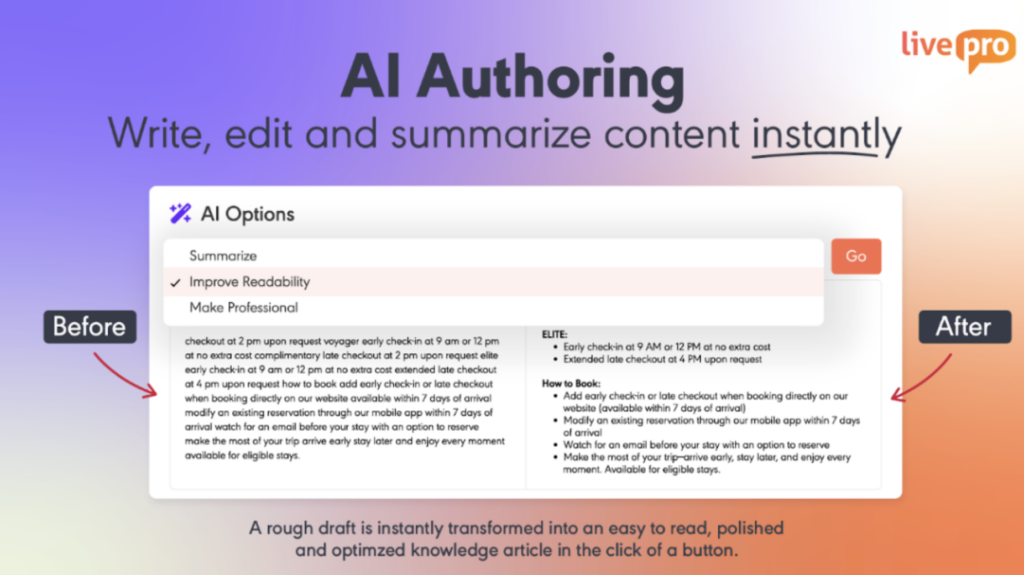
SMEs can start with rough or unstructured content, then use livepro’s AI Authoring to summarize lengthy sections, simplify complex text, and refine tone for a polished, professional finish, all with a single click.
The WYSIWYG (What You See Is What You Get) editor lets teams format content visually, showing how an article will appear to agents, without learning markup languages or switching between editing and preview modes.
You can design pre-built templates to enforce consistent formatting for different content types like FAQs, policies, and step-by-step process guides. The platform supports heading styles, font sizes, and layout. You can upload media-heavy elements like images, links, and multimedia content directly into an article, without needing IT support or technical setup.
Unlike Confluence, livepro supports media-heavy documents, making it suitable for teams with large content libraries.
Built-In Governance to Keep Knowledge Up-to-Date
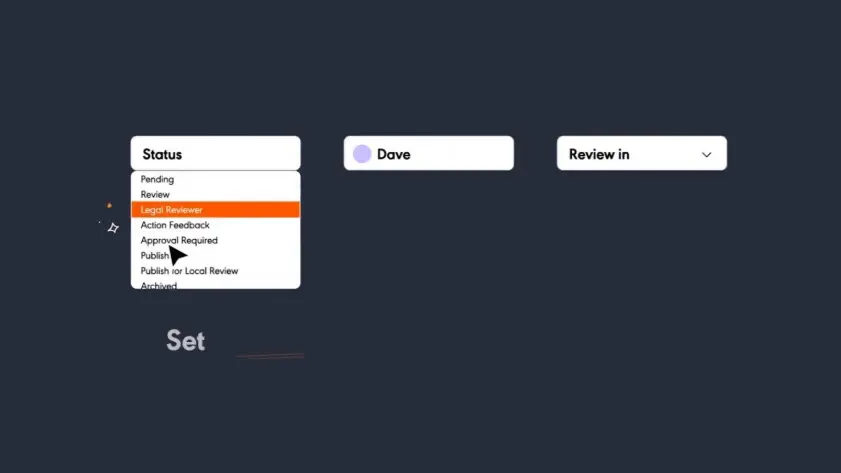
SharePoint users report that setting up permissions and access is hard for multiple groups, while Confluence users also complain about inconsistent structure and limited governance as the content library grows.
livepro offers a built-in governance framework that manages content across its entire lifecycle, from creation to retirement:
- Author-reviewer-approver sequence: Every article moves through a defined chain of accountability before it’s published.
- Version history: Every change is tracked, showing who updated what and when. You can restore a previous version if a change needs reversing.
- Role-based permissions: Access to view, edit, or publish content is tied to role, so permissions stay consistent across groups.
- Automated review reminders: Articles are revisited on a scheduled cycle, so content doesn’t go stale simply because no one remembered to check it.
- Scheduled publication and expiry: Articles can go live and retire automatically on a set date, so outdated information doesn’t linger in the knowledge base.
For example, a compliance-critical refund policy due for review in 90 days triggers an automatic reminder to the content owner. If it’s not reviewed and approved, the platform pulls it from the knowledge base. This removes the need for a knowledge manager to track review deadlines manually across hundreds of articles.
Industry Compliance for Regulated Industries
Regulated teams in banking, healthcare, and government need an audit-ready and compliant knowledge base.
livepro is a SOC 2 and HIPAA-certified knowledge management system, built on self-hosted AI architecture. The data is encrypted and never leaves the organization’s own secure environment.
Every content edit is logged automatically, capturing who made the change, when it happened, and what changed. This allows auditors to find the relevant source when needed.
livepro supports PII Redact, which scans articles, comments, and search logs for personally identifiable information before the content circulates internally.
Administrators can decide who can view, edit, approve, or publish, so sensitive material reaches only the people cleared to see it. The rest of the knowledge base remains open and useful for everyone else.
Customer Self-Service Solutions to Reduce Call Volume
Neither Confluence nor SharePoint offers a customer-facing self-service product.
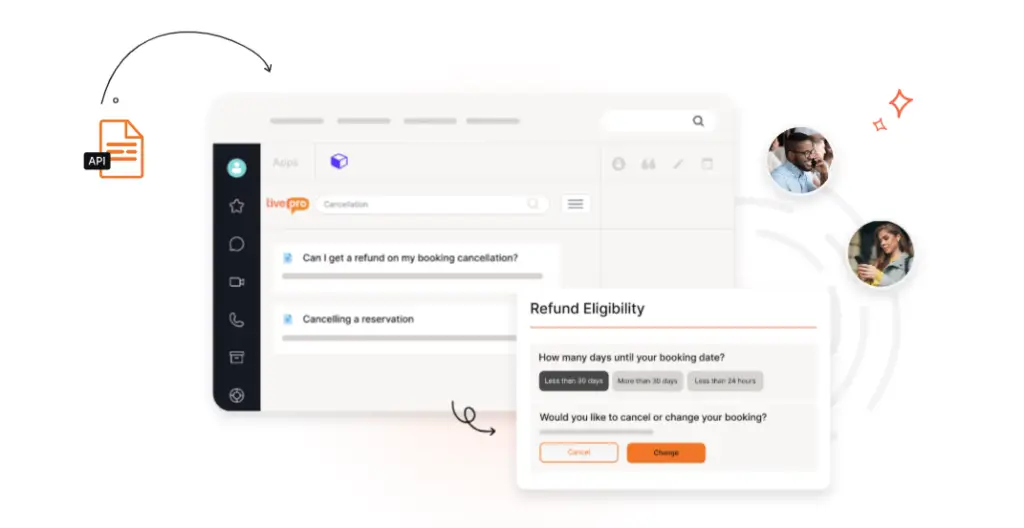
livepro offers self-service solutions that allow teams to link the same knowledge base they use to their customer-facing website or portal. It offers three tools:
- WebAnswers: Connects to a company’s website through a simple API. Customers can ask questions in everyday language and get AI-generated answers pulled from the same knowledge base agents use.
- OpenAPI: Delivers the same knowledge base answers through any channel, including chatbots, human-assisted chat, and voice IVR.
- Luna Voice Agent: An AI-powered voice agent that uses the same knowledge base. Luna answers phone calls around the clock and escalates to a live agent only when a question is too complex to resolve.
All three tools pull from the same governed, approved content agents use internally, so customers get an identical answer no matter which channel they ask through.
This consistency lowers call and ticket volume by letting customers resolve simple questions on their own, freeing agents to handle only the cases that genuinely need a person.
Knowledge Analytics to Track Content Performance and Trends
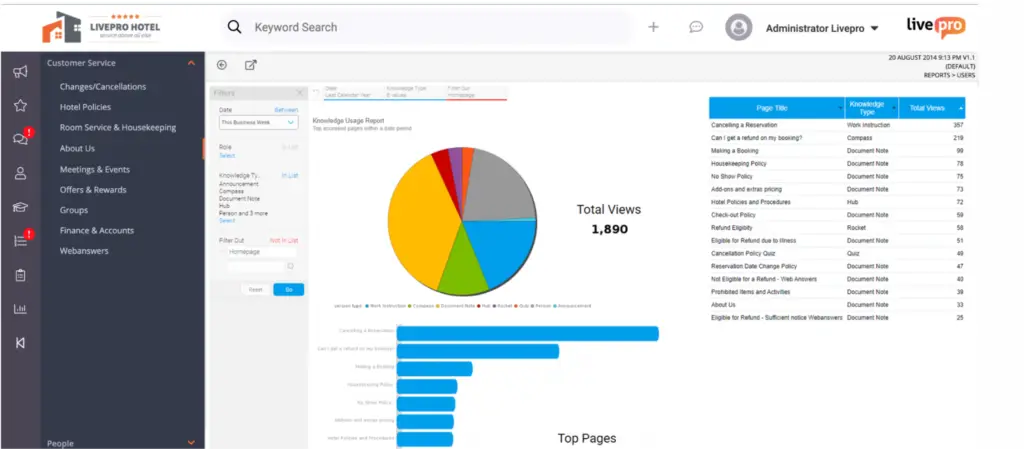
Many Confluence users complain about limited analytics tools, while SharePoint users also report they need deeper levels of reporting on the knowledge base. Neither gives leaders the data to decide where to invest in content or team training.
livepro’s knowledge analytics show you usage trends, search behavior, and high-traffic content, so teams can monitor performance at a glance. Here are some key metrics you can track:
- Search analytics: Surfaces failed searches, vague queries, and topics that need clearer or additional content.
- Article-level analytics: Shows pageviews, time spent, and interaction patterns, revealing which articles help agents and which ones may need a rewrite.
- Low-engagement metrics: Flags recently updated or compliance-critical articles with low engagement.
- Feedback signals: Tracks when agents flag issues, request updates, or suggest improvements directly from an article.
- Compliance adherence: Tracks whether agents access and follow approved, up-to-date content, surfacing gaps before they turn into compliance violations.
- Customizable reporting: Lets leaders track metrics tied to specific goals like average handling time or first-contact resolution.
You can export this data to share with your executives or stakeholders. livepro’s analytics API allows knowledge managers to export usage and search data into their own business intelligence tools for reporting.
livepro Integrations
SharePoint users complain that the platform is less flexible for external tools. This forces teams into manual workarounds or switching tabs during live interactions or mid-task.
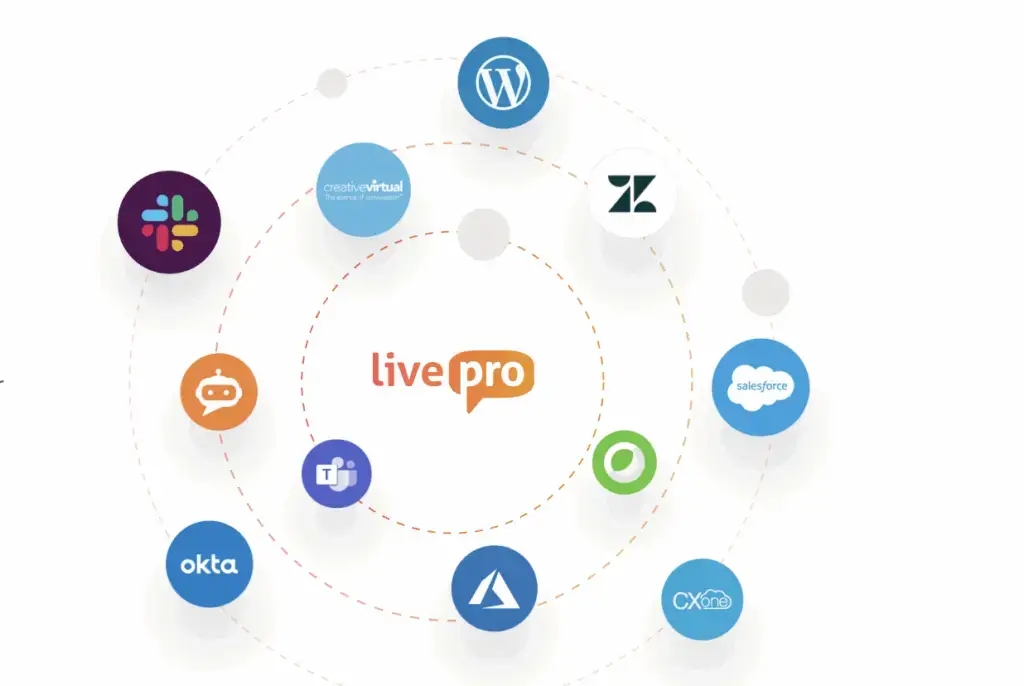
livepro offers native integrations with tools your teams already use, so data flows through a single system. The platform connects with:
- Genesys: Delivers answers directly to the Genesys Agent Desktop and pops relevant knowledge based on the incoming IVR, so agents have context before the interaction starts.
- CXone: Surfaces knowledge directly inside the CXone Agent Desktop, keeping agents in one screen instead of switching tools mid-call.
- Salesforce: Lets agents search knowledge articles without leaving Salesforce, and can pre-populate results based on case details like the subject line.
- Zendesk: Passes the incident type through automatically, so the right knowledge article surfaces alongside the ticket without a separate search.
- Microsoft Teams: Lets users search knowledge directly within Teams and share articles with teammates without switching platforms.
- Microsoft Dynamics: Extends the same in-context knowledge access into Dynamics, following the pattern set by livepro’s other Microsoft integrations.
If you use a custom app or platform, livepro’s open API allows you to connect your custom tool directly to the knowledge base.
livepro Pricing
livepro offers three pricing plans: Flex, Premium, and Enterprise. Contact our team for a custom quote.
User Rating
Comparison Table: livepro vs Confluence vs SharePoint
| Platform | Best For | Search Capability | Content Migration | Governance Model |
| livepro | Contact centers and enterprises in regulated industries needing a governed knowledge base with advanced customization | Combines keyword, natural language, and vector-based retrieval through RAG, with typo tolerance and relevance scoring | Bulk upload via LightspeedAI, auto-converts raw files into structured articles | Author-reviewer-approver workflow, version control, role-based permissions, automated review and expiry, industry-compliant certifications, audit trails |
| Confluence | Software, product, and cross-functional teams already using the Atlassian ecosystem | Finds content through labels, Smart Links, and page tree navigation, but users complain exact-title searches rank outdated pages above | Manual export to plain text, HTML, or Confluence Storage Format before bulk import | Content permissions and audit logs, gated at Premium/Enterprise tiers |
| SharePoint | IT admins and governance-driven enterprise teams using Microsoft 365 | Uses metadata-driven intelligent search, but users report imprecise results in large content libraries | Native tool limited to SharePoint, file shares, and OneDrive only | Granular, site-level permissions through Advanced Management |
Confluence vs. SharePoint: The Final Verdict
Confluence is best for software and product teams already inside the Atlassian ecosystem that need fast, collaborative documentation without heavy governance overhead. It offers real-time co-editing, Jira integration, whiteboards, and an open, org-wide knowledge structure.
SharePoint is better suited for IT-led enterprises already committed to Microsoft 365, where governance and permissions need to be built in from day one. If your organization needs granular access control, native Teams and Outlook integration, and content locked into an existing Microsoft environment, SharePoint has the ecosystem depth to support that.
If you find Confluence too limited on governance or SharePoint too rigid outside Microsoft, livepro is a better alternative built for knowledge accuracy and compliance.
Why CX and Enterprise Teams Choose livepro Over Confluence and SharePoint
livepro is built for contact centers and enterprises that need compliant, governed knowledge with more flexibility and customization options. It offers AI-powered search, governance control, authoring tools, decision trees, customer self-service, and wider integrations.
Agents, internal teams, and customers access the same approved content. So answers stay consistent whether someone is on a live call, searching internally, or self-serving through a customer portal.
As your content library grows, livepro adapts to your operations, so scaling your knowledge base doesn’t require overhauling the entire system.
Book a demo to learn how livepro replaces fragmented pages and content libraries with a single source of truth your teams can trust.
FAQs About Confluence vs SharePoint
Can I connect Confluence’s internal wiki to a customer-facing knowledge base?
Yes, there are two main ways to do it. If you use Jira Service Management, you link a Confluence space directly to the customer portal so users search the same content teams use.
For a fully public help center, admins can enable anonymous access at the space level. Or they can add a third-party app like K15t’s Scroll Viewport. The app pulls content straight from Confluence pages but rebuilds the front end with branding.
Which platform requires technical support, Confluence vs. SharePoint?
SharePoint needs more hands-on technical support for site architecture, permission inheritance, and metadata structures. Confluence needs lighter technical support, since spaces and pages map closely to how teams already write. But governance features such as content permissions and audit logs are locked in the Premium and Enterprise tiers, so scaling those up still needs an admin’s involvement.
Do the built-in AI assistants train on my company content, and can that be turned off?
Microsoft states Microsoft 365 Copilot doesn’t use tenant prompts or data to train its foundation models, so content stays inside the existing permission boundary. Atlassian recently announced they’ll begin using cloud customer content to train Rovo by default. Only Enterprise tier customers can fully opt out of both metadata and content collection.