


Bloomfire is an AI-powered knowledge management platform built for enterprise teams that need to share and discover knowledge across departments. Its deep indexing search covers 50+ file types, including video and audio transcription, making it a strong fit for sales enablement, customer support, and business teams that work with diverse content types.
Helpjuice is a knowledge base platform built for teams that need branded and customizable documentation portals. It offers full HTML/CSS control and free custom design support, making it the go-to choice for organizations that prioritize self-service experiences and visual consistency.
This article compares Bloomfire vs Helpjuice across search capabilities, content authoring, workflow governance, integrations, and pricing.
We’ll also introduce livepro, a purpose-built alternative for contact centers and enterprises that might be a better fit for your business.
Bloomfire vs Helpjuice at a Glance
| Criteria | Bloomfire | Helpjuice |
| Best for | Enterprise teams sharing knowledge across departments | Teams needing branded, customizable knowledge bases |
| Primary use case | Centralized knowledge discovery across diverse content types | Branded self-service portals for internal and external users |
| AI capabilities | Ask AI (Synapse), Author Assist, deep indexing across 50+ file types | AI Writer, semantic search (paid tier only) |
| Content types supported | 50+ file types including video and audio | Text, images, PDFs; limited multimedia support |
| Deployment complexity | Moderate (can be complex for large content libraries) | Low (most teams get started quickly) |
| Pricing | ~$1,250/mo for 50 users (custom, multi-year contract) | $249–$799/mo (4 tiers, monthly billing available) |
| G2 rating | 4.5/5 | 4.5/5 |
| Free trial | No | Yes (14 days) |
What is Bloomfire?

Bloomfire is an AI-powered knowledge management platform that centralizes company knowledge and makes it discoverable through advanced search. It positions itself as an enterprise intelligence platform that goes beyond static document storage.
The platform serves business teams across customer support, sales enablement, marketing (for example, AI SEO agencies), and operations. Its core strength is a search engine that indexes virtually any content type, including video and audio. Spoken words become searchable alongside text.Teams also get a built-in Q&A engine, social engagement features, and AI-assisted content tools.
Bloomfire targets mid-to-large enterprises that manage knowledge across multiple departments and content formats.
Read more: Bloomfire Alternatives
Bloomfire Key Features
- AI-Powered Deep Indexing Search: Indexes all content types, including video transcription and audio files, making spoken words searchable.
- Ask AI (Synapse): Conversational AI that generates direct answers with citations from company knowledge.
- Author Assist: AI-powered content creation tool that helps authors build summaries, key takeaways, and insights.
- Multi-Format Content Hub: Supports 50+ file types including documents, videos, PDFs, and AI slides.
- Q&A Community Engine: Employees can post questions, nominate subject matter experts, and build searchable archives.
- Content Lifecycle Management: Schedule reviews, publications, and expirations to keep content current.
- Customizable Categories and Tagging: Create custom taxonomies with AI-powered tag suggestions.
- Social Engagement Features: Likes, comments, shares, and content recommendations based on user interests.
Bloomfire Pricing
Bloomfire doesn’t publish its pricing publicly. Third-party sources indicate a starting price of around $1,250 per month for 50 users. Extensive file migration or custom homepage design may require additional fees.
Bloomfire Reviews
What users like:
- Search covers all content types, including video and audio, making diverse libraries fully discoverable
- Centralized hub eliminates information silos across departments
- Customer success team is responsive and hands-on throughout the relationship
- Social features like Q&A and content reactions create a culture of knowledge sharing
- Intuitive enough for non-technical users to adopt without much training
What users dislike:
- Search accuracy is inconsistent, users report returning to the platform repeatedly to refine queries before finding the right answer
- Ask AI requires significant manual editing to produce reliable, consistent responses
- Formatting and table rendering break after platform updates
- Per-user pricing model changes have made costs harder to justify for some teams
- Setup for large content libraries takes longer than expected, with a steep initial learning curve
Review #1: “I wish Bloomfire had increased accuracy with the search function so it could point directly to an insight on a specific slide. It would be great if I could ask a question and Bloomfire would take me directly to a specific answer on a specific slide.”
Review #2: “I really like the clear user interface in Bloomfire; it’s well organized and easy to navigate. I can set up a database to store and organize content not just based on information content but also who it would be relevant for.”
Bloomfire Ratings
What is Helpjuice?
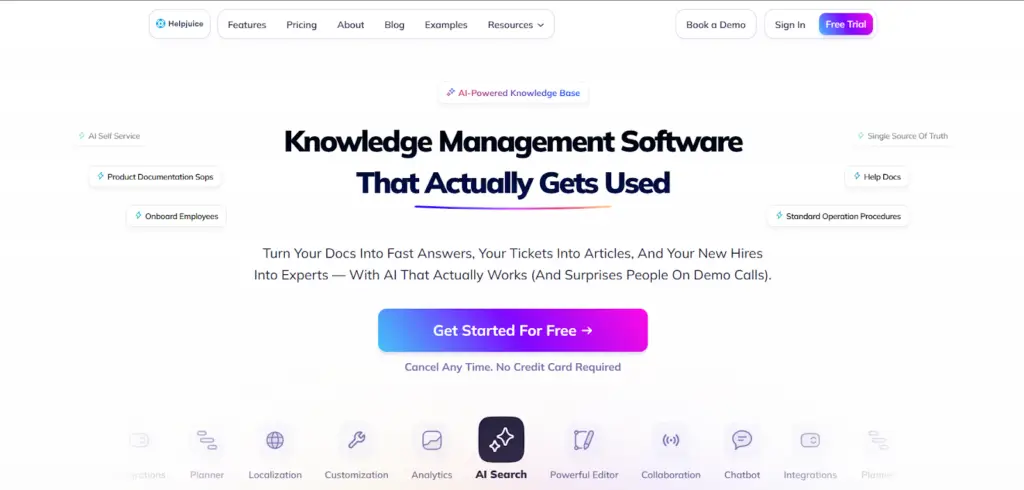
Helpjuice is a knowledge base platform for building branded documentation portals. Teams can create searchable content for both internal use and customer self-service.
The platform’s biggest differentiator is customization depth. Teams get full HTML/CSS access, dozens of pre-built themes, and the option to have Helpjuice’s team design their knowledge base at no extra cost.
This makes it a strong fit for customer support leads, training managers, and product teams who need polished, branded portals without enterprise-level complexity.
Helpjuice serves companies of all sizes and is well-regarded for its customer support.
Learn more: Helpjuice Alternatives
Helpjuice Key Features
- Extreme Customization Controls: Full HTML/CSS access with dozens of pre-built themes and a visual editor.
- Free Custom Knowledge Base Design: Helpjuice’s team will design your knowledge base at no additional cost.
- AI-Powered Semantic Search: Understands context and intent (available on Run-Up plan and above).
- Google Docs-Style Collaborative Editor: Real-time collaboration with comments and suggestions.
- Analytics for Content Gap Identification: Track search patterns to identify missing content and user behavior.
- Version Control with Side-by-Side Comparison: View changes between versions and restore previous content.
- Mass Article Upload: Bulk upload content to accelerate knowledge base creation.
- Multi-Language Support: Create knowledge bases in multiple languages with translation management.
Helpjuice Pricing
Helpjuice offers flat-rate pricing starting at $249 per month for up to 30 users.
Helpjuice Reviews
What users like:
- Free custom knowledge base design removes a common setup barrier for new teams
- Transparent tiered pricing with monthly billing makes it easier to start without a long-term commitment
- Analytics identify missing content by tracking what users search for and don’t find
- Quick to set up with no technical requirements
- Multi-language support handles global and multilingual teams without additional tools
What users dislike:
- Editor formatting breaks frequently, making content maintenance more time-consuming
- Pasting from Word consistently introduces layout issues
- AI Writer and semantic search require jumping to a plan that costs 80% more
- Deep customization hits a wall fast without HTML/CSS knowledge
- Admin interface gets clunky at higher content volumes
- Base plan search is keyword-only, which limits accuracy for teams with large or complex knowledge bases
Review #1: “Swifty AI is helpful for basic questions, but when I’m struggling with something more complex, having a real person makes a big difference. I’ve also found that Swifty AI sometimes struggles to provide accurate answers for our billing scenario questions, which can slow down the process.”
Review #2: “This platform offers the perfect balance of autonomy and support. I was able to launch a custom-looking help center from scratch in weeks without writing a single line of code. When I do have complex technical needs, I prefer to leave it to their experts, who are always available to assist”
Helpjuice Ratings
Bloomfire vs Helpjuice: Pricing Comparison
| Software | Plans | Free Trial | Starting Price | What’s Included |
| Bloomfire | Custom enterprise pricing | No | ~$1,250/mo (estimated, 50 users) | All features, SSO, API, customer success manager, multi-year contract required |
| Helpjuice | 3 tiers | Yes (14 days) | $249/mo (30 users) | Unlimited articles, basic analytics; AI features at $449/mo tier |
Bloomfire vs Helpjuice: Feature-by-Feature Comparison
Let’s compare Bloomfire vs Helpjuice across key features:
Search and Discovery
Bloomfire performs well for general searches, but it can struggle with specific searches. Some users report they often have to adjust their wording a few times before they find what they’re looking for.
Helpjuice supports natural language search and focuses on understanding the meaning behind a query. Users generally report better results, especially in support environments where finding the right answer quickly is important.
But this advanced search feature is only available on Helpjuice’s $449 per month Run-Up plan. Teams on lower plans only get basic keyword search.
Knowledge Authoring and Content Creation
Bloomfire allows authors to upload virtually any file type. Articles can be created directly on the platform. Users report that the editor is functional for basic content but limited for complex formatting. Tables and multi-column layouts are a recurring issue, particularly after platform updates.
Helpjuice uses a collaborative editor with real-time comments and version history. Users report that the interface is easy to start with, but formatting consistency is a persistent problem.
Copying content from Word frequently breaks layouts. Anything beyond basic text often requires manual HTML/CSS corrections, which creates friction for non-technical teams.
Knowledge Governance and Content Freshness
Bloomfire includes automated content flagging, where the platform identifies outdated or redundant articles and prompts owners to review them. Scheduled review workflows can be assigned to subject matter experts.
Helpjuice offers document version control with side-by-side comparison and scheduled publishing. Content history can be tracked and restored. Users report that the platform lacks formal approval workflows and audit trail capabilities.
Customization and Branding
Helpjuice offers full HTML/CSS access, a range of pre-built themes, and free custom design support. It is a practical choice for teams that need their knowledge base to match existing brand standards precisely.
Bloomfire provides theme and layout options but restricts direct code access. Users report limited flexibility for custom branding. It’s adequate for internal use but falls short for teams where visual consistency with external brand identity is a requirement.
Analytics and Reporting
Bloomfire provides an analytics dashboard covering content views, search trends, and user engagement. Users report the analytics are useful for general monitoring but lack depth for detailed reporting. Custom filters and the ability to connect knowledge activity to business outcomes are frequently requested improvements.
Helpjuice tracks search behavior and content performance, helping knowledge managers identify gaps in their content library. Users report satisfaction with basic analytics but suggest the dashboard could offer deeper insights and more export options.
Content Organization and Structure
Bloomfire uses customizable categories and tagging with AI-powered tag suggestions. Users can create custom taxonomies, organize content hierarchically, and surface related content through recommendations. The social features (likes, comments) help surface popular content.
Helpjuice uses folder structures with customizable navigation. Categories and subcategories organize content logically. The platform supports multiple knowledge bases within one account, useful for teams managing different customer segments.
livepro: A Better Alternative to Bloomfire vs Helpjuice for Contact Centers and Enterprises in 2026
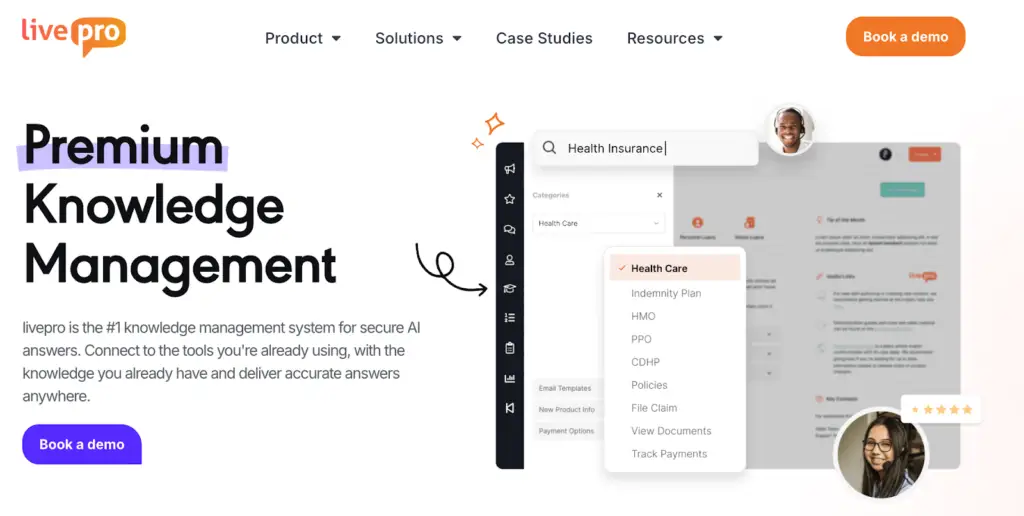
livepro is an AI-powered knowledge management platform built for organizations that need governed and accessible knowledge at scale. It serves teams across contact centers, financial services, insurance, healthcare, and local government.
livepro covers the full knowledge lifecycle. Our software helps teams centralize policies and procedures, manage who can access and edit content, track changes with full audit trails, and identify exactly where knowledge is failing in day-to-day use.
Here’s how livepro addresses the knowledge management challenges Bloomfire and Helpjuice leave unaddressed:
Hybrid Lightspeed Search for Consistent Answer Retrieval
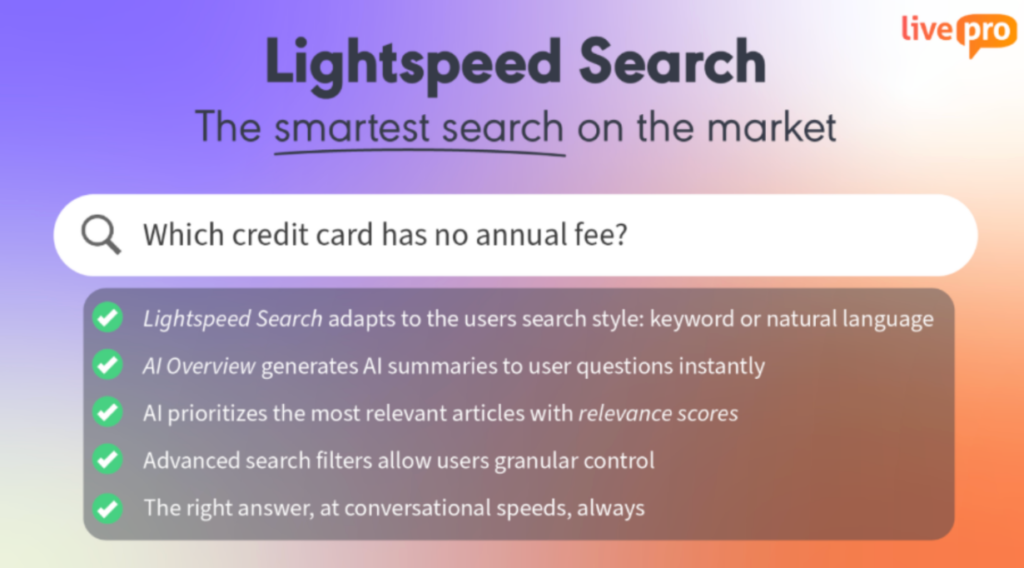
Traditional knowledge base search returns a list of articles. Agents click through multiple results, scan for relevant sections, and decide if the content applies to their specific situation. When customers are waiting, this multi-step process adds unnecessary time to every interaction.
livepro uses keyword matching, natural language processing, and semantic search to return a ranked result with an AI-generated summary.
Here’s how it works in practice:
- An agent types a question in natural language, not exact keywords
- livepro ranks results by percentage match and shows a summary of the answer
- The source article is linked so agents can verify or explore further
For example, say a call center manages knowledge for five different clients. Each client has its own policies, terminology, and procedures. An agent switching between client queues can search in plain language and get the right answer for the right client without knowing which folder or category it lives in.
Visual Content Editor for Non-Technical Knowledge Authors
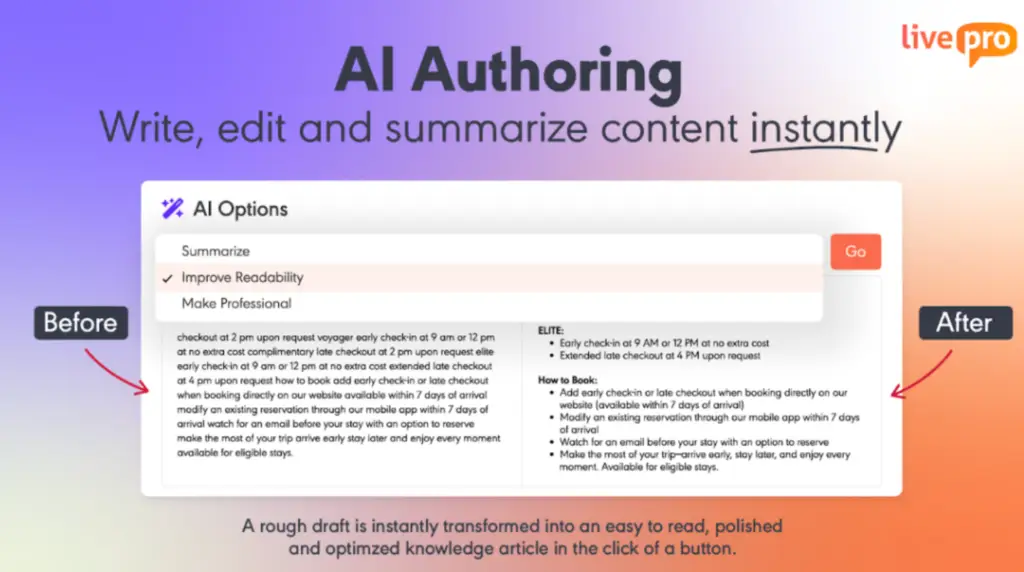
Helpjuice users report that formatting often breaks when content is copied from Word, creating editing difficulties. As a result, knowledge managers spend time correcting layout issues rather than improving content quality.
livepro’s What You See Is What You Get (WYSIWYG) editor addresses these challenges by enabling non-technical users to create and publish well-structured content without specialized skills. Key capabilities include:
- Drag-and-drop content blocks that retain formatting during import and editing
- Tables that render accurately and remain intact after updates
- Word and PDF imports that preserve original structure without manual cleanup
- Pre-built templates for procedures, policies, FAQs, and troubleshooting guides
- Live preview so authors can see exactly how content will appear before publishing
For example, a council customer service team updating bin schedules, public holiday closures, or permit processes can open a template, make the required updates, and submit the content for approval. The article is then published in a consistent format automatically.
Rockets (Decision Trees) for Guided Process Navigation
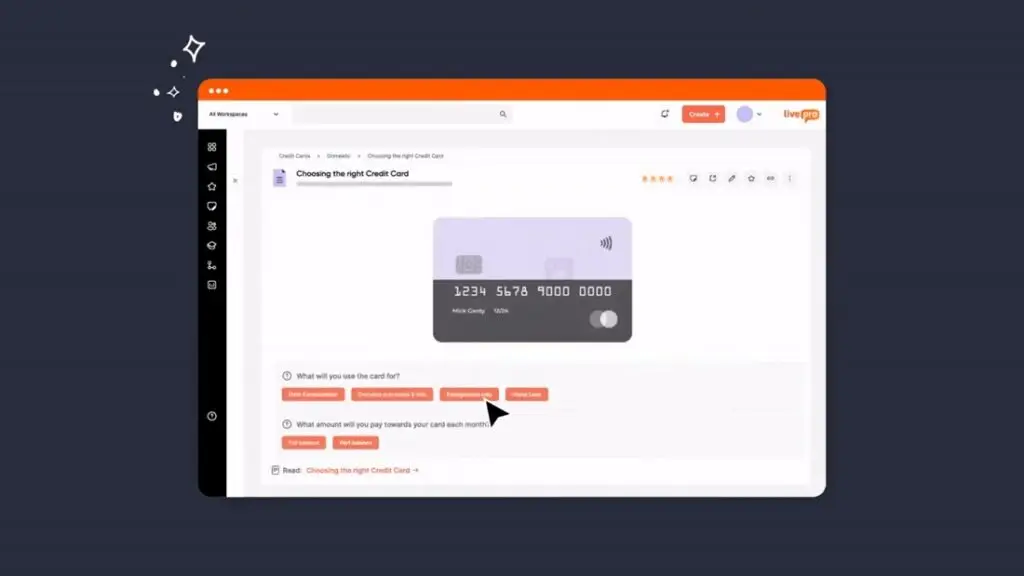
Knowledge articles work for simple questions but they are less effective for processes that change based on a customer’s situation. Agents must read policy documents, identify the relevant section, and apply it themselves. This can lead to inconsistent decisions.
livepro’s Rockets convert procedures into step-by-step workflows. Each step presents a question, and the selected answer determines the next step. Agents follow a defined path instead of interpreting policy text, which supports consistent outcomes.
Rockets are commonly used by:
- Contact centers: Complaint resolution based on product type, issue category, and customer history.
- Healthcare: Eligibility verification based on insurance type, procedure category, and patient status.
- Financial services: Loan assessments based on income type, loan amount, and credit history.
Government: Permit applications based on property type, zoning, and purpose.For example, in a health fund contact center, a member may ask whether a procedure is covered. The agent opens the relevant Rocket and answers questions about the member’s tier, the procedure category, and whether a referral was obtained. livepro presents the correct coverage outcome. Each agent reaches the same result for the same scenario.
Knowledge Gap Analytics to Identify Missing Content
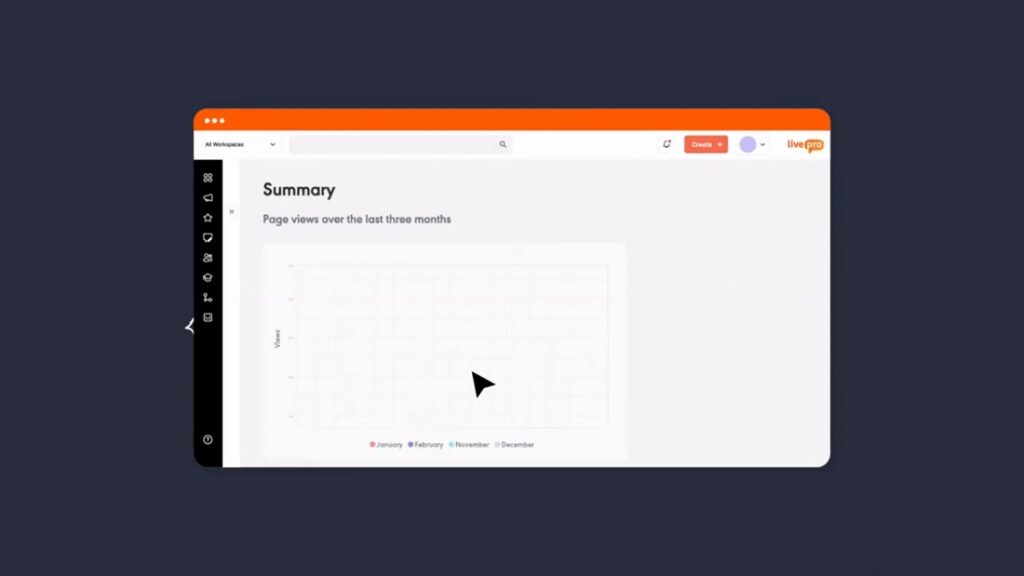
Without visibility into where a knowledge base fails, outdated articles remain live and missing content goes unnoticed. Knowledge managers only discover issues after agents report them.
livepro goes beyond basic usage reporting to surface where knowledge breaks down:
- Zero-result searches: Queries that return no results, indicating missing content.
- Repeated searches: Users searching the same topic multiple times without selecting a result, suggesting a gap or unclear article.
- Bounce patterns: Users opening an article and immediately searching again, indicating the content did not answer the question.
- Bypassed content: Articles that exist but are rarely accessed despite relevant searches, suggesting low trust.
- Seasonal spikes: Increases in search volume for specific terms, signaling emerging gaps.
For example, a knowledge manager at a financial services company sees that agents are repeatedly searching for “joint account closure process” without selecting a result. The article exists, but agents aren’t using it. The manager reviews the article, finds the steps are outdated, and updates the content.
Role-Based Access Controls for Enterprise Knowledge Governance
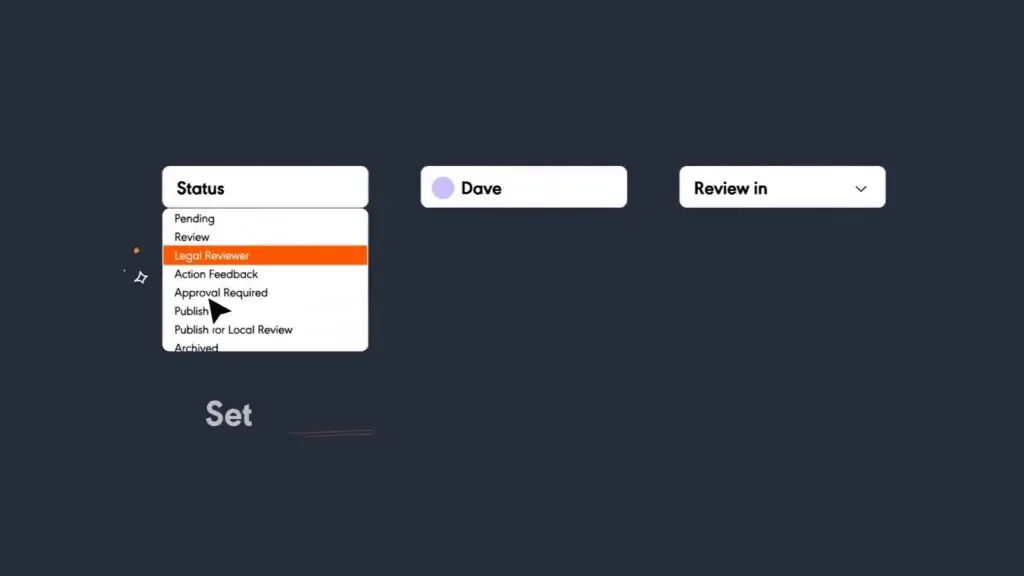
Without formal approval chains, content ownership, and audit trails, compliance reviews fail and regulatory violations go undetected.
livepro manages the full governance lifecycle:
- Department-level access controls that determine who can view, edit, or approve specific content
- Content ownership assigned to individuals with automated review reminders before expiry
- Approval workflow that routes content from author to reviewer to approver before publication
- Document version control so agents only ever access the current approved version
- Full audit trail recording every edit, approval, and publication with timestamps
For example, an insurance company operating across multiple states can restrict each state’s content to the relevant compliance team, route updates through a formal approval chain, and produce a full change history if a regulator requests it.
Customer Self-Service Portal to Reduce Support Volume
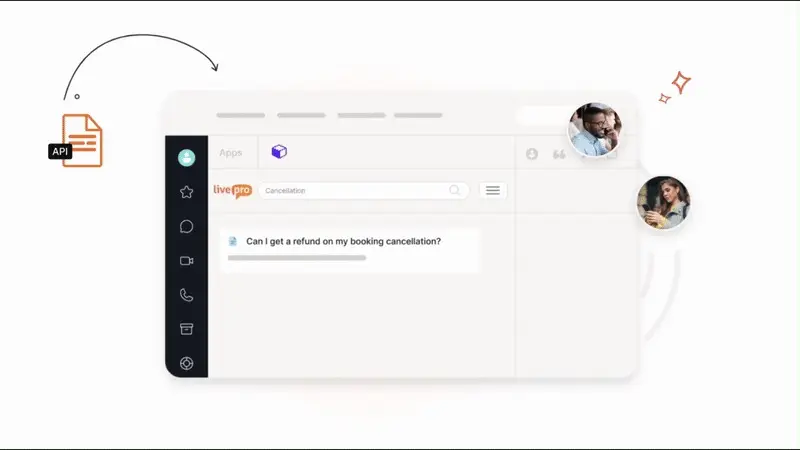
When customers can’t find answers on their own, routine questions become calls and tickets. Over time, this increases handle time, lowers customer satisfaction, and places additional strain on agents.
livepro lets organizations publish approved knowledge directly to customer-facing channels. Content is authored once, governed centrally, and delivered across every channel from a single source.
livepro offers two ways to deliver customer self-service:
- WebAnswers: Connects your internal knowledge base to your website via API. Customers get the same approved answers agents use, with no separate content library to build or maintain.
- OpenAccess: A hosted help site powered by livepro, where customer-facing articles are published directly from the internal platform. Agents and customers search from the same knowledge base.
For example, a BPO uses livepro to surface client-specific FAQs and process guidance across its customer portals and mobile apps. Whether a customer searches “billing issue” or “reset password,” the correct answer is returned instantly across phone, chat, and self-service channels.
livepro Pricing
livepro uses custom pricing based on organization size, feature requirements, and implementation scope. Contact us for a custom quote.
livepro Reviews
Review #1: “Rockets are an absolute game changer. They guide agents through complex enquiries using simple, question based steps that lead them directly to the correct answer. It takes out the guesswork and gives CSOs confidence when handling detailed or technical customer questions.”
Review #2: “With users being able to flag any issues or provide suggestions for improvements, we are confident that we are able to identify any knowledge gaps or unclear instructions and provide the support that our frontline agents/business clients need.”
livepro Ratings
- G2: 4.9/5 stars
- Capterra: 4.8/5 stars
Case Study: How ME Bank Cut Average Handle Time by 40% with livepro
ME Bank is a direct banking institution serving customers across a range of personal banking products. Their contact center handles high volumes of account inquiries, policy questions, and customer service interactions every day.
The Challenge
ME Bank’s knowledge lived in an outdated wiki that agents struggled to use. Information was hard to find, accuracy was inconsistent, and agents couldn’t get the answers they needed during live calls. Average handle time was climbing. Staff dissatisfaction with knowledge tools was high.
The Solution
ME Bank replaced its wiki with livepro’s contact center knowledge management platform. The implementation consolidated scattered knowledge into one searchable system with Hybrid Lightspeed Search, governance workflows, and an agent-friendly interface built for speed under pressure.
The Results
Average handle time dropped 40%. Calls that previously averaged 10 minutes came down to 6 minutes, freeing agents to handle more interactions without additional headcount.
Information quality improved significantly. 61% more staff reported that the information they accessed was accurate, and 38% more said they had everything they needed during a call.
Staff satisfaction improved because agents spent less time searching and more time helping. 92% of staff found the system useful, and 39% more said information was easy to locate. The shift was visible in how agents engaged with their work day to day.
Hasan Sevik, Communications Coordinator and Service Excellence at ME Bank said:
“Since implementing livepro, we have seen our AHT reduce from 10 minutes to 6 minutes. That’s a 40% decrease.”
The reduction in AHT also delivered measurable cost savings, extending the return on investment beyond contact center performance alone.
Quick Comparison: Bloomfire vs Helpjuice vs livepro
| Platform | Best For | Key Features | User Experience |
| Bloomfire | Enterprise knowledge sharing across departments (sales, marketing, support) | AI deep indexing, Ask AI, Author Assist, Q&A engine, social features | Mixed reviews on search accuracy; users praise customer support but report formatting limitations and Ask AI inconsistency |
| Helpjuice | Branded customer-facing knowledge bases with extensive customization | Full HTML/CSS control, free custom design, semantic search (paid tier), strong analytics | Outstanding support ratings but #1 complaint is editor formatting issues (37 G2 mentions); learning curve for customization |
| livepro | Contact centers, BPOs, regulated industries needing compliance, governance, and real-time agent assist | Hybrid Lightspeed Search, Rockets (Decision Trees), Luna AI Voice Agent, native CCaaS integrations, audit-trail governance | Highest user ratings (4.9/5 G2); purpose-built for contact centers with documented AHT reductions and training time cuts |
Bloomfire vs Helpjuice: Which Software Should You Choose in 2026?
Both platforms solve different problems. Your choice depends on your team’s priorities, technical skills, and budget.
Choose Bloomfire if:
- You need enterprise-wide knowledge sharing across multiple departments
- Your team works primarily in Salesforce and needs deep CRM integration
- Social features like Q&A communities and content engagement matter
- You have budget for multi-year contracts starting around $1,250/month
- You’re willing to work through search accuracy issues with customer success support
Choose Helpjuice if:
- You need a branded, customizable customer-facing knowledge base
- Your team has HTML/CSS skills to leverage full customization
- Budget constraints make the $249/month entry point attractive
- You can work around editor formatting challenges (or have developers to fix them)
livepro: The Go-To Alternative to Bloomfire and Helpjuice for Contact Centers and Enterprises in 2026
Storing and displaying articles is not enough. Many enterprises need knowledge that guides decisions, enforces approved processes, and delivers consistent answers across channels.
Bloomfire and Helpjuice focus on finding and presenting knowledge, livepro enables teams to act on it. Our software combines guided decision trees, controlled approval workflows, AI-powered search that returns direct answers, and voice automation powered by the same knowledge base agents use.
Book a demo to see how livepro helps contact centers cut handle time, guide agents through complex processes, and deliver consistent answers across every channel.
Frequently Asked Questions
Can I customize my knowledge base more with Helpjuice or Bloomfire?
Helpjuice offers more customization than Bloomfire. You get full HTML/CSS access, dozens of pre-built themes, and Helpjuice will design your knowledge base for free. This makes it ideal for creating branded customer-facing portals that match your website exactly.
Bloomfire offers moderate customization through themes and layout options but restricts direct code access. Multiple users report limited branding control and formatting flexibility.
Does Helpjuice integrate with Salesforce and Zendesk?
Yes, Helpjuice integrates with both Salesforce and Zendesk, but the connections are basic compared to Bloomfire’s deeper Salesforce integration.
Neither platform integrates natively with contact center platforms like Genesys Cloud, NICE CXone, Five9, or Talkdesk. If you run a CCaaS platform, you’ll need custom API development or a purpose-built contact center KM tool like livepro with native CCaaS integrations.
Does Bloomfire or Helpjuice offer AI voice agents or chatbots?
Both platforms can integrate with third-party chatbot tools via APIs, but you’d maintain separate knowledge bases for your AI agent and human agents. This creates duplicate content, conflicting answers, and doubles the maintenance burden.If you need AI voice agents, livepro’s Luna AI Voice Agent operates from the same knowledge base human agents use. It handles thousands of simultaneous calls, supports 100+ languages, and escalates to humans when needed.