







Most technical documentation advice is written for developers building API docs and code references. But contact centers run on technical documentation too: process guides, compliance procedures, troubleshooting workflows, escalation paths.
The problem is that this documentation is usually written by experts, for experts. Not for the agent who needs an answer in 10 seconds while a customer waits on the line.
That gap between how documentation is written and how it’s actually used drives up handle times, creates compliance risk, and turns onboarding into a months-long process.
This article covers 10 technical documentation best practices that help customer-facing teams find, trust, and use the information they need, when they need it.
1. Write for the Person Using the Documentation, Not the Person Who Wrote It
Technical documentation fails when it’s written from the expert’s perspective instead of the user’s reality.
In contact centers, your reader is an agent under time pressure, handling an upset customer. They don’t have time to interpret complex policy language or search through background context. They needed the answer yesterday.
This means writing in plain language, using the second person, and assuming the reader is mid-task, not browsing for education.
Compare these two approaches to the same procedure:
- Written for experts: “The dispute resolution framework outlined in Section 4.2 of our policy manual provides three distinct pathways for adjudication, contingent upon the temporal parameters of the customer’s claim submission and the monetary threshold involved.”
- Written for agents: “If the customer disputes a charge within 30 days, follow these 4 steps. For disputes over $500, you’ll need manager approval at step 3.”
The second version gets the agent to the right action immediately. No interpretation required.
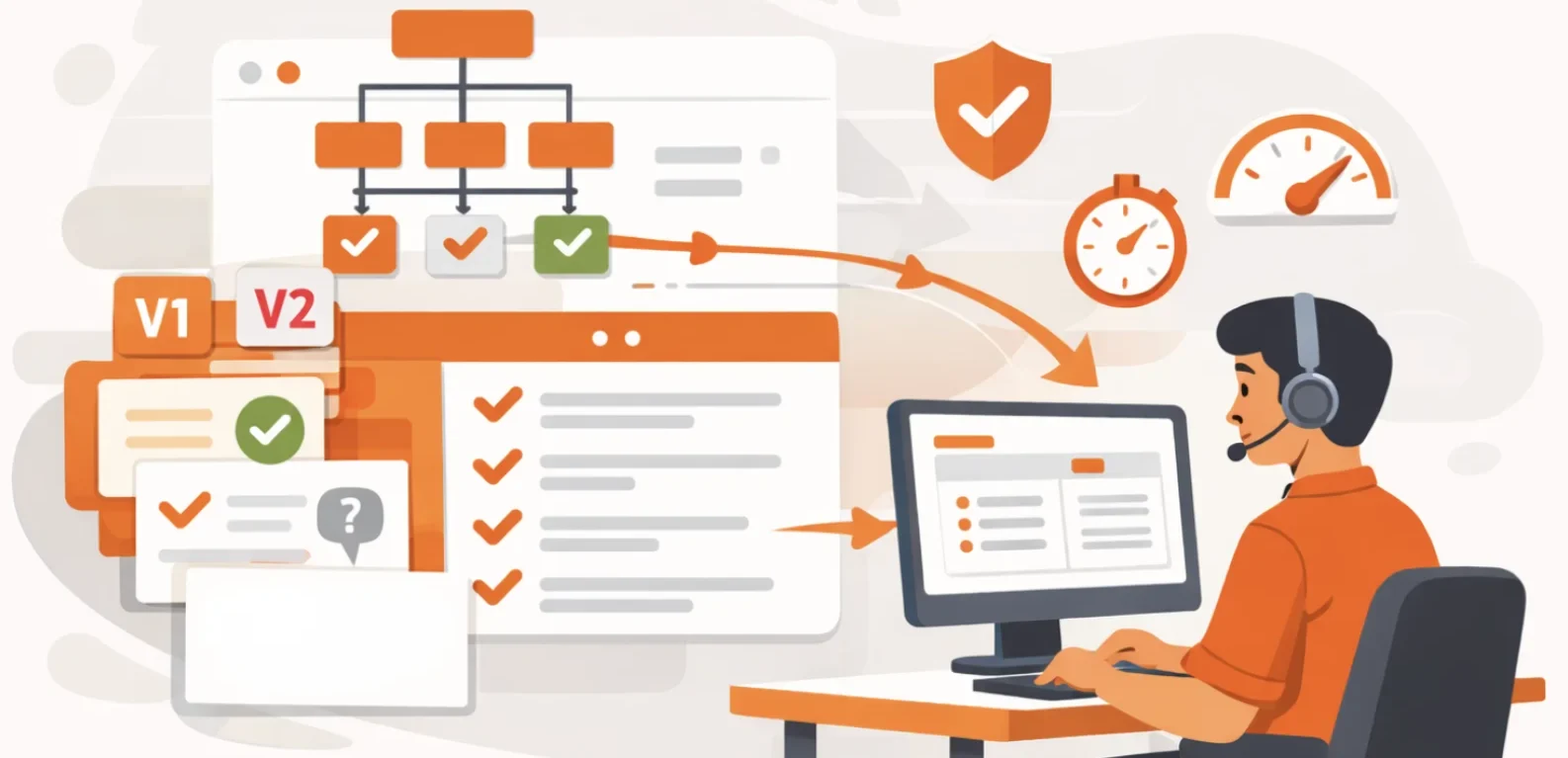
Contact centers using decision trees and guided workflows take this further by breaking complex procedures into step-by-step paths. Instead of reading a 2,000-word policy document, agents answer a few simple questions, and the system shows them exactly what to do next.
2. Structure Content for Speed, Not Completeness
Every extra second spent searching increases handle time. Your content structure should make the correct answer immediately visible.
Start with standardized page templates. Every well-designed article should include:
- A brief overview (one to two sentences)
- A quick reference with the answer
- A table of contents for articles over 300 words
- Clearly numbered, step-by-step instructions
- Practical examples showing how to apply it
- Links to related procedures
- A visible last updated date
Beyond templates, use clear organizational patterns so information appears where agents expect it.
- Conceptual (top-down): Present the big picture first, then break into details. Use this for policies and guidelines.
- Task-based: State the goal first, then provide ordered steps. Use this for procedures and workflows.
- Problem-solution: Lead with the symptom, then provide the fix. Use this for troubleshooting.
- Modular: Create self-contained blocks that can be reused across multiple articles. Use this for standardized or repeatable content.
TSA Group, a customer experience provider, saw this in action when it restructured its knowledge base. New agents reduced the time to locate knowledge by 58%. Established staff found answers 32.5% faster. The improvement came from structure, not content.
If an agent must scroll through three paragraphs of background to find the steps, your structure is working against them. Front-load the answer, then add context.
3. Create a Single Source of Truth
When documentation is distributed across multiple locations, agents waste time searching and risk using outdated or incorrect information. They move between shared drives, wikis, email threads, and colleagues, encountering different versions of the same procedure.
To establish a single source of truth:
- Consolidate All Documentation Into One Platform: Migrate content from wikis, shared drives, email archives, printed manuals, and departmental folders into a single system. Any source agents currently referenced must be included.
- Fully Decommission Legacy Systems: Do not retain old wikis or shared drives “as a backup.” If multiple sources remain accessible, agents will continue using them. Redirect old URLs to the new platform and remove access to deprecated systems.
- Assign Clear Content Ownership: Every article must have a single accountable owner responsible for accuracy and updates. Without ownership, content quickly becomes outdated.
- Integrate Knowledge Into Agent Workflows: Embed documentation directly within tools agents already use, such as CRM, ticketing, or contact center platforms. Requiring agents to switch systems reduces adoption and increases friction.
Hornsby Shire Council, a local government authority, encountered this issue when agents relied on physical binders that could not be updated in real time. Some agents followed current procedures, while others used outdated ones. After centralizing knowledge, average handle time dropped to under three minutes, and all agents worked from the same current information.
4. Build Review and Approval Workflows into the Process
61% of customer service leaders have a backlog of knowledge articles to edit, and more than one-third lack any formal process for revising outdated content.
As procedures change and regulations update, you need a system to keep documentation current. Automated workflows solve this. Without them, outdated content leads to wrong answers, compliance failures, and agents who stop trusting the knowledge base.
Here’s how to build workflows that prevent content decay:
- Assign Content Owners: Each piece of documentation needs one person responsible for keeping it current. Subject matter experts who own the processes should own the documentation.
- Set Automated Review Schedules: Quarterly reviews work for compliance-heavy content. Annual reviews work for stable processes. The system should automatically notify owners when reviews are due and flag expired content.
- Implement Approval Workflows: Every update should follow a clear path: the owner drafts changes, a reviewer checks for accuracy, an approver signs off, and then it publishes.
- Use Scheduled Expiry Dates: Temporary procedures or seasonal policies should automatically expire on a set date. When that date hits, the content is either reviewed and republished or automatically archived.
- Maintain Version History: Track what changed, when it changed, and who approved it. In regulated industries, auditors will ask why a specific procedure was in place on a specific date.
Atlanticus, a financial services organization, implemented automated governance workflows and achieved visibility into compliance across its documentation. As Michael Gajeski, Documentation Manager at Atlanticus, noted:
“Now, I can see exactly what agents are accessing, when, and for how long, which has been a game changer for our operations.”5. Make Search Actually Work
Gartner research shows that 47% of digital workers struggle to find the information needed to perform their jobs. The same research found that 32% have made incorrect decisions because they lacked awareness of the right information.
In most contact centers, internal search fails in predictable ways. An agent searches for “refund” and receives dozens of results: current policies, outdated memos, old training decks, department-specific procedures, and unrelated articles that simply mention the word.
What the agent actually needs is far more specific: the current refund process for their department, product, and customer type. Not a long list of loosely related documents.
This requires intent-based search. livepro’s Lightspeed Search focuses on what the agent is trying to accomplish, not just the keywords they typed. It accounts for role, context, and query intent to surface the most relevant answer first.
Search quality also depends on structured metadata. Articles must be consistently tagged by department, product line, customer segment, and process type. Without strong tagging and categorization, even advanced search technology will return cluttered results.
ME Bank, a direct banking institution, faced this problem with an outdated wiki and fragmented repositories across departments. Agents could not reliably locate information, and searches frequently failed.
After implementing a knowledge management platform with semantic search capabilities, ME Bank reduced average handle time by 40%, from approximately ten minutes per call to six.
6. Cut Onboarding Time by Making Documentation Self-Serve
Traditional training programs attempt to front-load large volumes of information before agents handle live interactions. Retention declines quickly, and procedures that are not used immediately are often forgotten.
A more effective model treats documentation as a continuous training system. Agents learn in context, during real interactions, using documentation to guide each step. They don’t rely on memorization. They reference guidance at the moment of need.
To design documentation that supports on-the-job training:
- Write for First-Time Use; Assume the reader is handling their first interaction. Avoid unexplained internal terminology, system names, and acronyms. Define terms inline or link to a glossary. Use concrete, agent-centered language such as “you will see this screen” rather than abstract system descriptions.
- Use Decision Trees: Procedures with multiple branches should not rely on dense paragraphs. Decision trees present simple yes/no paths that guide agents through each choice point. This removes interpretation and reduces errors.
- Immediate Search Access: Knowledge should be searchable from day one. Do not gate documentation behind training modules or completion requirements. The ability to find answers during live calls accelerates learning.
- Quick-Start Guides for High-Volume Scenarios: The most common call types should have short, scannable guides that new agents can follow immediately. This allows early success while broader knowledge develops.
- Support Progressive Learning: Begin with foundational procedures. As agents gain experience, they naturally encounter more complex scenarios and supporting documentation. Structure content so introductory guidance appears first, with advanced material available when needed.
When documentation functions as embedded training, agents develop competence through real work. This approach shortens ramp time, reduces dependency on formal training sessions, and improves consistency across the team.
7. Use Analytics To Find And Fix Documentation Gaps
Most organizations treat documentation as a write-and-forget asset. Articles are created, published, and left untouched until an issue surfaces. Analytics replaces this reactive approach with continuous visibility into what is working, what is missing, and where agents encounter friction.
Effective analytics focus on the following areas:
- Monitor High-Usage Articles: Identify which articles receive the highest volume of views. These represent critical operational paths and must be held to the highest standard for accuracy, clarity, and completeness.
- Identify Zero-Usage Content: Articles that receive no views are either difficult to discover or no longer relevant. Determine whether the issue is search visibility or content value. Improve discoverability where appropriate, or archive content that no longer serves a purpose.
- Track Searches With No Results: Queries that return no results directly reveal documentation gaps. If agents search for a term such as “after-hours escalation” and find nothing, that content should be created. Failed searches provide a prioritized roadmap for new documentation.
- Collect Direct Agent Feedback: Add a simple feedback mechanism to every article. Agents can flag unclear steps, report errors, or suggest improvements. This input should be reviewed regularly and addressed promptly.
- Analyze Trending Searches: Sudden increases in searches for a specific error code, process, or issue often indicate an emerging problem. Investigate whether a system issue is developing or whether existing documentation requires improvement.
PetSure, a pet insurance provider, actioned more than 680 pieces of feedback in eight months by embedding feedback directly into its knowledge system, enabling continuous improvement of content quality.
8. Keep Documentation Compliant and Auditable
Regulators don’t accept verbal assurances that procedures are followed. They require verifiable evidence. In regulated industries, documentation functions as legal proof of compliance.
What regulators expect to see:
- Training Records With Signed Acknowledgments: Agents must confirm they have read and understood each procedure. Digital acknowledgments with timestamps provide audit-ready proof.
- Retention Policies Aligned With Regulations: Different regulations require different retention periods (e.g., OSHA five years, HIPAA six years, financial records six to seven years). Systems must enforce automated retention schedules and prevent premature deletion.
- Evidence of Actual Usage: Access logs showing which articles were viewed, when, and for how long. Search analytics showing what agents actively looked for.
- Regulatory Tagging: Each article is tagged to the regulations it supports (HIPAA, SOX, GLBA, etc.). Auditors should be able to retrieve all related documentation instantly.
- Incident Documentation: Recorded deviations when procedures are not followed. Shows active governance and corrective action.
- Audit-Ready Reporting: On-demand reports for training completion, content review status, retention compliance, and usage metrics.
Documentation built for regulated industries must support all of the above by default to withstand regulatory scrutiny.
9. Drive Adoption Through Active Engagement
Documentation delivers no value if agents don’t use it. Adoption requires more than access. Documentation must be embedded into daily work and reinforced through active engagement.
Ways to drive consistent usage:
- Push Notifications For Critical Updates: When procedures change, especially for compliance or regulatory reasons, notify agents inside their workspace. Critical updates should require acknowledgment before dismissal.
- Quizzes to Verify Understanding: Reading confirmation isn’t sufficient for regulated procedures. Short, scenario-based quizzes verify comprehension. Failed attempts should trigger required review and retesting.
- Feedback Built Into Every Article: Add simple thumbs up/down controls with a comment field. Agents can flag errors, unclear steps, or missing details. High-priority feedback should be addressed within 48 hours.
- Recognition For Contributions: Acknowledge agents who suggest improvements, flag outdated content, or add helpful examples. Public recognition or inclusion in performance reviews encourages participation.
- Integration Into Existing Workflows: Embed documentation directly into tools agents already use, such as Salesforce, Zendesk, or ServiceNow. Requiring agents to switch systems reduces adoption.
- Usage Dashboards For Team Leaders: Show which agents frequently use documentation and which do not. Use this data to identify coaching needs, not to penalize.
Forrester’s Kate Leggett emphasizes that “knowledge management isn’t a one-time tech investment, but a continuous process that relies on executive sponsorship and having a culture around knowledge sharing.”
Organizations that treat documentation as a living system achieve higher adoption and better results.
10. Measure the Business Impact of Better Documentation
Documentation improvements should translate to measurable business outcomes. Track these metrics to demonstrate ROI and justify ongoing investment.
- Average Handle Time (AHT): Track how long agents spend on each call before and after documentation improvements. Reductions translate to significant cost savings and increased capacity at scale.
- Training and Onboarding Time: Measure the number of days or weeks it takes new agents to handle calls independently. Faster onboarding means agents reach productivity sooner and training costs drop.
- Compliance Audit Results: Track the number of audit findings related to documentation accuracy, currency, or availability. In regulated industries, avoiding a single compliance failure can justify the entire documentation investment.
- First Call Resolution (FCR): When agents can quickly find accurate answers, they resolve issues on the first contact. Track FCR rates before and after documentation improvements. Higher FCR reduces callbacks and improves customer satisfaction.
- Customer Satisfaction Scores: Better documentation leads to more accurate answers and faster resolution. Track CSAT, NPS, or whatever satisfaction metric your organization uses.
- Agent Confidence and Satisfaction: Survey agents about their confidence in finding accurate information. Agent satisfaction impacts retention, which affects recruitment and training costs.
- Support Ticket Volume. Track how many internal support tickets relate to “how do I…” questions. As documentation improves, these tickets should decrease. Fewer tickets means your support team can focus on complex issues.
Better Documentation, Better Results
The practices above share a common thread. Every organization that saw results, whether it was ME Bank cutting handle time by 40% or Liverpool City Council shrinking onboarding from 26 weeks to 4, made the same shift. They stopped treating documentation as a writing problem and started treating it as a delivery problem.
That distinction matters because most teams already have the knowledge. The issue is that agents can’t find it fast enough, can’t trust that it’s current, or can’t apply it without interpreting pages of context first. Fixing how documentation is structured, searched, and maintained solves all three.
If your team deals with scattered knowledge, slow onboarding, or inconsistent answers, start with the practice that addresses your biggest pain point. Small structural changes compound quickly once agents can actually use what you’ve already built.
FAQs About Technical Documentation Best Practices
How long does it take to implement technical documentation best practices?
Implementation timelines vary based on your starting point and organization size. Most contact centers see measurable improvements within 3-6 months. The key is starting with your highest-impact documentation first (the procedures agents use most) rather than trying to perfect everything simultaneously.
How do you keep technical documentation from becoming outdated?
Build automated review workflows into your process. Assign content owners to every article, set scheduled review dates (quarterly for regulated content), and use version control to track changes.
Platforms like livepro can automate much of this by sending review reminders and retiring outdated content automatically.
What’s the ROI of investing in better technical documentation?
The ROI shows up across multiple metrics: reduced handle times, faster onboarding, improved compliance, and higher customer satisfaction. You need to calculate your current costs for call time, training, and compliance issues to estimate your specific ROI.
Should we hire a technical writer, or can our existing team handle technical documentation?
Your existing subject matter experts know the content best. The challenge isn’t usually who writes documentation, but how it’s structured and maintained. Most contact centers benefit from training existing staff on documentation best practices rather than hiring dedicated technical writers.
The key is providing the right tools and workflows: proper templates, review processes, and analytics to identify gaps
What’s the difference between a knowledge base and technical documentation?
Technical documentation is the content: your process guides, procedures, and instructions. A knowledge base is the platform that organizes, manages, and delivers that content. Think of technical documentation as what agents read, and the knowledge base as how they access it.
Modern knowledge bases do much more than store documents. They provide search, version control, analytics, approval workflows, and integration with other systems. The best practices in this article apply to both creating good technical documentation and choosing a knowledge base that makes it usable.