


Guru and Helpjuice both help teams manage knowledge and deliver consistent answers. But they solve different problems.
Guru focuses on delivering knowledge directly inside tools like Slack, Microsoft Teams, and browser extensions. It helps internal teams access verified information without leaving the tools they already use.
Helpjuice is designed for customizable and customer-facing knowledge bases and help centers. It gives organizations full control over how documentation is structured and presented.
This difference shapes how companies evaluate them. Some organizations want knowledge embedded directly into internal workflows. Others need a platform built primarily for external documentation and self-service support.
This article compares Guru vs Helpjuice across features, pricing, integrations, and user reviews. We’ll also introduce livepro as an alternative worth considering for contact centers and enterprises.
Guru Overview
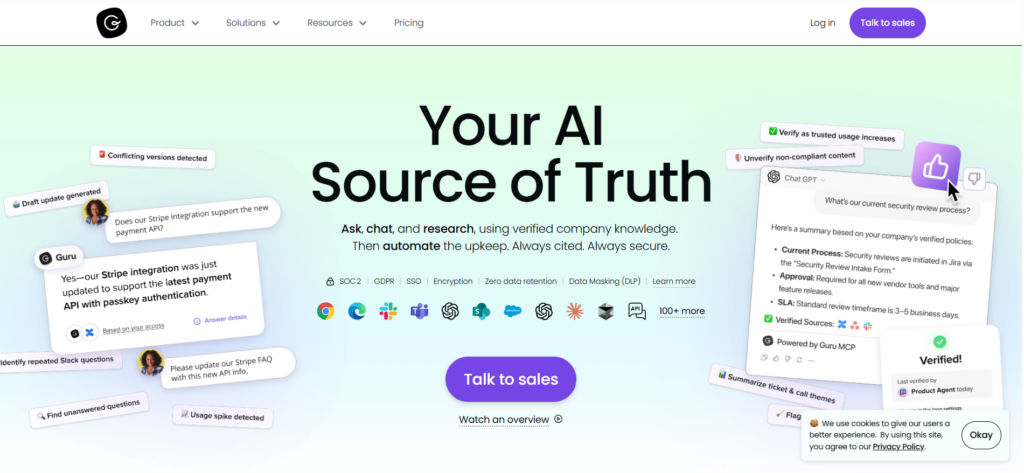
Guru is an AI-powered knowledge management platform that combines enterprise search, a company wiki, and an intranet into a single system. It unifies apps, chats, and documents into one governed knowledge layer that delivers cited, permission-aware answers.
Guru targets internal use cases such as sales enablement, customer support, onboarding, and IT operations. Mid-market SaaS companies, tech startups, and distributed teams use it to find answers without switching apps.
The platform organizes information into “knowledge cards,” structured pieces of content covering policies, procedures, FAQs, and best practices. It’s built-in verification and lineage tracking keep content accurate automatically.
Guru is not designed for customer-facing knowledge bases. Organizations that need a branded help center or public portal will need a separate tool or custom API work.
Read more: Guru Alternatives
Guru Key Features
- Knowledge Agents: Configurable AI assistants that pull answers from connected apps and internal content.
- Browser Extension: Chrome, Edge, and Opera extension that surfaces knowledge cards without leaving the current tab.
- Verification Workflows: Automated reminders for content owners to review and verify cards on a set schedule.
- Card-Based Editor: Structured cards organized into collections and boards for quick scanning and sharing.
- AI Training Center: Shows what questions are asked, flags knowledge gaps, and lets admins correct AI answers.
- Guru GPT: Lets ChatGPT search through connected company apps, chats, and docs in a conversational interface.
- 100+ Integrations: Connects with Slack, Microsoft Teams, Salesforce, Zendesk, Confluence, Google Workspace, and more.
- Analytics Dashboard: Tracks content engagement, usage patterns, and search trends to identify missing knowledge.
Guru Pricing
Guru pricing begins at $25 per user per month when billed annually.
Guru Reviews
What users like:
- Clean, modern interface that makes knowledge easy to browse and update
- Card-based structure helps teams organize information in a clear, digestible format
- Verification workflows ensure content stays accurate and trustworthy
- Browser extension and integrations with tools like Slack make knowledge accessible within daily workflows
What users dislike:
- Customization options are limited compared to other knowledge base platforms
- Performance can slow down when managing large content libraries
- Analytics and reporting capabilities are not as detailed as some teams expect
Review #1: “What I like most about Guru is how it makes knowledge sharing simple and structured. It ensures important information is always easy to find and up to date. The verification feature adds confidence in the content we rely on daily. I” – User.
Review #2: “In the GURU AI, when working with nested collections, the UI sometimes becomes slow and laggy. And also, customer support replies are mostly from AI bots, so there is a need for human agents.” –User.
Guru Ratings
Helpjuice Overview

Helpjuice is a knowledge base platform built for teams that need customizable documentation portals. It serves support, operations, and onboarding teams who prioritize customer-facing self-service experiences.
Unlike Guru, Helpjuice focuses primarily on external knowledge delivery. Teams use it to build branded help centers where customers can search for answers on their own, reducing support workload without increasing headcount.
Teams get full HTML/CSS access, dozens of pre-built themes, and the option to have Helpjuice supports 50+ languages and includes Swifty, an AI assistant that handles natural language queries.
Read more: Helpjuice Alternatives
Helpjuice Key Features
- AI-Powered Search: Google-like search with keyword suggestions, filters, typo tolerance, and PDF content indexing.
- Custom Branding and White-Labeling: Full CSS and HTML access for theme, layout, and design customization to match brand standards.
- Multilingual Knowledge Base: Native support for 50+ languages with built-in translation tools for global content delivery.
- Advanced Analytics and Reporting: Tracks article views, search queries, and engagement metrics to identify content gaps.
- Granular Access Controls: Permission-based content visibility for private, internal, or public knowledge bases.
- Collaborative Content Editor: Real-time multi-contributor editing with role-based permissions and approval workflows.
- Integrations: Connects with Zendesk, Freshdesk, and other help desk platforms, plus a browser extension for in-page search.
Helpjuice Pricing
Helpjuice pricing starts at $249 per month for up to 30 users, with higher tiers available for larger teams and AI features.
Helpjuice Reviews
What users like:
- Built-in multilingual support helps global teams manage content without additional tools
- Intuitive editor that makes it easy for teams to create and organize knowledge base content
- AI-powered search and chatbot help customers find answers without contacting support
- Useful analytics and feedback tools that help teams identify content gaps and improve articles
What users dislike:
- Admin interface becomes harder to manage with large content libraries
- Some customizations require technical assistance or developer support
- AI writer and semantic search require upgrading to higher-priced plans
Review #1: “There are so many things to like about Helpjuice. The look and feel of the end product is excellent, and the AI actually works. The included migration services were outstanding, and the Helpjuice custom modification team is second to none. I’ve never seen another company deliver a product and level of support like the Helpjuice team.” –User.
Review #2: “The editor can feel constrained when working with more advanced formatting or structured layouts. Certain workflows, especially around multilingual content management, require careful configuration to avoid inconsistencies. Some tasks may also require additional manual steps compared to more integrated documentation platforms.” –User.
Helpjuice Ratings
Guru vs Helpjuice: Pricing Comparison
| Software | Plans | Free Trial | Starting Price | What’s Included |
| Guru | All-in-one plan + Enterprise | Yes | $25 per user/month (billed annually) | AI-powered knowledge management, enterprise search, workflow integrations (Slack, Teams, Chrome), content verification, analytics |
| Helpjuice | Knowledge Base, AI Knowledge Base, Unlimited AI Knowledge Base | Yes | $249 per month (up to 30 users) | Custom knowledge base, analytics, multilingual support, collaboration tools, branding customization |
Guru vs Helpjuice: Feature-by-Feature Comparison
To help you choose the right platform, let’s break down how Guru and Helpjuice compare across key features:
Search Capabilities and AI-Powered Discovery
Guru uses AI Knowledge Agents that pull contextual answers from connected tools like Google Drive, Confluence, and Slack conversations. Admins can review and correct AI-generated answers through the Training Center.
Helpjuice offers a Google-like search that indexes articles, PDFs, and file attachments. AI-powered ranking (on $449+ plans) orders results by relevance and provides type-ahead suggestions. The search performs well for structured article content, but only indexes content stored in Helpjuice. There’s no cross-platform indexing from connected tools.
Primary Use Case: Internal vs External Knowledge Delivery
Guru is known for internal knowledge base management. It delivers information directly inside workplace tools such as Slack, browser extensions, and CRM platforms. Guru doesn’t offer a built-in customer-facing portal. Organizations that need an external knowledge base must build one using Guru’s API or use a separate tool.
Helpjuice focuses on external knowledge delivery. Teams use it to create branded help centers where customers can search for answers independently. It’s useful for organizations looking to reduce support tickets through self-service documentation.
Content Creation and Editing Experience
Guru uses a card-based content structure that helps teams organize knowledge into smaller, focused pieces. Teams create, edit, and verify content through boards, cards, and collections. Users report that this structure keeps information well organized and easy to manage, though some reviewers mention that managing a large volume of cards can feel overwhelming.
Helpjuice uses a WYSIWYG editor that supports text, images, videos, tables, and code snippets. Some users report that advanced formatting and structured layouts can feel limited.
Customization and Branding Options
Guru offers limited customization because it focuses on delivering knowledge inside internal workflows rather than building public-facing portals. Teams organize information through boards, cards, and collections with some formatting flexibility. Some users said that Guru keeps knowledge structured and easy to manage, though some reviewers say they would like more customization in layouts and formatting.
Helpjuice focuses heavily on customization and branding. Teams can modify themes, layouts, and styling using CSS and HTML to match their brand. According to users, Helpjuice makes it easy to create a custom-looking help center without writing code, while still allowing deeper design control when needed.
Integration Ecosystem and Workflow Delivery
Guru connects with more than 100 workplace tools, including Slack, Salesforce, Zendesk, HubSpot, Intercom, and Google Drive. Its browser extension also lets teams access knowledge directly within their workflow without switching tabs.
Helpjuice integrates with several help desk and support platforms, such as Zendesk and Freshdesk. These integrations help teams connect their knowledge base to customer support workflows. Users said the integrations work well for support teams, though the ecosystem is smaller than that of broader workplace integration platforms.
Knowledge Governance and Content Verification
Guru includes built-in verification workflows that allow subject matter experts to review and confirm content regularly. Automated review cycles help teams maintain accurate knowledge and reduce outdated information. Users highlight verification as a key benefit because it builds trust in the knowledge teams rely on daily.
Helpjuice provides version history, content approvals, and multi-level access controls (public, internal, URL-based). It tracks article changes and supports multi-contributor workflow.
Analytics and Content Performance Tracking
Guru provides analytics that track search behavior, knowledge gaps, and card usage across teams. Users note that deeper analytics into content engagement could further improve the platform.
Helpjuice offers detailed analytics that track article views, search queries, and user engagement. These insights help teams identify frequently accessed content and uncover potential content gaps within their knowledge base.
livepro: A Better Alternative to Guru vs Helpjuice for Contact Centers
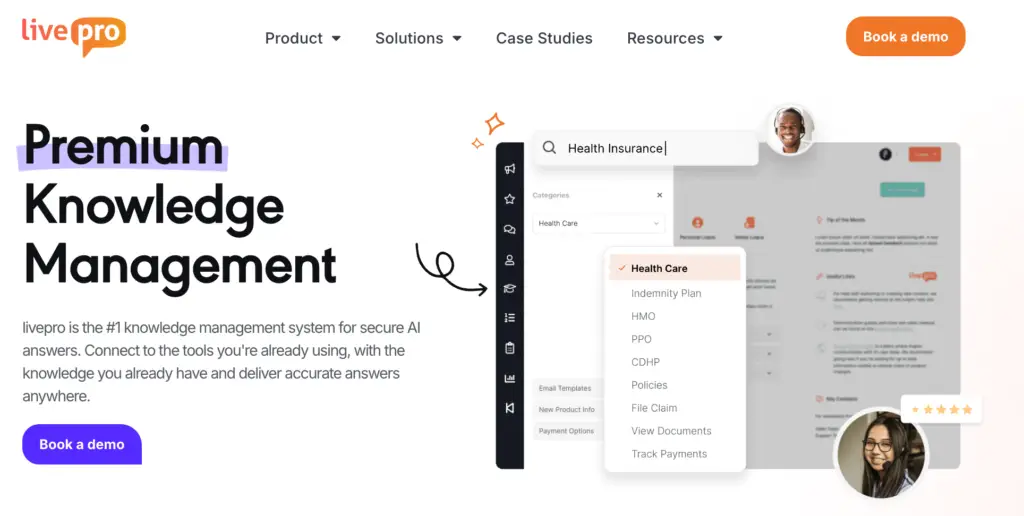
livepro is a knowledge management platform purpose-built for contact centers and enterprises in regulated industries such as financial services, healthcare, and local government. While Guru and Helpjuice serve general knowledge management needs, livepro was designed specifically for situations where speed, accuracy, and compliance are non-negotiable.
Agents get answers mid-call without switching tools, customers get consistent self-service through branded portals, and compliance teams get full audit trails and automated review cycles, all from one platform. There’s no choosing between internal and external delivery. livepro handles both.
The result is faster onboarding, shorter average handle times, and knowledge that stays accurate and governed at scale, whether your team has 20 agents or 2,000.
Here are livepro’s key features that make it a go-to knowledge management software alternative to Guru and Helpjuice.
Hybrid Lightspeed Search That Understands Intent

Guru’s search relies on tag-based matching. Agents often need the exact keyword or article title to get useful results. Helpjuice’s search retrieves documents well, but mainly surfaces full articles rather than interpreting the query.
livepro’s Lightspeed Search uses a hybrid search engine designed to return the exact answer instead of a list of documents. It combines multiple search methods in one system:
- Keyword Search: Retrieves structured knowledge and indexed documentation quickly.
- Natural Language Understanding: Interprets the meaning behind a query instead of relying only on exact keywords.
- Vector Search: Finds relevant answers even when the wording differs from the source content.
- Typo and Phrase Handling: Recognizes misspellings and partial phrases without requiring agents to rephrase the query.
- Direct Answer Retrieval: Returns the rule, policy, or instruction that resolves the query instead of forcing agents to open full articles.
For example, if an agent searches “customer wants money back,” livepro returns the relevant refund policy even if the article is titled “Refund and Reimbursement Guidelines.”
Rockets Decision Trees for Step-by-Step Process Guidance

Guru gives agents knowledge cards. Helpjuice gives agents articles. Both formats put a block of text in front of someone who needs to walk a customer through a complex, multi-step process in real time.
livepro’s Rocket Decision Tree guides agents through a decision tree, one question at a time, branching based on the customer’s answers. The agent doesn’t interpret. They follow the logic. The customer gets a consistent, compliant answer every time.
No coding is needed to build or maintain Rockets. Any knowledge manager can create and update them without technical support. And because the guidance is embedded into the workflow rather than sitting in a separate document, compliance happens naturally.
Internal and External Knowledge Delivery in One Platform
Most teams using Guru or Helpjuice face the same limitation. Internal and external knowledge are handled in different systems.
Guru focuses on internal knowledge delivery through Slack, Teams, and browser extensions. Building a customer-facing portal requires additional API work. Helpjuice focuses on external, branded help centers but lacks deep internal workflow integration.
As a result, organizations must either compromise or manage two separate platforms that do not connect.
livepro removes that trade-off by supporting both internal and external knowledge delivery from the same platform.
livepro enables knowledge access in two environments:
- Internal delivery: Agents access the knowledge base through their CRM, ticketing system, or integrated workflow.
- External delivery: Customers access the same approved content through a branded self-service portal.
Luna AI Voice Agent for 24/7 Customer Service

Alt: luna-ai-voice-agent
Luna is an AI voice agent built specifically for contact centers. It operates directly from your approved knowledge base. There’s no separate training process, no additional data source to manage, and no risk of the voice agent contradicting what a human agent would say.
Luna is designed to handle common contact center scenarios, including:
- Handles call overflows and routine customer inquiries without requiring human intervention
- Supports appointment scheduling and after-hours service, ensuring availability beyond business hours
- Automatically detects the customer’s language and switches accordingly
- Transfers complex queries to human agents with full conversation context preserved
- Scales easily from a small number of calls to thousands simultaneously without reducing response quality
For example, if a customer calls after business hours to check their loan payment due date, Luna can answer the question instantly using the approved policy in the knowledge base. If the customer then asks about changing their repayment schedule, Luna can transfer the call to a human agent while passing along the conversation context.
Enterprise Governance Controls for Compliance and Audit Trails

livepro tracks and manages content changes while ensuring teams follow approved review and publishing workflows.
Key governance capabilities include:
- Feedback Workflow Management: Capture agent feedback and route it to content owners.
- Version Control: Track every change across the knowledge base.
- Visual Version Comparison: Compare content versions to identify changes quickly.
- Role-Based Permissions: Control who can create, edit, approve, and publish content.
- Authored Content Review: Subject matter experts review knowledge before publishing.
- Automated Review Reminders: Prompt teams to review content on schedule.
- Scheduled Publication: Plan and publish updates at a specific time.
Work Instructions for Standardized Task Execution
Guru and Helpjuice both help agents find information. But neither is designed to guide agents through the execution of a task step by step, in a way that’s tracked and consistent across the whole team.
livepro’s Work Instructions give managers a way to build structured, step-by-step task guidance that agents follow directly inside the platform. Every agent follows the same process for the same task. Outcomes are consistent. And new agents can execute complex processes correctly from day one without relying on an experienced colleague sitting next to them.
For example, RemServ, a salary packaging provider, used livepro to guide agents through customer queries and internal processes. As a result, the company reduced training time by 50% (from 10 days to 5 days) and improved customer satisfaction as agents were able to find accurate answers faster.
Easy to Manage Categories and Hubs for Scalable Content Organization
As a knowledge base grows, the organizational structure becomes the bottleneck. Guru users consistently flag this: as card volume increases, finding and managing content gets harder. Helpjuice gives flexibility but requires ongoing manual effort to keep the structure clean across large content libraries.
livepro’s Categories and Hubs give teams a scalable way to organize content by department, topic, or team, with access controls that make sure each group only sees what’s relevant to them. Content managers can restructure, update, and govern knowledge without technical support.
livepro Pricing
livepro offers custom pricing plans. You can contact us for more details.
livepro Reviews
What users like:
- Single source of truth with governance and version control
- Rocket’s decision trees guide agents through complex issues step-by-step
- Embedded content updates automatically across articlesResponsive customer support team
- Intuitive interface with a straightforward setup process
- Reporting tools highlight knowledge gaps by tracking search behavior and engagement
What users dislike:
- Advanced template customization options, such as JavaScript support, are limited
livepro Ratings
Quick Comparison: Guru vs Helpjuice vs livepro
| Platform | Key Features | Best For | User Experience |
| Guru | AI-powered knowledge agents, card-based knowledge management, workflow integrations (Slack, Teams, Chrome), automated content verification, enterprise search | Teams that need internal knowledge delivery inside workflow tools | Clean interface and easy knowledge access, though customization and analytics are somewhat limited |
| Helpjuice | Customizable knowledge base, AI-powered search, multilingual support (50+ languages), advanced analytics, branding with CSS/HTML | Organizations that need external customer help centers and self-service portals | Intuitive editor and customization, but admin management and advanced formatting can become complex |
| livepro | Hybrid Lightspeed search, Rockets decision trees, internal + external knowledge delivery, Luna AI voice agent, enterprise governance controls | Contact centers and regulated industries that require governed knowledge and guided workflows | Structured interface optimized for guided workflows, making complex processes easier for agents to follow |
Guru vs Helpjuice: Which Platform Wins in 2026?
Both Guru and Helpjuice do their job well, but they were never really competing for the same customer. The right choice depends entirely on what your team actually needs.
Choose Guru If:
- Your team relies heavily on Slack, Microsoft Teams, or Chrome, and needs knowledge delivered inside those tools without switching screens
- Your primary use case is internal knowledge management for sales, HR, support, or operations teams
- You need an AI-powered search that reasons over content and delivers cited answers in the flow of work
- You want automated content verification cycles where subject matter experts confirm knowledge on a schedule
- Your organization doesn’t require a customer-facing self-service portal
Choose Helpjuice If:
- You need a polished, branded, external-facing help center that customers can search on their own
- Deep visual customization and white-labeling are a priority for your brand
- You serve a global audience and need native multilingual support across 50+ languages
- Your team creates long-form, structured documentation rather than short, digestible knowledge cards
- Reducing inbound support tickets through customer self-service is your primary goal
livepro: The Go-To Alternative to Guru vs Helpjuice for Contact Centers and Enterprises in 2026
Guru focuses on internal knowledge delivery through workplace tools like Slack, Teams, and Chrome. Helpjuice focuses on external, customer-facing help centers with deep customization. But most contact centers and regulated businesses need both, plus compliance controls and guided workflows that no platform provides.
livepro brings intent-based search, decision-tree guidance, enterprise governance, and voice AI together in a single platform built specifically for contact center work. Agents get clear, verified answers mid-call without switching tools. Customers get consistent self-service through branded portals.
Book a demo with livepro to see how our software can help you reduce average handling time and close compliance gaps.
FAQs About Guru vs Helpjuice
Does Guru or Helpjuice work better for large contact centers?
Neither platform was built specifically for large contact centers. Guru focuses on internal knowledge delivery but lacks built-in customer portals and compliance controls, while Helpjuice supports external help centers but not in-workflow delivery.
Contact centers that need governed knowledge and guided workflows often choose platforms like livepro, designed for high-volume, regulated environments.
Does livepro work for both internal and external knowledge delivery?
Yes. livepro delivers knowledge to agents through integrated workflows and to customers through branded self-service portals, all from a single knowledge source, so teams don’t need separate platforms.
How does livepro’s search compare to Guru and Helpjuice?
Guru’s search relies on tagged knowledge cards and connected apps, while Helpjuice retrieves articles from its knowledge base.
livepro’s Hybrid Lightspeed Search uses NLP and vector search to understand intent and return the exact answer, even when queries include typos or vague phrasing.