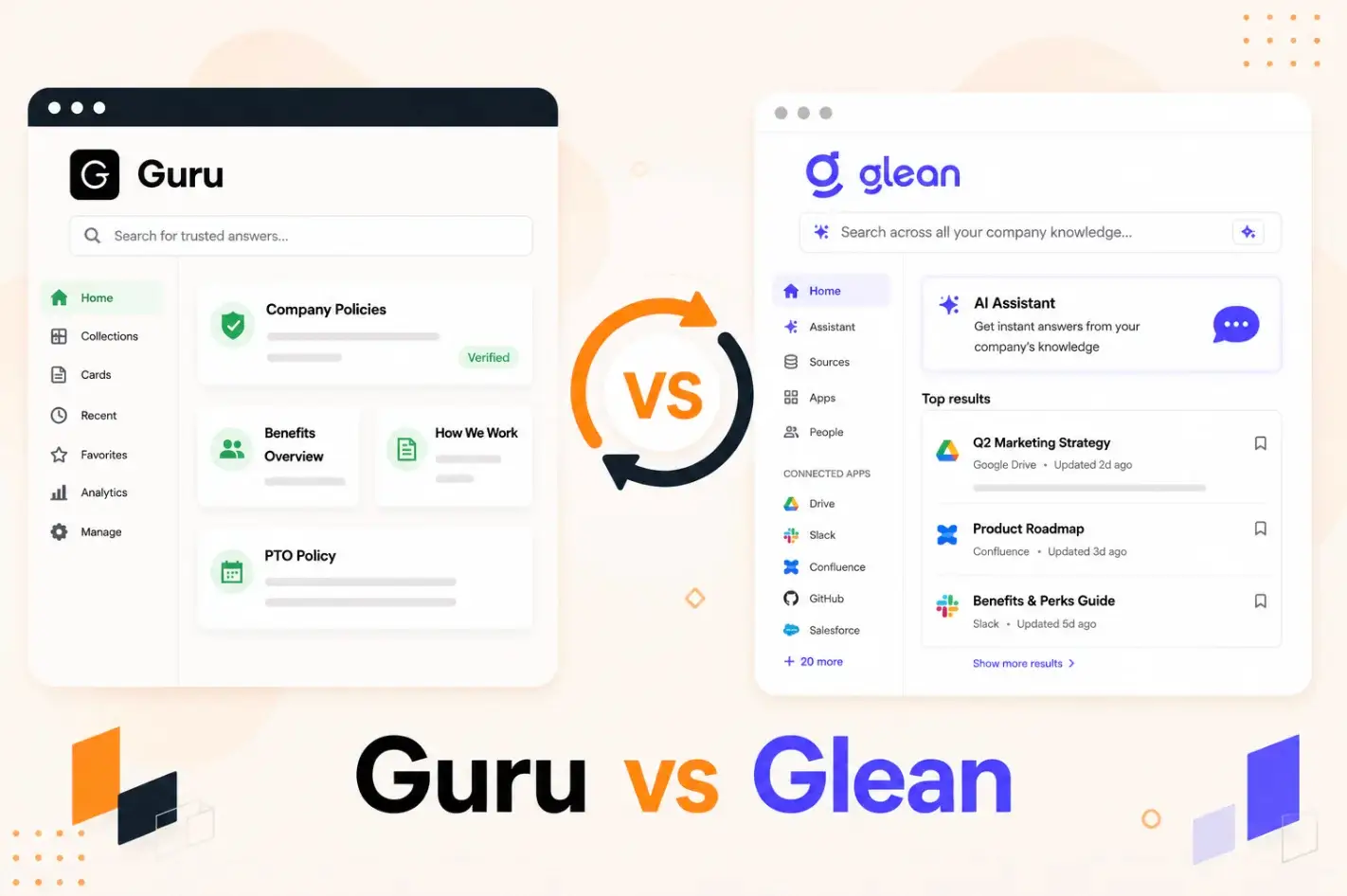


Your team has knowledge scattered across Slack threads, shared drives, CRM notes, and half-finished wikis. You need a tool to fix that. Guru and Glean both show up when you start looking, and on the surface, they sound like they do the same thing.
They don’t.
Guru helps teams build a governed knowledge base from scratch. You create cards, assign owners, set review cycles, and push verified answers into your team’s workflow.
Glean skips the creation step entirely. It indexes what already exists across your tool stack and uses AI to surface answers from a single search bar.
One builds. The other discovers. And the right choice depends on whether your problem is creating reliable knowledge or finding what’s already buried across too many systems.
This article breaks down Guru vs Glean on features, pricing, and user experience. We also introduce livepro for teams that need both governed knowledge and accurate search, along with compliance controls and guided workflows built for contact centers and enterprises.
About Guru

Guru is an AI knowledge management software that combines enterprise search, a company wiki, and an intranet into one system. Teams create and organize knowledge into cards, assign owners, and set verification cycles to keep content accurate. Guru then delivers those answers inside tools like Slack, Teams, Zendesk, and Salesforce through its browser extension and Knowledge Agents.
Many Guru users praise its ease of use, but complain about the limited customization and formatting options.
Read more: Guru Alternatives
Guru Key Features
- Knowledge cards: Verified, owner-assigned content units with automated review cycles.
- Knowledge Agents: AI-powered assistants that deliver cited, permission-aware answers across connected sources.
- MCP server: Pushes governed knowledge to external AI tools like ChatGPT, Claude, and Copilot.
- Browser extension: Surfaces answers inside any web app without switching tabs. Available for Chrome, Edge, and Opera.
- Content verification: Flags outdated cards and notifies owners to review before content reaches anyone.
- AI authoring: Drafts, summarizes, and refines knowledge cards using generative AI.
- Analytics: Tracks trust scores, verification rates, search trends, and knowledge gaps.
- Integrations: 100+ tools, including Slack, Salesforce, Zendesk, Microsoft Teams, and Google Drive.
Guru Pricing
Guru offers custom pricing. The company no longer lists public per-seat pricing on its website. Instead, it bundles platform access with solution engineering, knowledge architecture design, and ongoing optimization into a tailored package based on your organization’s scale and AI maturity.
Who’s Guru Best For?
Guru works best for mid-market and enterprise support, sales, and HR teams that create a high volume of repeatable knowledge and need it delivered inside their daily tools. It’s a strong fit for organizations that already have subject matter experts who can own and verify content on a schedule. Teams without a dedicated knowledge owner will struggle to keep Guru’s verification system running.
User Rating
About Glean
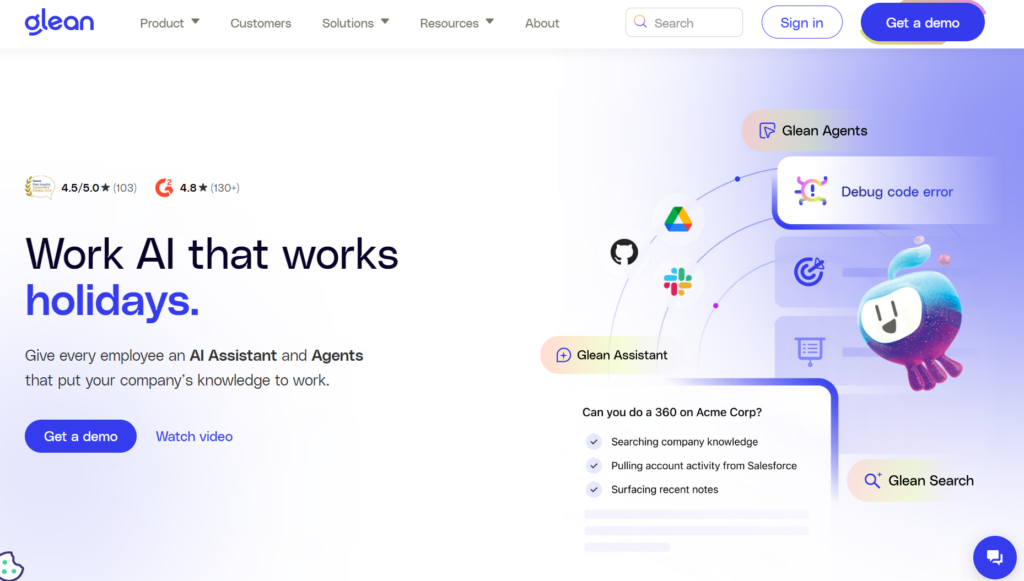
Glean is a Work AI platform that connects to the tools your organization already uses and makes everything searchable through a single interface. It indexes content across apps like Google Drive, Slack, Confluence, Jira, and Salesforce, then uses AI to surface answers, summarize information, and automate multi-step workflows.
Glean doesn’t create or govern content. It works with what already exists across your systems. This makes it a strong discovery tool, but teams that need structured, verified knowledge will need to pair it with another solution.
Users praise Glean for its ability to surface answers across multiple tools instantly. But many report overly broad search results, expensive pricing, and a setup process that depends on connector coverage.
Read more: Glean Alternatives
Glean Key Features
- Hybrid search: Surfaces answers across all connected apps from a single search bar.
- Glean Assistant: Delivers personalized, cited AI answers. Includes Data Analysis, Canvas, and Deep Research.
- Glean Agents: Builds and deploys AI agents that automate multi-step workflows using natural language.
- Enterprise Graph: Maps relationships across people, projects, teams, and content for context-aware AI responses.
- Personal Graph: Adapts results to each employee’s role, projects, and work patterns.
- Glean Protect: Enforces real-time permissions and scans for overshared sensitive data. Runs in a single-tenant cloud.
- Integrations: 100+ connectors via APIs, SDKs, and MCP Gateway. Model Hub for flexible LLM choice.
Glean Pricing
Glean offers custom pricing plans. You can contact their team for a quote.
Who’s Glean Best For?
Glean works best for large enterprises with 500+ employees where information already exists across a fragmented stack of 10+ tools, and the core problem is finding it fast. Engineering, IT, and product teams get the most value because their work spans the most systems. Organizations that need to create, govern, or verify content before it reaches employees will need more than what Glean offers on its own.
User Rating
Guru vs Glean: Feature-by-Feature Comparison
This table compares Guru and Glean across the features that matter most when choosing a knowledge management tool for contact centers and enterprise teams.
| Feature | Guru | Glean |
| Knowledge base | Cards, collections, and pages with a structured hierarchy. Teams create and own content directly in Guru. | No native content structure. Indexes what already exists across connected apps. |
| Search | Hybrid search within Guru’s governed knowledge layer. Also searches connected sources via Knowledge Agents. | Hybrid search across 100+ connected apps. Personalized by role and work history via the Personal Graph. |
| Content authoring | Full authoring environment with a WYSIWYG editor, templates, and scheduled publish/archive dates. | No authoring tools. Teams must create content in other systems. |
| Content governance | Assigned ownership, verification cycles, trust scores, and automated quality signals to keep content accurate. | No content governance. Governs data access through real-time permissions and overshared content scanning. |
| AI agents | Knowledge Agents scoped to verified sources for cited Q&A, content quality, and research. MCP server pushes knowledge to ChatGPT, Claude, and Copilot. | General-purpose agents that automate multi-step workflows across connected systems. Agentic engine reasons over enterprise context. |
| Personalization | Role-based and permission-based. Content is delivered based on team, access level, and source permissions. | Personal Graph adapts to each employee’s role, projects, collaborators, and writing style. |
| Self-service | No native customer-facing self-service. Knowledge stays internal. | No native customer-facing self-service. Built for internal employee use. |
| Guided workflows | No decision tree or guided workflow tool. Knowledge is delivered as cards. | No guided workflow tool. Agents automate tasks but do not walk users through step-by-step processes. |
| Analytics | Trust scores, verification rates, search trends, knowledge gaps, and usage patterns. | Usage analytics across connected apps. No native content quality or governance metrics. |
| Security and compliance | SOC 2, HIPAA, GDPR, HECVAT, CAIQ. DLP masking, SSO, and encryption. | SOC 2. Single-tenant cloud, real-time permissions, sensitive data scanning, zero-retention LLM agreements. |
| Integrations | 100+ tools via sync. MCP server for external AI tools. Browser extension for Chrome, Edge, and Opera. | 100+ connectors via APIs, SDKs, and MCP Gateway. Model Hub for flexible LLM choice. Browser extension. |
| Pricing | Custom pricing. No public per-seat rates. Sales conversation required. | Custom pricing. No public rates. Sales-led process required. |
| Deployment | Sales-led with solution engineers, knowledge architecture design, and rollout advisory. | Sales-led implementation. On-premises option available through Dell partnership. |
livepro: A Better Guru and Glean Alternative for CX & Enterprise Teams
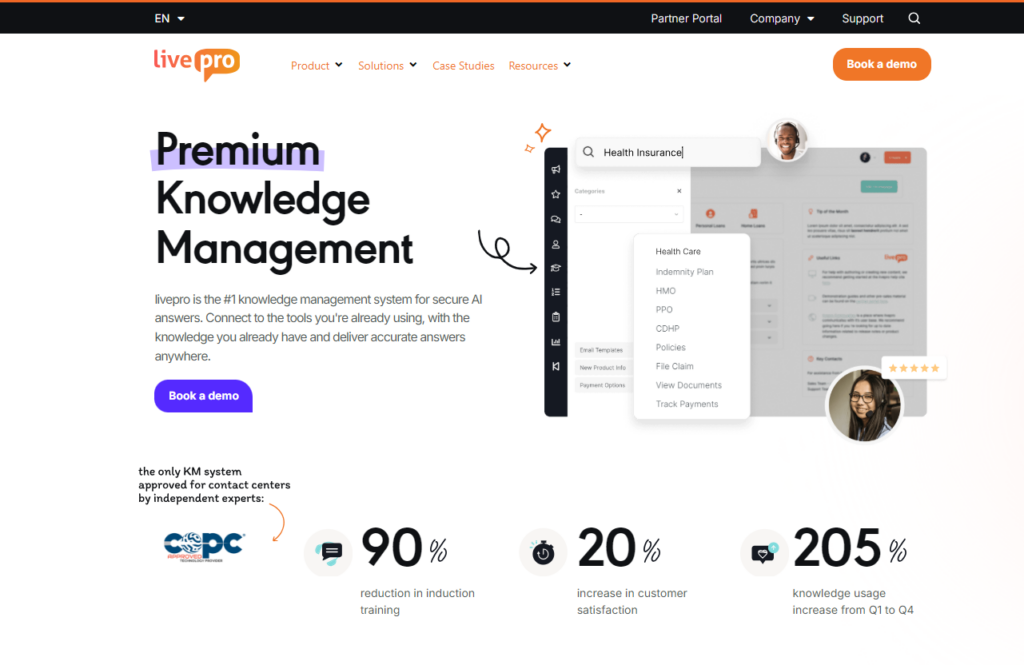
livepro is an AI knowledge management software built for contact centers and enterprise teams in regulated industries like healthcare, financial services, and local government.
According to G2’s Spring 2026 Grid Report, livepro ranks #1 across five key contact center knowledge base features: integrations (9.6/10), access management (9.7/10), analytics (9.5/10), data governance (9.9/10), and compliance (9.8/10).
Guru creates and governs knowledge, but its search quality drops as the knowledge base grows, and it has no customer-facing self-service or guided workflows. Glean searches across 100+ apps, but it can’t create content, govern it, or walk agents through multi-step processes.
livepro does all three. It combines AI-powered search with built-in governance, decision trees for guided workflows, customer-facing self-service, and compliance controls in a single platform. Here’s how livepro solves the problems that Guru and Glean users face:
Hybrid Search for Accurate Answers
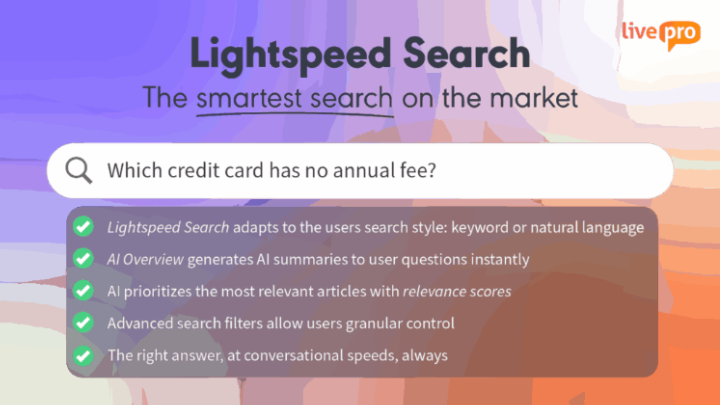
Guru users report that search requires specific keywords to return relevant results, making it hard to find accurate answers for broader or complex queries.
livepro’s Lightspeed Search uses natural language processing, semantic understanding, and keyword matching to evaluate the searcher’s intent and retrieve the right answer faster.
Here’s how it’s different than generic search tools on the market:
- Typo tolerance: Returns accurate results even when users mistype or use different terminology under time pressure. A rushed search still surfaces the right answer.
- Relevance scoring: Assigns each result a score based on the query, department, and past usage history to surface the most accurate answer first.
- Usage-based ranking: Pushes the most accessed articles to the top, so the answers agents rely on are always the easiest to find.
- Filtered options: Narrows results by tags, date, or content type to find the exact article without scrolling through unrelated content.
Lightspeed AI to Migrate Documents in Minutes, Not Months
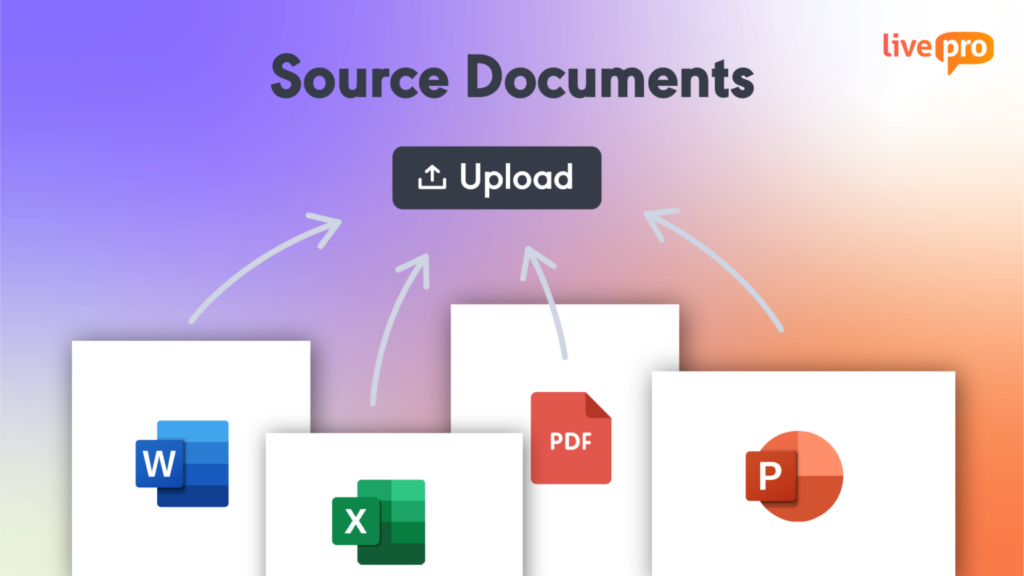
Most organizations store critical knowledge across PDFs, Word docs, Excel files, and PowerPoint decks spread across departments. Migrating that content into a knowledge base manually takes months and pulls teams away from their actual work.
livepro’s LightspeedAI ingests these documents in bulk, reads their structure, preserves formatting, and converts them into searchable knowledge articles. Teams upload files directly. No re-authoring required.
For example, say the compliance team releases a 40-page regulatory update as a PDF. Instead of assigning someone to rewrite it as knowledge articles, they upload it into livepro. LightspeedAI breaks it into individual articles by section, makes each one searchable, and publishes them to the relevant teams within minutes. The same applies when HR rolls out a new benefits policy or when operations updates a standard procedure across departments.
AI Authoring Tools for Content Creation and Customization
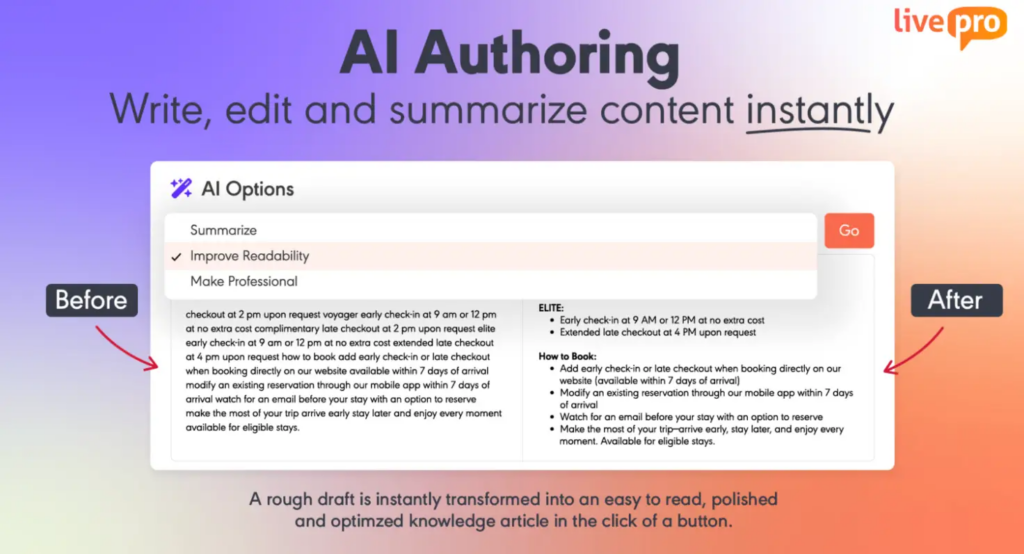
Guru users report that limited customization options and layout control affect readability among teams.
livepro’s authoring tools give knowledge managers full control over how content is created, structured, and presented. Teams can build and update articles without technical support, and every piece of content stays consistent across the knowledge repository.
Our platform supports:
- WYSIWYG editor: Create and update articles with full formatting control, including images, tables, links, and structured layouts, without writing a single line of code.
- Drag-and-drop templates: Build decision trees and process guides using pre-designed, styled templates that reduce formatting time and keep content visually consistent.
- AI Assist: Refine drafts, simplify complex language, and adjust tone to fit the audience, using our AI tool for clarity.
- Scheduled publishing and expiry: Set content to go live or retire automatically, so agents never work from outdated information.
Built-in Governance to Keep Knowledge Up-to-Date
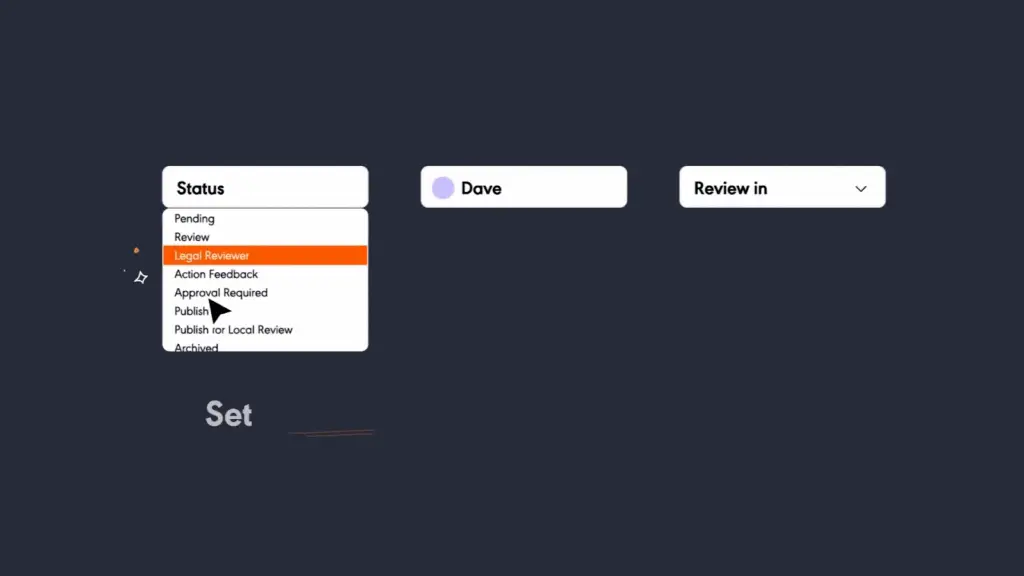
Guru users report that tracking content takes constant manual effort as the knowledge base grows, while outdated content causes unnecessary clutter for teams.
livepro solves this with an advanced governance framework and granular access controls. It allows teams to assign ownership by role, add review cycles, and set deadlines to keep knowledge accurate and up-to-date. When a review deadline passes, livepro flags the article and routes it to the right owner for review.
With livepro, every piece of content moves through an automated workflow:
- A subject matter expert updates the content.
- livepro routes it to a designated reviewer who checks it for accuracy and compliance.
- A knowledge manager signs off before anything goes live.
- Approved content publishes automatically at a scheduled date and time.
All changes made to the knowledge article are recorded for version control. You can view version history, restore previous versions, and hold team members accountable if needed. And if an article is no longer relevant, you can set a scheduled expiry date to retire it automatically so agents never work from outdated information.
Decision Trees for Guided Workflows

Search tools return articles. But when a process has five branches, three exceptions, and a different outcome depending on each answer, an article isn’t enough. Teams need step-by-step guidance that adapts based on each response.
Neither Guru nor Glean offers this. Guru delivers knowledge as static cards. Glean surfaces documents from connected apps. Both assume the user can read the content and figure out the right path on their own.
livepro’s Rocket decision tree tool walks users through dynamic branching workflows. Each response narrows the path to the correct outcome. Knowledge managers build and update Rockets using a drag-and-drop editor without technical support.
For example, if a customer calls about insurance coverage for a specialist visit, the user follows the Rocket: Do they have a referral? What plan tier are they on? Is the specialist in-network? Each answer routes to the next question until it reaches the exact coverage outcome. No guesswork. No transfers.
Rockets also support agent training with real-life scenarios, onboarding walkthroughs, and handling policy exceptions like eligibility overrides, where skipping a required step isn’t an option.
Compliance Certifications to Meet Regulatory Standards
Teams in regulated industries handle sensitive information every day. If that information is accessed by the wrong person or shared without a record of who changed it, it can lead to serious legal and regulatory consequences.
livepro is a SOC 2 and HIPAA certified knowledge management platform. It uses self-hosted AI architecture with regular penetration testing to maintain data security.
Our platform implements role-based permissions to make sure each team member only sees the content relevant to their role. For example, a billing agent can’t access HR policies, and a new hire won’t see content that hasn’t been approved for their level yet.
Every content change in livepro is logged automatically. Compliance teams can see who made an update, when it happened, and what was changed. This helps them perform audit trails and improve accountability where needed.
Customer Self-Service to Reduce Call Volume
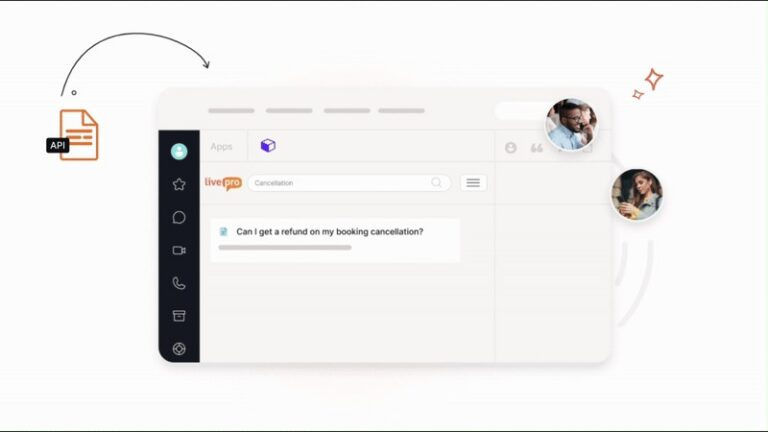
Most knowledge platforms stop at the internal layer. Agents get the knowledge, but customers still end up in a queue or searching through an outdated FAQ page that nobody’s maintained in months.
livepro offers self-service solutions with AI-powered search to deliver accurate answers to customers without contacting an agent.
livepro connects WebAnswers with a simple API on your website. Customers can search in everyday language, and our platform answers them through the same governed knowledge base your team uses.
Here’s what livepro’s self-service solutions include:
- On-brand delivery: Fits into your existing website and apps so the customer experience stays consistent and uninterrupted.
- Flexible hosting: Controls how customers view and interact with content, so you decide what’s visible and how it’s presented.
- Seamless syncing: Updates knowledge across all connected platforms the moment a change is made internally, with no manual republishing step.
- Customizable views: Tailors what each user or customer segment sees based on your service and support requirements.
- Federated search: Pulls answers from your website, help center, and knowledge base in a single search.
- Custom integrations: Connects to existing tools and portals using plug-ins or a simple API, without needing a developer for every change.
Advanced Analytics to Track Knowledge Performance and ROI
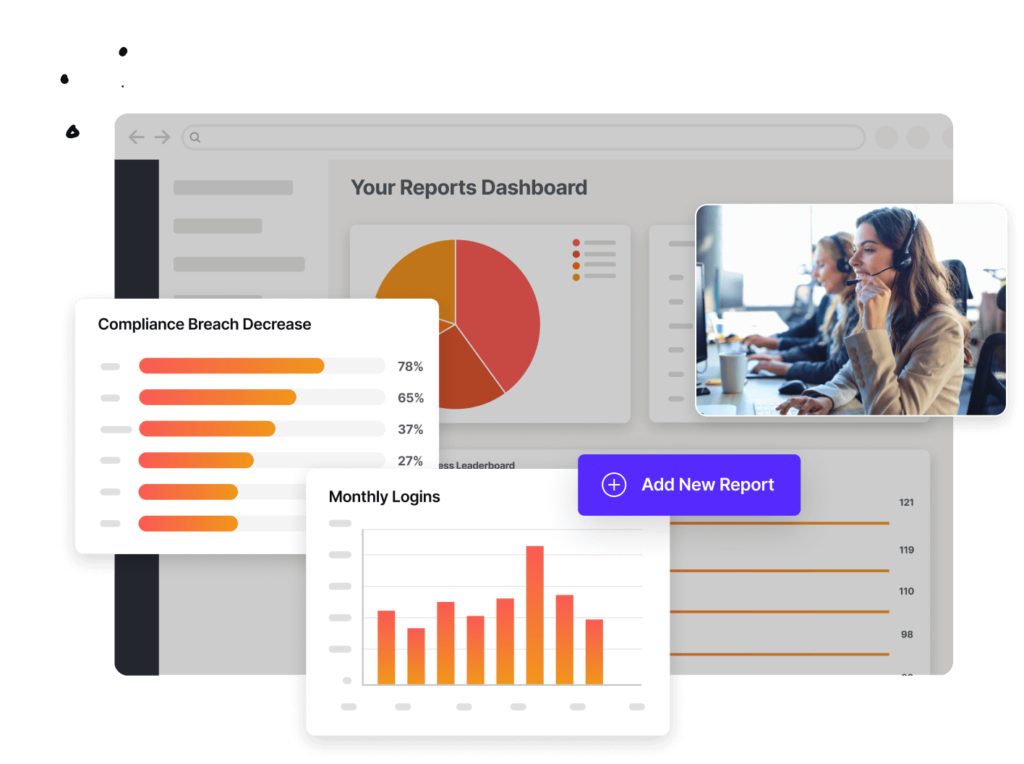
Many users report that Guru lacks advanced analytics on content engagement and usage. Without these metrics, it’s hard to identify knowledge gaps.
livepro offers built-in analytics and reporting tools that give you visibility into your knowledge base.
With livepro, you can:
- Track what agents search for most, and where queries return no results
- Identify missing content from failed searches and trending queries
- Track which articles get accessed, which get ignored, and which need updates
- Monitor adoption rates across teams, departments, and tenure groups
These insights help you improve your knowledge management strategy and make data-backed decisions. For example, if the average handle time is high for a specific process, you can trace it back to the content agents that are using it and fix it directly.
livepro Integrations
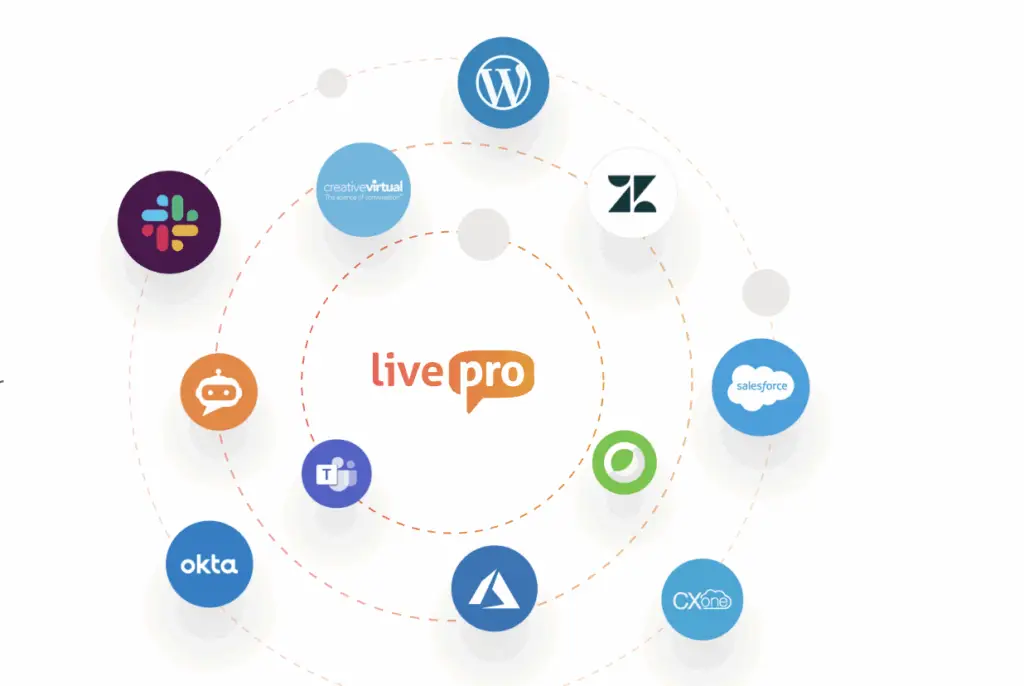
livepro connects natively with tools your teams already use, so they don’t have to switch between tabs to find relevant information.
livepro offers integrations with:
- Microsoft Teams
- Slack
- MS Dynamic CRM
- Cisco WebX
- Azure
- Salesforce
- Zendesk
- Genesys Cloud
- NICE CXone
You can also use our open API to connect your custom apps or internal tools with livepro.
livepro Pricing
livepro offers three custom pricing plans: Flex, Premium, and Enterprise. You can contact our team for a personalized quote.
User Rating
Comparison Table: Guru vs Glean vs livepro
This table compares all three tools across 14 features so you can evaluate which platform fits your team, industry, and operational needs at a glance.
| Feature | Guru | Glean | livepro |
| Best for | Mid-market and enterprise support, sales, and HR teams that create and maintain repeatable knowledge. | Large enterprises (500+ employees) with 10+ tools where information already exists and the problem is finding it. | Contact centers and enterprises in regulated industries that need governed knowledge, guided workflows, and compliance. |
| Core approach | Build and govern. Teams create knowledge from scratch, verify it, and deliver it inside daily tools. | Discover and automate. Indexes what already exists across connected apps and uses AI to surface answers. | Build, govern, guide, and serve. Creates knowledge, governs it, guides users through complex processes, and serves customers directly. |
| Knowledge base | Cards, collections, and pages with structured hierarchy. Content is created and owned directly in Guru. | No native knowledge base. Relies on content in connected apps. | Full knowledge base with articles, process guides, and decision trees. Supports bulk import via Lightspeed AI. |
| Search | Hybrid search within Guru’s governed layer. Knowledge Agents also search connected sources. Users report search quality drops as the knowledge base grows. | Hybrid search across 100+ connected apps. Personalized by role and work history. Users report overly broad results that require extra filtering. | Lightspeed Search with NLP, semantic understanding, typo tolerance, relevance scoring, and usage-based ranking. Built for speed under time pressure. |
| Content authoring | WYSIWYG editor, templates, and scheduled publish/archive dates for card-based content. | No authoring tools. Teams must create content in other systems. | WYSIWYG editor, drag-and-drop templates, AI Assist for tone and clarity, and scheduled publishing and expiry. |
| Content governance | Assigned ownership, verification cycles, trust scores, and automated quality signals. | No content governance. Governs data access through permissions and overshared content scanning. | Automated author-review-approve-publish workflow, role-based ownership, review deadlines, version control, and scheduled expiry. |
| Guided workflows | None. Knowledge is delivered as static cards. | None. Agents automate tasks but do not walk users through step-by-step processes. | Rocket decision trees guide users through dynamic branching workflows. Drag-and-drop editor. No technical support needed. |
| Customer self-service | None. Knowledge stays internal. | None. Built for internal employee use. | WebAnswers delivers answers to customers via API from the same governed knowledge base agents use. |
| AI capabilities | Knowledge Agents for cited Q&A and research. AI authoring. MCP server pushes knowledge to ChatGPT, Claude, and Copilot. | Glean Assistant for personalized answers. Agents for multi-step workflow automation. Agentic engine, Deep Research, Canvas, and Data Analysis. | AI-generated summaries, AI authoring, Lightspeed AI for bulk document ingestion, and Luna AI Voice Agent for customer self-service. |
| Compliance | SOC 2, HIPAA, GDPR, HECVAT, CAIQ. DLP masking, SSO, and encryption. | SOC 2. Single-tenant cloud, real-time permissions, sensitive data scanning, zero-retention LLM agreements. | SOC 2 and HIPAA certified. Self-hosted AI architecture, regular penetration testing, role-based permissions, and full audit trails. |
| Analytics | Trust scores, verification rates, search trends, and knowledge gaps. | Usage analytics across connected apps. No content quality or governance metrics. | Failed searches, trending queries, content gaps, article engagement, and adoption rates by team, department, and tenure. Ranked #1 on G2 (9.5/10). |
| Integrations | 100+ tools. MCP server for external AI. Browser extension for Chrome, Edge, and Opera. | 100+ connectors via APIs, SDKs, and MCP Gateway. Model Hub for LLM choice. Browser extension. | Microsoft Teams, Slack, Salesforce, Zendesk, Genesys Cloud, NICE CXone, Cisco WebEx, and open API. Ranked #1 on G2 (9.6/10). |
| Pricing | Custom pricing. No public rates. Sales conversation required. | Custom pricing. No public rates. Sales-led process required. | Three named plans: Flex, Premium, and Enterprise. Custom quotes. Contact livepro for pricing. |
| User ratings | 4.7 on G2, 4.8 on Capterra. | 4.7 on G2, 4.5 on Capterra. | 4.9 on G2, 4.8 on Capterra. |
Guru vs Glean: Which Tool Fits Your Use Case?
Choosing between Guru and Glean depends on what problem you’re solving.
Choose Guru for Internal Wiki
Guru is best for customer support, sales, and HR teams that need verified, structured knowledge delivered inside the tools they already use.
If your organization runs on communication tools or relies on browser-based workflows, Guru’s card-based system makes it a stronger fit.
Choose Glean for Enterprise-Wide Search
Glean is best for engineering, IT, and product teams operating across a fragmented stack of apps when information already exists and the problem is finding it fast.
If your team spends too much time switching between systems to find answers, Glean connects everything into one searchable interface.
livepro: The Guru and Glean Alternative for Contact Centers and Enterprises
Guru and Glean each solve part of the problem. Guru creates and governs knowledge but has no guided workflows, no customer-facing self-service, and search that struggles at scale. Glean finds information across tools but can’t create it, govern it, or walk users through complex processes.
livepro does both, and adds what neither tool offers: Rocket decision trees for step-by-step guidance, WebAnswers for customer self-service from the same governed knowledge base, and compliance controls built for regulated industries.
The result: teams resolve queries faster, customers get answers without waiting on hold, and onboarding takes days instead of months.
Book a demo to see how livepro compares to Guru and Glean for your team.
FAQs About Guru vs Glean
Is Glean a knowledge management tool?
No, Glean is a Work AI platform built around enterprise search. It indexes existing content across connected apps rather than helping teams create or govern knowledge.
Which tool offers better AI compliance: Guru or Glean?
Both platforms are SOC 2 certified and enforce role-based permissions. Guru adds HIPAA, GDPR, and HECVAT certifications. Glean includes continuous scanning for overshared sensitive data. The better fit depends on your industry’s specific regulatory requirements.
livepro is SOC 2 and HIPAA certified with self-hosted AI architecture, so your data never passes through a third-party AI model. Every content change is logged with full audit trails, and role-based permissions control exactly who sees what. For teams in regulated industries where data residency, auditability, and compliance are non-negotiable, livepro offers the strongest controls of the three.