










Confluence organizes information through hierarchical documentation. The platform serves technical teams, product managers, and IT departments who need structured wikis with version control. As part of the Atlassian ecosystem, it integrates deeply with Jira.
Bloomfire prioritizes search and discovery over structure. The platform uses AI to index content across 29+ file types, including video and audio transcription. It serves teams such as customer support, sales enablement, and market research who need to find specific answers quickly.
This article compares Bloomfire vs Confluence across search capabilities, content organization, collaboration tools, integrations, and pricing. We’ll examine real user feedback to show where each platform excels and where both fall short.
We will also introduce livepro, an alternative to Bloomfire vs Confluence. livepro is a scalable solution for contact centers and enterprises looking for a solution that provides fast intent-based AI answers from approved knowledge.
What is Bloomfire?
Bloomfire is an AI-powered knowledge management platform that centralizes company knowledge and delivers instant answers through advanced search technology. Founded in 2010, Bloomfire positions itself as an “Enterprise Intelligence” platform that goes beyond traditional knowledge bases.
The platform serves business teams, customer support, sales enablement, market research, and operations who need to find and share knowledge without technical complexity.
Bloomfire’s key differentiator is its AI-powered search engine that indexes 29+ file types, including full transcription of video and audio content, making spoken words searchable.
Teams use Bloomfire to build searchable knowledge repositories, Q&A communities, research libraries, and customer self-service portals. The platform features a “self-healing” knowledge base where AI automatically flags outdated content, reducing manual maintenance work.
Read more: Bloomfire Alternatives
Bloomfire Key Features
- AI-Powered Search: Deep indexing across 50+ file types with natural language queries that surface relevant knowledge instantly.
- Video and Audio Transcription: Automatic transcription of spoken words in videos, making all multimedia content searchable.
- Synapse AI: Conversational AI experience that generates direct answers from company knowledge.
- Self-Healing Knowledge Base: AI automatically flags outdated or redundant content and prompts authors to update without manual audits.
- Q&A Engine: Built-in community question-and-answer functionality where users can ask questions and subject matter experts respond.
- Smart Content Organization: Customizable categories with multiple levels, communities for projects/departments, and AI-assisted tagging.
- Knowledge Verification System: Content owners receive reminders to review and verify information stays accurate.
- Real-Time Analytics: Dashboards showing most viewed content, frequently searched terms, knowledge gaps, and user satisfaction metrics.
- Native Integrations: Connects with Salesforce, Slack, Microsoft Teams, Zendesk, SharePoint, Google Drive, and more.
- External Knowledge Sharing: Ability to deliver knowledge to customers and partners, not just internal teams.
Bloomfire Pricing
Bloomfire uses custom pricing that is not per-user. The platform charges based on deployment scope (team, department, or enterprise-wide) with annual fixed costs plus implementation fees.
According to third-party data from Vendr, the median enterprise cost is approximately $158,018 per year.
Bloomfire Reviews
What users like:
- Intuitive interface with almost no learning curve for end users
- AI-powered search works infinitely better than folder and file alternatives
- Video transcription makes multimedia content fully searchable
- Built-in Q&A functionality creates organic knowledge sharing culture
- Self-healing features reduce manual content maintenance
What users dislike:
- For large enterprises with complex needs, built-in analytics feel basic
- Text editing and formatting capabilities are limited compared to documentation platforms
- Cost is difficult to justify to upper management without per-user pricing transparency
- Search effectiveness depends heavily on content tagging and organization during implementation
Review #1: “Our team uses Bloomfire, and it’s been a very helpful tool and resource. With Bloomfire, doing research is much easier and more efficient. It also has an AI assistant feature where you can simply ask for what you need, and it provides a direct, clear answer” – Isobelle I
Review #2: “Finding information on Bloomfire can be like a black hole. Its ability to see related information or relevant information is questionable. It doesn’t seem to use any of the relational information or ability to see the correlation between two elements on the knowledge base.” – User
Bloomfire Ratings
What is Confluence?
Confluence is Atlassian’s enterprise documentation and collaboration platform. It serves as a central workspace where teams create, organize, and share knowledge through pages, databases, and whiteboards.
The platform integrates deeply with Jira, Trello, and other Atlassian tools, making it the de facto choice for software development teams, IT departments, and product organizations already using those tools. Teams use Confluence to build technical documentation, project wikis, SOPs, and team knowledge bases with hierarchical page structures.
Confluence offers real-time collaborative editing, version control, and AI-powered features through Rovo AI (available on Cloud plans). The platform supports spaces for organizing content by team or project, with granular permissions to control access.
Learn more: Confluence Alternatives
Confluence Key Features
- Hierarchical Page Structure: Organize knowledge into nested page trees within customizable spaces for comprehensive information architecture.
- Real-Time Collaborative Editing: Work simultaneously with team members on the same page with inline comments and @mentions.
- Version Control: Track complete page history, compare changes side-by-side, and restore previous versions.
- Rovo AI (Cloud only): AI-powered page summaries, content generation, and natural language search across connected tools.
- Databases: Create structured content with table, card, and board views that sync with Jira in real-time.
- Whiteboards: Digital canvas for brainstorming, planning, and visual collaboration directly within Confluence.
- Templates and Macros: Pre-built templates for documentation types and macros for advanced formatting and functionality.
- Atlassian Ecosystem Integration: Native connections to Jira, Jira Service Management, Trello, Bitbucket, and Loom.
- Permissions Management: Space-level, page-level, and group-level access controls
- 3,000+ Marketplace Apps: Extend functionality through third-party integrations (Slack, Teams, Google Workspace, Figma, Miro).
Confluence Pricing
Confluence offers four pricing plans: Free, Standard, Premium, and Enterprise, with pricing starting at $5.42/user/month.
Confluence Reviews
What users like:
- Deep Jira integration eliminates context switching for development teams
- Hierarchical structure supports complex documentation and long-form content
- Real-time collaboration features make team editing seamless
- Strong version control with visual comparison tools
What users dislike:
- Search functionality requires exact keywords and often returns irrelevant results
- Performance becomes sluggish with large pages or high attachment volumes
- Steep learning curve for non-technical users
- PDF export produces inconsistent, unprofessional formatting
Review #1: “In our case, we use Confluence to track project overviews with tables that include timelines, budgets, team sizes, and accomplishments. Editing pages feels smooth, and changes are saved quickly, which makes it easy to keep project information current.” – Mayur G
Review #2: “Confluence can sometimes feel cluttered when there is a lot of content. If pages are not well organized or maintained, finding the right information can take longer than expected. Another thing is that formatting and customization can feel a bit limited or unintuitive at times, especially when you want more control over layouts. It is great for documentation overall, but it does require good structure and regular cleanup to stay easy to use.” – Radhika
Confluence Ratings
Bloomfire vs Confluence: Pricing Comparison
Here’s the full pricing breakdown for Bloomfire vs Confluence:
| Software | Plans | Free Trial | Starting Price | What’s Included |
| Confluence | Free, Standard, Premium, Enterprise, Data Center | Free plan available (up to 10 users) | $5.16/user/month | Basic collaboration features, unlimited pages/spaces, templates, version history, and Rovo AI credits (Standard+) |
| Bloomfire | Custom (Team, Department, Enterprise) | No free trial or free plan | Custom Pricing | AI-powered search, video transcription, Q&A engine, self-healing knowledge base, analytics, up to 3,000 content uploads in implementation |
Bloomfire vs Confluence: Feature-by-Feature Comparison
Let’s compare Bloomfire vs Confluence across eight key features:
Search and Discovery
Bloomfire delivers AI-powered semantic search that indexes 29+ file types, including full transcription of video and audio content. Users can ask natural language questions and the platform surfaces relevant knowledge. The Synapse AI feature generates direct answers from company knowledge.
Confluence provides keyword-based search across pages and spaces with Rovo AI available on Cloud plans. Users mention needing exact page titles to find information, and the platform struggles with relevance in large content volumes.
Video and Multimedia Content Management
Bloomfire automatically transcribes spoken words in videos and audio files, making all multimedia content searchable. Users can search for specific phrases and jump directly to the moment in the video where those words appear.
Confluence supports video embedding (Loom integration) but doesn’t transcribe or index video content.
Content Organization and Structure
Bloomfire uses a flat structure with customizable categories, communities, and groups. Content organization resembles social media feeds with AI-assisted tagging. The approach prioritizes discoverability through search over hierarchical navigation.
Confluence organizes content in hierarchical page trees within spaces. Teams build nested documentation with parent-child page relationships. The wiki-style structure supports complex documentation but users report navigation becomes cumbersome as spaces grow.
Real-Time Collaboration and Editing
Confluence supports simultaneous multi-user editing with inline comments, @mentions, task assignments, and activity feeds. Teams can work together on the same page in real-time.
Bloomfire offers comments on posts but limited co-editing capabilities. The platform focuses on knowledge sharing and discussion rather than document collaboration.
Q&A and Community Features
Bloomfire includes a native Q&A engine where users ask questions, subject matter experts respond, and all Q&A gets stored for future reference. This creates an organic knowledge sharing culture.
Confluence doesn’t offer native Q&A functionality. Teams must use third-party marketplace apps or workarounds to create Q&A experiences.
Knowledge Governance and Content Freshness
Bloomfire offers a knowledge base where AI automatically flags outdated or redundant content and prompts content owners to update. Verification workflows assign subject matter experts to review content.
Confluence tracks version history comprehensively but users report that maintaining content integrity is hard and outdated content piles up. The platform doesn’t automatically flag stale information or prompt reviews.
Integrations and Ecosystem
Confluence connects with 3,000+ marketplace apps and integrates deeply with the Atlassian ecosystem (Jira, Jira Service Management, Trello, Bitbucket). The platform serves as a documentation hub for technical teams already using Atlassian tools.
Bloomfire offers native connectors including Salesforce, Slack, Microsoft Teams, Zendesk, SharePoint, and Google Drive. Integration depth is narrower but covers common business tools.
Analytics and Reporting
Bloomfire provides real-time dashboards showing most viewed content, frequently searched terms, knowledge gaps, and user satisfaction metrics. But users note that built-in analytics feel basic for complex reporting needs.
Confluence offers page-level analytics and space reporting on Premium+ tiers. Teams can track page views and contributor activity, but users report that analytics don’t identify knowledge gaps or unanswered questions.
livepro: A Better Alternative to Bloomfire vs Confluence in 2026
livepro is a knowledge management platform designed for contact centers and enterprises where accuracy, consistency, and governance matter. Our software targets industries such as financial services, insurance, healthcare, and government.
Unlike Bloomfire and Confluence, which focus primarily on content discovery or documentation, livepro supports the full lifecycle of operational knowledge.
The platform helps teams centralize policies, procedures, and guidance, keep them current, control who can access what, and understand where knowledge breaks down in day-to-day use.
As an alternative to Bloomfire and Confluence, livepro addresses common gaps both platforms struggle with, including:
- Inconsistent search results
- Limited visibility into missing or unused knowledge
- Complex permission management
- Manual effort required to keep content compliant and up to date
Here’s how livepro features address the knowledge management challenges Bloomfire and Confluence leave unaddressed:
Hybrid Lightspeed Search for Precise Answer Delivery
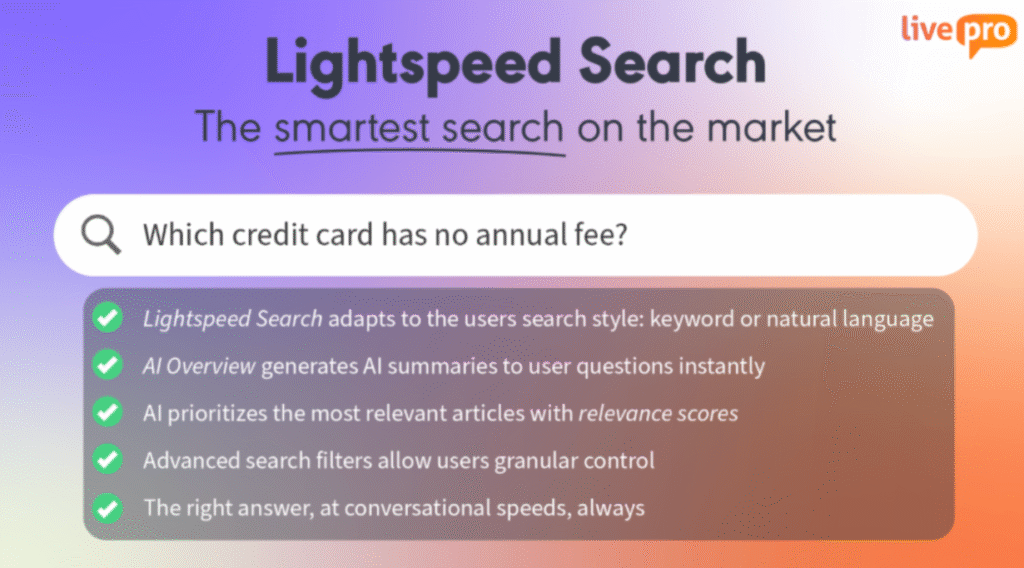
Both Confluence and Bloomfire return search results that require users to open multiple documents and scan for the information they need.
- Bloomfire users report wanting search to point directly to specific answers within presentations or documents rather than surfacing entire files.
- Confluence users mention that locating older documents requires extra time because search accuracy decreases as the knowledge base grows.
livepro’s Lightspeed Search delivers the specific sentence or rule that answers the query, not a list of related documents. For example, when an agent searches for “refund policy for orders over $500,” the system returns the exact policy rule with its source, eliminating the need to open files, scroll through sections, or interpret which result applies.
The search works consistently across all content types (articles, procedures, decision trees, and uploaded source documents). This means agents get the same accurate answer regardless of how the information was originally stored.
For example, TSA Group reported a 58% reduction in time to locate knowledge for new starters and a 32.5% reduction for established staff after implementing livepro’s intent-based search.
Automated Knowledge Governance and Content Verification for Compliance
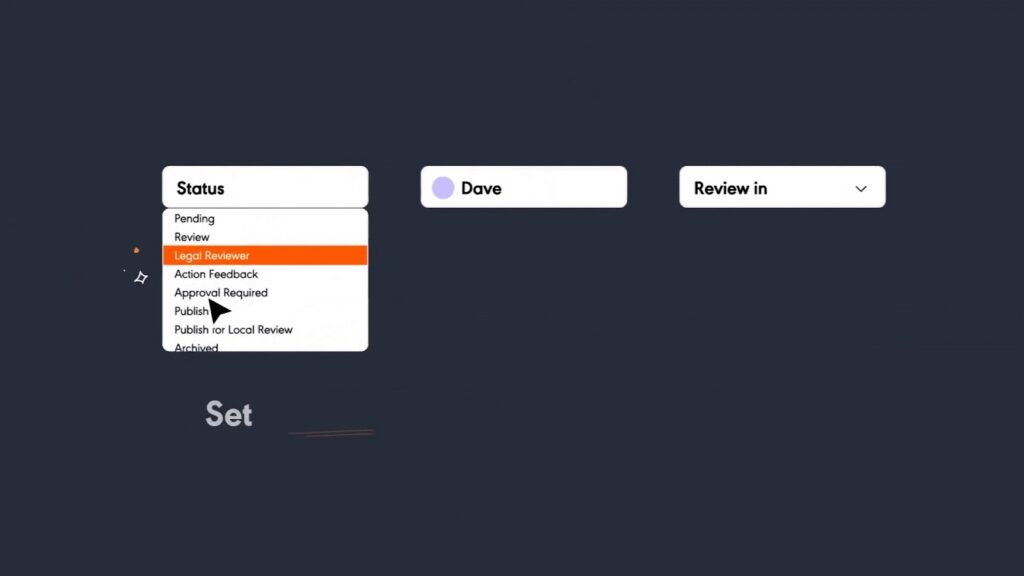
For organizations in regulated industries, a single policy that remains unchanged after a regulatory update can lead to compliance violations, financial penalties, or customer harm.
livepro addresses this by embedding governance directly into the content lifecycle, reducing reliance on constant manual oversight. Key capabilities include:
- Feedback workflows that route suggestions to content owners
- Full version control with detailed audit trails
- Side-by-side visual comparisons of content changes
- Enforced author review and approval before publication
- Scheduled publishing controls, and automated review reminders
For example, when a healthcare provider updates a prior authorization policy from a 48-hour to a 24-hour turnaround, livepro highlights the exact change and records who approved it and when it went live. Compliance teams can immediately verify which version was active on any specific date.
This approach delivers measurable results. Atlanticus achieved 100% compliance after implementing livepro by closing existing policy gaps and maintaining audit-ready documentation.
Knowledge Analytics For Gap Identification
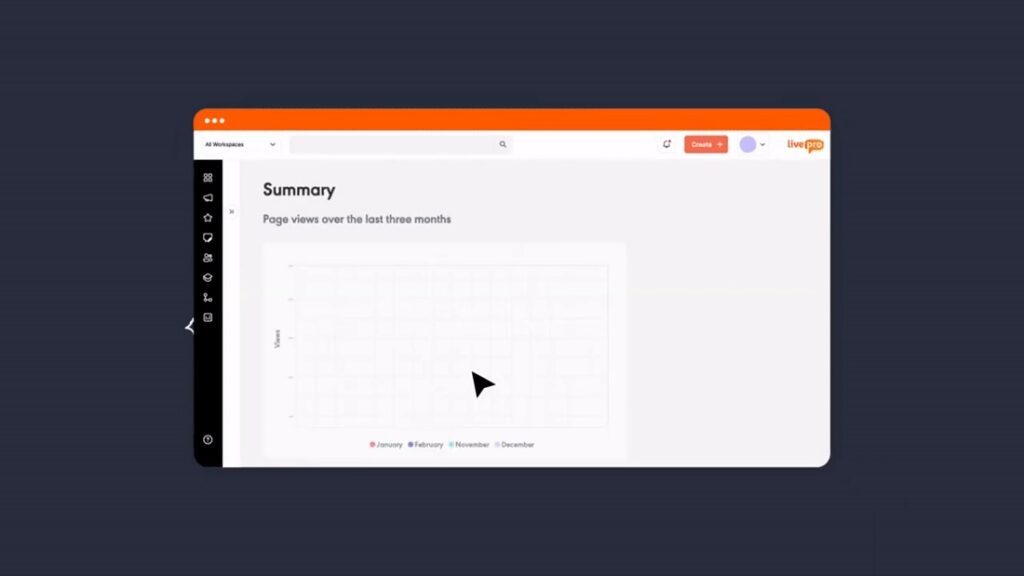
Confluence users report that built-in analytics focus mainly on page views and offer limited insight into how content performs or where users struggle to find answers. These metrics show what is viewed, but not what is missing.livepro addresses this by tracking failed searches, flagging low-engagement content that may need updates, and measuring knowledge performance across workflows rather than individual pages.
For example, if multiple agents search for “coverage limitations for out-of-network providers” and receive no results, livepro surfaces that pattern. Knowledge managers can create the missing content before it leads to escalations or incorrect responses.
AI Authoring to Simplify and Accelerate Content Updates
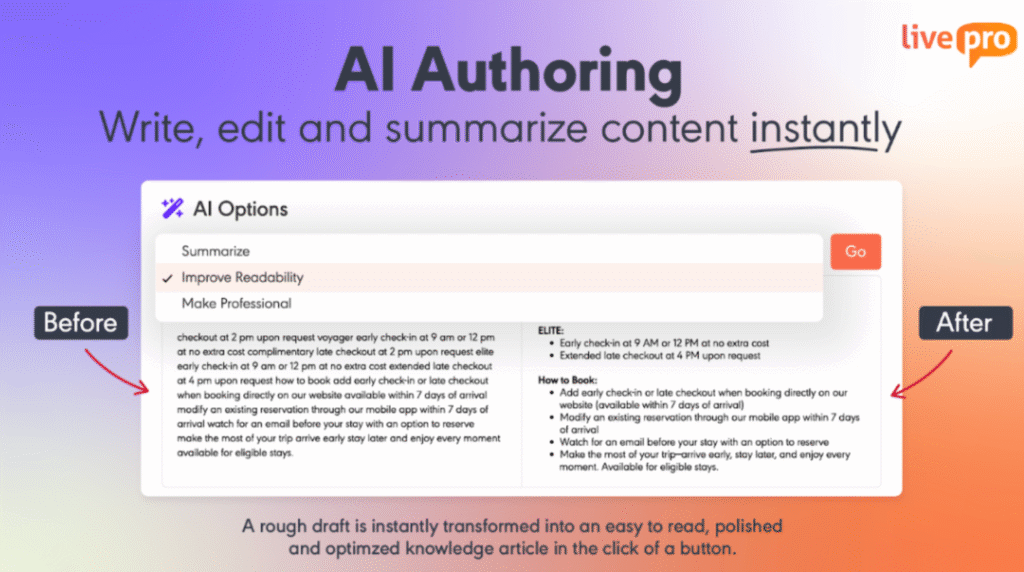
Confluence users report that formatting options feel rigid and the editor could be more intuitive for common tasks like adding diagrams or adjusting basic styling.
When knowledge managers need to publish new content quickly (policy updates, product changes, or seasonal procedure adjustments) complex editors slow down the process.
livepro provides AI authoring tools designed for speed without sacrificing structure:
- Premier styles and templates that are functional and ready to use, letting authors create formatted knowledge in minutes instead of building layouts from scratch
- WYSIWYG editor that shows exactly how content will appear to end users, eliminating preview-publish-edit cycles
- Drag-and-drop decision guidance authoring that builds interactive workflows visually without coding or technical configuration
This reduces time-to-publish for new content and ensures consistency across all knowledge without requiring technical resources or design work.
Source Documents and Lightspeed AI Import for Implementation
Implementation complexity creates barriers for users of both platforms:
- Bloomfire users report needing technical resources to implement the system properly.
- Confluence users mention that setup becomes challenging for larger teams, particularly when configuring custom permissions or workflows.
Organizations switching platforms need to move hundreds or thousands of existing documents without losing formatting, structure, or searchability.
livepro offers two features that accelerate implementation:
- Lightspeed AI Import converts existing knowledge into easy-to-read, templated answers that are ready to use immediately.
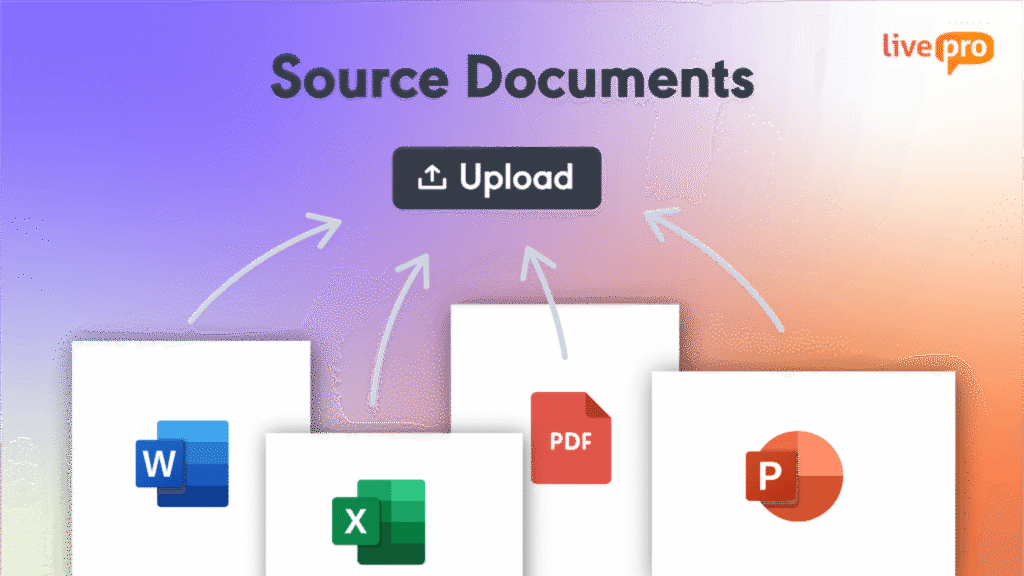
- Source Documents lets you upload Word, PDF, Excel, and PowerPoint files directly.
For example, a government agency migrating 800 policy documents can upload their existing Word and PDF files. Source Documents makes them searchable immediately, and users can find specific sections, clauses, or requirements without waiting for manual content migration.
This eliminates the months-long migration projects that delay knowledge platform implementations.
livepro Pricing
livepro offers three pricing plans: Flex, Premium, and Enterprise. Contact us for a custom quote.
livepro Reviews
Review #1: “Our team has greatly benefited from its intuitive interface and powerful SEO capabilities, which has made it easy for them to locate the information they need quickly and efficiently.“ – Cory D
Review #2: “We no longer have lengthy word documents that are difficult to navigate. These have been replaced with easily searchable and digestible content that give our agents the answers they need to assist the client.” – Stacey Q
livepro Ratings
Quick Comparison: Bloomfire vs Confluence vs livepro
| Platform | Best For | Key AI Features | User Experience |
| Confluence | Product, IT, and technical teams embedded in Atlassian ecosystem who need structured documentation with version control | Rovo AI for page summaries and search (Cloud only); limited AI capabilities | Moderate learning curve; slow with large pages; strong for teams already using Jira |
| Bloomfire | Sales, support, and business teams that need instant knowledge access through AI-powered search | AI-powered semantic search, video/audio transcription, self-healing knowledge base, Synapse conversational AI | Intuitive and fast; minimal training required; praised for ease of use |
| livepro | Contact centers, customer-facing teams, and enterprises that need compliance controls and structured workflows | Lightspeed Search (hybrid AI), source documents, Luna AI voice agent, AI authoring, AI analytics Learn more here | Step-by-step guidance reduces reading and decision effort, purpose-built for operational knowledge delivery, fast onboarding support |
Bloomfire vs Confluence: Which Software Wins in 2026?
Bloomfire and Confluence solve different knowledge management problems.
Choose Confluence if you:
- Already use Jira, Trello, or other Atlassian tools and need native integration
- Manage primarily technical documentation with complex hierarchical structures
- Need real-time collaborative document editing for product or engineering teams
- Want access to 3,000+ marketplace apps for extended functionality
- Have technical users comfortable with moderate learning curves
Choose Bloomfire if you:
- Need AI-powered search that works across video, audio, and diverse file types
- Serve business teams (sales, support, market research) who prioritize ease of use
- Want built-in Q&A functionality to create community-driven knowledge sharing
- Prefer predictable enterprise pricing instead of per-user costs that scale unpredictably
- Value self-healing knowledge base features that reduce manual maintenance.
Bloomfire and Confluence can work well when teams need to search or document knowledge. But if you need context-aware AI search and structured workflows, both platforms fall short.
livepro: The Go-To Alternative to Bloomfire vs Confluence in 2026
livepro is an AI-based knowledge management system that combines the best of both approaches:
- Semantic search that understands what users actually need
- Structured decision guidance that walks through complex procedures step-by-step
The platform addresses the core limitations shared by both Bloomfire and Confluence. These include keyword-dependent search, the lack of guided workflows for complex scenarios, limited compliance controls, and analytics that fail to reveal operational knowledge gaps.
This makes livepro a practical option for knowledge managers, operations leaders, and CX teams who need more than documentation or search alone.
Book a demo to see how livepro combines AI-powered search with built-in compliance controls so your team finds the right answer every time.
FAQs About Bloomfire vs Confluence
What problems does Bloomfire solve?
Bloomfire helps teams centralize knowledge, especially when content includes videos, audio, and mixed formats. Its automatic transcription and AI-powered search reduce time spent hunting for information and help replace siloed or tribal knowledge.
livepro builds on this by focusing on how knowledge is actually used. Instead of returning files or videos to review, it delivers intent-based answers and step-by-step guidance, which is better suited for teams working through complex or regulated processes.
Is Bloomfire suitable for small businesses?
Bloomfire can be a good fit for small businesses that want fast access to shared knowledge with minimal setup. Its interface is easy to adopt, and teams can start uploading and searching content quickly without needing rigid structure.
As teams scale or operate under compliance requirements, livepro supports structured workflows, role-based access, and automated content reviews, making it easier to maintain accuracy and consistency over time.
Does Bloomfire support real-time collaborative editing like Confluence?
No. Bloomfire does not support real-time, multi-user editing in the way Confluence does. It allows comments and feedback, but content creation is not designed for simultaneous collaboration.
livepro takes a different approach by prioritizing controlled authoring, approvals, and version tracking. This helps ensure users always access current, approved information, even as policies and procedures change.
Which platform scales best for enterprise teams?
Confluence scales well for documentation-heavy teams, and Bloomfire scales for content discovery across departments.livepro is a scalable solution for contact centers and enterprises that need consistent, compliant knowledge delivery, with role-based access, structured workflows, and analytics that prevent knowledge breakdown as complexity grows.