

Three out of four contact center leaders say their agents are overwhelmed by too many systems and too much information, causing longer calls and weaker outcomes.
Most contact centers have already invested in AI. Intelligent routing sends customers to the right queue. Chatbots handle password resets and order tracking. Speech analytics scores calls after they end.
These tools improve what happens before and after the conversation. But they don’t help the agent during it. When a customer asks a question that isn’t in the script, the agent still has to search through a 40-page policy document on a shared drive while the customer waits.
That’s the gap most AI contact center tools miss. They automate the workflow around the call, but they don’t fix the moment where handle time, compliance, and customer experience are actually decided.
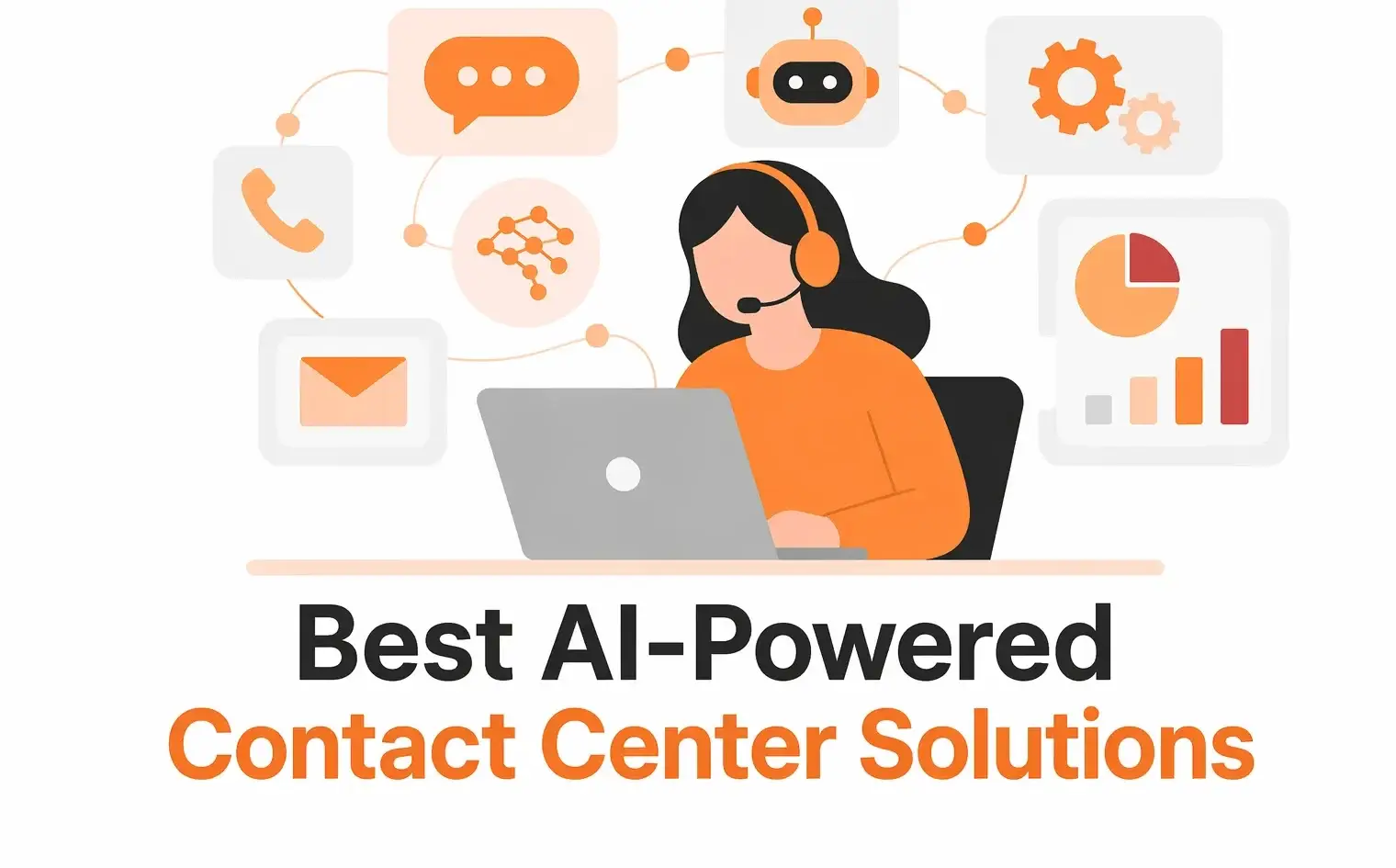
This list covers the best AI-powered contact center solutions across the full stack, including knowledge management, CCaaS platforms, and conversational AI.
How is AI Used in Contact Centers?
AI in contact centers spans multiple processes, from customer-facing automation to agent support tools to management analytics. Each capability solves a different part of the operation, and most contact centers use several of them together.
Before comparing solutions, it helps to understand what each capability does and where it fits:
AI-Powered Knowledge Management
AI-powered knowledge management is used in contact centers to organize, retrieve, and maintain information that agents and automated systems rely on during customer interactions.
It acts as a single source of truth, where approved content such as policies, procedures, and troubleshooting steps is stored and continuously updated.
AI improves how this information is accessed. Using natural language processing and vector search, agents can find relevant answers quickly, even when queries are phrased differently from the source content.
The same knowledge base can also be used by chatbots and voice bots, keeping responses consistent across all channels.
Intelligent Call Routing and ACD
Traditional automatic call distribution (ACD) routes calls based on basic rules: next available agent, round robin, or skill group. AI-powered routing goes further.
AI analyzes factors such as customer intent, sentiment, account history, and agent expertise to route each interaction to the most suitable agent.
The result is fewer transfers, shorter calls, and customers who don’t have to repeat themselves. This is a core capability of CCaaS platforms like NICE CXone, Genesys, and Five9.
Conversational AI and Virtual Agents
Chatbots and voice bots handle routine interactions like password resets, appointment scheduling, order status checks, and account balance inquiries without a human agent. These are high-volume, low-complexity tasks that don’t need a person.
Modern conversational AI uses natural language understanding to interpret what customers mean. The shift from rigid IVR menus (“press 1 for billing”) to open-ended voice interactions (“just tell us what you need”) has made self-service faster and less frustrating.
For example, a banking customer can call in and say ‘I need to dispute a charge from last Tuesday’ instead of navigating five menu options. The conversational AI system identifies the intent, pulls up the transaction, and either resolves it or routes to the right agent with full context.
Real-Time Agent Assist
Agent assist tools listen to live conversations and surface relevant information in real time. While the agent talks, the system pulls up knowledge articles, suggests next-best actions, or flags compliance reminders on screen.
This reduces hold time because agents don’t need to search manually. It also helps newer agents perform at a higher level faster, since the system guides them through unfamiliar queries.
Some platforms combine agent assist with sentiment analysis. If a customer’s tone signals frustration, the system can prompt the agent with de-escalation guidance or alert a supervisor.
Speech Analytics and Quality Management
Speech analytics and quality management use AI to analyze customer interactions at scale.
These systems transcribe conversations and evaluate them against defined criteria such as compliance, script adherence, and resolution quality.
This provides teams with a broader view of performance, making it easier to identify trends, improve coaching, and maintain service standards.
Predictive Workforce Optimization
Predictive workforce optimization uses AI to plan staffing and scheduling based on expected demand. It analyzes historical data, seasonal trends, and real-time signals to forecast interaction volume and recommend resource allocation.
This helps contact centers maintain service levels while managing operational costs more effectively.
Now that you have some understanding of the different use cases of AI in contact centers, let’s review some top AI-powered contact center solutions in detail:
livepro
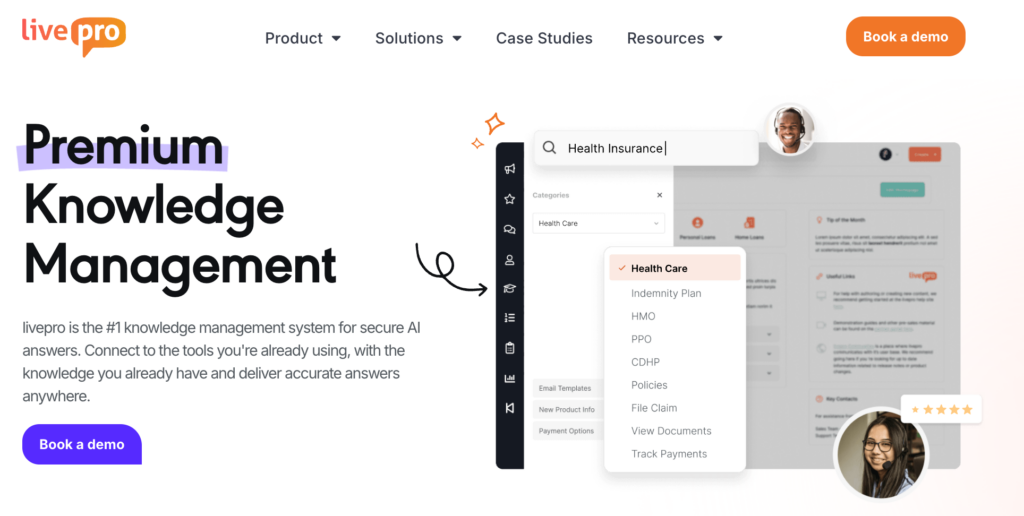
livepro is an AI-powered knowledge management platform built specifically for contact centers. It helps agents find accurate and approved answers during live calls instead of searching through shared drives, wikis, or long policy documents.
The platform centralizes knowledge into a single source of truth and delivers it through any channel: phone, chat, email, or self-service portals. livepro integrates with existing contact center tools like Genesys, Salesforce, and Microsoft Teams, so agents access answers without switching systems.
Here’s how livepro helps contact center teams reduce average handle time, improve compliance, and get agents to the right answer faster:
Hybrid Lightspeed Search for Instant Answers
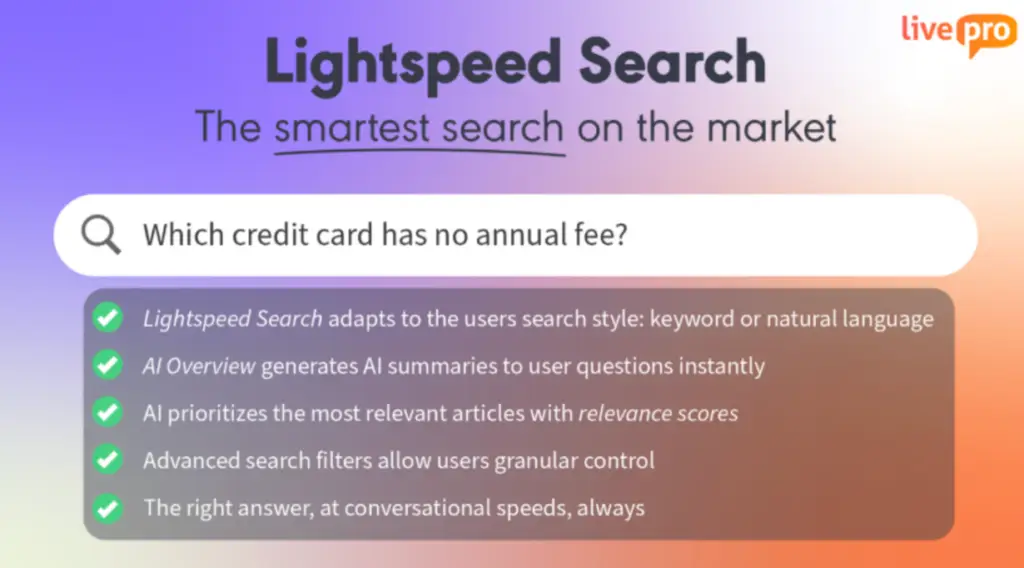
Without quick access to accurate answers, calls drag, hold times rise, and customers often have to call again to resolve the issue.
livepro’s Hybrid Lightspeed Search comes with keyword matching, natural language processing, and vector search to return the most relevant answer in seconds.
Each result gets an AI-assigned search score based on how closely it matches the inquiry, so agents see the best answer first, not a list of documents to read through. Even if an agent misspells a term or uses the wrong jargon, the system understands what they need.
The difference between livepro’s search and a standard knowledge base search is what it returns. Most systems give agents a document. livepro gives them an answer, formatted for quick scanning and ready to relay to the customer on the spot.
Decision Trees (Rockets) for Process Guidance
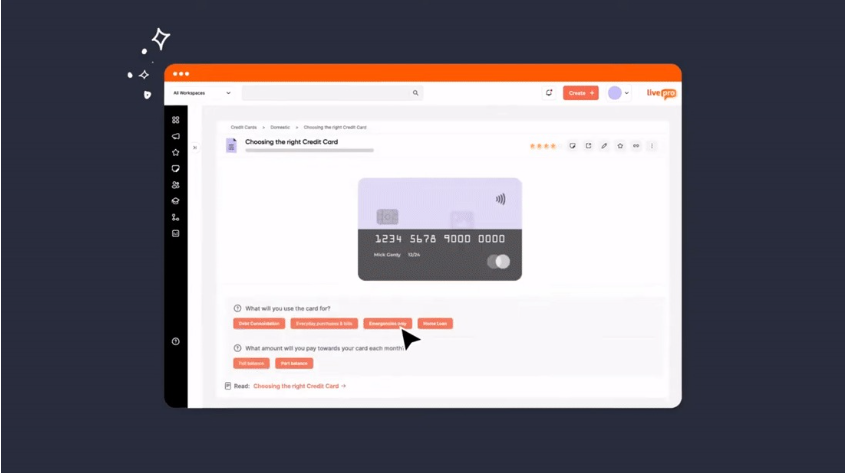
Some queries aren’t simple lookups. Refund eligibility, claims processing, and escalation paths require agents to follow multi-step logic that changes based on the customer’s situation.
livepro’s Decision Trees (Rockets) guide agents through processes step by step. Each path adapts based on the agent’s input, so the flow changes depending on account type, product, or issue category. Agents don’t need to memorize policies or rely on a supervisor. The system walks them through it and lands on the correct outcome.
For example, in a disputed charge scenario, the agent is guided through:
- Selecting the dispute type
- Entering transaction details
- Following the correct resolution path
This ensures the agent knows what qualifies, what information is needed, and what to do next.
Luna AI Voice Agent for Customer Self-Service

Luna is an AI voice agent that connects directly to the knowledge base and delivers approved answers to customers over the phone in a natural, human-like voice.
Luna handles routine calls so agents can focus on complex interactions that need human judgement.. And when a query goes beyond what Luna can resolve, it hands off to a live agent with full context.
AI-Powered Content Authoring for Easy Knowledge Creation
Keeping a knowledge base current is one of the biggest challenges for contact center teams. If creating or updating articles requires IT involvement or technical skills, content falls behind.
livepro’s content authoring tools are built for non-technical teams. The WYSIWYG (What You See Is What You Get) editor works like a standard word processor, so knowledge managers can write, format, and structure articles without any coding.
Here’s what content teams can do from the authoring interface:
- Create and format articles using a familiar word-processor-style editor
- Apply pre-designed templates to keep structure and branding consistent across all content
- Push announcements and alerts that appear directly in the agent’s workspace when a policy changes
- Set automatic expiry dates on time-sensitive content so outdated information is removed without manual cleanup
- Route articles through approval workflows from author to reviewer to approver before anything goes live.
LightspeedAI for Bulk Document Migration
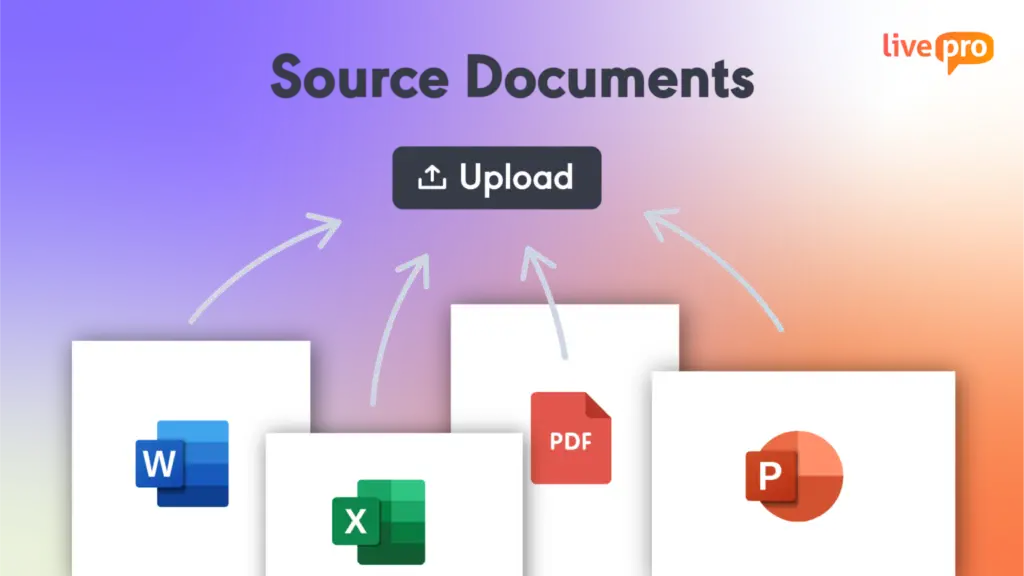
LightspeedAII is livepro’s GenAI-powered bulk import tool. It takes lengthy, unformatted source documents and converts them into structured, contact center-ready answers.
Teams upload documents in bulk, and LightspeedAI extracts the content, organizes it into individual knowledge articles, and formats them for the platform. What would normally take a team months of manual copy-pasting and reformatting gets done in a fraction of the time.
LightspeedAI also supports source document upload and searchability. Teams can upload original PDFs, Word files, Excel sheets, and PowerPoint decks directly into livepro, making them searchable alongside authored knowledge articles.
Governance and Compliance Controls for Regulated Industries
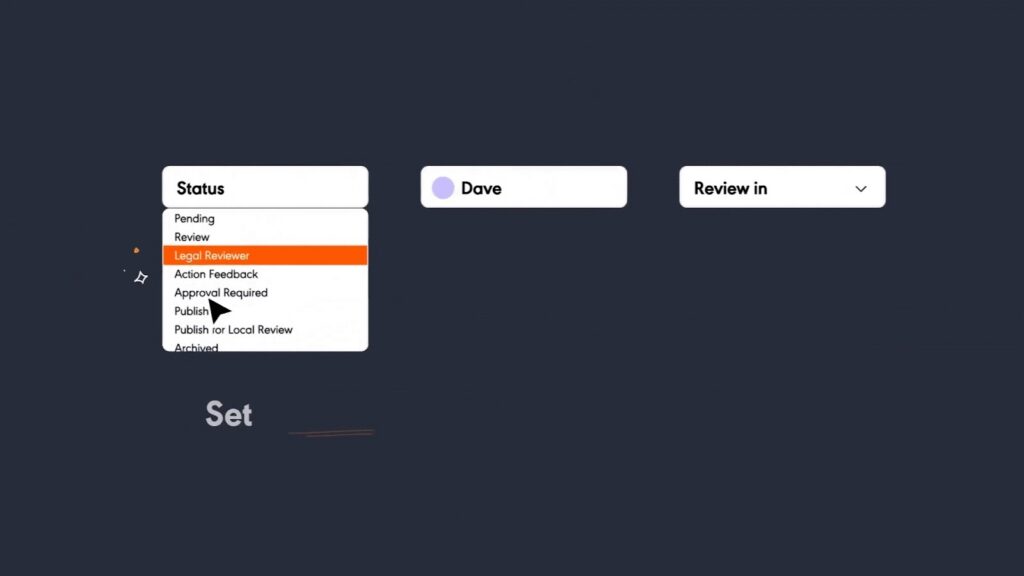
When knowledge lives in shared drives or wikis with no version control, there’s no way to guarantee agents are working from the most current and approved content.
livepro’s governance system gives compliance and content teams full control over what gets published, who can access it, and how it’s maintained:
- Version control with full change history and the ability to restore previous versions at any time
- Automated review dates that flag content due for updates before it goes stale
- Scheduled publication and expiry so time-sensitive information goes live and disappears on schedule
- Role-based permissions that control who can view, edit, and approve content across departments
- Structured approval workflows that route every article through author, reviewer, and approver stages before it reaches agents
- Full audit trail that records every change, so compliance teams can trace exactly what was published, when, and by whom.
Knowledge Gap Analytics for Continuous Improvement
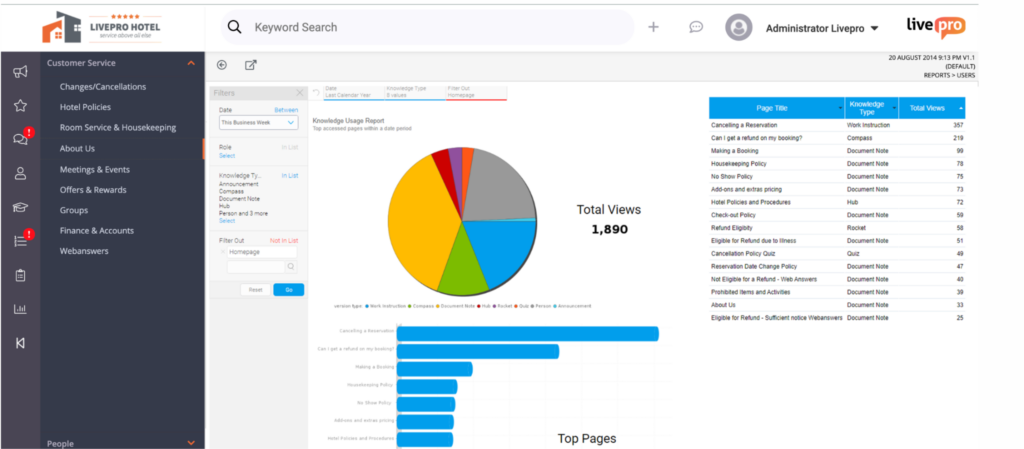
You can’t improve what you can’t measure. If agents keep searching for something that doesn’t have a matching article, the content team needs visibility before it turns into a pattern of poor customer experiences.
livepro’s analytics dashboards track:
- What agents search for
- Which articles they use and how often
- Trending topics
- Where knowledge gaps exist
If a new product launches and agents start searching for answers that don’t exist yet, the dashboard flags it early. Content teams can prioritize new articles based on real demand instead of guessing.
The dashboards also track agent behavior, including time spent in the system, how search is used during interactions, and which articles lead to faster resolutions. This connects knowledge management directly to metrics like AHT and first-call resolution.
livepro Pricing
livepro uses custom pricing based on your company size, user count, and feature requirements. Contact us for a custom quote.
livepro Pros and Cons
Pros:
- Search returns quick summary answers, not long documents agents have to read through
- Decision Trees walk agents through complex processes without memorization
- Luna AI Voice Agent handles routine calls 24/7
- Strong governance and compliance control
- LightspeedAI for quick and easy knowledge base migration
- Integrates with Genesys, Salesforce, Microsoft Teams, and other major platforms
Cons:
- Some advanced features take time to set up and learn
- Larger teams may need onboarding support during initial rollout
livepro Ratings
- G2: 4.8/5 stars
- Capterra: 4.8/5 stars
NICE CXone
NICE CXone (now branded as CXone Mpower) is a cloud-native CCaaS platform built for large-scale contact center operations. It combines omnichannel routing, workforce engagement management, quality management, and AI analytics in a single suite.
CXone supports 30+ digital channels alongside voice, with AI-powered quality scoring, real-time agent coaching, predictive workforce scheduling, and interaction analytics.
The Enlighten AI suite analyzes customer sentiment and agent behavior across every conversation. For enterprises that need to optimize performance across hundreds or thousands of agents, CXone delivers the operational intelligence to do it.
Key Features
- Omnichannel routing across 30+ voice and digital channels from a unified agent workspace
- Enlighten AI for automated quality scoring, real-time sentiment analysis, and agent coaching
- Workforce engagement management with forecasting, scheduling, and adherence tracking
- Interaction analytics that transcribe and analyze 100% of conversations for QA
- Self-service IVR with no-code configuration for voice automation
- Pre-built integrations with Salesforce, Microsoft Dynamics, ServiceNow, and Zendesk
NICE CXone Pricing
NICE CXone offers seven plans ranging from $71 to $249 per agent per month, depending on features and AI capabilities.
Dialpad
Dialpad is a cloud communications platform that combines business phone, video, messaging, and AI-powered contact center tools in one interface. It’s known for its built-in AI that provides real-time transcription, call summaries, and sentiment analysis across all plans.
Dialpad’s AI Contact Center product offers omnichannel support across 20+ digital channels, AI agent assist, automated scorecards, and workforce management.
The real-time AI capabilities are a standout: agents get live coaching prompts and suggested responses during calls, and managers see sentiment shifts as they happen.
Key Features
- Real-time AI transcription and call summaries included on all plans
- AI Scorecards that automatically grade calls against configurable criteria (Premium plan)
- Live coaching prompts that suggest responses and flag sentiment shifts during calls
- Omnichannel support across voice and 20+ digital channels
- Unified communications with calling, messaging, and video in one platform
- Integrations with Salesforce, HubSpot, Zendesk, and Slack
Dialpad Pricing
Dialpad’s AI Contact Center (Support) offers three plans: Essentials at $80/user/month, Advanced at $115/user/month, and Premium at $150/user/month.
LivePerson
LivePerson is a conversational AI platform focused on automating customer interactions across messaging channels. It helps brands shift customer conversations from phone calls to digital messaging through AI-powered chatbots and virtual agents.
LivePerson’s Conversational Cloud connects with SMS, WhatsApp, Apple Messages for Business, Facebook Messenger, and web chat. Its AI engine uses intent recognition and natural language understanding to handle customer queries autonomously, escalating to human agents only when needed.
The platform also provides conversation analytics, agent productivity tools, and reporting across all messaging channels.
Key Features
- AI-powered chatbots that automate conversations across SMS, WhatsApp, web, and social channels
- Intent recognition that identifies what customers need and routes conversations accordingly
- Proactive messaging that reaches customers before they call, reducing inbound volume
- Conversation analytics with real-time dashboards across all messaging channels
- Human-AI handoff that transfers complex queries to live agents with full context
- Enterprise integrations with CRM, payment, and e-commerce platforms
LivePerson Pricing
LivePerson uses custom pricing across Bronze, Silver, and Gold tiers, with costs varying based on scale, usage, and AI capabilities.
Five9
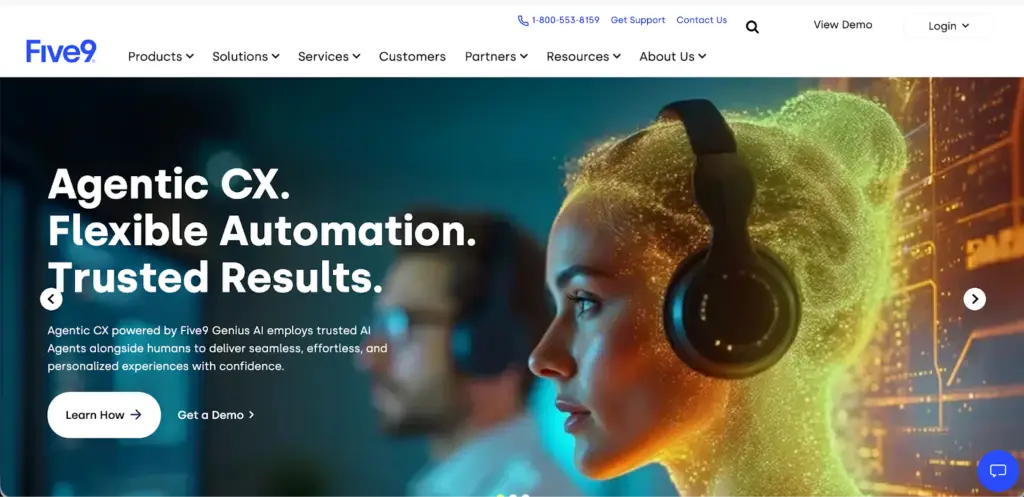
Five9 is a cloud-native CCaaS platform built for mid-market and enterprise contact centers that handle high call volumes. It’s a Gartner Magic Quadrant Leader with particular strength in outbound dialing, blended inbound/outbound operations, and AI-driven automation.
Five9’s predictive dialer is one of the strongest in the market, with TCPA compliance built in. For inbound operations, it offers intelligent routing, IVR, real-time agent assist, and post-call AI summaries.
The platform also includes workforce optimization, quality management, and native integrations with Salesforce, ServiceNow, and Microsoft Dynamics.
Key Features
- Predictive dialer with progressive, preview, and power dialing modes and TCPA compliance
- Intelligent Virtual Agent (IVA) for self-service automation across voice and digital
- Real-time Agent Assist that surfaces knowledge and suggested responses during calls
- Workforce optimization with quality management, scheduling, and performance analytics
- Omnichannel support across voice, email, chat, SMS, and social
- Deep CRM integrations with Salesforce, ServiceNow, Microsoft Dynamics, and Oracle
Five9 Pricing
Five9 offers five plans. Digital and Core plans start at $119/user/month each. Plus, Pro, and Enterprise plans use custom pricing based on seat count and contract terms.
Genesys Cloud CX
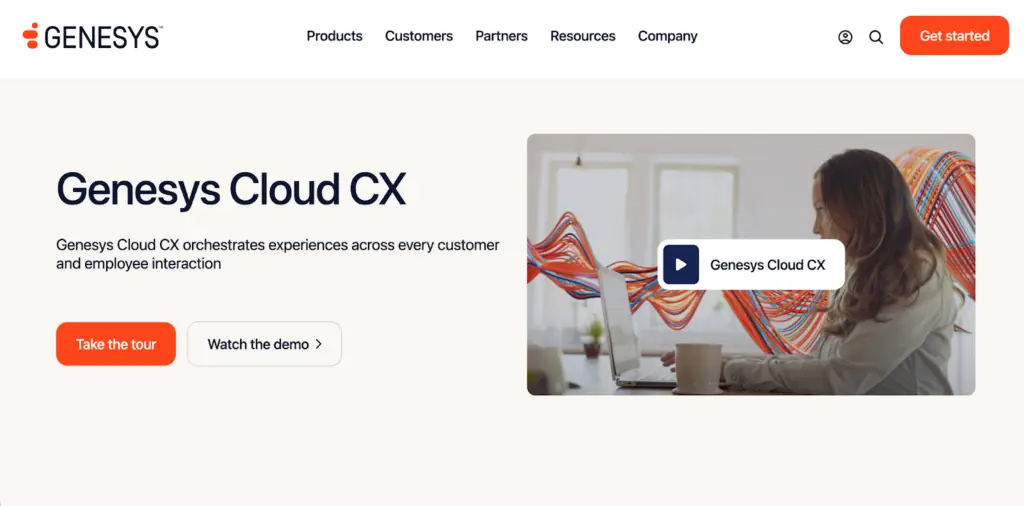
Genesys Cloud CX is a comprehensive customer experience platform that combines contact center, workforce engagement, and AI capabilities in a single cloud solution.
Genesys offers AI-powered routing, predictive engagement, speech and text analytics, workforce management, and native voice services. Its open API and AppFoundry marketplace make it one of the most extensible platforms in the CCaaS market.
Genesys also supports journey orchestration, letting teams design and test customer experiences across channels.
Key Features
- AI-powered experience orchestration that routes customers based on intent, context, and journey history
- Predictive engagement that identifies at-risk customers and triggers proactive outreach
- Workforce engagement management with forecasting, scheduling, quality, and coaching tools
- Speech and text analytics for sentiment analysis and interaction insights
- Open API and AppFoundry marketplace with 400+ pre-built integrations
- Native voice services that eliminate the need for a separate telephony provider
Genesys Cloud CX Pricing
Genesys Cloud CX starts at $75/user/month for the base plan.
Nextiva
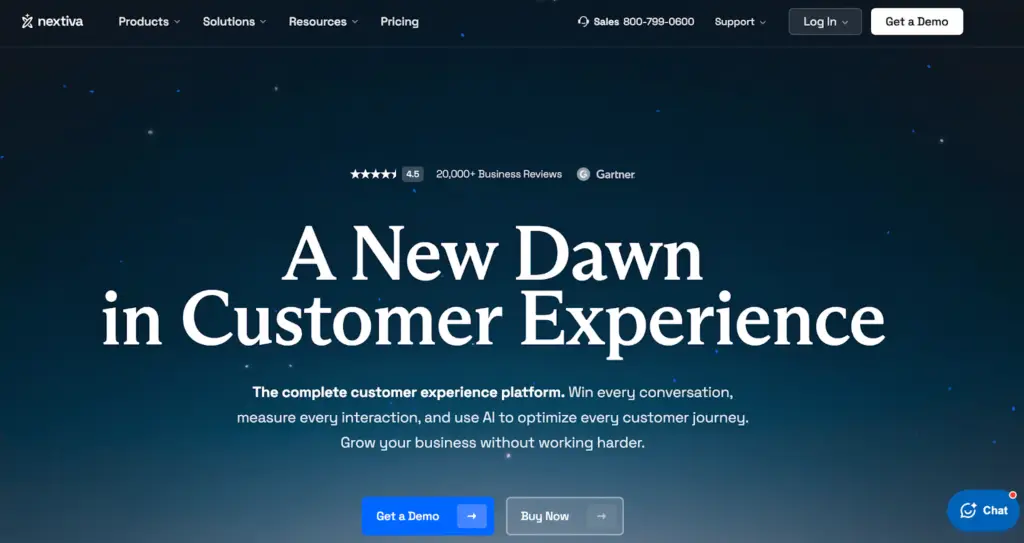
Nextiva is a unified communications and customer experience platform that scales from small business phone systems to enterprise-grade contact centers. It combines voice, video, SMS, email, social media, and live chat in a single platform.
For contact centers, Nextiva offers intelligent routing, AI-powered agent assist, real-time analytics, and workforce engagement tools. The platform also includes an AI Receptionist for automated call handling and an AI Employee (XBert) that can manage customer conversations autonomously.
Nextiva’s strength is its ability to combine UCaaS and CCaaS in one system, so teams don’t need to manage separate platforms for internal communication and customer support.
Key Features
- Unified UCaaS + CCaaS with voice, video, SMS, chat, email, and social in one platform
- AI Receptionist that handles inbound calls 24/7 without a live agent
- Intelligent routing based on skills, availability, and customer context
- Real-time and historical analytics with customizable dashboards and wallboards
- Journey orchestration with a visual workflow builder for customer experience design
- Integrations with Salesforce, HubSpot, Microsoft Teams, and Zendesk (some as add-ons)
Nextiva Pricing
Nextiva’s small business plans range from $15 to $75/user/month (annual billing). Enterprise contact center plans start at $75/user/month.
Talkdesk
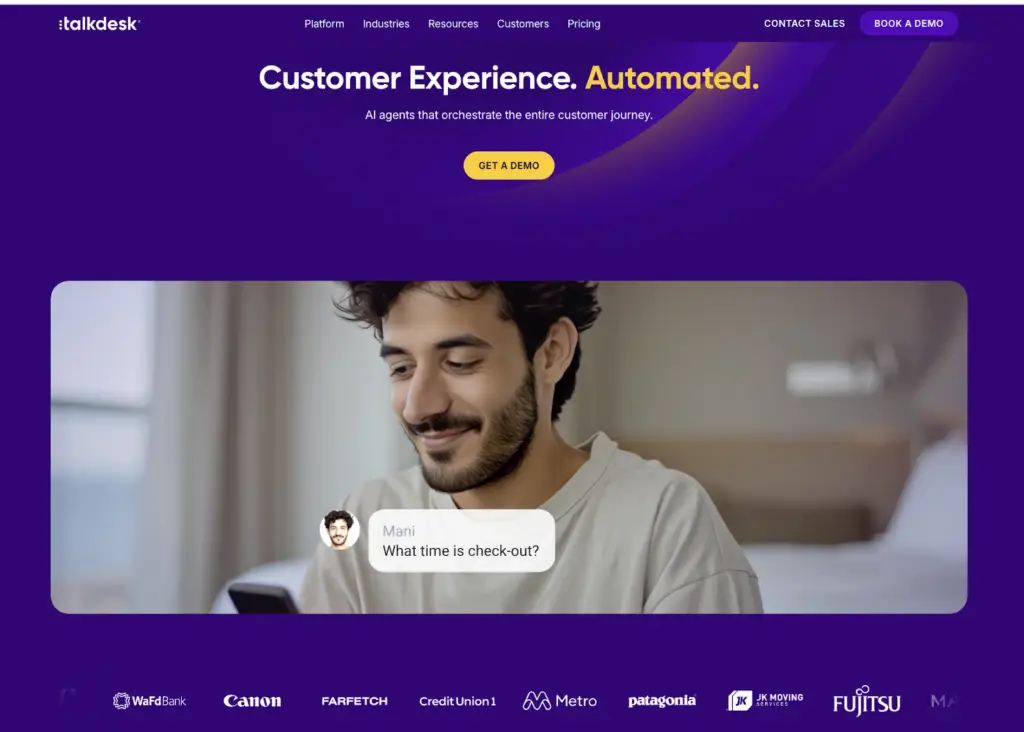
Talkdesk is a cloud contact center platform that positions itself as an AI-native alternative to legacy CCaaS providers. It’s built for mid-market to enterprise teams that want fast deployment and low-code workflow automation.
Talkdesk Studio is its standout tool: a visual, no-code workflow builder that lets non-technical users create routing logic and customer journeys without IT.
The AI suite includes Copilot (real-time agent guidance), Autopilot (virtual agents for voice and digital), and Navigator (intelligent routing). Talkdesk also offers industry-specific Experience Clouds for healthcare, financial services, and retail with pre-built workflows and compliance features.
Key Features
- Talkdesk Studio for no-code visual workflow design and routing logic
- Talkdesk Copilot for real-time agent guidance and suggested responses (add-on)
- Talkdesk Autopilot for AI-powered virtual agents across voice and digital (add-on)
- Industry Experience Clouds with pre-built workflows for healthcare, financial services, and retail
- Quality management with automated call scoring and coaching tools
- 120+ integrations including Salesforce, Zendesk, Shopify, and Epic (healthcare)
Talkdesk Pricing
Talkdesk offers three CX Cloud plans: Digital Essentials at $85/user/month, Voice Essentials at $105/user/month, and Elite at $165/user/month.
AI-Powered Contact Center Solutions at a Glance
| Tool | Best For | Starting Price | G2 Rating |
| livepro | AI-powered knowledge management software for contact centers | Custom pricing | 4.8/5 |
| NICE CXone | Enterprise contact centers needing WFM, QA, and analytics at scale | $71/user/month | 4.3/5 |
| Dialpad | Teams that want unified comms and contact center AI in one platform | $80/user/month (Contact Center) | 4.4/5 |
| LivePerson | Brands shifting customer conversations from voice to messaging | Custom pricing | 4.3/5 |
| Five9 | High-volume inbound/outbound operations with strong dialer needs | $119/user/month | 4.1/5 |
| Genesys Cloud CX | Mid-market to enterprise orgs needing deep customization and journey orchestration | $75/user/month | 4.4/5 |
| Nextiva | Growing teams that need UCaaS and CCaaS on one platform | $15 to $75/user/month | 4.5/5 |
| Talkdesk | Mid-market teams that want fast deployment and no-code workflow automation | $85/user/month | 4.4/5 |
How to Choose an AI-Powered Contact Center Solution
To choose the right software for your business, break the decision down into a few key areas:
Identify Your Biggest Operational Bottleneck
Not every contact center has the same problem. Some deal with long handle times because agents can’t find answers. Others struggle with missed SLAs because staffing doesn’t match volume. Some face compliance risk because content isn’t governed properly.
Start by pinpointing where the most time, money, or risk is being lost. That tells you which category of tool to prioritize.
Match the Tool Category to the Problem
If agents spend too long searching for answers, compliance is a risk, or onboarding takes weeks, a knowledge management platform like livepro addresses the root cause.
If the problem is call routing, telephony, or managing multiple channels, a CCaaS platform like NICE CXone, Five9, or Genesys handles that layer.
If customers want self-service and you need to shift volume away from live agents, conversational AI tools like LivePerson or livepro (through Luna Voice Agent) fill that gap.
Check for Compliance and Governance Features
For regulated industries like financial services, healthcare, insurance, and government, compliance isn’t optional. Before shortlisting any platform, check whether it offers version control, role-based access, audit trails, approval workflows, and automated content review cycles.
Not every tool has this built in. Some offer it as an add-on. Others don’t offer it at all. If compliance is a priority, this should be a qualifying criteria.
Evaluate Integration With Your Existing Stack
Your AI contact center solution needs to work with the tools you already use. CRM, telephony, ticketing, workforce management. If a platform doesn’t integrate with your existing stack, it creates data silos and forces agents to switch between systems.
Check for pre-built integrations with your current tools and ask about API access for custom connections. The fewer manual data transfers your team has to do, the more reliable your operations will be.
Compare Pricing Models and Hidden Costs
Pricing in this space is rarely straightforward. Some platforms charge per user, others per concurrent seat, and some add usage-based fees on top. Features that look included on the pricing page might require a higher tier or a paid add-on.
Before committing, ask for a total cost of ownership breakdown that includes the base subscription, add-ons, implementation fees, training, and any usage-based charges.
Look for Proven Results, Not Just Feature Lists
Every platform claims to reduce AHT, improve CSAT, and boost efficiency. The question is whether they can prove it.
Look for published case studies with specific metrics: percentage reductions in handle time, measurable improvements in compliance, faster onboarding times. If a vendor can’t point to documented results from companies similar to yours, treat their claims with caution.
Best Practices for Implementing AI in Your Contact Center
How you implement AI determines whether it delivers results or sits unused. These five practices separate contact centers that get real value from AI from those that don’t:
Start With One Problem, Not the Whole Stack
The biggest mistake contact centers make with AI is trying to implement everything at once. That approach leads to long timelines, confused agents, and tools that never get fully adopted.
Pick one high-impact problem. If handle time is your biggest cost driver, start with knowledge management. If call routing is the bottleneck, start with intelligent ACD. Get one tool working, measure the results, and expand from there.
Get Agent Buy-In Before Go-Live
AI tools only work if agents use them. If the rollout feels like a top-down mandate with no input from the people who handle calls every day, adoption will be low.
Involve frontline agents early. Let them test the tools during pilot phases. Collect their feedback on what works and what doesn’t. When agents feel ownership over the tool, they use it. When they don’t, it sits idle.
Clean Your Knowledge Base First
If you’re implementing AI-powered knowledge management or agent assist, the quality of your content matters more than the quality of your technology. AI can only surface what’s in the system. If the knowledge base is full of outdated policies, duplicate articles, and conflicting information, the AI will serve up bad answers faster.
Audit and clean your existing content before go-live. Remove duplicates, update outdated articles, and establish ownership for each content area. This step is often skipped and is a common reason knowledge management implementations underperform.
Define Success Metrics Before Implementation
Before you launch any AI tool, define what success looks like. Is it a 15% reduction in AHT? A 20% improvement in first-call resolution? A measurable drop in compliance incidents?
Set baselines for these metrics before go-live so you can measure the actual impact. Without clear benchmarks, you’ll never know whether the tool is working or just adding cost.
Plan for Ongoing Optimization
AI implementations aren’t one-and-done projects. Knowledge bases need continuous updates. Routing logic needs tuning. Workforce models need recalibration as volumes and patterns shift.
Build a plan for ongoing maintenance and optimization from day one. Assign content owners, schedule regular reviews, and use analytics to identify what’s working and what needs adjustment. The contact centers that get the most value from AI are the ones that treat it as an ongoing program, not a one-time project.
Bottom Line: livepro Is the Best AI-Powered Contact Center Solution for Knowledge Management
Your chatbot, agent assist tool, and intelligent routing won’t deliver results if the knowledge behind them is outdated, scattered, or ungoverned. These tools are only as good as the information they pull from. Without a single source of up-to-date, approved content, AI just amplifies the problem.
livepro gives your entire contact center stack a governed, searchable knowledge platform that feeds accurate answers to agents, chatbots, voice bots, and self-service channels from one place. And because it’s built for contact centers and regulated industries, compliance controls come standard.
Most contact centers already have routing and telephony covered. The gap is usually knowledge. If that’s where your team is losing time or running into compliance risk, livepro is where to start.
Book a demo to see how livepro fits into your contact center stack.
FAQs
How do I know if my contact center is ready for AI?
If your agents handle repetitive queries, your knowledge is spread across multiple systems, or your QA process runs on manual sampling, AI can help now. You don’t need a perfect operation to start. But you do need clean, current content for AI tools to return accurate results.
Should I replace my current tools or add AI on top?
It depends on where the gap is. If your CCaaS works fine but agents still can’t find answers, adding a knowledge management layer fixes the actual problem. If your telephony and routing are outdated, a full CCaaS switch might make more sense. Start with the gap, not the tool.
Why does knowledge management matter for AI-powered contact centers?
Every AI tool in the contact center, whether it’s a chatbot, voice bot, or agent assist, pulls its answers from somewhere. If that source is a messy shared drive or an outdated wiki, the AI delivers wrong or inconsistent answers. A structured knowledge management platform makes sure all AI tools work from the same approved and current content.
How does a knowledge management platform reduce average handle time?
Long handle times usually come from agents searching for answers during calls. They put customers on hold, ask colleagues, or scroll through documents. A knowledge management platform with AI-powered search returns the right answer in seconds, so agents spend less time looking and more time resolving.