

Your knowledge is scattered across PDFs, spreadsheets, email threads, and Slack messages, and retrieving relevant information takes extra effort. You need a solution that helps you consolidate documents, retrieve answers faster, and keep your content up-to-date.
Some knowledge management platforms organize your knowledge but break down when your content library grows. Others lack search accuracy, admin control, and clear governance. Agents waste time double-checking outdated articles. Compliance teams can’t trace who approved a policy or when it last changed.
The right knowledge management software closes these gaps before they cost you time, accuracy, and trust.
In this article, we’ll discuss knowledge management software features you need to look for. You’ll learn how livepro helps contact center and enterprise teams manage their content libraries as they scale.
What Is Knowledge Management Software?
Knowledge management software stores your policies, procedures, FAQs, and product information in one searchable place. It replaces scattered PDFs, shared drives, and email threads with a single source of truth.
What separates it from document storage is structure and control. A shared drive holds files. A knowledge management platform formats content into articles, routes each one through approval, and controls who can view or edit what. So the answer an agent pulls up has already been reviewed by someone accountable for it.
Throughout this article, we use livepro (our knowledge management software) to show how each feature works in practice.
15 Knowledge Management Software Features You Need
38% of knowledge management professionals say employees get frustrated with chaotic, disorganized information repositories. This leads to slower service, higher compliance risk, and distrust in the system. When choosing a platform, here are knowledge management software features you need to look for:
AI-Powered Search
An agent types “refund policy” into the search bar and gets thirty results, half of them outdated. They waste four minutes scrolling before finding the version that applies to the customer on call. This slows down handling time and leads to errors.
An AI-powered search understands the intent beyond just keywords. The platform combines natural language, semantic understanding, and keywords to pull accurate answers faster, even if the agent doesn’t use the right terminology.
The search pulls from every connected source at once. PDFs, uploaded policy documents, and existing articles all show up in a single result set. This keeps every response grounded in your approved articles and documents.
For example, if the agent types “cancel a subscription”, livepro will return the right article even if it’s titled “Subscription Termination Process.”
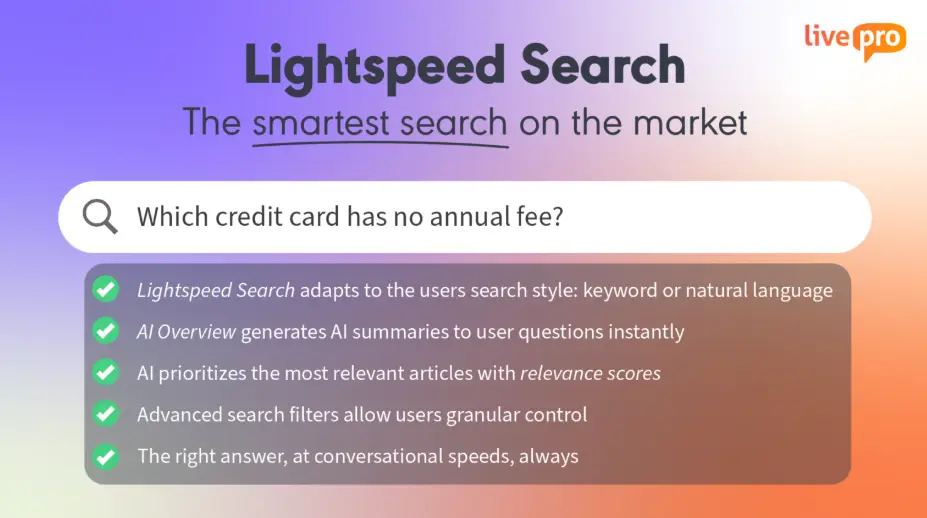
A good search engine on knowledge management software offers:
- Typo tolerance: Matches misspelled or incomplete queries to the correct article, so agents searching under pressure still get the right answer.
- RAG (Retrieval-Augmented Generation): Pulls answers directly from approved source content to keep every answer grounded in what your team published.
- Usage-based ranking: Surfaces the most accurate, most-used, and most recently approved content first.
- Search filtering: Narrows results by category, product type, department, or compliance tag.
- Audit trails: Logs every search query and result, giving admins visibility into failed searches and knowledge gaps that need fixing.
As your content library grows, the search adapts to retrieve answers faster without breaking down.
AI-Generated Summaries
An agent finds the right article, but it runs twelve paragraphs long. They skim for the answer while the customer waits on hold, and now the call takes even longer than the search did.
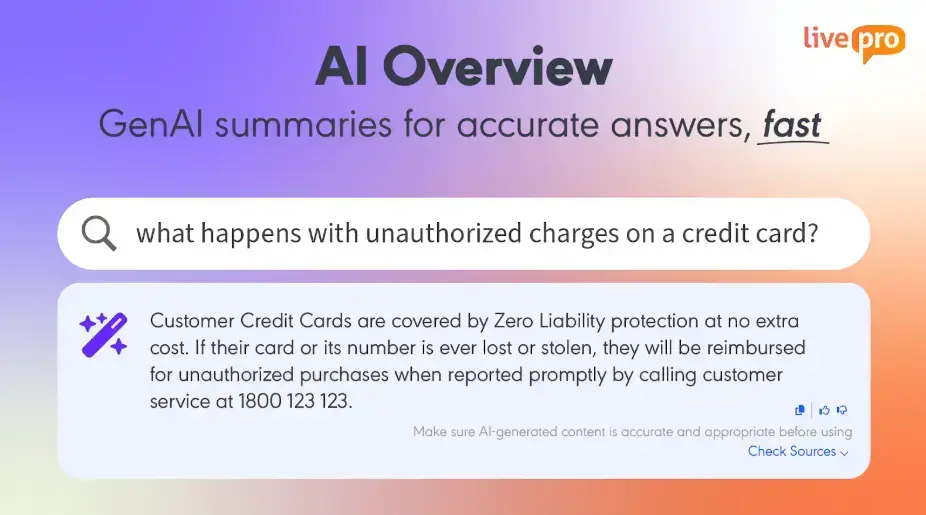
AI-generated summaries condense long articles into a short, direct answer without losing the source’s accuracy.
Instead of reading through policy language or procedural steps, the agent sees a concise summary and key points at the top of the article, with a link back to the full document for context when needed.
Every summary is generated from approved content only. Agents handling customers mid-call get consistent answers, regardless of who handles it.
AI-Powered Migration Tool to Bulk Upload
Your knowledge lives across PDFs, spreadsheets, and old knowledge bases, each with different formatting, structure, and levels of detail. Moving all of it into a new platform takes manual effort and time.
AI-powered migration tool lets you bulk upload files, including PDFs, docs, and policy files. The AI takes raw, unstructured documents and re-structures them into clean, formatted knowledge articles. You can choose a pre-built template, so the platform handles the reformatting.
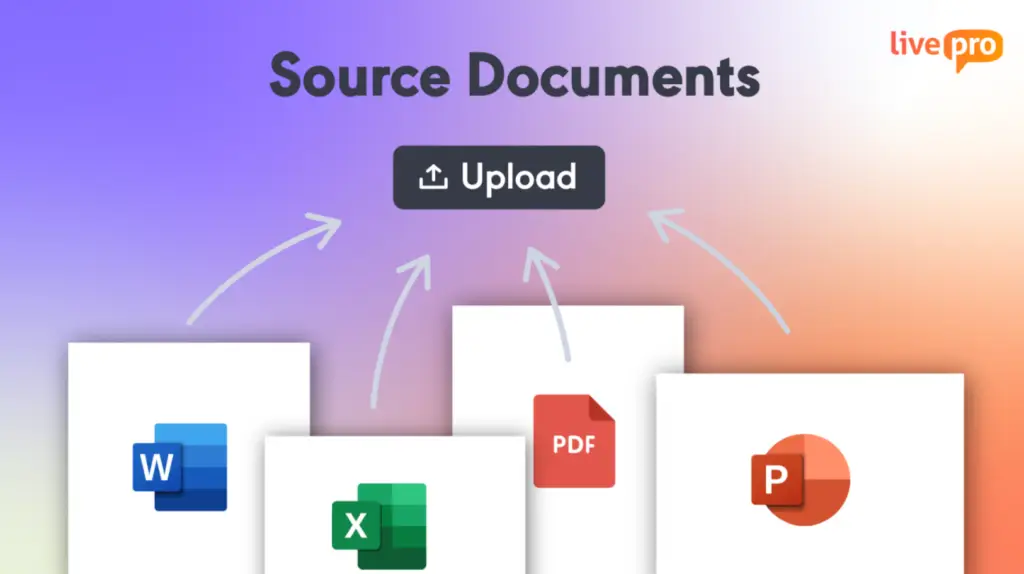
All the imported content awaits approval by default. Your knowledge manager can review and approve everything before it goes live, so no content is inaccurate.
This helps teams:
- Move an entire content library over at once, instead of migrating in stages
- Consolidate all documents across multiple departments into a single source
- Preserve original wording and structure in regulated documents that can’t be altered during transfer
- Cut the onboarding timeline from months to days
- Avoid running two systems in parallel while old content gets rebuilt by hand.
Authoring Tool for Content Management
Authoring tools allow knowledge managers to build knowledge articles and structure them into standardized formats.
Authoring features also help you organize, design, and edit knowledge articles at scale. Each article follows a consistent template, so your agents and teams can find answers from long articles easily when needed.
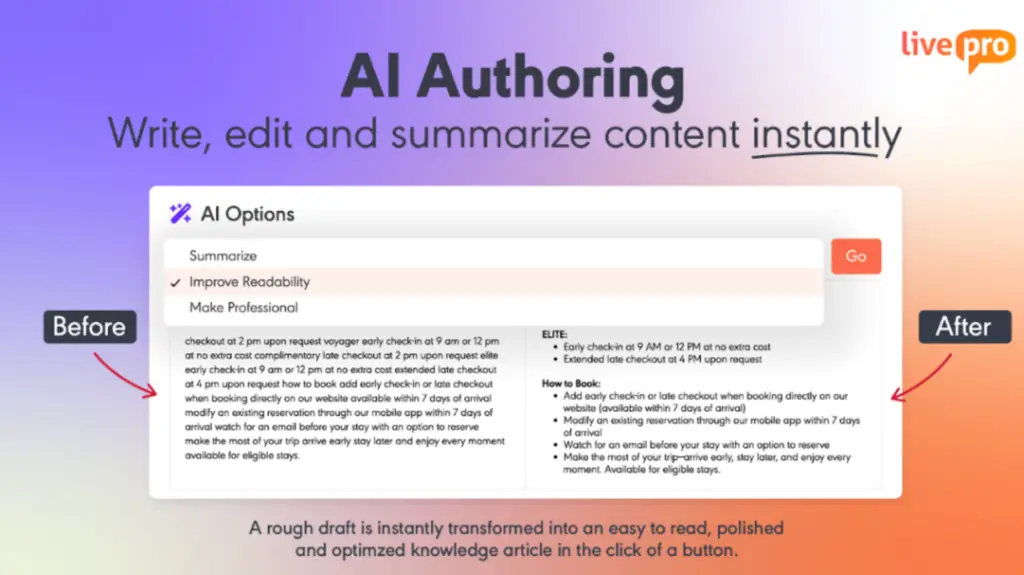
SMEs (subject matter experts) can write rough drafts, and the AI rewrites the content to match the style and tone. It simplifies terminology, shortens long-winded sentences, and enforces consistent formatting across every article.
You can also manually design knowledge articles with a WYSIWYG (What You See Is What You Get) editor. Build pre-made templates to keep your content consistent. The system lets you paste images, add multimedia, format text, and preview the design before articles go live.
For example, an HR team migrating a 40-page benefits handbook can drop the document into a template. The AI writing will condense dense sections into plain language. The system will route the article through an approval workflow before it reaches employees, without writing a single line of code.
Decision Trees
When five agents handle the same complex request, they give five different answers because there’s no consistent process to guide them. They rely on memory or experience, so every answer depends on the customer’s response.
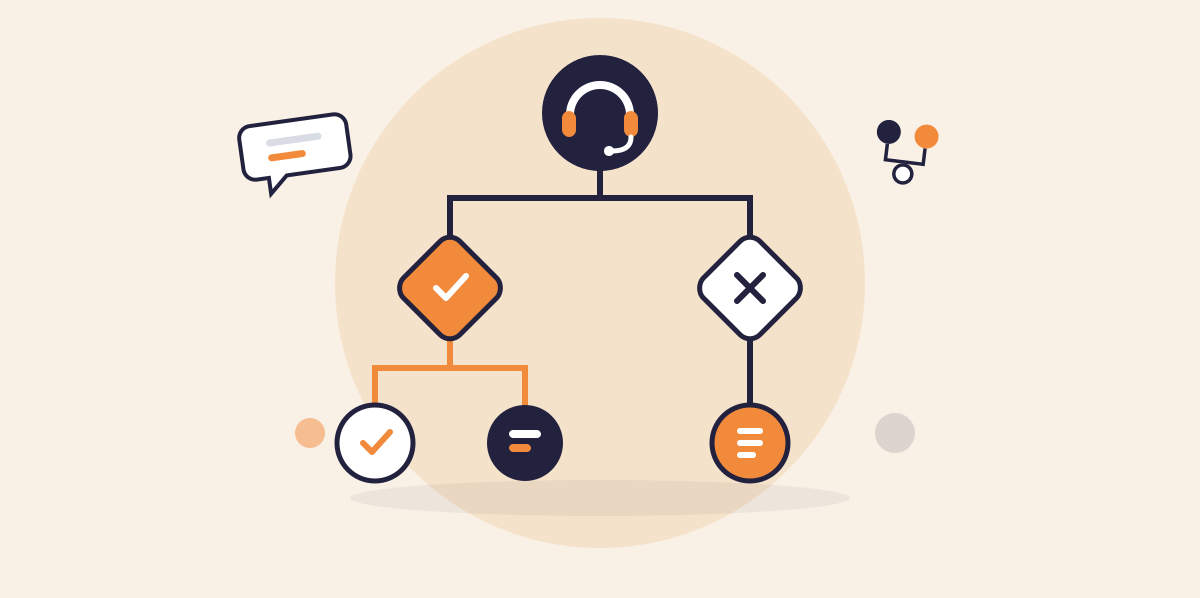
Decision trees turn complex processes into a structured, branding workflow that adapts to each response. The agent selects one answer at a time for each customer response, which triggers the next step until they reach the right outcome.
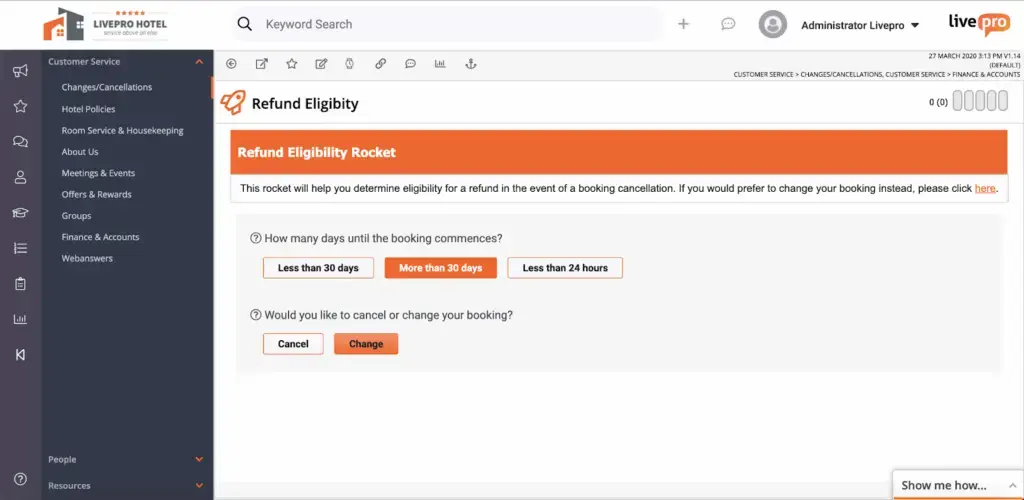
Building decision trees doesn’t require a developer either, since a visual builder lets non-technical staff map out each branch and outcome. When a decision path leads to a case outside standard procedure, the tool can route the agent to a specialist, instead of leaving them to escalate manually.
The tool can walk a first-time agent through the same sequence of questions an expert would ask, reducing training time.
For example, a “card not working” complaint might branch like this: the agent checks whether the card is damaged and confirms the error message. Each answer narrows the path, so the agent reaches the correct fix in three questions, skipping several troubleshooting articles entirely.
Hubs and Categories to Organize Knowledge Base
A knowledge base with hundreds of articles becomes hard to navigate without structure.
Categories organize content into a structured hierarchy that mirrors how a team works: by product, process, department, or queue. This lets agents and team members browse familiar topics without needing to remember an exact article title.
Hubs group related knowledge together around a single event or theme, pulling FAQs, workflows, scripts, and escalation paths into one central view. This structure works well for time-bound situations like product launches, seasonal changes, or service outages, where content needs to be found quickly and lives across several article types at once.
For example, during an annual pricing update, a “Price Change Hub” can hold every related FAQ, workflow, and escalation path in one place. Agents don’t need to search separately for each piece.
Built-In Governance Control
A built-in governance framework helps you define how content moves in your knowledge base. Every new or edited article goes through a review cycle, such as author, review, and approval, before it reaches an agent or customer.
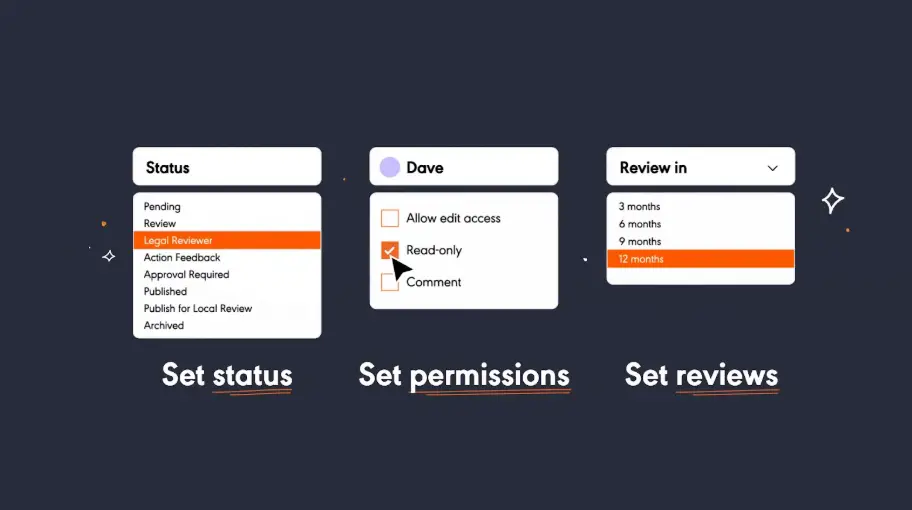
You can add a scheduled review date and a named owner, so accuracy stays someone’s responsibility. When an article reaches the due date, the knowledge management system alerts the user for timely reviews.
If you set an expiration date for an article, the system retires the article or re-sends it into the approval cycle before it’s live again. This helps you retire outdated content before it becomes a problem.
Version Control
Version control keeps every edit as a separate, dated version instead of overwriting the previous one. An admin can open any two versions side by side and see exactly what changed between them.
If a recent edit introduces an error or removes something that should have stayed, you can restore the last working version in one click. This makes it easier for an auditor to see why a policy changed with the exact edit, the date it happened, and the name attached to it.
Role-Based Permissions
Sensitive content in a shared knowledge base is visible to anyone who can log in. A department’s internal pricing, HR disputes, or legal documentation ends up exposed to the entire organization by default, simply because there’s no way to separate who sees what.
Role-based access assigns permissions by role, department, or seniority, so each user sees only the content relevant to them.
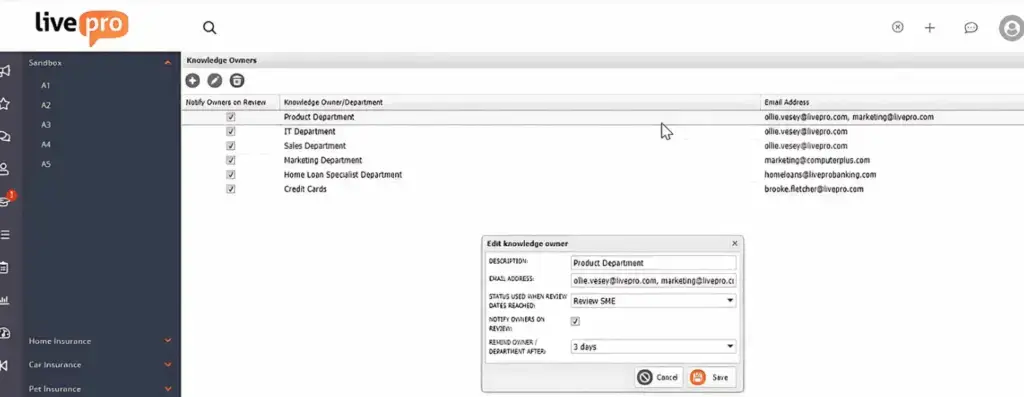
Sensitive articles stay hidden from anyone outside the roles that need them, without requiring a separate system or manual gatekeeping for every document.
Feedback and Collaboration Tools
An agent using an article every day is often the first person to notice it’s wrong, outdated, or missing a step.
Feedback and collaboration tools keep every comment and suggestion directly inside the article itself. Team members can attach comments to a specific paragraph or article, and permissions determine who can edit, comment, or only view that content.
A status label, such as “In Review” or “Published,” shows every reviewer where an article stands without asking around. This closes the gap between the person who spots an error and the person responsible for fixing it, so known issues get resolved.
This helps teams:
- Keep every suggestion attached to the article it references, instead of buried in email
- Give subject matter experts a direct way to weigh in without leaving the platform
- See an article’s review stage at a glance, instead of asking a colleague.
AI Voice Agent
An AI voice agent handles phone calls around the clock, drawing answers from the same verified knowledge base agents use.

The AI voice agent is different from IVR or chatbots. It uses natural language processing to understand the customer’s inquiries, responds in a human-like voice, and switches to the caller’s language.
It can handle routine questions, but if the call becomes too complex, the AI voice agent escalates to a human agent with complete context. This helps agents handle complex inquiries, while the AI handles basic inquiries.
Governance stays part of the mechanism. Every response the AI gives has already passed through the same approval and permission structure that governs the rest of the knowledge base.
With an AI voice agent, teams can:
- Absorb high call volume without hiring more staff
- Keep support running accurately outside normal business hours
- Serve callers in multiple languages without a dedicated multilingual team
- Limit every AI response to content that has already been reviewed and approved.
Customer Self-Service Solutions
If customers call for basic inquiries, it adds to the phone queue. This creates unnecessary volume for questions customers could resolve on their own.
Customer self-service solutions connect the same knowledge base your teams use directly to your website or help center through a simple API. Customers can ask questions in natural language, and the search retrieves accurate answers from the knowledge base.
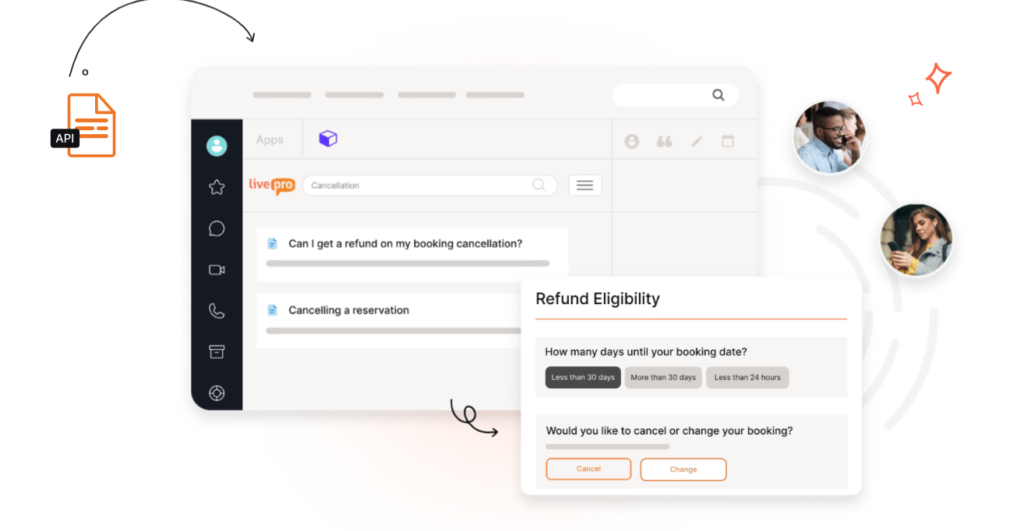
livepro offers customer self-service solutions that allow admins to restrict which content reaches customers and which doesn’t. Every answer comes from a single source of truth, so your team doesn’t need to maintain a separate library. N
If you make a policy change on your article, the change syncs across all, so your customers access up-to-date information.
Compliant-Ready Audit Trails
Regulated industries need to maintain industry-compliant audit trails. Without a system-level record, auditing depends on piecing together emails, memory, and whatever documentation happens to exist.
Compliance-ready audit trails log every interaction, including content edits, approvals, and AI-generated responses, creating a complete, timestamped record. Each action is tied to a specific user, so there’s no ambiguity about who made a change or when it happened.
The software runs on infrastructure built for regulated data handling, with encryption applied both in transit and at rest, so the audit trail itself stays protected. It aligns with frameworks like SOC 2, ISO 27001, HIPAA, and PCI depending on the industry you serve.
For example, during a regulatory audit, a compliance team can generate a report showing who accessed a specific policy, when they viewed it, and whether any unauthorized access attempts were blocked.
Knowledge Analytics
Knowledge analytics tracks article usage, search trends, and engagement, showing which content gets read and which gets ignored.
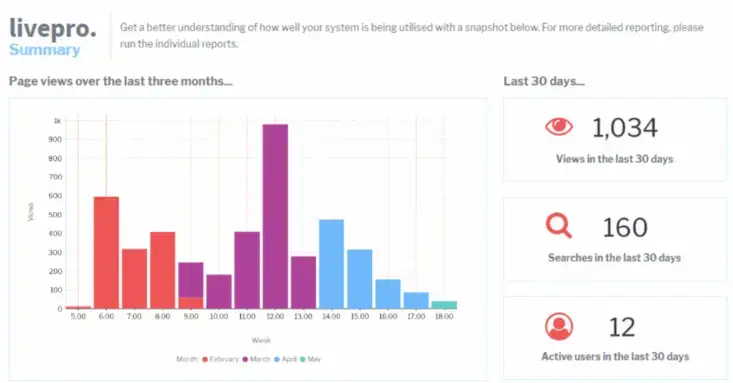
You can track:
- Article usage: Shows how often each article gets viewed, ranked from most to least accessed.
- Search trends: Reveals what users are searching for and which terms return no results.
- Engagement: Measures how users interact with content, including time spent and click-through behavior.
- Read receipts: Confirms when a specific user viewed a compliance-sensitive policy.
- Failed searches: Flags queries that returned no relevant results, pointing to a gap in the knowledge base.
If you want to present data to your stakeholders or executives, the software lets you build custom reports with infographics and export data for better decision-making.
Integrations
Integrations connect the knowledge base directly to the tools teams already use, including CRM platforms, help desks, and contact center software. An open API lets teams embed knowledge into internal portals, chat systems, or CRM screens without switching context to a separate tab.
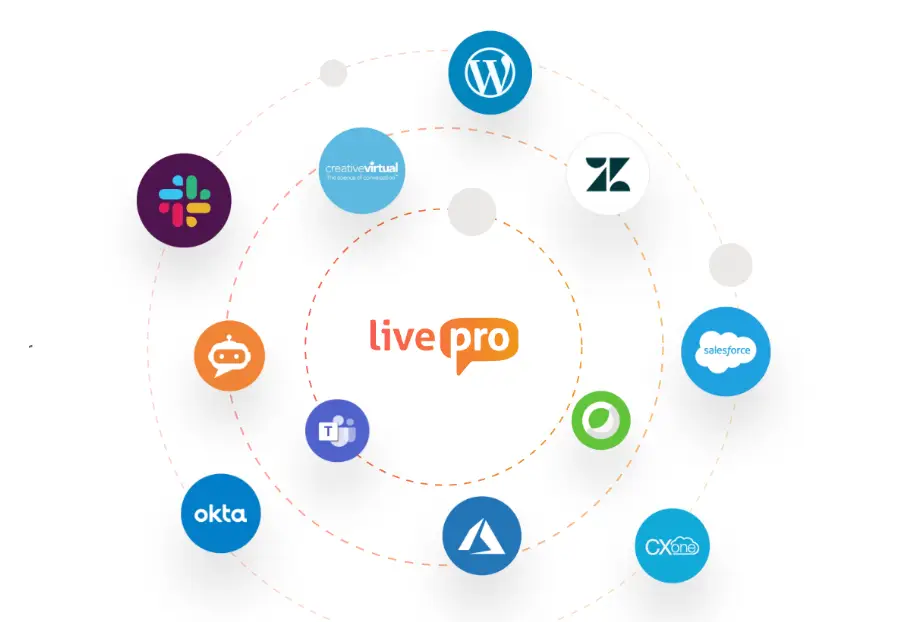
livepro offers out-of-the-box integrations with platforms most knowledge management teams use:
- Genesys Cloud
- NICE CXone
- Salesforce
- Microsoft Teams
- Zendesk
- Microsoft Dynamics CRM.
How to Choose the Right Knowledge Management Software
Knowledge management software options differ widely. Some platforms are built for public-facing documentation, some for internal SOPs, and others for live agent support during calls.
The right evaluation criteria depend on what you need the software to do, how big your team is, and how regulated your industry is, not just which platform has the longest feature checklist.
Match the Platform to Your Primary Use Case
Define what your teams need from a knowledge base, what content gaps you’re trying to fill, and then evaluate tools based on those criteria.
Look at how the vendor’s case studies and customer examples are framed. See how they work for your use case. For example, a contact center needs faster answer retrieval for live calls, an enterprise team needs governance control, and a customer support team needs a public-facing knowledge base.
Check How the Platform Handles Growing Content Volume
Some platforms can consolidate your knowledge, but slow down or become disorganized once content volume grows.
See how search performance and content organization look in an account with a large, realistic volume of articles. Look for structural features like categories, hubs, or tagging, so you don’t have to overhaul your knowledge base when you grow.
Match Compliance Features to Your Industry’s Specific Requirements
Check whether the platform supports regulatory frameworks relevant to your industry, such as HIPAA for healthcare or PCI for financial services. Assess the infrastructure, AI tools compliance, and data security standards it follows.
A generic compliance claim means little without confirmation that it covers what your specific regulator checks during a review.
Evaluate Integration Depth
Some platforms integrate with CRM, telephony, or helpdesk tools. Others require agents to open a separate tab or window, adding friction that a demo rarely reveals. The difference determines whether your team gets a working integration on day one or a lengthy build project.
Make sure the platform you choose supports native integrations of tools you already use, so you don’t have to do manual workarounds.
Calculate Cost Against Your Actual Team Structure
Pricing structures differ between per-user, per-department, and enterprise-wide models, and the lowest price doesn’t always match the lowest cost per outcome.
Compare pricing against how many departments or teams will realistically need access, not just your current contact center headcount. Factor in whether the platform charges extra for governance, analytics, or AI features.
Bottom Line: livepro Gives You a Compliance-Grade Knowledge Base with All the Essential Features
livepro is an AI-powered knowledge management software built for contact center and enterprise teams that need a compliant knowledge base. It serves industries like banking, BPOs, local government, and healthcare.
livepro gives you a single source of truth with AI-powered search, so agents, internal teams, and customers get accurate, verified answers. The software supports decision trees, governance, role-based permissions, authoring tools, bulk import, self-service solutions, and knowledge analytics.
Book a demo to learn how livepro keeps search accurate and every answer governed as your knowledge base grows.
FAQs on Knowledge Management Software Features
What are the stages of knowledge management?
Knowledge management usually moves through four core stages, each building on the one before it:
- Capture: documenting knowledge from experts, processes, and existing content
- Organize: structuring captured knowledge into categories, hubs, or templates
- Share: making knowledge accessible to the people who need it
- Apply and review: using the knowledge, then updating it as things change.
What are the benefits of knowledge management software?
Knowledge management software helps teams:
- Retrieve accurate, verified answers faster
- Reduce compliance and audit risk
- Cut onboarding and training time
- Catch duplicate or outdated content
- Spot knowledge gaps before they cause errors
- Deliver consistent answers across every channel
- Lower average handle time on calls
- Free up experts from repeat questions
- Scale knowledge across departments and teams.
What is the best knowledge management software?
livepro is the best knowledge management software for contact centers and enterprise teams. It offers AI-powered search, bulk import, decision trees, governance control, AI authoring tools, knowledge analytics, and integrations.
The software consolidates your scattered knowledge sources, allowing your agents, internal teams, and customers to access answers from the same knowledge base.
What’s the difference between knowledge management software and CMS?
A CMS (content management system) is built to create and publish content, usually for websites, blogs, or marketing pages. Knowledge management software captures knowledge, organizes content, and delivers accurate answers with governance control and compliance.
How does knowledge management software help contact centers?
Knowledge management software helps contact center teams reduce average handle time, since agents spend less time searching and more time resolving the actual call. It also improves consistency across agents and shifts, since everyone pulls from the same verified content instead of relying on tribal knowledge.