










“The most valuable asset of a 21st-century institution will be its knowledge workers and their productivity,” management expert Peter Drucker noted decades ago. But that productivity depends on one thing: whether frontline teams can actually find and use organizational knowledge when they need it.
Most can’t. Knowledge sits in scattered Word docs and shared folders that subject matter experts update whenever they find time. There’s no workflow ensuring policies get reviewed after regulatory changes. No document version control showing whether agents are looking at current or outdated information. No structure that helps someone find the right answer during a live customer call.
Knowledge management authoring tools address this by giving SMEs structured editors, automating review and approval workflows, and enforcing governance controls that enterprises and contact centers require. These platforms turn scattered documentation into searchable, agent-ready content that stays accurate.
This article reviews seven knowledge management authoring tools designed to help contact centers and enterprises create, govern, and maintain reliable organizational knowledge.
What Is a Knowledge Management Authoring Tool?
A knowledge management authoring tool is software designed to help teams create and maintain frontline-ready knowledge. Unlike basic document editors or wikis, these platforms are built around how knowledge is authored, reviewed, governed, and consumed in real operational workflows.
Here’s what it offers:
- Structured Content Creation: WYSIWYG editors, templates, and guided formats help authors create consistent articles that agents can scan quickly.
- Content Types for Different Needs: Quick-answer articles for simple questions, step-by-step process guides for procedures, and decision trees that walk agents through complex scenarios with branching logic (like “if customer is in California AND policy was issued before 2023, then…”).
- Governance Workflows: Approval processes, version control, review reminders, and role-based permissions keep content accurate and compliant.
- Collaboration Features: Multiple authors can contribute, comment, and refine knowledge without emailing Word docs back and forth.
The best knowledge authoring tools lower the barrier for SMEs to contribute while maintaining control through automated governance.
7 Best Knowledge Management Authoring Tools in 2026
Here are seven knowledge management authoring tools that help teams create and govern content:
livepro
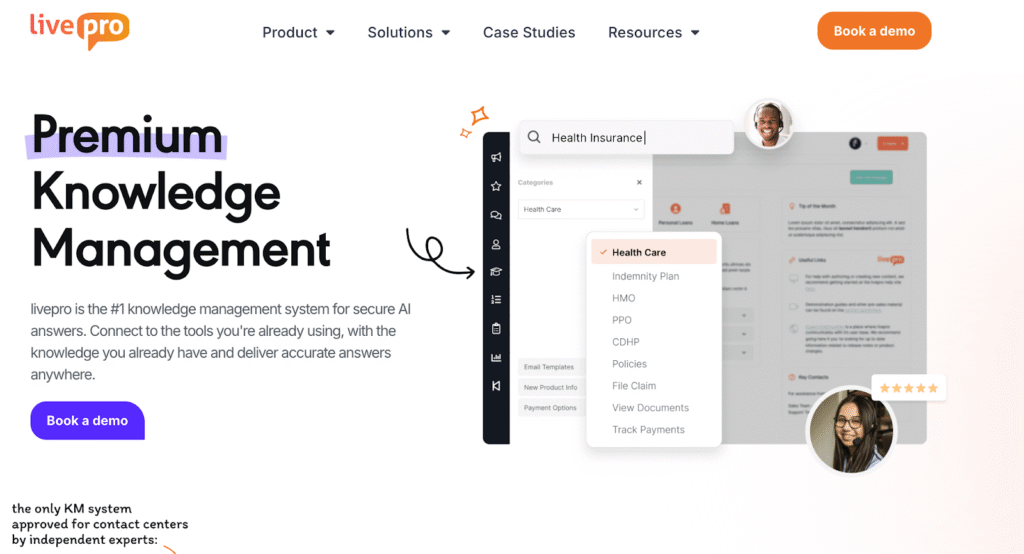
livepro is a knowledge management platform designed for contact centers and enterprisesOur software is built for industries such as financial services, insurance, healthcare, government, and BPOs.
Rather than functioning as a document repository, livepro is built around knowledge authoring and lifecycle management. Our software structures policies and procedures into actionable knowledge formats, including short answers, process guidance, and decision trees.
Here are livepro’s key features in detail:
WYSIWYG Authoring for Fast, No-Training Article Creation
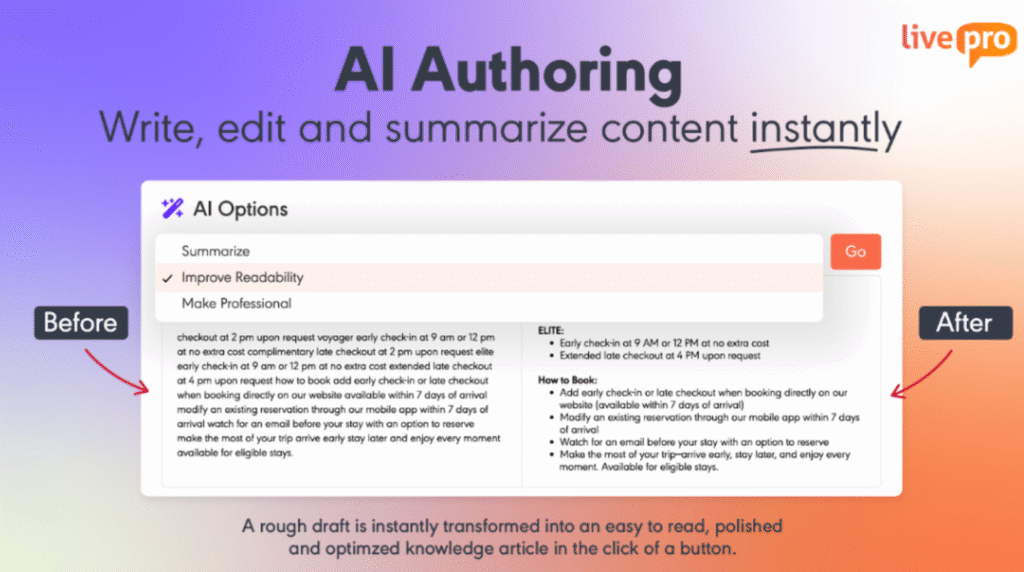
When creating an article requires learning new formatting rules or navigating unfamiliar editing tools, updates are delayed or avoided.
livepro’s WYSIWYG editor shows exactly how content will appear to agents while authors type. The interface works like a simplified word processor. Authors format text, add images, and structure content without learning markup languages or going through preview-publish-edit cycles.
For example, when a financial services SME needs to document a new loan approval policy, they can create a formatted article in minutes. The editor enforces consistent styling automatically, so the SME focuses on accuracy rather than layout decisions.
The Rocket Decision Trees for Guided Agent Support

Long and unstructured procedures require agents to interpret steps in real time, which increases errors and handling time.
livepro’s Rocket is a drag-and-drop decision tree builder that transforms complex processes into guided question flows.
Instead of reading long procedure documents, agents answer a series of questions. The Rocket guides them to the right answer based on the customer’s specific situation.
For example, a loan approval process with 15 different scenarios becomes a series of yes/no questions that leads the agent to the correct outcome. This turns new agents into experts faster and reduces errors on complex policies.
The visual builder lets SMEs create Rockets without coding. They map out decision points, add questions, and link to outcomes.
Decision trees are critical for contact centers with high agent turnover, complex compliance requirements, or products with many variations.
Pre-Built Templates for On-Brand Knowledge Articles
Building article layouts from scratch leads to inconsistent formatting. As a result, key information appears in different places, making it harder for agents to scan during live calls.
livepro includes pre-designed templates that enforce consistent formatting across all knowledge articles.
Templates control heading styles, font sizes, and layout, so every article looks professional without authors having to format it manually.
For example, all policy articles start with a brief summary, followed by bullet-point eligibility criteria, step-by-step instructions, and finally related links. Agents know exactly where to look for specific types of information, regardless of which SME created the content.
Multiple Content Types for Different Agent Need
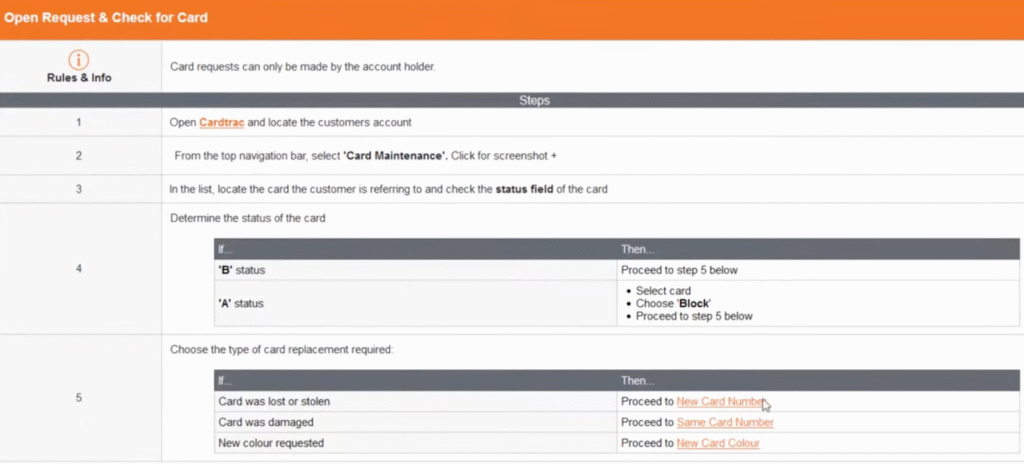
Using a single article format forces agents to search through long text for simple answers and interpret decision logic buried in paragraphs. livepro offers three content types optimized for different agent scenarios:
- Answer Articles deliver quick facts. Agents get the information in seconds without scrolling through long documents. Perfect for simple questions like “What’s the refund policy?”
- Process Guidance provides step-by-step instructions for procedures. Agents follow numbered steps to complete transactions or troubleshoot issues. Critical for onboarding and consistency.
- Decision Trees (Rockets) guide agents through complex situations with branching logic. The tool asks questions and surfaces the right answer based on the customer’s specific circumstances.
Distinct content types reduce ongoing maintenance by making updates targeted instead of requiring full article rewrites.
LightspeedAI Import for Turning Existing Docs Into Structured Knowledge
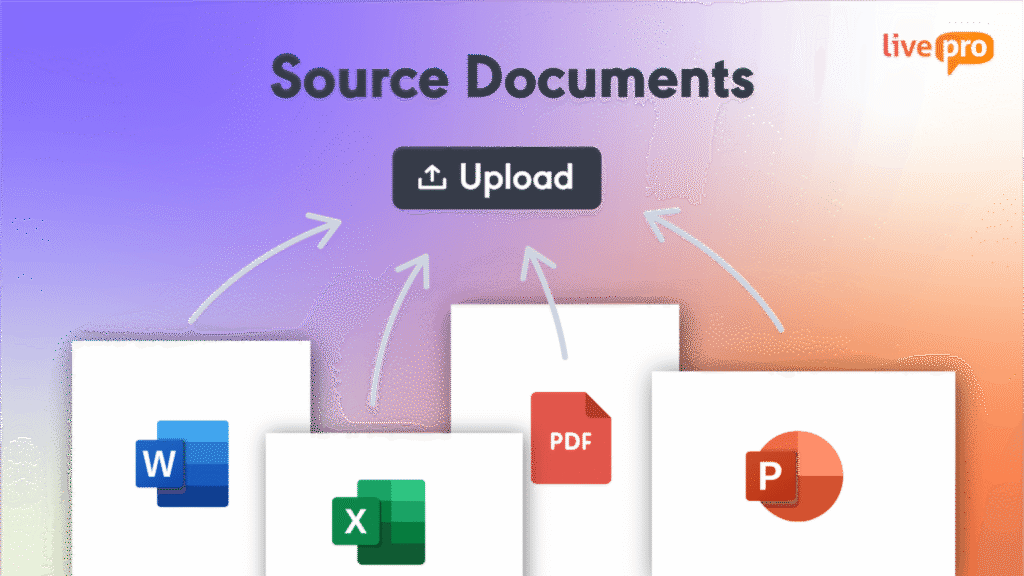
Moving hundreds of Word docs, PDFs, and legacy content requires teams to manually rewrite everything into the new system, which delays implementation.
livepro’s LightspeedAI Import converts existing documents into structured, templated articles automatically. The AI reads source files, identifies headings and key information, and structures content in the format you like. Authors review and refine AI-generated articles rather than starting from blank pages.
For example, a government agency migrating 800 policy documents can upload Word and PDF files directly. The AI structures the documents into searchable articles within hours instead of months, accelerating time-to-value.
livepro also offers a feature called “Source Documents”, making uploaded files immediately searchable. This allows users to locate specific clauses while full migration continues.
Knowledge Governance and Version Control for Compliance-Ready Content
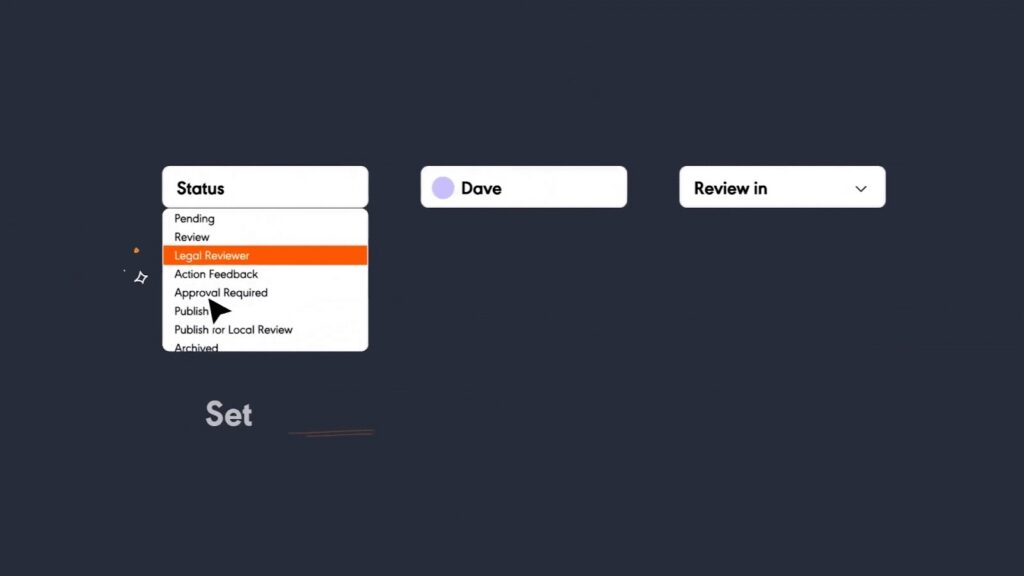
A single outdated policy that remains unchanged after a regulatory update can lead to compliance violations, financial penalties, or customer harm.
livepro’s governance features ensure knowledge stays accurate and audit-ready.
- Version control tracks every change and provides a full history. Managers see who edited what, when, and why. Teams can compare versions and roll back if needed.
- Approval workflows route new content through author → reviewer → approver → publish stages. Content doesn’t go live until authorized personnel approve it.
- Review reminders automatically flag articles for periodic review based on custom schedules. This prevents content from becoming stale.
- Scheduled publication and expiry let teams set future publish dates or automatically archive outdated content.
- Role-based permissions control who can view, edit, or publish content. Critical for compliance in regulated industries.
These features matter for financial services, healthcare, and local government organizations that face regulatory audits.
livepro Pros and Cons
Pros:
- Decision tree builder designed for contact center complexity
- Governance and approval workflows for regulated industries
- Three content types match different agent needs
- WYSIWYG editor requires no technical training
- Pre-built templates ensure consistent, scannable formatting
- Customer support and implementation guidance
Cons:
- Learning curve for advanced admin features, but fast customer support is available
livepro Pricing
livepro offers three custom pricing tiers:
- Flex: Core features for smaller teams
- Premium: Advanced governance and analytics
- Enterprise: Full customization and dedicated support
You can contact us for a quote.
livepro Reviews
Review #1: “We’ve been using livepro as our KMS for over four years now, and the features we value most are its simple but customisable UX, and how easy it is to author and maintain your own knowledge without needing to understand any code or rely on the supplier to build new templates.“ – Samantha D
Review #2: “What I’ve liked most about livepro is how intuitive it is. The structure of the system has made it easy to break down a massive 500-page manual into logical, easy-to-navigate articles.” – Kimberly A
livepro Ratings
Document360
Document360 is a knowledge base platform designed for creating internal and external technical documentation. It serves SaaS companies, software teams, and technical writers who need powerful workflow automation and multiple editor options for complex documentation projects.
Read more:
Bloomfire vs Document360
Helpjuice vs Document360
Document360 Key Features
- Three editor options: Markdown, WYSIWYG, and Advanced WYSIWYG
- Interactive decision trees with a visual editor supporting text, images, videos, and form elements
- Custom workflow builder for multi-step approval processes with status-based editing restrictions
- Eddy AI Writing Agent generates article drafts from prompts, videos, or transcripts
- AI FAQ Generator, Glossary Generator, and SEO metadata generator
- Robust version control with compare, rollback, and fork options
- Built-in spell check, broken link detection, and format painter
- Screen capture with annotation
- Security audit trail tracking every change
- SOC 2 compliance across all plans
Document360 Pricing
Document360 offers three plans: Professional, Business, and Enterprise tiers with custom pricing.
Guru
Guru is a knowledge management platform built around Slack and browser extension integrations. It delivers knowledge directly in the apps teams already use, making it ideal for sales teams, customer support, and fast-growing startups that need real-time knowledge delivery without leaving their workflow tools.
Learn more: Guru Alternatives
Guru Key Features
- Card-based knowledge structure grouped in collections
- Google Docs-like WYSIWYG editor for simple content creation
- Unique verification workflow prompting experts to verify content at set intervals
- AI-generated smart templates
- Create cards directly from Slack conversations
- Browser extension surfaces relevant cards automatically based on webpage context
- Publishing workflows controlling direct publishing versus approval requirements
- AI writing assistant for content creation and refinement
- Knowledge Agents continuously verify accurate content
- AI identifies redundant and duplicate content
- Trending Topics surfaces Slack conversations for content creation
- Audit logs for compliance
Guru Pricing
Guru’s pricing starts at $25 per user per month.
Shelf

Shelf is a knowledge management platform focused on contact centers and customer support teams. It serves healthcare organizations, insurance companies, and contact centers that need AI-powered content creation tools and automated content health monitoring to maintain large knowledge bases.
Read more: Shelf Alternatives
Shelf Key Features
- GenAI Content Copilot creates, improves, and formats content with one click (claims 90%+ reduction in manual authoring effort)
- MerlinAI identifies redundant, obsolete, and trivial (ROT) content automatically
- Decision tree visual builder with drag-and-drop interface
- Content Health scoring guides authors on what needs attention
- 100+ language support with auto-translation
- Automated knowledge lifecycle with review reminders and approval workflows
- Reusable content blocks and templates
- Category-based permissions
- Agent Assist integration surfaces articles based on customer conversation context
- Drag-and-drop content capture from web, desktop, and cloud
Shelf Pricing
Custom pricing.
Bloomfire

Bloomfire is an enterprise knowledge management platform designed for large organizations that need to make all organizational knowledge searchable and accessible. Companies, research teams, and large customer support organizations use it for AI-powered search that indexes videos, PDFs, and audio files.
Learn more: Bloomfire Alternatives
Bloomfire Key Features
- AI-powered search with deep indexing that transcribes videos, extracts PDF text, and makes all content searchable
- Ask AI with source citations provides natural language Q&A grounded in uploaded documents
- Author Assist generates article summaries, key takeaways, and suggests tags
- AI refines tone and formatting to match company voice
- Stale content detection identifies outdated or duplicate content automatically
- Q&A workflow routes questions to designated experts
- Discussion boards with threaded conversations
- Cross-community content sharing
- Full version history with restore
- Built-in approval flows and moderation tools
- Role-based permissions and groups
- Engagement tracking and analytics
Bloomfire Pricing
Custom pricing.
Confluence
Confluence is Atlassian’s wiki and documentation platform used by software teams and enterprises. It serves development teams, product managers, and organizations already using Jira for technical documentation, project wikis, and team collaboration.
Read more: Confluence Alternatives
Confluence Key Features
- 70+ pre-built templates for project plans, meeting notes, decision logs, and technical documentation
- Live Docs with real-time collaboration and live cursors showing who’s editing
- Jira integration linking directly to issues, pull requests, and project boards
- Rovo AI generates content drafts, creates page summaries, and powers AI search
- Spaces for organization with unique permissions per department or project
- Version history with compare and restore capabilities
- Macros for embedding dynamic content
- Block-based content creation with drag-and-drop
- Supports pages, blog posts, whiteboards, and databases
- Approval workflows via marketplace apps or Premium automations
- Granular space, page, and user-level permissions
- Scheduled publishing via automation rules
Confluence Pricing
Confluence offers four plans: Free, Standard ($5.42/user/month), Premium ($10.44/user/month), and Enterprise (custom pricing).
Notion
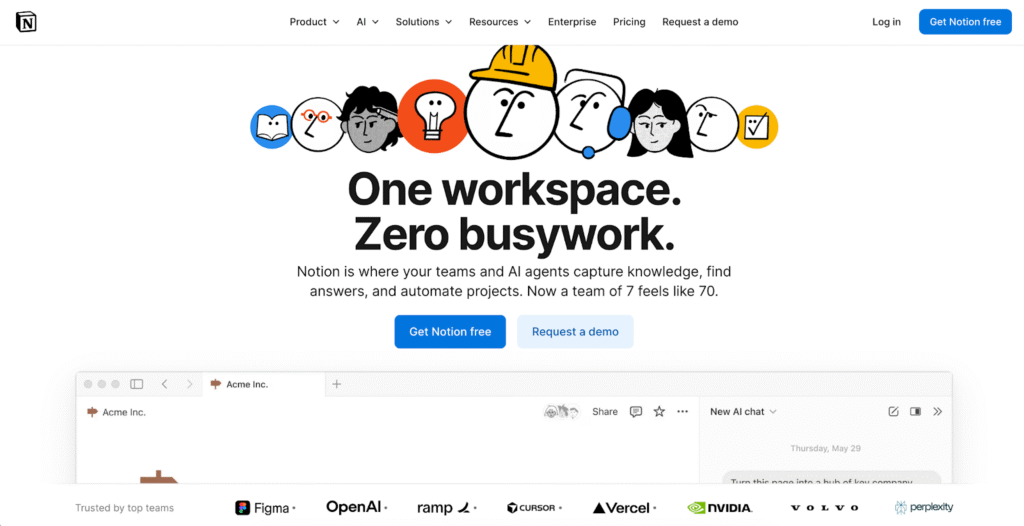
Notion is an all-in-one workspace combining docs, wikis, databases, and project management. It serves startups, small teams, and organizations wanting maximum flexibility for knowledge bases, project tracking, and team wikis without rigid structure.
Read more: Silte vs Notion
Notion Key Features
- Block-based architecture with 50+ content block types (text, images, databases, embeds)
- Highly praised drag-and-drop interface
- Inline WYSIWYG with native markdown support simultaneously
- Extensive template marketplace with thousands of community templates
- Databases with multiple views (table, board, timeline, calendar, gallery)
- Synced blocks mirror content across pages
- Real-time collaboration with live cursors
- Inline comments on any block with @mentions
- Suggestions mode for feedback workflows
- Page and database-level permissions
- Page history (30 days free, unlimited on Plus+)
- Verified pages badge for confirmed content
- Audit logs (Enterprise only)
- Notion AI ($10/member/month add-on): AI chat, content generation, database autofill, translation, and AI Agents for multi-step task execution
Notion Pricing
Notion offers four plans (Free, Plus, Business, and Enterprise) with pricing starting at $10/user/month.
Comparison Table: 7 Best Knowledge Management Authoring Tools in 2026
| Tool | Best For | User Experience | AI Features for Authors | Pricing |
| livepro | Contact centers needing guided decision support and compliance-ready governance | Simple WYSIWYG editor, drag-and-drop decision trees, pre-designed templates enforce consistency | LightspeedAI Import converts existing docs into structured articles, AI-powered search returns intent-based answers | Custom quote (Flex, Premium, Enterprise) |
| Document360 | Technical documentation teams needing advanced workflows and multiple editor options | Three editor choices (Markdown, WYSIWYG, Advanced WYSIWYG), customizable workflows, built-in tools | Eddy AI generates drafts from prompts/videos, creates FAQs, glossaries, and SEO metadata automatically | Custom pricing |
| Guru | Slack-native teams needing real-time knowledge delivery in workflow tools | Card-based interface, browser extension surfaces content automatically, simple Google Docs-like editor | AI writing assistant, smart templates, identifies duplicate content, surfaces Slack conversations for cards | Starts $25/user/month |
| Shelf | Contact centers deploying AI chatbots and needing automated content health monitoring | Drag-and-drop decision trees, reusable content blocks, 100+ language auto-translation | GenAI Content Copilot (90%+ effort reduction claim), MerlinAI detects ROT content, Agent Assist integration | Custom pricing |
| Bloomfire | Enterprise-wide knowledge sharing across departments with rich media content | Clean authoring interface, Q&A workflows, discussion boards, minimal training required | Ask AI with citations, Author Assist for summaries/tags, stale content detection, deep indexing of videos/PDFs | Custom pricing |
| Confluence | Teams already using Atlassian products (Jira, Trello) for technical documentation | Live Docs with real-time collaboration, 70+ templates, familiar to software teams | Rovo AI generates drafts and summaries, AI-powered search across Atlassian tools | Free, $5.42/user/month (Standard) |
| Notion | Startups and small teams wanting flexible all-in-one workspace without rigid structure | Highly praised block-based interface, drag-and-drop, thousands of community templates | Notion AI ($10/user/month add-on): content generation, workspace Q&A, database autofill, AI Agents | Starts at $10/user/month |
How to Choose the Best Knowledge Management Authoring Tool
Here are some key factors to consider when selecting a knowledge management authoring tool for your business:
Start With Your Primary Use Case
Match the tool to your team’s core needs:
- Contact centers with compliance requirements need robust governance features like approval workflows, version control, and audit trails. Decision tree builders help agents navigate complex policies without errors.
- Technical documentation teams benefit from advanced workflow builders, multiple editor options (Markdown, WYSIWYG), and granular permission controls for multi-step review processes.
- Sales and support teams embedded in Slack or Teams should prioritize tools that deliver knowledge directly in those workflows through browser extensions or native integrations.
- General business teams wanting flexibility may prefer all-in-one workspaces that combine docs, wikis, and project management without rigid structure.
Identify your primary scenario before evaluating features. A tool built for technical documentation won’t serve contact center compliance needs well, and vice versa.
Check Authoring Experience and Content Types
Evaluate whether authors can create content without training.
Test the WYSIWYG editor. Can SMEs format articles without help? Do templates enforce consistency automatically?
Check which content types the platform supports. If your team needs decision trees for complex processes, confirm the platform offers a native builder. Not all knowledge management tools include this capability, so verify it supports the specific content formats your agents actually use.
Evaluate Governance and Quality Control
Understand how the platform maintains content accuracy.
- Does it include approval workflows so content gets reviewed before publishing?
- Can it automatically remind authors to review content periodically?
- Does version control let you see who changed what and roll back if needed?
Regulated industries need stronger governance than general business teams.
Confirm Collaboration Workflow
Determine whether multiple authors can work together easily. Real-time collaboration matters for large documentation teams. Commenting and @mentions help subject matter experts review content without email threads.
Check whether the platform supports external contributors if partners or contractors need access.
Look for AI Features That Support Authors
Assess how AI reduces manual authoring work, but focus on features that solve real bottlenecks.
Document conversion should transform existing files (PDFs, Word docs, Excel) into structured, searchable articles automatically. This matters when you’re migrating hundreds of legacy documents and can’t afford months of manual rewriting.
AI-powered search should understand intent, not just match keywords. When an agent searches “refund eligibility,” the system should surface the exact policy clause, approval workflows, and related exceptions, not just articles containing those words.
AI-generated summaries save agents time by surfacing the key answer immediately, then letting them drill into full details if needed. This cuts handling time on complex policies.
Test AI features with your actual content during demos. What works in a vendor’s polished example might fail with your industry-specific terminology or complex policy documents.
Validate Integrations and Security Requirements
Ensure the platform works with your existing tools. Check integrations with your CRM, contact center platform, or collaboration tools. SSO support matters for enterprise security. API access lets you build custom workflows.
Confirm the platform meets your compliance requirements; for example, SOC 2, HIPAA, or other industry-specific certifications.
Compare Pricing, Support, and Time-to-Value
Calculate total cost including implementation, training, and maintenance. Free tiers let small teams test features but rarely include governance tools enterprises need.
Ask about onboarding timelines. Platforms requiring months of configuration delay ROI. Look for tools that let teams start creating content within weeks.
Consider knowledge management ROI beyond software costs. A platform cutting average handle time by 30 seconds per call saves a 50-agent contact center roughly $200K annually. Faster onboarding (8 weeks to 4 weeks) cuts training costs in half. Calculate these gains against total platform cost to understand true value.
Benefits of Knowledge Management Authoring Tools
When implemented effectively, knowledge management authoring tools deliver the following benefits:
Capture SME Knowledge Without Bottlenecks
Subject matter experts create knowledge directly instead of emailing Word docs to a knowledge team.
Simple WYSIWYG editors remove the technical barrier. Templates ensure SME contributions match existing content quality. Approval workflows maintain control without requiring SMEs to understand publishing processes. This scales knowledge creation as organizations grow.
Standardize Article Structure for Agent Consumption
Templates enforce consistent formatting so agents know exactly where to find information.
When every article follows the same structure, agents scan faster and handle time drop. They develop muscle memory for where specific information types appear.
Translate Complex Policies Into Guided Support
Decision tree builders transform dense policy documents into step-by-step question flows.
Instead of reading 10-page compliance procedures, agents answer a series of questions. The tool guides them to the correct answer based on the customer’s specific situation. This reduces errors on complex processes and helps new agents handle situations they haven’t seen before.
Improve Quality Control With Built-In Publishing Controls
Approval workflows prevent unapproved content from reaching agents. Content moves through defined stages (draft, review, approval, published). Each stage has role-based permissions controlling who can edit or approve. This ensures compliance teams review policy changes before they go live.
Maintain Accountability Through Change Tracking
Version control creates audit trails showing who changed what and when. This matters for compliance audits and resolving disputes about policy interpretation. Teams can compare versions to see exactly what changed and roll back if an update caused problems.
Change tracking also helps knowledge managers understand which content updates frequently and why.
Bottom Line: livepro Simplifies Knowledge Authoring Without Sacrificing Control
Choosing a knowledge management authoring tool shapes how easily SMEs can document expertise, how reliably content stays accurate, and whether knowledge scales as the organization grows.
livepro offers WYSIWYG editors that require no technical training, drag-and-drop decision tree builders for complex processes, pre-built templates that enforce consistency, automated governance workflows with approval controls and review reminders, AI-powered document import that converts legacy files into structured articles, and intent-based search that surfaces exact answers during live calls.
Book a demo to see how livepro’s authoring capabilities help your team create compliant, agent-ready knowledge that reduces handle time and accelerates onboarding.
FAQs About Knowledge Management Authoring Tools
How long does it typically take to migrate existing knowledge into a new authoring tool?
Migration timelines vary widely based on your approach. Manual migration (copying and reformatting each document) typically takes 3-6 months for organizations with 500+ documents. AI-powered import tools cut this dramatically.
For example, livepro’s LightspeedAI Import can structure hundreds of Word docs and PDFs into searchable articles within hours or days, not months. You’ll still need time to review and refine AI-generated content, but you’re starting from 80% complete rather than blank pages.
Can knowledge authoring tools integrate with our existing contact center platform?
Most enterprise knowledge authoring tools offer API access and pre-built integrations with major contact center platforms like Genesys, Five9, and NICE. The key is understanding what “integration” means for your workflow. Some tools simply embed a search widget in your agent desktop. Others, like livepro, can surface contextual knowledge based on the call type or customer account, so agents see relevant articles automatically without searching.
What happens to our knowledge base if we need to switch tools later?
This depends on how the platform stores your content. Tools using proprietary formats make migration difficult. Look for platforms that let you export content in standard formats (HTML, Markdown, JSON). Also check whether decision trees, approval workflows, and metadata export cleanly.
Before committing, ask vendors about their data portability policies and request sample exports to verify you’re not locked in.
How do we measure whether our authoring tool is actually improving agent performance?
Track these metrics before and after implementation: average handle time (AHT), first call resolution (FCR), time spent searching for information, and agent confidence scores. The best authoring platforms include built-in analytics showing which articles agents use most, where knowledge gaps exist, and how search behavior changes over time.
livepro’s analytics track usage at the article level, so you can see exactly which policies agents reference during calls and identify content that needs improvement.
Do agents need special training to use knowledge created in these authoring tools?
Not if the tool is designed properly. The authoring tool’s editor is for SMEs and knowledge managers. Agents interact with the published knowledge base, which should require zero training if it’s intuitive. Look for platforms with clean search interfaces, clear article formatting, and mobile-friendly design.
Decision trees are particularly valuable here because they guide agents through complex scenarios without training. At livepro, most contact centers report agents adopt the system within days because the interface feels familiar and articles are structured for quick scanning during live calls.