


RightAnswers and eGain both help contact centers deliver consistent answers at scale. But they solve different problems.
RightAnswers is a dedicated knowledge management platform. It supports agents and employees behind the scenes with structured, governed knowledge. eGain takes a broader approach. It combines knowledge with omnichannel customer engagement, automation, and analytics into a full CX platform.
That difference shapes how teams evaluate them. Some organizations want a dedicated knowledge base that fits into existing tools. Others want knowledge embedded inside a full customer engagement ecosystem.
This article compares RightAnswers vs eGain across features, pricing, and user reviews. We also introduce livepro as an alternative worth considering.
A Quick Comparison of eGain vs RightAnswers
| Criteria | RightAnswers | eGain |
| Best for | Enterprise teams that want a dedicated knowledge management platform | Teams that want knowledge inside a full CX and automation suite |
| Key features | Enterprise knowledge base with strong governance and in-workflow agent support | Omnichannel CX platform with knowledge, chat, automation, and virtual assistants |
| Ease of use | Structured and process-driven environment | Powerful but more complex to learn and configure |
| AI capabilities | Generative AI for article creation, federated search across connected systems, and bring-your-own AI model support | AssistGPT for AI-powered content drafting, instant answers during conversations, and AI-guided process workflows |
| Implementation complexity | Moderate to heavy | Heavy and longer setup |
| Reporting | Knowledge usage and article performance insights | Customer journey and channel analytics |
| Pricing | Custom | Starts at $12.50/user/month |
RightAnswers Overview
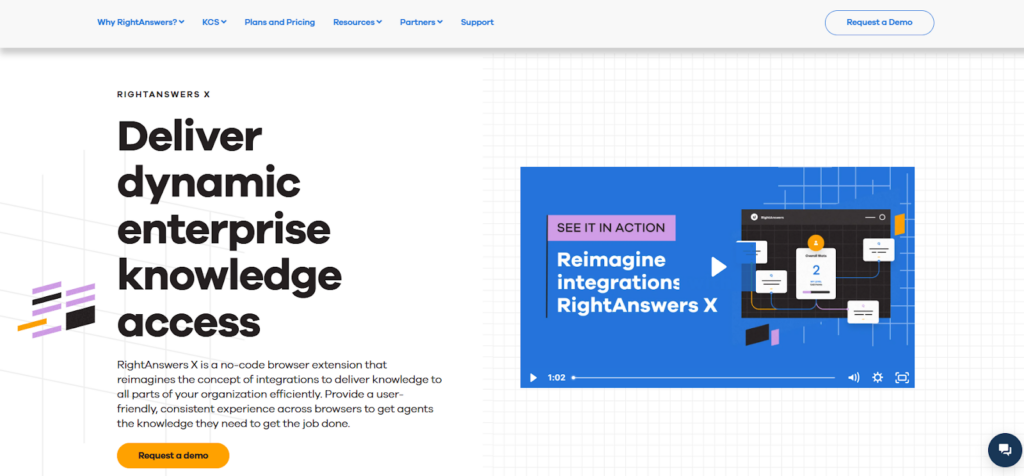
RightAnswers, by Upland Software, is an AI-powered knowledge management platform built for enterprise and large contact center teams. It centralizes support knowledge and delivers answers directly inside the tools agents already use, including CRM and IT service management platforms.
The platform focuses on governance and structured workflows that help teams maintain accurate knowledge at scale. It combines enterprise search, guided knowledge creation, and self-service capabilities to help agents resolve customer questions faster
RightAnswers Key Features
Here are the key features of RightAnswers:
- AI-Powered Content Creation and Search: RightAnswers uses AI to help teams create knowledge articles and surface relevant answers during support interactions.
- Search Across Multiple Knowledge Sources: Agents can find answers from websites, shared drives, and CRM or ITSM systems in one place, eliminating the need to switch between tools.
- RightAnswers-X Browser Extension: The browser extension brings approved knowledge directly into the agent’s workflow, allowing agents to access answers without leaving their CRM or support tools.
- Knowledge Delivery for Agents and Self-Service: Knowledge can be shared internally with agents and externally through self-service portals, helping teams keep information consistent across support touchpoints.
- KCS-Aligned Knowledge Management: RightAnswers follows Knowledge-Centered Service standards, helping teams create, maintain, and reuse knowledge in a structured and repeatable way.
- Knowledge Reporting and Analytics: Built-in dashboards show article usage, search trends, and knowledge gaps, giving teams visibility into what content is used and where updates are needed.
Rightanswers Pricing
RightAnswers offers custom pricing.
RightAnswers Pros and Cons
Pros
- Strong governance for enterprise knowledge management
- Supports KCS-aligned knowledge workflows
- AI-assisted search for faster answer discovery
- Browser extension for in-workflow agent access
Cons
- Search accuracy can vary with complex queries
- Setup and configuration can be time-intensive
RightAnswers User Review
Review 1
“It provides insight and is helpful when making decision or gathering research. Customer support is excellent and it is easy to implement and integrate especially for frequent usage. There are a number of features that are provided and it appears to be easy to use no matter the technology background the user may have.” – Amber H.
Review 2
“I’m not sure there is something that I can characterise as “the least useful” but since i have to put 300 characters in my answer i will force myself to say that maybe the option to bring our own AI cuz we don’t have one so its not a much of a use to me personally however i can see how it’s a plus for most people.” – User
Rightnswer Rating
eGain Overview
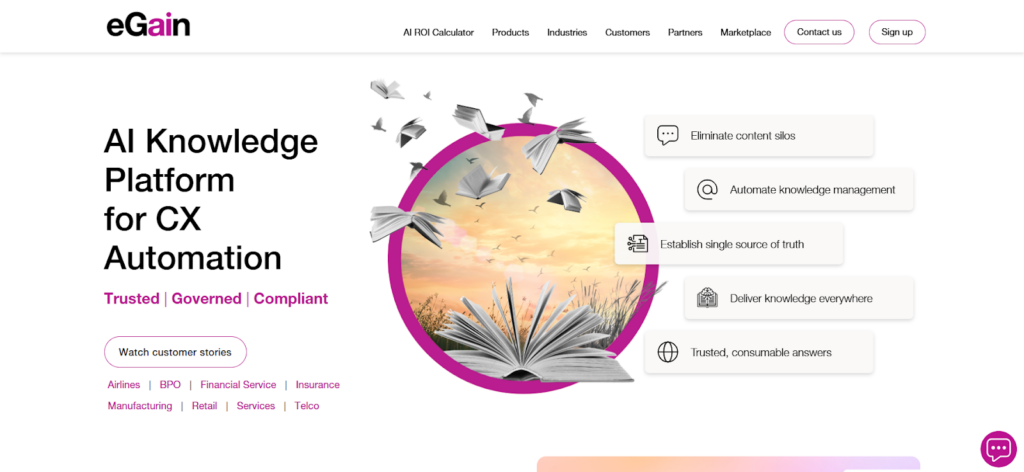
eGain is a knowledge management platform used by contact centers and enterprise customer support teams. It helps teams organize knowledge and deliver answers across channels such as chat, email, and self-service portals. The platform connects with CRM and support tools, allowing agents to access information without leaving their workflow.
Teams use eGain to centralize knowledge, reduce inconsistent responses, and guide agents through support processes. The platform includes analytics and AI-assisted features that help teams understand how knowledge is used and where content needs improvement.
Read more: eGain Alternatives
eGain Key Features
Here are the key features of eGain:
- eGain Knowledge Hub™: Uses generative AI to help teams create, manage, and deliver consistent knowledge across channels. Includes AI-driven search, multilingual content support, and guided assistance for agents and customers.
- AssistGPT: A generative AI tool built into the Knowledge Hub. It helps authors draft knowledge articles in minutes instead of weeks, generates responses for agents during live conversations, and auto-classifies content. Admins can manage AI prompts and set guardrails through a no-code AI Console.
- Omnichannel Conversation Hub: Manages customer interactions across email, messaging apps like WhatsApp and Apple Business Chat, social media, and web chat from a single platform.
- Unified Agent Desktop: Provides agents with a single, digital-first interface that brings together customer context and knowledge.
- Analytics and Reporting: Offers configurable dashboards to track performance, knowledge usage, and customer journeys across channels.
eGain Pricing
eGain’s pricing starts at $12.50/month per user for enterprise users and $25/month per user for contact center agents, with self-service sessions priced at $0.20 each.
Pros of Using eGain
- AI-powered search with instant answers
- Supports email, chat, social, and self-service
- AssistGPT speeds up content creation
- Pre-built connectors for Salesforce, ServiceNow, Genesys
- Strong fit for large, regulated enterprises
- Guided help walks agents through complex processes
Cons of Using eGain
- Steep learning curve for setup and admin
- Users report occasional slowness and lag
- Customization can feel rigid for unique workflows
- Reporting is complex to configure for large teams
eGain User Review
Review 1
eGain Self-Service+AI has enhanced the level of self-service we offer to our customers. Besides, its multi-search enables users to search for information using keywords, natural language queries, or by navigating a topic tree. – Ali M.
Review 2
Compliance and risk management need improvement. Better service and support are required. eGain risk management can be improved to help with better compliance.– Rohit K
eGain Rating
4.1/5 G2 rating
RightAnswers vs eGain: Feature-by-Feature Comparison
Here’s a feature-by-feature comparison between Rightanswers and eGain:
Search and Knowledge Discovery
RightAnswers focuses on structured knowledge search, with AI-assisted and federated search pulling answers from approved systems and repositories. eGain also uses AI-assisted search, but discovery often happens inside conversations, such as self-service flows or guided interactions.
Both tools help agents find answers, but the experience feels more rule-driven in RightAnswers and more conversational in eGain.
AI Capabilities and Automation
RightAnswers uses AI for knowledge search, generative answers, and agent guidance within a controlled knowledge environment. eGain uses AI more broadly across automation, virtual assistants, routing, and guided conversations.
RightAnswers keeps AI focused on knowledge accuracy. eGain applies AI across the full customer engagement workflow, from routing to virtual assistants to guided conversations.
User Interface and Ease of Use
RightAnswers follows a structured interface built around knowledge workflows. Teams with defined processes often adapt quickly because content follows a clear, governed structure.
eGain combines knowledge, conversations, and automation in one workspace. This gives teams more operational control, but the interface reflects the platform’s broader CX scope.
Implementation and Onboarding
RightAnswers implementation focuses on knowledge setup, governance, and integrations with existing support systems. eGain implementation is broader because the platform includes messaging, automation, and customer engagement features beyond knowledge.
Knowledge Governance and Compliance
RightAnswers places strong emphasis on governed knowledge, document version control, and structured workflows, which suit regulated or process-heavy environments. eGain also supports governance, but knowledge often sits within broader CX workflows rather than as a standalone system. Teams looking for strict control may prefer RightAnswer.
Reporting and Analytics
RightAnswers provides analytics focused on knowledge usage, performance, and agent interaction with content. eGain offers broader reporting that covers knowledge, conversations, and customer journeys across channels.
Integrations and Ecosystem
RightAnswers integrates with CRM and IT service management platforms such as ServiceNow, allowing knowledge articles to appear directly inside support and help desk workflows.
eGain integrates with CRM platforms and contact center systems, but often as part of a larger customer engagement ecosystem. Both support integrations, though eGain’s ecosystem reflects its wider CX platform focus.
livepro: A Better Alternative to RightAnswers vs eGain
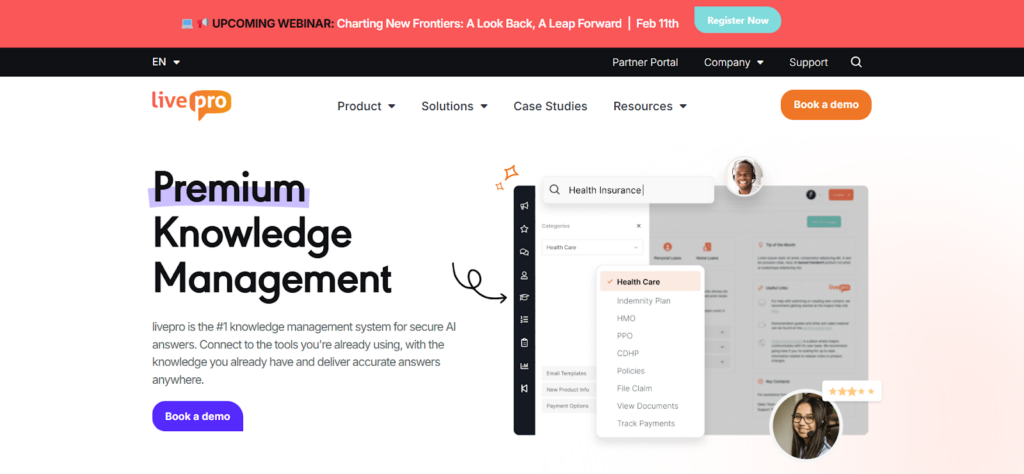
livepro is an AI-based knowledge management software built for contact centers and enterprises. It serves industries such as healthcare, banking, and local government.
livepro allows teams to manage knowledge at scale and guide agents to the right response, step by step, as they talk to customers.
Teams use livepro to train agents faster, reduce confusion, and keep answers consistent across calls, chats, and internal teams. The platform blends structured guidance with AI-assisted search, so agents can find information quickly, reducing your average handle time.
Here are livepro’s key features that make it a go-to knowledge management software alternative to eGain and RightAnswers:
Luna AI Voice Agent for 24/7 Customer Support
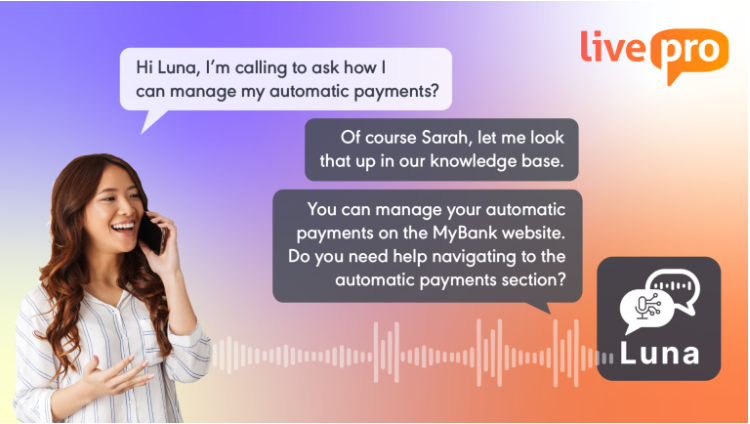
Many contact centers still rely on agents or Interactive Voice Response (IVR) menus to handle incoming calls. During peak hours or after business hours, queues grow and agent workloads increase. Teams struggle to maintain consistent support without adding more staff.
livepro offers Luna, a native AI voice agent built for contact centers. Luna uses the same approved knowledge base as agents, so responses stay consistent while routine calls are handled automatically. This helps teams provide customer service around the clock and reduce wait times and call queues without adding staff.
Hybrid Lightspeed Search for High-Accuracy Retrieval
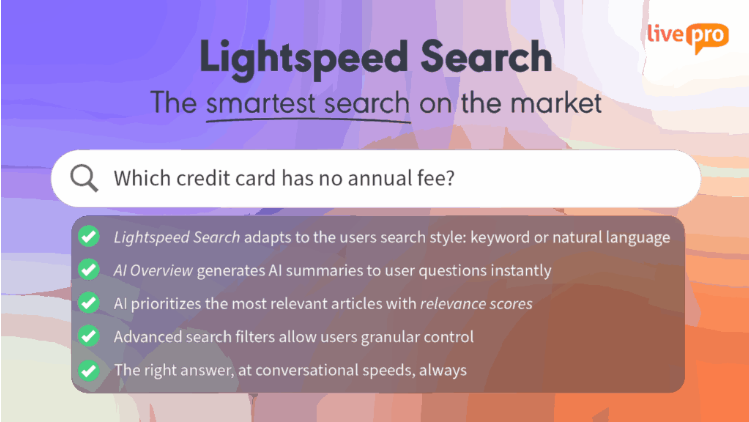
Many knowledge management tools struggle with intent-based answers. Teams may find that AI-assisted search works well in simple cases, but struggles with vague queries, edge cases, or accuracy when content grows. This can slow agents down or force them to manually dig for the right answer.
livepro addresses this with Lightspeed AI, which understands what agents are looking for, not just the exact words they type. It combines natural language processing with governed knowledge, so agents can ask questions naturally and still get accurate answers.
Lightspeed AI helps teams by:
- Returning accurate answers even with typos or unclear phrasing
- Prioritizing approved, up-to-date content
- Providing to the point answer, not long paragraphs agents have to read during live calls
- Supporting fast decisions during live calls.
Faster Implementation with AI Import and Source Documents
Implementation often slows down when teams need to rebuild knowledge from scratch. livepro allows teams to bulk upload documents such as PDFs, Word files, Excel spreadsheets, or presentations. LightspeedAI indexes this content and makes it searchable immediately.
This helps teams start using their existing knowledge faster instead of rewriting articles manually.
Knowledge Analytics for Usage and Performance Visibility
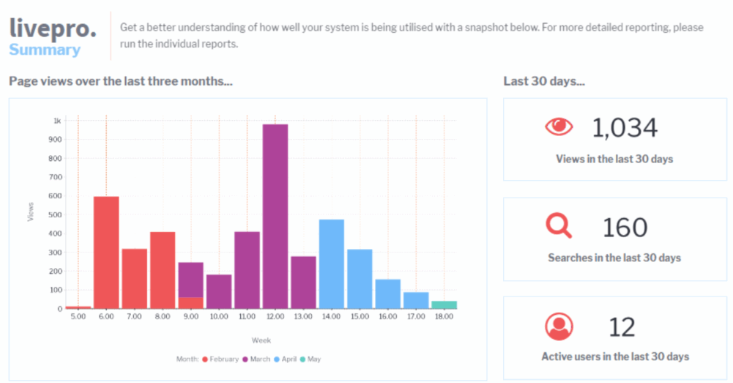
Teams often rely on analytics to understand how their knowledge is used and what gaps exist. With tools like RightAnswers, some users report limitations in reporting depth, which can slow down decision-making.
livepro addresses this with configurable knowledge analytics that give teams clear visibility into usage and performance. Instead of digging through raw data, teams get dashboards that highlight what content is being used, what’s being searched, where users are getting stuck, and how content impacts performance.
Structured User Management and Role Alignment
As teams grow, managing access and permissions gets messy. New agents join, roles change, and knowledge access needs to update quickly. When this process is manual, teams lose time fixing access issues instead of helping customers.
livepro makes this easier with structured user management and clear role alignment. Teams can control what agents, authors, and admins see and do based on their responsibilities, so knowledge stays consistent without adding extra admin work.
You can:
- Give role-based access aligned to real job functions
- Make it easier to manage users as teams grow or change
- Keep knowledge access consistent across departments
- Reduce friction when permissions need to be updated.
AI Authoring to Reduce Documentation Effort
In many knowledge management systems, content creation can feel structured but manual, especially when teams need to update articles, format content, or build guided workflows at scale.
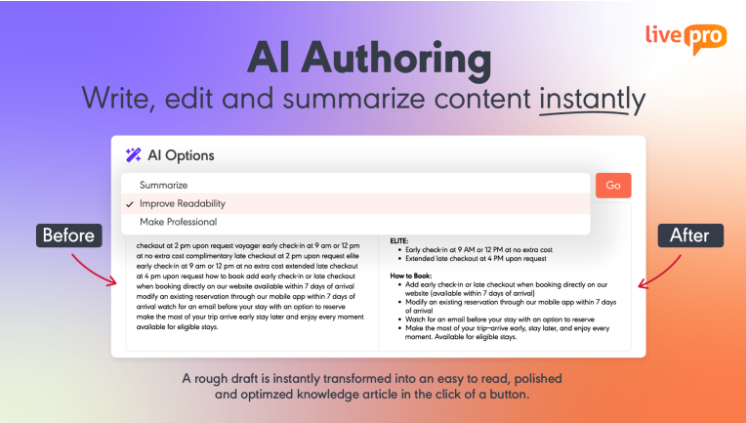
livepro offers an AI-powered authoring and flexible editing tool. Teams can create, refine, and manage content without technical skills, while still keeping everything aligned with brand and compliance standards.
Here’s what you get:
- A WYSIWYG (What You See Is What You Get) editor that works like a Word document
- Pre-designed styles and templates for consistency
- AI-assisted content creation and refinement
- A drag-and-drop decision tree builder for step-by-step guidance.
livepro Pricing Detail
livepro offers custom pricing plans. You can contact us for more details.
livepro Pros and Cons
Pros
- Intuitive interface that agents adopt quickly
- Fast, accurate search with AI-generated overviews
- Exceptional customer support and onboarding
- Decision trees guide agents step by step
- Easy content authoring with no coding required
- Strong role-based permissions and governance
- Flexible pricing for teams managing multiple clients
Cons
- Advanced features take time to learn, but the support team helps with onboarding and training
- Some backend configurations need livepro’s team to set up, though we respond quickly
livepro Rating
Quick Comparison: RightAnswers vs eGain vs livepro
| Platform | Key Features | Best For | Ease of Adoption |
| RightAnswers | Federated search, KCS-aligned workflows, browser extension for in-workflow access, bring-your-own AI | Enterprises that need governed, structured knowledge across IT and support teams | Structured but dated interface; teams with defined processes adapt quickly |
| eGain | AssistGPT for AI authoring, omnichannel conversation hub, guided help, pre-built CRM connectors | Large organizations that want knowledge inside a full CX and automation suite | Powerful but complex; steep learning curve for setup and admin |
| livepro | Lightspeed AI search, Luna voice agent, decision trees, AI-powered authoring, bulk document import | Contact centers and enterprises that need fast agent answers with minimal training | Intuitive and quick to adopt; 4.9/5 G2 rating with consistent praise for usability |
RightAnswers vs eGain: Which Platform Wins in 2026?
RightAnswers works best for large teams that value structured knowledge and control. But many users feel the interface looks dated, and search and reporting can feel limiting over time.
eGain combines knowledge with broader customer engagement features. This can be useful for teams managing many channels. But it also adds complexity. Setup takes longer, and the platform can feel heavy if your main focus is helping agents answer questions quickly.
livepro: The Go-To Alternative to RightAnswers and eGain in 2026
RightAnswers focuses on structured knowledge and governance. eGain brings knowledge into a broader customer engagement platform. But many teams find themselves choosing between control and complexity instead of getting both in one tool.
livepro brings knowledge, guided workflows, and AI-driven search together in a way that fits real contact center work. Agents get clear next steps during conversations, not just articles to search through. Teams can scale knowledge, support voice and digital channels, and reduce effort without slowing adoption.Book a demo with livepro to see how guided workflows, AI search, and Luna voice agent help your team cut handle times and keep answers consistent, without the complexity of eGain or the limitations of RightAnswers.