


RightAnswers is a knowledge management platform by Upland Software, built for IT service desks that need strict governance over how knowledge is created, reviewed, and approved. It’s the only platform certified to KCS v6 standards, meaning it follows a globally recognized methodology for building and maintaining knowledge bases that stay accurate over time. The platform focuses on structured workflows, approval processes, and audit trails built for regulated environments.
Bloomfire prioritizes ease of use and AI-powered search over rigid structure. The platform indexes 29+ file types, including video and audio transcription. It serves sales enablement, customer support, and business teams who need fast access to diverse content types.
This article compares RightAnswers vs Bloomfire across search capabilities, content governance, collaboration features, integrations, and pricing.
We’ll also introduce livepro, a purpose-built alternative for contact centers and enterprises that delivers measurable results.
RightAnswers vs Bloomfire at a Glance
| Criteria | RightAnswers | Bloomfire |
|---|---|---|
| Best for | IT service desks in regulated enterprises | Sales, support, and business teams |
| Primary use case | Structured knowledge governance and KCS compliance | Fast knowledge access across diverse content types |
| AI capabilities | Neural search only | Search, transcription, content flagging, Q&A |
| Content types supported | Structured articles and templates | 29+ file types including video and audio |
| Deployment complexity | High, requires significant setup and training | Low, most teams adopt within days |
| Pricing (estimated) | $360K-$720K per 36-month contract (500 users) | ~$158K/year (median enterprise cost) |
| G2 rating | 4.5/5 | 4.6/5 |
| Free trial | No | No |
| Support quality | Strong for simple issues, slow for complex ones | Generally well-rated |
What is RightAnswers?
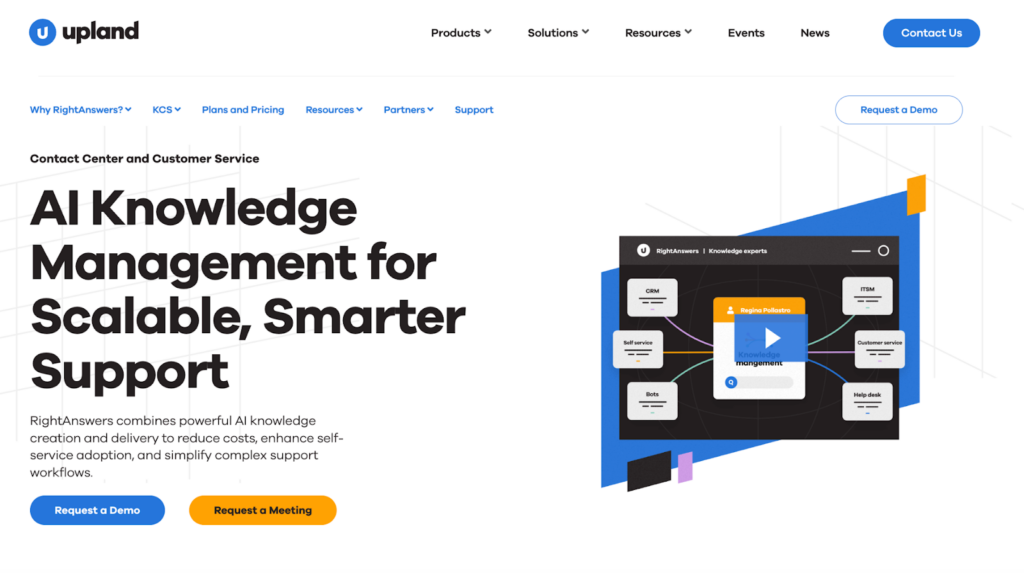
RightAnswers is a product by Upland Software. It’s a knowledge management platform designed for IT service desks and organizations following the Knowledge-Centered Service (KCS) methodology. It’s the only KCS v6-certified knowledge management tool available.
The platform serves structured environments where knowledge governance, approval workflows, and compliance matter more than social collaboration. RightAnswers targets large enterprise IT departments, regulated industries, and formal support operations that need audit trails and version control.
RightAnswers emphasizes process over flexibility. Knowledge articles follow strict templates, go through multi-step review and approval workflows, and maintain detailed change history.
Organizations serving thousands of employees across multiple regions use RightAnswers for centralized, compliant knowledge delivery.
RightAnswers Key Features
- KCS v6-Certified Workflows: UFFA workflow actions (Use it, Find it, Flag it, Add it) accessible within two clicks.
- Advanced Approval Workflows: Multi-step review, approval, and publishing processes with full version history.
- Content Segmentation: Create separate knowledge bases for different clients, regions, or service areas.
- ServiceNow Integration: Certified, validated connector that embeds RightAnswers directly into ServiceNow workflows.
- Neural Search with Boolean Fallback: AI-powered search with boolean operators and exact matching when needed.
- 40,000+ Pre-Packaged Articles: Library of pre-written troubleshooting articles covering common IT issues.
- Enterprise Scalability: Supports 200,000+ users and handles 2M+ monthly searches.
- Customizable Templates: Design article templates that enforce consistent structure across knowledge bases.
RightAnswers Pricing
RightAnswers offers four pricing tiers: Knowledge Unlimited, Knowledge Essentials, Knowledge Creator, and AI Essentials.
Pricing is not publicly available. According to third-party contract data, enterprise deployments typically range from $360,000 to $720,000 per 36-month contract for approximately 500 users.
RightAnswers Reviews
What users like:
- KCS v6 certification makes methodology adoption straightforward for support teams
- Workflow customization supports complex approval processes with full audit trails
- ServiceNow integration works reliably and embeds knowledge directly into incidents
- Customer success management is responsive and helpful for straightforward issues
- Enterprise scalability handles thousands of employees across multiple regions
What users dislike:
- TinyMCE editor lacks basic capabilities like inline spellcheck and grammar correction
- Neural search returns inconsistent results and fails to surface expected articles
- Support for complex issues is slow, with resolutions taking months
- Training materials are outdated and don’t match current software versions
- Implementation of development requests takes excessive time
Review #1: “The first thing I noticed is that the training materials is a bit outdated. I’d suggest updating all training materials to match the updates they do on the software. I also don’t like how it takes so much time to implement a development request. This is not a big deal as I like the software as it’s but I’d really appreciate a quicker action.”
Review #2: “It provides insight and is helpful when making decisions or gathering research. Customer support is excellent and it is easy to implement and integrate especially for frequent usage. There are a number of features that are provided and it appears to be easy to use no matter the technology background the user may have.”
RightAnswers Ratings
G2: 4.5/5 stars
Capterra: 3.8/5 stars
What is Bloomfire?

Bloomfire is an AI-powered knowledge management platform that centralizes company knowledge and delivers instant answers through advanced search technology. Bloomfire positions itself as an “Enterprise Intelligence” platform that goes beyond traditional knowledge bases.
The platform serves business teams, customer support, sales enablement, and operations who need to find and share knowledge without technical complexity. Bloomfire’s key differentiator is its AI-powered search engine that indexes 29+ file types, including full transcription of video and audio content.
Teams use Bloomfire to build searchable knowledge repositories, Q&A communities, research libraries, and customer self-service portals.
Read more: Bloomfire Alternatives
Bloomfire Key Features
- AI-Powered Search: Deep indexing across 29+ file types with natural language queries that surface relevant knowledge instantly.
- Video and Audio Transcription: Automatic transcription of spoken words in videos, making all multimedia content searchable.
- Synapse AI: Conversational AI experience that generates direct answers from company knowledge.
- Self-Healing Knowledge Base: AI automatically flags outdated or redundant content and prompts authors to update without manual audits.
- Q&A Engine: Built-in community question-and-answer functionality where users can ask questions and subject matter experts respond.
- Smart Content Organization: Customizable categories with multiple levels, communities for projects/departments, and AI-assisted tagging.
- Knowledge Verification System: Content owners receive reminders to review and verify information stays accurate.
- Real-Time Analytics: Dashboards showing most viewed content, frequently searched terms, knowledge gaps, and user satisfaction metrics.
- Native Integrations: Connects with Salesforce, Slack, Microsoft Teams, Zendesk, SharePoint, Google Drive, and more.
Bloomfire Pricing
Bloomfire uses custom pricing with separate implementation fees. According to third-party data, the median enterprise cost is about $158,000 per year.
Bloomfire Reviews
What users like:
- Intuitive interface with almost no learning curve for end users
- AI-powered search works infinitely better than folder and file alternatives
- Video transcription makes multimedia content fully searchable
- Built-in Q&A functionality creates organic knowledge sharing culture
- Self-healing features reduce manual content maintenance
What users dislike:
- For large enterprises with complex needs, built-in analytics feel basic
- Search precision struggles when users need specific answers within documents
- Cost is difficult to justify to upper management without per-user pricing transparency
- Initial content organization can be time-consuming for large teams
Review #1: “I wish Bloomfire had increased accuracy with the search function so it could point directly to an insight on a specific slide. It would be great if I could ask a question and Bloomfire would take me directly to a specific answer on a specific slide.”
Review #2: “I find Bloomfire to be a highly valuable resource that supports my work processes and provides guidance whenever I have uncertainties. I believe this platform will help me improve my skills and contribute to my professional growth.”
Bloomfire Ratings
G2: 4.6/5 stars
Capterra: 4.6/5 stars
Bloomfire vs RightAnswers: Feature-by-Feature Comparison
Let’s compare Bloomfire vs RightAnswers across key features:
Search and Discovery
Bloomfire uses semantic AI search that understands context and natural language queries. Users can ask questions conversationally and get relevant results. The search works well for broad queries but struggles with precision. Users report wanting to jump directly to specific insights within presentations rather than viewing entire files.
RightAnswers offers neural search with a Boolean fallback. The AI-powered search attempts to understand intent, but user reviews consistently report reliability issues. Articles with exact keyword matches sometimes fail to surface, forcing users to rely on Boolean operators and exact title matching.
AI-Powered Knowledge Management
Bloomfire uses AI primarily for search, content recommendations, and automatic flagging of outdated content. The Synapse AI feature generates direct answers from company knowledge. The platform auto-transcribes video and audio content for searchability.
RightAnswers uses neural search as its AI capability but doesn’t offer AI authoring, content generation, or automated knowledge-gap identification.
Knowledge Authoring and Content Creation
Bloomfire supports drag-and-drop uploading for any file type. The platform makes every file type searchable without the need to convert them to specific file formats.. Users can create articles directly in the platform or upload existing documents. Text editing and formatting capabilities are more limited than those of documentation platforms.
RightAnswers uses a TinyMCE editor that users describe as limited. No inline spellcheck, basic formatting only, and a dated feel. Content creation feels more cumbersome than modern tools.
Knowledge Governance and Content Freshness
Bloomfire offers a “self-healing” knowledge base where AI automatically flags outdated or redundant content and prompts content owners to update. Verification workflows assign subject matter experts to review content on scheduled intervals.
RightAnswers offers multi-step approval workflows, full version history, automated review dates, and detailed audit trails, ensuring knowledge stays accurate and up to date.
Integrations
Bloomfire integrates with 20+ tools, including Slack, Microsoft Teams, Salesforce, Zendesk, and common productivity platforms. Integrations generally work well and feel native. Integration depth is narrower than enterprise tools, but it covers common business applications.
RightAnswers has a certified ServiceNow integration that users praise. However, the Salesforce integration has documented reliability issues.
Analytics and Reporting
Bloomfire provides real-time dashboards that show most-viewed content, frequently searched terms, knowledge gaps, and user satisfaction metrics. Users report that built-in analytics feel basic for complex reporting needs and lack advanced customization options.
RightAnswers offers robust reporting capabilities that track every user action. However, some users occasionally experience issues with reporting functionality and need to work with support to correct them.
livepro: A Better Alternative to Bloomfire and RightAnswers in 2026
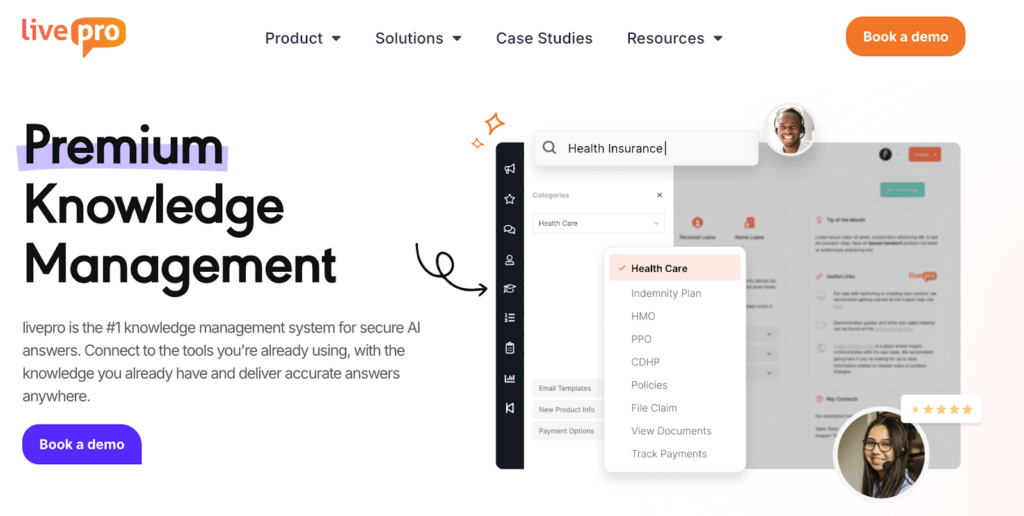
livepro is an AI-based knowledge management software designed for contact centers and enterprises where accuracy, consistency, and governance matter. Our software targets industries such as financial services, insurance, healthcare, and government.
Unlike Bloomfire and RightAnswers, which focus primarily on content discovery or structured workflows, livepro supports the full lifecycle of operational knowledge. The platform helps teams centralize policies, procedures, and guidance, keep them current, control who can access what, and understand where knowledge breaks down in day-to-day use.
Here’s how livepro features address the knowledge management challenges Bloomfire and RightAnswers leave unaddressed:
Hybrid Lightspeed Search for Instant and Accurate Answers
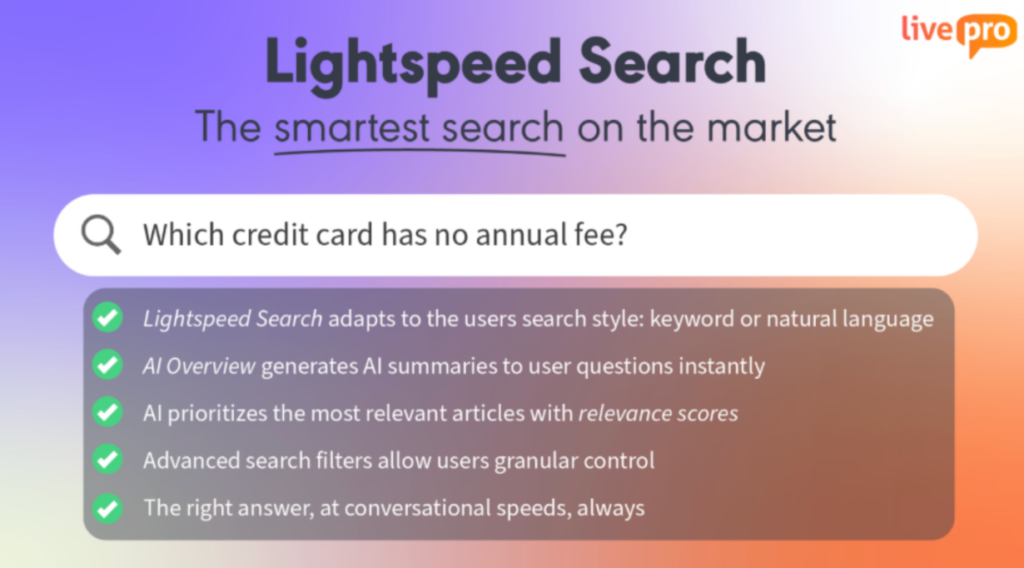
Both Bloomfire and RightAnswers return search results that require users to open multiple documents and scan for relevant information. Users report that search should point directly to specific answers rather than surfacing entire files.
livepro’s Lightspeed Search is built to deliver the exact answer an agent needs, not just a list of related documents. It works by:
- Indexing All Content Types: Articles, procedures, decision trees, and uploaded source files become searchable at the sentence level.
- Understanding Intent: It interprets the meaning behind a question rather than just keyword matches.
- Returning Direct answers: Agents get the rule, instruction, or snippet that resolves the query.
- Showing Source Context: Every answer includes its source, so agents can verify its accuracy.
- Handling Varied Formats: The same accurate results are obtained whether the content comes from structured knowledge or an uploaded PDF/Word file.
For example, when an agent searches for “out-of-network coverage limitations,” livepro shows the applicable policy rule and its source, without forcing the agent to open and scan multiple documents.
Decision Trees for Complex Policy Guidance
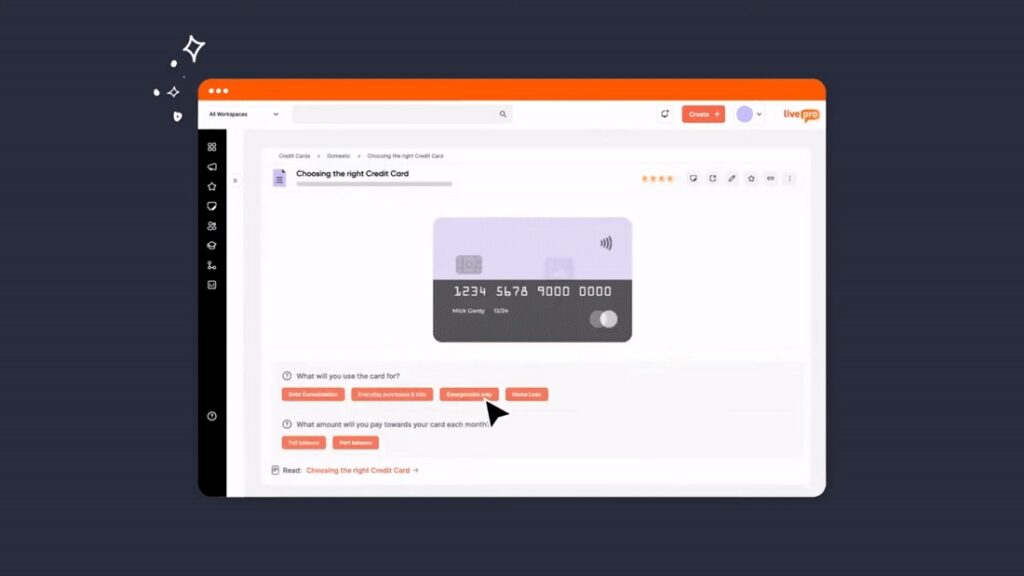
Policies with multiple conditions are usually documented as long articles. Agents must read, interpret, and decide which rules apply, which can lead to inconsistent answers and compliance risks.
livepro’s Decision Trees (Rockets) turn these policies into guided, step-by-step workflows. Each step asks a clear question and automatically routes the agent to the next step or the final outcome.
For example, a Decision Tree for “Process Customer Refund Request” might work like this:
- When was the item purchased?
- Within 30 days → Continue
- 31–60 days → Limited refund options
- Over 60 days → No refund
- What is the product category?
- Electronics → Check condition and packaging
- Clothing → Check tags and wear
- Perishables → Different policy applies
- Is the item unopened and unused?
- Yes → Full refund
- No → Partial refund or exchange
Agents follow the workflow rather than interpreting policy text, ensuring consistent, compliant decisions.
Automated Knowledge Governance and Content Verification for Compliance
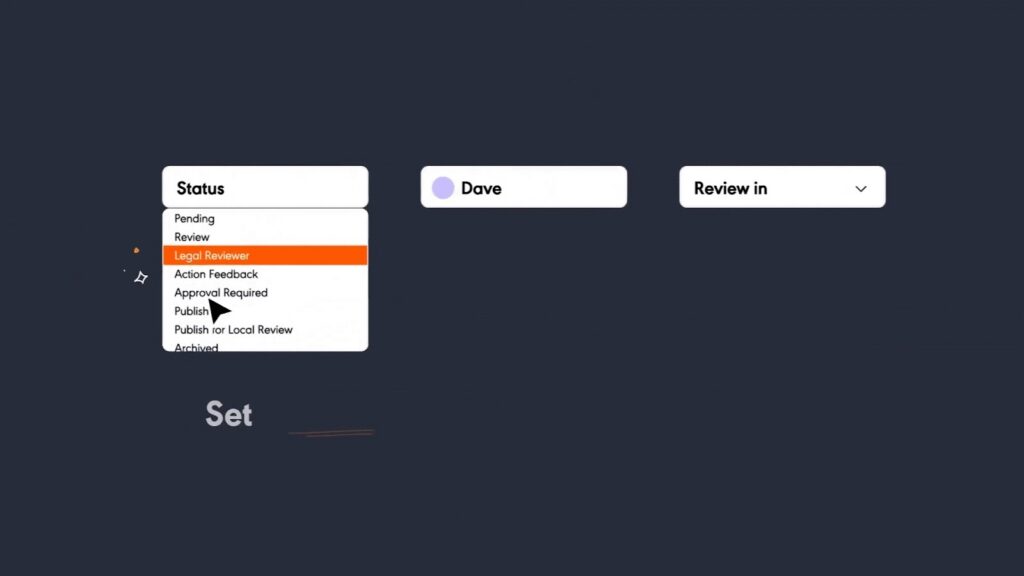
RightAnswers offers approval workflows, but users report that complex customization work and issue resolution take months. livepro addresses this by embedding governance directly into the content lifecycle:
- Feedback workflows that route suggestions to content owners
- Document version control with detailed audit trails
- Side-by-side visual comparisons of content changes
- Enforced author review and approval before publication
- Scheduled publishing controls and automated review reminders
For example, if a healthcare provider updates a prior authorization policy from a 48-hour to a 24-hour turnaround, livepro highlights the exact change and records who approved it and when it went live. Compliance teams can immediately verify which version was active on any specific date.
Knowledge Analytics With Gap Identification for Continuous Improvement
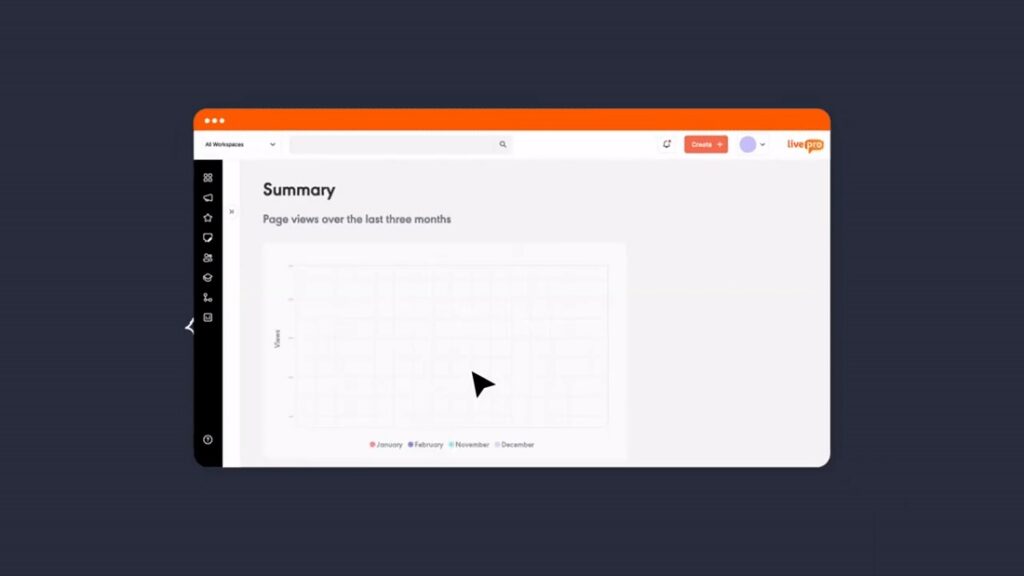
- Bloomfire users report that the built-in analytics feel basic and lack customization. livepro offers deep knowledge analytics that gives decision makers everything they need to continuously improve:Failed searches: Repeated searches with no results are logged and flagged as missing knowledge.
- Low-engagement content: Articles that are opened but quickly abandoned are flagged for review.
- Workflow-level insight: livepro measures how many searches it takes to complete a task, highlighting processes that need better guidance.
- Search bounces: When users view an article and immediately search again, it signals the content didn’t answer the question.
- Trends over time: Spikes in new search terms reveal emerging knowledge needs.
AI-Powered Content Authoring for 10x Faster Knowledge Article Creation
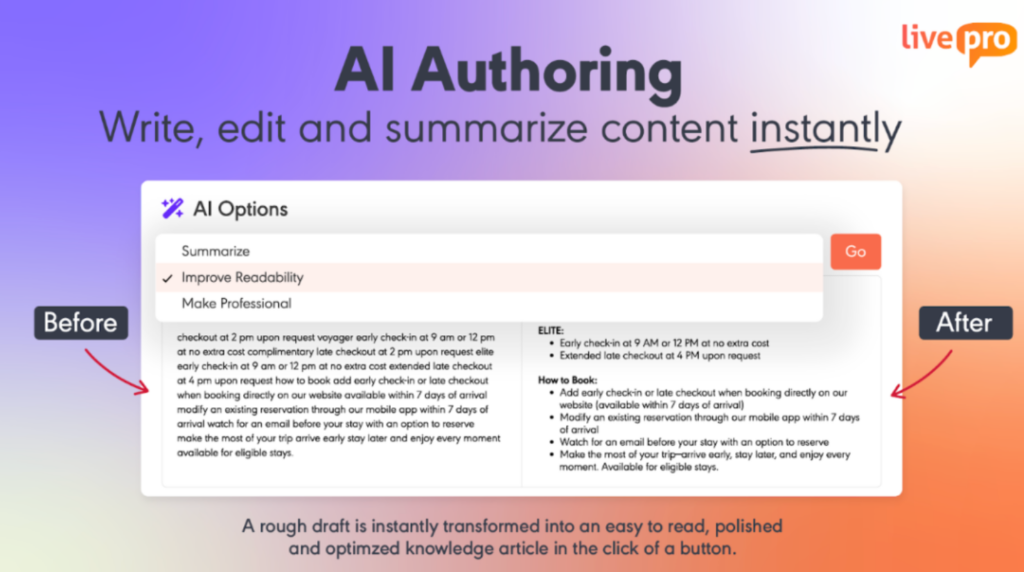
RightAnswers users report that the TinyMCE editor lacks basic features like inline spellcheck and grammar correction. Bloomfire users mention that formatting capabilities are limited compared to documentation platforms.
When knowledge managers need to publish new content quickly (policy updates, product changes, or seasonal procedure adjustments), complex editors slow down the process.
livepro provides AI authoring tools designed for speed without sacrificing structure:
- Templates that are functional and ready to use, letting authors create formatted knowledge in minutes
- WYSIWYG editor that shows exactly how content will appear to end users
- Drag-and-drop decision guidance authoring that builds interactive workflows visually
This reduces time-to-publish for new content and ensures consistency across all knowledge without requiring technical resources or design work.
Luna AI Voice Agent for Self-Service Automation

High call volumes are driven by recurring questions such as balances, status updates, business hours, and basic policy checks. These interactions don’t require an agent, but they still consume time and create queues.
livepro’s Luna AI Voice Agent gives customers and employees a voice interface that delivers policy-approved answers through natural conversation. Luna AI pulls responses from the same livepro knowledge base used by agents, so answers stay consistent across voice and digital channels.
Luna handles common interactions such as:
- Account inquiries: Balance checks, payment status, due dates, transaction history.
- Policy questions: Coverage details, eligibility requirements, claim procedures, and billing cycles.
- Status updates: Order tracking, claim status, application progress, appointment confirmations.
- Basic troubleshooting: Password resets, account unlocks, and technical issues.
- Information requests: Business hours, location details, contact information, document requirements.
- Routing and navigation: Directing customers to the right department or self-service resource.
The result is fewer calls reaching agents, shorter customer wait times, and more agent capacity for complex or sensitive issues that require human judgment.
How RemServ Cut Training Time by 50% with livepro
RemServ is one of Queensland’s leading providers of salary packaging and workplace benefits. Their contact center helps clients navigate complex tax regulations, packaging options, and compliance requirements. The business involves intricate financial rules that change frequently.
The Challenge
RemServ’s knowledge system was a detailed spreadsheet that linked agents to folders and documents. As the business evolved, this approach stopped working. Without search functionality, agents struggled to quickly find the right information.
New hires needed 10 days of classroom training to reach basic competency. Even after training, agents couldn’t locate answers fast enough during calls. The same question might take different amounts of time to answer depending on how quickly an agent can navigate the spreadsheet and folder structure.
Training costs were high. Onboarding was slow. Customer satisfaction scores showed room for improvement.
The Solution
RemServ implemented livepro’s contact center knowledge management solution. The organization consolidated information from spreadsheets, folders, and documents into one searchable system.
livepro worked with RemServ to structure content around their specific needs:
- Search functionality replaced manual navigation through folders
- Content structure aligned with RemServ’s organizational model
- Industry compliance requirements were built into the system
- Agents could find answers quickly instead of asking supervisors
The Results
Training time dropped 50%. New hires now complete 5 days of classroom training instead of 10, then learn on the job using livepro. This cuts onboarding costs significantly.
Customer satisfaction improved. Net Promoter Score increased from 52 to 62. It’s a 10-point jump that showed customers noticed the difference in service quality.
Employee engagement improved because agents spent less time frustrated and more time helping customers. The intuitive search meant agents could focus on the conversation instead of hunting for information.
Casey Lees from RemServ’s Quality, Improvement & Assist team said:
“It was such a relief to work with a company that would listen and learn about our unique product, rather than dictate what they think we need.”
The system worked so well that RemServ became an active feedback partner, testing new features and providing input on platform enhancements.
livepro Pricing
livepro uses custom pricing based on your company size, user count, and feature requirements. Contact us for a custom quote and ROI analysis.
livepro Reviews
Review #1: “livepro has enabled us to effectively categorise and organise our organisational knowledge, making it significantly easier for our team to quickly locate and understand information via the search function and category sidebar.”
Review #2: “As an author and admin using the system, it is very user friendly! It has so many different features available that other platforms that I have used, from rockets to quizzes, which makes the knowledge work well for the range of different users in our organization.”
livepro Ratings
Quick Comparison: Bloomfire vs RightAnswers vs livepro
| Platform | Best For | Key Features | User Experience |
| RightAnswers | IT service desks following KCS methodology, ServiceNow-integrated environments | KCS v6-certified workflows, multi-step approval processes, ServiceNow integration, 40,000+ pre-packaged articles | Structured but dated interface; steep learning curve for complex customization |
| Bloomfire | Sales, support, and business teams that need instant knowledge access through AI-powered search | AI-powered search, video/audio transcription, Q&A engine, self-healing knowledge base, external knowledge sharing | Intuitive and fast; minimal training required; praised for ease of use |
| livepro | Contact centers and customer-facing teams in regulated industries that need compliance control and fast intent based search results | Hybrid Lightspeed Search, Decision Trees, AI Authoring, Luna Voice Agent, automated compliance workflows | Purpose-built for speed; agents find answers in under 2 seconds with step-by-step guidance |
Bloomfire vs RightAnswers: Which Software Should You Choose in 2026?
Bloomfire and RightAnswers solve different knowledge management problems.
Choose RightAnswers if you:
- Run a large IT service desk
- ServiceNow is your primary ITSM platform and you need native integration
- Compliance and audit trails are non-negotiable requirements
- Complex approval workflows are essential for your governance model
- Structured knowledge matters more than speed of access
Choose Bloomfire if you:
- Need an AI-powered search that works across video, audio, and diverse file types
- Serve business teams (sales, support, market research) who prioritize ease of use
- Want built-in Q&A functionality to create community-driven knowledge sharing
- Prefer predictable enterprise pricing instead of per-user costs
- Value self-healing knowledge base features that reduce manual maintenance
Bloomfire and RightAnswers can work well when teams need to search or document knowledge. But if you need context-aware AI search with measurable business impact on AHT, training time, and compliance, both platforms fall short.
livepro: The Go-To Alternative to RightAnswers vs Bloomfire for Contact Centers and Enterprises
livepro is an AI knowledge management system that addresses the core limitations shared by both Bloomfire and RightAnswers.
These include search that returns documents instead of answers, the lack of guided workflows for complex scenarios, manual governance processes, and analytics that fail to reveal operational knowledge gaps.
This makes livepro a practical option for knowledge managers, operations leaders, and CX teams who need more than documentation or search alone.
Book a demo to see how livepro’s hybrid search, Luna AI, customization, and analytics outperform Bloomfire and RightAnswers.
FAQs About Bloomfire vs RightAnswers
What are the best alternatives to Bloomfire and RightAnswers for contact centers?
livepro is the leading alternative for contact centers and customer service teams. Unlike Bloomfire (built for collaborative knowledge sharing) and RightAnswers (built for IT service desks), livepro is purpose-built for contact centers, where speed and accuracy directly impact customer experience.
Is RightAnswers or Bloomfire easier to use?
Bloomfire is easier to use. Users consistently praise its modern, intuitive interface and quick adoption curve.
RightAnswers has a steeper learning curve due to its structured workflows and dated interface. IT professionals familiar with the KCS methodology adapt faster, but general users find it cumbersome.
For contact center agents who need to find answers fast during live calls, livepro is a better option. Our tool’s interface is optimized for speed. Your agents can find answers in under 2 seconds without training.
What are the benefits of using Bloomfire?
Bloomfire excels at breaking down knowledge silos across departments. Marketing, sales, HR, and support teams can share expertise in one platform without rigid structures or complex workflows.
Key benefits include a modern user experience that drives adoption, multi-format content support (videos, audio, documents), a flexible organization that adapts to how teams think, implementation, and social engagement features that encourage knowledge sharing.
livepro builds on this by focusing on how knowledge is actually used. Instead of returning files or videos to review, it delivers intent-based answers and step-by-step guidance, which is better suited for teams working through complex or regulated processes.
How much does Bloomfire cost compared to RightAnswers?
Both platforms use custom pricing without public rate cards. Based on third-party contract data:
- Bloomfire: Median enterprise cost is approximately $158,000 per year (~$474,000 over 3 years). Pricing is based on deployment scope rather than user count.
- RightAnswers: Enterprise deployments typically range from $360,000 to $720,000 per 36-month contract for approximately 500 users.
Which platform is better for regulated industries: Bloomfire or RightAnswers?
RightAnswers is better suited for regulated industries due to its compliance-ready workflows, detailed audit trails, and content segmentation by jurisdiction. The platform is used by healthcare, financial services, and government organizations.
Bloomfire offers role-based access controls and meets enterprise security standards, but it isn’t designed specifically for regulatory compliance.
livepro fills the gap by combining easy adoption with compliance-grade controls and audit-ready documentation.