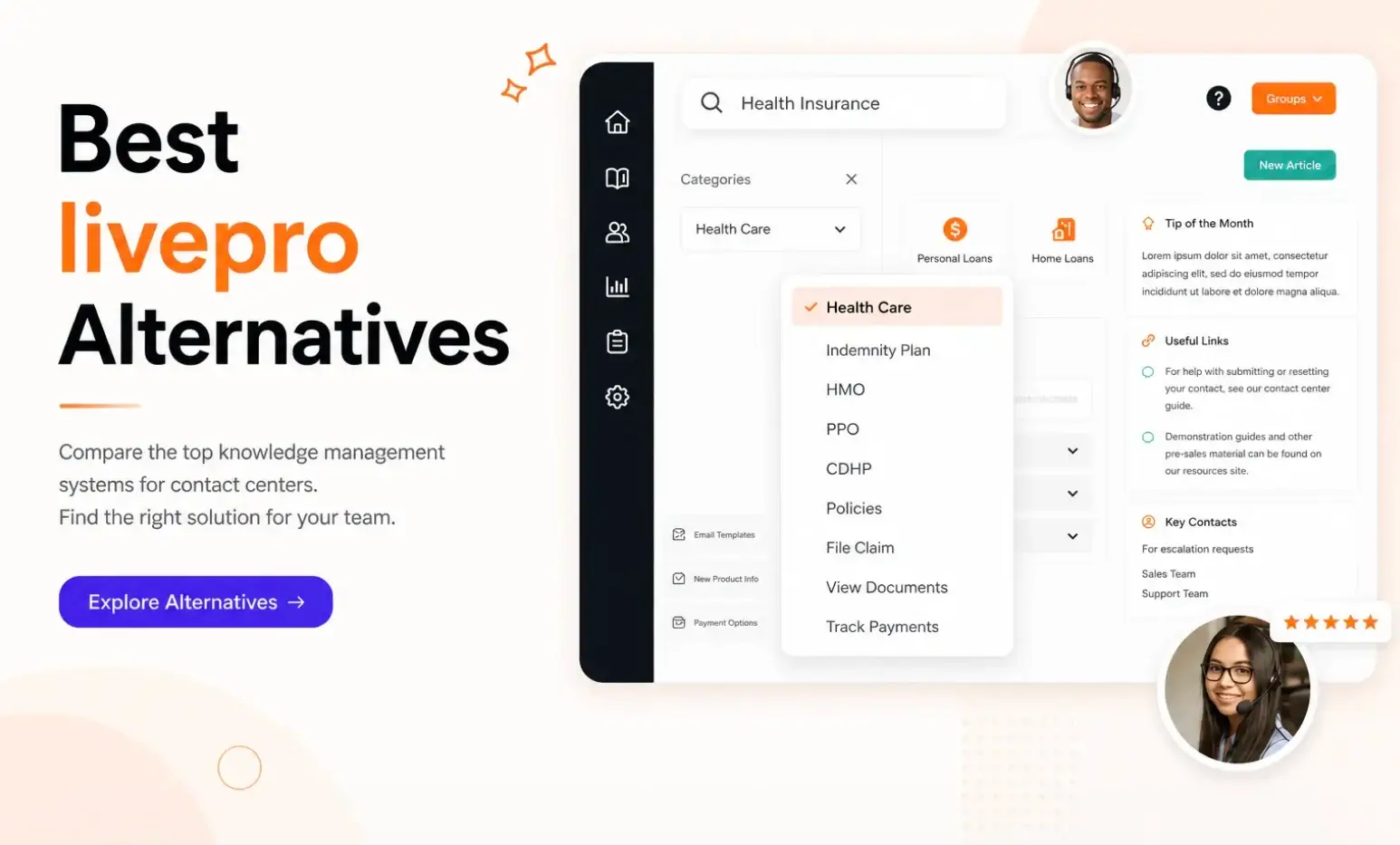


We understand that livepro may not be suitable for your organization, and you might be considering other options.
Before we discuss livepro alternatives, let’s do a quick recap of why livepro is worth a second look.
livepro is an AI-powered knowledge management system built specifically for contact centers. It gives your internal teams, agents, and customers access to a single source of truth.
Our platform is easy to set up with guided support. Unlike most rigid systems, we’ve built livepro to adapt to your daily workflows, so your agents can onboard quickly, deliver accurate answers, and resolve inquiries faster.
How livepro Features Solve Core Knowledge Management Challenges
livepro is built for contact centers that need fast, accurate, and governed knowledge delivery. Here’s a closer look at the core features that make that possible.
Hybrid AI + Keyword Search Functionality
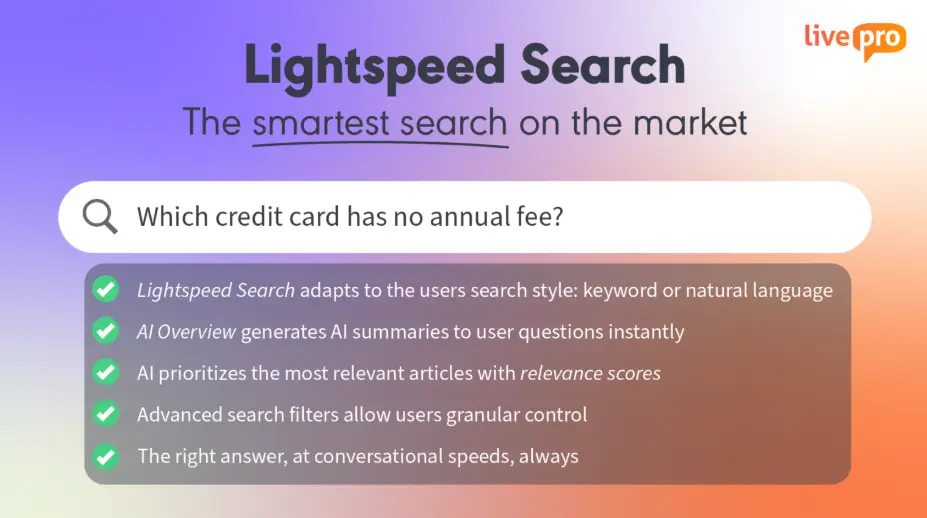
livepro’s Lightspeed search understands how people naturally phrase questions, retrieves semantically related results (vector retrieval), and matches exact keywords to deliver accurate answers.
Each result comes with a relevance score based on the query, department, and past usage history, so agents don’t have to dig through a list to find the right information.
livepro maintains accurate search functionality to deliver answers faster with:
- Typo tolerance: Returns the right result even when agents mistype under pressure.
- Semantic understanding: Recognizes that “cancel my plan” and “account termination process” refer to the same content. The system matches meaning, not just words.
- Usage-based ranking: Prioritizes the articles your team accesses to the top. The more your team uses the knowledge base, the more accurately it reflects what’s actually useful.
AI Overviews for Quick Summaries
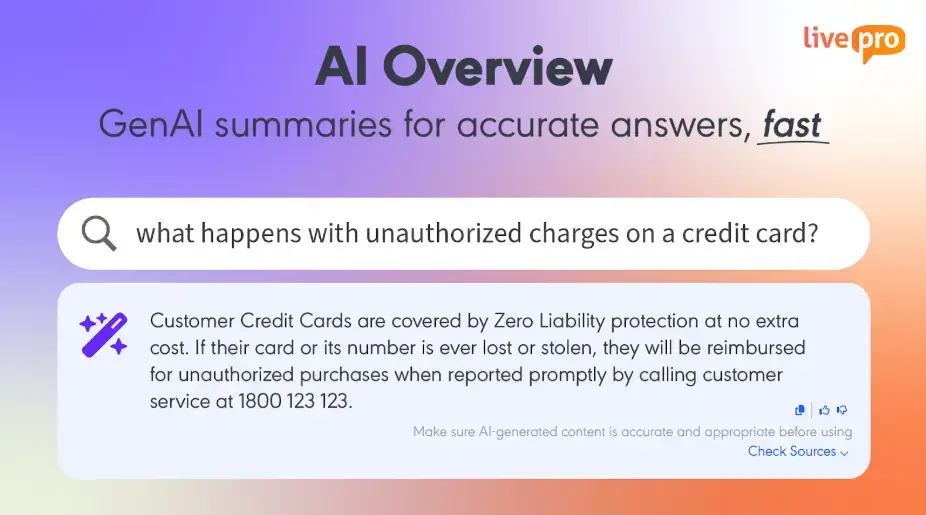
When a customer calls about a denied insurance claim, the policy behind that denial often sits inside a 12-page document filled with exceptions, edge cases, and updated clauses. The agent doesn’t need to read the entire document. They need the specific reason this claim was denied and what to tell the customer right now.
livepro’s AI Overview solves this by generating a summary based on what the agent searched for, not just the article they landed on. When an agent types “why was this claim denied,” the summary pulls the relevant section and surfaces it at the top of the page, so the agent gets a direct answer without scrolling through content that doesn’t apply to the call they’re on.
This matters because long documents often contain multiple answers to multiple questions, and agents under time pressure tend to grab the first thing that looks close enough. Because the overview is tied to the agent’s actual query, the answer reflects what they asked rather than what the article happens to cover first. That keeps handle times lower and reduces the risk of agents relaying outdated or irrelevant information back to the customer.
Luna AI Voice Agent for 24/7 Customer Service

Luna is livepro’s AI voice agent that connects to your knowledge base to handle phone calls around the call. Customers can ask questions in natural language, and Luna delivers the right answer from approved knowledge. It uses the same source as your agents, so every response is consistent, compliant, and up to date.
When a call moves beyond routine, Luna hands it off to a live agent. The agent picks up with full context, so the customer doesn’t have to repeat themselves.
Luna also scales with your contact center. It can handle anything from a handful to thousands of simultaneous calls, which means call overflow, after-hours inquiries, and peak period spikes no longer fall entirely on your team.
Decision Trees for Agent Guidance
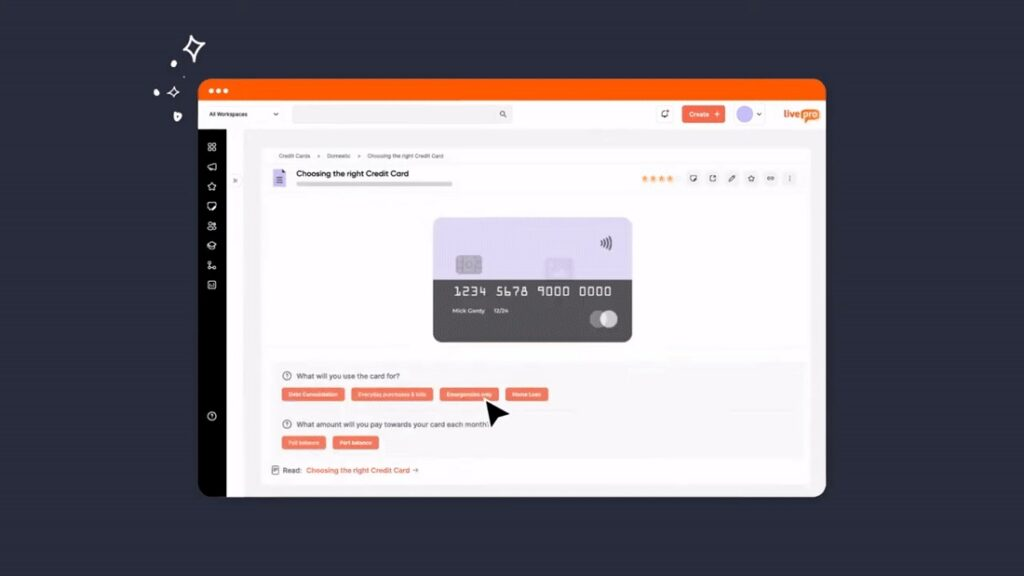
Without a structured way to navigate conversations, agents either rely on memory or put the customer on hold while they search.
livepro’s Rocket is a dynamic decision-making tool built for exactly these situations. An agent selects their first answer, and a new set of options appears based on that response. Each selection narrows the path until the agent reaches the right outcome.
Every agent, regardless of tenure, follows the same approved path to the same approved answer. New agents don’t need to memorize complex processes before taking calls.
WebAnswers for Customer Self-Service Across Any Channel
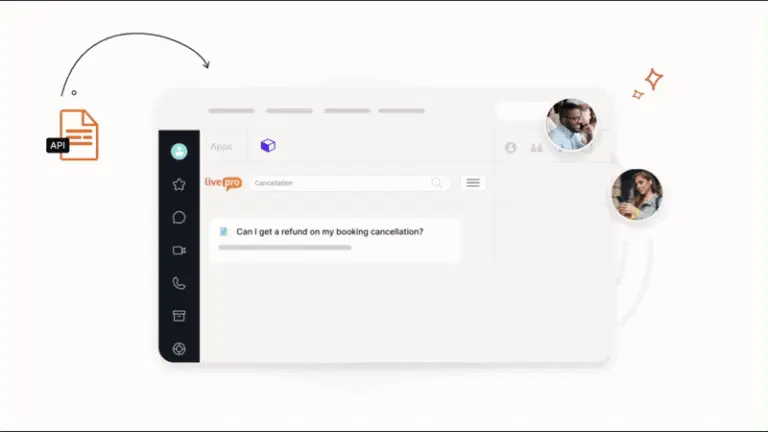
livepro’s WebAnswers and OpenAccess connect your internal knowledge base directly to your customer-facing channels. WebAnswers delivers knowledge to your public website through an API, while OpenAccess provides a fully hosted help center that stays automatically synced with your internal content.
When an agent updates a policy in livepro, that change reflects across every channel automatically. Customers see the updated answer on your website or help center, and agents work from the same version internally. This removes the gap where customers get one answer through self-service and agents give a different one over the phone.
Knowledge Authoring Tools for Real-Time Collaboration
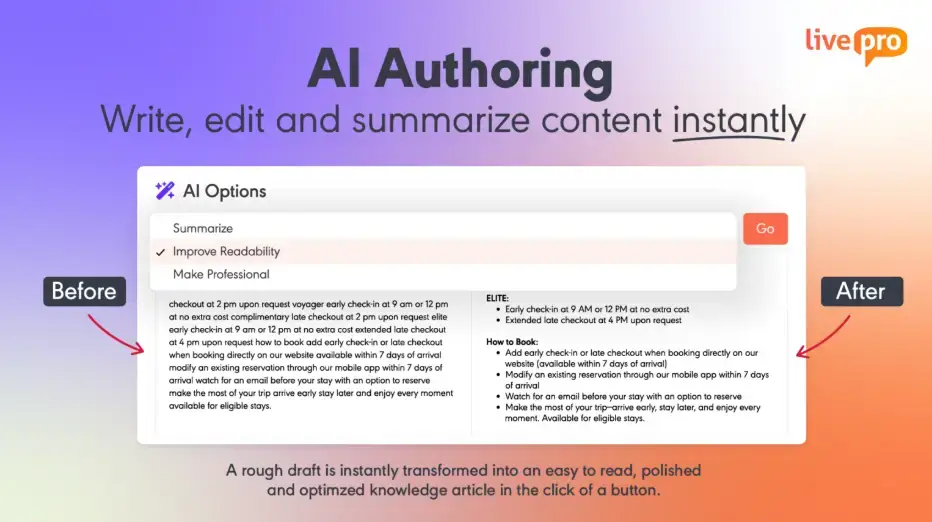
When knowledge is well-structured and easy to read, agents find the right answer faster. livepro offers authoring tools that let team members create, update, and publish content without technical skills or IT support.
The WYSIWYG editor works like a standard word processor, so authors focus on the content itself rather than how to format it. Complex decision flows and process guides are built the same way. Authors drag and connect elements visually to create Rocket flows without writing a single line of code.
You can also add prebuilt templates to keep every article consistent, so agents aren’t adjusting to different layouts every time they pull up a new piece of content.
livepro supports bulk content importing. You can upload PDFs, Word docs, and PowerPoint files. AI restructures imported content into clean, templated answers so teams don’t have to migrate their existing content manually.
This helps your team:
- Reduce formatting inconsistencies across the knowledge base
- Onboard new hires faster
- Make complex processes easy to build and maintain
- Get clean, structured, scannable answers to reduce handle time.
Built-in Governance and Compliance
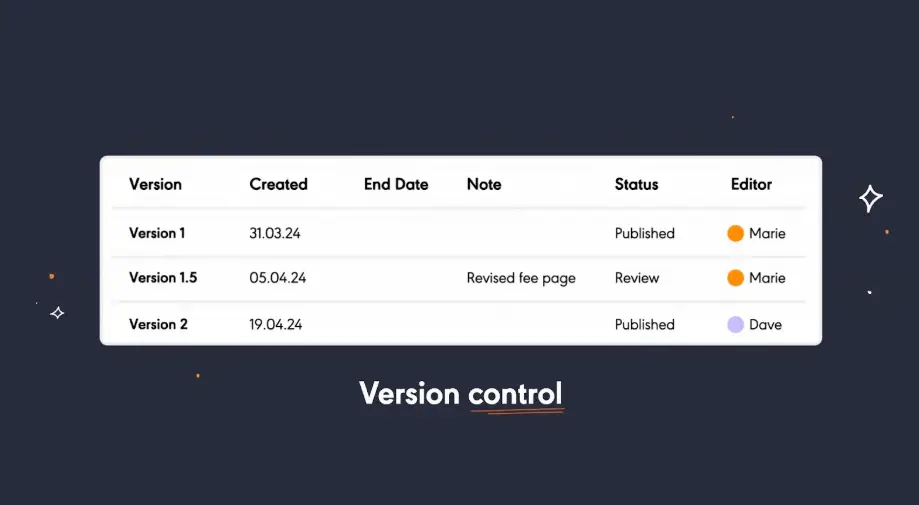
livepro structures content through a defined lifecycle. Every article goes through an author, reviewer, and approver sequence before it’s published. You can decide who can view, edit, and approve specific content and set review dates for each article. When a review date is near, the right person is notified to update or refresh the content.
Every change made to an article is logged as a separate version, so you always have a full history.
If an update introduces an error or a policy reverts, your team can pull up any previous version and restore it without rebuilding the article from scratch.
livepro also detects and removes personal identifying information (PII) from articles before they go live. If a draft accidentally includes a customer name, email, or ID number, it gets flagged and stripped out before anyone sees it. This keeps your knowledge base clean and supports compliance with privacy regulations like HIPAA and GDPR without requiring a manual review step.
Knowledge Analytics to Track Content Usage and Performance
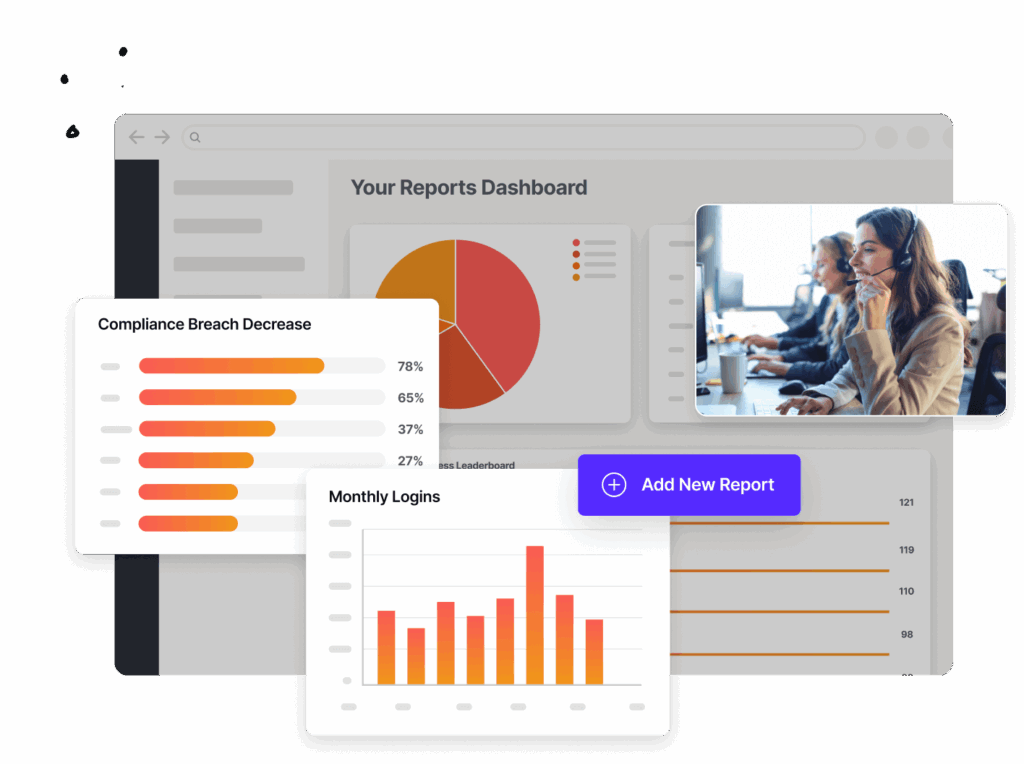
livepro’s customizable dashboards give you insights that matter most to your organization. You can export this data to build detailed monthly reports.
You can track:
- Trending searches: Spot what agents are looking for most and make sure those articles are accurate and up to date.
- Failed searches: Identify topics where agents searched but found nothing, signaling a gap in your knowledge base.
- Article usage by team or department: See which teams are engaging with knowledge and which aren’t.
- Content performance: Pinpoint articles that are rarely accessed or frequently abandoned and decide whether they need restructuring or removing.
- Post-change spikes: Track usage patterns after policy updates or product launches to make sure agents are finding the new information.
If you work with external analytics tools, you can integrate livepro directly with third-party reporting suites, so knowledge performance sits alongside other business metrics in one place.
livepro Integrations
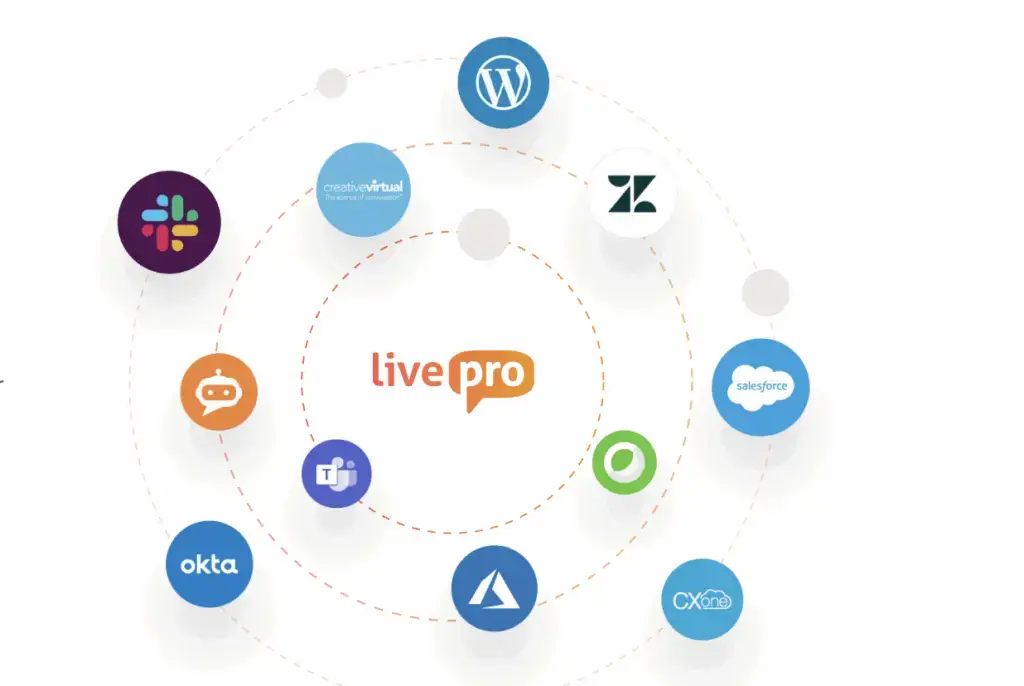
livepro connects to the tools your agents are already working in, so knowledge is accessible without switching screens or logging into a separate system.
livepro supports integrations with:
- Genesys Cloud
- NICE CXone
- Salesforce
- Zendesk
- Microsoft Teams
- Microsoft Dynamics CRM
- Cisco Webex
- Azure
- Okta
- Slack
livepro also offers an open API for custom integrations. If your contact center runs on a system livepro doesn’t natively connect to, your team can build a connection without being locked out of the platform.
We walked through each of these features in detail because the specific workflow matters more than a feature list. But livepro covers more than what we could fit into a single article, and your team’s requirements may involve use cases or integrations we didn’t touch on here.
If you’re evaluating alternatives because something specific isn’t working or because you’re not sure livepro can handle a particular workflow, it’s worth having that conversation with our team directly. They can walk you through your exact use case and show you whether livepro already solves it. Book a call with our team to find out before you move on.
Below, we review 5 livepro alternatives:
RightAnswers
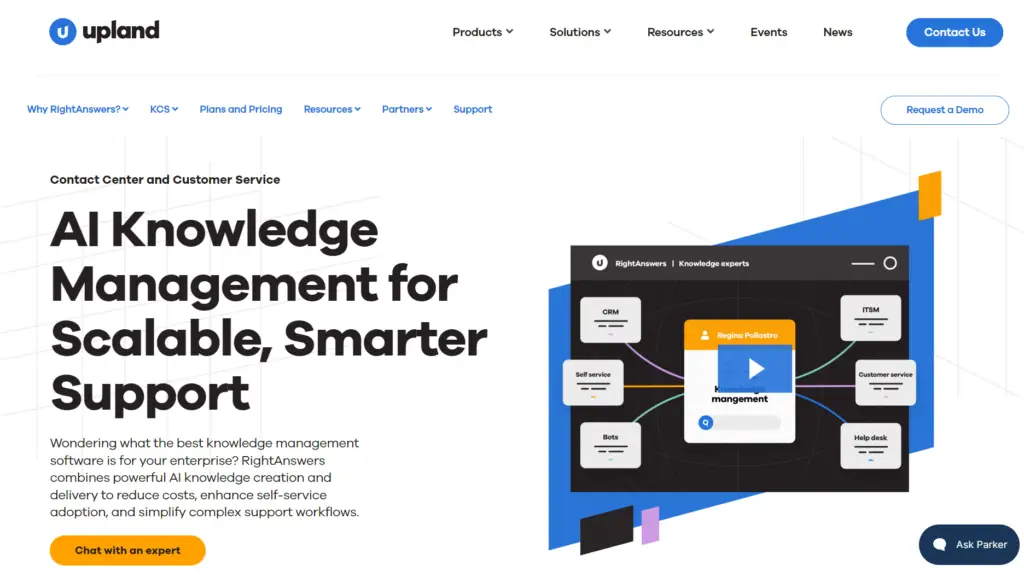
RightAnswers by Upland is an enterprise knowledge management platform built around the KCS (Knowledge-Centered Service) v6 verified methodology. It ties knowledge creation to every support interaction rather than being managed as a separate process.
RightAnswers Key Features
- Delivers AI-powered answers across agent and self-service channels
- Builds decision trees and guided workflows for complex troubleshooting
- Integrates knowledge into 20+ apps via a no-code browser extension
- Tracks version history and approval workflows for every article
- Provides search analytics and reporting
- Supports multilingual content for global support teams
- Ships with 40,000+ pre-built troubleshooting articles out of the box
Who’s it Best For?
RightAnswers is best for large enterprises running IT service management or technical support operations at scale. If your team handles multi-tier troubleshooting, RightAnswers is worth evaluating.
Cons
- Search accuracy may be inaccurate for complex inquiries
- Configuring for complex setups is time-consuming
- The user interface feels outdated
Guru
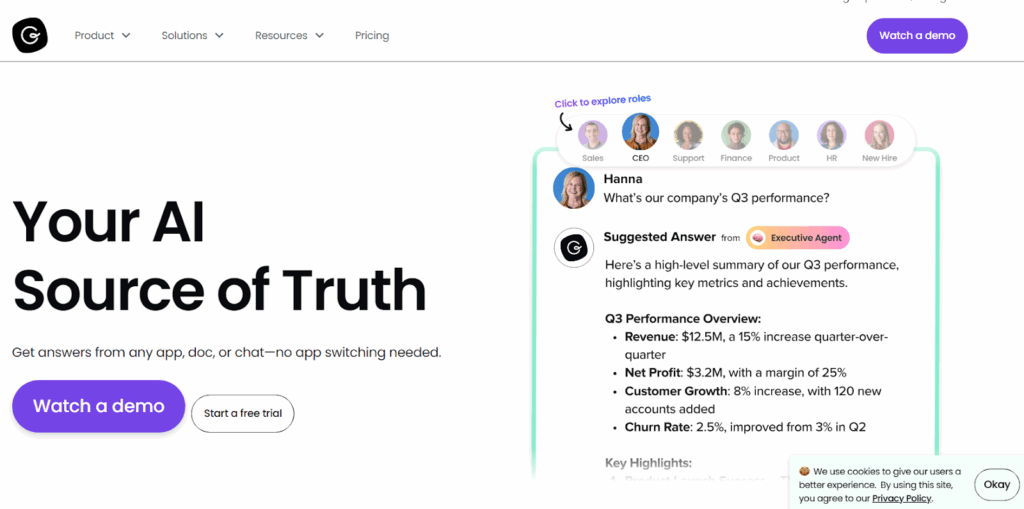
Guru helps you build an internal wiki by connecting your internal systems, like Slack, Microsoft Teams, and Google Workspace. This allows enterprise teams to deliver verified answers directly within the workflows.
Learn more: Guru Alternatives
Guru Key Features
- Organizes knowledge into verifiable cards for easy access and updates
- Automates content verification to flag stale or outdated knowledge
- Deploys custom Knowledge Agents with cited, permission-aware responses
- Detects duplicate content to keep the knowledge base consistent
- Tracks search behavior to surface knowledge gaps
- Controls content access through role-based permissions and SSO
- Captures knowledge from any webpage
- Turns Slack conversations into structured knowledge cards
Who’s it Best For?
Guru is best for sales, customer success, HR, and onboarding teams that need verified access to company knowledge.
But it may not fit customer-facing teams that need guided decision trees, compliance-ready governance, and real-time call support.
Cons
- Search relies on exact keywords, making broad queries unreliable
- Less flexibility in content structuring and categorization
- Advanced features are only available in high-tier plans
- The card format feels restrictive for long-form documentation
HelpJuice
Helpjuice is a knowledge base platform focused on building branded documentation portals for internal teams and customer self-service.
Read more: Helpjuice Alternatives
Key Features
- Builds branded knowledge portals with full HTML and CSS access
- Offers AI-powered semantic search functionality
- Supports custom design with pre-built themes
- Provides a Google Docs-style editor for real-time collaboration
- Tracks article performance with advanced usage analytics
- Secures content with SSO, access controls, and encryption
- Generates and updates articles using AI on request
- Integrates with third-party apps through an open API
Who’s it Best For?
Helpjuice is best for customer support teams, training managers, and product teams that need basic knowledge base tools.
But it’s not built for contact centers, so teams that need guided agent workflows, decision trees, and AI voice agent support may find it limiting..
Cons
- The editor feels outdated and hard to use
- Advanced formatting requires extra manual steps
- Outdated content lingers due to a lack of proper governance
Shelf
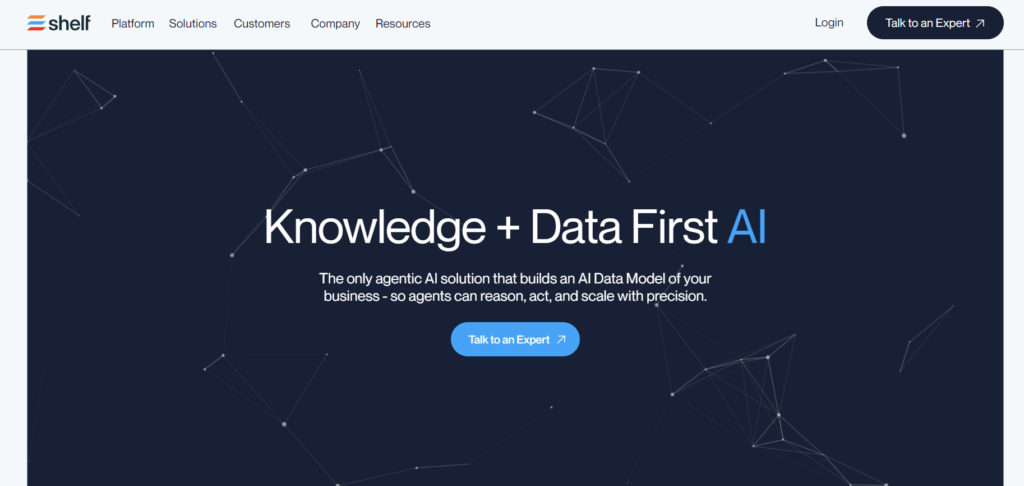
Shelf is an agentic AI knowledge management software built for customer support teams. It automates the entire knowledge lifecycle, helping agents find the right answer at the right time across search, chat, agent assist, and self-service channels.
Read more: Shelf Alternatives
Key Features
- Offers AI-powered search functionality
- Creates and improves content with Content Copilot
- Identifies and eliminates duplicate content
- Builds intuitive decision trees for agent and self-service use
- Delivers answers via agent assist, Copilot, bot, or search
- Tracks content usage and gaps with custom analytics reporting
- Manages feedback and announcements from a central dashboard
Who’s it Best For?
Shelf is best for general contact center productivity for teams without complex access or compliance requirements. It sits closer to livepro’s space, but livepro is purpose-built for regulated environments and brings deeper compliance governance.
Cons
- Basic decision tree features with bug issues
- May require team training for advanced capabilities
- Less flexible search function
SharePoint
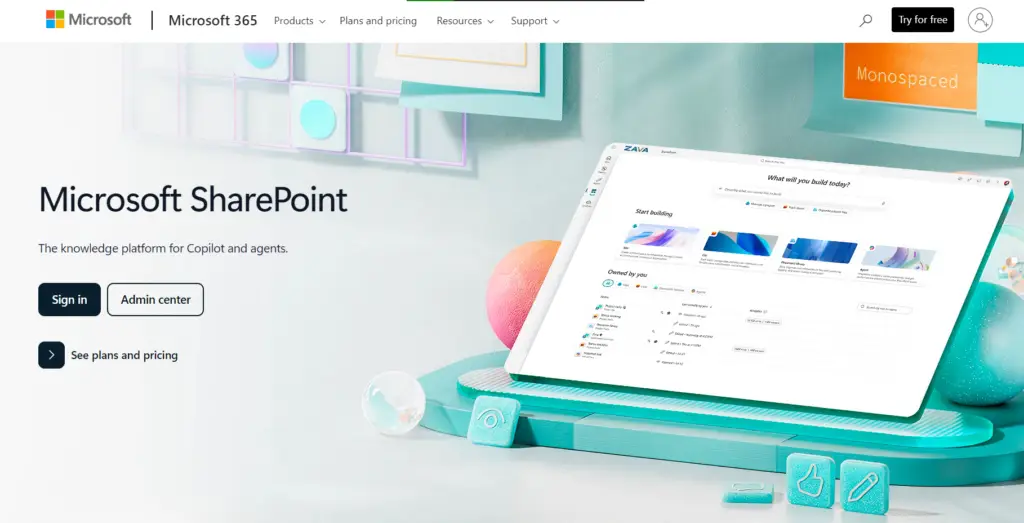
Microsoft SharePoint is a knowledge platform that organizations use to store, organize, and share documents and internal resources.
Key Features
- Stores and organizes documents in centralized libraries with metadata tagging
- Controls access through role-based permissions across teams and departments
- Integrates natively with Microsoft 365 tools
- Tracks document version history
- Searches content across sites, files, and pages using Microsoft Search
- Creates intranet sites and pages for internal sharing
Who’s it Best For?
SharePoint is best for organizations already running Microsoft 365 that need a centralized place to store and share internal documents across departments.
It works well as a file repository, but the moment agents need to find a specific answer on a live call, SharePoint’s document-heavy structure becomes a liability.
Cons
- Managing specific permissions is complex
- Setup and customization require technical knowledge
- OneDrive sync causes frequent errors and duplicate files
How to Choose the Right livepro Alternative
Every knowledge management platform solves a different slice of the problem. Some are built for internal documentation, others for agent-facing search, and a few try to cover both.
The criteria below will help you figure out which type your team actually needs, so you don’t end up paying for a platform that solves the wrong problem.
Start With the Problem You’re Solving
A contact center team that handles 500 calls a day has a fundamentally different knowledge management need than an HR department that updates its policies once a quarter. The contact center needs structured, searchable content that agents can pull up mid-call without putting the customer on hold. The HR team needs a clean repository where employees can find answers on their own time.
Before you compare platforms, get specific about which problem matters most. Are agents taking too long on calls because they can’t find the right answer? Are customers getting inconsistent information across channels? Is onboarding dragging because new hires have nowhere to learn processes outside of shadowing? Each of these problems points to a different set of features, and the platform you choose should directly address the one that costs you the most right now.
Evaluate Search and Retrieval Quality
Search is where most knowledge management tools either deliver or fall apart. If your agents are on live calls, the search function needs to handle natural language queries, understand intent, and return the right answer on the first try. A tool that relies on exact keyword matches will fail the moment an agent phrases a question differently than the article title.
Test this before you commit. Run the same query across platforms using the kind of language your agents actually use on calls. If the tool can’t return a useful result for “customer wants to cancel but is still in contract,” it won’t hold up in a live environment where agents don’t have time to rephrase and retry.
Check Governance and Compliance Controls
If your team operates in a regulated industry, governance is not optional. You need to know who created an article, who approved it, when it was last reviewed, and what changed between versions. Without that audit trail, every compliance review becomes a manual exercise in tracking down approvals that happened over email or Slack.
Look for role-based permissions, automated review cycles, and version history that logs every edit. If your compliance team can’t pull a full history of a knowledge article on demand, the platform will create more risk than it removes.
Check Integration Support
A knowledge management tool that doesn’t connect to your existing systems becomes one more tab your agents have to manage. If your team runs on Genesys, Salesforce, or NICE CXone, the platform should sit inside those tools, not beside them.
Check whether the tool offers native integrations with your CRM, contact center software, and communication platforms. If it doesn’t, find out whether it has an open API that your team can build on. The goal is to make knowledge accessible without asking agents to leave the screen they’re already working in.
Plan for Scale
A tool that works for 50 agents and 200 articles might break down at 500 agents and 5,000 articles. As your team grows, you’ll need segmented access controls, higher content volume, and the ability to serve knowledge across departments without everything blending together.
Ask whether the platform can handle role-based content delivery at scale, how it manages permissions across teams, and whether scaling up requires a rebuild or just configuration. If you’re planning to grow, the platform needs to grow with you without a migration halfway through.
Give livepro a Closer Look Before You Switch
Most knowledge management tools solve specific problems for specific use cases. Some help you document knowledge, others retrieve answers, but can’t handle content volume or lack search accuracy.
livepro is purpose-built for contact centers that need governed content, fast and accurate search, built-in compliance, AI-generated summaries, guided workflows, AI voice support, self-service solutions, and analytics.
Whether you’re already using livepro or evaluating it for the first time, livepro might have a feature set you haven’t explored that directly solves your use case.
Book a call with our team to learn how livepro helps you manage organizational knowledge and deliver accurate answers at scale.
FAQs
How do I migrate my existing knowledge base to livepro?
livepro speeds up migration with its source document upload feature. You can upload PDFs, Word, Excel, and PowerPoint files in bulk, and it converts them into structured, searchable content. livepro’s onboarding team guides you through the full setup, and most contact centers are operational within weeks of starting the migration.
How does livepro handle knowledge for different departments with different content?
livepro offers role-based permissions and granular controls. Each department owns its content, controls who can view or edit it, and manages its own review cycles. Agents only see what’s relevant to their role. At the same time, knowledge managers get a single view across all departments to maintain accuracy.
How does livepro help teams train and onboard new agents?
livepro gives new agents a single place to find accurate answers from day one. Rocket decision trees walk agents through complex processes step by step, so they don’t need to memorize every procedure before taking calls. AI-generated summaries surface the key points from long policy documents instantly.
What data security and compliance standards livepro provides for regulated industries?
livepro follows SOC 2, HIPAA, and GDPR standards for data security and is built on AWS infrastructure. All data is encrypted at rest and in transit. Role-based access controls make sure agents only see content they’re authorised to access.
livepro also replicates continuous backups to a separate disaster recovery account, with regular third-party penetration testing to keep the environment current. For compliance audits, livepro produces full audit trails covering every access, edit, and approval across the knowledge base.
Does livepro maintain AI governance?
livepro’s AI only surfaces content that has been through the full approval workflow: authored, reviewed, and approved before it reaches agents. AI Overviews and Luna pull exclusively from verified knowledge, so every answer an agent or customer receives traces back to a source your team has signed off on.
Combined with full audit trails, version control, and automated review cycles, livepro gives you AI outputs that meet the standard compliance review demands.