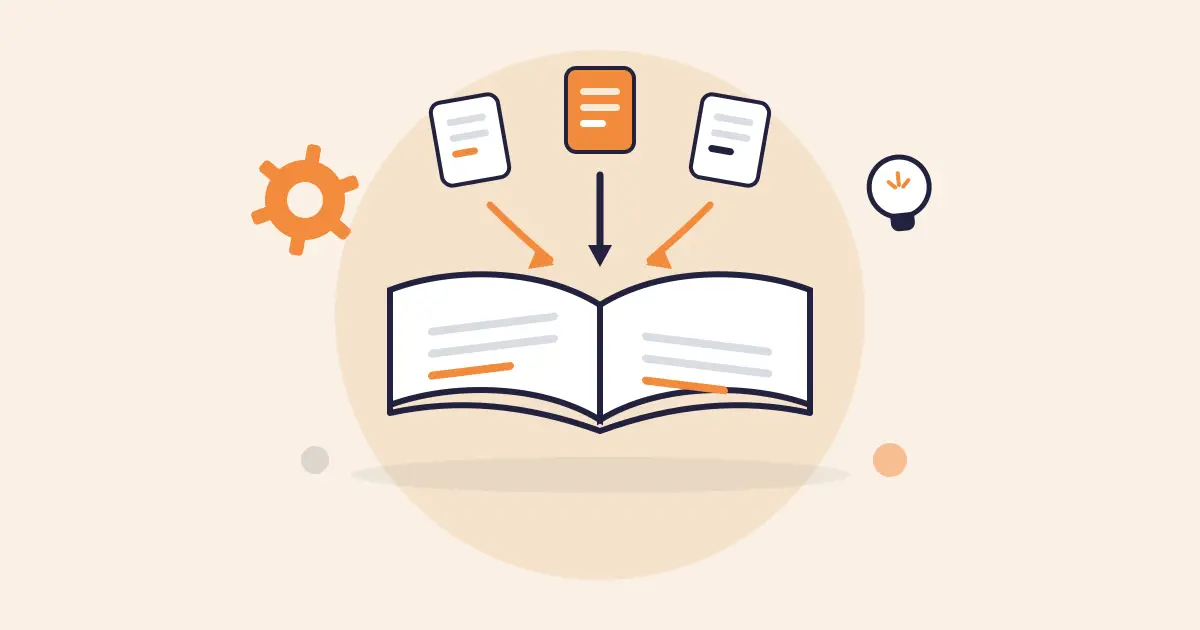


Different teams inside the same organization solve the same problems independently, over and over. A billing team builds a workaround. A complaints team hits the identical issue later and starts from zero, unaware a fix already exists.
This happens because knowledge sharing runs through informal channels: a Slack message, a PDF file, a note buried in someone’s personal doc. It stays inside the team that created it and rarely reaches departments facing the exact same problem.
In this article, we’ll cover how to improve knowledge sharing in contact centers and enterprises. You’ll learn about common mistakes teams make, strategies you can adopt, and tools to apply.
3 Common Knowledge Sharing Mistakes CX and Enterprise Teams Make
Knowledge sharing is important in every organization. It determines how fast agents find answers, how consistent those answers are, and how quickly new hires become productive. It touches every interaction, every escalation, and every compliance check.
These are the most common mistakes teams make in knowledge sharing:
Treating a Shared Drive as a Knowledge Base
A shared drive stores files, but can’t deliver answers. CX teams fill Google Drive folders with policies, scripts, and process documents. The content exists, but no one can find the right file. Agents waste time scrolling through folders and opening multiple documents while the customer waits.
Tribal Knowledge Stays Undocumented
Every CX team has one or two senior agents who handle the cases no one else can. Escalation shortcuts, edge-case exceptions, system workarounds. That knowledge lives in their memory and transfers through shoulder taps between calls.
When that agent resigns, the knowledge leaves with them. Rebuilding it takes months of trial, error, and repeated customer complaints.
Knowledge Hoarding Goes Unnoticed
Most teams track what gets shared, but no one tracks what’s withheld.
A Reddit user shares: “Hoarding survives because sharing is invisible and hoarding is untraceable.” The agents who hoard are not always acting out of malice. They operate inside a structure where sharing carries no reward and withholding carries no consequence.
Some wait for the right moment to present their knowledge to leadership. Others share only within a small circle of allies to build influence. Critical knowledge stays locked to a few people while the rest of the team repeats mistakes or escalates calls that could have been resolved on the first attempt.
How to Build a Knowledge Sharing Culture in an Organization
Randstad’s Workmonitor 2025 found that only 49% of employees trust their employer to create a workplace culture where everyone can thrive. When trust is low, teams hold back. They stop flagging outdated content, stop documenting what they know, and stop contributing beyond what’s required.
A knowledge-sharing culture changes that dynamic. It makes contribution part of how teams operate daily, not something that depends on individual motivation or a one-time initiative.
Here are two tips you can adopt to promote a knowledge-sharing culture:
Design Meetings Around Knowledge Transfer
Most team meetings focus on status updates: what happened, what’s next, what’s blocked. How managers structure meetings directly shapes whether knowledge moves between people or stays locked in individual experience.
Redesign one meeting per week to focus on knowledge transfer. For example, one agent walks through a recent complex interaction and explains the reasoning behind each decision. Another shares a process shortcut the rest of the team hasn’t seen.
Measure Culture, Not Just Content
Most teams measure knowledge sharing through content metrics: articles published, searches performed, page views logged. These show activity but don’t reveal whether a sharing culture exists.
Culture indicators track how many people contribute content versus how many consume it. Measure the time between a process change and when it appears in the knowledge base. Monitor how often agents use the feedback mechanism to flag issues.
Survey agents on whether they trust the content they find. A healthy knowledge sharing culture shows a high ratio of contributors to consumers, fast update cycles, and consistent feedback activity.
How to Improve Knowledge Sharing: 10 Effective Ways for CX and Enterprise Teams
The following are the 10 strategies on how to improve knowledge sharing:
Build a Knowledge Sharing Framework
Start by auditing what knowledge the team has and where it lives. Map every source: shared drives, wikis, email threads, spreadsheets, and individual memory. Then categorize what needs to be shared.
Different teams manage knowledge sharing differently. Researchers Nonaka and Takeuchi explain three types that organizations deal with daily:
- Explicit knowledge: This is documented information, such as policies, SOPs, escalation paths, product specs. Sharing it requires access, structure, and version control.
- Implicit knowledge: This is the practical application of that documentation. An agent reads a policy and develops judgment on when to apply a standard exception versus when to escalate. That judgment could be documented, but no one has captured it yet.
- Tacit knowledge: This is experience-based intuition that is difficult to articulate. It transfers through observation, mentoring, and side-by-side coaching.
Build the knowledge sharing framework around four components: where knowledge lives, who owns it, how it stays current, and how each type is shared. Make sure you update this plan as your content library grows.
Assign Knowledge Owners to Every Critical Process
Give every piece of shared knowledge a named owner. That owner reviews the content on a set cadence, updates it when the process changes, and responds to feedback from the team. This applies to SOPs, escalation paths, compliance procedures, product FAQs, and any content agents rely on during live interactions.
Distribute Knowledge Sharing Tips from Veteran Employees
Pair senior agents with newer team members on a recurring schedule. Have veterans walk through how they handle complex call types, edge cases, and system workarounds. Record these sessions and store them where the rest of the team can access them.
Don’t limit this to formal training. Build it into weekly routines. A 10-minute segment in a team huddle where one experienced agent breaks down a recent difficult interaction teaches more than a static SOP. The goal is to move knowledge out of individual memory and into a format the full team can reference.
Reward Knowledge Contributors
Make contributions visible in the same places where individual performance gets recognized. Mention it in team meetings. Include it in performance reviews. Spotlight the agent who documented a process that saved the team time.
Recognition carries weight when it comes from peers and leadership consistently. Some teams run a weekly prompt: “Who helped you this week and what did they do?” Over time, the agents contribute to knowledge, leading to visibility and career growth.
Build Psychological Safety and Trust Around Sharing
Share mistakes openly at the leadership level first. When managers talk about what went wrong and what they learned, the team reads that as permission to do the same. When leadership only shares polished outcomes, agents mirror that behavior and keep gaps to themselves.
Don’t penalize agents who flag incorrect content or challenge an existing process. Treat every correction as a contribution.
Embed Knowledge Sharing Into Onboarding for New Hires
Add knowledge contribution to the onboarding checklist from day one. New hires spot gaps that tenured staff overlook because everything is unfamiliar to them. Ask them to document what they struggled to find, what was outdated, and what required asking multiple people to get a straight answer.
Use those findings to update existing content and fill gaps before the next cohort starts. Each onboarding cycle becomes a built-in audit of the team’s shared knowledge.
You can also pair each new hire with a knowledge mentor who can guide them through how the team captures and retrieves information.
Standardize How Knowledge is Captured and Published
Create a template for each content type the team produces. This includes step-by-step guides for process walkthroughs, structured Q&A layouts for FAQs, visual flowcharts for escalation paths, concise summaries for policy updates.
Agents find answers faster when they recognize the format before they read the content.
Define a review-and-approve workflow before anything goes live. And make sure to add a review date to every article at the time of publishing so the content enters a scheduled cycle of updates.
Create a Feedback Loop to Improve Knowledge Sharing
Give agents a direct way to flag content that is outdated, unclear, or incomplete. This can be as simple as a thumbs up/down on each article or a comment field where agents describe what was missing.
Route that feedback to the content owner with a clear expectation to act on it within a defined timeframe. Don’t let feedback collect in a queue no one monitors.
The loop only works when agents see their input lead to a visible change. Teams that close the loop consistently build trust in the knowledge base.
Rotate Employees Around Teams for Internal Knowledge
Move agents between teams or departments to build a collaborative environment. A billing team agent who spends two weeks with the complaints team learns how upstream decisions affect downstream interactions. That context changes how they handle calls when they return.
Run rotations quarterly and capture the key takeaways from each one. Over time, the team builds a shared understanding of how the full operation connects, and knowledge stops sitting in departmental silos.
Implement a Knowledge Management Tool
A knowledge management tool turns scattered knowledge into a single source of truth. It offers intelligent search, governance, authoring tools, automated approval workflows, review cycles, and role-based permissions.
A knowledge management tool makes sure agents and internal teams access verified, accurate answers while maintaining a governed knowledge base with a large content library.
How livepro Improves Knowledge Sharing Within Contact Centers & Enterprises
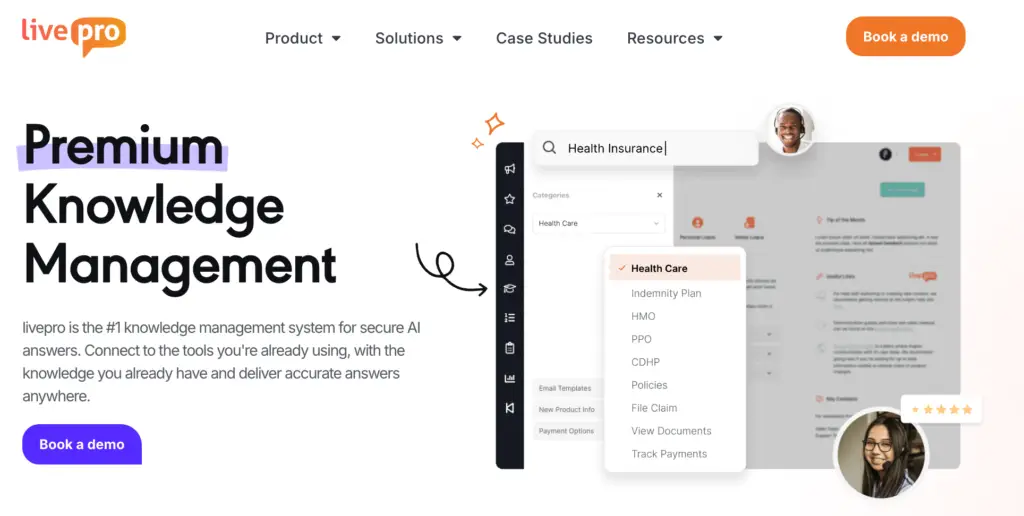
livepro gives contact centers and enterprise teams a governed knowledge base where every department can share, find, and trust verified knowledge from one system.
The platform helps you consolidate scattered documents, tribal knowledge, and departmental silos into a single system. It serves industries like healthcare, banking, local government, and BPOs where knowledge accuracy and compliance carry real consequences.
With livepro, you can standardize how knowledge flows through the organization. Teams upload existing documents, authors structure them into searchable articles, the approval workflow verifies accuracy, and governance keeps everything current.
Agents can find answers from other departments during live calls without leaving the platform. HR, finance, and compliance teams contribute knowledge that every other team can access.
Here’s how livepro helps you improve knowledge sharing at scale:
LightspeedAI to Make Knowledge Searchable
Knowledge sharing is difficult in organizations with multiple departments. Every team has its own template, the files are stored in different formats, and no one has the time to rework and move them to a new platform. Teams default to informal channels, while knowledge stays with the team that created it.
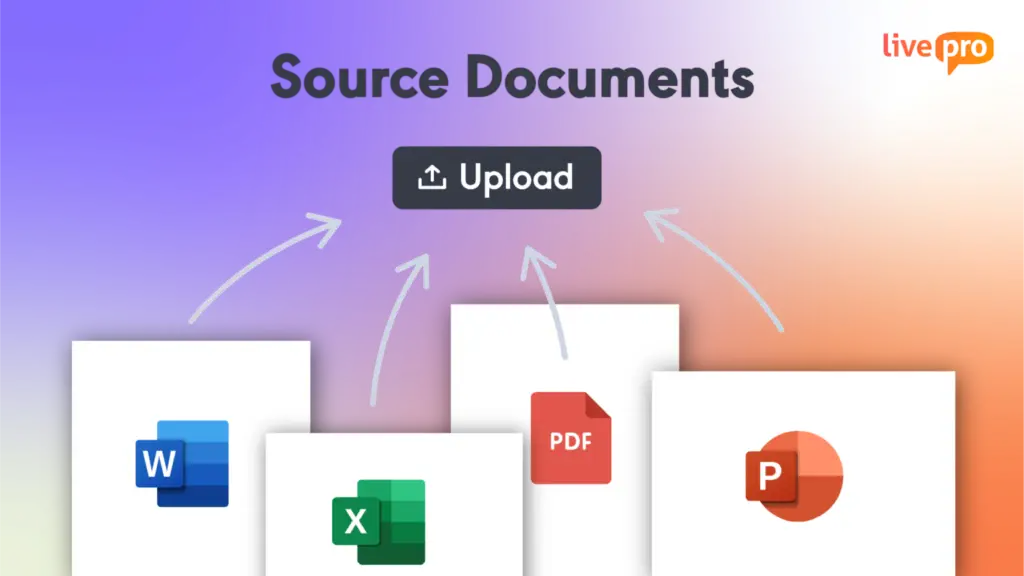
livepro’s LightspeedAI helps teams turn messy documents into structured, templated articles. Teams can bulk upload files in PDFs, Word docs, and spreadsheets. The AI reads source files, identifies headings and key information, and formats content into consistent, searchable layouts.
Once every team’s content follows the same structure and lives in one platform, any department can find and use it, not just the team that wrote it.
All imported content lands in a “pending” state so authors can review and refine before anything goes live.
For example, a government agency has five departments, each with their own content library. Each team uploads their files directly into livepro. LightspeedAI breaks them into individual articles by section, formats each one, and queues them for review. Once published, that knowledge is searchable across every department on the platform.
AI Authoring for Knowledge Creation and Collaboration
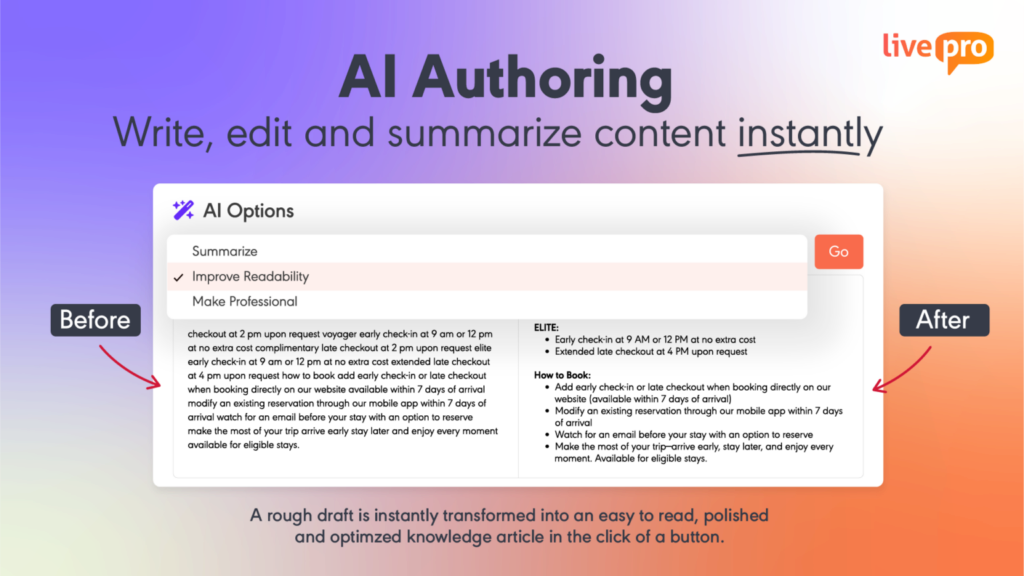
Subject matter experts hold the knowledge other teams need, such as billing exceptions, compliance workarounds, or escalation shortcuts. But most of it stays undocumented because SMEs are not technical writers. They default to explaining it verbally, and the knowledge stays with whoever was in the room.
livepro offers AI authoring tools that allow SMEs and knowledge managers to create structured knowledge articles. They can use AI to start with a rough draft. The AI refines formatting, structure, and readability, so every article is readable and matches the content quality.
Authors can use the WYSIWYG (What You See Is What You Get) editor to drag and drop sections without needing technical skills. The platform allows users to paste images, upload multimedia, and embed videos directly into articles. Pre-designed templates keep every article in a consistent format regardless of who authors it.
Every article goes through livepro’s built-in approval workflow before publication. One person drafts, a reviewer checks for accuracy, and a manager approves. Once published, that knowledge is accessible to every department on the platform.
Built-In Governance So Teams Trust What They Find
When agents find outdated policies, expired procedures, or conflicting versions of the same process, they stop trusting the knowledge base.
livepro builds a governance framework into the content lifecycle. Every article follows a structured workflow from draft to publication.
Knowledge managers can set automated review dates by content type. Compliance articles, product updates, and internal SOPs each follow a review cycle that fits their risk level.
When a review date hits, the platform flags the article and routes it to the assigned owner. This enforces the knowledge ownership model. Every article has a named person responsible for keeping it current, and the platform holds them to the cadence.
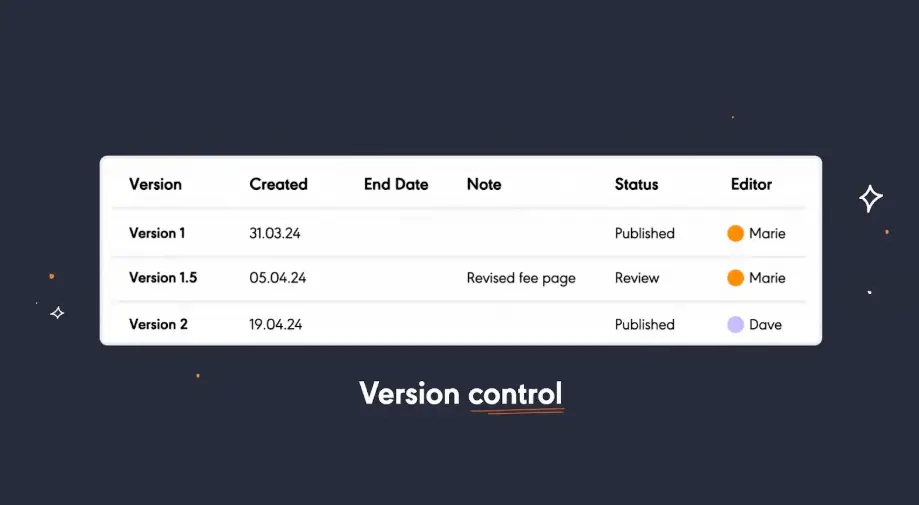
The platform supports version control to track every change with a full history of who edited what and when. If an update introduces an error, knowledge managers restore the previous version in seconds.
Teams can set scheduled publication and expiry dates, so the content goes live on a set date and retires automatically when it’s no longer valid. Agents never see a policy that should have expired two months ago.
AI-Powered Search to Deliver Accurate Answers
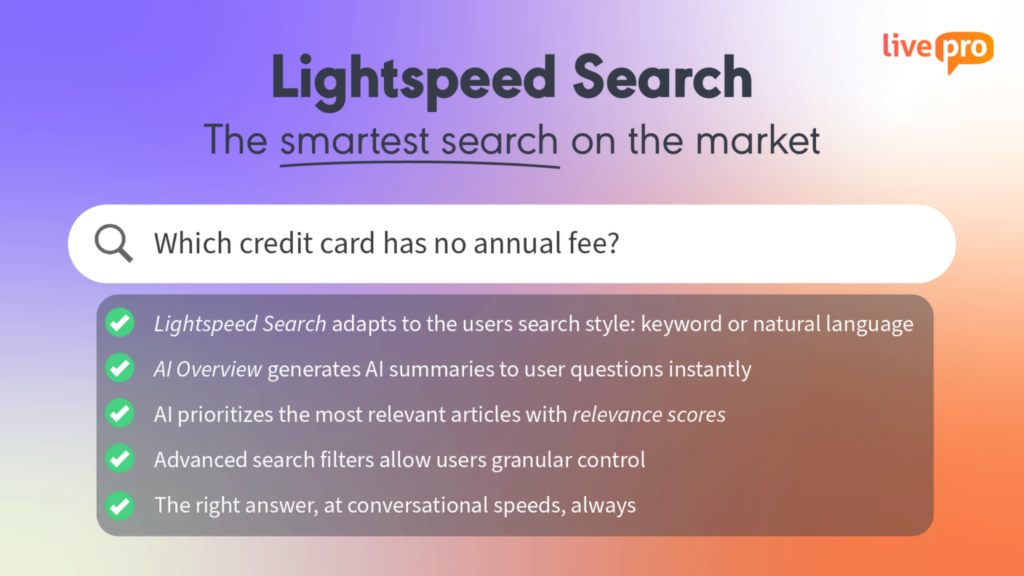
Knowledge shared across departments only reaches other teams through search. An agent in complaints doesn’t browse the billing team’s content library. They type a question. If the search can’t match that question to the right article, the knowledge sits in the system unused.
livepro’s Lightspeed Search combines natural language, semantic understanding, and keyword matching to return direct answers from approved content. When agents search for something, the search reads through the intent and delivers accurate results.
The platform’s AI-powered search improves accurate knowledge delivery through:
- Relevance scoring: Ranks results by accuracy and context so the most relevant answer appears first, not the most recently updated.
- Intent matching: Reads how agents phrase questions and maps them to the right content, even when the wording doesn’t match the article title.
- Source attribution: Displays the approved source alongside every answer so agents can verify accuracy before responding.
- Multi-format search: Pulls answers from articles, process guides, decision trees, and uploaded source documents in a single query
- Typo resilience: Returns accurate results even when agents misspell terms or type under pressure during a live call.
For example, an agent handling a billing dispute types “how to process partial refund for overcharge.” The search reads the intent, matches it to the approved refund policy, and returns the specific answer. The agent gets the answer in seconds and stays on the call without putting the customer on hold.
AI Overviews to Get Context-Aware Summaries
Different departments write for different audiences. Compliance writes in compliance language. HR writes for HR. When an agent needs to reference another team’s content mid-call, the formatting and jargon slow them down.
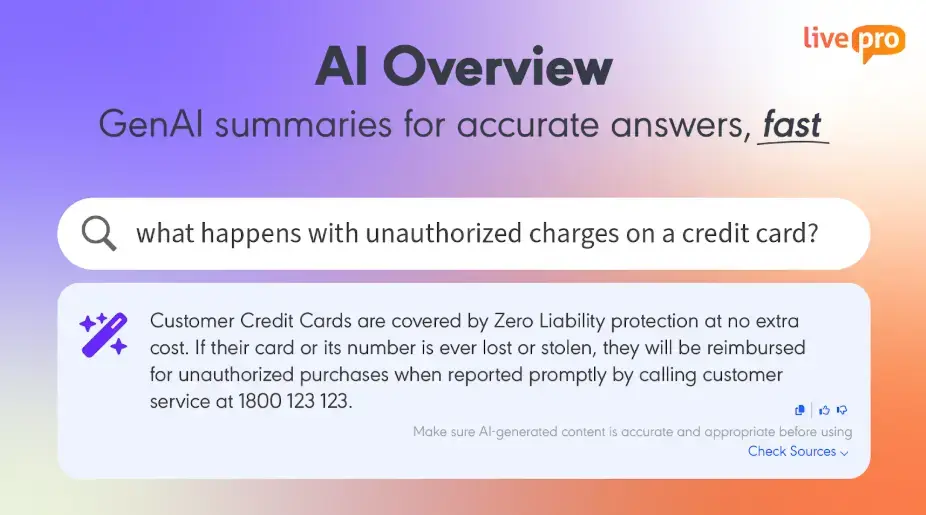
livepro’s AI Overviews generate quick summaries at the top of every search result. The AI pulls directly from approved content and presents the applicable rules, conditions, steps, and key details in natural language. It simplifies jargon, shortens sentences, and makes content accessible to every agent.
Each statement in the summary links back to its approved source article, so agents can verify accuracy and drill deeper when needed.
They can also send feedback with a quick thumbs up/down button. Knowledge managers review that feedback and update or clarify content as needed. Agents see the change on their next search, which builds trust in the feedback loop over time.
Decision Trees for Sharing Conditional Knowledge Through Guided Paths
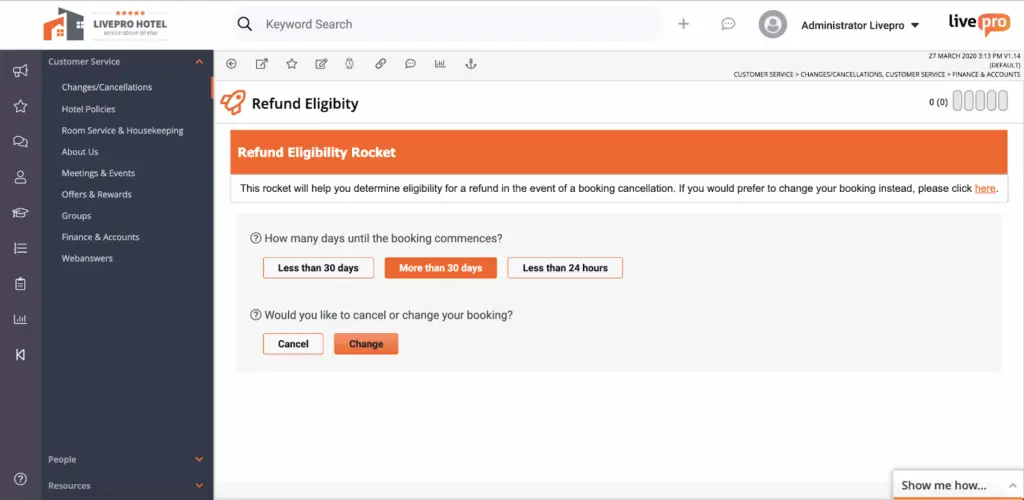
Some questions don’t have one answer. It may depend on the account type, the reason, the amount. That chain of decisions lives in the heads of senior agents who’ve handled it enough times to know every path. No one documents it because a standard article can’t capture conditional logic with multiple outcomes.
livepro’s decision trees convert that conditional knowledge into step-by-step guided workflows. Each answer routes to the next question until the agent reaches the correct outcome.
Agents don’t need to memorize every condition or scan a policy document for the right clause. They follow the guided path and land on the verified answer. The knowledge that previously transferred only through observation now reaches every agent on the platform through a guided path.
Teams can build and update decision trees using a drag-and-drop editor. Each tree sits inside the same governed platform as every other piece of knowledge. When a policy changes, the content owner updates the tree once, and every agent follows the updated path on their next call.
Built-In Analytics to Find Knowledge Sharing Gaps
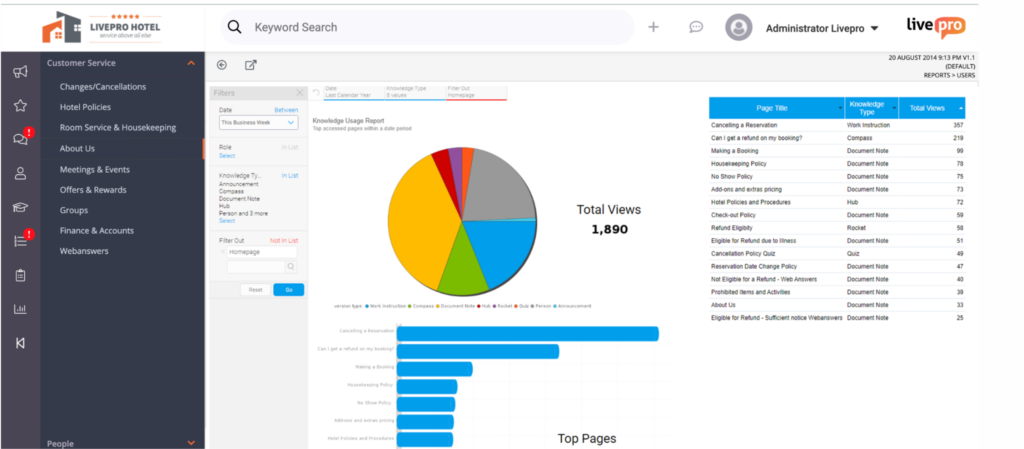
Most teams have no way to see where knowledge sharing breaks down. They know content exists, but they can’t tell whether it reaches the right people, which teams contribute, or which questions go unanswered.
livepro’s analytics give knowledge managers visibility into how knowledge flows across the organization. Teams can track:
- Failed searches: Track every query that returns no result to identify exactly where content gaps exist
- Trending searches: See what agents search for most to prioritize high-demand content
- Low-scoring articles: Spot content with high traffic but low feedback ratings that needs rewriting or updating
- Unused content: Identify articles that never get viewed, signaling buried, poorly titled, or irrelevant knowledge
- Content age tracking: Flag articles approaching or past their review dates before they become a compliance risk
- Search-to-resolution patterns: Measure how quickly agents find answers and whether searches lead to successful outcomes
Knowledge managers can use this data to prioritize what to create, update, or retire. The platform also offers customizable dashboards, so teams can track metrics against goals and connect knowledge performance to operational outcomes.
livepro Integrations
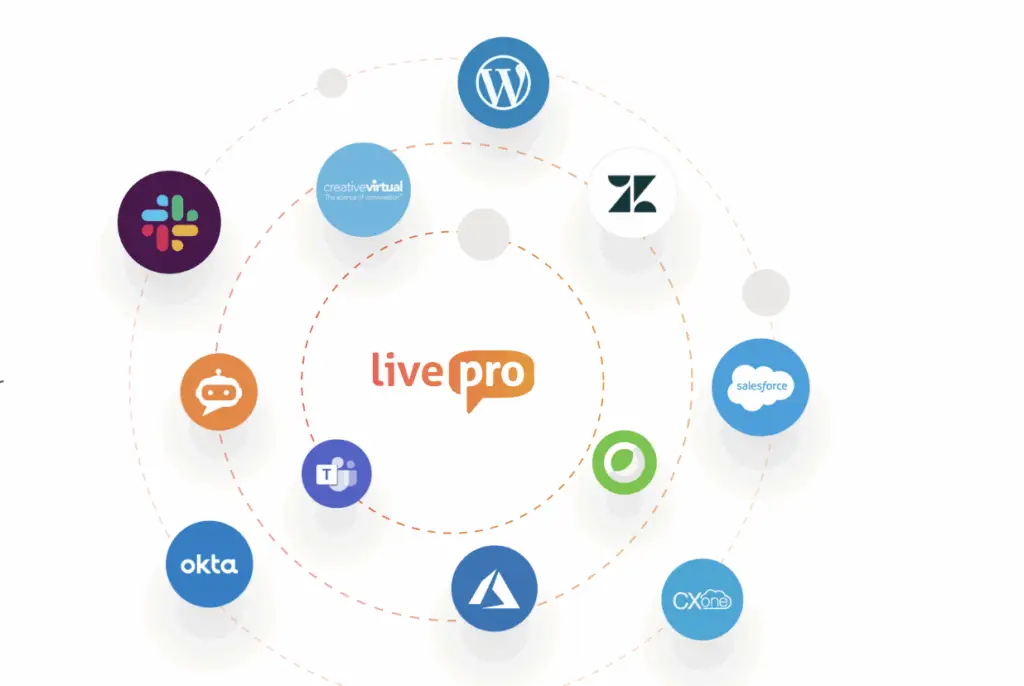
Shared knowledge only works when teams can access it from where they already work. If agents have to leave their CRM or contact center platform to search the knowledge base, most won’t.
livepro integrates directly with the tools your teams use daily, so agents search for answers without switching systems.
livepro offers integrations with:
- Genesys Cloud
- NICE CXone
- Salesforce
- Zendesk
- Microsoft Teams
- Microsoft Dynamics CRM
- Cisco Webex
- Azure
- Okta
- Slack
livepro’s open API connects with your custom website, chatbot, voice IVR, and human-assisted chat.
Case Study: How Liverpool City Council Improved Knowledge Sharing With livepro
Here’s a case study on how livepro helped Liverpool City Council replace manual processes with a single searchable knowledge base:
The Challenge
Liverpool City Council’s customer service team handled calls for a population of more than 200,000 people. Agents relied on a thick physical manual to resolve queries. The manual was difficult to use and even harder to keep updated.
Anna Rizos, Manager of Customer Experience at Liverpool City Council, expressed: “Our customer service workspace is quite isolated from the rest of the organization, so it was hard for us to get timely updates. Sometimes customers knew things before we did.”
Without access to current knowledge, agents struggled with first-call resolution. Customer satisfaction dropped. Employee engagement declined. Onboarding new agents took up to 26 weeks.
The Solution
After implementing livepro, the local government was able to:
- Centralized knowledge base: Replaced the physical manual with a single searchable source of truth accessible during live calls.
- Lightspeed Search: Gave agents instant access to up-to-date answers without flipping through pages or asking colleagues.
- Version control: Every article maintains one current version so all agents work from the same information.
- Automated review cycles: Policies and procedures flagged for review on schedule to prevent content from going stale.
- Simple authoring tools: Teams update and publish knowledge without technical skills or IT support.
The Results
With livepro, the team reported:
- 84% faster onboarding: Training dropped from 26 weeks to four weeks.
- 4,868 accesses in two weeks: High engagement from launch, showing immediate adoption across the team.
- Higher first-call resolution: Agents resolve customer inquiries at the first point of contact with verified answers.
- Increased staff engagement: Team confidence grew as agents trusted the knowledge they shared with customers.
- Expanded deployment: The Council deployed livepro to the mobile Mayoral office and is planning rollout to additional citizen-facing centers.
Rizos said: “Staff satisfaction has been a big reward from this project. They’ve become confident in the knowledge they’re sharing with customers…”
Read the complete case study here.
Bottom Line: Improve Knowledge Sharing With a Governed Source of Truth Using livepro
Knowledge sharing and collaboration consolidate scattered information, document tribal knowledge, and find the right answers faster. The right strategies help you build content discipline from the start.
But as your content library grows and more departments contribute, manual processes and shared drives can’t keep up with the volume of updates, reviews, and version changes.
livepro brings structure to knowledge sharing through AI-powered migration, authoring tools, built-in governance, version control, and compliance-ready content management. It gives agents and internal teams a single source of truth. Agents get verified answers faster, while teams spend less time searching for complex information.
Book a demo to see how livepro helps your team share accurate, up-to-date knowledge from one platform across every department and channel.
FAQs About How to Improve Knowledge Sharing
What is knowledge sharing in an organization?
Knowledge sharing is the process of exchanging information, expertise, and practical know-how between people in an organization. It happens through formal systems like knowledge bases and training programs, and informally through conversations, mentoring, and team huddles.
How to improve knowledge sharing for remote or hybrid teams?
Make asynchronous documentation the default for every decision, process change, and workaround. You can record SME walkthroughs of complex processes, so distributed agents can watch them on their own schedule. Make sure to keep knowledge inside the tools agents already use so finding an answer doesn’t require switching systems.
What is the difference between knowledge sharing and knowledge management?
Knowledge sharing is the act of exchanging information between people. Knowledge management is the system that makes sharing structured and sustainable. It covers how knowledge gets created, reviewed, approved, published, updated, and retired.
How to stop employees from hoarding knowledge?
Start by documenting every critical process so no single person holds exclusive access to essential information. When the knowledge exists in a shared system, the leverage that hoarding provides disappears.
How to capture knowledge from employees who are leaving?
Build ongoing knowledge capture into the workflow. Schedule quarterly sessions where senior staff walk through complex processes only they handle. Record those sessions and store them where the team can access them.
When someone gives notice, prioritize what’s hardest to replace. Focus on edge-case handling, undocumented workarounds, and system shortcuts. Give them a simple template to document the processes only they understand. This helps you reduce dependency on any single person before they decide to leave.