

If you run a contact center or support team, you’ve seen how knowledge gaps slow everything down. Agents spend valuable time searching through outdated SOPs or asking colleagues for help, only to give inaccurate answers.
Customer service knowledge management addresses this by consolidating all content, including FAQs, workflows, policies, and training guides, into a single source of truth.
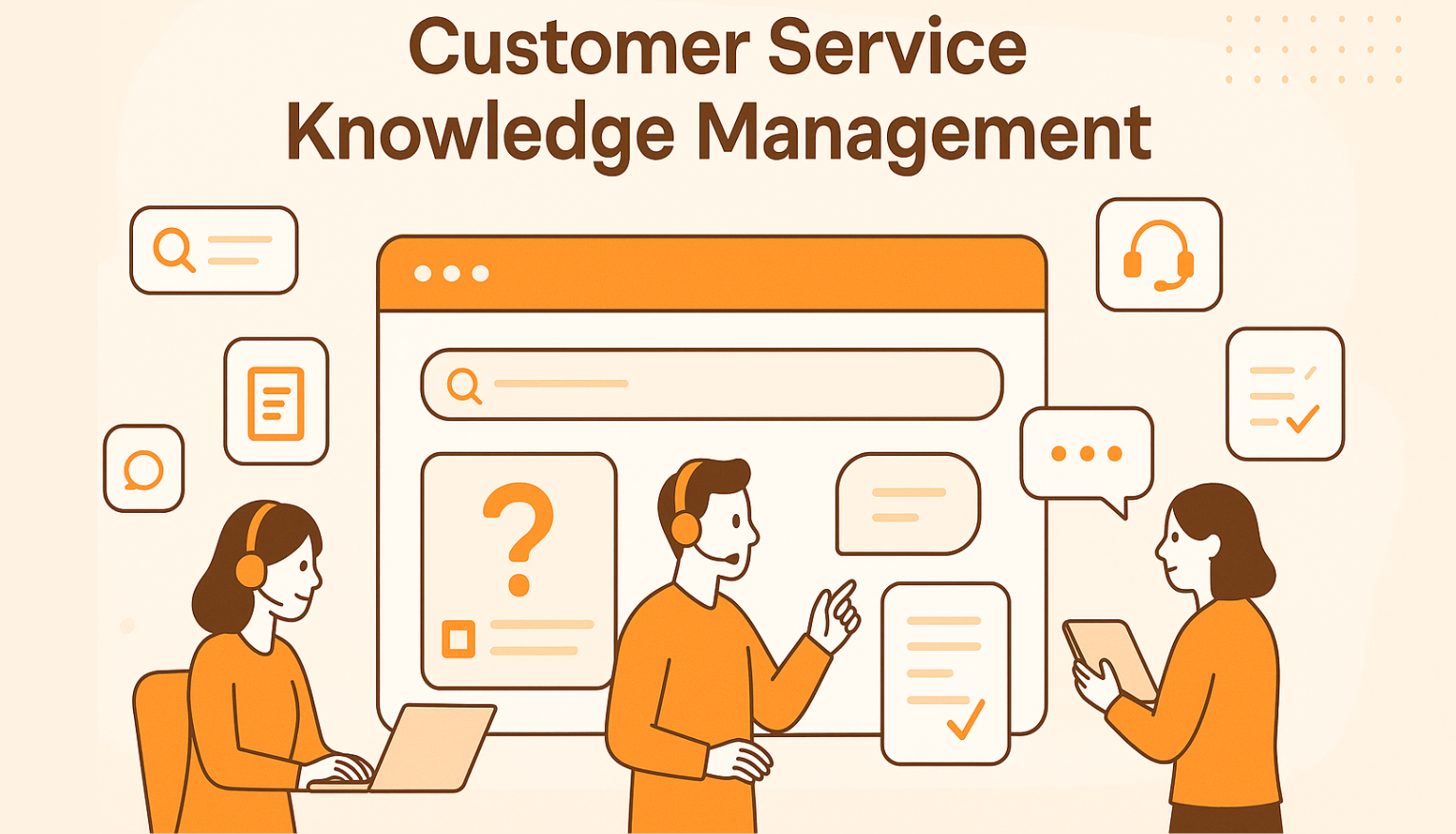
In this article, we’ll explain what customer service knowledge management means and why it matters. We’ll also explore how a customer service knowledge management system like livepro improves agent productivity.
What Is Customer Service Knowledge Management?
Customer service knowledge management is the practice of collecting, organizing, and using customer insights to improve business performance and customer experience.
It brings together knowledge management and customer relationship management, which helps companies serve customers better. At its core, customer knowledge management focuses on three types of knowledge:
- Knowledge about customers: Information such as demographics, preferences, and past purchases.
- Knowledge from customers: Feedback, complaints, and suggestions that reveal needs and expectations.
- Knowledge for customers: Information shared back to customers through guides, support content, and personalized recommendations.
The purpose of customer knowledge management is to customize services and experiences that drive loyalty and growth. In practice, it is a systematic process that includes:
- Gathering customer data from every touchpoint
- Storing it securely and making it accessible to teams
- Analysing it to explore trends and behaviours
- Using it to deliver personalized, compliant, and high-value interactions
When knowledge management and customer relationship management operate in isolation, they create silos. By integrating the two, customer knowledge management builds a single source of truth to strengthen customer relationships.
Types of Knowledge Used in Customer Service Knowledge Management
Knowledge management (KM) is important for modern customer service operations, consistency, and customer satisfaction.
Here’s how it’s applied across various functions:
Frontline Support
Customer service representatives rely on knowledge management systems to access real-time information during interactions. These systems provide:
- Product FAQs: Quick answers to common customer inquiries.
- Troubleshooting Guides: Step-by-step solutions for resolving issues.
- Workflows: Standardized procedures for handling different types of requests.
By having this information readily available, agents can address customer concerns promptly, leading to improved first-contact resolution rates and reduced average handle times.
Agent Training and Onboarding
Effective training is crucial for new hires. Knowledge management systems facilitate:
- Centralized Training Materials: Access to standardized training content.
- Quick-Reference Guides: Easy-to-navigate resources for agents to find information quickly.
This centralized approach accelerates the onboarding process and prepares new agents to assist customers.
Self-Service
Helping customers find answers on their own reduces the workload for support teams. Knowledge management supports self-service through:
- Customer-Facing Knowledge Bases: Online repositories of information accessible to customers.
- AI Chatbots: Automated systems that provide instant responses to customer queries.
- Help Portals: Comprehensive platforms offering guides, FAQs, and troubleshooting steps.
- AI Voice Agents: Voice-enabled assistants that handle customer questions through natural conversation.
These tools let customers solve issues on their own, which improves the experience and lowers support costs.
Compliance and Quality Assurance
Organizations in regulated industries must follow strict standards while also ensuring consistent service quality. Knowledge management systems assist by:
- Version-Controlled Policies: Providing all team members with access to the most current procedures.
- Audit Trails: Tracking changes to policies and procedures for accountability.
- Risk Management: Identifying and mitigating potential compliance issues proactively.
Benefits of Knowledge Management in Customer Service
Once knowledge management is in place, its impact shows up quickly in how agents work, how customers find answers, and how the entire service operation runs.
Improves First-Contact Resolution (FCR)
First-Contact Resolution is a core performance metric for contact centers. Research shows that every 1% increase in FCR leads to a 1% rise in customer satisfaction and up to a 1.4-point lift in Net Promoter Score.
The challenge is speed. When agents can’t locate accurate information during a live interaction, the call drags on or gets handed off.
A dedicated knowledge management system gives agents immediate access to verified content while they work. This direct access enables faster answers, fewer transfers, and stronger customer confidence.
Speeds Up Agent Onboarding and Reduces Training Costs
For many support teams, onboarding is a slow and resource-heavy process. New hires shadow experienced agents, memorize scattered processes, or ask repeated questions.
Customer service knowledge management shortens this process by giving new agents guided workflows, quick-reference articles, and structured training libraries.
Preserves Institutional Knowledge
In customer service, valuable insights often come from experienced agents who know the nuances of troubleshooting and handling uncommon cases.
When these agents leave, that knowledge risks being lost. Customer service knowledge management addresses this by capturing and documenting critical information, beyond standard operating procedures, so it remains accessible to the entire team.
This ensures consistent service quality, even during periods of staff turnover or rapid growth.
Minimizes Information Silos and Redundant Work
In customer service, teams often lose valuable time searching through shared drives, chat histories, or outdated spreadsheets to find accurate answers.
This creates silos, repeated questions between teams, inconsistent responses across channels, and unnecessary duplication of work.
Customer service knowledge management addresses these challenges by centralizing information into a shared, trusted resource that everyone can rely on.
Customer Confidence Through Transparent Answers
Customers expect the same answer no matter who they speak to or which channel they use.
A governed knowledge base makes sure that:
- Agents don’t rely on memory or old notes
- Policies and product information stay up to date
- Every touchpoint reflects the latest version of the truth.
Deflects Call Volume With Effective Self-Service
When customers can solve issues on their own, support teams avoid ticket backlogs and long wait times. But self-service only works if the knowledge is easy to find and simple to follow.
With well-structured customer-facing knowledge bases and chatbot integrations, teams can:
- Reduce low-value tickets
- Maintain quality during peak volume
- Lower cost-per-resolution (as low as $0.10 vs. $12 for live chat)
These deflection strategies free up agents to handle complex or high-emotion cases that need a human touch.
How Customer Service Teams Can Use livepro for Knowledge Management
If you’re dealing with issues like long agent onboarding, high call volumes, or inconsistent answers, livepro helps by streamlining knowledge and customer experience. It keeps your customer service teams on the same page and provides quick and reliable answers to customers.
Built for businesses that need to meet strict regulations, livepro delivers real-time, up-to-date knowledge with features like AI-powered voice chats, governance tools and omnichannel integrations.
Let’s explore the key features that make livepro the right solution for improving customer satisfaction:
Lightspeed Search, AI Overview, and Luna AI for Accurate Answers
The efficiency and quality of service provided by contact centers is evaluated based on how quickly and accurately they handle customer queries. Delays in providing inconsistent answers can result in longer call times and frustrated customers.
Here’s how livepro tackles this:
Luna AI

Luna AI is an advanced, human-like voice agent built for contact centers. Its search system uses predictive insights to suggest relevant answers and guide agents through common queries, speeding up issue resolution and reducing errors.
Here’s how it helps:
- Human-like Voice Interaction: Delivers realistic, conversational AI that mimics human interactions.
- Predictive Insights: Anticipates relevant answers based on customer context and historical data.
- Real-Time Updates: Reflects changes in the knowledge base instantly for accurate responses.
- Handover: Transfers complex queries to human agents smoothly when necessary.
- Multilingual Capabilities: Automatically detects and switches to the customer’s preferred language.
- Continuous Learning: Improves response accuracy over time through machine learning from each interaction.
For example, when a customer inquires about their billing statement, Luna AI asks if the payment was made on time, whether there are any recent changes in payment policies, and if the customer has checked their account balance. Based on these responses, Luna AI provides the most relevant information and guides the agent through the necessary steps.
AI Overviews
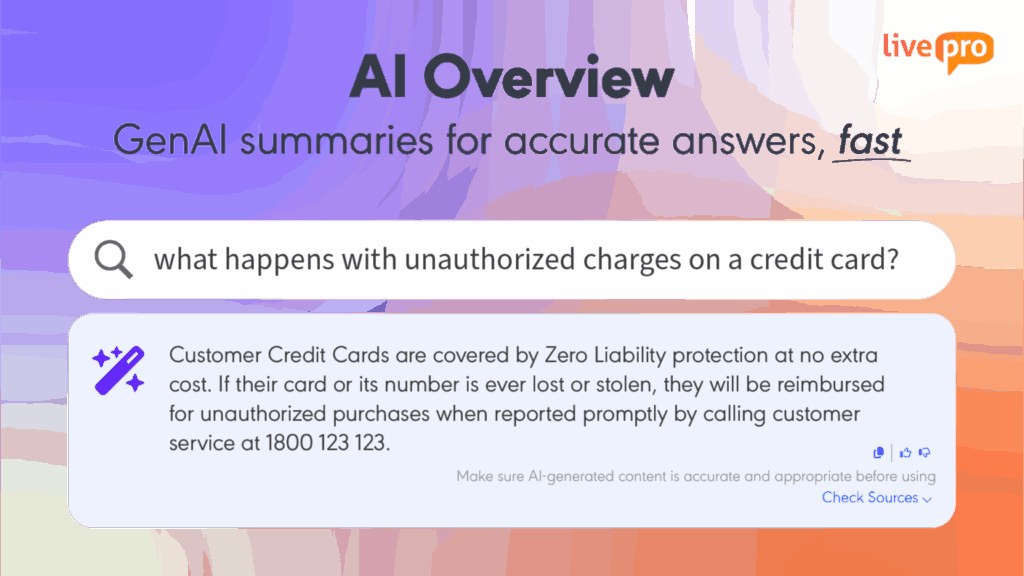
livepro’s AI Overview generates reliable summaries from verified content, saving agents time by presenting concise answers at the top of search results. Its built-in feedback loop allows users to rate answers with thumbs up or down, further improving the quality of responses over time.
Lightspeed Search
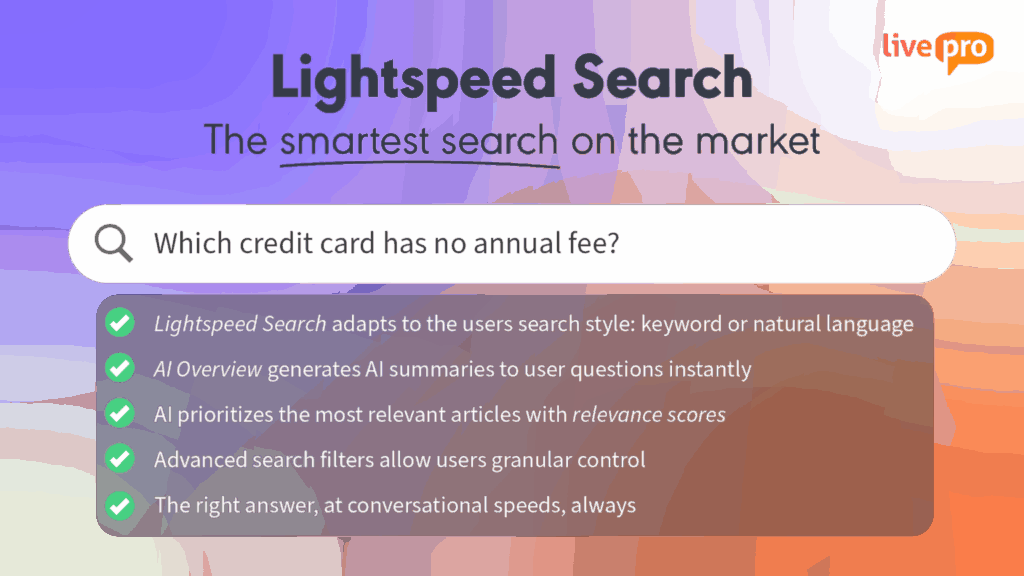
Lightspeed Search uses vector retrieval and hybrid keyword matching to instantly provide relevant search results, even if queries contain typos or are incomplete.
For example, if an agent searches for “refund process,” Lightspeed Search quickly retrieves and ranks the most relevant information, even if the query is misspelled.
Real-Time Knowledge Access with livepro’s Announcements and Hubs
CX teams, especially those managing multiple service channels or high customer volumes, face these common challenges:
- Access to up-to-date, accurate information
- Delayed regulation of SOPs, policy changes, product updates, or new service protocols among teams
- Poorly formatted documents and knowledge articles that are hard to revisit.
Without a centralized tool, customer service teams risk providing outdated or incorrect information, resulting in a poor service experience.
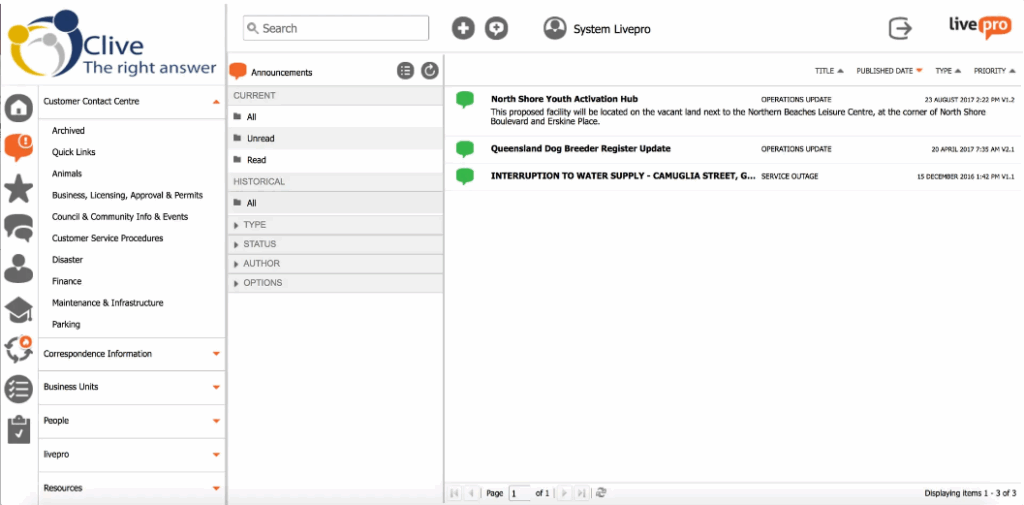
livepro addresses these issues with Announcements and Hubs, offering a streamlined solution to common contact center problems.
Here’s how they work:
- Announcements: livepro’s Announcements/Alerts delivers real-time updates directly to agents, informing them about important changes like new policies, product updates, or urgent operational issues. These updates are time-sensitive, appearing only when relevant and disappearing once they are no longer needed.
- Hubs: Hubs in livepro organize related content into navigable sections, grouping resources like troubleshooting guides, policies, and product documentation by topic. For example, a “Returns Hub” consolidates all return policy articles, FAQs, and procedures, enabling agents to access everything they need with a single click quickly.
The Rocket and Process Guidance to Simplify Complex Cases
In customer service, teams face complex cases that involve multi-step processes, especially when troubleshooting technical issues, handling inquiries, or addressing specific service requests.
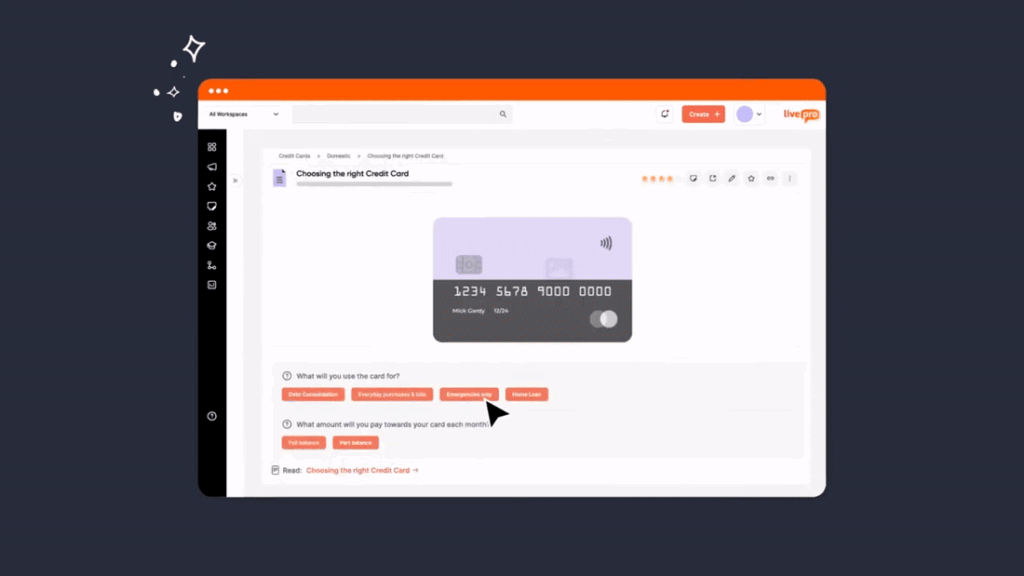
livepro solves these challenges through Work Instructions and Decision Trees (called “Rockets”).
The Rocket is an interactive decision tree that walks agents through troubleshooting and issue resolution in real-time. As agents enter responses, the Rocket adapts the workflow, guiding them down the correct path to resolution.
For example, when troubleshooting an internet connection issue, the Rocket can ask questions like:
- Is the modem plugged in?
- Are the indicator lights on?
- Has the customer rebooted the router?
Based on each response, the Rocket narrows down potential causes and provides a step-by-step guide to the agent, ensuring the right solutions are applied.
Knowledge Authoring with Templates and WYSIWYG Editor
Creating and updating knowledge content in contact centers can be slow and inconsistent, especially when teams rely on developers for minor changes.
In this case, templates, pre-configured elements, and an intuitive user interface make livepro’s WYSIWYG editor an essential solution for knowledge management.
Here’s how it helps:
- Provides a drag-and-drop interface that mirrors the final output, making it easier for non-technical teams to create and modify content.
- Eliminates the need for HTML or CSS, speeding up content updates and reducing reliance on IT resources.
- Enforces uniformity across knowledge articles with templates, ensuring consistent structure and format.
- Gives both technical and non-technical teams full control over content, ensuring articles are up-to-date and aligned with internal standards.
- Allows multiple users to collaborate in real-time on the same article, accelerating content production.
User Engagement with Profiles, Quizzes, Favourites, and Team Branding
In contact centers, sustaining agent engagement and maintaining consistency can be difficult, especially when teams manage large volumes of inquiries and face high turnover rates.
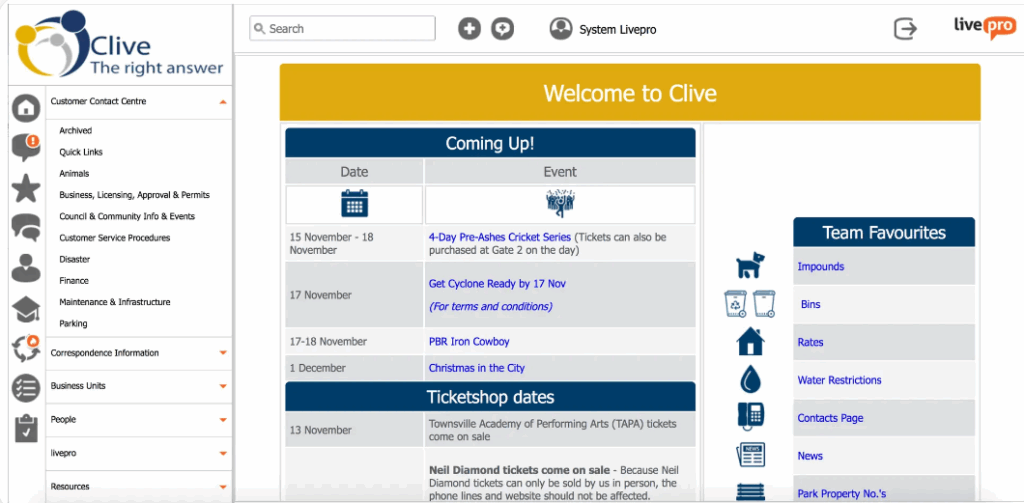
livepro’s Profiles, Quizzes, Favourites, and Team Branding features provide the necessary support to enhance engagement and optimize workflows.
Here’s how they support your team:
- Profiles: Agents can personalize their workspace, creating a sense of ownership and strengthening their connection with the brand.
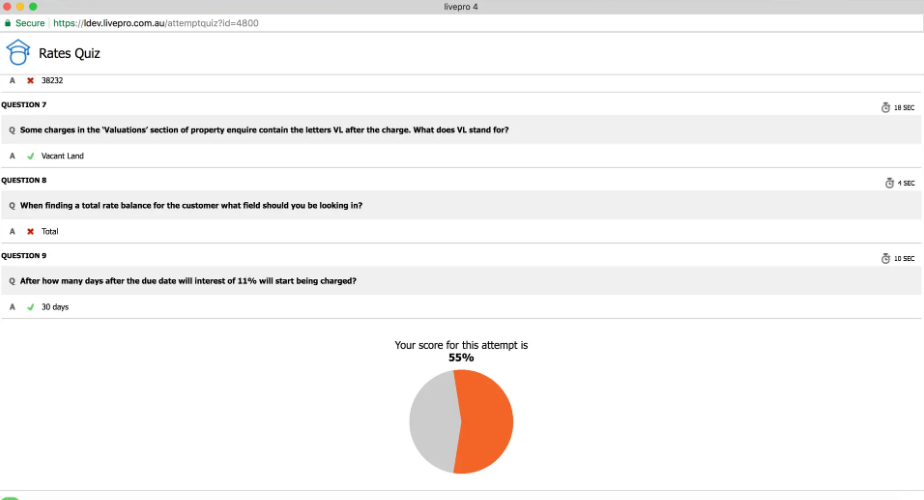
- Quizzes: Reinforce knowledge retention and allow agents to quickly assess their understanding of policies and procedures.
- Favourites: Let agents save frequently used knowledge articles for easy access, cutting down search time and speeding up responses.
- Team Branding: Customizes the knowledge base to reflect the company’s identity, maintaining consistency and boosting team morale.
Governance with Version Control, Scheduled Reviews, and Role-Based Permissions
As customer service teams scale, managing who can edit, review, or access both external and internal knowledge becomes crucial for maintaining control and security.
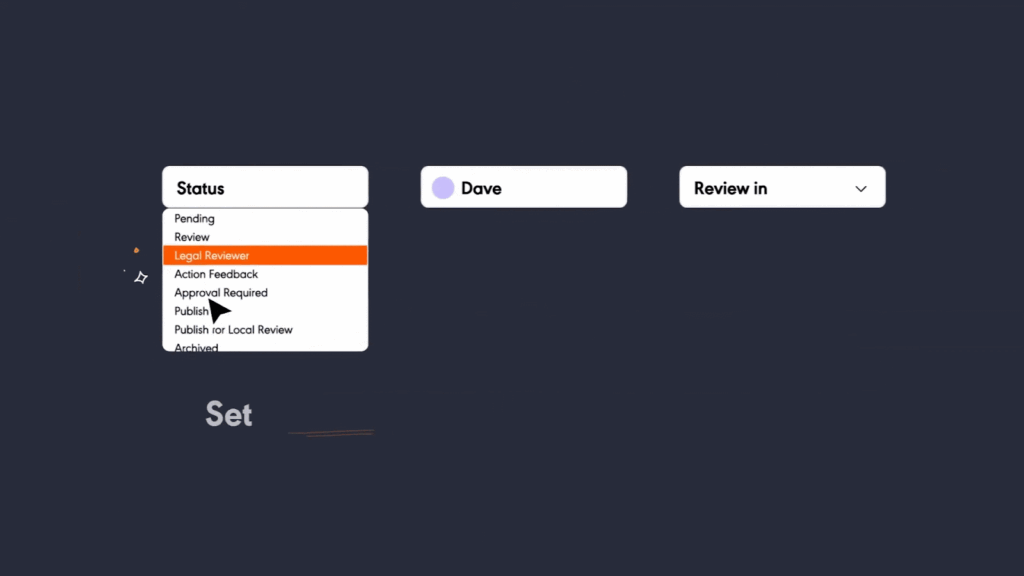
livepro’s governance features, including version control, scheduled reviews, and role-based permissions, keep your knowledge base secure and aligned with your standard operating procedures (SOPs).
For example, when updating troubleshooting guides for a new software release:
- Version Control tracks all updates to the guide, allowing you to review changes and revert to previous versions if needed.
- Scheduled Reviews automatically prompt regular checks to keep the guide up-to-date with the latest software updates and solutions.
- Role-Based Permissions control who can edit and approve the guide, so only authorized staff can make changes to sensitive information.
Best Practices for Customer Service Knowledge Management
To realize the full benefits of knowledge management (KM), it’s essential to implement customer experience strategic practices:
Quantify the Value of Knowledge Management
Assessing ROI before and after deploying knowledge management is important for justifying the investment and continuous improvement.
Align ROI metrics with business goals by focusing on measures like self-service deflection, first-time resolution, and reduced escalations, which directly reflect the software’s impact.
Avoid using irrelevant metrics like average handle time if your goal is to increase upsell and cross-sell opportunities.
Build the Right Team
KM success requires a cross-functional team. This should include a strategist, subject matter experts (SMEs), knowledge authors, and project managers. Each plays a role in creating, maintaining, and improving the knowledge base to make sure it’s relevant and up-to-date.
Start with Depth
Instead of trying to cover everything at once, focus on the 80/20 rule, meaning prioritize the most common customer issues and product concerns.
Once a strong foundation is established, gradually expand. A focused knowledge base encourages use by providing high-quality, easily accessible information.
Break Down Silos
Knowledge silos create inconsistencies. A centralized knowledge hub that integrates with other systems, like CRMs, so all information is accessible in one place, enabling consistent, accurate answers across teams and touchpoints.
Maximize Findability
To improve adoption, offer multiple search options such as keyword search, AI overviews, FAQ search, and intent-based search.
An omnichannel approach keeps knowledge accessible across devices and platforms, allowing users to find answers anytime.
Crowdsource Knowledge
Crowdsourced knowledge can be valuable, but without moderation, it can lead to inconsistencies. Implement a system to scrub and validate this content before integrating it into the knowledge base.
Bottom Line: livepro is the Best Customer Service Knowledge Management System
In customer service, quick access to the right information is key. Without consistent answers, agents struggle with delays and frustrated customers.
livepro makes this easy by organizing all your customer service knowledge in one place. With features like Lightspeed Search, Luna AI, and real-time updates, agents can find the right answers quickly, improving average handle time.
With livepro, your support team can speed up agent onboarding and offer customers self-service tools to solve issues on their own. Plus, it integrates easily with your existing systems, so you can get started without disruption.
Real-World Examples of Effective Knowledge Management in Customer Service
Putting relevant and timely answers at the fingertips of contact center agents and customers takes a deep understanding of the needs and expectations of both groups.
At its core, customers desire a speedy and satisfying resolution to their questions and problems. Agents want to provide such answers in the most efficient way possible. An effective knowledge management system is built around these tenets.
Below are some real-world examples of customers who have achieved success in customer service with livepro.
Avant Mutual
A leading provider of medical malpractice insurance, Avant Mutual had no central knowledge repository. And their answers need to be consistent and correct across all queries. This led to long wait times for customers as agents had to consult with colleagues before giving an answer. Training new colleagues was a long and complex process.
livepro stepped in and consolidated all customer service information into a single source of truth that allowed staff to give the individualized responses to customer queries they needed. This decreased call transfers by 33% and wrap-up time by 55%.
Datacom
Among the customers that Datacom, a major IT service provider, assists through multiple channels like phone, email, and chat are large government entities.
Given the complexity of customer questions and the need for compliance, the team has to quickly learn about their customers’ products and services to provide accurate information to customers.
To achieve this, they required a system that was customizable to their business needs, had an intuitive user interface, and easily integrated with their existing customer service tools. The knowledge content needed to be organized logically and be easy to digest.
On implementing livepro, Datacom realized a 17% reduction in AHT and increased speed to competency. The company has since expanded their staff of knowledge experts to continue capitalizing on livepro’s features.
RAA
Royal Automobile of Australia is a large insurance provider for cars, home, and travel. Their customer service representatives must cope with a wide range of member needs and stay updated on regulatory changes.
The department had to use a simple file manager to manage their knowledge that didn’t meet their needs. The information wasn’t organized consistently and there was no way to keep track of changes or search effectively. As a result, performance metrics and staff engagement surveys were negatively impacted.
Deploying livepro translated into better user feedback and involvement with the system, allowing RAA to decrease support calls by 22% while boosting confidence in customer service knowledge by 37%.
Ready to improve first-contact resolution and reduce agent errors? Book a demo and see why businesses consider livepro the best customer service knowledge management software.