

Contact centers and CX teams face pressure to deliver consistent and compliant service across every channel. But most CX teams still rely on outdated knowledge systems that slow agents and result in inconsistent answers.
According to Zendesk’s CX Trends Report, 49% of customers who left a brand they’d been loyal to in the past year did so because of poor customer experience.
Traditional knowledge tools weren’t built for modern CX. They store documents but fail to deliver real-time, contextual answers. For CX leaders ready to move beyond patching old systems and toward scalable, measurable consistency, this article explains everything you need to know about customer experience knowledge management.
What Is Customer Experience Knowledge Management
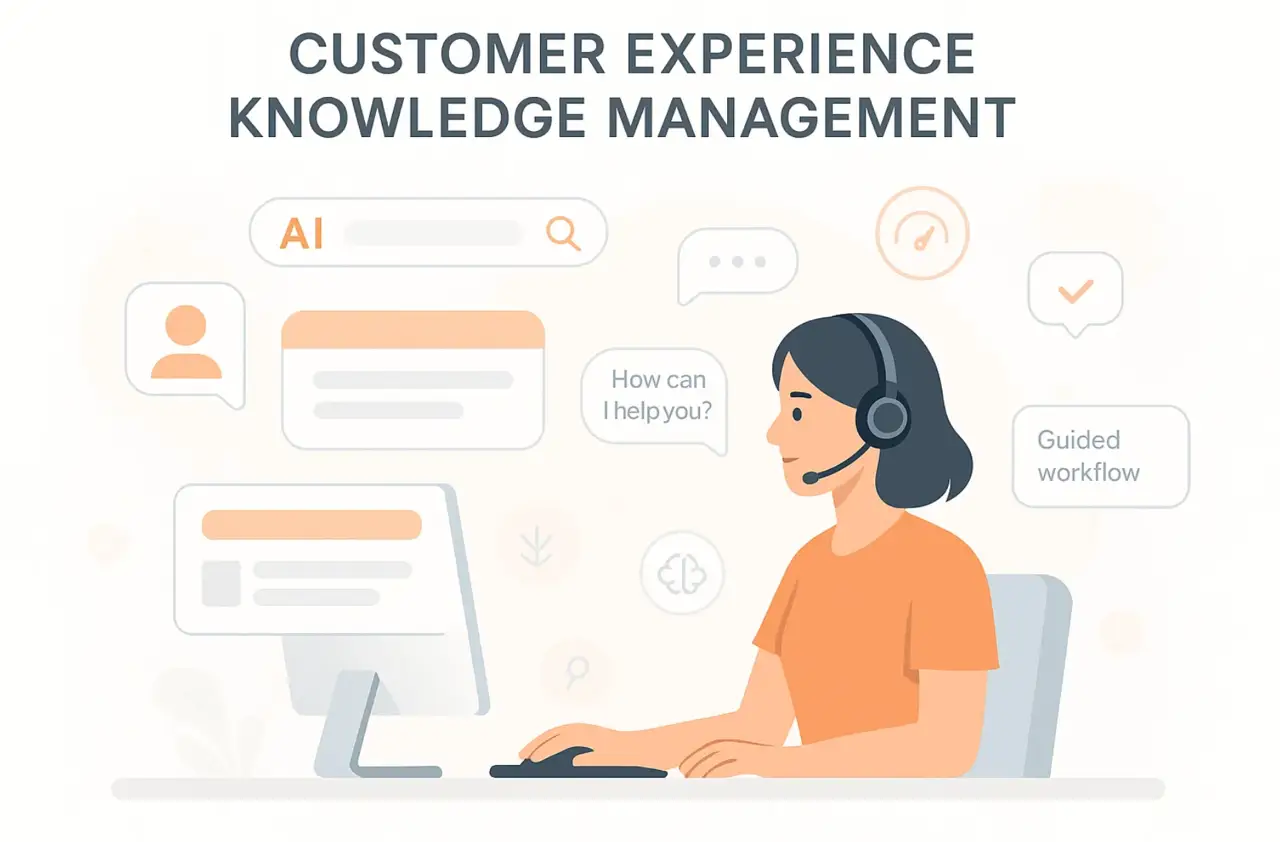
Customer experience knowledge management (CXKM) is a framework that delivers verified contextual answers to both agents and customers in real time. It goes beyond information storage and focuses on how knowledge is applied during live customer interactions.
Most traditional knowledge systems were never designed for the pace or complexity of customer experience. They capture information but fail to deliver it where and when it’s needed.
Common problems include:
- Policies, procedures, and FAQs live in separate repositories, forcing agents to switch tools during calls
- New policies or product changes take days to reach all service channels
- Long documents make it hard to extract quick, reliable answers
- Keyword-based search surfaces irrelevant or outdated material
- Each channel operates with its own version of information, leading to mixed messages for customers.
Knowledge Management Trends Shaping Customer Experience
Modern contact centers and CX teams operate in an environment defined by rapid change and rising expectations. To stay competitive, leaders must align their knowledge strategies with the key trends driving customer experience today.
Omnichannel Knowledge Delivery
Customers expect a unified experience across every channel they use. Voice, chat, email, and self-service must all draw from the same verified source of knowledge.
When systems operate independently, agents provide conflicting answers, and customers repeat information across channels. This disconnect increases effort, handling time, and operational costs.
Building a connected knowledge framework helps with consistent messaging and measurable improvements in satisfaction.
Self-Service as a Core Expectation
Customer preferences have evolved. According to recent research, 77% of respondents view self-service as a convenient way to resolve issues, and 67% prefer it over speaking to a representative. Organizations that neglect this capability face higher ticket volumes and increased service costs.
AI-Enabled Chatbots and Virtual Assistants
Chatbots and virtual assistants now handle a growing share of routine inquiries. When powered by a reliable knowledge base, they deliver accurate answers while maintaining compliance and consistency.
Without this foundation, automation creates more rework than value, forcing human agents to correct errors. Integrated AI solutions improve first-contact resolution and allow agents to focus on complex cases that require empathy and expertise.
Predictive Analytics and Machine Learning
Predictive models use data to anticipate customer needs, forecast call volumes, and identify knowledge gaps before they affect service. Teams that rely only on manual reporting stay reactive and discover problems after they’ve impacted customers.
Using AI-driven insights enables proactive updates, optimized staffing, and faster responses, all of which strengthen customer confidence and operational ROI.
Hyper-Personalized Experiences
Personalization is now a core requirement for customer experience. Customers expect responses that reflect their history, preferences, and channel of contact.
As outlined in the IBM Institute for Business Value report, “Nothing keeps customers coming back like bespoke experiences.”
Knowledge systems that recognize user intent and surface relevant content in real time enable that personalized service at scale. When interactions remain generic, engagement declines, satisfaction drops, and the organization loses long-term business value.
Real-Time Governance and Continuous Updates
Knowledge accuracy defines trust. When updates are delayed or inconsistently published, agents deliver outdated information, creating compliance risks and eroding confidence.
Strong governance frameworks with scheduled reviews and ownership tracking ensure content remains current across every channel. This structure reduces error rates and protects brand integrity.
How Knowledge Management Improves Customer Experience
Every update, policy change, and compliance adjustment becomes a risk when it is not consistent across channels. Here are key ways knowledge management strengthens your customer experience strategy:
Delivering Answers in Real Time
Brad Shaw, the CEO of livepro mentioned in the Contact Center Best Practice Report, “A knowledge management system for CX has to give you the answer at the speed of now.”
Customers don’t want lengthy policies or pages of text. They want quick answers that help them move forward without delay. Searching through documents or interpreting policy language increases frustration and handling time.
A purpose-built knowledge management system gives agents direct and verified responses they can read and relay instantly. Real-time delivery reduces average handle time, improves accuracy, and builds customer trust.
Guided Resolutions Simplifying Customer Interaction
Customer-centric processes are complex. Multiple steps, exceptions, and dependencies make it easy to lose track or miss key actions. Even small errors slow resolution and affect the customer experience.
With knowledge management, every update, procedure, and customer insight lives in a structured framework. Agents follow decision-based flows that lead them to the right action within seconds.
When knowledge is organized around how customers actually ask questions rather than how departments store information, resolution becomes instinctive. That’s what turns long pauses and uncertainty into confident responses that move the conversation forward.
Round-the-Clock Availability Enhancing Customer Access
Customers expect answers when they need them, not when agents are available. Traditional support hours no longer fit the demands of digital service environments, where questions come in at any hour across multiple channels.
Knowledge management addresses this gap by centralizing verified information in one accessible system. AI assistants and chatbots pull from this same knowledge base that live agents use. This makes sure customers receive accurate answers regardless of the time or channel they use.
The impact is measurable. Customers resolve common issues instantly without queue times. Complex cases get documented and routed to the appropriate team before the next shift starts. Agents begin their day with context already in place, ready to handle escalated requests efficiently.
Reducing Call Escalations Through Accurate Knowledge Access
High escalation rates in your contact center or BPO (Business Process Outsourcing) often mean customers can’t find reliable answers fast enough. When information is scattered across tools or buried in long documents, every second spent searching adds to frustration.
A structured knowledge management system organizes verified content into clear, accessible formats, giving agents direct access to accurate responses without switching screens or waiting for confirmation.
With precise and trusted knowledge at every step, agents resolve more queries at first contact. The result is faster resolutions, tighter control of call volume, and stronger customer satisfaction across the board.
Personalizing Customer Experiences
Personalization defines how customers remember a service interaction. Yet in high-volume contact centers, it gets lost between multiple tools and fragmented data.
Knowledge management brings that context together. By connecting product details, customer history, and process updates in one framework, it helps agents shape responses that feel relevant and human. Customers no longer need to repeat their story, and agents can deliver answers that fit the situation.
Continuous Improvement Through Insights and Feedback
CX leaders can’t improve what they can’t see. When knowledge lives across shared drives or untracked systems, it’s impossible to know which content actually helps customers and which causes confusion.
Built-in analytics within a knowledge management system reveal search success rates, article usage, and feedback trends, giving leaders visibility into what works and where updates are needed.
This creates a continuous improvement loop, where every customer interaction informs better knowledge.
How livepro Helps Improve Customer Experience and Service Quality
livepro is an AI-based knowledge management software that enables consistent, compliant, and high-quality service at scale. It connects knowledge, governance, and automation, creating a single source of truth for teams and customers.
Below are livepro features that support modern CX goals and address the most common challenges contact centers face today:
Answer Articles for Direct and Reliable Responses
When information is hard to read, buried in long documents, or filled with policy language, it slows teams down. Poorly structured knowledge results in:
- Longer handle times as agents interpret or rephrase lengthy policies
- Higher error rates when answers depend on interpretation instead of clarity
- Inconsistent experiences between teams using different information
- Low adoption occurs when employees avoid systems that are hard to use.
livepro’s Answer Articles solves this with short and verified responses written for clarity and speed. Each article covers one question or process and follows a standardized and compliant format. All content is pre-approved by subject experts to meet regulatory and internal standards.
For example, when a customer calls to check an order delay, the agent opens the approved Answer Article with current shipping timelines, delay causes, and escalation steps. The verified response appears instantly, reducing average handle time (AHT) and improving first-contact resolution (FCR).
Process Guidance and Decision Guidance (The Rocket)
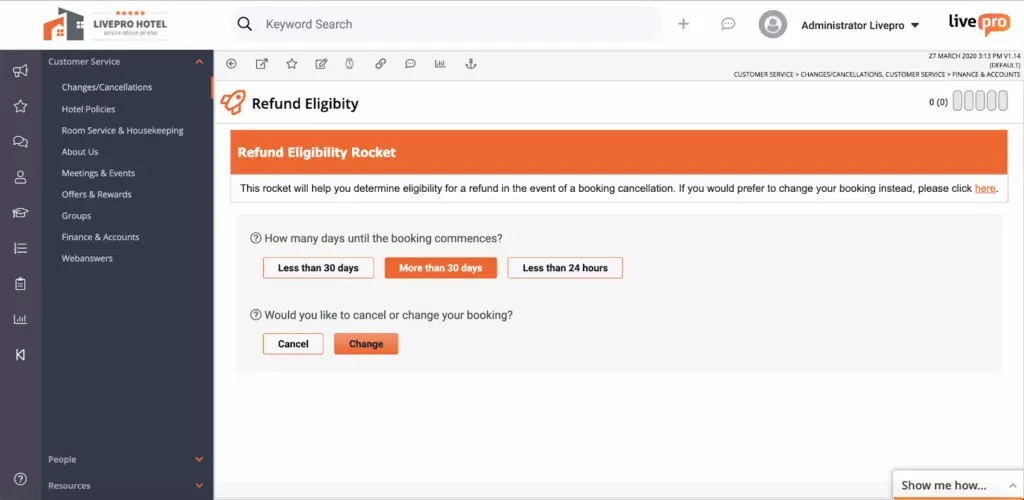
When service processes involve multiple steps or exceptions, even trained agents can lose track of the correct path.
livepro’s Rocket tool solves this with guided decision logic that walks agents through each process in real time. It adapts to every response, presenting only the next relevant question or action.
Rocket uses dynamic branching. Each answer automatically triggers the next question, narrowing down to the right outcome. The result is a step-by-step resolution path built into the knowledge base.
For example, if a customer calls about a broadband service outage, the Rocket guides the agent through the process:
- Q1: Is the customer’s account active? → Yes
- Q2: Are there reported outages in the customer’s area? → No
- Q3: Has the customer rebooted their modem? → No
- Action: Guide the customer through the reboot steps.
- Q4: Did reboot resolve the issue? → Yes
- Resolution: Close the case with “resolved power cycle successful.”
By using this guided flow, your agents avoid unnecessary escalations and deliver a policy-aligned solution on the first attempt.
Luna AI for Conversational and Human-Like Support
Agents spend valuable time answering routine queries like password resets, order updates, or billing questions. These repetitive interactions create long queues and prevent agents from focusing on complex cases that need human expertise.
Luna AI delivers conversational, AI-powered support that understands intent and provides verified responses in real time. It engages customers in natural, human-like interactions, resolving common questions without delay.
It helps by:
- Understanding context and intent to deliver precise answers instantly
- Handling multilingual interactions with consistent accuracy
- Escalating complex issues to live agents with full chat and case history
- Integrating with CRM and ticketing systems for recordkeeping
For example, when a customer asks about updating payment details after hours, Luna AI guides them through each step, confirms completion, and logs the interaction automatically. Routine queries are resolved without human intervention, reducing queue volume and improving overall efficiency.
Lightspeed Search for Intent-Based Discovery
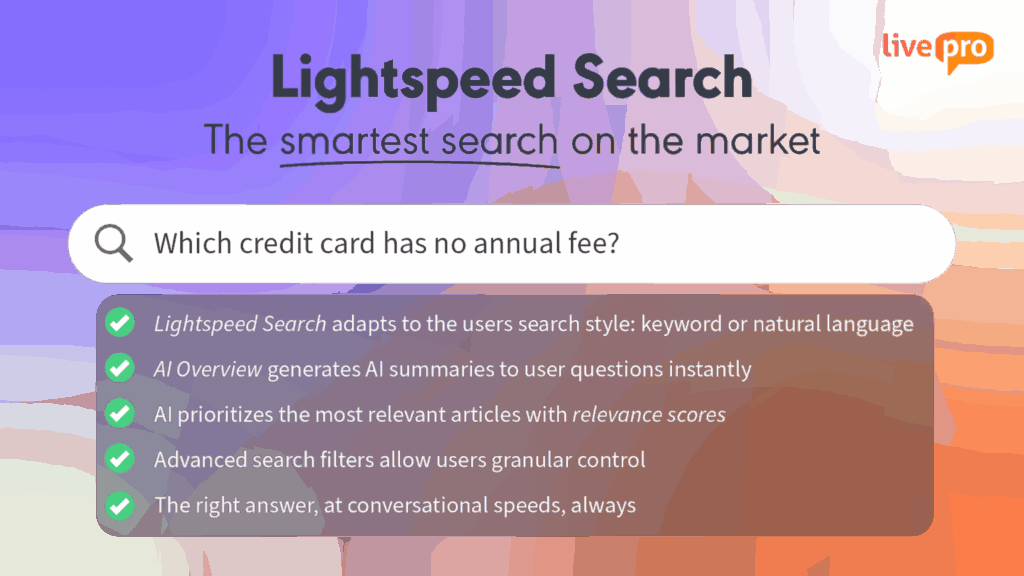
Traditional keyword searches return multiple irrelevant results, forcing agents to skim and interpret while customers wait on hold.
Lightspeed Search eliminates that delay by understanding meaning, not just keywords. It retrieves the most relevant, verified answers in seconds, even when queries are incomplete or misspelled.
It enables agents to:
- Use natural language to search without relying on exact phrases
- View ranked results based on accuracy, approval date, and confidence level
- Filter results by category, product type, or compliance tag
- Continuously improve relevance through learning from search behavior
For example, when an agent types “late payment fee waiver,” Lightspeed Search instantly displays the approved article and script, allowing the agent to deliver the correct answer immediately.
AI Overview for Concise and Context-Aware Summaries

Contact center leaders and agents scroll through lengthy documents just to confirm a single detail during a live call. This increases handling duration and creates unnecessary pressure during high-volume hours.
AI Overview simplifies this by generating concise, context-aware summaries of verified knowledge articles. Agents and supervisors can instantly understand the key points without opening or reading the full document.
It provides:
- Short summaries of policies and procedures directly within search results
- Automatic updates when underlying content changes
- Highlighted key details such as steps, limits, and compliance notes
- Continuous improvement based on user feedback
Before responding to a refund escalation, for instance, a supervisor can view a summary showing eligibility rules, approval limits, and documentation requirements.
Announcements and Hubs for Real-Time Knowledge
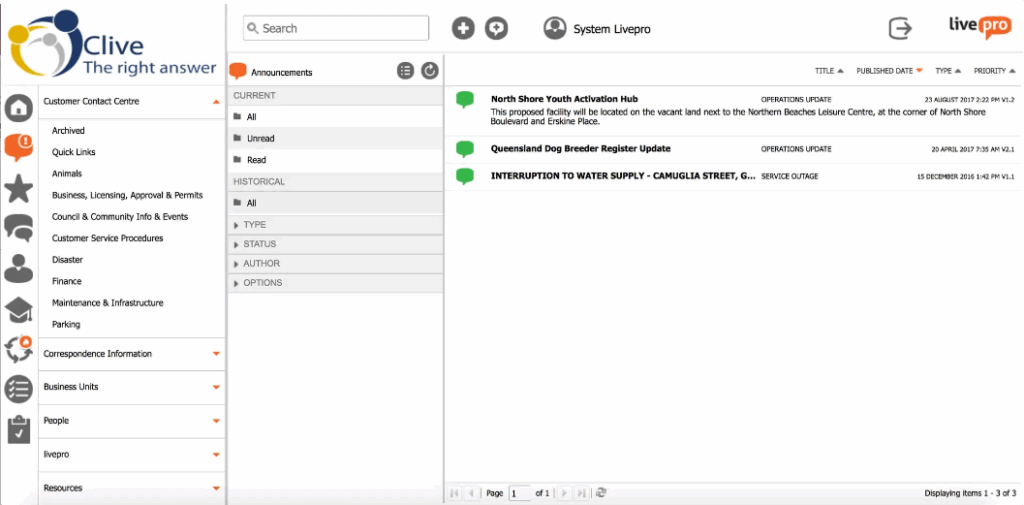
When updates arrive through email threads or chat messages, they get lost in busy inboxes. Sometimes, agents are unaware of urgent policy changes until after customer calls.
livepro’s Announcements and Hubs solve this by making knowledge centralized and easy to act on. Here’s how it helps:
- Announcements deliver real-time alerts directly in the agent workspace, ensuring critical updates reach everyone at once. They automatically expire when no longer relevant, keeping the system current.
- Hubs organize related knowledge (product FAQs, troubleshooting steps, and compliance notes) into topic-based sections.
For example, when a new pricing model launches, an announcement instantly notifies agents of the change, linking directly to the “Pricing Hub” containing updated product sheets and scripts.
Governance, Feedback, and Insights for Continuous Improvement
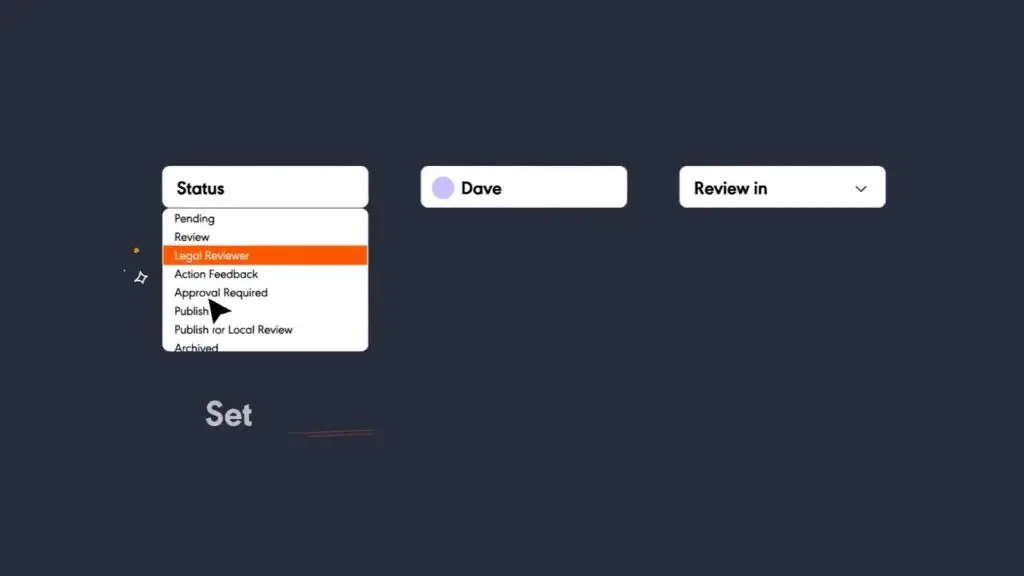
As knowledge grows, articles can go out of date, feedback is missed, and compliance gaps appear. These issues reduce reliability and weaken both agent confidence and customer trust.
livepro’s Governance, Feedback, and Insights features keep content traceable and measurable. CX leaders can see who owns each article, how it performs, and when it needs review.
Here’s how Governance works:
- Assigns ownership to every article for accountability
- Automates review dates and sends reminders before expiry
- Stores full version history so changes can be tracked or restored at any time
Here’s how feedback works:
- Let agents and customers leave comments directly on articles
- Routes feedback to the right reviewer or subject expert automatically
- Builds a continuous improvement cycle that keeps content relevant
Here’s how livepro’s Insights works:
- Tracks usage data and search patterns to show which articles perform best
- Highlights gaps or content that needs updating
- Provides dashboards for visibility into accuracy, engagement, and compliance
Integrations for a Unified CX Workflow
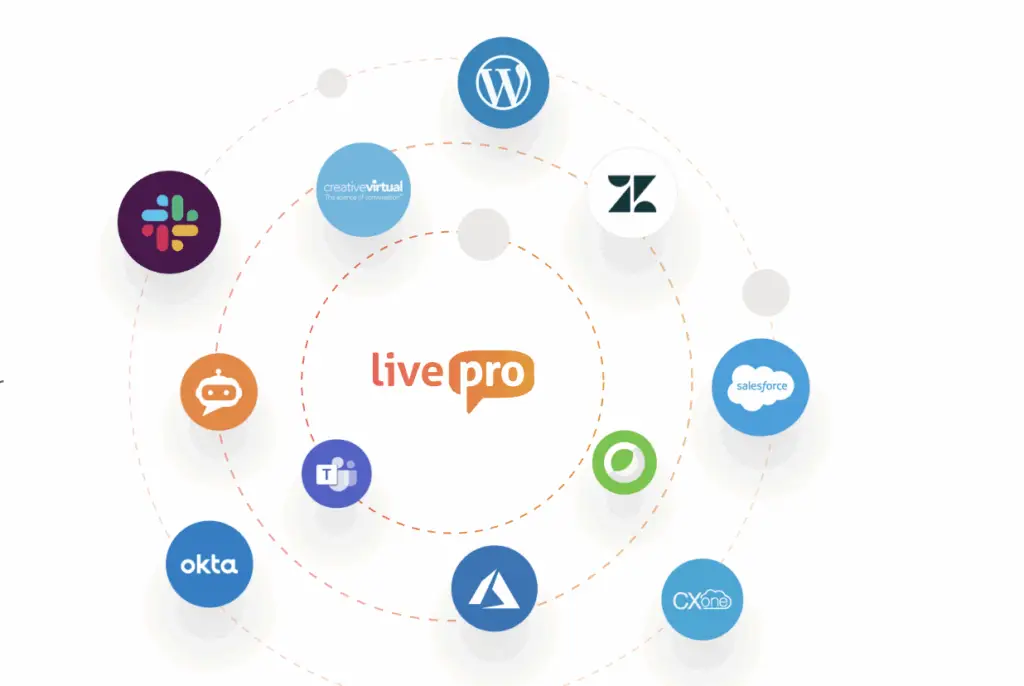
Customer service teams use many tools for CRM, ticketing, and communication. Switching between them breaks focus and causes inconsistent answers.
livepro’s Integrations connect the knowledge base directly with existing platforms. Every team member works from the same verified content without leaving their main workspace.
Key integrations
- Microsoft Teams and Slack
- Salesforce and Zendesk
- Genesys Cloud and NICE CXone
- Open API for custom connections
These integrations cut context switching, reduce errors, and keep agents focused on the customer.
How to Implement a Customer Experience Knowledge Management Strategy
Building a successful CX-focused knowledge management strategy demands alignment of team, process, and technology. The most successful knowledge management programs follow structured, measurable, and phased approaches.
Here is a comprehensive seven-step roadmap:
Step 1: Define Clear Business and CX Objectives
Start by defining what you want to achieve. Examples include reducing average handle time (AHT), improving first-contact resolution (FCR), and increasing agent productivity. Linking the knowledge initiative to business outcomes ensures leadership support and budget protection.
Step 2: Audit Current Knowledge Placement
Map where your knowledge currently lives (documents, shared drives, or email threads) and identify bottlenecks such as unused content, poor search performance, or outdated articles. This audit highlights redundant material and informs what should be migrated, improved, or retired.
Step 3: Build Governance Framework and Workflows
Establish roles and responsibilities (authors, reviewers, approvers), set review cycles, and define metadata/taxonomy standards. Governance frameworks are critical to avoid content decay and ensure reliability.
Step 4: Select and Integrate the Right Platform
Choose a purpose-built solution aligned with CX-KM, not just general content management. Ensure it integrates with CRM, ticketing, communication tools, and supports role-based access. Integration and workflow embedding are vital for adoption.
Step 5: Structure and Curate Knowledge for Usability
Organize content using consistent templates and clear formatting for readability and relevance. Assign ownership to each category so updates happen quickly and standards remain consistent. Well-structured knowledge increases accuracy, speed, and reuse.
Step 6: Embed Training, Culture, and Adoption Practices
Provide training to agents on how to use the system, encourage knowledge contribution, and recognise behaviors that support the KM initiative. A knowledge-sharing culture is a foundational success factor.
Step 7: Measure, Optimize, and Scale
Track meaningful metrics, search success rate, article usage, time to answer, FCR, and AHT. Use feedback loops and analytics to refine content and workflows. Knowledge management is not a one-time project but a continuous improvement cycle.
How livepro Helped TSA Group Improve Knowledge Efficiency and Employee Engagement
TSA Group, a leading business process outsourcing (BPO) provider, managed several client accounts across different industries. Agents switched between systems and searched through complex policies to find answers.
The lack of a centralized knowledge base increased handle times, created inconsistent information, and lowered agent confidence.
The Challenge
TSA Group needed a single source of truth that would help agents locate verified information quickly and reduce time spent searching across multiple platforms.
The Solution
The company implemented livepro’s knowledge management system to centralize all client information in one place. Features like Lightspeed Search, Process Guidance, and Analytics helped agents find relevant answers faster and allowed leaders to monitor content performance and usage trends.
TSA Group implemented livepro’s knowledge management system to replace SharePoint and create a single source of truth. The platform introduced structured governance, consistent content management, and easy in-house control.
The Group Manager of Training, Knowledge, and Process at TSA Group shared why the team chose livepro:
“livepro has proven themselves to be experts in the KM Field and are as passionate about improving customer experience as we are.”
The Results
- 95%+ utilization rate across all channels
- 58% reduction in time to locate knowledge for new agents
- 75% fewer clicks to find answers for new starters
- 21% improvement in average handle time (AHT) across all tenure groups
- 98% of users said their job became easier; 92% reported higher confidence using the system
By consolidating information into a searchable platform, TSA Group improved accuracy, efficiency, and employee satisfaction.
Bottom Line: livepro Is the Best Customer Experience Knowledge Management Software
Every part of the customer experience depends on access to consistent knowledge. Without it, even the best tools or training can’t deliver real improvement.
livepro brings structure, speed, and intelligence to customer experience knowledge management. It combines verified answers, built-in governance, and AI-driven insights to help teams work faster.
Agents stay aligned, customers get reliable information instantly, and leaders gain measurable results across handle time, resolution rate, and satisfaction. Book a demo to see how livepro transforms knowledge into a measurable CX advantage.